

How Do Websites Detect Browser Fingerprints
Cookies and browser fingerprints
Cookies should be nothing strange to today’s internet users. Cookies are text files stored at your browser storage with small pieces of data, like a username and password.
Cookies can store a wide range of information, including personality identifiable information, such as your name, home address, email address, and preferred language. When you visit the web using a browser, websites can identify your computer according to the cookies they access.
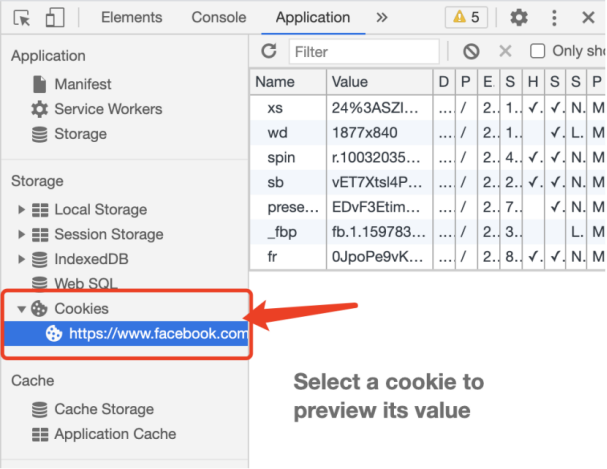
Similar to cookies, browser fingerprints are also used by websites to track the users. Websites collect unique browser fingerprints that can be traced back to the specific device.
By doing so, websites actually collect user data at the same time. Even if you clear cookies in the browser after visiting the web, the records of browser fingerprints can still be used by websites to continuously track you online.
How do browser fingerprints work?
Websites analyze JavaScript to gather browser fingerprints (such as UserAgent, time zone, screen size, resolution, font, plug-ins, etc), and create unique digital signatures based on the acquired information.
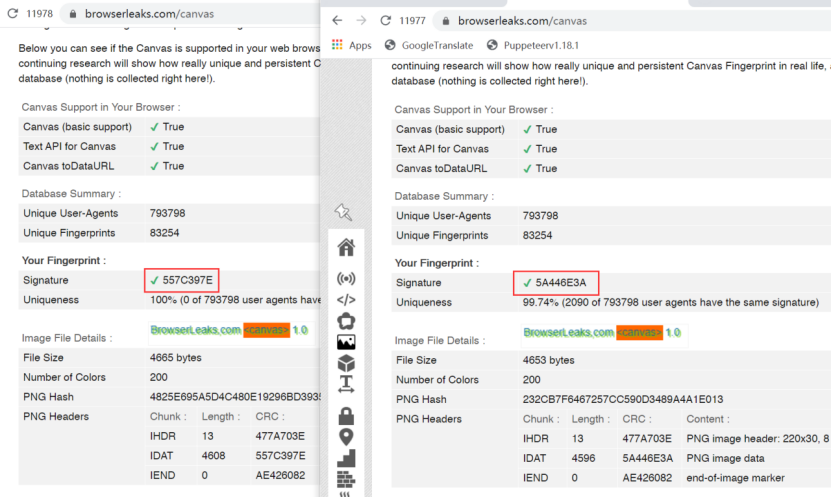
Source: https://browserleaks.com/javascript
Some websites use HTML5 canvas to process graphics. This is also a common method to gather detailed information of a specific device since the GPU of different computers render graphics in different ways.
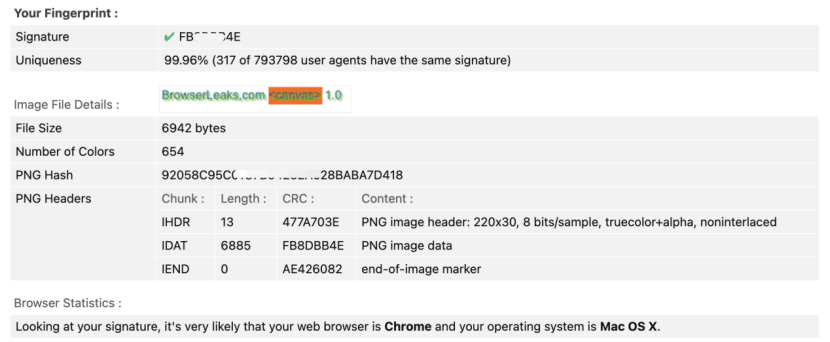
Source: https://browserleaks.com/canvas
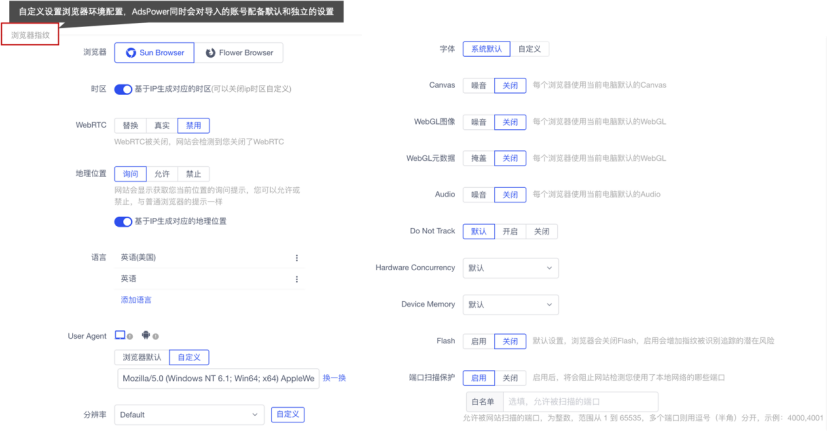
In AdsPower, you can easily change fingerprints, like UserAgent, time zone, and font size, as well as create multiple browser profiles to emulate multiple computers.
What are browser fingerprints used for?
In the same browsing environment, if you register multiple accounts on a website within a few minutes, even if you clear all cookies and change to a different IP address every time you are to register a new account, the website can still detect that you’re operating on one computer. This will be identified as fake account creation and will lead to your accounts being verified or banned.
What can you do with AdsPower?
Based on Chromium, you can set up proxy IPs and change basic fingerprints, such as UserAgent, time zone, language, geo-location, resolution, and font, in AdsPower.
Most importantly, hardware fingerprints, like Canvas, WebGL, and Audio, can also be changed in AdsPower.

As pessoas também leem
- O que é a impressão digital do navegador?

O que é a impressão digital do navegador?
Este artigo explora o complexo mundo da identificação de navegadores, desvendando seu funcionamento, aplicações, vantagens e desvantagens.
- O que são vazamentos de WebRTC e como evitá-los?

O que são vazamentos de WebRTC e como evitá-los?
Vazamentos de WebRTC podem colocar você em risco a qualquer momento. Portanto, neste artigo, exploraremos o que são esses vazamentos e como você pode evitá-los.
- Entendendo o que é um User Agent: Componentes do UA e como pesquisá-lo

Entendendo o que é um User Agent: Componentes do UA e como pesquisá-lo
Descubra neste blog o que é um agente de usuário, seus componentes e como encontrar a string UA do seu navegador.
- Como o AdsPower cria fingerprints do navegador no nível do kernel

Como o AdsPower cria fingerprints do navegador no nível do kernel
Saiba como o AdsPower modifica fingerprints no nível do kernel Chromium para aumentar a consistência, diminuir riscos de detecção e facilitar a gestão de múltiplas contas.
- Vazamento de DNS Explicado: Proteja seus Perfis no AdsPower com o Proxy Certo

Vazamento de DNS Explicado: Proteja seus Perfis no AdsPower com o Proxy Certo
Vazamentos de DNS podem expor sua localização real. Aprenda a proteger perfis no AdsPower com o proxy e a configuração de DNS corretos.
