

Manage Browsers and Proxies with AdsPower (Luminati)
Various websites and search engines use browser fingerprinting as protection against malicious bots. Every browser leaves its traces online, so this information allows websites (or search engines) to identify unique users, detect bot traffic, and even track their users' online activity. Online privacy isn't a common thing anymore.
Browser fingerprinting is already making a significant impact on web scraping as well. It gradually becomes the primary weapon to identify web scraping bots. One way to beat browser fingerprinting and browse the internet more privately is to use browser management tools.
AdsPower browser management tool
AdsPower is a multi-login browser management tool suitable for Windows and Mac operating systems. The main AdsPower functions include:
Multi-Account Management
Dealing with the latest browser fingerprinting techniques by setting a specific browser fingerprint for each account
Proxy servers integration for more efficient browsing
Proxy integration in AdsPower
Using proxies unlocks many opportunities for the best browsing experience. For example, you can access geo-blocked content, surf the web anonymously, or use proxies for web scraping to acquire required publicly available information from the websites.
Imagine using efficient browser management tools such as AdsPower with reliable residential proxies. In this case, you won't need to deal with browser fingerprinting, geo-restricted content, or other issues anymore.
Please note that AdsPower doesn't provide proxies by itself. Instead, AdsPower integrates with mainstream proxy providers on the market, such as Oxylabs, Luminati and 911S5.
Here is a step-by-step tutorial on how to configure Luminati residential proxies in AdsPower for Windows.
Quick step-by-step guide:
Step 1: Go to your Luminati Dashboard and click Add Zone
Step 2: Select a network type and press Add Zone
Step 3: Back in your Luminati dashboard, click a Zone name
Step 4: Paste Luminati's proxy IP information and account information into Excel:
Step 5: Upload the Excel file to AdsPower's system:
How to automatically match Luminati's dynamic residential IPs in AdsPower
Since AdsPower itself does not have its own proxy service or Residential Ip network, you are going to need to match your desired IPs from Luminati in AdsPower as follows:
Step 1: Click the “Free Upgrade” button in the lower right-hand corner of the AdsPower software to upgrade to the Team version of AdsPower (from $ 25 / month)
Step 2: Go into the menu by heading to Enterprise → Settings
Step 3: Fill in the username and password for the requested Luminati Dynamic Residential IP
Step 4: When importing the account, select 'Lumauto':
Step 5: Fill in the desired country, state, city information associated with the IP you want to get from Luminati, or the IP address associated with the account used to log in / currently being used
Step 6: After the configuration is complete, click 'OK’
Step 7: In the account management dashboard, hit ‘Open Browser’, and AdsPower will utilize the proxy you connected to place you in your desired target region
Conclusion
Integration with smooth proxies greatly improves AdsPower's ability as a tool which can be used to streamline your browsing efficiency and enhance your privacy while performing data collection tasks. In our next post, we'll prepare a guide for configuring Oxylabs proxies in AdsPower.
If you are interested in more AdsPower benefits, please don't hesitate to visit our website detailed information.

As pessoas também leem
- Como baixar vídeos e GIFs do Twitter/X?

Como baixar vídeos e GIFs do Twitter/X?
Descubra métodos simples para baixar vídeos e GIFs do Twitter/X, incluindo guias passo a passo.
- Não consegue criar uma conta Steam? 5 soluções para problemas de cadastro (2026)
Não consegue criar uma conta Steam? 5 soluções para problemas de cadastro (2026)
Não consegue criar uma conta Steam? Resolva problemas com loops de hCaptcha, e-mails de verificação ausentes e VPN com 5 soluções passo a passo. Crie sua conta hoje mesmo!
- Como vender no Facebook Marketplace em 2026: Guia passo a passo
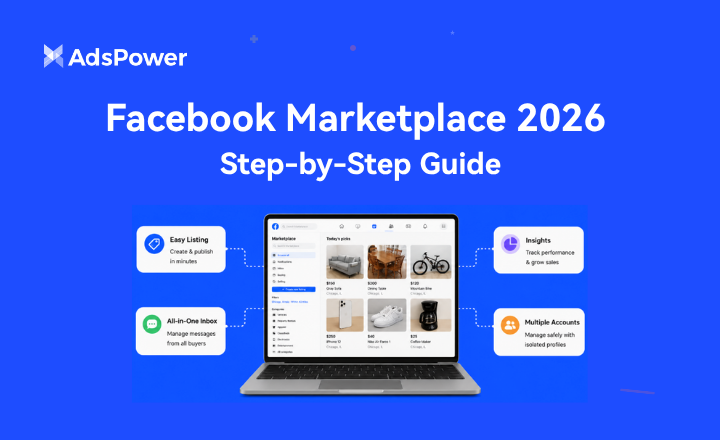
Como vender no Facebook Marketplace em 2026: Guia passo a passo
Quer vender no Facebook Marketplace? Aprenda como criar anúncios, obter mais visualizações, usar o novo aplicativo para vendedores e gerenciar várias contas do Marketplace.
- Comprar Contas Reddit: Melhores Sites, Riscos e Gestão de Contas

Comprar Contas Reddit: Melhores Sites, Riscos e Gestão de Contas
Compare onde comprar contas Reddit, verifique os riscos e veja como o AdsPower ajuda a gerenciar múltiplas contas com mais segurança.
- O Patreon desativou minha conta — veja por quê e como recuperá-la.
O Patreon desativou minha conta — veja por quê e como recuperá-la.
Recebeu um e-mail do Patreon informando que sua conta foi desativada? Saiba por que o Patreon desativa contas, como recorrer e recuperá-la, e como evitar que isso aconteça novamente.
