

AdsPower
Release Notes

AdsPower Changelog and Release Notes

View new features, UX improvements, kernel updates, and bug fixes for the AdsPower software by date.

[Chrome 157 Kernel Update]

Updated the Chrome kernel to version 157 for Windows, macOS, and Linux, adding support for the latest Chrome version.


[New SunBrowser Flash]

Introduced SunBrowser Flash, a lightweight browser option designed to reduce resource usage and lag when running multiple browser profiles. It helps keep operations smooth while maintaining data isolation between profiles. Currently available on Windows and macOS, based on Chrome 152.
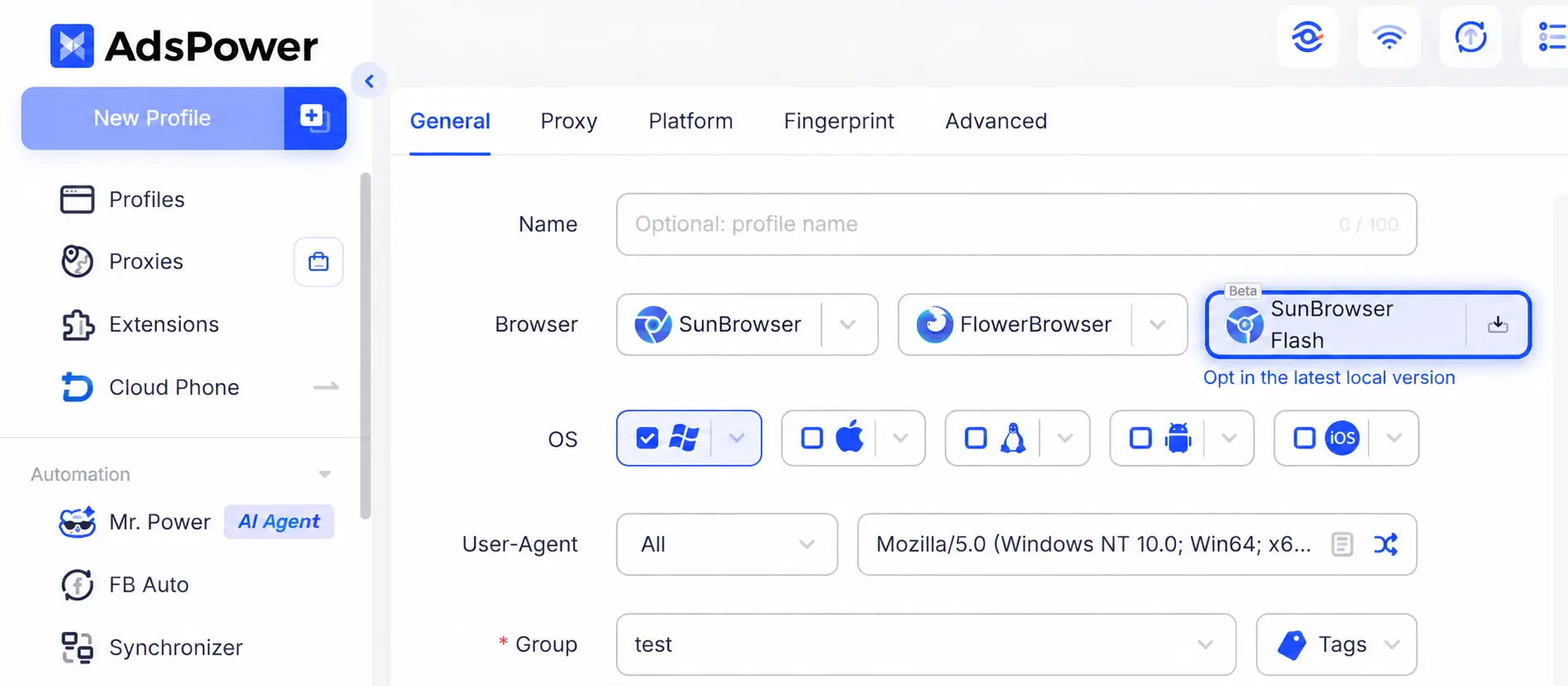

adspower SunBrowser Flash webp


[New Rotating Mobile Proxies]

Added rotating mobile proxies to the proxy service. Users can now purchase mobile proxy traffic, view available resources, and configure proxies in browser profiles. Mobile and residential proxies have separate traffic pools, so existing residential proxy orders, traffic, and profile settings remain unaffected.


[New Skills Marketplace for AI Agent]

Added a Skills Marketplace with official skills for common tasks such as web browsing and product data collection. Users can explore skill descriptions, use cases, and examples, then install a skill and enter details such as browser profiles, URLs, or keywords to start a task without repeating instructions. AI Agent can also automatically use enabled skills when relevant to a task. Users can import skills from local folders, ZIP files, or remote files and create prompt-based skills to save and reuse frequently used instructions.


[Share Browser Profiles with Codes]

Users can now share one or multiple browser profiles using a share code or claim link, without needing the recipient's AdsPower email address or phone number. Recipients can log in or sign up, enter the code or open the link, and choose which team will receive the profiles.


[Automatic OS Detection for Mobile Profiles]

When creating a profile on mobile, AdsPower can now automatically select the default operating system based on the current device, reducing manual setup steps.


[Unique Names for Profile and Proxy Tags]

Profile and proxy tags must now have unique names. Duplicate tag names are no longer allowed, making it easier to organize and manage browser profiles and proxy resources.
[FlowerBrowser Upgraded to Firefox 156]

FlowerBrowser has been updated to Firefox 156 on Windows, macOS, and Linux, bringing support for the latest Firefox browser kernel. This update also fixes an issue that could occasionally cause browser profiles to crash on startup in the macOS client, improving overall compatibility and stability.


[Passkey Now Supports Profile-Based Storage and Sync]

Passkeys can now be created and saved directly within the current AdsPower browser profile for future website logins. Each profile stores its Passkeys separately, and users can enable data sync to access saved Passkeys when opening the same profile on another computer. Passkey cache management, backup, and cleanup options are also available.


[AI Agent Adds Real-Time Instructions and Quick Access Across Modules]

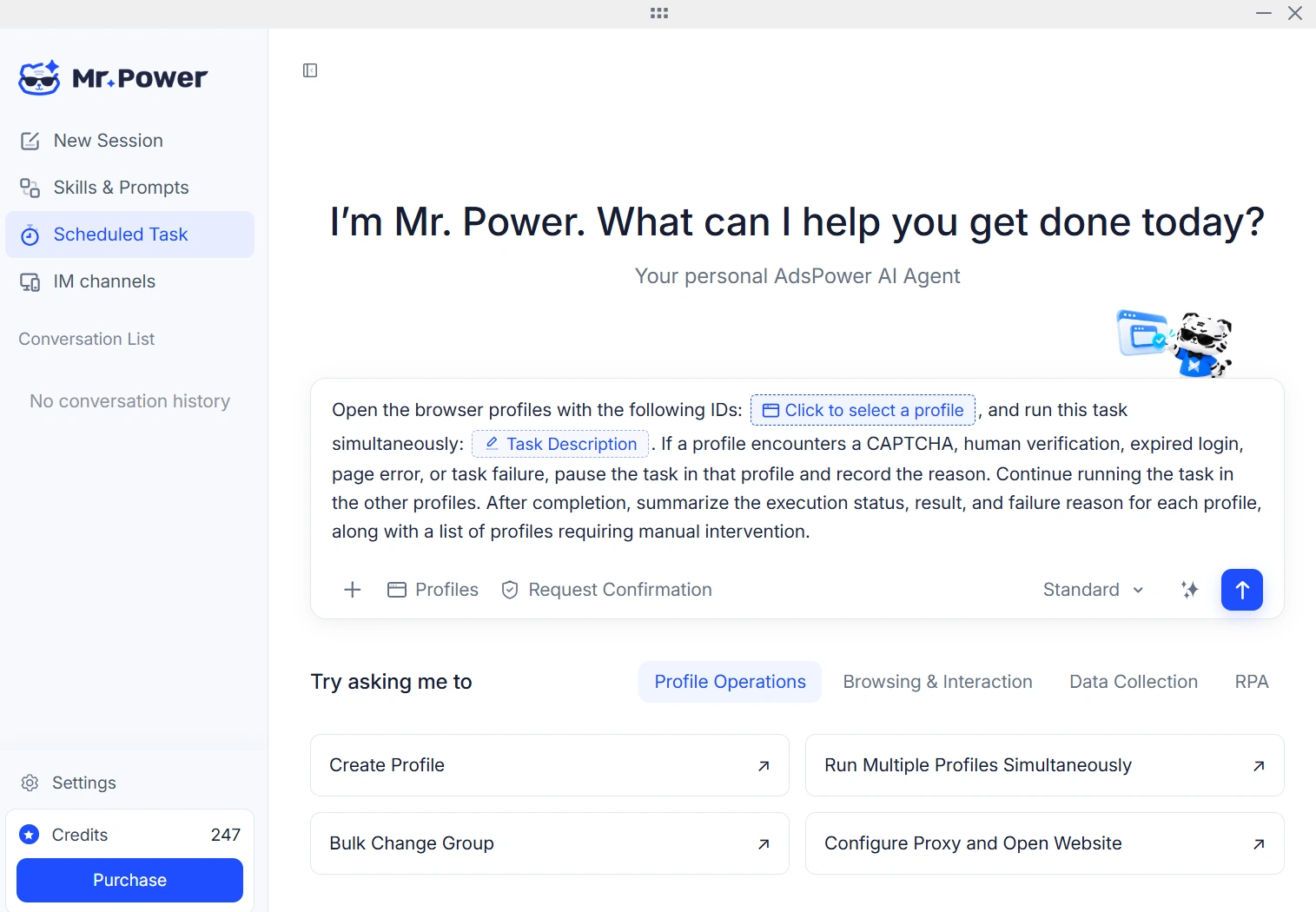
You can now send additional instructions to the AI Agent while a task is running, without waiting for it to finish or stopping the current execution. The Agent will take the new instructions into account as it continues working, and they will be saved in the task history for future reference. AI Agent shortcuts have also been added to several modules, including profile creation, profile management, proxy management, Window Synchronizer, RPA Plus, and team management. Clicking a shortcut opens the AI Agent with a ready-made prompt for that specific task, making it easier to create profiles, perform batch operations, and start automation workflows.

adspower-ai-agent

[Team Management Adds Admin Reporting Structure]

Team management now supports a three-level structure: Admin → Manager → Employee. Super Admins can assign managers to specific Admins. Admins can still view all team members except Super Admins, but can only manage members assigned to them or those who have not yet been assigned. Admins can also access browser profiles that have been authorized for their assigned managers and those managers' employees. When team assignments change, the related profile access permissions are updated automatically. Existing account data, manager-employee relationships, and profile permissions granted directly to Admins remain unchanged.


[Cleaner Client Layout]

We've refined page titles and tab spacing across the AdsPower client. Shorter titles and more compact tabs help reduce wasted space and make the interface easier to navigate.
App Attachment Upload Limit Increased to 60 MB. The attachment upload limit when adding apps in the App Center has been restored to 60 MB, allowing users to upload larger app files.

[Chrome 156 Kernel Upgrade]

Chrome 156 kernel rolls out across Windows, macOS, and Linux, with matching User-Agent strings, kernel components, and updated ChromeDriver. It brings full support for the new kernel and better compatibility with websites.


[New Rotating Proxy Traffic Query API]

A new API endpoint lets you check rotating proxy traffic data. Pull available traffic volume, expiry date, update timestamp, and daily consumption for the current month. Filter records by custom date ranges within the month to track proxy usage conveniently.


[AI Agent Functional & Experience Improvements]

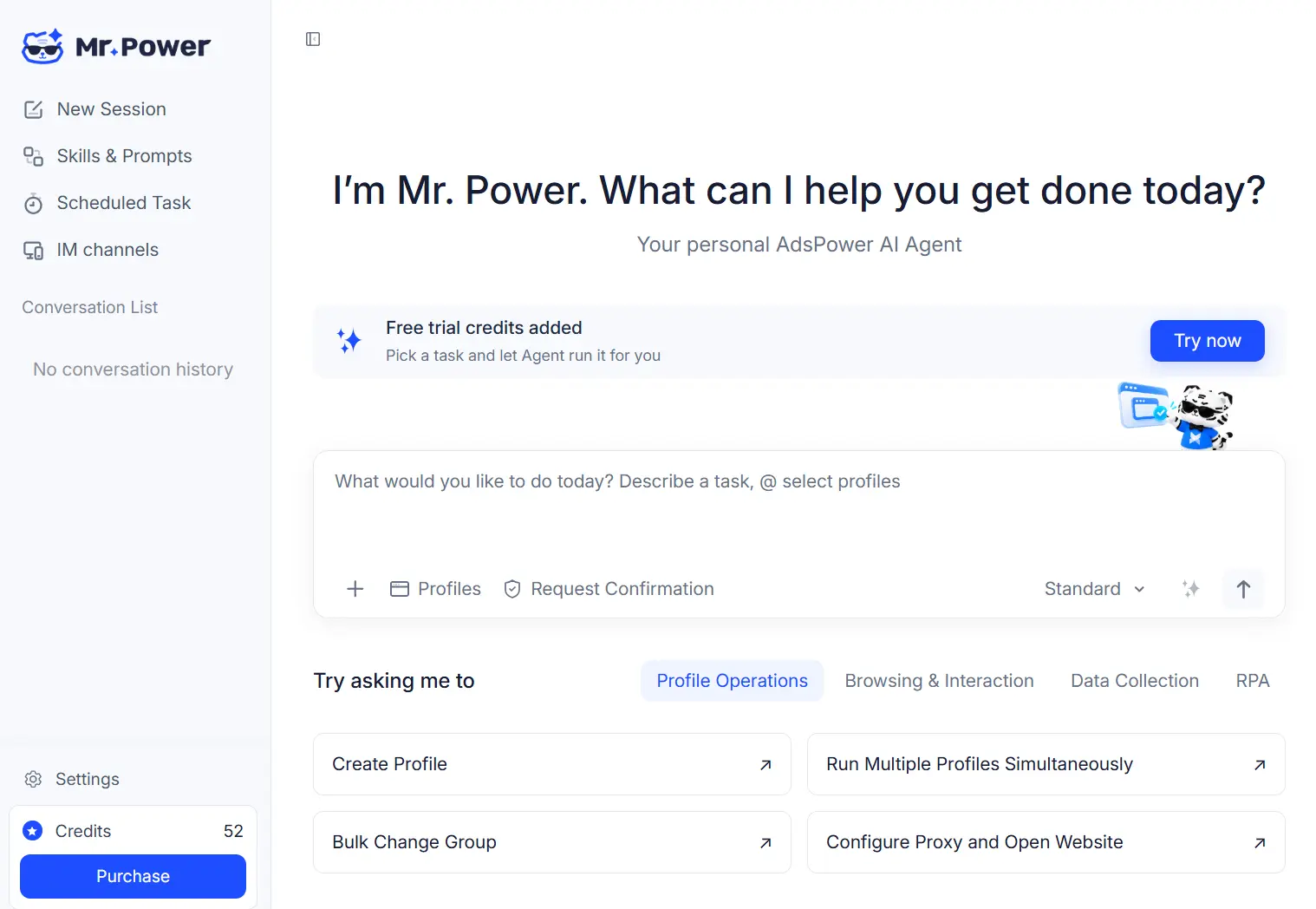
Streamlined the Skill generation workflow and refined generated outputs for smoother creation and use. The chat dialog UI gets adjustments for clearer task input and session display. Standardized model name mapping across platforms, with a cleaner model list layout on the settings page.


The chat dialog UI

[iOS App Enhancements]

Improved sync for browser environment startup and runtime status. Compatibility with third-party login flows on selected websites is enhanced, alongside refined Cookie sync, editing and saving. Restructured advanced fingerprint options and settings layout. Pull-to-refresh, color scheme switching and video playback are tuned for better mobile stability and fluidity.

Start efficient multi-account management

Try 2 browser profiles for free · No credit card required
