

Article Overview
AdsPower introduces SunBrowser Flash, a new lightweight browser option for Windows and macOS. Learn how to create and use Flash profiles, reduce resource usage, and choose between SunBrowser Flash and SunBrowser.
Running multiple browser profiles at once can put extra pressure on your computer. As more profiles are opened, you may experience slower loading times, higher memory usage, or lag when switching between windows.
To address these issues, AdsPower has introduced SunBrowser Flash (Beta), a new browser option built for users who regularly work with multiple browser profiles.
In this guide, we'll explain what makes SunBrowser Flash different, how to create and use it in AdsPower, and what you should know before getting started.
What Is SunBrowser Flash?
SunBrowser Flash is a lightweight Chromium-based browser designed to use fewer system resources when multiple browser profiles are open at the same time. Its main purpose is to make multi-browser operations more efficient, especially when several browser windows are running simultaneously.
AdsPower has introduced SunBrowser Flash as a new browser type alongside SunBrowser and FlowerBrowser. It combines a lightweight browsing experience with AdsPower's isolated browser profiles, allowing users to manage multiple accounts without mixing their browsing data and login sessions.
What are the main advantages of SunBrowser Flash?
- Lower resource usage: Designed to reduce memory and system resource consumption when multiple browser profiles are open.
- Smoother multi-profile operations: Helps reduce lag and improve responsiveness when working across multiple browser windows.
- Isolated browser profiles: Keeps each profile's browsing data and login sessions separate, just like other AdsPower browser types.
SunBrowser Flash is now available in Beta for Windows and macOS, powered by the Chrome 152 engine.
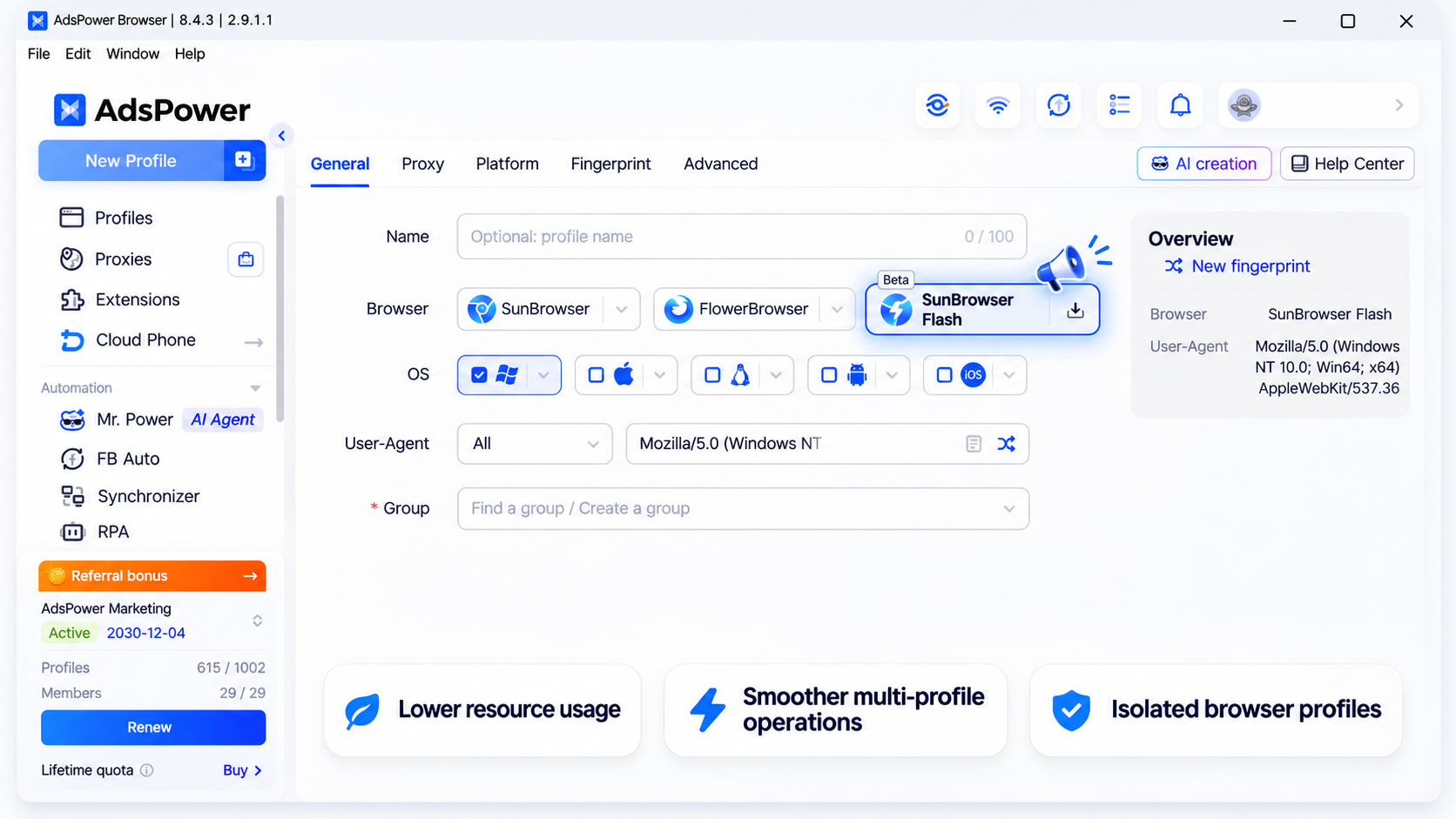
If you frequently manage multiple social media accounts, ad accounts, online stores, or other browser-based workflows, SunBrowser Flash is a new option worth trying when running several profiles simultaneously.
How to Create and Use SunBrowser Flash in AdsPower
Setting up SunBrowser Flash is similar to creating a regular AdsPower browser profile, with a few differences. Follow the steps below to create, configure, and launch your first SunBrowser Flash profile.
Step 1: Create a New Browser Profile
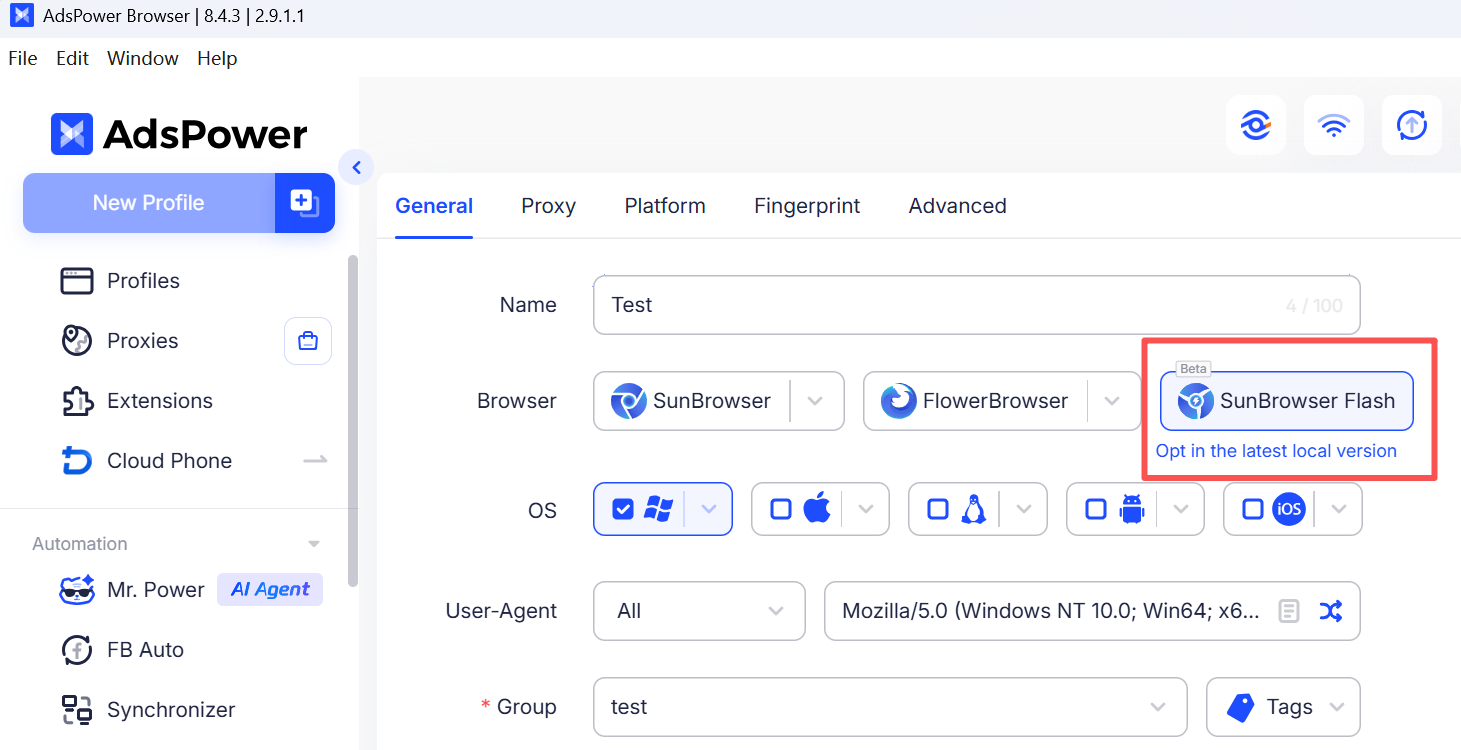
Open the AdsPower desktop client and click New Profile.
Under Browser, you'll see three options: SunBrowser, FlowerBrowser, and the new SunBrowser Flash. Select SunBrowser Flash (Beta).
Step 2: Download the SunBrowser Flash Engine
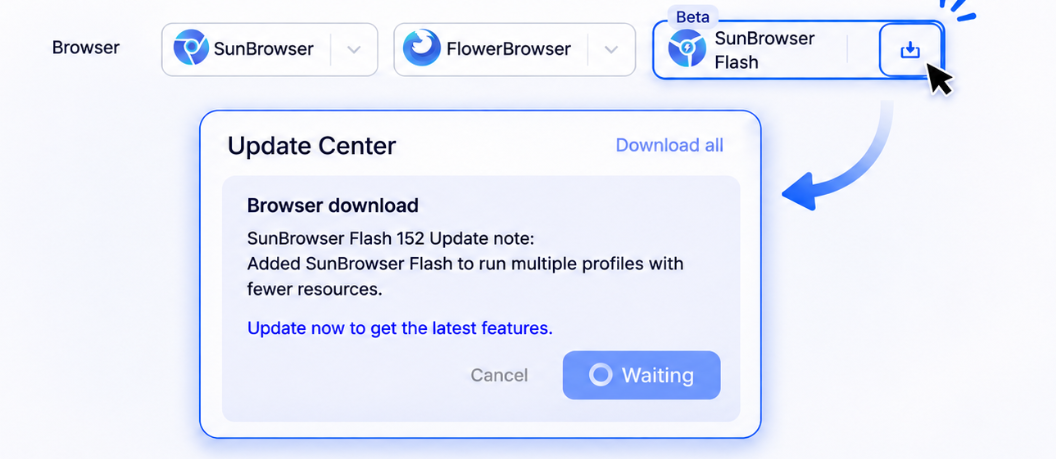
SunBrowser Flash is currently running on the Chrome 152 engine. If the engine is not installed yet, you can download it by clicking on the download icon next to SunBrowser Flash.
Step 3: Configure Your Browser Profile
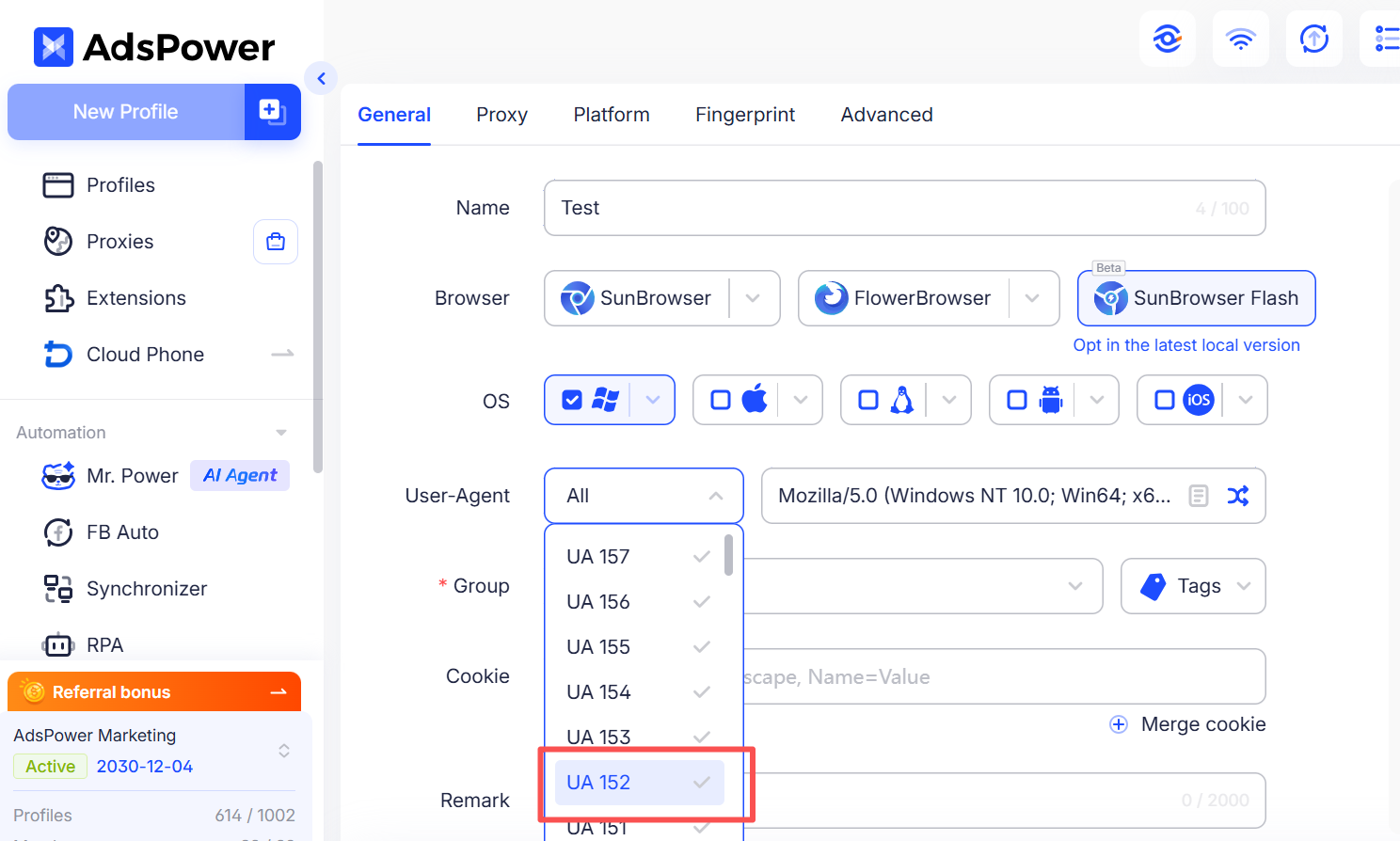
Next, configure your profile as you normally would in AdsPower. Add your proxy, select your preferred operating system, and adjust the fingerprint settings if needed.
Tip: SunBrowser Flash uses the Chrome 152 engine, but automatic User-Agent generation may select a newer Chrome version. For better consistency, we recommend selecting UA 152 from the User-Agent dropdown before generating a random User-Agent.
Step 4: Save and Open Your Profile
Once you've finished configuring your profile, click OK to save it.
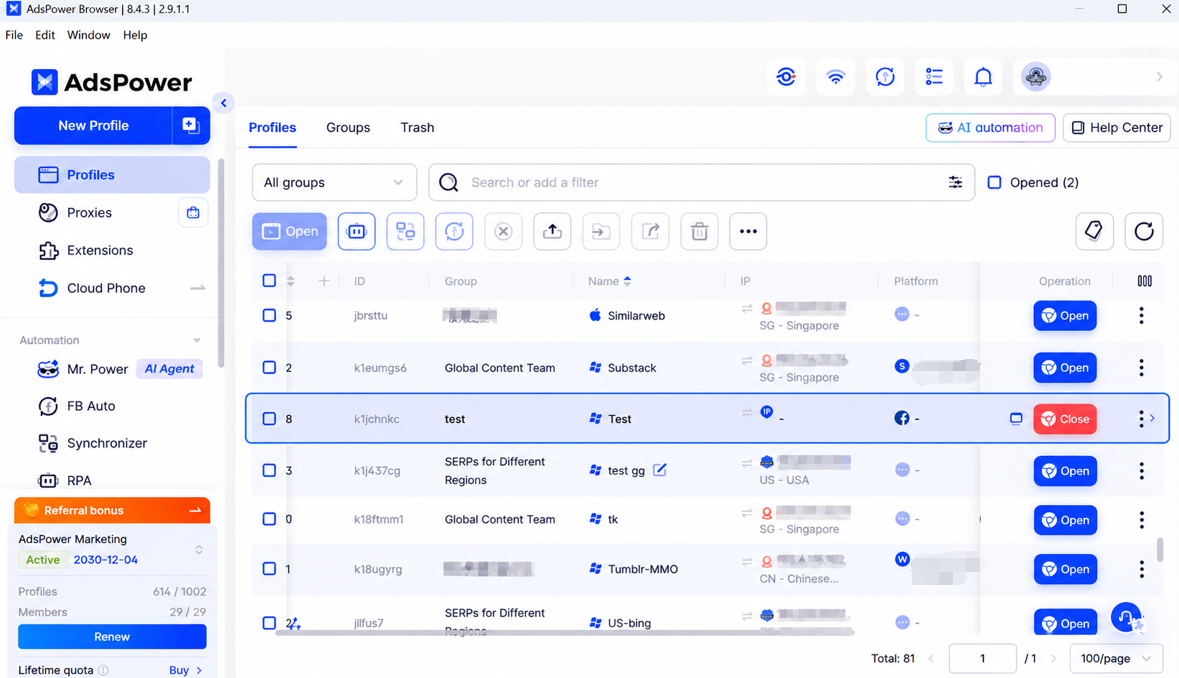
Go to Profiles, find your newly created SunBrowser Flash profile, and click Open.
SunBrowser Flash vs. SunBrowser: What's the Difference?
If you're already using SunBrowser, you might be wondering whether to try SunBrowser Flash. Both browser types keep your profiles separate, but they're designed with different priorities in mind.
SunBrowser Flash focuses on reducing resource usage when running multiple profiles, while SunBrowser offers more flexibility in browser settings and profile management.
| Feature | SunBrowser Flash | SunBrowser |
|---|---|---|
| Main focus | Smoother multi-profile operations with lower resource usage | Flexible multi-account management |
| Browser engine | Chrome 152 (Beta) | Multiple supported Chrome versions |
| Profile data isolation | Yes | Yes |
| Fingerprint customization | Selected settings available | More customization options |
| Batch profile creation | Not yet available | Available |
| Window Synchronizer | Not yet available | Available |
| Cache management | Not yet available | Available |
Which One Should You Choose?
If you regularly open multiple browser profiles and want to reduce the load on your computer, SunBrowser Flash is worth trying.
If you rely on features like window synchronization, batch profile creation, or more advanced browser settings, SunBrowser may be a better fit for your current workflow.
You don't have to choose just one. Both browser types are available in AdsPower, so you can use whichever best suits your needs.
Things to Know Before Using SunBrowser Flash
Before getting started, here are a few additional details worth knowing:
- System compatibility: SunBrowser Flash is currently available for Windows and macOS. Linux support is not yet available.
- Existing profiles: You can't change the browser type of an existing SunBrowser profile to SunBrowser Flash. Create a new profile and select SunBrowser Flash instead.
- Browser settings: Some settings, including interface language, hardware acceleration, and WebGPU, follow predefined or local settings rather than individual customization.
- Local API: Creating SunBrowser Flash profiles through the Local API is not yet available in this release.
SunBrowser Flash is still in Beta, and we're continuing to improve it. Stay tuned for future AdsPower updates as we expand its capabilities!
Frequently Asked Questions
Can I use SunBrowser Flash to open multiple profiles at once?
Yes. You can open multiple existing SunBrowser Flash profiles at the same time, provided your client and browser engine meet the requirements.
Can I switch my existing SunBrowser profiles to SunBrowser Flash?
No. Browser types cannot be changed after a profile has been created. To use SunBrowser Flash, you'll need to create a new profile and select it during setup.
Does SunBrowser Flash support browser fingerprint customization?
Yes, but some settings are limited. For example, interface language follows your computer, hardware acceleration follows local settings, and WebGPU is based on WebGL.
Is SunBrowser Flash available for Linux?
Not currently. SunBrowser Flash is supported on Windows and macOS.
