
The AdsPower October 2026 release is live. This iteration brings meaningful upgrades across the core stack, covering browser kernel foundations, AI Agent remote automation, developer API tools, fingerprint emulation and rotating proxy controls. Whether you run account operations manually or build automated workflows, these additions are designed to boost flexibility and stability for your team. Update AdsPower to unlock all the new capabilities.
October 2026 Update Overview
- Chrome 154/155/156 kernel rollout with updated User-Agent, ChromeDriver and fingerprint configuration
- SunBrowser upgraded with hot-swappable virtual camera and enhanced device fingerprint simulation
- AI Agent: remote task control via Feishu & Telegram, reusable Skill workflows, AI Polish and Desktop Pet
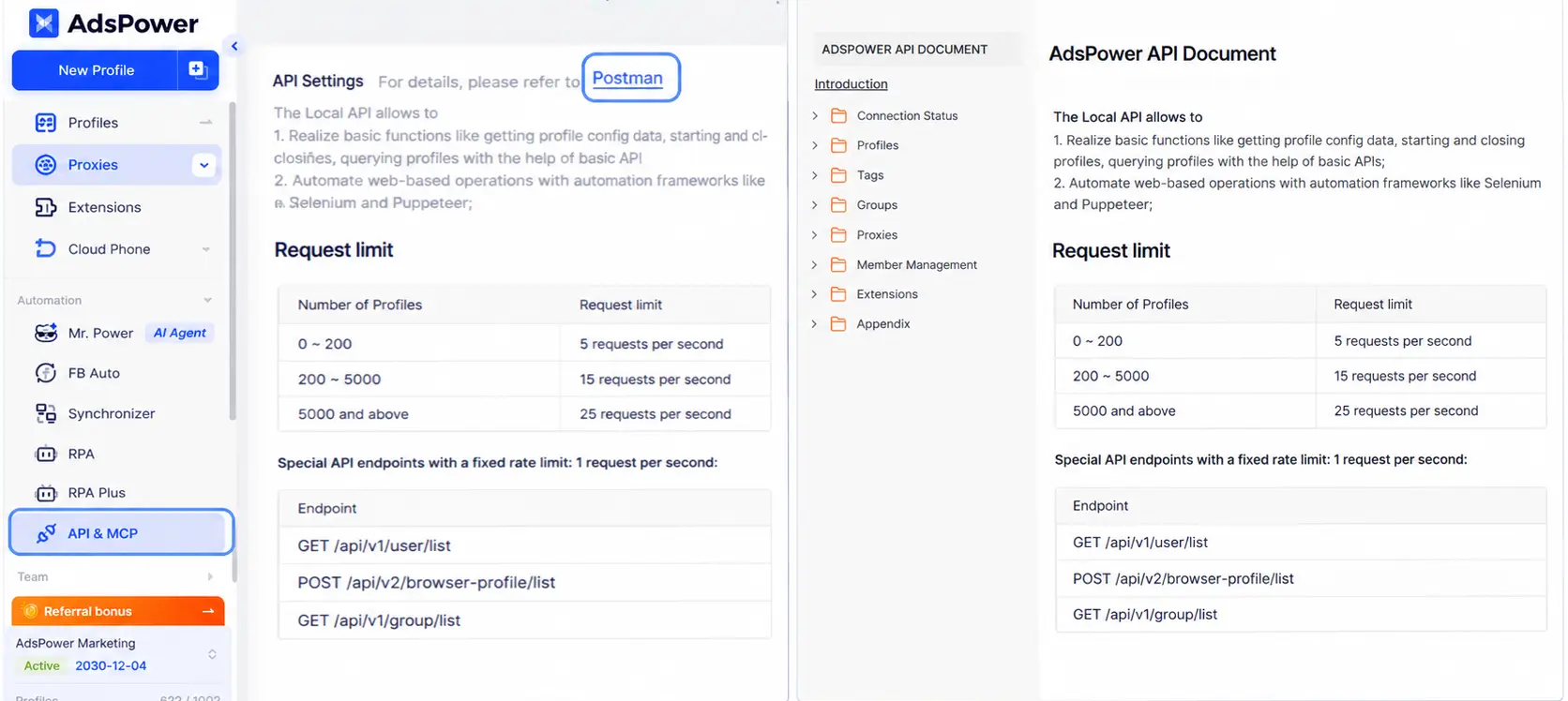
- New API endpoints for member management, profile recovery from recycle bin and rotating proxy traffic query
- iOS app: WebGL image noise injection, timezone optimization and usability fixes
- Rotating proxy: configurable IP rotation intervals and customizable, drag-and-drop proxy list view
Browser Kernel Upgrade with More Refined Fingerprint Configuration
Chrome Kernel Upgraded to Version 156
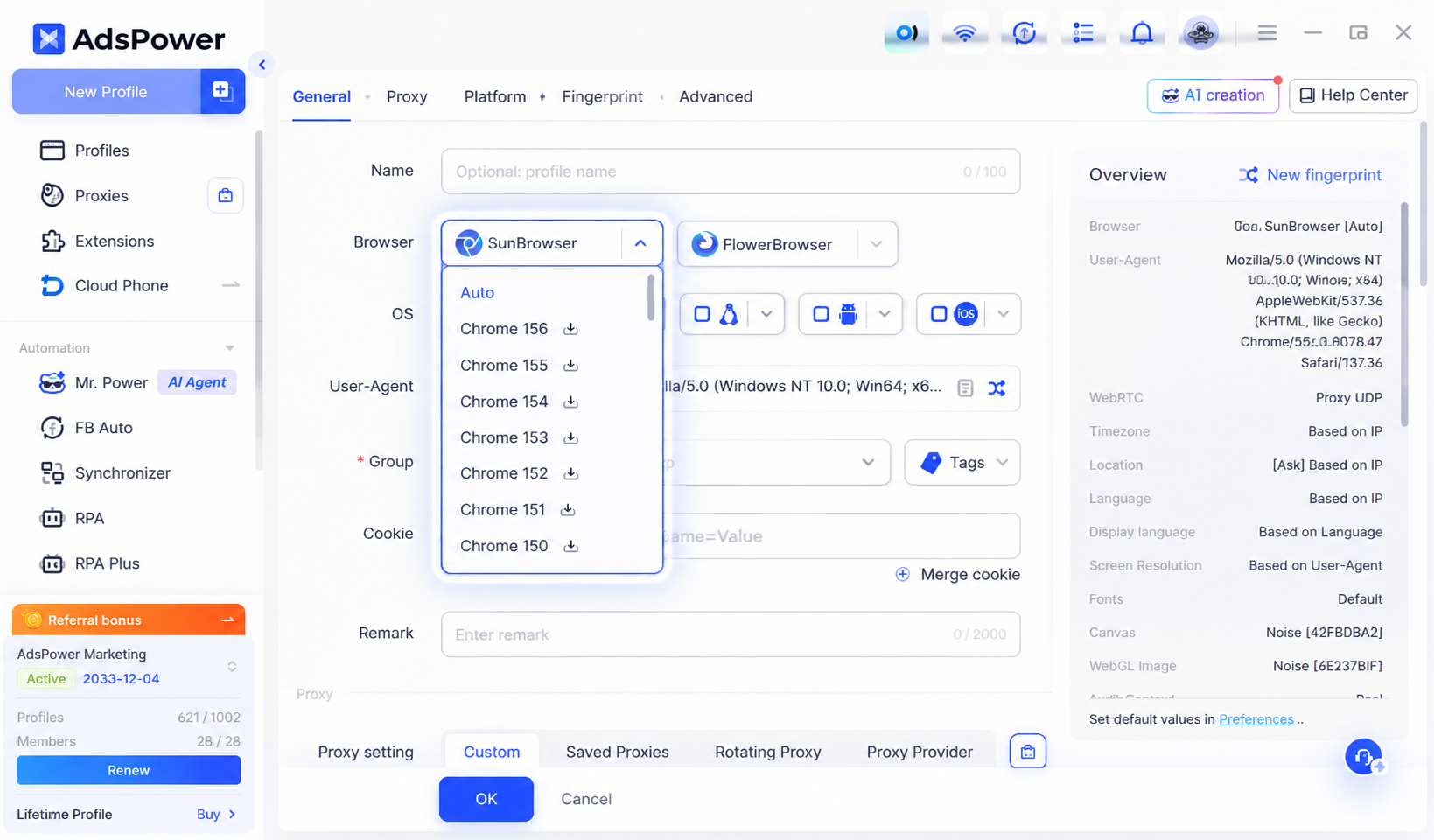
In October, AdsPower completed kernel upgrades for Chrome 154, 155 and 156. Chrome 156 is now available across Windows, macOS and Linux. Corresponding updates have been rolled out for User-Agent, kernel components and ChromeDriver, delivering better support for the new browser kernel and improved website compatibility.
SunBrowser: Optimized Virtual Camera and Device Simulation
SunBrowser’s virtual camera now supports hot-swapping. Audio tracks from uploaded videos can play alongside video playback, and an issue preventing videos of certain resolutions from loading properly has been fixed.
Further refinements cover audio device fingerprints, iOS hardware fingerprints, mobile touch emulation and consistent iframe screen parameters to strengthen mobile device emulation. The WebGL metadata library for Windows and macOS has also been updated to enrich browser fingerprint datasets.
AI Agent: Run Tasks Remotely and Reuse Common Workflows Easily
Remote Operation via IM Channels
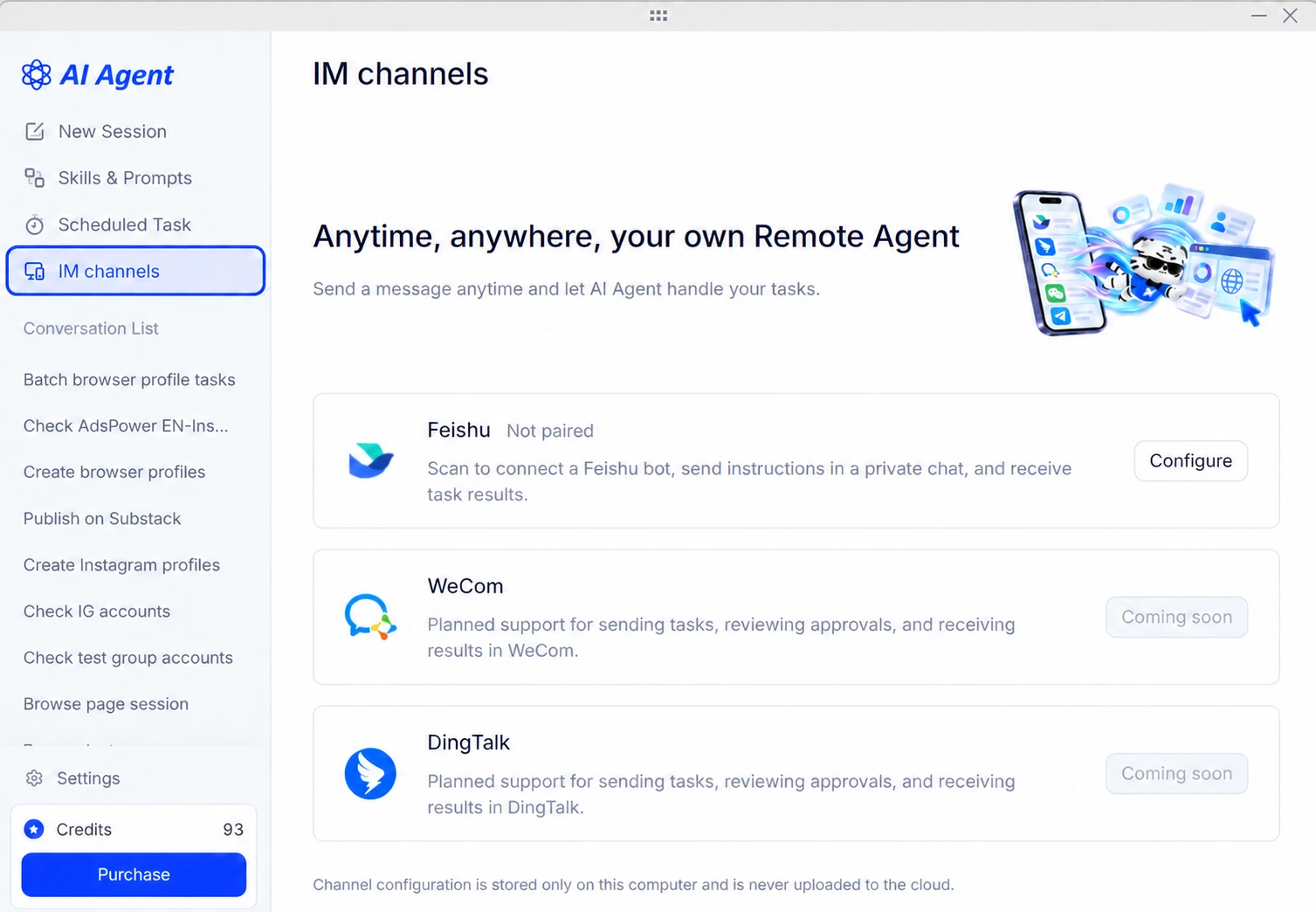
AdsPower AI Agent can now connect to messaging platforms including Feishu and Telegram. Once the bot is configured, you can send task commands to the AI Agent from your phone away from your computer.
For example, you may instruct the Agent to launch a designated browser profile, check the latest Facebook posts and comments, and send the results back to the chat window. You can also remotely monitor task progress, switch sessions, cancel tasks and handle approvals. Execution logs and output files will be delivered once tasks finish.
New Skill Creation & Reuse
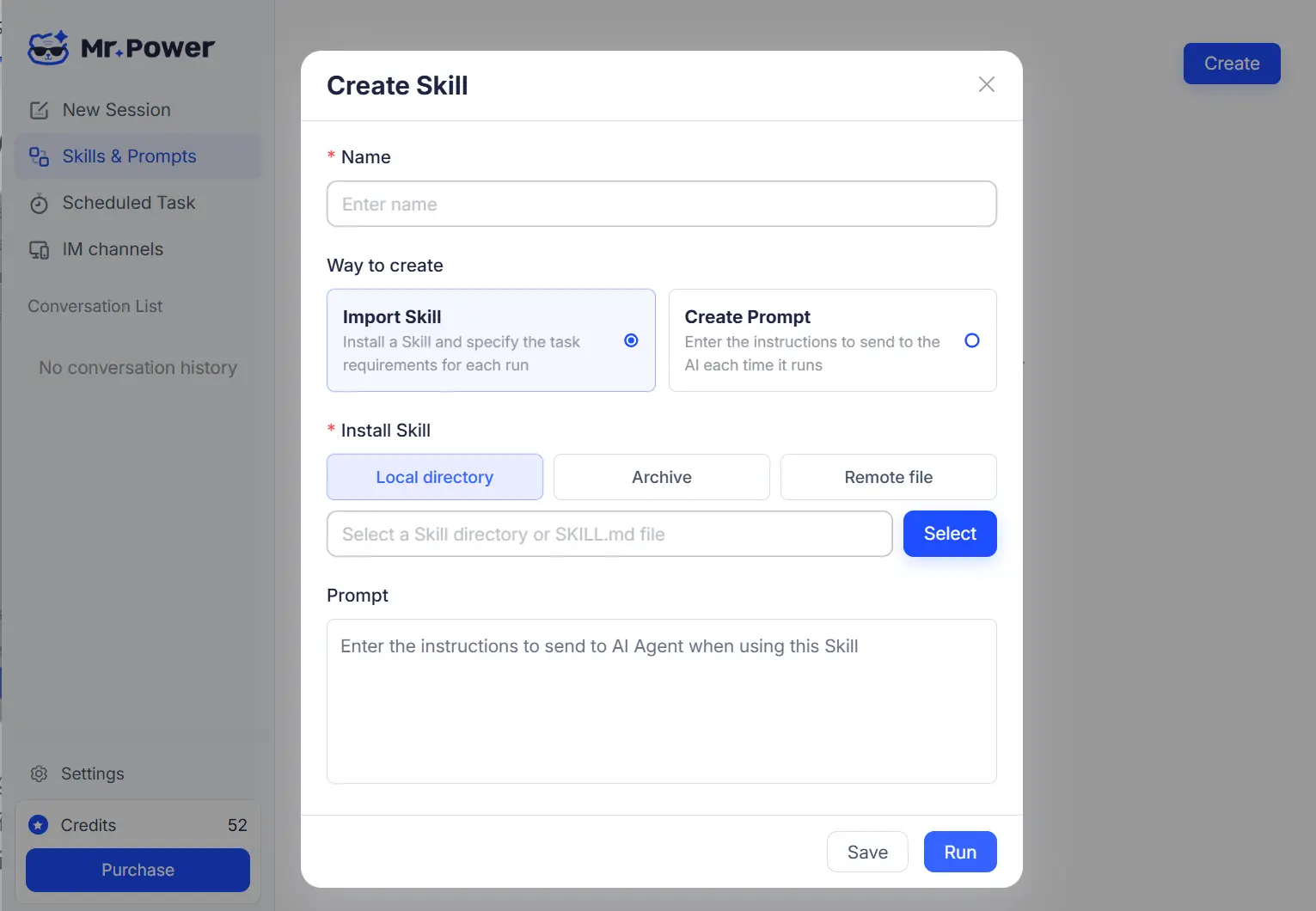
The AI Agent lets you save repeatable workflows from completed tasks as Skills. Saved Skills can be launched directly from the skill library or quickly invoked in chat sessions with the "/" shortcut, cutting down repetitive prompts and workflow setup. This month also brings improvements to the skill generation pipeline and output for smoother reuse.
Command Polishing & Desktop Pet
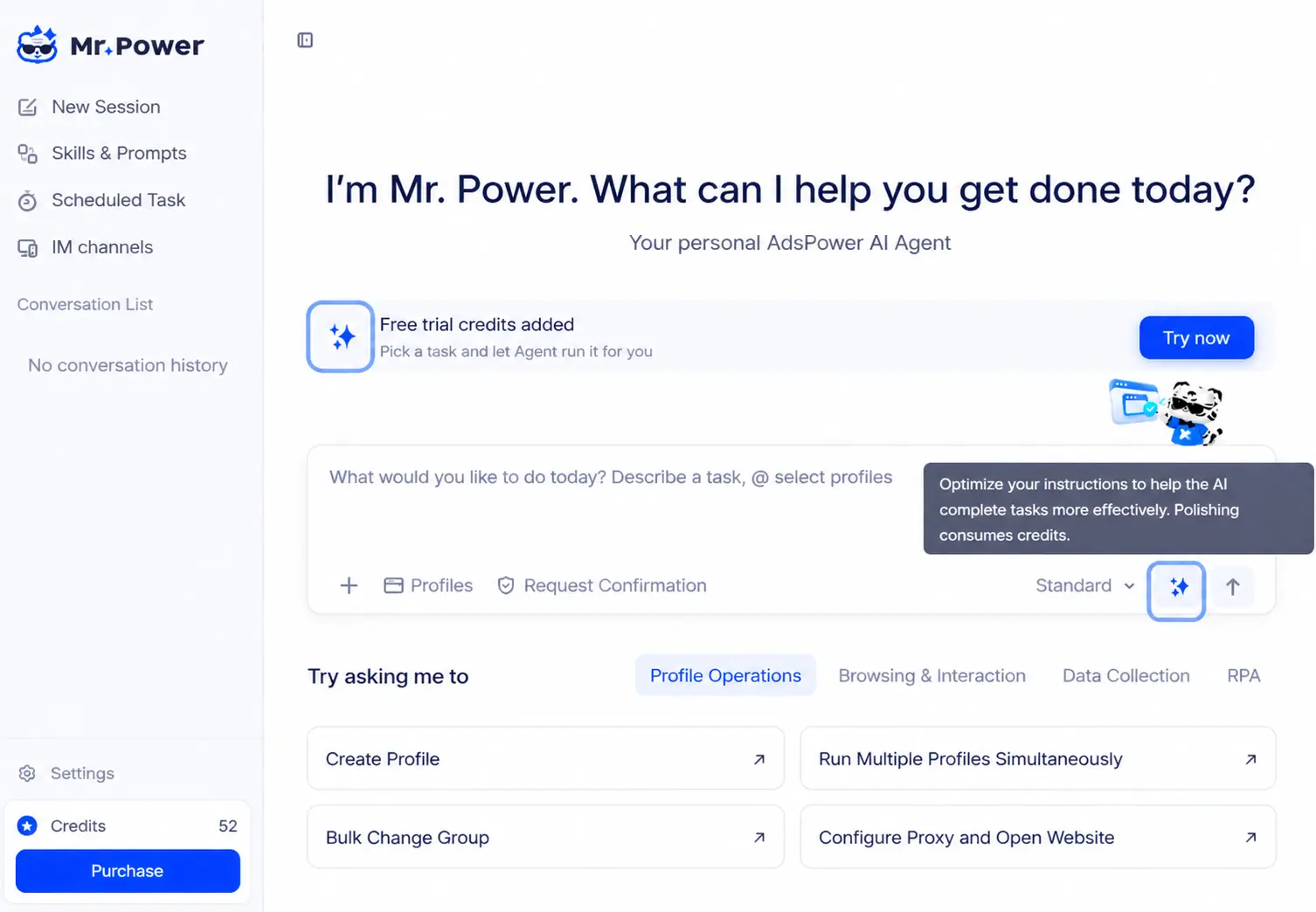
An AI Polish feature has been added to the AI Agent input box. It refines your task prompts while preserving the original intent. You may preview the polished version, confirm it and insert it into the input box before sending.
The brand-new Desktop Pet for AI Agent sits on your desktop to show task status and session progress. It enables quick Agent activation, overview of multiple concurrent sessions, and pausing of running tasks.
Other enhancements include a shortcut selector for browser profiles, refined chat UI and improved model list layout for more intuitive daily operations.
API: Streamlined Management for Team Members, Profiles and Proxy Traffic
New Team Member Management Endpoints
Six new member management API endpoints are released. These allow you to create, edit and delete team members, reset passwords, and retrieve member and member group lists. Developers can automate team administration and reduce manual work on the client.
Query & Recycle Bin Profile Restoration
New endpoints support querying browser profiles in the team recycle bin and restoring selected profiles to target groups using profile IDs or profile numbers.
Rotating Proxy Traffic Query
You can now query rotating proxy usage via API: available quota, expiry date, data refresh timestamp and daily consumption for the current month. Date-range filtering for the month is supported, helping developers track rotating proxy traffic consumption in real time.
iOS App: Improved Fingerprinting and Browsing Experience
The iOS App adds WebGL image noise and media device noise to strengthen WebGL fingerprinting and timezone compatibility. Matching logic for rotating proxy locations has been optimized.
Updates also sync the launch and runtime status of browser profiles, improve Cookie sync and profile saving, and boost compatibility with third-party login on selected websites.
A standalone Account & Settings page is introduced. Revisions cover the bottom toolbar, tab controls and video playback. Bug fixes address opening links, back/forward navigation and copy-paste behaviour for greater mobile stability.
Proxy Management: Customizable IP Rotation Intervals and Flexible List Controls
Custom IP Rotation Intervals for Rotating Proxies
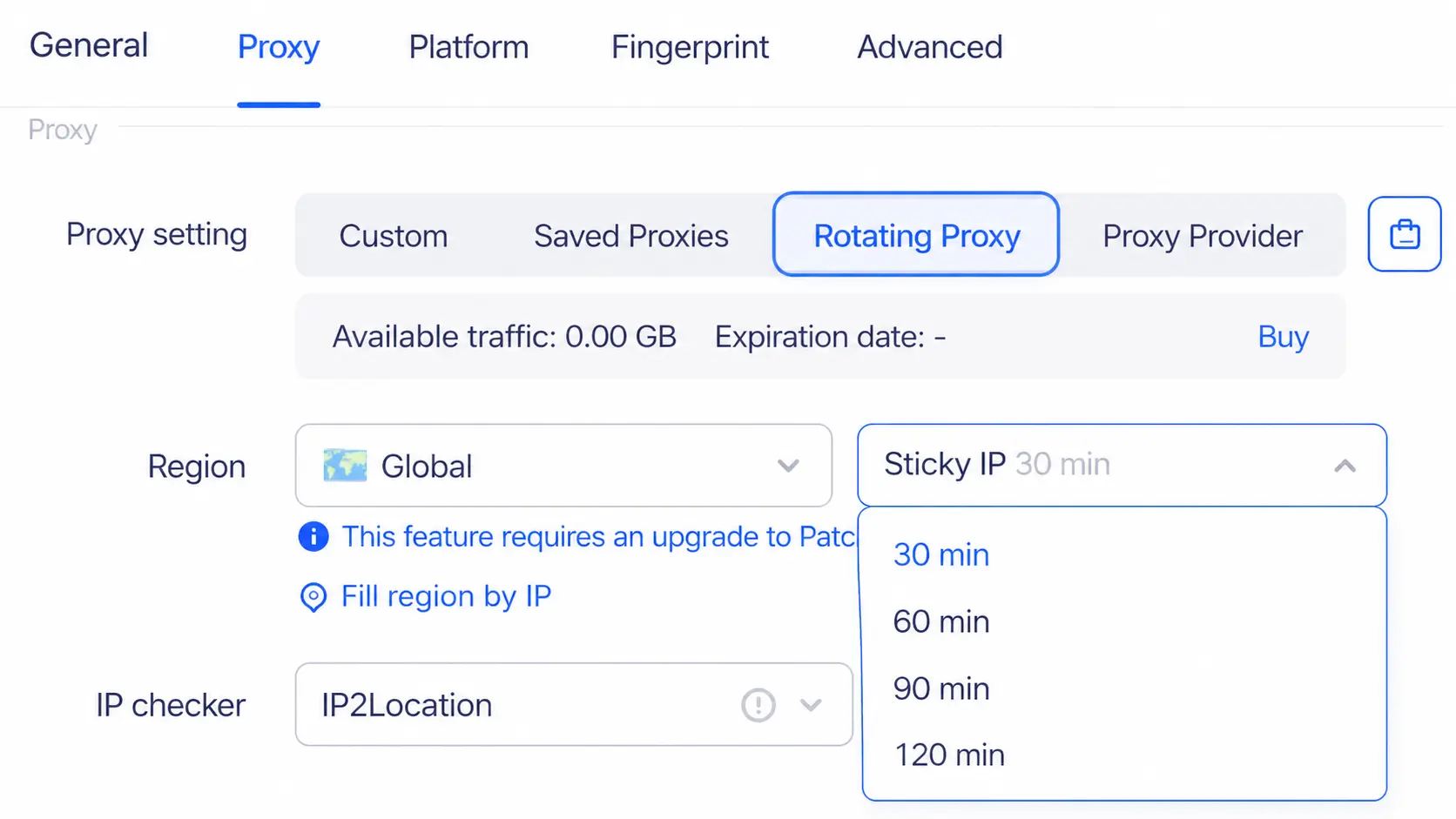
AdsPower rotating proxies now support configurable IP rotation intervals: 30, 60, 90 and 120 minutes. The setting can be applied when creating or editing browser profiles and proxy rules, including bulk proxy edits. Local API is also available to read and write this interval configuration.
Customizable Proxy List View
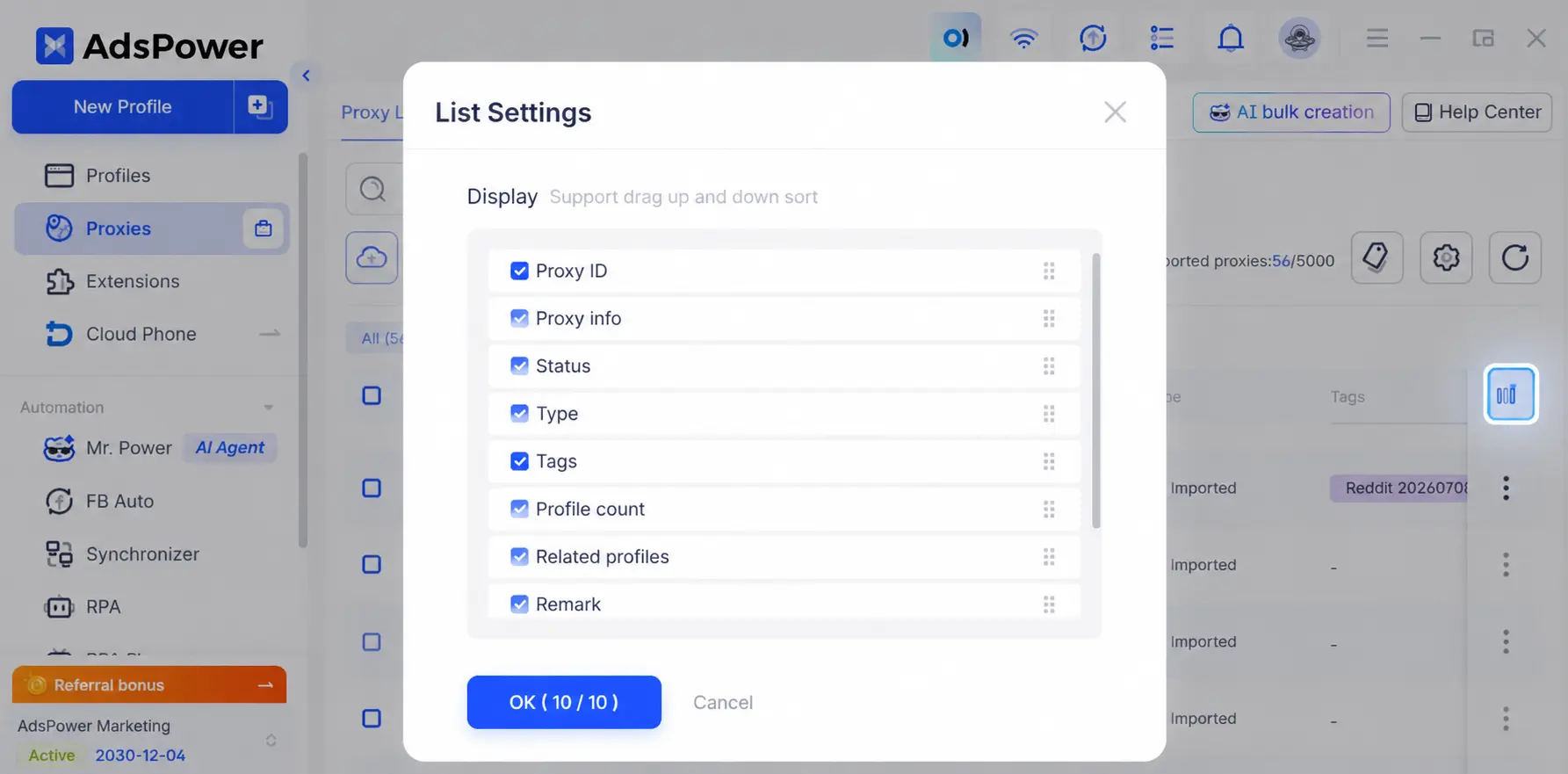
The client-side Proxy Management panel supports custom list layouts. Toggle visibility for fields such as proxy ID, proxy details, status, type, tags and linked profiles, and reorder columns by drag-and-drop. Layout preferences are saved separately for individual users and teams. With large proxy inventories, you can hide non-essential columns to avoid horizontal scrolling and speed up lookup.
Final Thoughts
This October update is built for flexibility. You can send AI Agent tasks remotely from your phone, save recurring workflows as Skills and monitor progress with Desktop Pet. New Chrome kernels, more powerful API capabilities and flexible rotating proxy settings also bring greater stability and control for your profile operations.
Update AdsPower to try the new features. New here? Create a free account and get started with two free browser profiles.
