

Badoo Ban – Why & How to Get My Badoo Account Unblocked
Take a Quick Look
Badoo banned? Learn why accounts get blocked, how to recover access, and tips to avoid future bans. Protect accounts with AdsPower and start now!
Getting banned from Badoo can feel frustrating, especially if you rely on the platform to meet new people, build connections, or even promote your personal brand. One moment you're chatting normally, and the next you're locked out with little explanation. Many users search for answers like "Why did Badoo ban me?" or "How do I get my Badoo account back?" — and the truth is, bans can happen for a variety of reasons, not all of them obvious.
This guide explains what a Badoo ban really means, the most common reasons accounts get blocked, and practical steps you can take to recover access. You'll also learn how to avoid future bans and how tools like AdsPower Browser can help reduce the risk of repeated account restrictions.
What Does a Badoo Ban Mean?
A Badoo ban means your account has been restricted or permanently blocked from accessing the platform. Depending on the severity, you might experience:
- Inability to log in
- Messages not being delivered
- Profile becoming invisible to other users
- A notification stating your account violated community guidelines
In some cases, Badoo may also block your IP address or device, making it harder to create or use new accounts from the same connection.
Badoo bans are usually triggered by automated systems that monitor user behavior, as well as manual reviews based on reports from other users.
Why Badoo Bans Accounts
As one of the popular dating sites, Badoo's goal is to maintain a safe and authentic environment. To do this, they enforce strict rules. Here are the most common reasons accounts get banned:
1. Violating Community Guidelines
This includes:
- Harassment or abusive language
- Hate speech or discrimination
- Sending explicit or inappropriate content
2. Spam-Like Behavior
If you send the same message to many users in a short time, drop suspicious links, or promote external services, Badoo may flag you as a spammer.
3. Fake or Misleading Profiles
Using fake photos, impersonating someone else, or providing false personal details can quickly lead to a ban.
4. Multiple Accounts
Creating and operating multiple Badoo accounts from the same device or IP address often triggers security alerts.
5. Automation or Bots
Using scripts, bots, or unofficial tools to automate swiping, messaging, or profile actions is against Badoo's terms.
6. Excessive Reports from Other Users
Even if you didn't intend to break rules, being reported frequently by other users can lead to account suspension.
Types of Badoo Bans
Not all bans are the same. Understanding the type of ban you're facing helps determine your next steps.
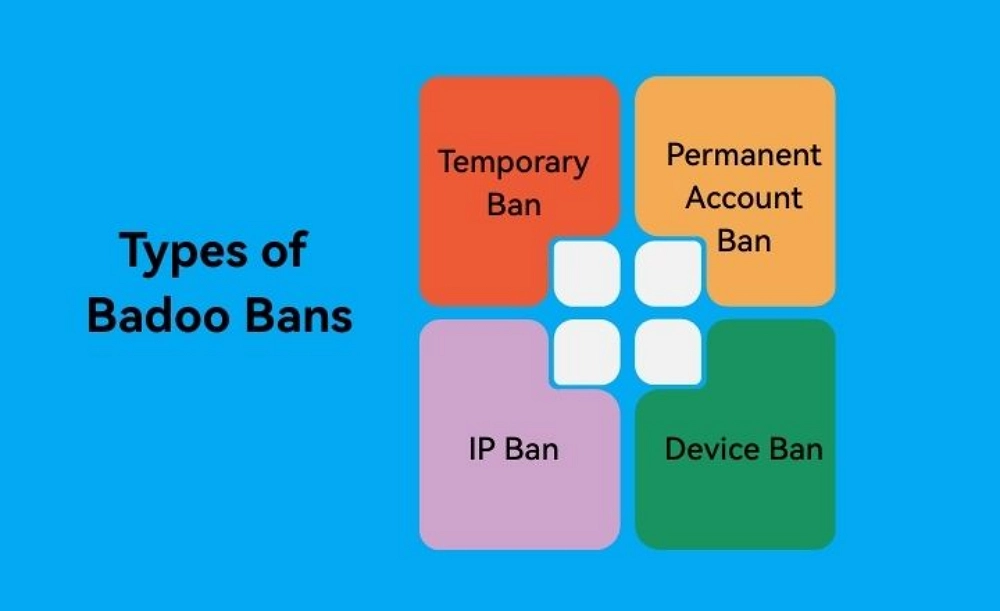
Temporary Ban
This usually lasts from a few hours to several days. You may regain access automatically after the restriction period ends.
Permanent Account Ban
Your account is permanently disabled, and you cannot log back in. Appeals may or may not be successful.
Badoo blocks your internet connection's IP address. Even new accounts may be restricted if you log in from the same network.
Device Ban
Your device fingerprint (browser, hardware, system settings) is flagged. This makes it harder to use new accounts on the same device.
How to Check If Your Badoo Account Is Banned or IP-Banned
Sometimes it's not immediately clear what kind of restriction you're facing. Here's how to check:
Signs Your Account Is Banned
- You see a message saying your account has been blocked
- Login attempts fail even with correct credentials
- Your profile disappears from search results
Signs of a Possible IP Ban
- You create a new account, but it gets banned quickly
- Multiple accounts on the same Wi-Fi stop working
- Issues disappear when you switch to a different network (for example, mobile data)
Signs of a Device Ban
- New accounts are flagged even on different networks
- Problems continue across different browsers on the same device
If restrictions only happen on one device or connection, it's likely an IP or device-level block.
How to Unblock Your Badoo Account
Getting unbanned is not guaranteed, but these steps give you the best chance.
1. Review Badoo's Guidelines
Before appealing, read Badoo's community rules. Understanding what might have gone wrong helps you write a better appeal.
2. Contact Badoo Support
Use the official support form or help center. When submitting an appeal:
- Be polite and professional
- Explain your situation clearly
- Acknowledge if you made a mistake
- Promise to follow the rules moving forward
Avoid aggressive or demanding language — it rarely helps.
3. Verify Your Identity
Sometimes accounts are blocked due to suspicion of fake identity. Uploading real photos or completing verification steps may help.
4. Wait Patiently
Support responses can take time. Sending multiple messages in a short period usually doesn't speed things up.
5. If the Ban Is Permanent
If Badoo confirms the ban is final, your only option may be starting fresh — but you must do so carefully to avoid another ban.
How to Avoid Getting Banned From Badoo Again
Prevention is much easier than recovery. Follow these best practices:
Be Authentic
Use real photos and accurate information. Authentic profiles are less likely to be reported or flagged.
Avoid Spam Behavior
Don't copy-paste the same message to many users. Keep conversations natural and personalized.
Respect Boundaries
If someone isn't interested, move on. Repeated unwanted messages can lead to reports.
Don't Use Bots or Automation
Manual use is safest. Automated tools often leave patterns that platforms can detect.
Limit Multiple Accounts
If you truly need more than one account, you must manage them carefully to avoid linking signals like shared IPs and fingerprints.
How AdsPower Browser Helps Prevent Repeated Bans
When users manage multiple accounts or return after a ban, technical signals can cause instant re-flags. This is where a browser environment tool, e.g.: AdsPower can help.
AdsPower is an anti-detect browser that creates separate, isolated browser profiles. Each profile has its own digital fingerprint, cookies, and browsing environment. Here's how that can reduce risk:
1. Separate Browser Fingerprints
Platforms like Badoo analyze browser fingerprints. AdsPower allows each account to run in a different profile, reducing cross-account linking.
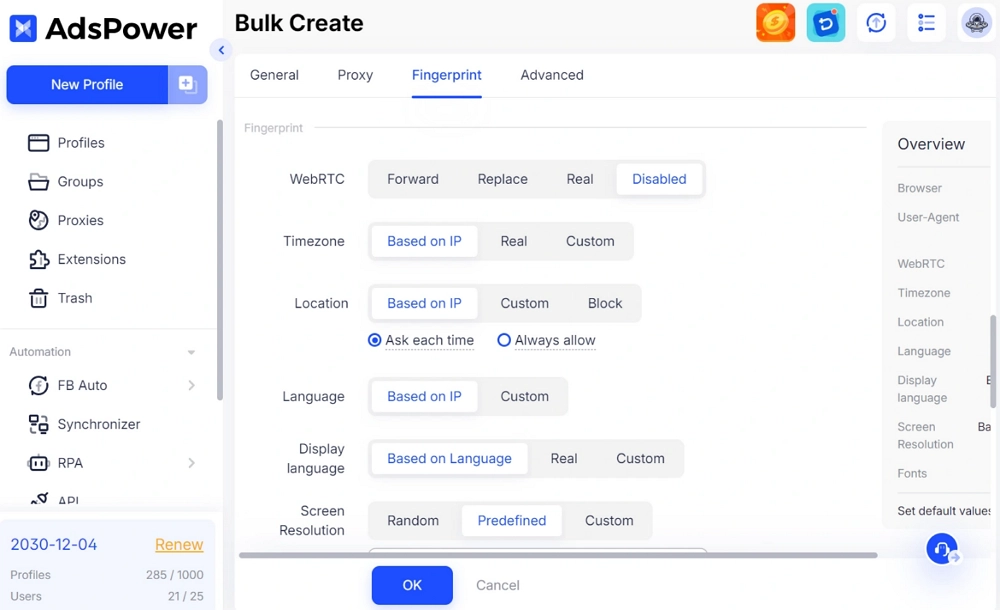
2. Cookie and Session Isolation
Each Badoo account keeps its own login data and history, lowering the chance that accounts get connected through shared cookies.
3. Proxy Integration
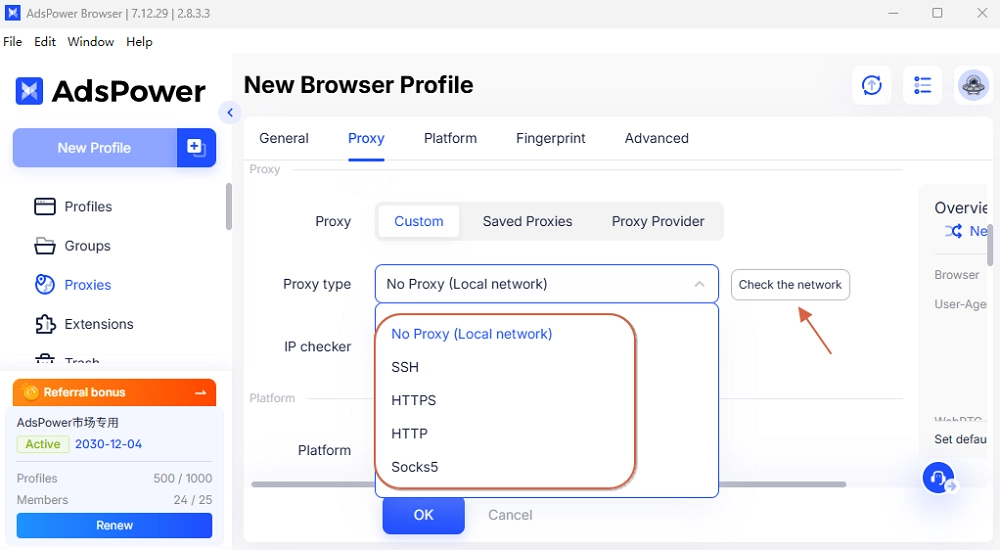
AdsPower supports proxy use, which can help ensure different accounts don't appear to log in from the same IP address. You are able to configure various proxy types, including SSH, HTTPS, HTTP, Socks5. After setting up, here suggest to check whether the network is available.
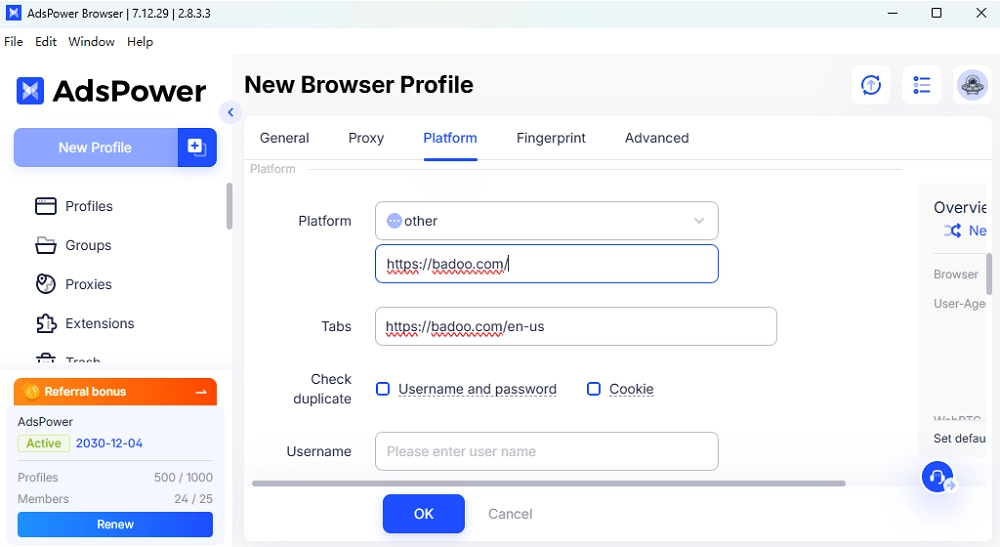
4. Organized Multi-Account Management
Instead of constantly logging in and out in one browser (which looks suspicious), you can manage accounts in separate environments.
Important note: Using tools like AdsPower does not give permission to break Badoo's rules. It simply helps reduce technical overlap between accounts when used responsibly and within platform guidelines.
Conclusion
A Badoo ban can feel discouraging, but it's often a signal to reassess how the platform is being used. Most restrictions happen due to guideline violations, spam-like behavior, fake profiles, or technical patterns that make an account look risky. Understanding these triggers is the first step toward either successfully appealing a ban or avoiding future issues. If you're trying to recover access, a polite and honest appeal combined with a willingness to follow the rules gives you the best chance. If you're starting over, focus on authentic photos, natural conversations, and respectful interactions.
Managing accounts carelessly, especially with shared devices or IPs, can quickly lead to repeated bans. While those antidetect tools such as AdsPower, can help reduce technical overlap between accounts, they should be used responsibly and never as a shortcut to break platform policies. Ultimately, long-term success on Badoo comes from being genuine, respectful, and consistent in how you connect with others.
FAQ
How long does a Badoo ban last?
It depends on the severity. Temporary bans may last from a few hours to several days. More serious violations can lead to permanent bans. If you didn't receive a clear timeframe, contact support for clarification.
Is a Badoo IP ban permanent?
Not always, but IP bans can last a long time. Some may expire, while others remain in place indefinitely. Changing networks (for example, using mobile data instead of home Wi-Fi) can help confirm whether your IP is blocked.
Can You Create a New Badoo Account After Being Banned?
Technically yes, but it's risky if you don't address the original cause of the ban. If Badoo detects links between your old and new accounts — such as the same device fingerprint or IP address — the new account may also be banned quickly. That's why users often combine better behavior practices with tools that separate account environments.

People Also Read
- How to Safely Manage Multiple Apple Accounts in 2026
How to Safely Manage Multiple Apple Accounts in 2026
Learn how to manage multiple Apple accounts safely with practical tips
- Buy Reddit Accounts: Top Sites, Risks, and Account Management
Buy Reddit Accounts: Top Sites, Risks, and Account Management
Compare where to buy Reddit accounts, what risks to check, and how AdsPower helps manage multiple Reddit accounts more securely.
- How to Make a Naver Account for Foreigners & Beginners 2026
How to Make a Naver Account for Foreigners & Beginners 2026
Learn how to create a Naver account for foreigners in 2026, avoid SMS verification issues and reduce the risk of account restrictions during signup.
- Bet365 Account Blocked? Reasons & How to Secure Your Digital Presence

Bet365 Account Blocked? Reasons & How to Secure Your Digital Presence
Bet365 account blocked? Learn common reasons, how to unblock your account step by step, and tips to avoid restrictions in the future.
- How to Run Multiple Reddit Accounts to Scale Your Business 2026
How to Run Multiple Reddit Accounts to Scale Your Business 2026
Learn how to run multiple Reddit accounts safely. Avoid bans, understand detection signals, and manage profiles with smart strategies and best practic
