

How to Safely Manage Multiple Apple Accounts in 2026
Take a Quick Look
This guide explains why people use multiple Apple accounts, what goes wrong when they are mixed together, and how a multi-account management tool like AdsPower can help keep them organized, efficient, and secure.
Managing multiple Apple accounts (Apple IDs) on one device can become frustrating once you start using them for different purposes. One account may be tied to your personal data, another to work, and a third to regional content, app purchases, or testing. What seems simple at first often turns into confusion around login sessions, iCloud syncing, app access, and account switching.
Apple makes it possible to sign in and out of different accounts, but that does not mean multi-account management is easy. When the same device is used for personal use, business tasks, client projects, or market testing, it becomes much more important to keep each account organized and separated.
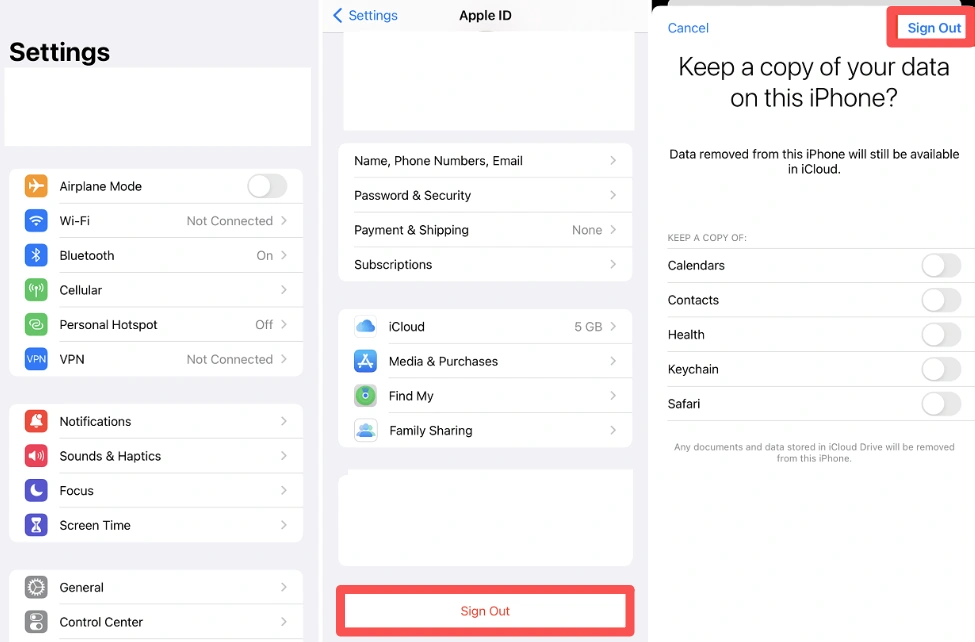
This guide will explain why people end up with multiple Apple accounts, where the most common problems start, and how to manage them more safely across different workflows. If you handle more than one Apple ID regularly, the goal is not just to log in — it is to keep everything clear, consistent, and under control.
Why People Use Multiple Apple Accounts
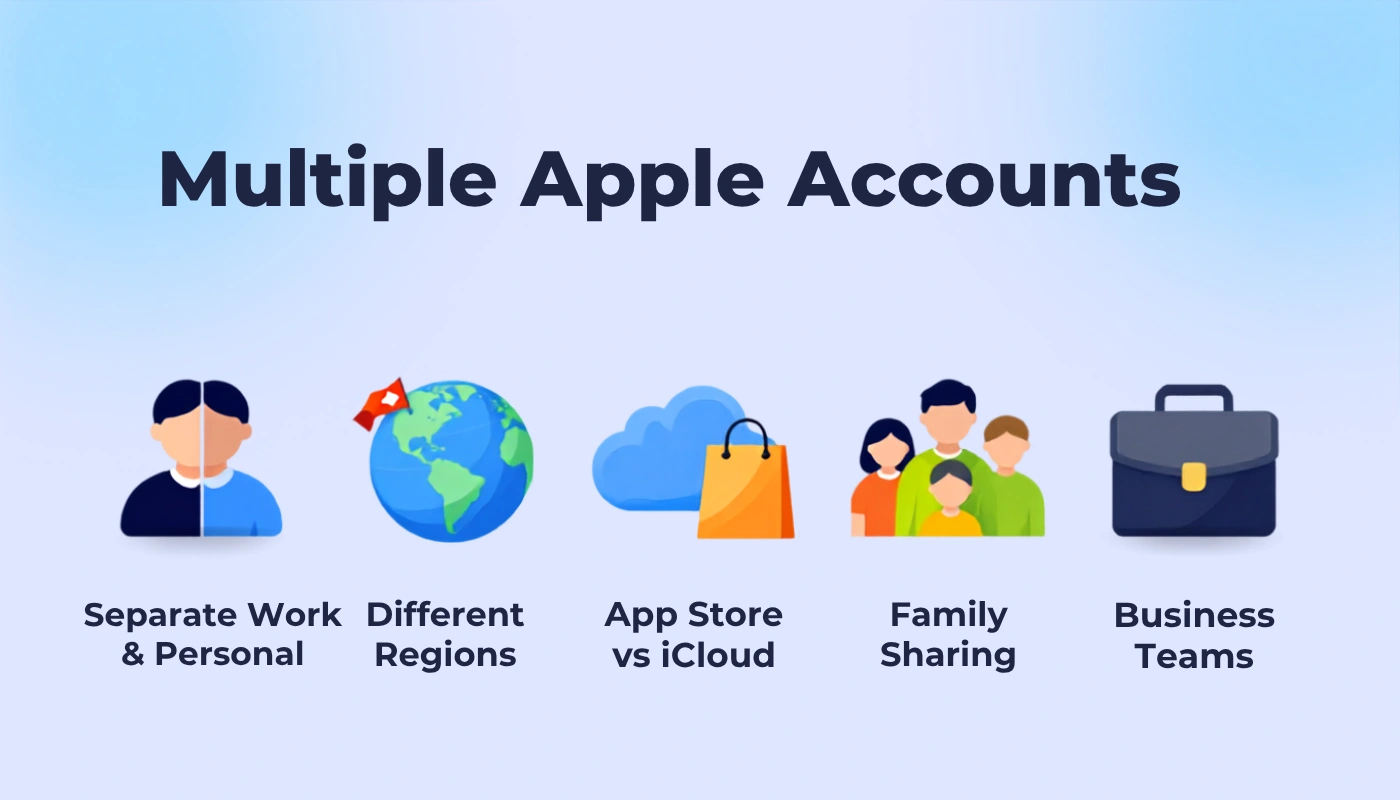
Multiple Apple IDs are often used for practical reasons rather than convenience alone. For many people, they help keep different parts of life and work separated, reduce confusion, and make day-to-day account management much easier.
Managing a personal account and a work account
One of the most common setups is to keep a personal Apple ID and a work Apple ID separate. Personal photos, contacts, reminders, and private messages can stay in one account, while work email, client communication, and app purchases related to the job stay in another. This makes it much easier to keep personal and professional data from overlapping.
Using different region accounts
Some users rely on separate Apple IDs for different regions. For example, a China-based account may be used for everyday iCloud access and local services, while a U.S. account is used to download apps, content, or subscriptions that are only available in that store. This is especially useful for people who work across markets or need access to region-specific services.
Handling multiple devices for a team
In team environments, different people often need different levels of access. Sales, support, logistics, and operations teams may each use their own device or account setup so that data does not get mixed up. This also makes it easier to track responsibility and avoid login mistakes across shared workflows.
Managing client or project accounts
Agencies, IT providers, refurbishers, and repair shops often need to manage several client devices or project-specific accounts at the same time. In those cases, each account may need to stay completely separate for security, testing, or handoff reasons. A clean account structure helps keep client work organized and easier to manage.
Testing apps or services in different environments
Developers, testers, and marketing teams often need more than one Apple ID to check how apps, subscriptions, or App Store pages behave under different conditions. That might include testing by region, by account type, or by user status. Using separate accounts makes the testing process more accurate and helps teams spot issues before they go live.
What Goes Wrong When Accounts Get Mixed Up
When multiple Apple IDs are not kept separate, the problems usually show up in small but frustrating ways.
- You sign into the wrong account. This is the most common mistake, especially when the same device is used for different tasks or regions. One wrong login can send you into the wrong account history, settings, or purchase flow.
- iCloud data gets mixed up. Photos, contacts, notes, calendars, and backups can end up tied to the wrong Apple ID. Once that happens, it becomes harder to tell which data belongs where.
- Subscriptions and purchases become harder to track. Apps, music, and other purchases may be split across different Apple IDs, which makes it easy to lose access or forget which account owns what.
- App Store access gets confusing. You may want to download something from one account, but the device is already connected to another. That can create extra login steps and make the workflow much slower.
- You forget which account is currently active. If you switch between devices or regions often, it is easy to lose track of which Apple ID is signed in where.
- Teams lose visibility. When several people share the same device or account setup, it becomes difficult to tell who changed what, when it happened, or which account owns a certain action.
- You can run into Apple's sync limits. In some cases, switching the wrong sync account or moving a linked device to a different Apple ID can trigger Apple’s waiting period and other restrictions, which makes the whole setup even harder to manage.
The bigger issue is that these problems do not usually happen all at once. They build up slowly until account management starts feeling messy, time-consuming, and easy to get wrong.
How to Manage Multiple Apple Accounts More Efficiently
A lot of people start by managing Apple accounts in the simplest way possible. They switch accounts manually, use different browsers for different logins, or keep a few notes to remember which account is used for work, which one is used for testing, and which one is tied to a specific region. That can work at first, especially if you only have one or two accounts. But once the number of accounts grows, the workflow becomes harder to keep track of.
The main problem with these basic methods is that they depend too much on memory and manual habits. It is easy to sign into the wrong Apple ID, mix up iCloud data, or forget which account is currently connected to App Store purchases or other services. Using separate browsers can help a little, but it still does not give you a clear system for organizing accounts by purpose. Using different devices can improve separation, but it is expensive, inconvenient, and difficult to maintain if you manage accounts every day.
That is where AdsPower becomes a better fit. Instead of treating each Apple account as just another login, AdsPower lets you manage them as separate browser profiles. Each profile can stay isolated from the others, so you can keep personal, work, region-based, and testing accounts separated without mixing everything together. For multi-account workflows, that makes the whole setup easier to understand and much harder to mess up.
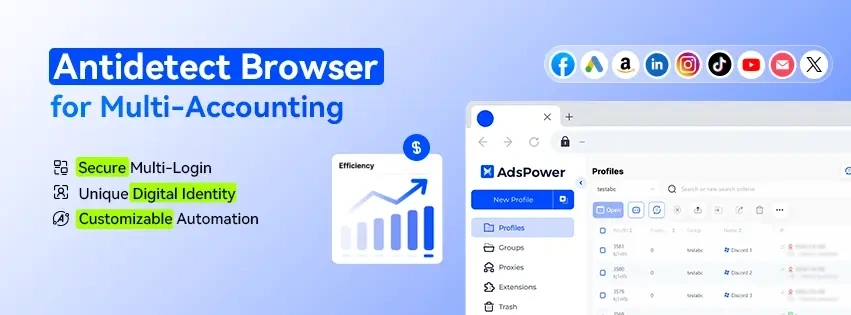
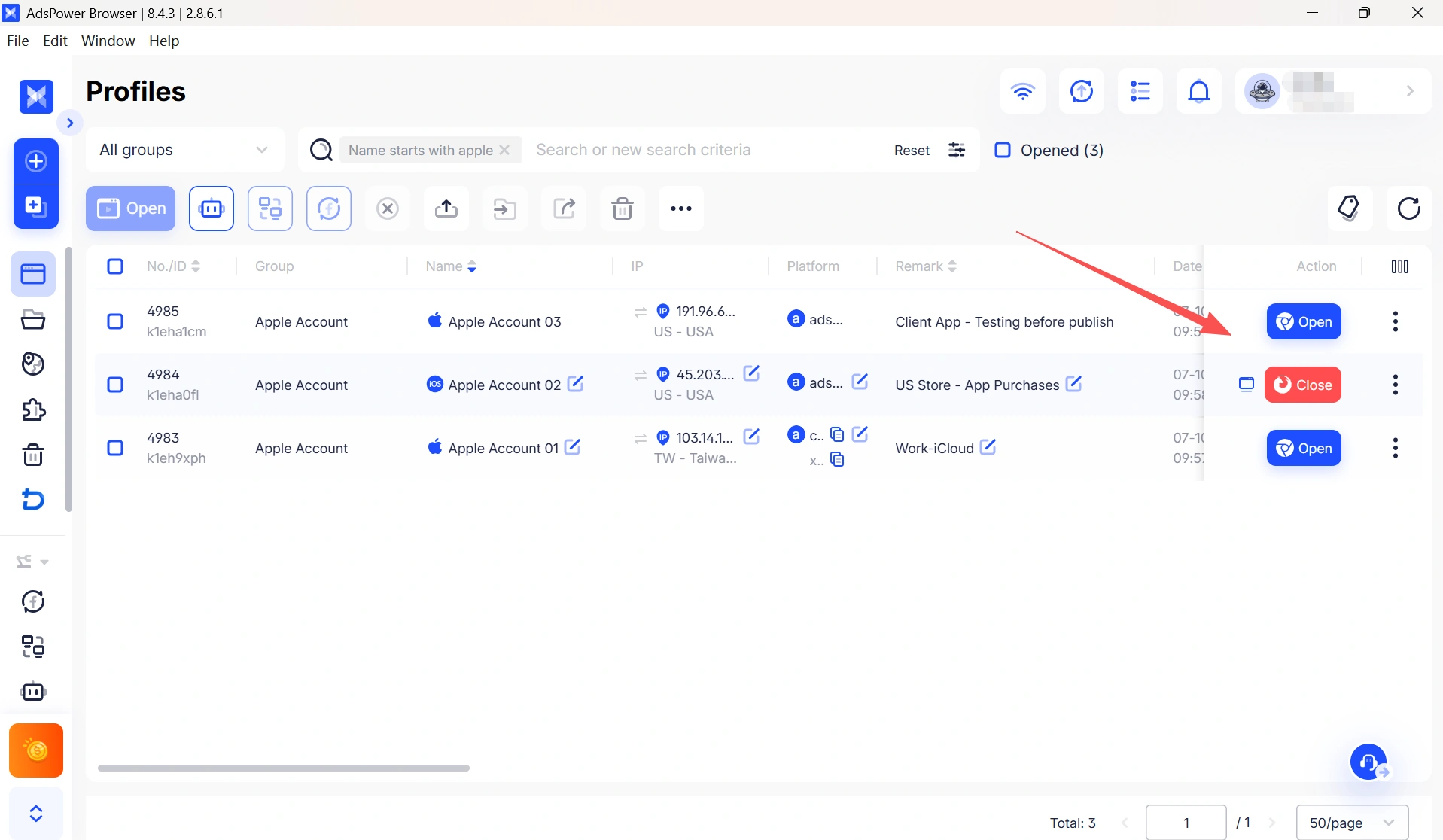
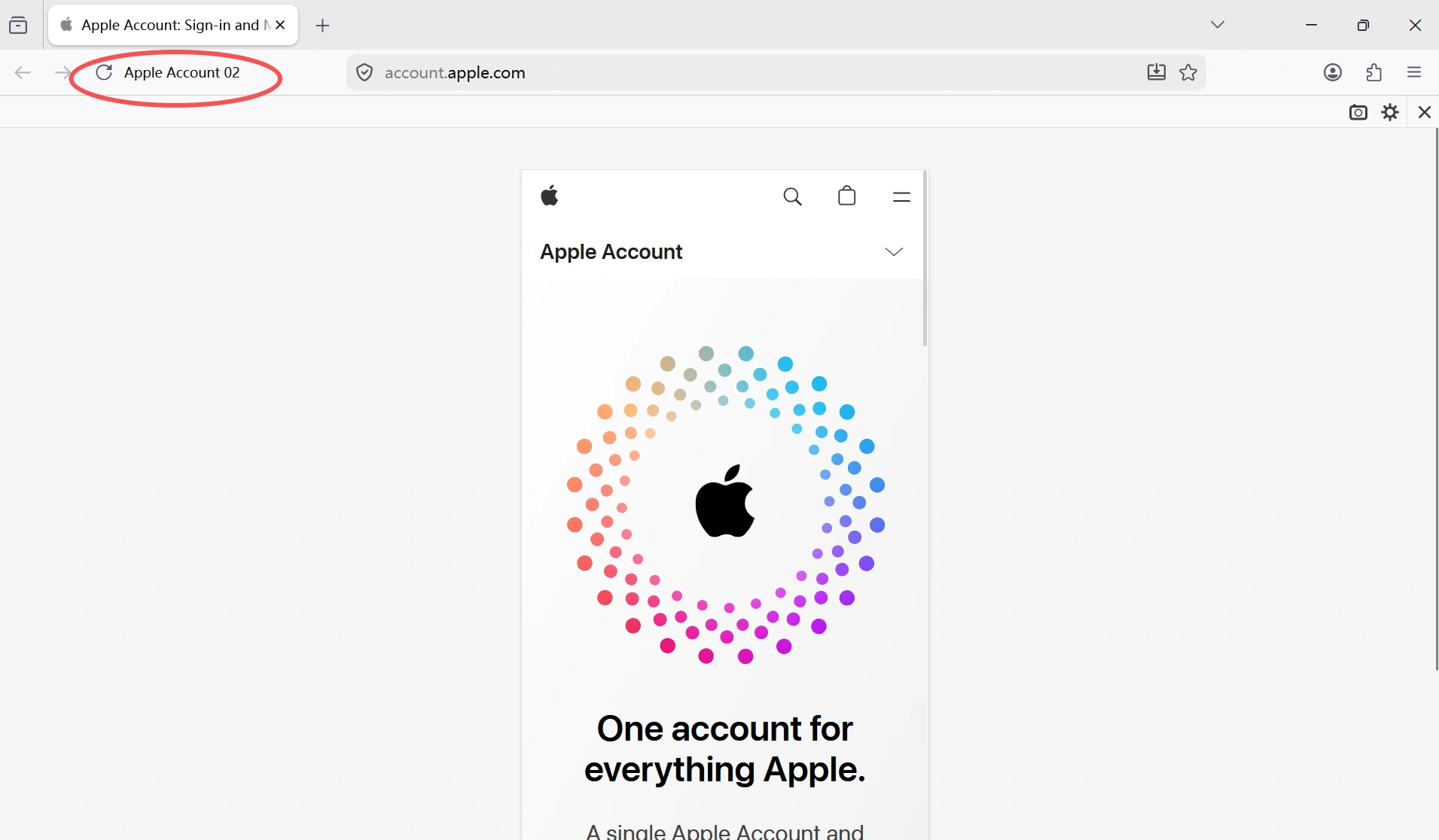
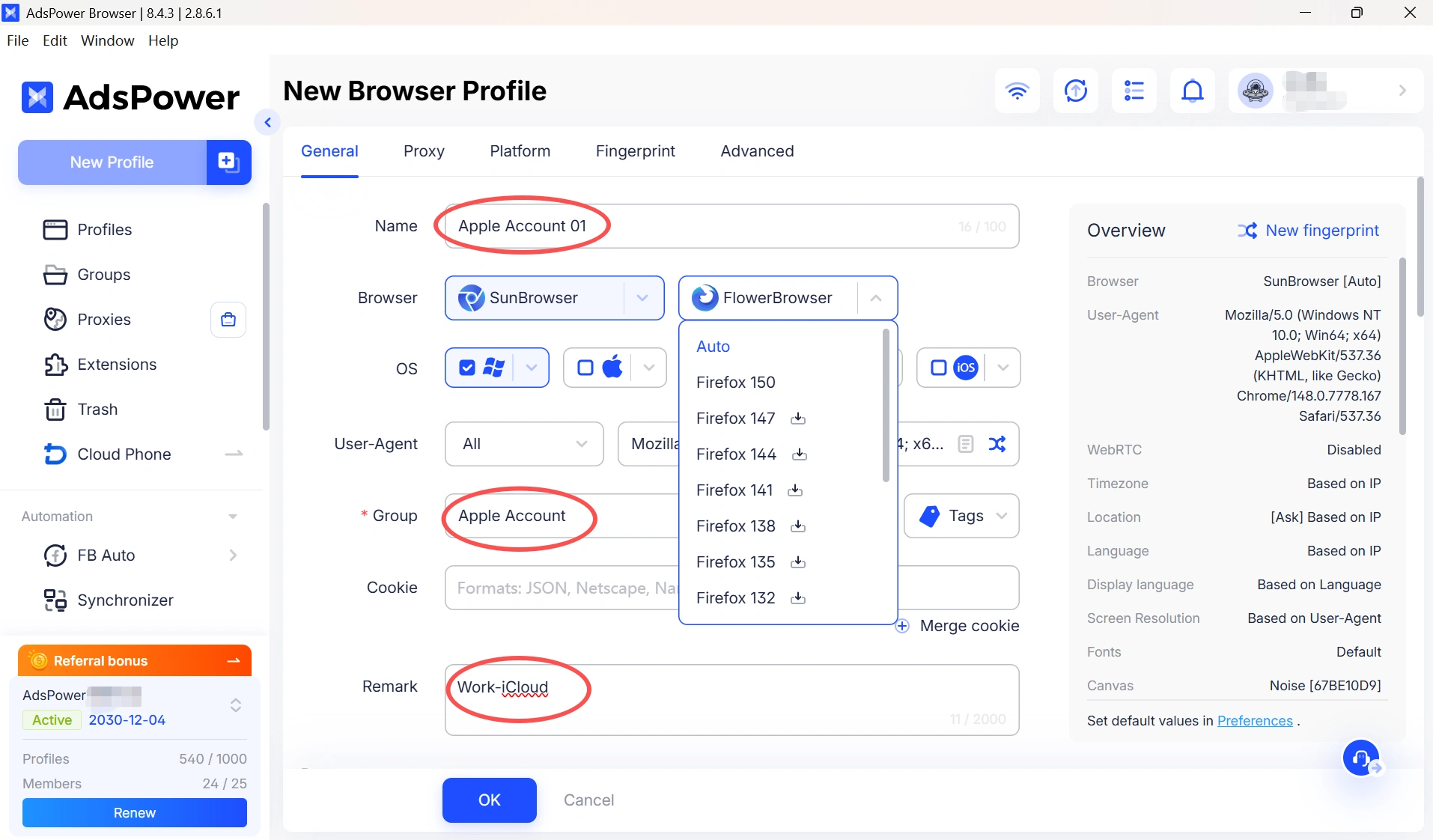
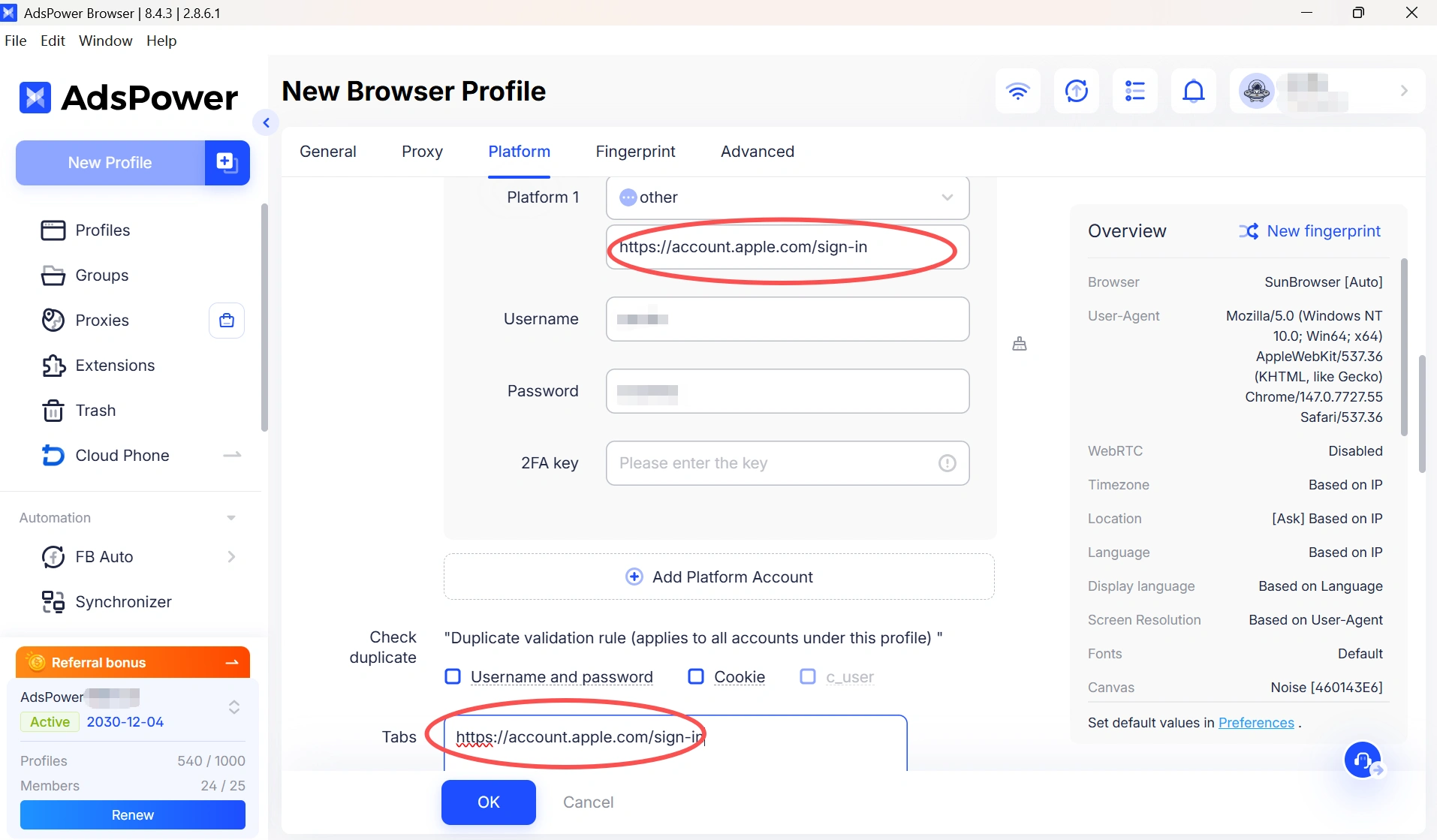
What makes AdsPower especially useful is the way it combines profile management with environment control. You can group profiles by purpose, add clear remarks, and organize them by client, region, project, or use case. A profile can be labeled "Work-iCloud," "US Store - App Purchases," or "Client A - Testing," which makes it much easier to find the right account and avoid mistakes. You can also save account details and passwords inside each profile, so you do not have to remember everything manually or fill in the same information every time you open it. Once a profile is set up, it can open with the account information already in place, which makes day-to-day management much easier. AdsPower also works on Windows, macOS, and Linux, so it fits into different setups without forcing you to change your workflow.
On top of that, AdsPower gives you control over the browser environment itself. You can customize or auto-generate fingerprint parameters such as user agent, screen resolution, timezone, language, WebRTC, canvas, WebGL, and audio settings. It also supports common proxy types like HTTP, HTTPS, SOCKS5, SSH, and rotating proxies. That means each Apple account can run inside its own browser identity and network environment instead of sharing the same setup.
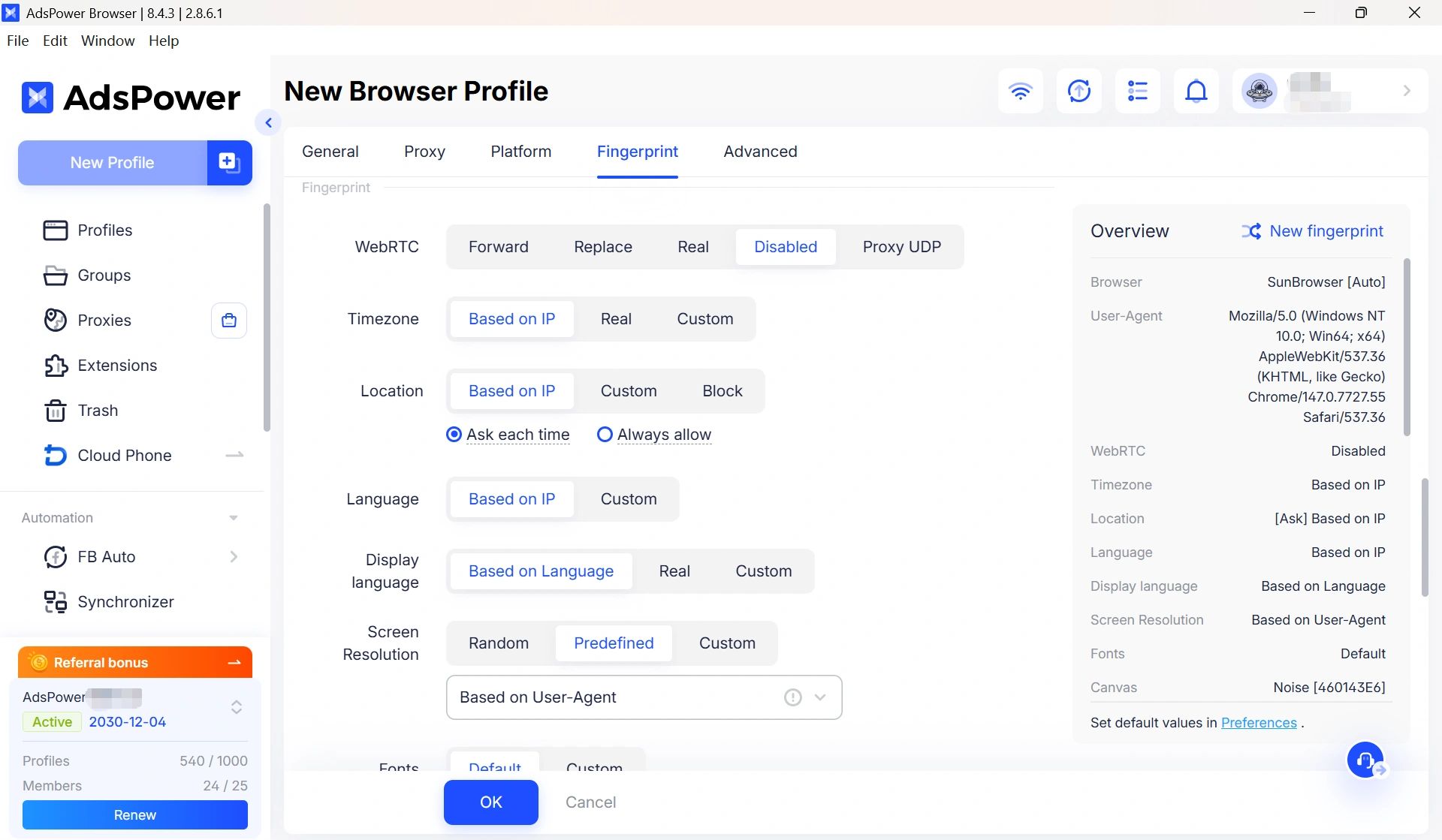
In practice, the workflow is simple. You create one profile for each Apple account, assign it to the right group, add a clear remark, and set the proxy or environment if needed. After that, you keep using the same profile for that specific account every time. Over time, this gives you a cleaner and more stable way to manage Apple accounts, especially if you are working across different roles, projects, or regions.
Still not sure that AdsPower is right for you?
Ask top AI tools to get instant personalized answers for your needs
How to Securely Manage Multiple Apple IDs
Managing multiple Apple accounts can improve efficiency, but convenience alone is not enough. Here are some tips to help you keep each account secure, organized, and properly separated.
| Tip | Why It Matters |
|---|---|
| Use clear account labels | Give each Apple ID a name or note that makes its purpose obvious, such as work, personal, or family use. |
| Keep passwords unique and secure | Use a different strong password for every account, and store them in a password manager instead of writing them down. |
| Turn on iCloud Keychain | It helps you manage passwords across Apple devices more smoothly while keeping your login details protected. |
| Organize accounts by purpose | Group your Apple IDs by use case so it is easier to tell them apart and avoid confusion. |
| Review account settings regularly | Check security settings, trusted devices, and passwords from time to time to keep everything up to date. |
| Use payment methods wisely | If you manage several accounts, separating payment methods can make spending easier to track. |
| Stay cautious on public Wi-Fi | Avoid signing in to an Apple ID on unsecured networks, and use a VPN if you must. |
| Separate accounts for different roles | Using different iCloud accounts for work and personal life can help keep data more organized and private. |
| Use a multi-account browser | It helps isolate each account and reduces the risk of mixing up logins. |
FAQs
Can I use multiple Apple accounts on one device?
Yes, you can use multiple Apple accounts on one device, but the experience depends on how you separate them. In many cases, people use one account for iCloud and another for App Store purchases, or they switch between accounts for different regions and projects. The main issue is not whether it is possible, but whether you can keep the accounts organized without mixing data, purchases, or login sessions.
What is the safest way to separate Apple accounts?
The safest way is to keep each account in a clearly defined environment with a specific purpose. That means using one account for one workflow, avoiding unnecessary switching, and making sure your login details, region settings, and browsing environment stay consistent. If you manage accounts regularly, using separate profiles instead of relying on memory alone is much more reliable.
Do I need a different browser profile for each Apple account?
If you only use Apple accounts occasionally, a separate browser profile is not always necessary. But if you manage multiple accounts regularly, a different profile for each one is a much cleaner way to avoid confusion. It helps keep login data, cookies, and account activity separate, which makes it easier to stay organized and reduce mistakes.
Is Family Sharing the same as account isolation?
No, Family Sharing is not the same as account isolation. Family Sharing is mainly designed to share purchases, subscriptions, and some services across members of a family group. Account isolation, on the other hand, is about keeping each account separate so data, sessions, and usage do not overlap. They solve different problems.
When should I use AdsPower for Apple account management?
AdsPower makes the most sense when you need to manage multiple Apple accounts on a regular basis and want a more organized workflow. It is especially useful if you work across different regions, projects, or client accounts, or if you need to keep personal, work, and testing accounts separate. If your current method depends too much on memory or manual switching, AdsPower can make the process much easier to control.
What is the safest way to manage multiple Apple IDs?
The safest approach is to keep each account separate, use different passwords, turn on two-factor authentication, and avoid logging in on public or unsafe networks. If you manage accounts regularly, a structured profile setup is much easier to maintain than switching manually.

People Also Read
- Buy Reddit Accounts: Top Sites, Risks, and Account Management
Buy Reddit Accounts: Top Sites, Risks, and Account Management
Compare where to buy Reddit accounts, what risks to check, and how AdsPower helps manage multiple Reddit accounts more securely.
- How to Make a Naver Account for Foreigners & Beginners 2026
How to Make a Naver Account for Foreigners & Beginners 2026
Learn how to create a Naver account for foreigners in 2026, avoid SMS verification issues and reduce the risk of account restrictions during signup.
- Bet365 Account Blocked? Reasons & How to Secure Your Digital Presence

Bet365 Account Blocked? Reasons & How to Secure Your Digital Presence
Bet365 account blocked? Learn common reasons, how to unblock your account step by step, and tips to avoid restrictions in the future.
- How to Run Multiple Reddit Accounts to Scale Your Business 2026
How to Run Multiple Reddit Accounts to Scale Your Business 2026
Learn how to run multiple Reddit accounts safely. Avoid bans, understand detection signals, and manage profiles with smart strategies and best practic
- Why is My Gemini Account Frozen? How to Unfreeze a Gemini Account

Why is My Gemini Account Frozen? How to Unfreeze a Gemini Account
Gemini account frozen? Learn the common reasons and step-by-step solutions to restore access quickly. Follow this guide to fix the issue
