

AdsPower
Release Notes

AdsPower Changelog and Release Notes

View new features, UX improvements, kernel updates, and bug fixes for the AdsPower software by date.

[Chrome 155/156 Engine Updates]

Added Chrome 155 support for Windows, macOS, and Linux, and Chrome 156 support for Windows and macOS, with matching User-Agent configurations and updated fingerprint parameters.


[AI Agent Integration with Messaging Apps]

Connect AdsPower AI Agent to Feishu, Telegram, and other messaging apps. Once configured, you can send tasks, check progress, switch sessions, cancel tasks, and handle approvals through a private bot chat. Results and output files are delivered when tasks finish. Manage tasks from your phone, even when you’re away from your computer. Tasks still run on your local AI Agent, so your computer must stay online with the Agent running.
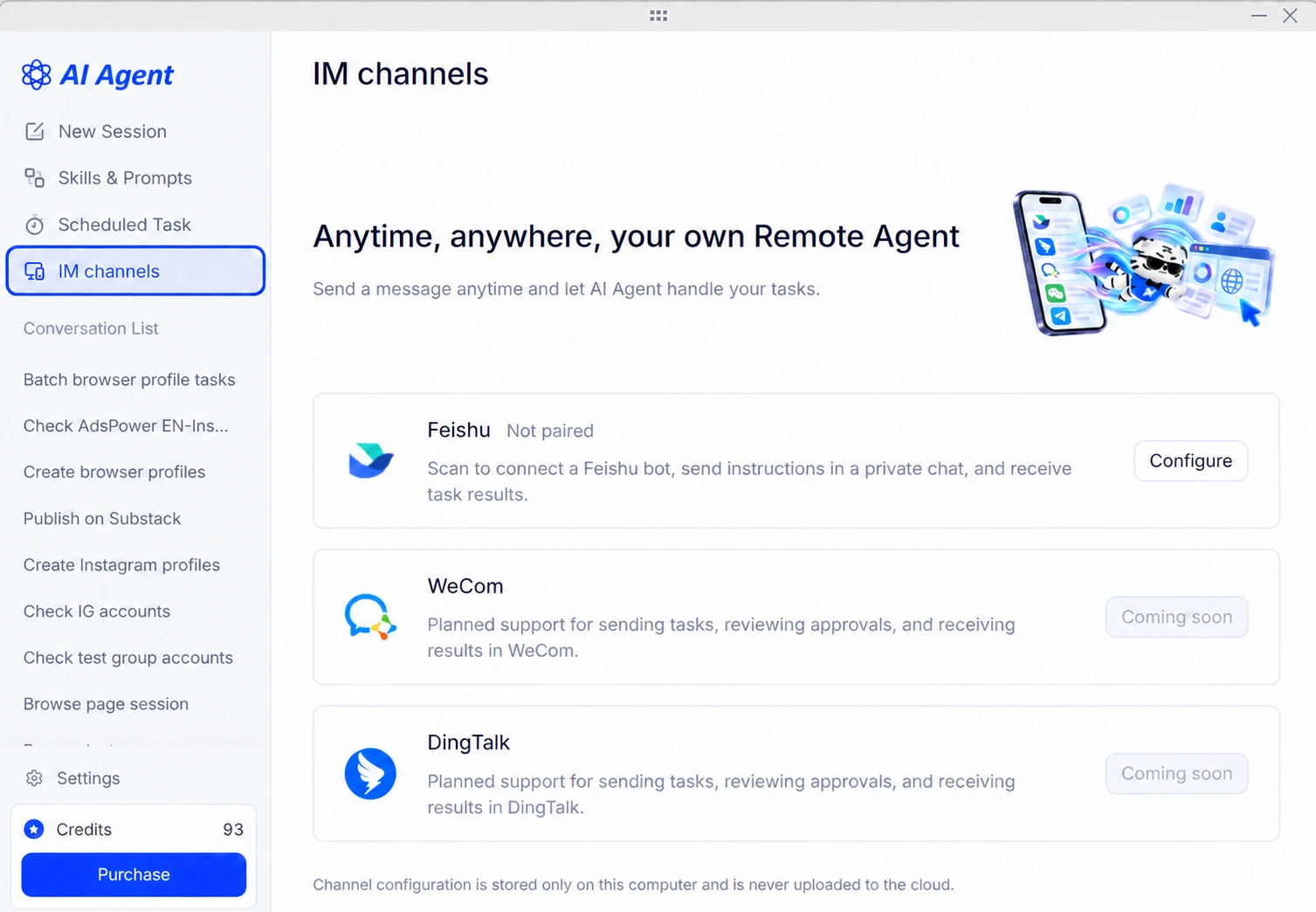

ai-agent-im-channel-webp


[New APIs for Member Management and Profile Recovery]

Six new member management endpoints let you create, edit, and delete team members, reset passwords, and retrieve member and member group lists. New recycle bin endpoints let you find deleted profiles and restore them to a selected group using a profile ID or profile number. Currently, profiles can be restored one at a time.


[Custom IP Rotation Intervals for Rotating Proxies]

Set rotating proxies to keep the same IP for 30, 60, 90, or 120 minutes. Apply the setting when creating or editing profiles, updating proxy settings, or changing proxies in bulk. You can also set and retrieve the duration through the Local API.
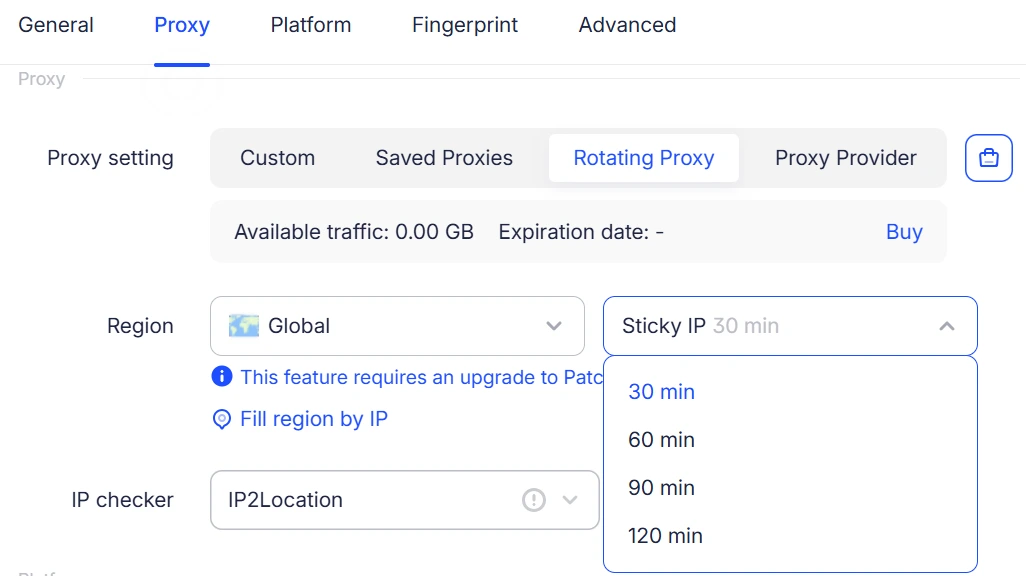

ratating-proxy-update


[Sequence Numbers and Sorting in Synchronizer]

The Synchronizer list now includes a sortable sequence number column before the profile number, making profiles easier to identify and organize when working across multiple browser windows.

[Customizable Proxy List]

Show or hide columns in Proxy Management, including proxy ID, details, status, type, tags, and linked profiles. Drag columns to reorder them. Layout preferences are saved separately for each user and team.


[SunBrowser Improvements]

Optimized SunBrowser on Windows and macOS with virtual camera hot-swapping, audio playback from uploaded videos, and fixes for videos with non-standard dimensions. Improved audio device and iOS hardware fingerprints, mobile touch emulation, and iframe screen parameter consistency for better compatibility and stability.


[Mobile App Update (v2.1.3)]

Improved WebGL fingerprint settings and time zone compatibility. Fixed issues with opening links, back/forward navigation, and copy/paste. Refined the bottom toolbar, floating button dragging, and tab controls, and added a dedicated Account & Settings page.


[Earlier Proxy Auto-Renewal]

Proxies now auto-renew 72 hours before expiration, up from 24 hours, with a reminder sent one day before renewal. This gives you more time to resolve insufficient balances or renewal issues. Each successful renewal adds 30 days to the original expiration date. Auto-renewal can only be enabled for existing proxies with more than 96 hours remaining.


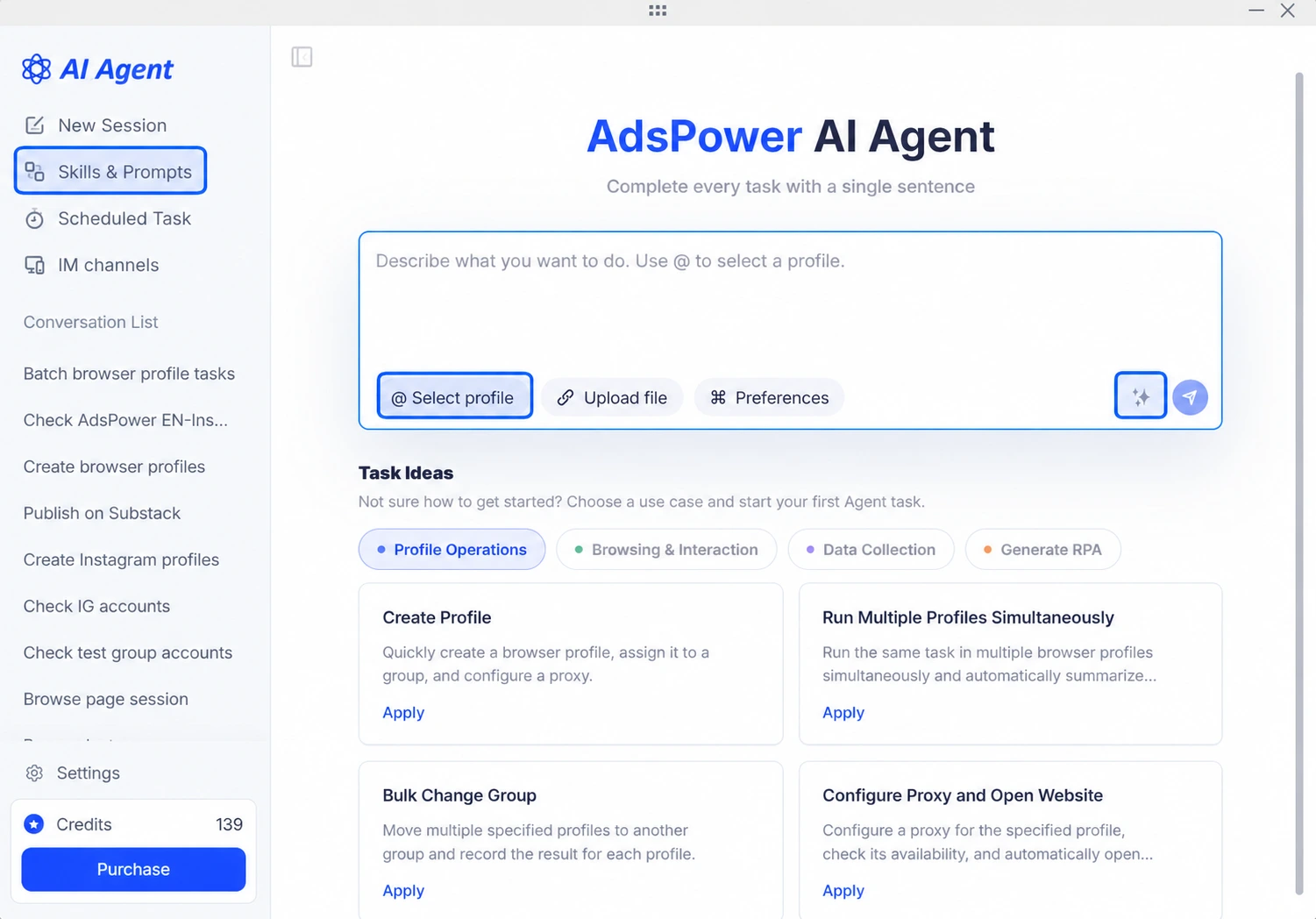
[AI Agent: Skill Creation & Prompt Refinement]

Save reusable workflows from completed tasks as Skills, then run them from the Skill Library or invoke them with “/” in a chat. The new AI Polish feature improves prompt clarity while preserving your intent. A new profile selection shortcut also makes task setup easier.


adspower-ai-agent-skill


[AI Agent: Desktop Pet]

Track task status and session progress with the new Desktop Pet. Quickly open AI Agent, view parallel sessions, and pause running tasks. Enable or disable it under Settings > General, and drag it anywhere on your desktop.


[Chrome 154 Kernel Upgrade]

Added support for the Chrome 154 kernel on Windows, macOS, and Linux, providing users with an updated browser kernel for their browser environments.


[Optimized Rotating Proxy Lookup in the iOS App]

Optimized rotating proxy lookup in the iOS app to improve exit proxy matching based on country, region, and city criteria, ensuring more accurate geographic targeting.


[Added Fingerprint Noise Support in the iOS App]

Added WebGL image noise and media device noise support to the iOS app, further enhancing browser fingerprint configuration. Also fixed several known issues to improve environment stability.


[Updated WebGL Metadata Database]

Updated the WebGL metadata database for Windows and macOS to expand WebGL fingerprint data support and improve browser fingerprint configuration.


[Added Quick Access to the Help Center in Core Modules]

Added a help icon next to page titles in the core modules of the client. Hover over the icon to view feature guides and FAQs for the current module, or click it to go directly to the relevant help article.


This feature is available in Profiles, Proxies, App Center, Synchronizer, RPA, RPA Plus, API & MCP, Billing Center, Team Management, and other modules. It also supports multilingual help content, making it easier to find instructions quickly while reducing page navigation and search steps.

Start efficient multi-account management

Try 2 browser profiles for free · No credit card required