

See how AdsPower AI Agent uses natural-language instructions to automate browser tasks, manage multiple profiles, and collect data across the web.
AdsPower has launched its AI Agent, a new feature that brings natural-language browser automation to the platform. With AI Agent, users can give instructions in plain language and let the Agent handle browser tasks across multiple profiles and accounts.
The launch is part of AdsPower’s continued development of AI-powered browser automation. AdsPower already offers RPA, Synchronizer, Local API and MCP, giving users different ways to automate browser workflows and manage multiple profiles. AI Agent adds another way to work with these tools, with users describing what they want to accomplish instead of defining every browser action manually.
For users managing multiple accounts, AI Agent makes it easier to handle browser tasks that involve multiple steps. Users can simply tell the Agent what needs to be done and let it handle the necessary browser actions, such as setting up browser environments, opening profiles, logging into platforms, and publishing content.
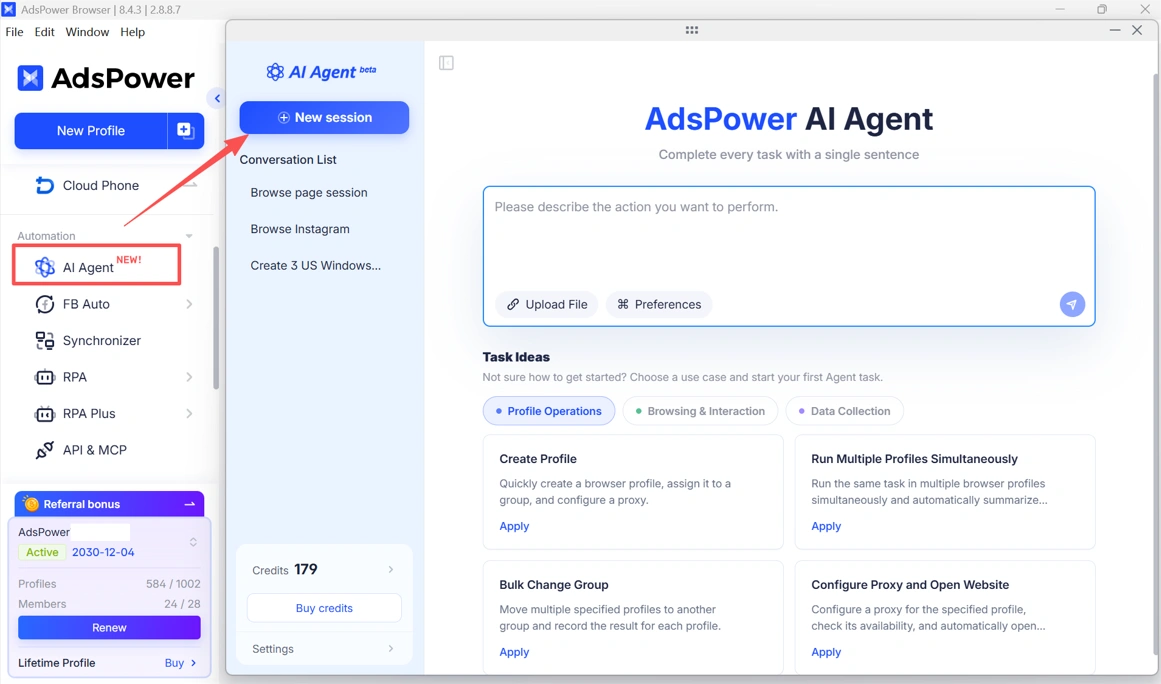
Simple-to-Use AI Agent for Browser Automation
1. Create Profiles with Natural-Language Commands
Creating browser environments no longer requires filling in every setting manually. Users can simply tell AI Agent what they need, such as:
"In my test group, create 3 Windows profiles in the U.S. and use my existing U.S. proxies"
The Agent can open the creation page and fill in the required settings based on the instruction. If something needs to be changed, users can simply send another instruction.
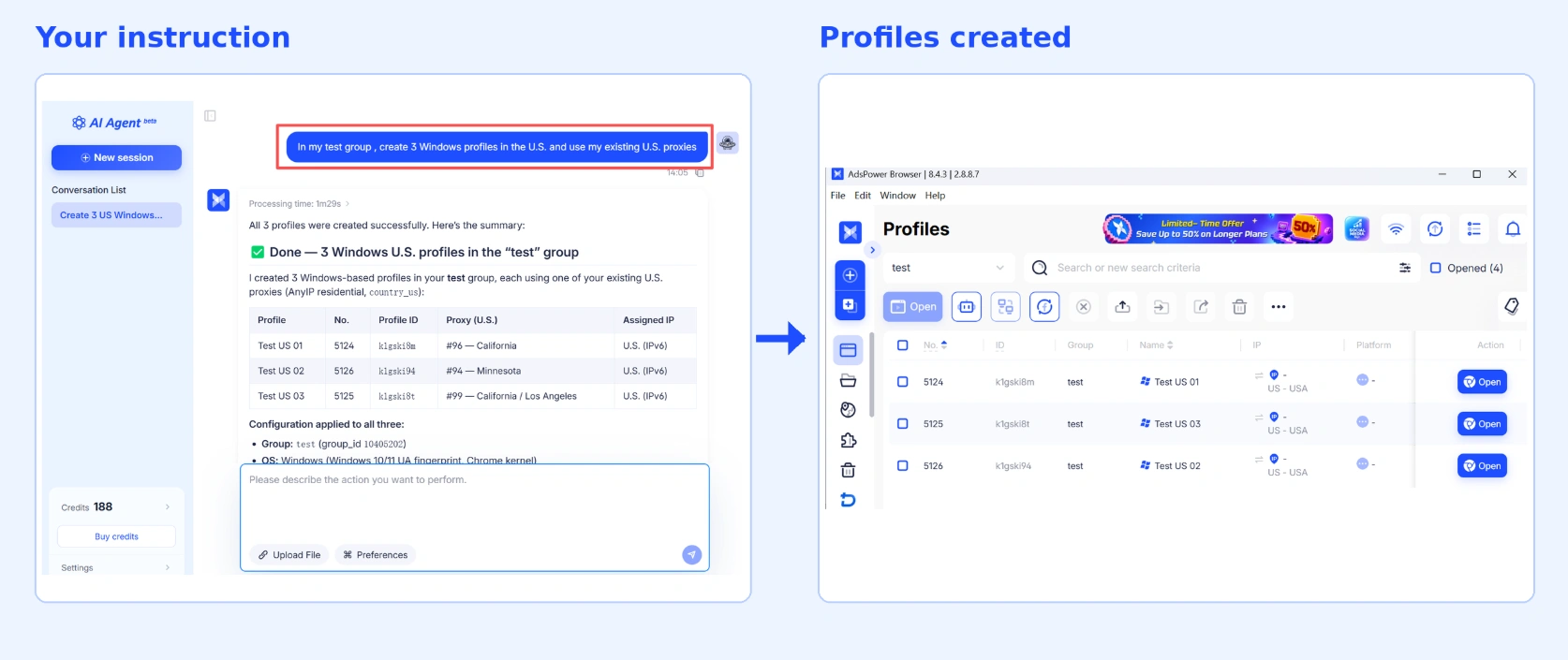
2. Open Profiles, Log In, and Publish Content
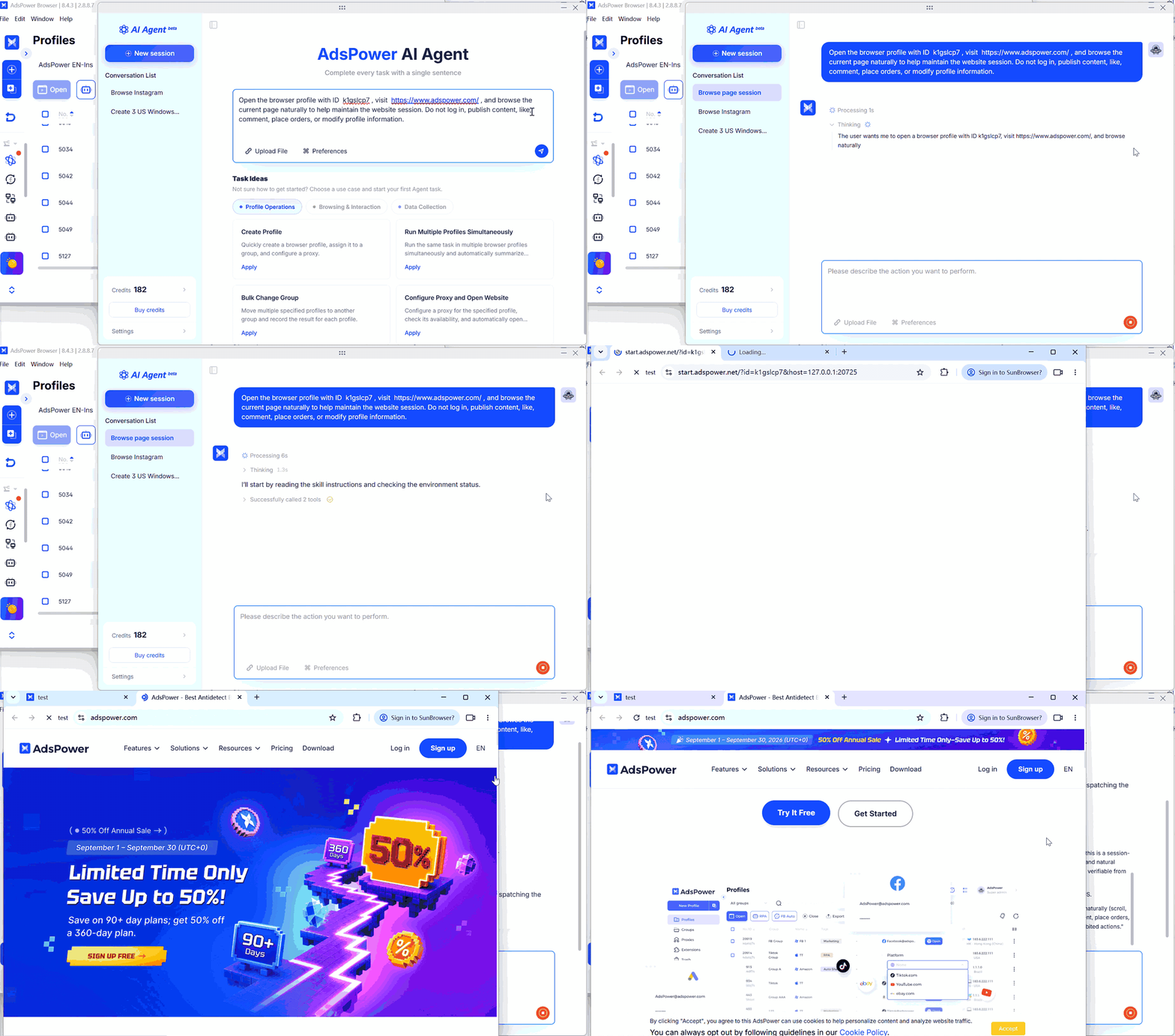
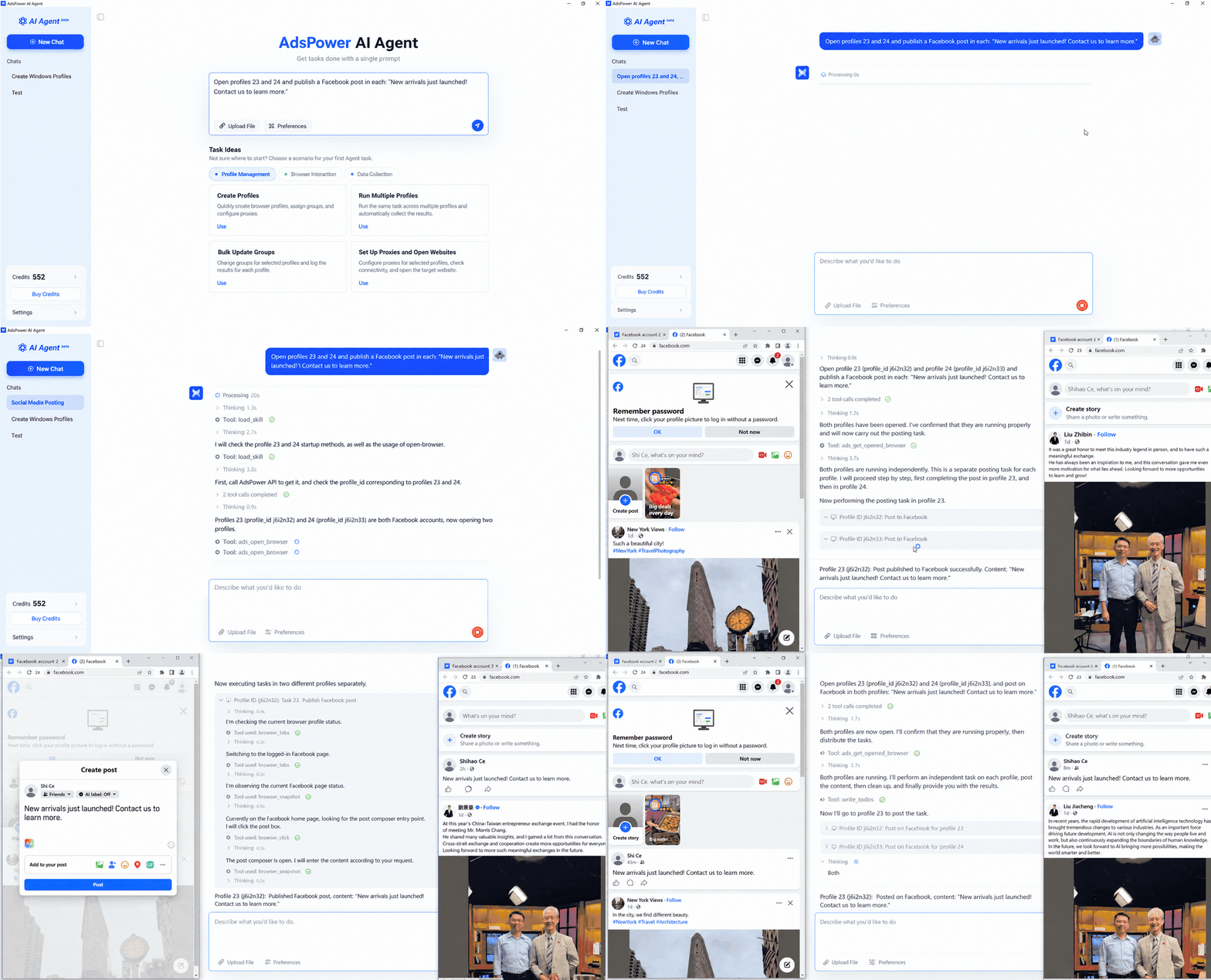
Multi-step browser tasks can be handled in the same way. For example, users can ask AI Agent to open a specific profile, visit Facebook, and publish a post or video. It works through the required steps inside the selected browser environment, while users provide the content and instructions.
Example 1: open a specific profile
Example 2: publish a post
3. Collect Data Across the Web
Data collection is another area where AI Agent can take care of repetitive browser work. Users can choose a use case and specify the information they need, without having to build the process step by step.
Available use cases include collecting product titles, prices, ratings, and review counts from search results, as well as gathering public profile information such as bios and follower counts. AI Agent can also collect reviews, publication times, user information, titles, links, snippets, rankings, and other requested data.
4. Connect MCP and Skills
For workflows that require additional tools, AI Agent supports MCP and Skills. Teams can connect their existing tools and automation capabilities and make them available to the Agent.
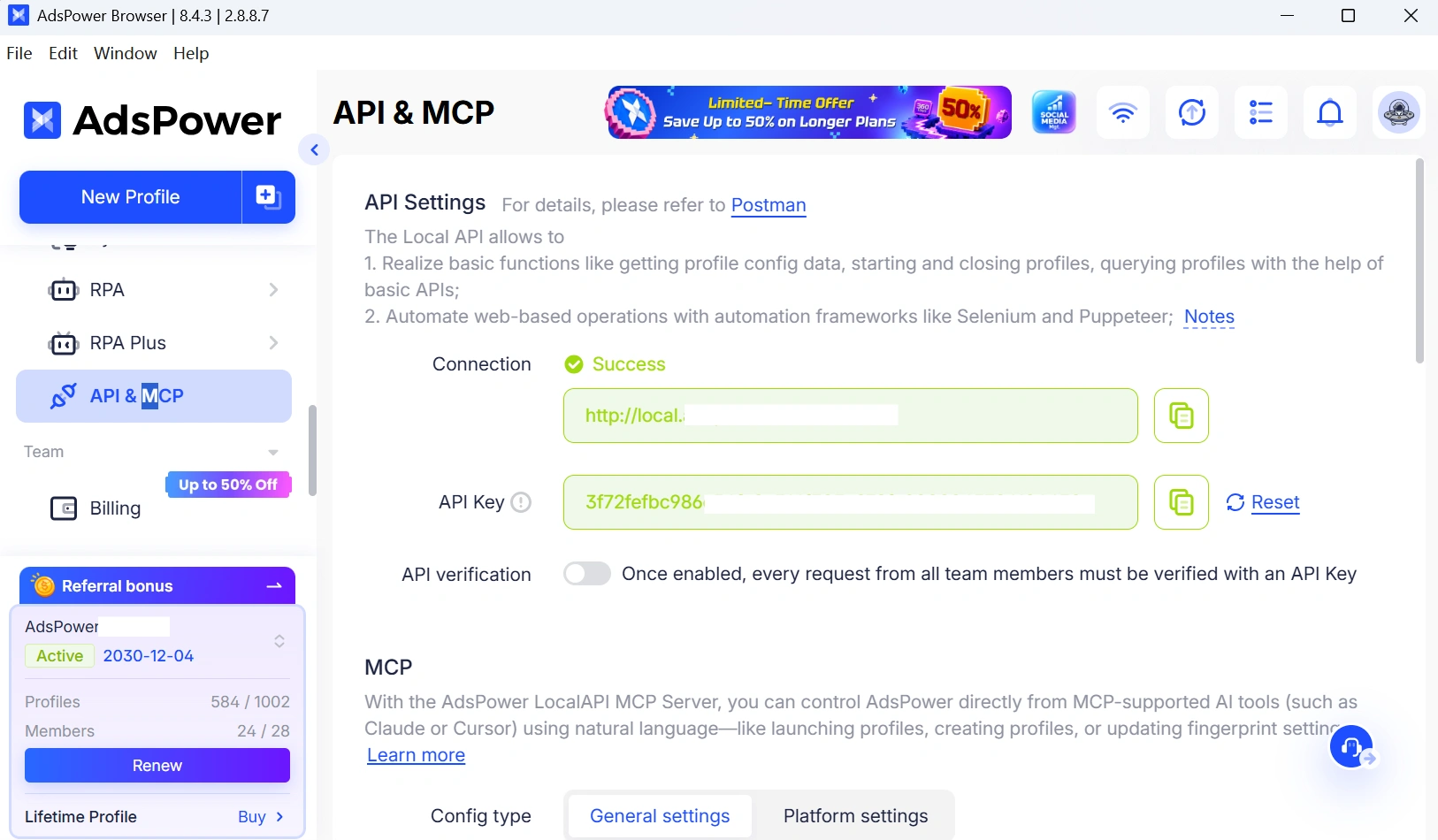
Before connecting MCP, users need to generate an API Key from the API & MCP section. Configuration instructions are available in the AdsPower client.
100 Free Trial Credits for Eligible Paid Teams
AI Agent uses credits based on the model costs generated during task execution. Eligible paid teams with an active subscription can claim 100 trial credits from the AI Agent section in the left sidebar of the AdsPower client.
Credits Start at $3 for 200
Credits are shared across the team, so all team members use the same credit balance. Packages start at 200 credits for $3, with larger packages offering higher discounts of up to 25%.
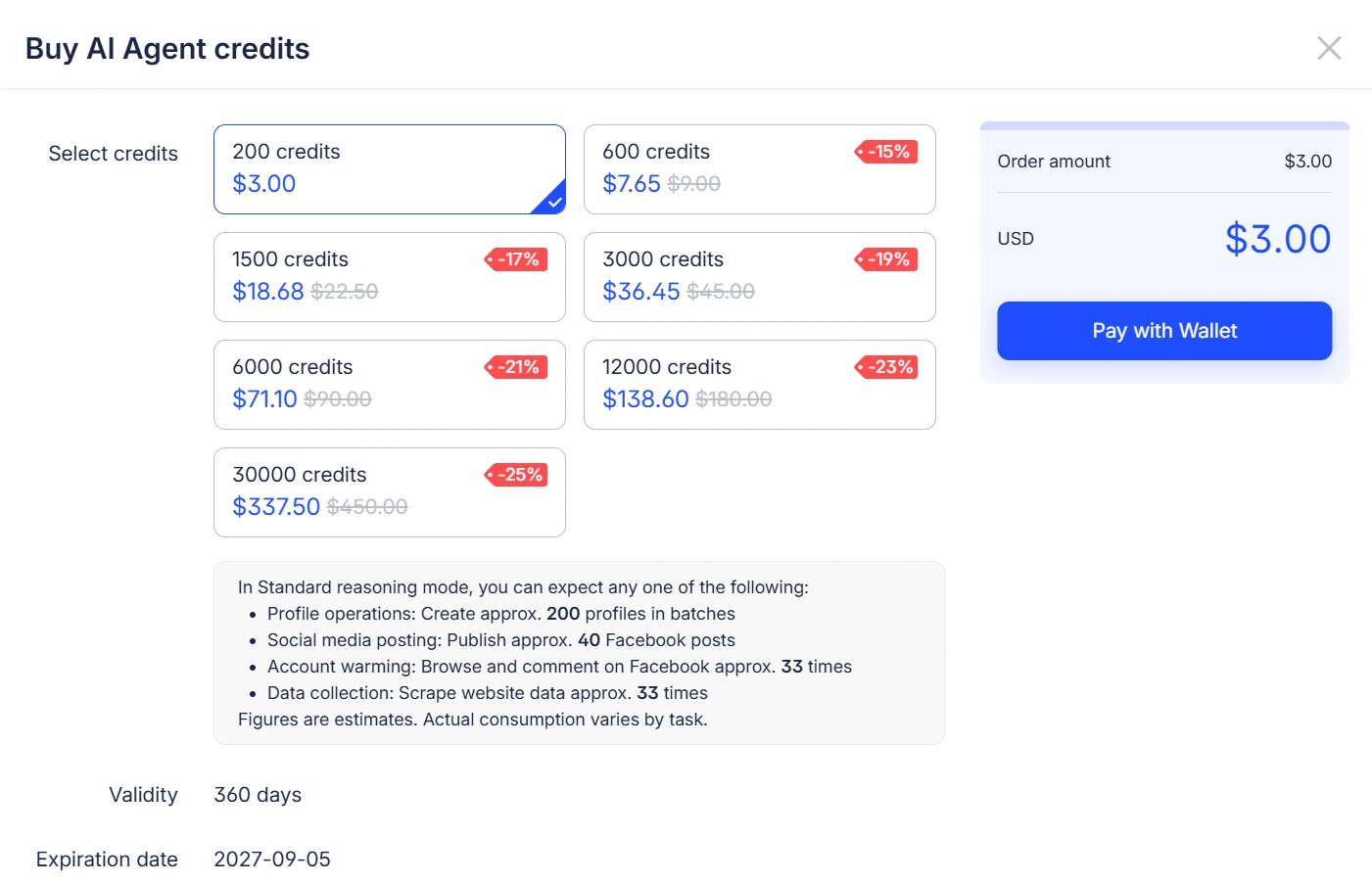
Purchased credits are valid for 360 days. When a new package is purchased, the team’s credit expiration date is recalculated based on the latest purchase.
If the credits run out while a task is in progress, the task will pause rather than start over. Once more credits are added, users can return to the same conversation and continue from where the task stopped, with the completed steps and conversation history retained.
Update to Use AI Agent
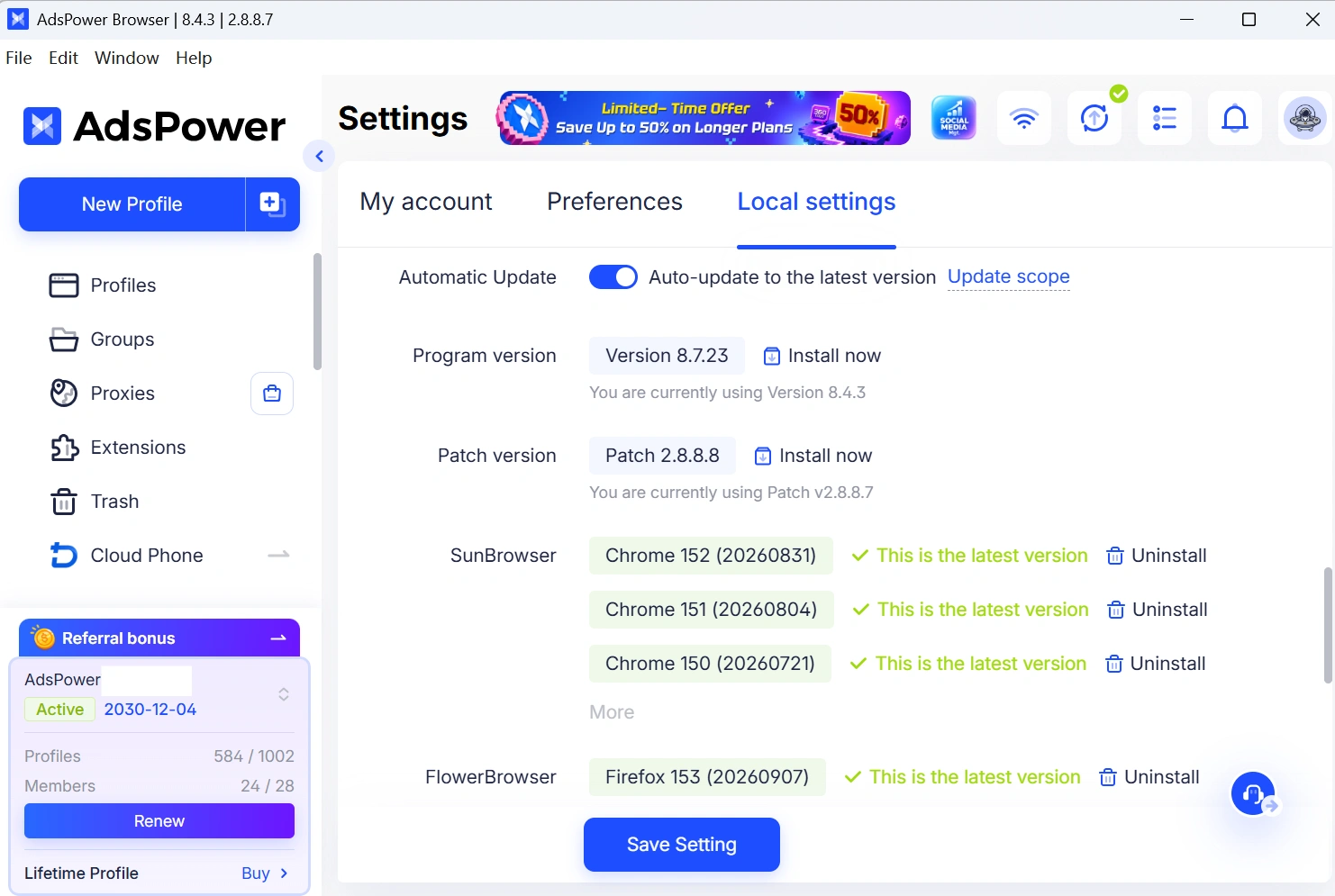
AI Agent is available on AdsPower client version 8.4.3 or later, with JS version 2.8.8.4 or later. The AI Agent entry is being rolled out gradually, so some users may not see it immediately after updating. If the entry is not available yet, please check again later or contact AdsPower support.
More to Come
This is just the beginning for AdsPower AI Agent. We’ll keep adding new capabilities and making it better along the way. If you have ideas for what you’d like to see next, or run into anything that could be improved, we’d love to hear from you. Your feedback will help shape where AI Agent goes next. ❤️
