

The AdsPower September 2026 update is here! Explore new AI Agent features, Chrome 153 and Firefox 153, faster API requests, and easier profile management. Update AdsPower to get the latest improvements.
The September 2026 update of AdsPower introduces new features and improvements for proxy management, browser profiles, and browser automation. Major updates: AdsPower AI Agent can generate RPA templates, scheduled tasks and parallel sessions; supports Chrome 153 and Firefox 153; faster API requests; and one-click creation of profiles.
The update also brings an improved iOS app, more reliable proxy renewals, group-based restrictions on website access and various other desktop client improvements.
September 2026 Update Overview
- AI Agent for task scheduling, parallel session and RPA template generation
- Kernel updates for Chrome 152/153 and Firefox 153
- One-click profile creation and raised lifetime profile limit
- Faster API requests and random fingerprint configuration
- Improved rotating proxy lookups and renewal handling
- Group-based website access restrictions
- Updates and improvements to iOS app and mobile WebGPU fingerprinting
- Enhancements to client interface, more stable local settings and September deals
[AI Agent] Scheduled Tasks, Parallel Sessions, and RPA Generation
1. Schedule Tasks to Run Automatically
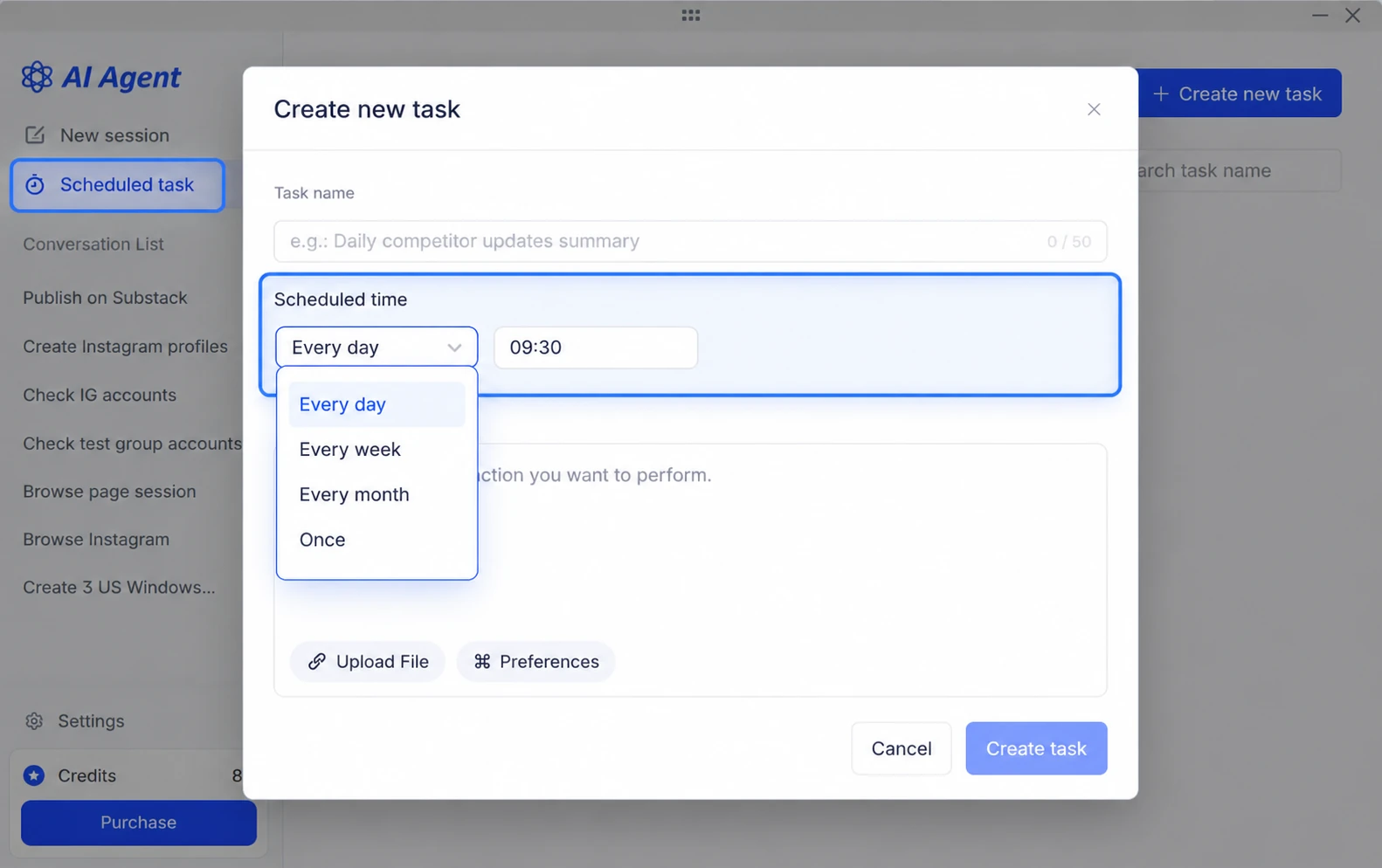
AI Agent now supports scheduled tasks, allowing users to plan out task instructions and execution timings in advance. Tasks can be conducted once or often on a daily, weekly, or monthly basis. Users can enable, pause, execute, update, or delete scheduled tasks as required. After completing a task, users can review the session and execution data in the task history.
2. Run Multiple Sessions in Parallel
It also allows several sessions in simultaneously, so users may work on new tasks immediately and not have to wait for other sessions to end. This makes it easier to manage recurrent tasks and handle several workflows at the same time.
3. Generate RPA Workflows from Preset Scenarios
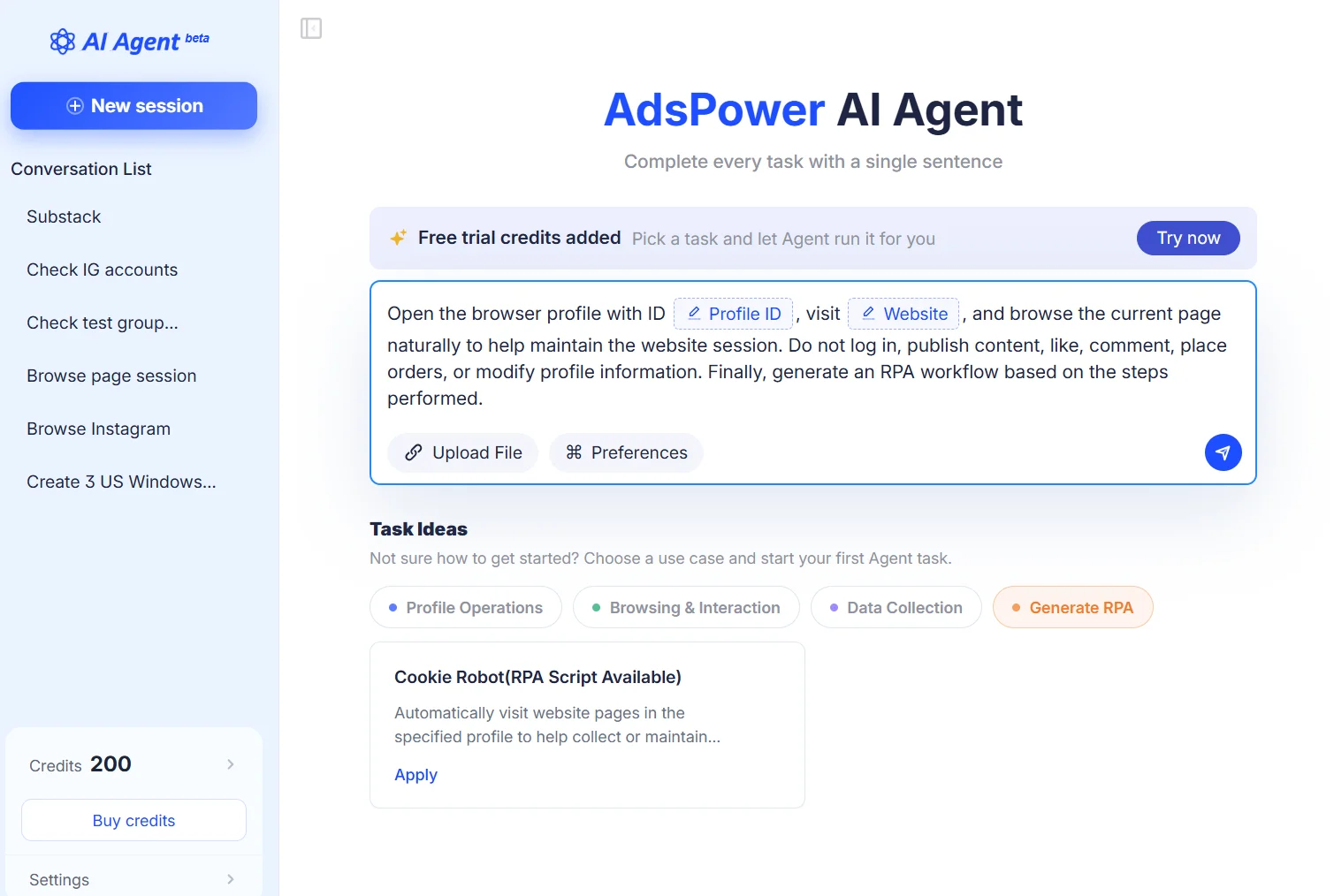
You can now create RPA workflows from built-in templates. Choose a preset scenario and let the Agent complete the task. Its actions are then saved as an RPA workflow you can reuse for similar tasks.
4. Buy Credits and Configure More AI Models
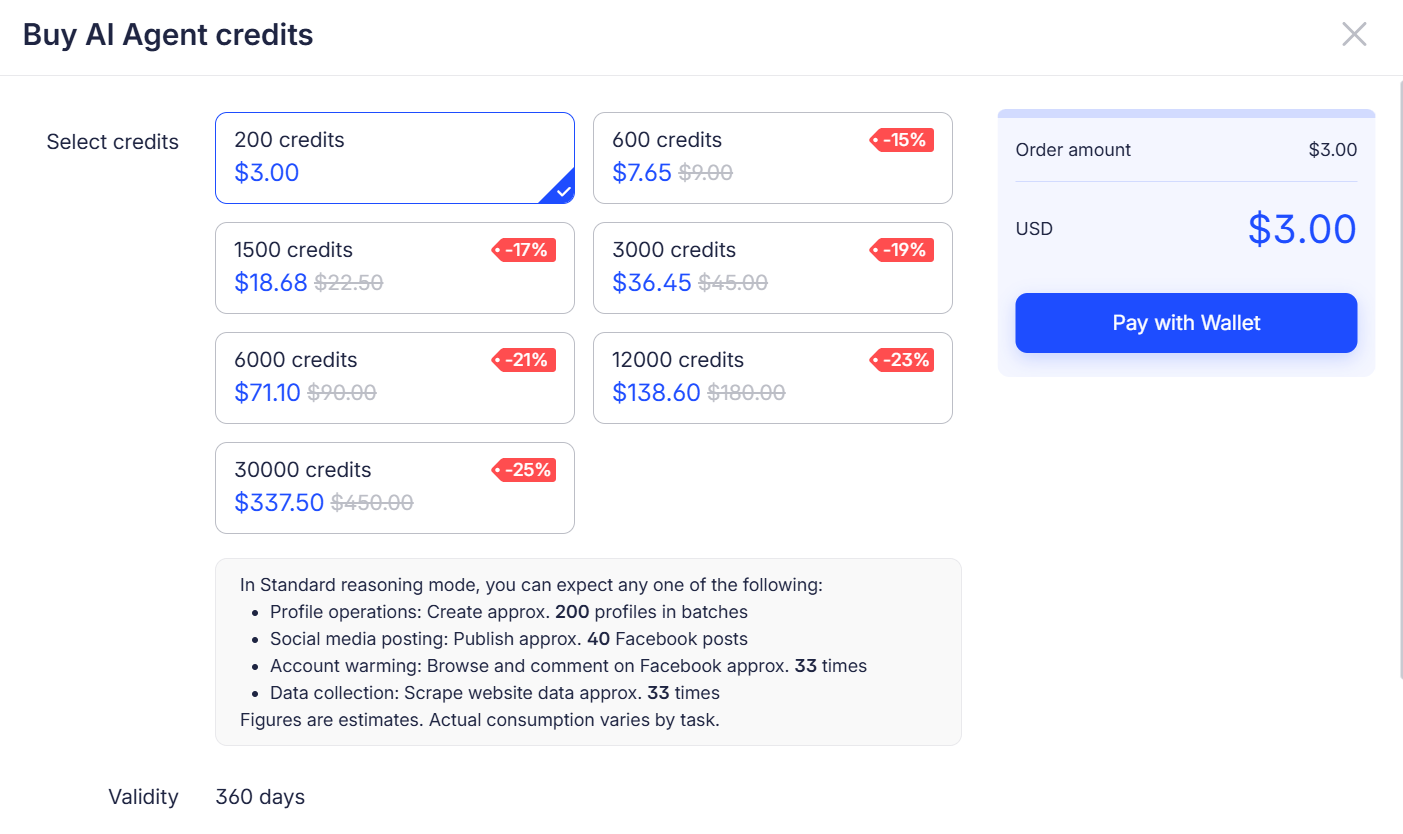
Now we have credit packages, so you may pick the right one for you. Trial credits may also be provided to eligible teams who already have a paid plan. You can change models and set multimodal choices for different activities. To begin, open AI Agent from the navigation bar. If you haven’t seen it yet, update to the latest version or wait for access to roll out to your account.
[Browser] Chrome 152/153, Firefox 153, and Android 16
1. Chrome 152 and Chrome 153 Support
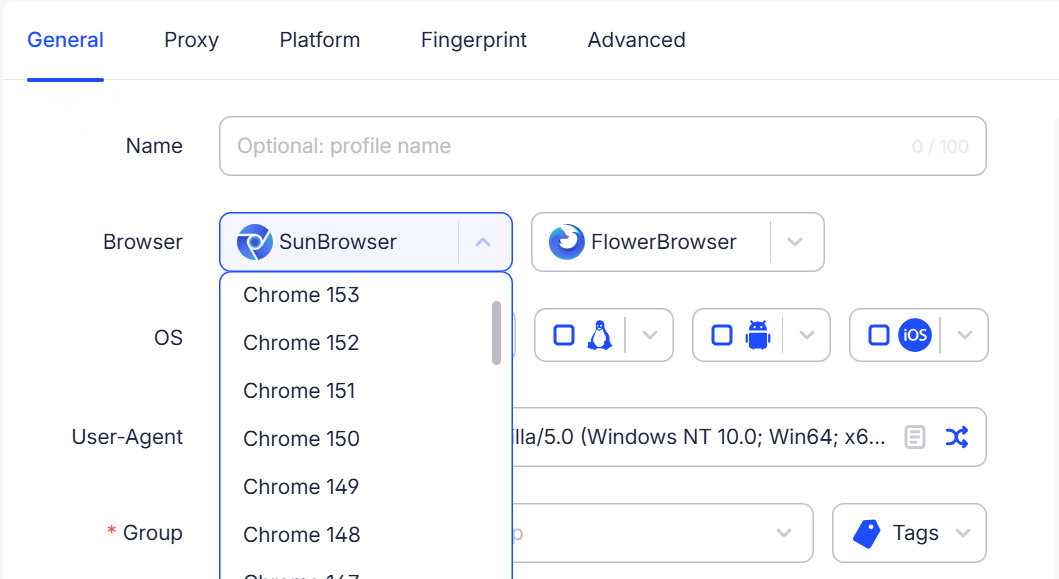
Chrome 152 and 153 are now available on Windows, macOS, and Linux. Both updates include website compatibility improvements. You can choose either version when setting up a browser profile.
2. Firefox 153 and Linux Support
Firefox profiles now support version 153, with improved website compatibility. Linux users can also create and run Firefox 153 profiles, while compatibility fixes for macOS 27 help Firefox profiles run more reliably.
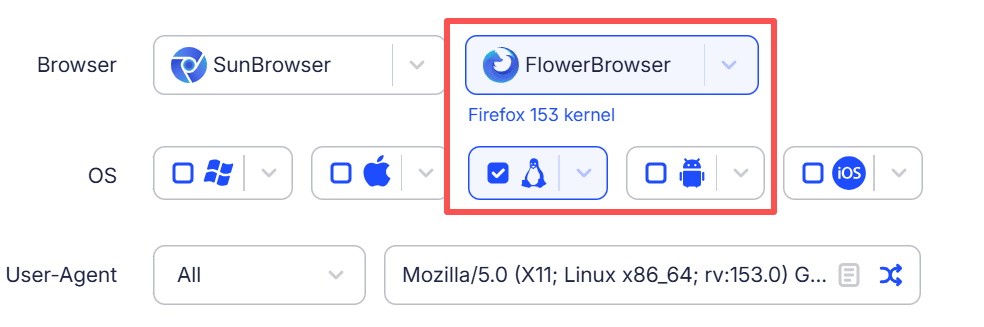
3. Android 16 User-Agent Support
You can now select an Android 16 User-Agent when configuring a mobile browser profile.
4. Mobile WebGPU Fingerprint Library Update
The mobile WebGPU fingerprint library now includes more fingerprint data, along with compatibility improvements for related settings.
[Profile] Faster Profile Creation and More Flexible Management
1. Create Browser Profiles with One Click
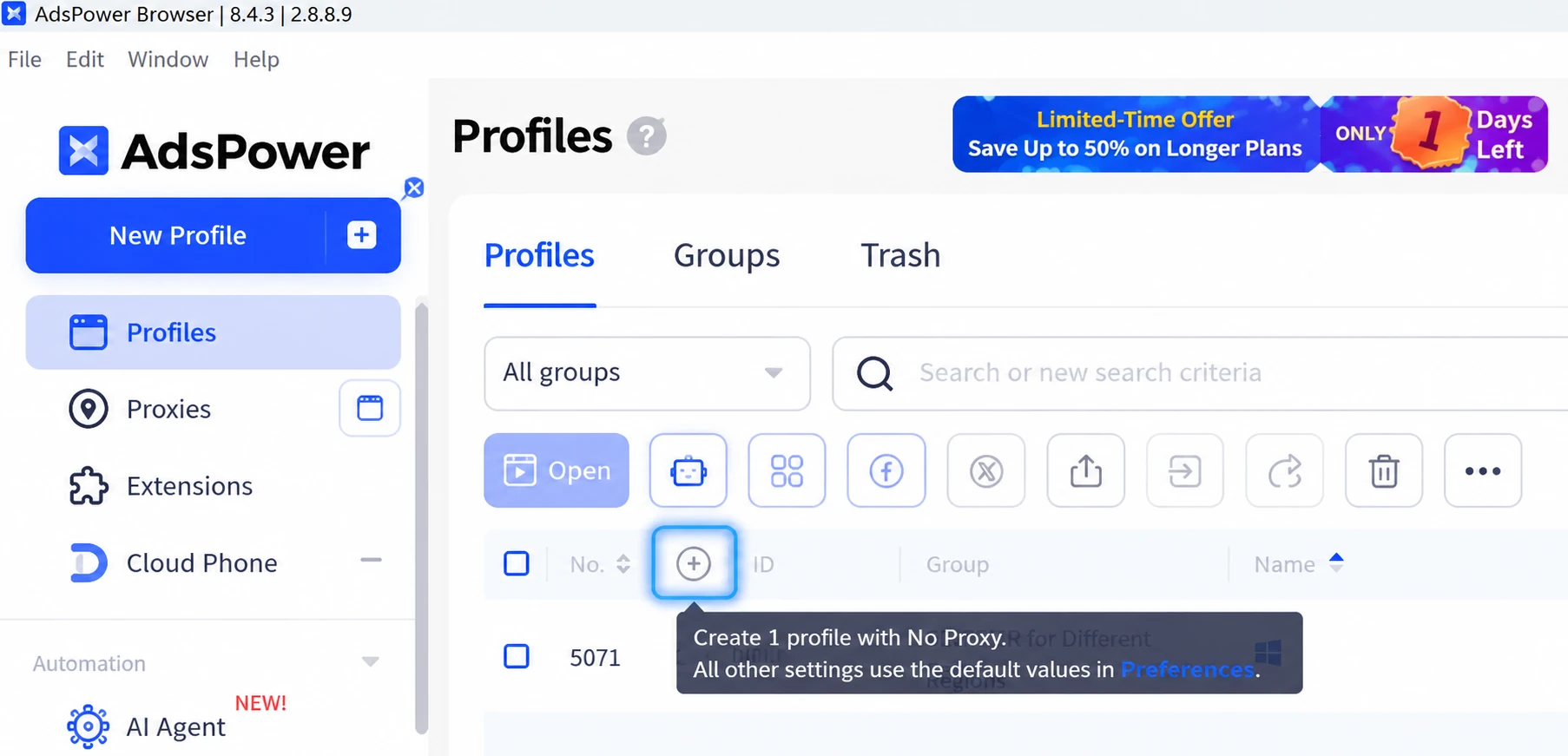
Click the “+” button to create a browser profile with Quick Create. There’s no need to open the full configuration page or confirm the setup again. New profiles use No Proxy by default, with the remaining settings taken from your saved preferences. The profile is also added to the group you currently have selected, saving you a few extra steps.
2. Lifetime Profile Limit Increased to 20
Each team can now have up to 20 lifetime profiles, up from 10. Existing lifetime profiles and free profiles both count toward this limit. On the purchase page, you’ll see how many more profiles your team can buy based on its current total.
3. Enhanced client navigation and interface
The desktop navigation now groups related features together, with tabs for browser profiles, RPA, RPA Plus and team management. The interface has been refreshed as well, with smoother interactions and a cleaner layout. On Windows and macOS, the old top bar has been removed to give the content more room.
4. Clearer Guidance on Empty Pages
The Recycle Bin, Window Synchronization, RPA Plus workflow management, and task management pages now offer clearer guidance when there’s no data to show. You’ll find a brief explanation of each feature, tips on getting started, and shortcuts to actions such as opening a browser profile or creating an RPA workflow or task.
[API & Automation] Faster API Requests and Random Fingerprint Settings
1. Increased API request limits
AdsPower has increased API request rates according to the number of browser environments in a team:
- From 2 to 5 requests per second
- From 5 to 15 requests per second
- From 10 to 25 requests per second
The higher limits improve request throughput for bulk profile management and automated workflows.
2. API Random Fingerprints
You can now set random fingerprints when establishing or updating profiles via the API, making bulk setup easier.
[Proxy] Faster Rotating Proxy Connections and More Reliable Renewals
1. Faster Location Lookups
Rotating proxies now use your saved location settings directly, instead of checking each location level one by one. This cuts lookup time and helps profiles open faster. You can choose a country or region, state or province, and city. You can also enter a reference IP to fill in the location details.
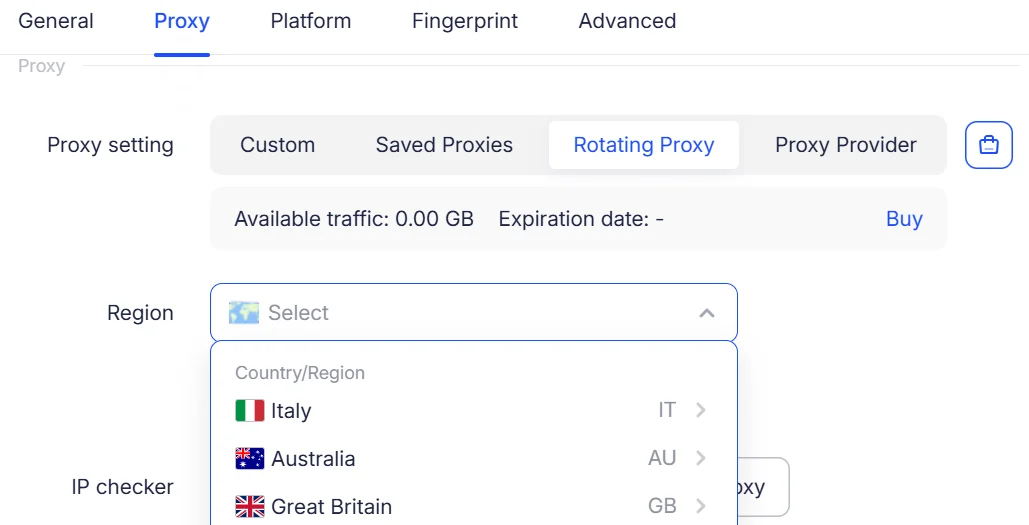
Note: If you want to use the new lookup method, upgrade the JavaScript SDK to a supported version.
2. More Reliable Proxy Renewals
After you submit a renewal, the status shows that it’s in progress. The expiry date changes only when the renewal succeeds. If the proxy provider cannot complete the renewal, the original expiry date stays the same. Your payment is refunded automatically, and auto-renewal is turned off for that proxy.
[Team Management] More Flexible Website Access Restrictions
1. Apply Access Restrictions to Specific Member Groups
Website access restrictions can now be applied to selected member groups rather than the entire team. For example, administrators can restrict certain groups from accessing sensitive websites, such as email or payment platforms, while leaving administrators and trusted members unaffected. This gives teams more flexibility to manage website access based on member roles and responsibilities.
Note: Update the JavaScript SDK to a supported version for this feature to take effect.
[Mobile] iOS Apps Updates
iOS App Version 2.1.1
Version 2.1.1 is now available on the App Store with easier login, account switching and browsing.
Here’s what’s new:
- Quick login: Sign in with Google, Facebook, or VK, or link them to your existing account.
- Verification codes: Paste a code to submit it automatically.
- Saved accounts: Save up to 10 accounts, then choose or delete them as needed.
- Browser toolbar: The toolbar disappears and reappears as you scroll, giving you more room to browse.
- Interface updates: Easier to set up profile, settings and dark mode.
- Bug fixes: Several known issues have been fixed.
[Others] Local Settings Fix and September Sale
1. More Reliable Local Settings
A fix helps your local settings save correctly in situations where errors could occur.
2. September Sale: Final Days
The September sale is almost over. Get up to 50% off eligible 360-day plans before September 30 (UTC). Check the sale page for details.
Final Thoughts
September’s updates make everyday work easier. You can Schedule tasks, run multiple Agent sessions in parallel and build RPA workflows. New browser versions, higher API limits, and proxy fixes also help with daily account management.
Update AdsPower to try the new features. New here? Create a free account and get started with two free browser profiles.
