

Discover how AdsPower's additional services help you manage proxies, expand browser profiles, automate repetitive tasks, and add extra capacity without changing your entire subscription.
You may already know how to create browser profiles, set up fingerprints, and import cookies in AdsPower. But after your profiles are ready, there are often further duties to follow.
You need to buy proxies from a provider and then return to AdsPower to add them. As you manage more accounts, it takes more of your day to open profiles, check their status, and perform the same things. You may also be short of profiles or team member slots due to a new project or busy period.
AdsPower has several services for these purposes. You can buy whatever you need without updating your whole subscription.
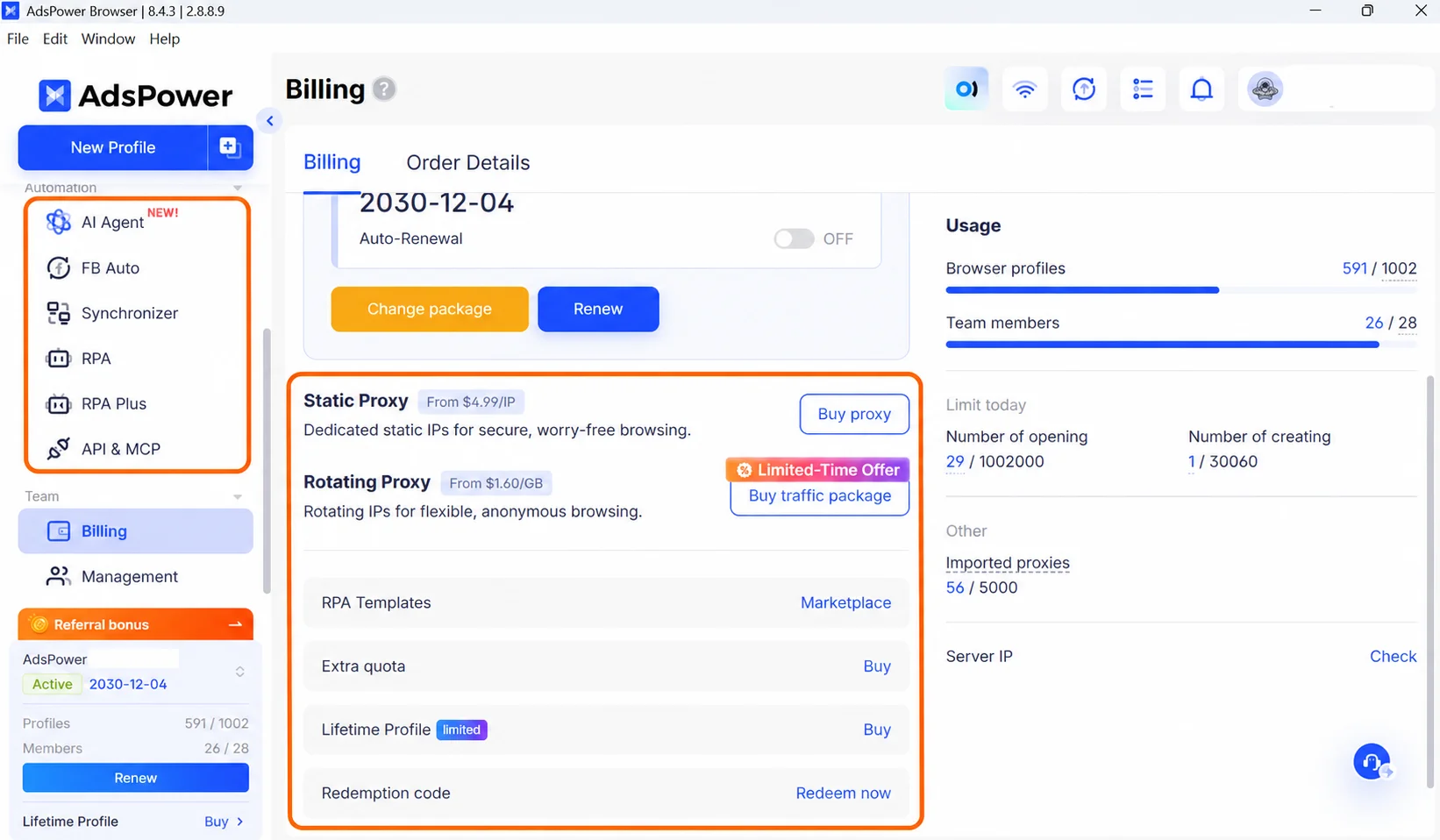
Find the Right Service for Your Needs
| Your Situation | Service | How It Helps |
|---|---|---|
| You need to buy and set up proxies separately | Official Proxies | Buy proxies directly in AdsPower and assign them to your profiles |
| You need more profiles or team members for a project | Temporary Add-ons | Add profiles and team member slots for a short period |
| You spend too much time on repeated browser tasks | AI Agent | Describe your goal and let the Agent plan and run the task |
| You need more profiles for long-term use | Lifetime Profiles | Add profile slots that never expire |
| You want automation without building a workflow from scratch | RPA Template Store | Start with ready-made templates |
Official Proxies: Purchase and Configure in AdsPower
In the past, setting up proxies required switching between your proxy supplier and AdsPower. Now you can purchase real proxies right in the app. They are automatically added to your proxy list when you buy them. Then, you can assign it to the correct profiles, saving you a ton of setup procedures. There are three basic categories of official proxy:
Static Data Center Proxy
These are static IPs and can be fast and relatively inexpensive. They are useful for automation and mass account management.
ISP Static Residential Proxies
These utilize fixed home IP addresses, providing a blend of consistent connectivity and residential IP attributes. They are good for social media administration, cross border e-commerce and for accounts you need to keep over time.
Rotating Residential Proxies
These let you rotate IP addresses and charge based on data usage. They are good for duties such as account registration and data collection that require IP rotation. You can select the country or location, proxy type, number and duration as per your need. The periods available are: 30, 90, 180 and 360 days. The longer the purchase period, the better the deal.
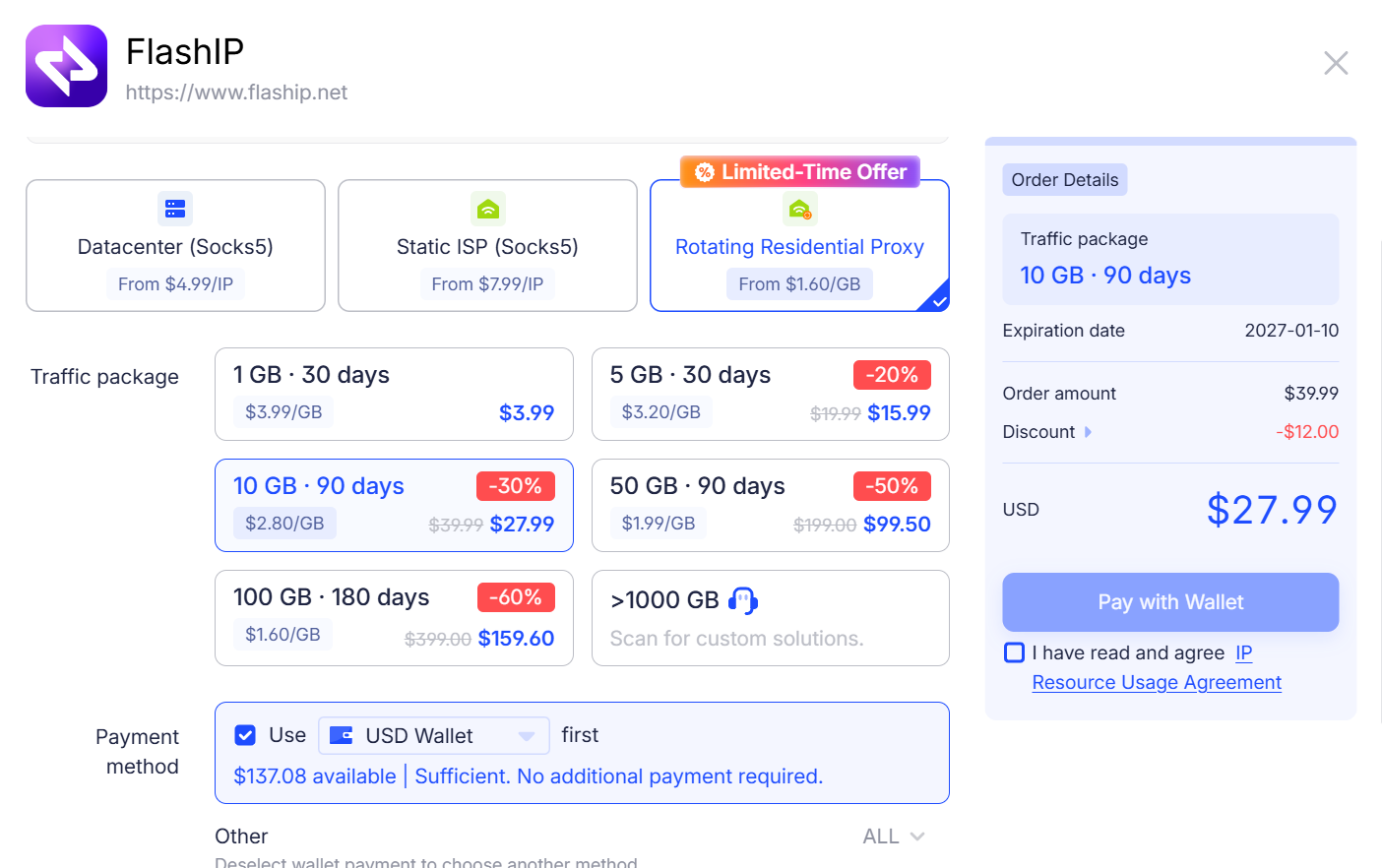
If you already have your proxies, just add them as you normally do. Both alternatives work by themselves.
Learn more: “AdsPower Proxy: Buy and Configure Proxies in One Place”
Temporary Add-ons: Additional Capacity for Busy Periods
Sales events, short term projects and hectic periods may demand more profiles or team members, but you might not need them once the job is done. You can acquire extra capacity when you need it with temporary add-ons. There are two sorts of temporary add-ons:
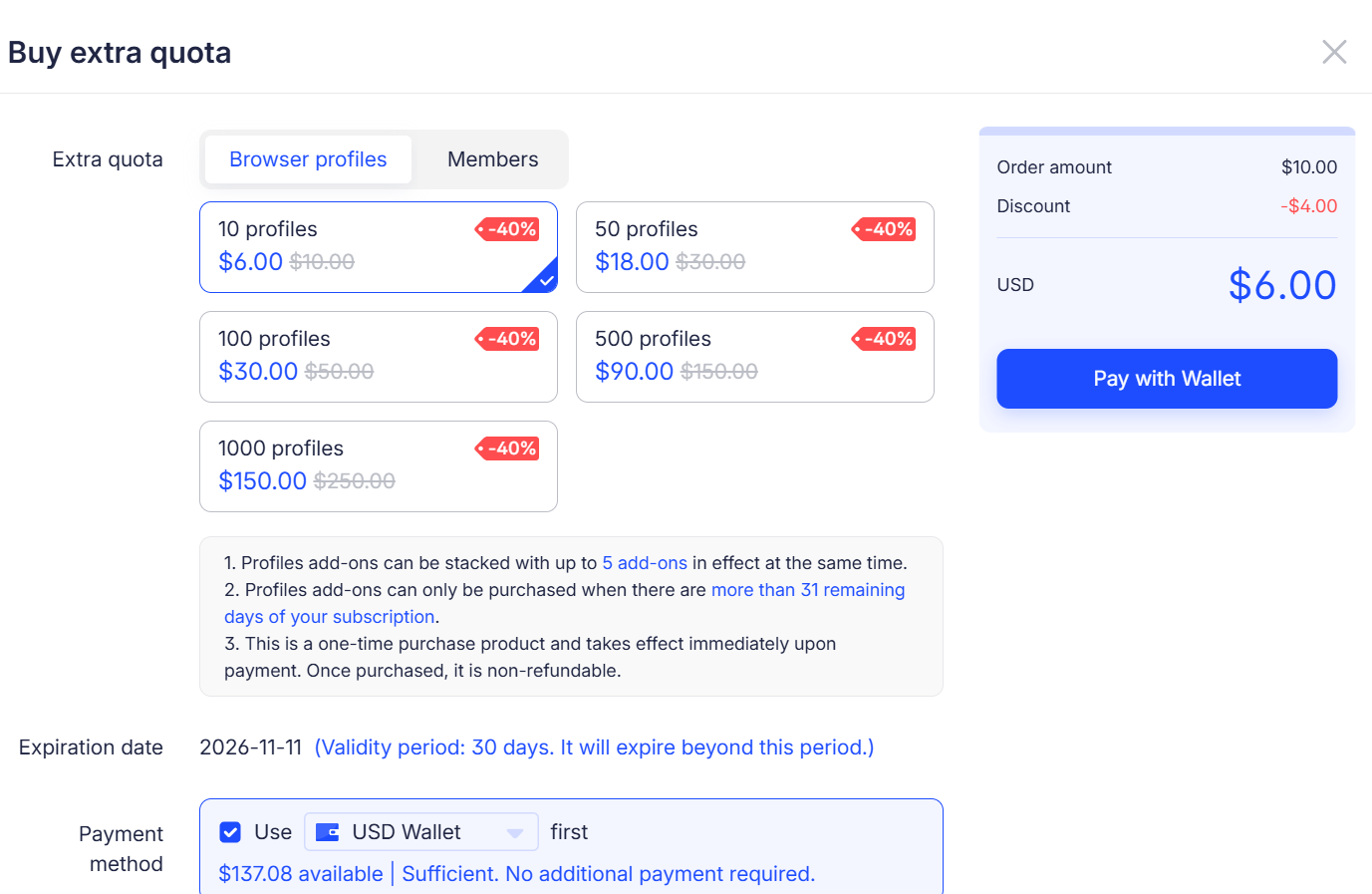
Profiles for Browsers
Five packages. 10-1,000 extra profiles.
Team Members
Add team member slots $5.00 each member. Each add-on is good for 30 days. Profile packages can be purchased many times with a max of 5 active packages at a time.
For team members, you can purchase up to 100 seats per purchase and up to five active member packages at a time. Your existing membership must be more than 31 days from a renewal date to buy either one.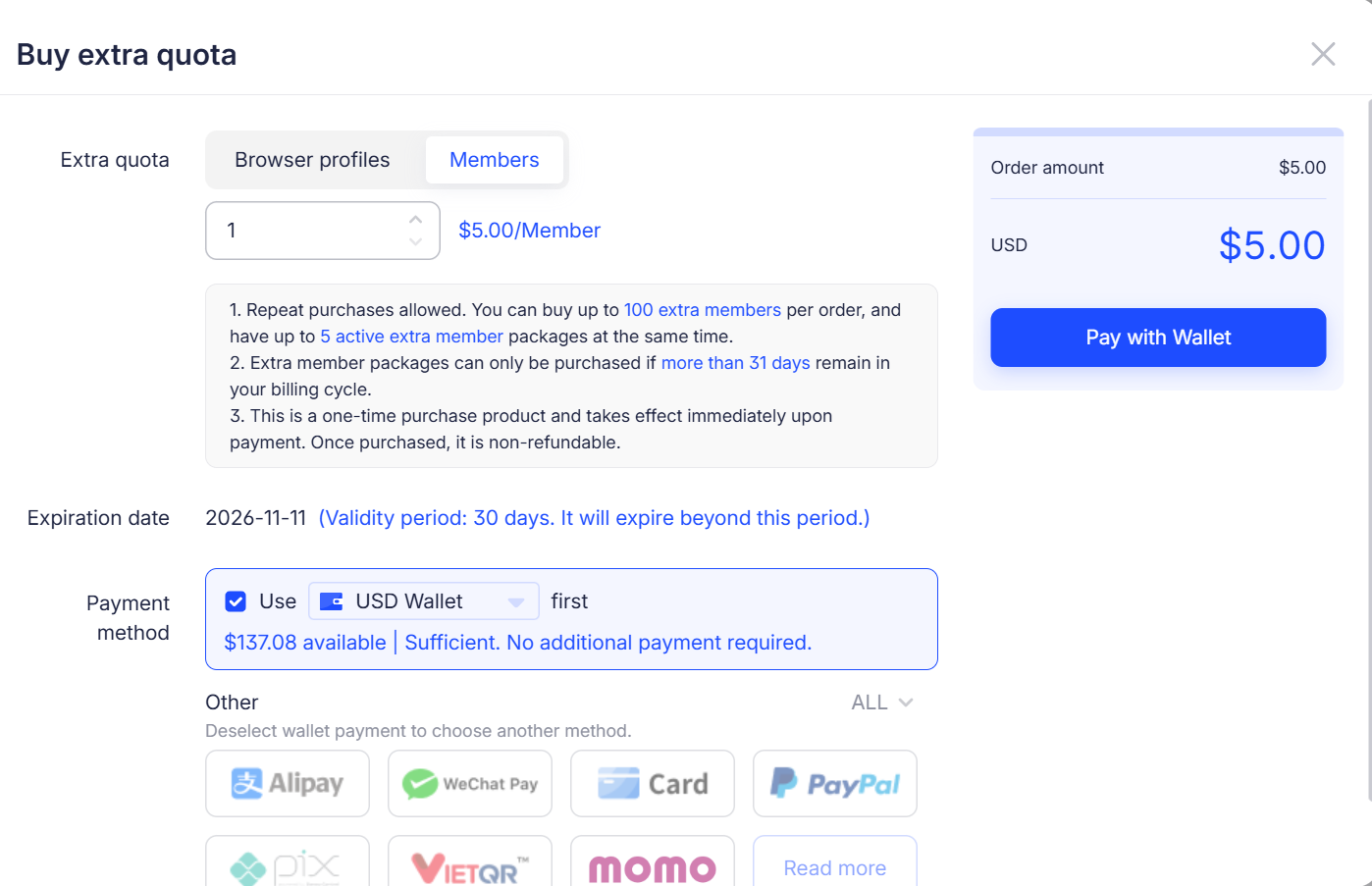
AI Agent: Tell it your goal and it will do the tasks
It takes a lot of time to open profiles, go to websites and repeat the same actions on accounts. The AI Agent can do these things for you. Tell it what you want to do. It knows what you want, determines how to do it, and then uses your browser profiles to do it.
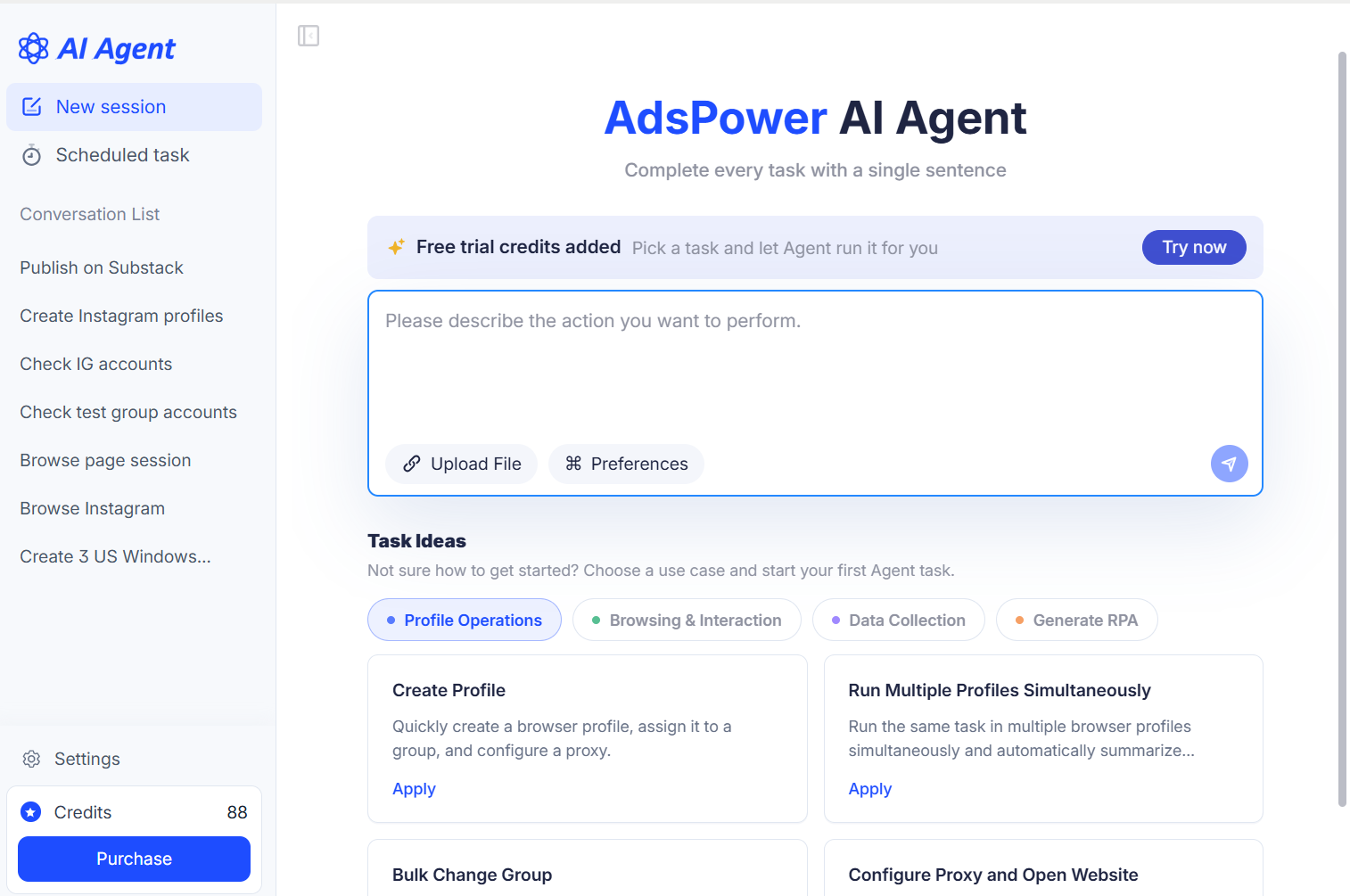
AI Agent now can:
- Create and set up a number of browser profiles.
- Check the status of group accounts and profiles.
- Plan and execute browser jobs for numerous accounts.
- Convert successful jobs into reusable RPA bots.
- Integrate with Skills and MCP to add new tasks.
How much does the AI Agent cost?
AI Agent requires credits. Usage varies each task, as credits are subtracted based on the actual model expenses created during a work. Prices begin at $3.00 for 200 credits. The bigger the purchase, the bigger the discount, up to 25%. Credits expire after 360 days. Eligible paid teams can also obtain 100 trial credits to try AI Agent before purchase.
Learn more: “How AdsPower AI Agents Automate Browser Workflows”
Lifetime Profiles: Pay Once, Use Forever
Lifetime profiles make it easier to use if you need to add more profiles to your business on a frequent basis. They have two key advantages:
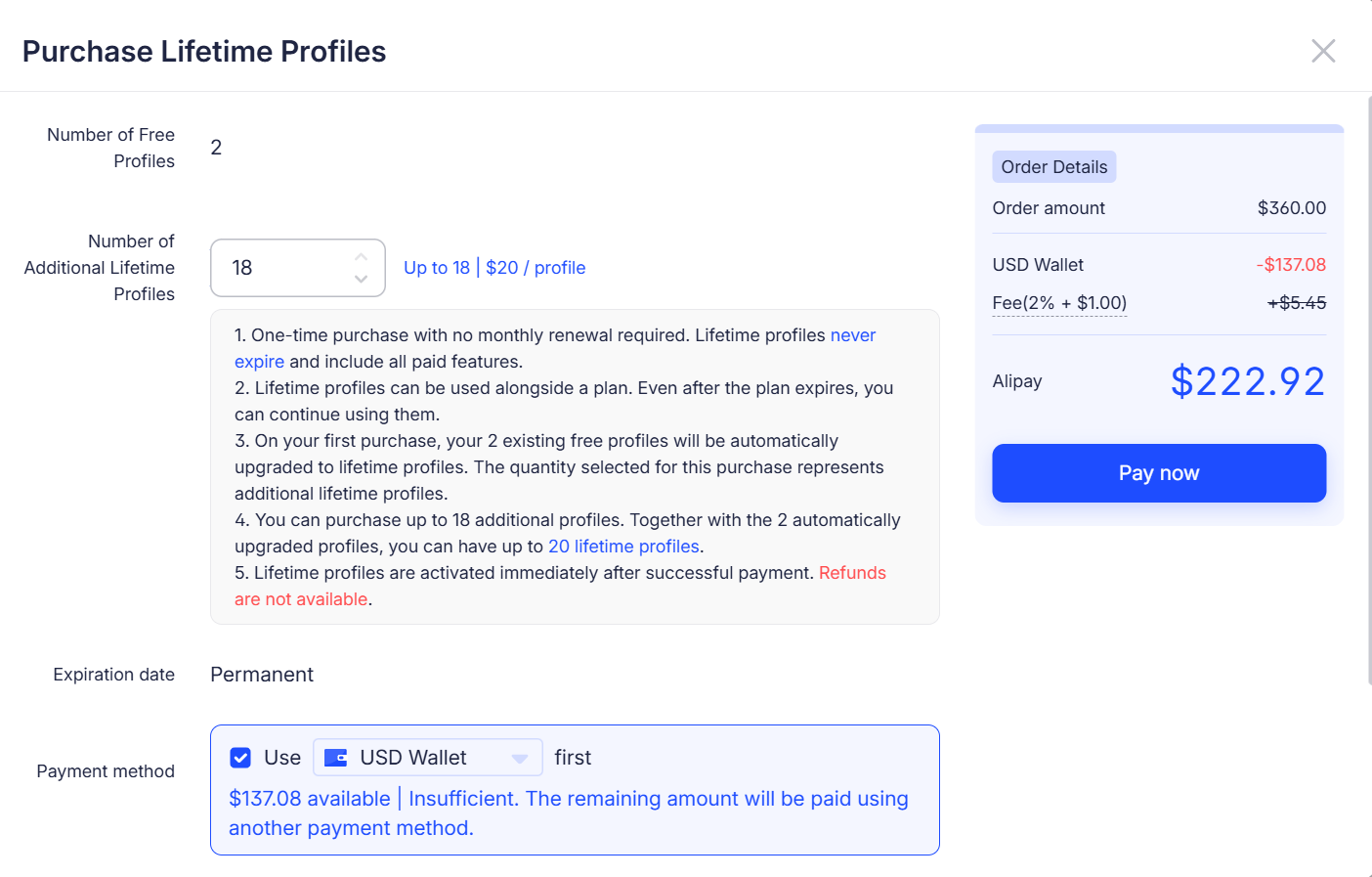
- They never have an expiration date. No monthly renewals or fretting about when your subscription ends. Buy once and use forever.
- All Pro features included. They have the same functionality as the profiles in a premium subscription.
As soon as you buy, your team's free profiles also become lifetime profiles. For example, if you have two free profiles on your team, they will now be automatically lifetime profiles. Each team gets 20 profiles for a lifetime. When you buy, the system will tell you how many more you can buy based on your current total.
Example: 2 free profiles existing → upgrade to 2 lifetime profiles → buy up to 18 more → 20 lifetime profiles total.
RPA Template Store: Start with a Pre-Built Workflow
When you create an RPA workflow, you need to plan the task and to prepare each step. Want to get an automated task up and running sooner? Check out the RPA Template Store. Templates are pre-built RPA workflows that already have commands, settings or code in place. The store features paid and free templates.
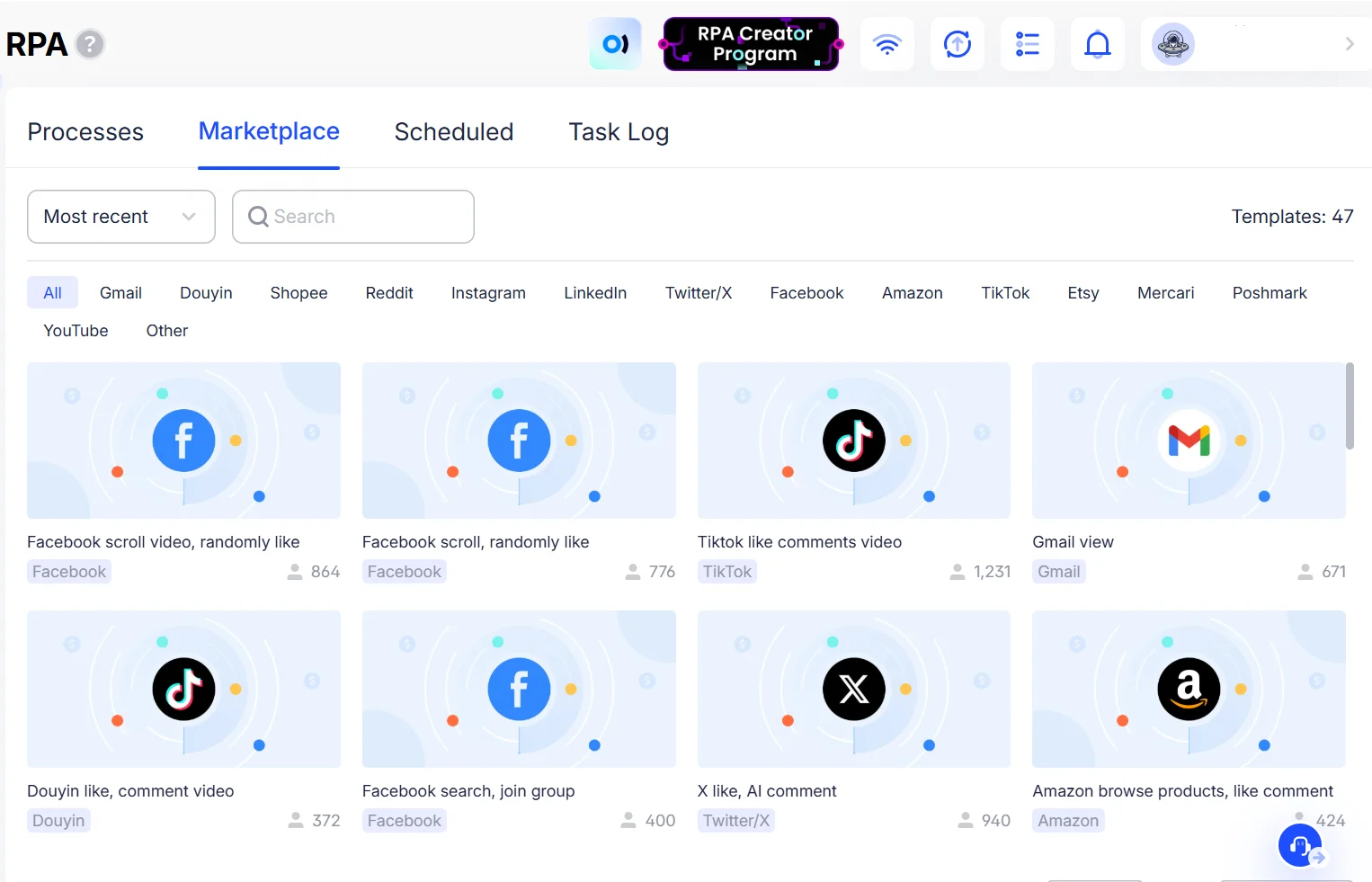
Some paid templates provide a trial for a limited time. You may check availability on the template's information page. Once you purchase a template, you will obtain a license to utilize it within AdsPower and officially authorized automation setups.
Where Can You Check Prices and Buy?
Open AdsPower, click to Billing Center and check the services and their costs now. You may also start AI Agent and RPA templates from the features pages.
Costs, discounts, credit packages and template costs are subject to change. For the most recent, check the app or the service page for that service. Your subscription will cover the essentials. You can add profiles, proxies, automation or temporary capacity as your job evolves.
New to AdsPower? Create free browser profiles and experience multi-account management. Sign up. Then, choose the services you require.
*AdsPower features are updated periodically thus the information in this post can be obsolete. This article does not endorse any product or service features and is not the basis for refunds or exchanges. If you need any assistance, please contact our support team.
