

AdsPower Assistant Updated: Enhanced Browser Fingerprint Tracking
Take a Quick Look
Here comes a big update to AdsPower assistant extension, which displays what browser fingerprint can be collected by current websites. Read on to take a look at how it works.
The AdsPower assistant extension just got a powerful upgrade with the addition of browser fingerprint tracking. This new feature lets users see what fingerprint data websites are collecting, making it easier to troubleshoot issues and ensure their configured fingerprints match website requirements. With this update, users gain better security, improved usability, and more transparency in how fingerprint tracking works.
Key Updates in AdsPower Assistant Extension
1. Icon & Item Info Updated
The extension icon, item's promotional image, and description are upgraded with a refreshed design for better recognition.
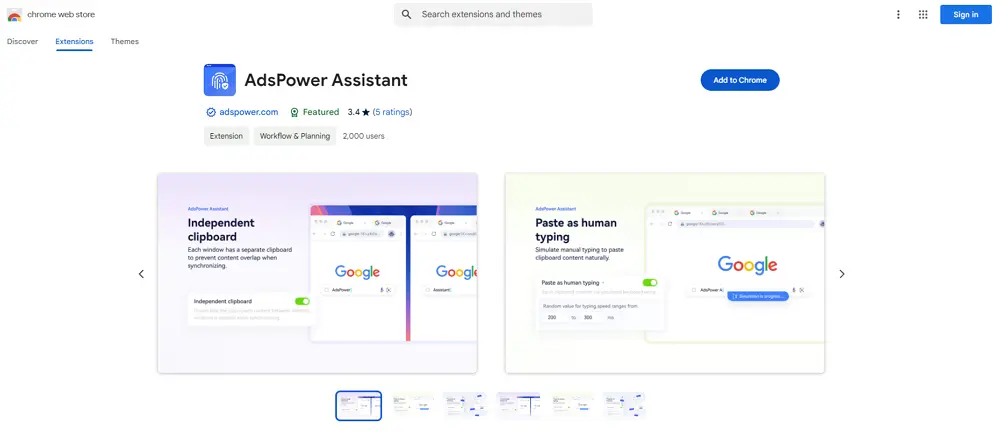
2. Improved User Interface
The extension interface now offers a more intuitive and user-friendly display of fingerprint tracking details.
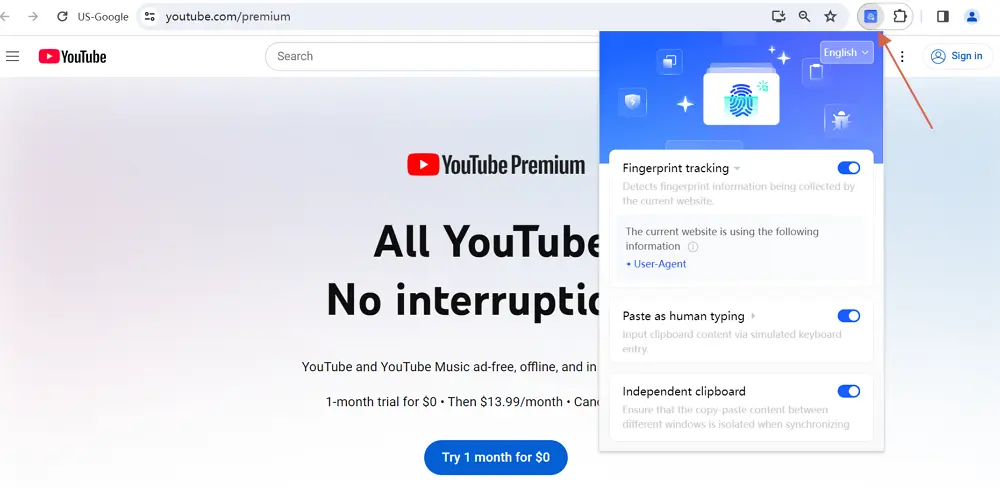
3. New "Fingerprint Tracking" Feature
With this new feature, users can now determine whether a website is actively collecting the following fingerprint data:
- WebRTC
- Time Zone
- Geolocation
- Language
- UI Language
- Screen Resolution
- User-Agent
- Plugins
- Canvas
- WebGL Image
- AudioContext
- Media Devices
- ClientRects
- SpeechVoices
- WebGL Metadata
- CPU Information
- RAM Information
Notes:
- This feature only detects whether a website collects the above fingerprint data. The actual use of this data by the website may vary and is not limited to fingerprint recognition.
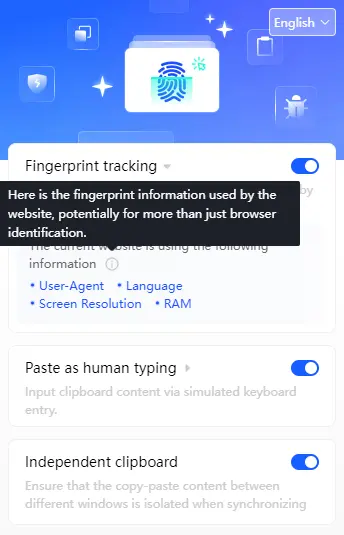
- Extension Language: The default language of the extension follows the browser's language settings.
- Refresh Required: After disabling "Fingerprint Tracking" and re-enabling it, users must refresh the page for the data to reload.
4. Enhanced Feature Controls
Users can now enable or disable specific features, including:
- Fingerprint tracking
- Paste as human typing
- Independent clipboard
Additionally, for "Paste as human typing":
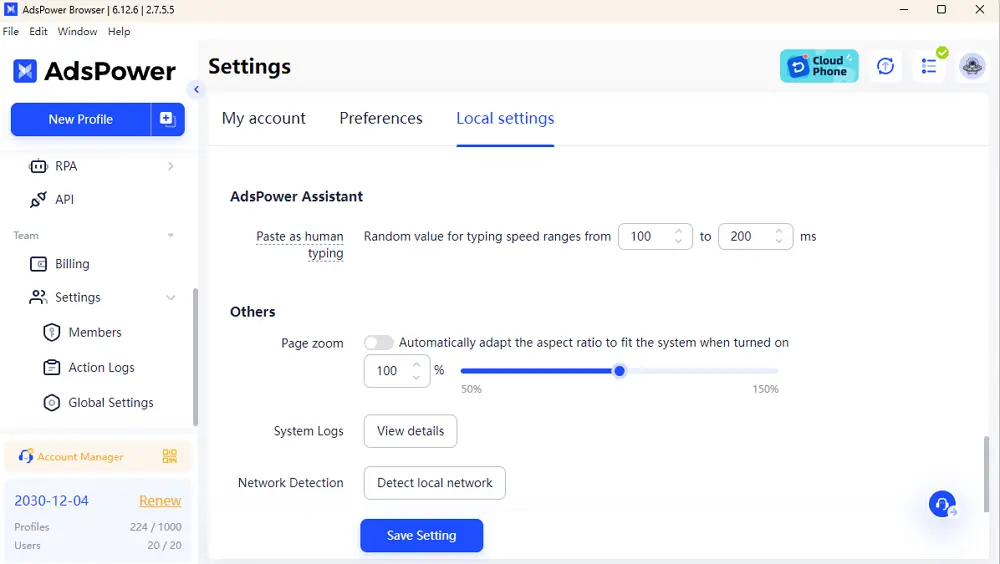
- Each profile's default input speed follows the [Local settings].
- Users can customize the typing speed for each profile, ensuring that the setting remains independent of [Local settings].
How to Access the Newest Feature?
Please move to Extensions center and manually update the AdsPower assistant extension via hitting the "Update" option.
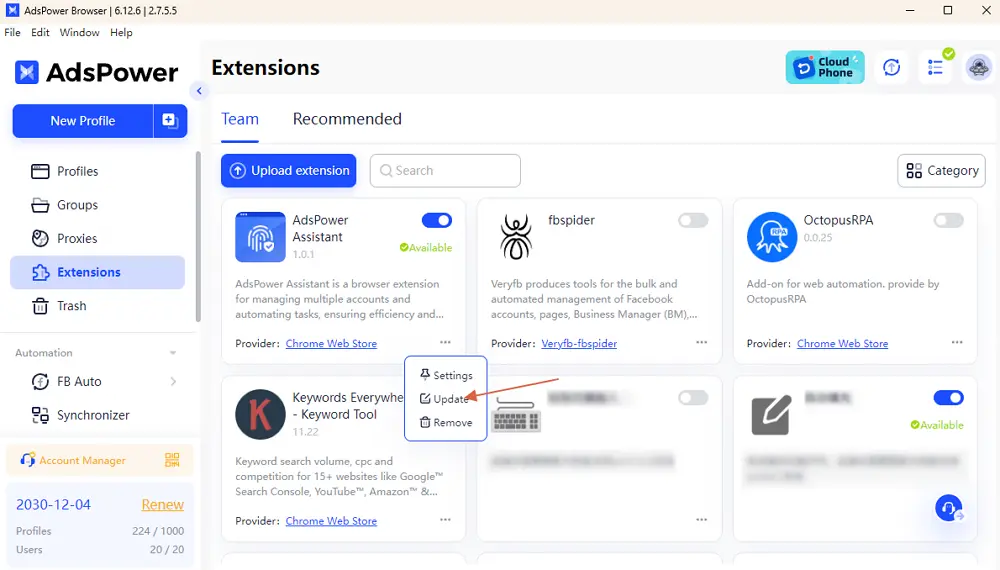
With these updates, AdsPower Assistant offers even more control and transparency over browser fingerprinting. Make sure to update your extension today and explore the new features to enhance your browsing experience!

People Also Read
- AdsPower Unveils AI Agent, a New Way to Automate Browser Tasks Across Multiple Profiles
AdsPower Unveils AI Agent, a New Way to Automate Browser Tasks Across Multiple Profiles
AdsPower launches AI Agent for natural-language browser automation.
- What's New in AdsPower Browser in August 2026?
What's New in AdsPower Browser in August 2026?
Explore the AdsPower August 2026 update, featuring AI Agent, Chrome 151, improved mobile profiles, easier proxy troubleshooting, and faster profile
- AdsPower Annual Sale 2026: Unlock 50% Off Your 360-Day Plan

AdsPower Annual Sale 2026: Unlock 50% Off Your 360-Day Plan
The longer you subscribe, the more you save during the AdsPower Annual Sale 2026, with up to 50% off the 360-day plan.
- Create an AdsPower Video and Earn $30 — No Follower Minimum

Create an AdsPower Video and Earn $30 — No Follower Minimum
Create an original AdsPower video, publish it on any public social platform, and earn $30. No follower minimum. Ends September 6, 2026 (23:59:59 UTC).
- The AdsPower iOS App Is Now Publicly Available

The AdsPower iOS App Is Now Publicly Available
AdsPower Browser is now available on iOS. Manage browser profiles, test proxies, access synced team data, and open iOS profiles from your iPhone.
