

The AdsPower iOS App Is Now Publicly Available
Take a Quick Look
AdsPower Browser is now available on iOS, bringing browser profile management to your iPhone. Manage iOS profiles, test proxy connections, access synced team data, and keep your work connected across desktop and mobile.
Browser profile management is no longer limited to the desktop. AdsPower today announces the official launch of AdsPower Browser, its new iOS application. You can now manage browser profiles from your iPhone, check proxy connections, access synced team data and open supported iOS profiles directly from your existing AdsPower account. The new app extends the AdsPower experience from desktop to mobile while keeping your existing profiles, teams and settings connected across devices.
Manage and Open iOS Profiles from Your iPhone
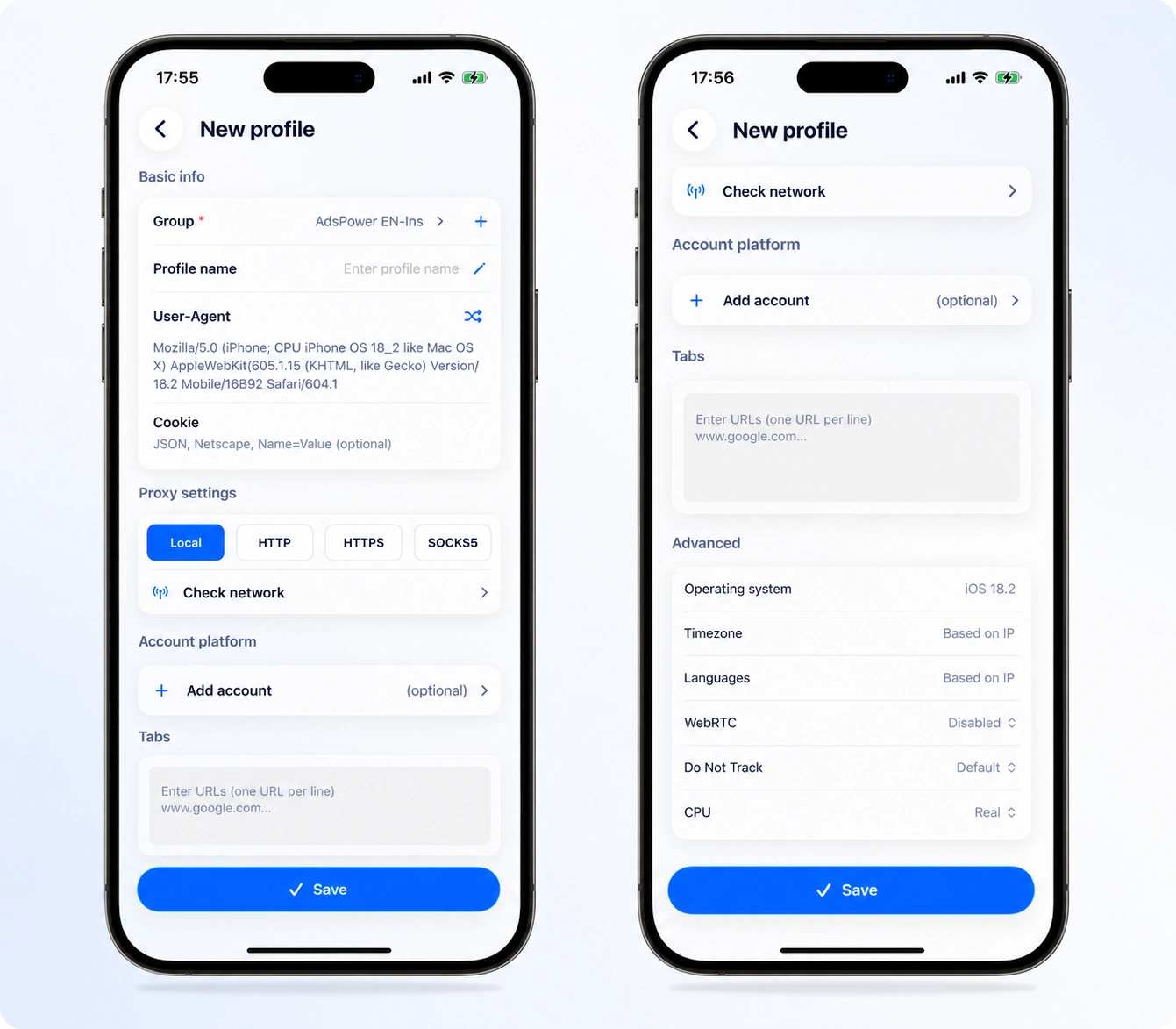
AdsPower Browser v1.0 makes it easy to manage your browser profiles on your iPhone. Once you sign in, you'll see the profiles that are available to your team. You can search by profile name or browse by group to quickly find the profile you need.
From your iPhone, you can:
- Create new browser profiles
- View and search existing profiles
- Edit profile information
- Open and close supported iOS profiles
- Delete profiles
- Browse profiles by group
Creating a new profile via the iOS app will automatically set its operating system to iOS. Profiles with other operating systems like Windows or macOS can still be displayed in the mobile app, but they can't be opened there yet. You can use their profiles on AdsPower Desktop like normal.
One AdsPower Account, Connected Across Devices
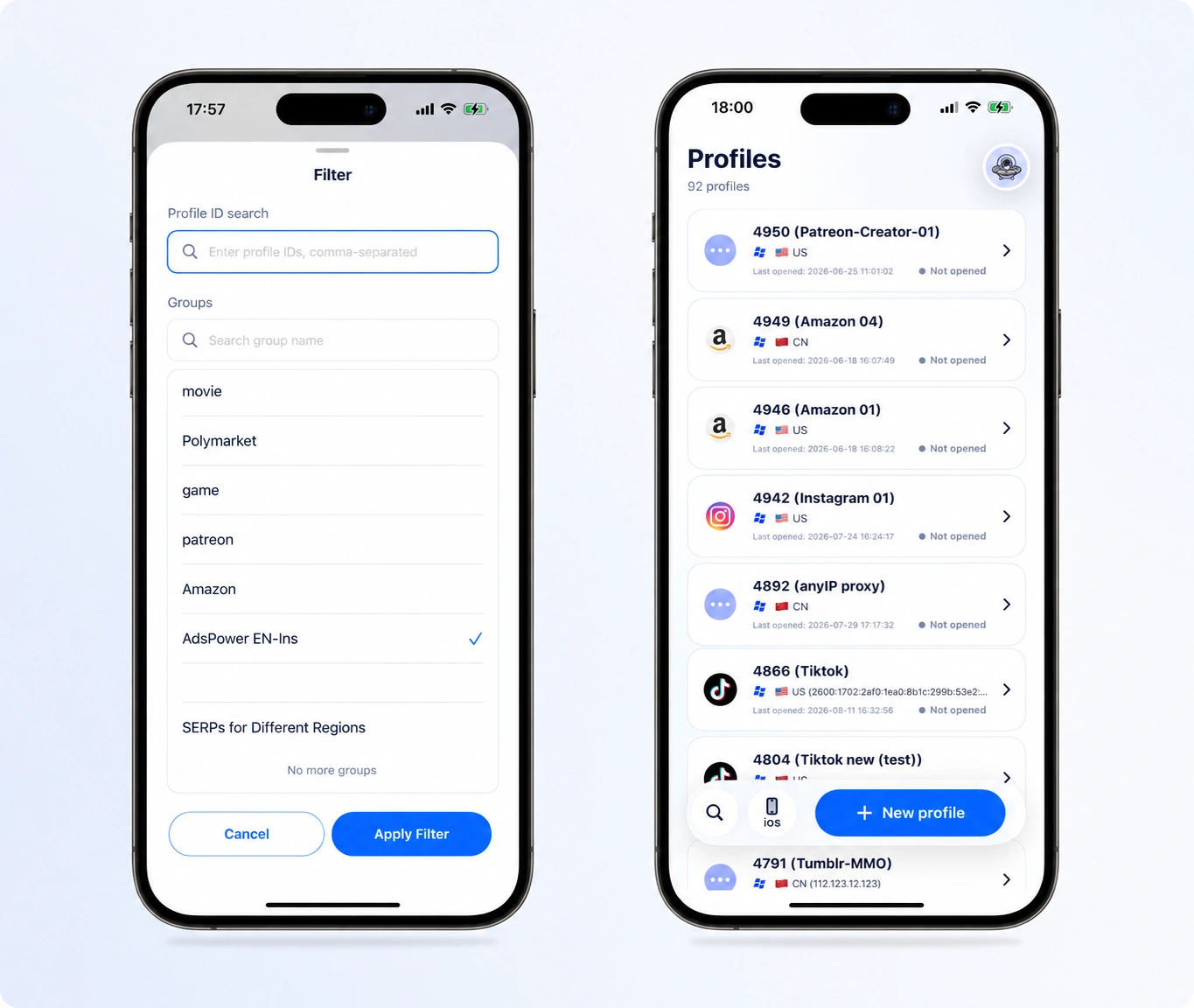
Getting started is easy. You won't have to set up a separate mobile account or migrate your old info. Simply log in to the AdsPower Browser with your existing AdsPower account. AdsPower Desktop syncs your teams, browser profiles, proxy settings and package info. Your list of profiles will open in the app. To modify or delete a profile, search for the profile name and swipe left on it. The mobile interface uses familiar movements and interactions, so you can manage profiles without learning a new workflow.
Test Your Proxy Connection Before Opening a Profile
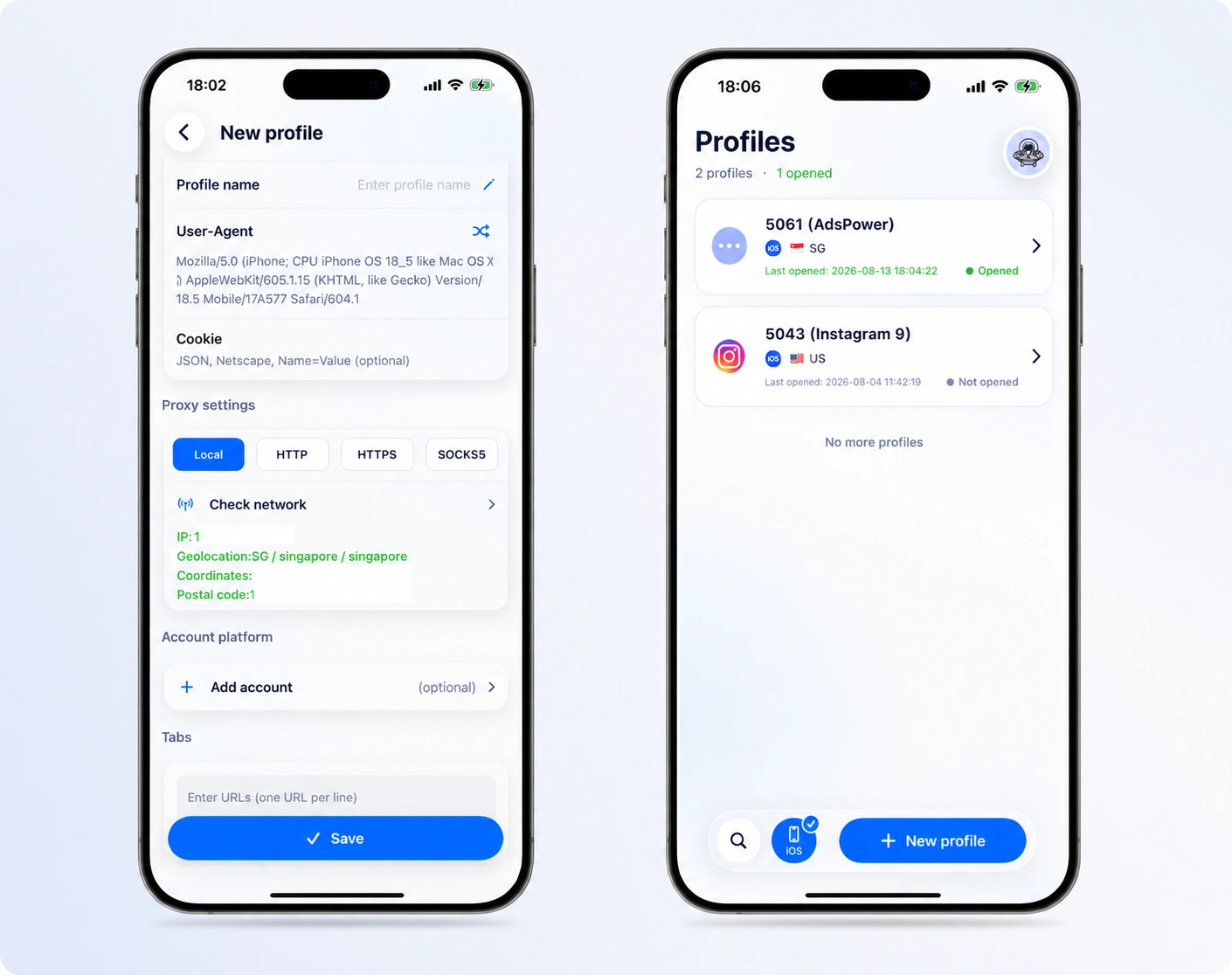
AdsPower Browser supports four proxy connection types:
- Local
- HTTP
- HTTPS
- SOCKS5
The app lets you test the connection right away after you add the proxy host and port. The test shows the location, public IP address, and connection results, so it's easy to see if the proxy is working as it should. You can test the new connection first and then open the profile once everything is ready if you need to update a proxy while on your phone.
Keep Account Information and 2FA in One Place
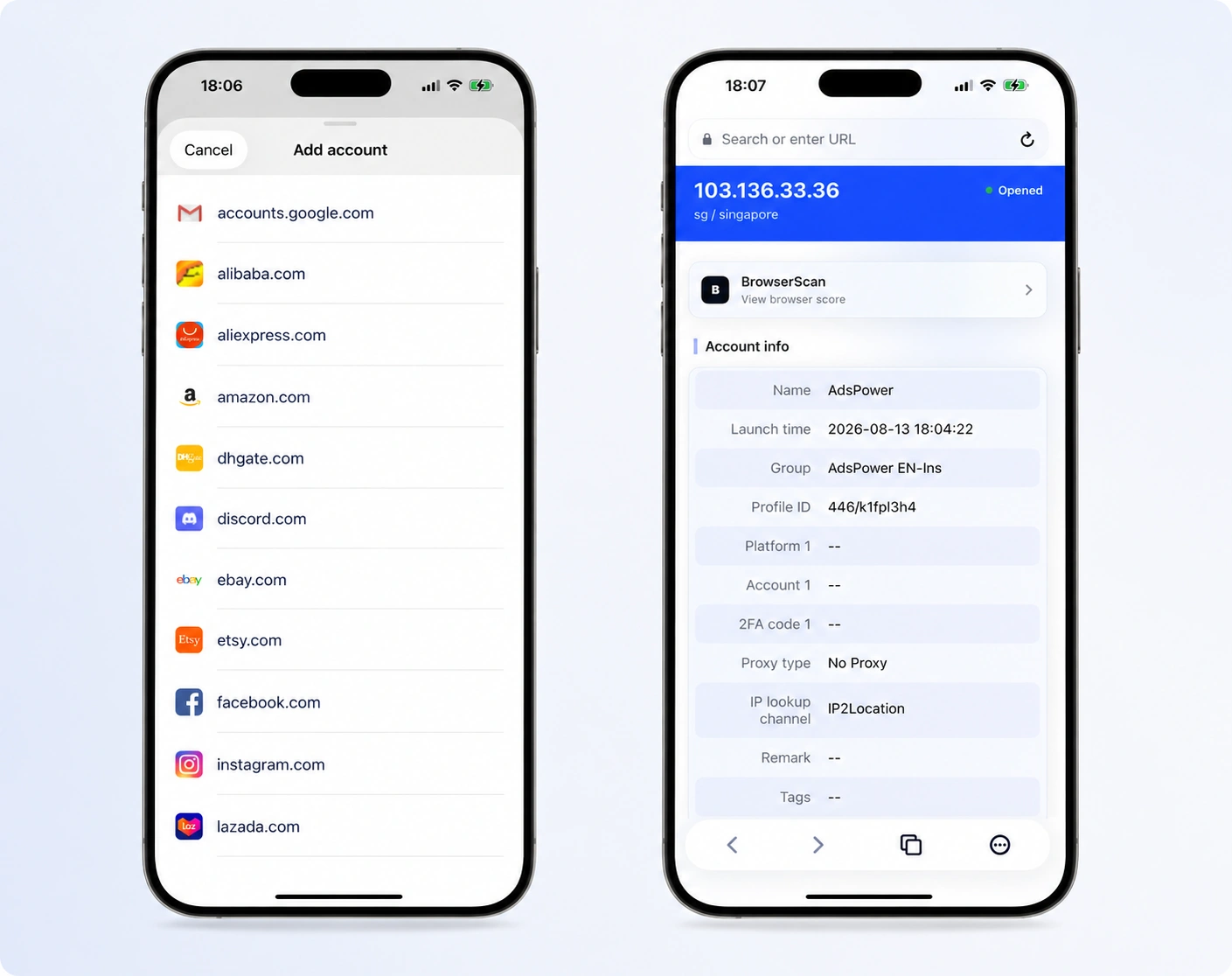
When you create or edit a browser profile, you can also configure your account information. AdsPower Browser works with well-known account sites like Gmail, Amazon, Facebook, and TikTok. It is possible to add the account information, password, and 2FA key that go with a profile. The saved information can be seen from the launch screen when you open the profile. This lets you get to the account information you need faster and without having to switch apps.
Your Desktop and Mobile Data Stay in Sync
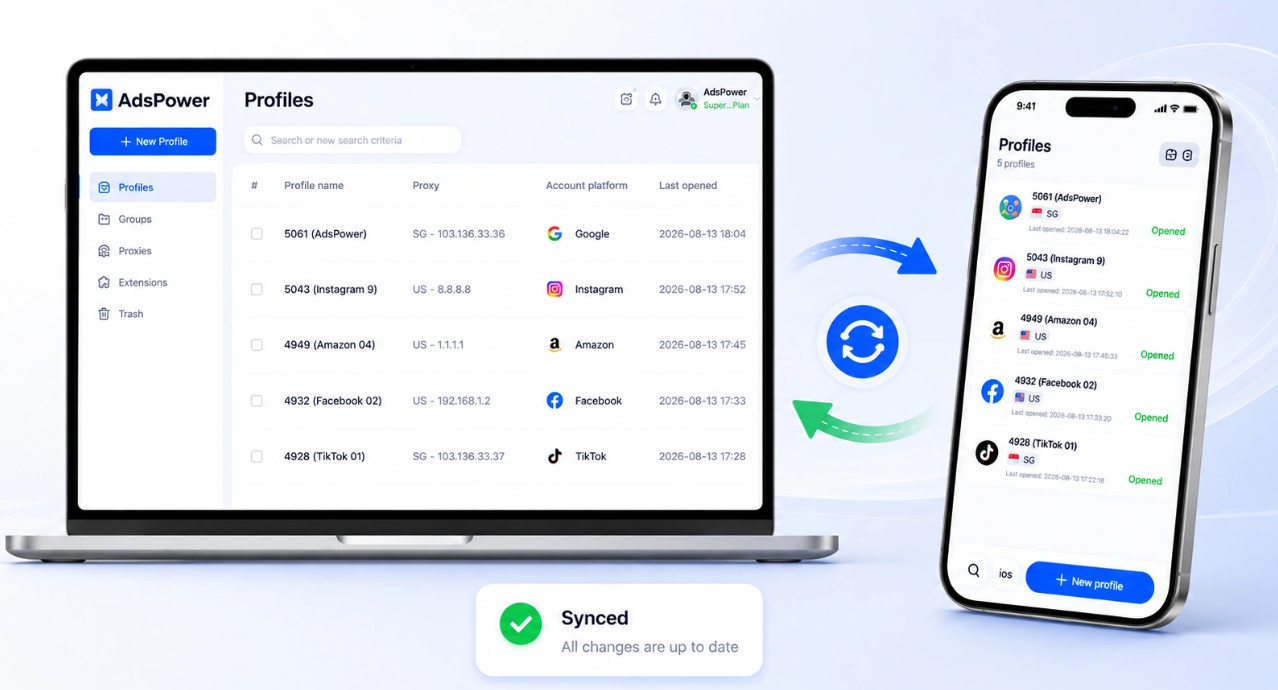
Any time you make a change on one device, it will reflect on the other. If you go into AdsPower Desktop and change your profile name, proxy, or account platform, the iOS app will reflect the change. When you modify your iPhone, it will automatically sync with the desktop version. You can't go wrong with any version; in fact, they work well together. You can easily manage your profiles from your mobile phone while you're on the move. If you need more advanced configuration, you may switch back to AdsPower Desktop.
Start Using AdsPower Browser
The App Store now has AdsPower Browser available to the public. To download the app and sign in with your current AdsPower account, simply search for "AdsPower Browser" in the App Store. If you're already familiar with AdsPower, you can begin by configuring your proxy connections and iOS profiles that you use most. When you log in, all of your previous team and profile information will be accessible. The AdsPower experience is expanding to mobile devices, and this iOS app marks the beginning of that expansion. Future upgrades will see us continuing to refine the app and add new features.
Get the latest version of AdsPower Browser and experience it on the go. No matter where your job takes you, we are excited to hear your thoughts on how we can make AdsPower even more user-friendly.

People Also Read
- AdsPower Unveils AI Agent, a New Way to Automate Browser Tasks Across Multiple Profiles
AdsPower Unveils AI Agent, a New Way to Automate Browser Tasks Across Multiple Profiles
AdsPower launches AI Agent for natural-language browser automation.
- What's New in AdsPower Browser in August 2026?
What's New in AdsPower Browser in August 2026?
Explore the AdsPower August 2026 update, featuring AI Agent, Chrome 151, improved mobile profiles, easier proxy troubleshooting, and faster profile
- AdsPower Annual Sale 2026: Unlock 50% Off Your 360-Day Plan

AdsPower Annual Sale 2026: Unlock 50% Off Your 360-Day Plan
The longer you subscribe, the more you save during the AdsPower Annual Sale 2026, with up to 50% off the 360-day plan.
- Create an AdsPower Video and Earn $30 — No Follower Minimum
Create an AdsPower Video and Earn $30 — No Follower Minimum
Create an original AdsPower video, publish it on any public social platform, and earn $30. No follower minimum. Ends September 6, 2026 (23:59:59 UTC).
- What's New in AdsPower Browser in July 2026?
What's New in AdsPower Browser in July 2026?
Explore the AdsPower July 2026 update, including Chrome 150, compatibility mode, easier profile management, smarter proxy setup, and safer account set
