

Build a clearer Walmart workflow with controlled team access, organized browser profiles, and reliable fulfillment support from AdsPower and Doba.
One Walmart store can involve more people than most customers ever see. A listing specialist updates product pages. An order coordinator watches fulfillment. Customer support handles returns. The owner steps in when Walmart requests verification or sends a policy notice.
Without a clear system, all four may end up sharing passwords, switching accounts in the same browser, and asking each other who changed a setting. Small mistakes become expensive when they affect inventory, shipping, or customer messages.
Effective Walmart Seller Account Management gives every person a defined workspace and a clear level of access. AdsPower helps organize the browser and team-access side of that workflow. Doba supports the products, inventory, orders, and tracking behind a Walmart dropshipping operation.
Try AdsPower for free and create a more organized workspace for your ecommerce team.
What Walmart Seller Account Management Actually Covers
Managing a seller account is not simply a matter of keeping the password secure. It involves controlling access, assigning responsibility, protecting store data, and making sure important work reaches the right person.
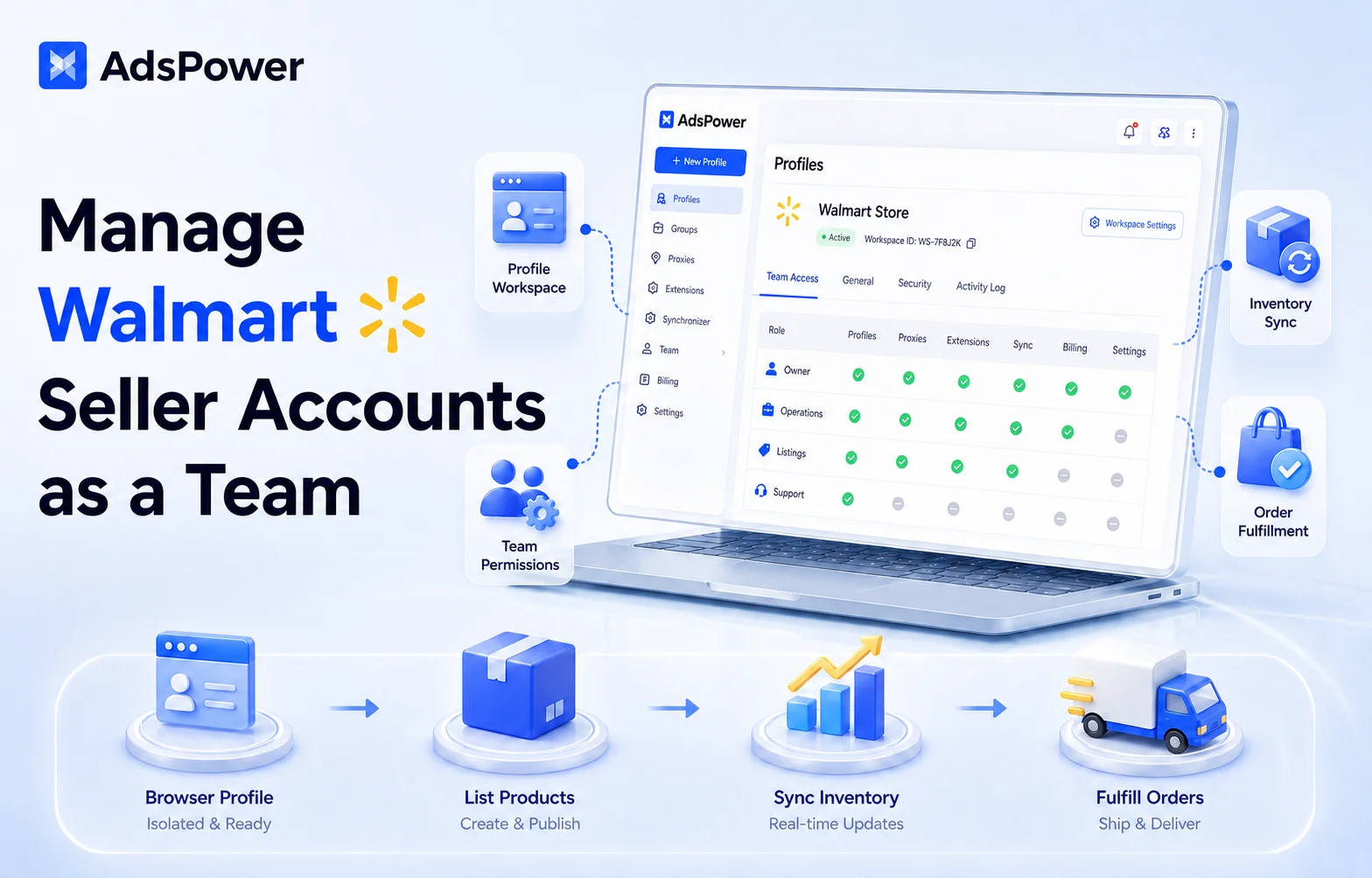
A reliable process should answer four questions:
- Who is authorized to open the Walmart account?
- What is each team member allowed to do?
- Who handles inventory, order, and customer exceptions?
- How is access removed when someone changes roles or leaves?
Walmart makes the seller responsible for the account. Its current Marketplace retailer policies cover seller performance, fulfillment, customer care, product information, business details, and information security. Delegating a task to an employee or contractor does not transfer that responsibility.
Walmart also states that Marketplace sellers are prohibited from owning multiple seller accounts. Businesses should not open additional accounts to bypass limits, enforcement, or a previous suspension. If Walmart has explicitly approved a separate account for a legitimate business need, keep a record of that approval and follow the terms attached to it.
AdsPower can help a team manage authorized business accounts. It does not create permission to operate accounts that Walmart has not approved.
Why Shared Access Breaks Down
Password sharing usually begins as a shortcut. The owner sends the login to an employee, who saves it in a browser. A second employee needs access, so the same details are sent again. Soon, the business no longer has a reliable record of where those credentials are stored.
This causes several practical problems.
A password change can interrupt the entire team. A former employee may retain saved credentials. Two people may open the store at the same time without knowing what the other is doing. Someone can upload a file, edit a price, or respond to a buyer from the wrong workspace.
A standard browser makes the situation harder to follow. Walmart Seller Center, supplier portals, email, advertising tools, and personal accounts may all be open in the same place. Cookies, extensions, saved passwords, and autofill data become mixed together.
The issue is not only account security. It is operational clarity. If everyone has the same access, nobody has a well-defined area of responsibility.
Give the Walmart Store a Dedicated Browser Profile
An AdsPower browser profile is a separate workspace with its own cookies, login sessions, local storage, extensions, and browser settings. It gives the Walmart team one consistent place to access Seller Center and the tools used alongside it.
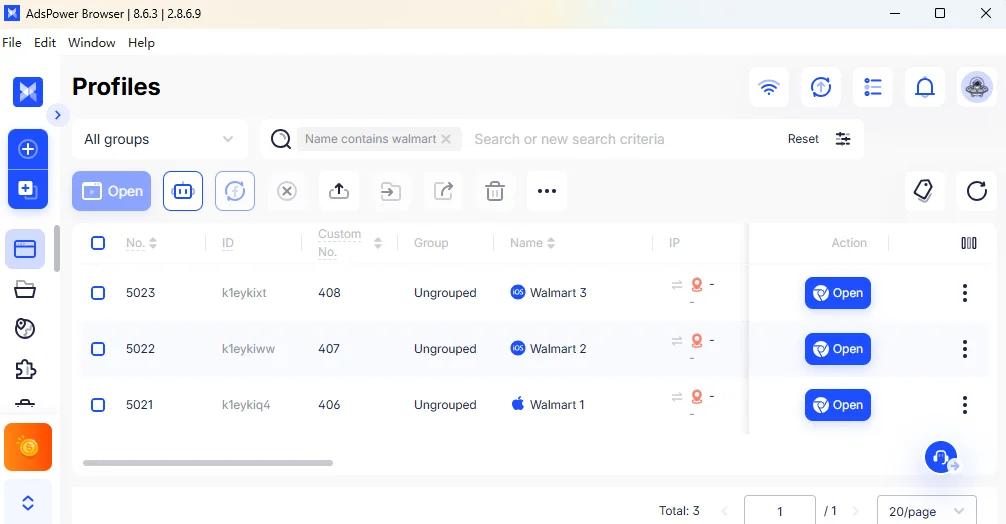
For a company with one Walmart seller account, begin with one clearly named Walmart profile.
A useful naming format is: Platform – Market – Brand – Owner
For example: Walmart – US – NorthPeak Home – Olivia
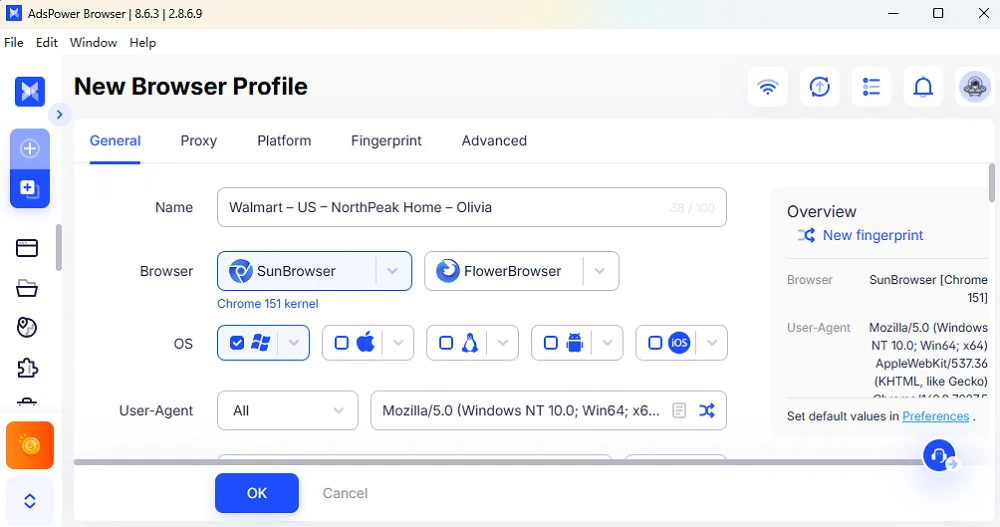
The name immediately tells the team what the profile contains and who is responsible for it. Notes and tags can add the product category, operating status, or department.
If Walmart has explicitly authorized another account for the business, create a separate profile for it instead of mixing both sessions in one browser. Do not create extra Walmart profiles merely to appear as unrelated sellers or work around platform restrictions.
AdsPower groups provide another layer of organization. Profiles can be grouped by marketplace, brand, region, or department. Owner can then decide which members can view and use each group through AdsPower's group authorization settings.
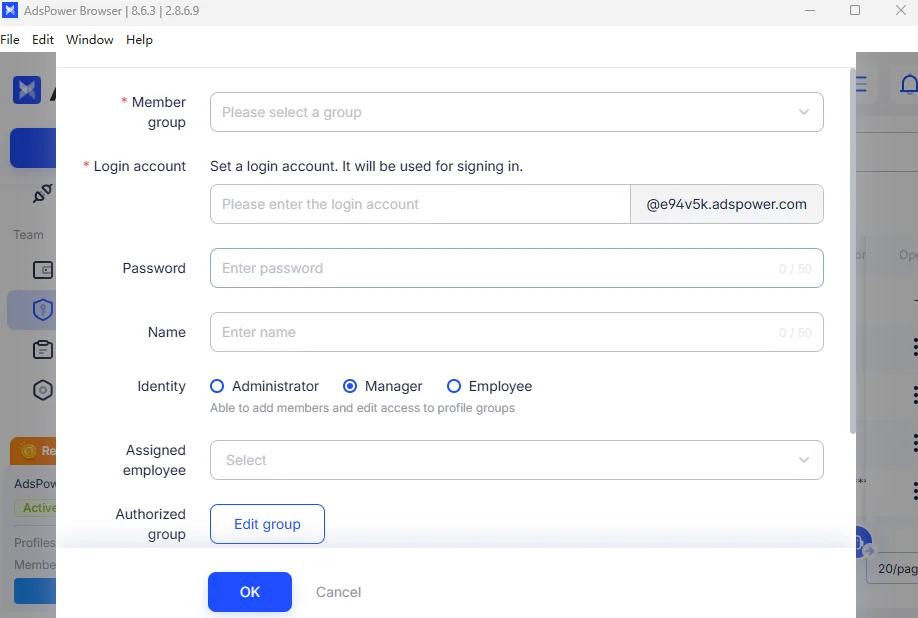
This setup is easier to maintain than a spreadsheet filled with passwords and browser instructions. Each account has a home, and each team member knows where work should happen.
Match Access to the Job
Not everyone on an ecommerce team needs administrative control.
The store owner should keep authority over business information, verification, payments, integrations, and major policy decisions. Other responsibilities can be assigned more narrowly.
| Team role | Main responsibility | Suggested access |
| Store owner | Verification, account settings and final decisions | Administrative access |
| Operations manager | Daily review and task coordination | Assigned certain store profile and team oversight |
| Listing specialist | Product content and item maintenance | Listing-related workspace |
| Order coordinator | Orders, tracking and fulfillment issues | Order-related access |
| Customer support | Buyer messages, returns and escalations | Customer service functions |
| Contractor | A specific short-term assignment | Minimum necessary access |
AdsPower supports administrator, manager, and employee roles. Its member management tools also let administrators authorize profile groups, set functional permissions, and limit the number of profiles available to a member.
This is more useful than giving every employee full access and relying on instructions such as "please don't change that setting." The system itself should reflect the person's role.
Permissions also need an end date. Review them when an employee moves to another department, when an agency contract ends, or when a team member leaves. Removing access should be part of offboarding, not an afterthought.
Add Security Without Slowing Down the Team
A good access system should make everyday work easier while protecting the owner's account.
AdsPower provides two-factor authentication, remote-login reminders, failed-login alerts, and login IP allowlists. Administrators can also review records related to member logins, profile openings, groups, tags, proxies, and RPA processes.
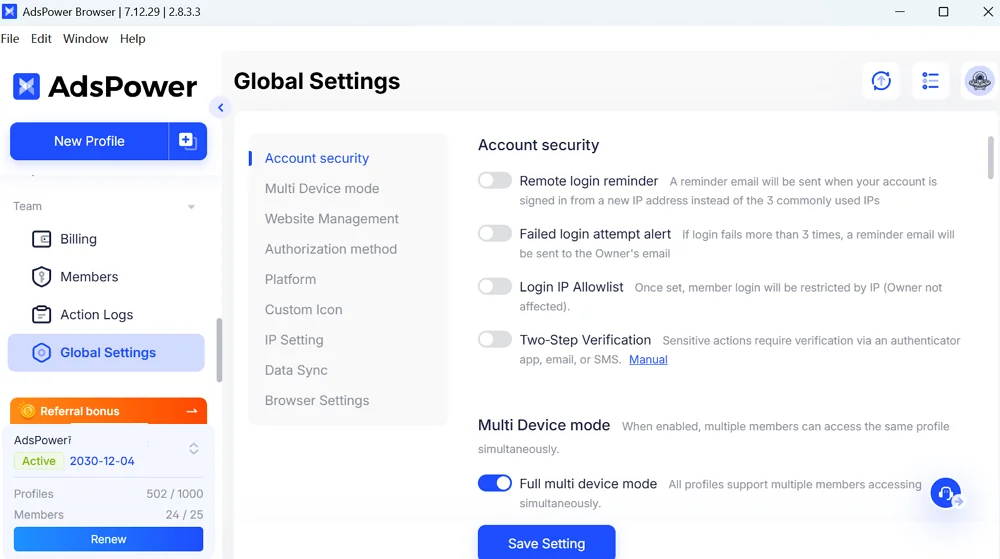
These records help answer a practical question: who had access when the change occurred?
AdsPower's global security settings also control whether team members can run the same profile on several devices. Opening one profile on different devices at the same time is generally not recommended because it can create synchronization conflicts.
A simple working rule is often enough: one assigned employee opens the Walmart profile at a time unless the team has agreed on a specific handover. That keeps the session consistent and reduces overlapping edits.
Turn Daily Store Checks into a Routine
The profile is only the workspace. The team still needs a sensible order of work.
Start with issues that can affect customers or account performance. Review Seller Center notifications, unacknowledged orders, shipping exceptions, inventory changes, returns, and unanswered messages before moving on to routine listing work.
Walmart's Seller Center guidance highlights order response time, valid tracking, cancellations, refunds, ratings, and seller performance. Each metric points to a different operating problem.
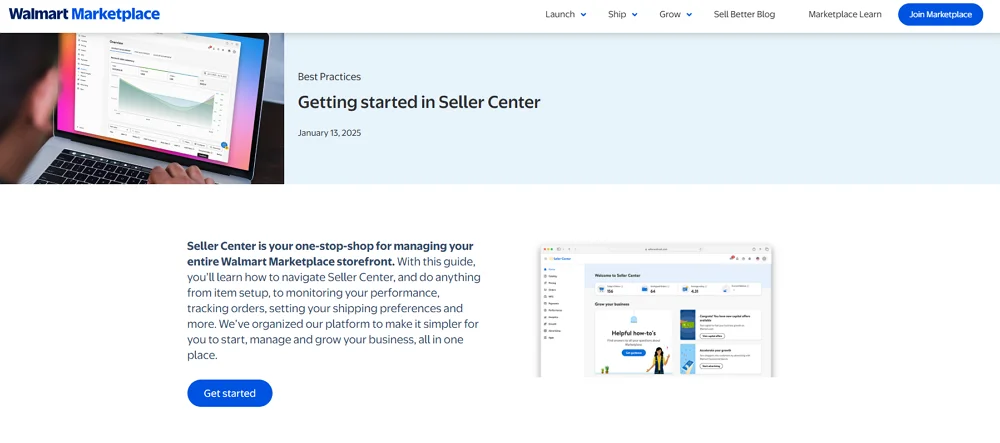
Repeated cancellations may mean that supplier inventory is not reaching Walmart quickly enough. Missing tracking can reveal a gap between fulfillment and the order team. A sudden rise in refunds may point to inaccurate descriptions, damaged products, or unrealistic delivery promises.
Every exception should have an owner. Routine returns can go to customer support. Inventory mismatches belong with the order or product team. Verification requests, policy warnings, and account-level notices should go directly to the store owner or compliance lead.
That distinction prevents sensitive matters from sitting unanswered in a shared inbox.
How Doba Supports the Walmart Workflow
AdsPower and Doba work at different layers of the operation.
AdsPower organizes how people access Walmart Seller Center and other business systems. Doba supports the product and fulfillment data behind the store. In March 2026, Doba announced that it had become an official Walmart Marketplace partner.
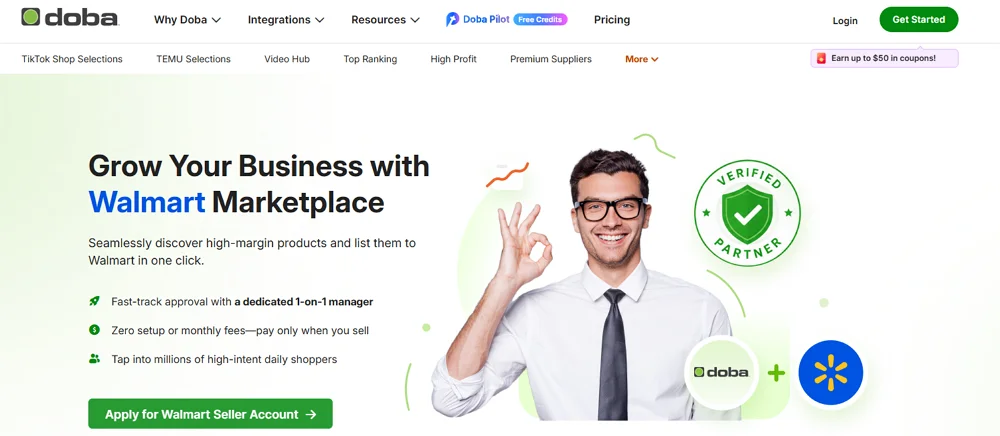
Doba gives retailers a place to research products and suppliers, connect selected products to Walmart, and coordinate inventory, orders, and tracking. That official connection can reduce copying between systems and make routine updates easier to handle.
The division is straightforward:
| Operational need | Main platform |
| Walmart browser workspace | AdsPower |
| Login sessions and profile organization | AdsPower |
| Team roles and permissions | AdsPower |
| Internal access and activity review | AdsPower |
| Product and supplier research | Doba |
| Inventory and order synchronization | Doba |
| Fulfillment and tracking data | Doba and the supplier |
| Marketplace rules and performance decisions | Walmart |
Doba does not replace Walmart Seller Center, and AdsPower does not replace a supplier platform. Used together, they connect team access with the product-to-order workflow.
The seller must still confirm that product information is accurate, stock is available, delivery expectations are realistic, and every item complies with Walmart policy.
Review Products Before They Reach Walmart
Fast listing is not always good listing.
Before listing a Doba product on Walmart, ask another team member to review it. Check where it ships from, whether it is in stock, how quickly it can be processed and delivered, and whether its images and product identifiers are accurate. The reviewer should also confirm the return terms and total cost.
Do not calculate profit by subtracting the supplier price from the selling price alone. Include Walmart referral fees, shipping, returns, customer support, software, and labor costs.
Walmart also requires sellers to provide valid business documents, list compliant products with recognized identifiers, and support U.S. returns. Sellers may also use Walmart Fulfillment Services. Review the latest Walmart onboarding requirements before publishing a product.
A short approval path is usually sufficient:
Doba shortlist → margin review → fulfillment check → listing preparation → manager approval → Walmart publication
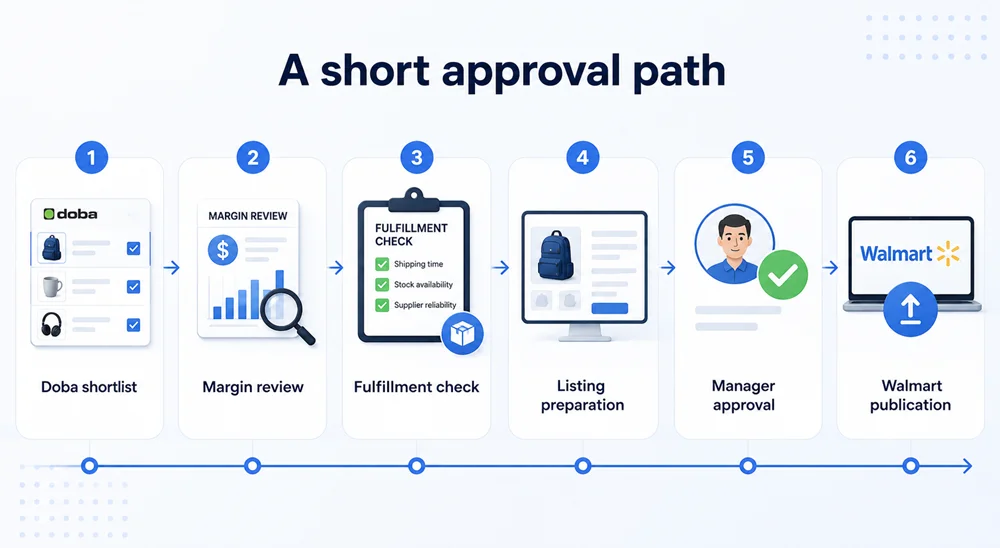
The second review catches weak margins, unclear descriptions, unsuitable shipping times, and restricted-product concerns before they turn into customer problems.
Watch Performance Before Revenue Hides the Problem
Rising sales do not always mean a healthier store. Cancellations, late deliveries, and returns may increase at the same time.
Walmart's Pro Seller program reviews metrics including on-time delivery, cancellations, seller responsiveness, shipping speed, content quality, price competitiveness, and policy compliance. Since its criteria may change, check Walmart's current Pro Seller page for the latest requirements.
During the weekly review, identify:
- What is causing cancellations or returns
- Whether tracking reaches Walmart on time
- Which products have unstable stock
- Whether customer issues have a clear owner
- Whether team access still matches each person's role
Judge products by store health and actual margin, not sales alone.
Automate Routine Tasks, Not Sensitive Decisions
AdsPower's RPA and API features can support predictable browser tasks, such as opening assigned profiles, checking standard pages, and connecting approved data with internal reports.
Keep identity verification, appeals, refunds, policy notices, and major catalog changes under human review. All automation must comply with Walmart's requirements.
Doba can automate inventory, order, and tracking updates. The team should still review failed updates, supplier changes, shipping delays, and unusual returns.
A Simple Setup for a Small Walmart Team
A four-person team can use a straightforward structure:
- The owner controls verification, policies, and critical settings.
- The operations manager oversees daily work.
- The listing specialist maintains approved products.
- The support and order coordinator handles messages, returns, and fulfillment issues.
Keep the Walmart profile in a dedicated AdsPower group and authorize only the people who need it. Use Doba for approved sourcing and fulfillment data, and maintain one shared log for stock, tracking, and customer exceptions.
Final Thoughts
Good Walmart Seller Account Management starts with clear ownership. AdsPower organizes browser profiles, permissions, and team access, while Doba supports product sourcing, inventory, orders, and tracking.
Create one defined Walmart workspace, remove unnecessary access, and give every important task a responsible owner.
Build your Walmart team workspace with AdsPower and explore the Doba Walmart integration.
Frequently Asked Questions
Can a team manage one Walmart seller account?
Yes. Authorized team members can handle assigned tasks, but the registered seller remains responsible for account activity, performance, and policy compliance.
Can one business open multiple Walmart seller accounts?
Walmart prohibits sellers from owning multiple Marketplace accounts without authorization. Contact Walmart if your business has a legitimate need for a separate account.
Is Walmart dropshipping allowed?
Seller-fulfilled operations must comply with Walmart's product, fulfillment, returns, customer care, and performance requirements.
What does Doba provide for Walmart sellers?
Doba supports product research and connects product, inventory, order, and tracking workflows with Walmart. Sellers remain responsible for accuracy, fulfillment, margins, and compliance.
Can AdsPower and Doba be used together?
Yes. AdsPower organizes browser profiles and team access, while Doba supports sourcing and fulfillment operations.
