

View TikTok anonymously in 2026. This guide covers 6 proven methods for browsing without logging in, compares privacy settings, guest mode & anonymous viewers, and explains how AdsPower helps.
Ever caught yourself scrolling past a video you'd rather no one knew you watched? Or checking a competitor's TikTok without wanting them to notice? Both are common enough that TikTok has different privacy layers for different situations, and the method that works for casual browsing isn't the same one you'd want for ongoing research or account management.
Can You View TikTok Anonymously?
In some cases, yes. It depends on what you're doing. TikTok treats profile visits, video views, and Story views differently, so no single method covers everything. Here's what each option actually hides, and what it doesn't:
| Method | Requires Login | Best For |
|---|---|---|
| Turn off Profile View History | Yes | Viewing profiles without showing your account |
| Turn off Post View History | Yes | Viewing posts without showing your account |
| Browse as a Guest | No | Casual browsing of public content |
| Anonymous TikTok Viewer | No | Viewing public profiles, videos, and sometimes Stories |
| Incognito Mode | No | Hiding browsing history on a shared device |
| AdsPower | Optional | Separating logged-in accounts and browser environments |
6 Ways to View TikTok Anonymously
1. Turn Off Profile View History
If you are logged in and want to visit a TikTok profile without appearing in its profile-view history, turn off this setting.
Option A: From Settings
- Open TikTok and go to Settings and privacy.
- Tap Privacy.
- Find Profile view history and switch it off.
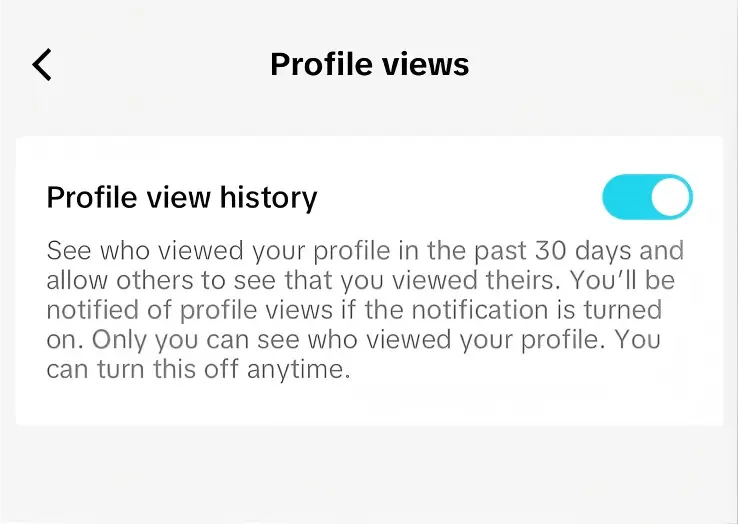
Option B: From Your Profile
- Open TikTok and tap Profile at the bottom.
- Tap the Profile views button at the top, then tap Settings.
- Find Profile view history and switch it off.
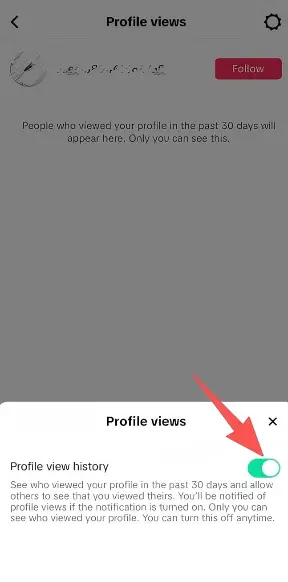
This setting only affects profile visits. It does not hide Story views, because TikTok handles Story viewers separately. When you turn it off, you can no longer see who viewed your profile. It does not hide your account from TikTok or remove other activity such as likes and comments.
2. Turn Off Post View History
TikTok’s Post view history setting is separate from Profile view history. If you want to view posts without showing your account in Post View History, you can turn this setting off too.
- Open Settings and privacy.
- Go to Privacy.
- Find Post view history and disable it.
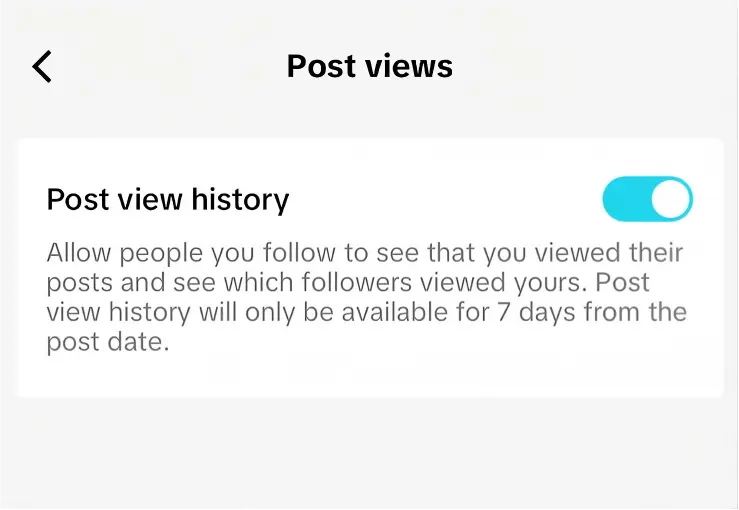
Like Profile View History, this setting works both ways. Once you disable it, other users cannot see that you viewed their posts, but you also lose access to the list of people who viewed your own posts. Turning off Profile View History does not disable Post View History automatically, so check both settings if you want to limit both types of activity.
3. Browse TikTok as a Guest
If you only want to view public TikTok content, browsing without logging in is one of the simplest options. You do not need to change a privacy setting or install another tool.
- Open TikTok in a browser.
- Search for the profile you want to check.
- Open the public profile and browse the videos available on the page.
Guest browsing has several limits:
- Private accounts are off-limits.
- Some videos and features require a login and will be hidden or blocked.
- TikTok may prompt you to sign in after a while, especially if you scroll a lot.
- You cannot use account features such as likes, follows, or saved content.
Guest browsing doesn't connect to your real account. But opening TikTok in a browser still creates a network connection. TikTok can receive your IP address, browser type, device information, and the pages you open on its site.
4. Use an Anonymous TikTok Viewer
An anonymous TikTok viewer is a third-party website that displays public TikTok content without requiring you to sign in. You usually enter a username or profile link, and the service retrieves content that is currently available to the public.
These viewers may support public profiles, videos, photos, or Stories, but coverage varies by service. A legitimate viewer can only display content that is currently public. It cannot bypass a private profile or recover deleted content for anonymous viewing.
| Content type | Availability |
|---|---|
| Public profiles | Usually available |
| Public photos and videos | Usually available |
| TikTok Stories | Depends on the viewer |
| Comments and replies | Depends on the viewer |
| Reposts | Depends on the viewer |
| Follower and following lists | Not available |
| Private profiles | Not available |
| Deleted videos | Not available |
The main benefit is that your TikTok account is not involved. The main limitation is that you are trusting another website to process the request. Never enter TikTok credentials, verification codes, or account authorization details into an anonymous viewer.
If a page returns a 403 error or a Story fails to load, the viewer’s service may be rate-limited, blocked, or missing support for that content type. Reloading or trying another browser may help, but the problem may be on the viewer’s side.
5. Use Incognito Mode
Incognito mode is useful when you are browsing TikTok on a shared computer or phone and do not want the browser to save your local history. After the session ends, the browser usually removes its history, cookies, and form data from that private window.
If you are comparing incognito mode with an anonymous TikTok viewer, the main difference is what each method protects:
| Incognito Mode | Anonymous TikTok Viewer |
|---|---|
| Hides local browsing history | Works through a third-party service |
| Lets you browse without a TikTok login | Usually doesn't require TikTok account access |
| Works at browser level | Doesn't change your browser identity |
| Doesn't bypass private content | Doesn't bypass private content |
| Only works with publicly available content | Only works with publicly available content |
Incognito mode does not hide your IP address or logged-in account. Use it when your concern is someone checking the same device. Use an anonymous viewer when your concern is linking TikTok activity to your account. They solve different privacy problems.
6. Use a Separate Browser Profile with AdsPower
The methods above work well when you just want to browse without using your account. But what if you need to log in?That's a different situation — one that shows up in real day-to-day workflows:
- TikTok marketing and content management
- Creator research and competitor research
- Running multiple TikTok accounts
- Handling accounts in different regions
- Long-term browsing that needs to stay organized
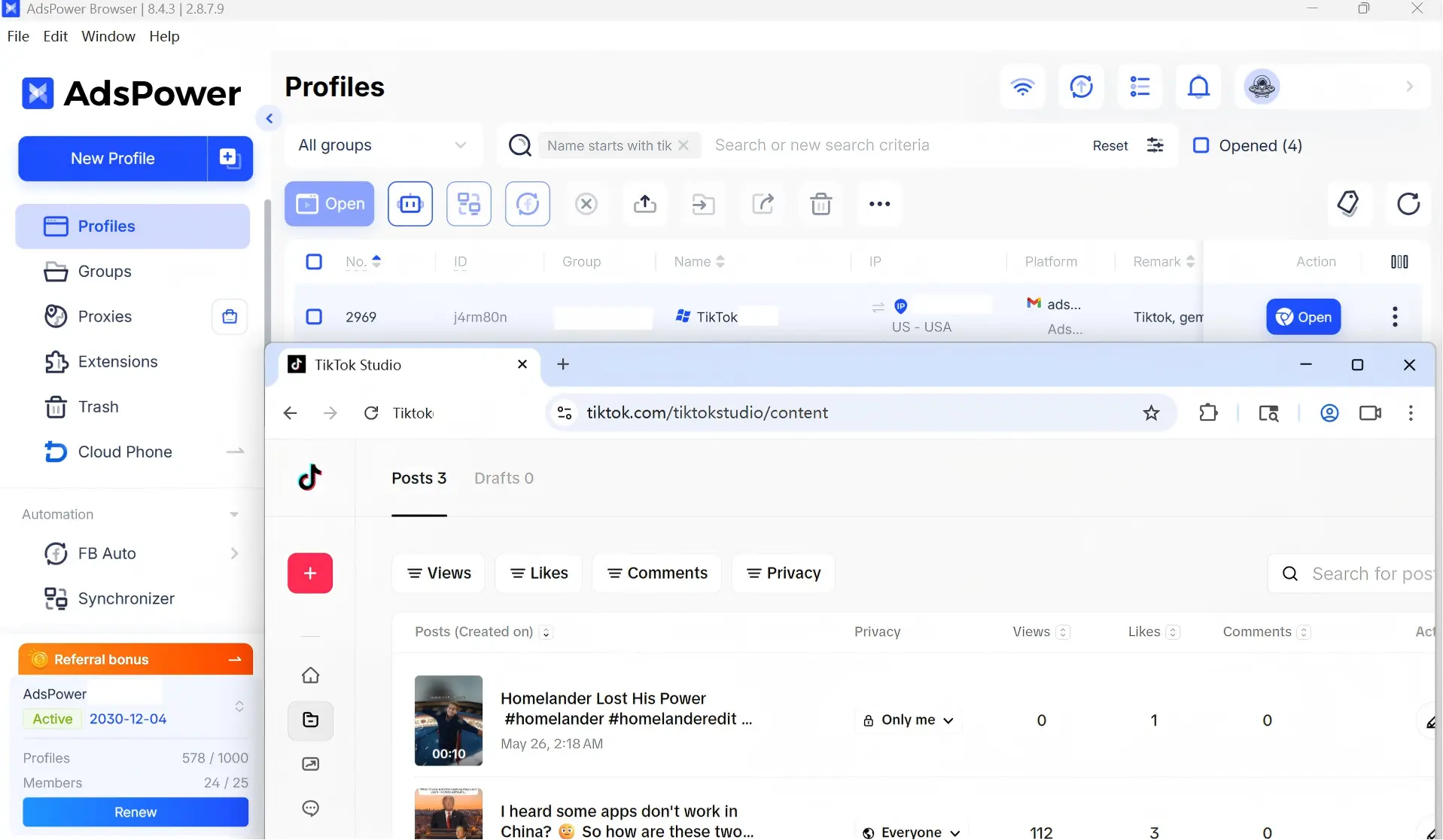
In this situation, a separate browser profile is more practical than repeatedly opening incognito windows. AdsPower is an antidetect browser that lets you create isolated profiles with separate cookies, local storage, browser settings, and other environment data. Each profile can hold its own TikTok login, so main, client, and brand accounts can stay in separate browser environments.
A core part of that separation is the browser fingerprint. Each AdsPower profile can be configured with separate browser fingerprint parameters, such as canvas, WebGL, fonts, timezone, and screen settings. These parameters help AdsPower maintain a distinct browser environment for each profile instead of reusing one shared setup across Tiktok multiple accounts.
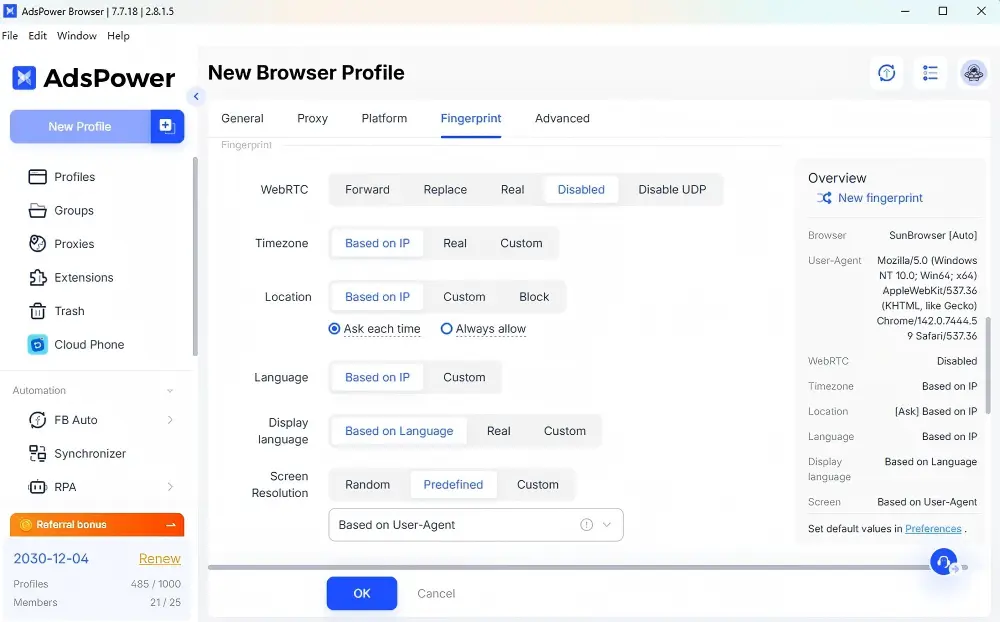
This separation helps reduce mistakes such as opening the wrong account, mixing cookies, or publishing from the wrong profile. Each profile can also carry its own proxy when different accounts need to appear from different locations, and teams can assign specific profiles to different clients or brands instead of sharing one general browser session.
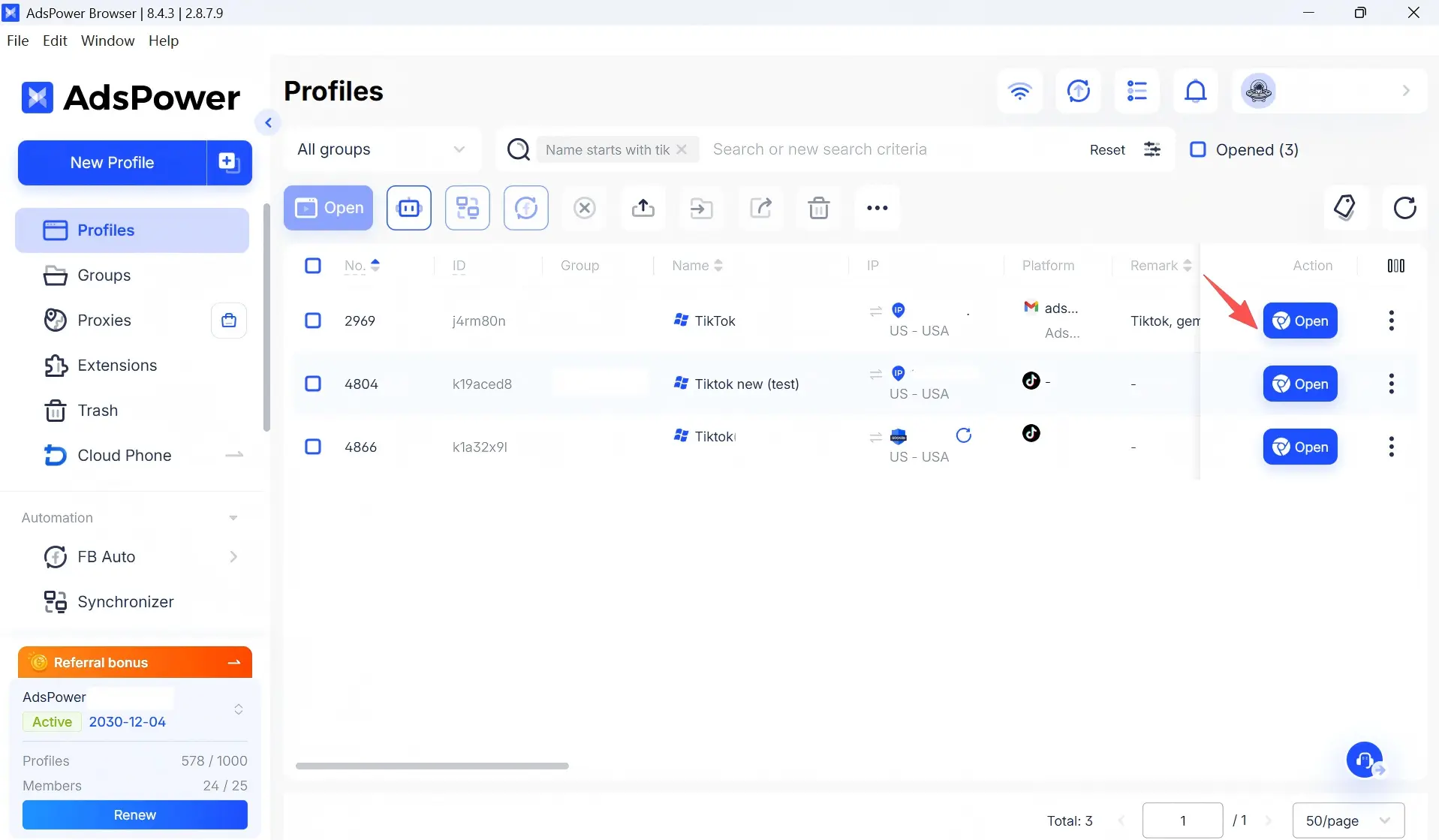
Profile separation can make daily work more controlled and reduce mistakes. You can start with two free AdsPower profiles and test whether isolated browser environments fit your workflow.
Is It Really Anonymous to View TikTok Without an Account?
Not in every sense. Anonymous, Incognito, and invisible are not the same thing. Each method protects a different layer of privacy:
- TikTok account privacy: whether you're logged in.
- Browser privacy: whether your browser saves history and cookies.
- IP privacy: whether TikTok's servers can see your IP address.
- Browser identity: whether your browser environment can be connected to other accounts you use.
An anonymous TikTok viewer mainly protects TikTok account privacy because it does not require you to log in. Incognito mode mainly protects browser privacy by limiting what is stored locally. A VPN or proxy may change the IP address TikTok receives, while a separate browser profile such as AdsPower helps keep cookies, storage, and logged-in sessions separated.
In this context, "anonymous" usually means that your activity is not linked to your TikTok account. It does not mean that TikTok receives no technical information or that the request cannot be detected at the network level.

Is Using an Anonymous TikTok Viewer Safe?
An anonymous TikTok viewer may be suitable for public content, but it is still a third-party website that you should evaluate carefully. Before using one, keep these basic checks in mind:
- Never enter TikTok credentials. A viewer that asks for your username, password, verification code, or account authorization is a red flag.
- Check the site connection and downloads. Confirm that the page uses HTTPS, avoid unknown extensions, and be careful with MP3 or MP4 download buttons.
- Do not use third-party tools to access private content. No legitimate service can override a private account’s permission settings. A service that claims otherwise is not trustworthy.
- Treat technical errors as service limitations. A 403 error, missing audio, or a blank Story page may result from rate limits or incomplete tool support rather than your device. Reload the page, try another browser, or wait and try again later.
FAQs
Can I view TikTok without an account?
Yes. Open TikTok in a browser and browse public content as a guest, or use an anonymous TikTok viewer. Some content and features still require a login, and private accounts stay off-limits either way.
Can someone see if I viewed their TikTok profile?
It depends. If both accounts have Profile View History enabled and meet TikTok’s eligibility requirements, a profile visit may appear in the other person’s history. Turning the setting off prevents your profile visit from appearing there, but you also lose access to your own profile-view list.
Does TikTok show who viewed a video?
Not for every video. TikTok does not provide a universal viewer list. It displays total view counts instead. Post view history is a separate setting. It records the posts you watch from your own account, and you can turn it off in Privacy settings if you don’t want to see it.
Does Incognito Mode make TikTok anonymous?
No. Incognito only prevents your browser from saving local history and cookies. TikTok still sees your IP address, and it sees your account if you're logged in. Combine it with guest browsing when you want to avoid using a TikTok account, or use a separate browser profile when you need to keep logged-in sessions apart.
Can I view a private TikTok account anonymously?
No. Private accounts are protected by TikTok's own permission settings, and no legitimate third-party viewer can bypass them. Anonymous tools only work with content that's set to public.
Can I view deleted TikTok videos anonymously?
No. A third-party viewer generally cannot show deleted or hidden videos, because it can only pull content that TikTok currently serves as public. TikTok may let the original creator restore some deleted posts from a "Recently deleted" folder within a limited window, but any restored post stays under the creator's own account settings and is not automatically open to anonymous viewers.
