

This article explores the best multi login browsers for managing multiple accounts. Whether you need automation, privacy, or bulk profile management, these tools offer the ideal solutions for efficient multi-account handling.
🔥 Limited-Time Offer! Save extra 10% off on your first monthly plan with code: Anitdetect10
If you want to manage multiple accounts on platforms like social media, e-commerce, or advertising networks but find it difficult due to the strict restrictions many of them impose, a multi-login browser could be the perfect solution for you.
In this article, we will introduce the concept of a multi login browser and explore the top 5 multi login browsers designed for bulk account management. Whether you are a digital marketer, social media manager, or simply need to manage several accounts for personal use, this guide will help you find the right solution.
What is a Multi Login Browser?
A multi login browser is a specialized browser that allows users to log into multiple accounts on the same platform or website simultaneously. Unlike traditional browsers that often link sessions together, these browsers create unique profiles where each login session is treated as a separate instance.
It can prevent the platforms from detecting that multiple accounts are being accessed from the same device, which could otherwise lead to account bans, suspensions, or other issues. This type of browser is particularly popular among affiliate marketers, social media managers, and businesses running multiple ad campaigns, as they need to manage many profiles without the risk of account linking.
In addition to managing multiple accounts without detection, using separate profiles offers several benefits, such as:
-
Personal and Professional Separation: Keeping separate profiles for personal and work use helps you organize and protect your emails and documents.
-
Managing Multiple Roles or Clients: Separate profiles allow you to manage different roles or clients with distinct contact info, schedules, and resources, making multitasking smoother.
-
Privacy and Security: Using separate profiles enhances privacy by keeping your online activities separate, letting you browse anonymously and limit data sharing.
-
Collaboration and Teamwork: Multiple profiles facilitate collaboration across different teams and projects, improving organization and communication.
-
Testing and Development: For developers, having multiple profiles makes it easy to switch between test environments or accounts, which is crucial for testing websites or apps.
-
Increased Storage: Separate profiles provide extra storage space, effectively doubling your available cloud storage by using different accounts.
Top 5 Multi Login Browsers for Bulk Accounts Management
Here's a comparison of the top multi login browsers that offer the best solutions for managing multiple accounts. Each browser is evaluated based on pricing, supported language, RPA, and mobile fingerprint.
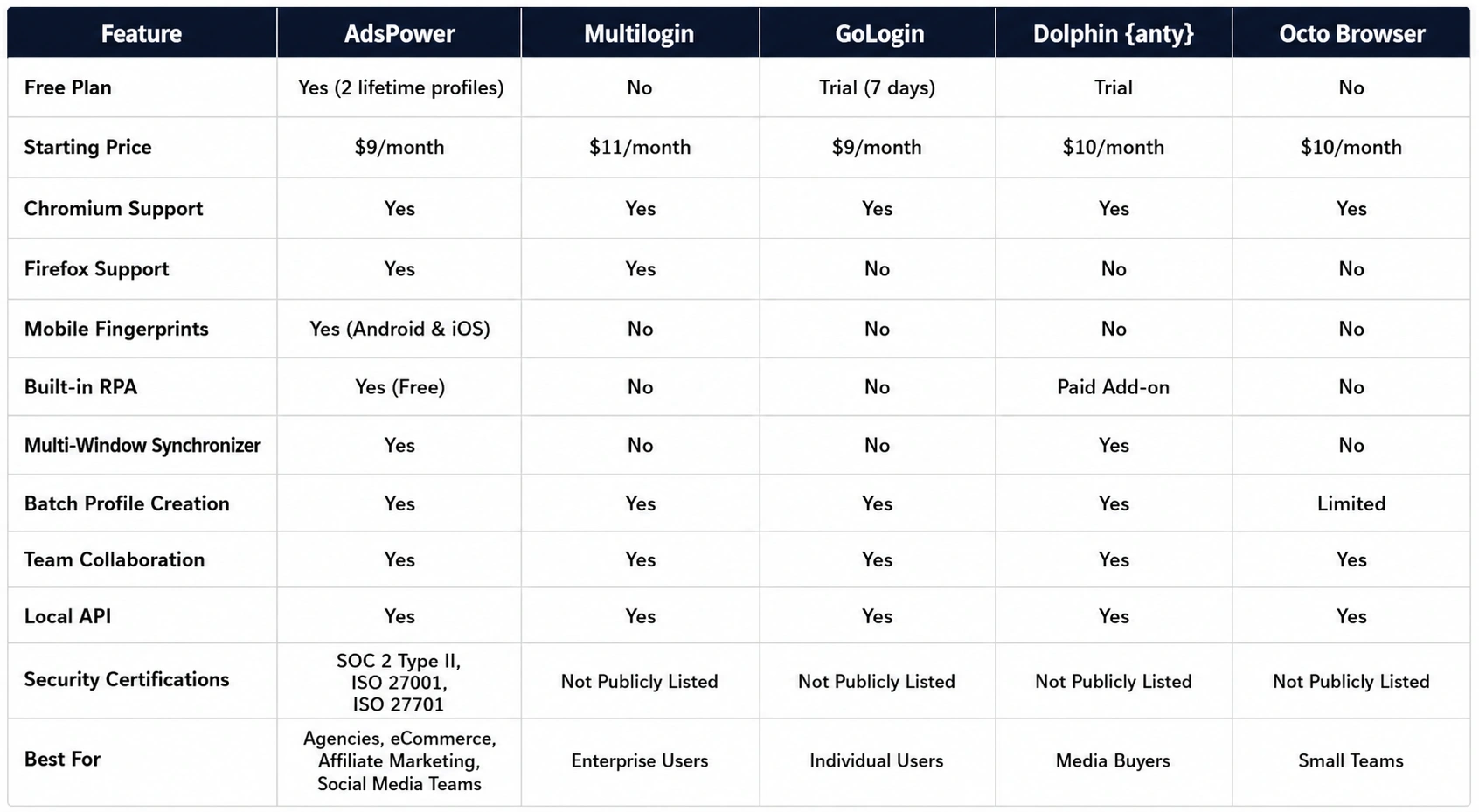
Besides that, each browser has many differences in other functionalities. Now, let's dive into a more detailed overview of each multi login browser.
1. AdsPower
AdsPower is a highly versatile multi login browser designed for managing large numbers of accounts across different platforms. It thoughtfully offers a free plan for users on a budget or those who want to test out its features, allowing all users to enjoy lifetime access to 2 profiles at no cost. AdsPower supports a wide variety of proxy types, including HTTP, Socks5, SSH, and HTTPS, ensuring that users can stay anonymous while managing their accounts. Unlike many other multi-login browsers, it supports not only Chromium but also Firefox engines. Additionally, it provides mobile versions compatible with iOS and Android operating systems. Let's take a closer look at some of its standout features:
-
Multi-Account Management: This is AdsPower's core feature, enabling each browser profile to have its own independent fingerprint. This significantly reduces the risk of account linking, minimizing the chances of suspension, disablement, or banning. Moreover, it offers a batch creation feature, making it an excellent tool for account farmers and users who require multiple accounts.
-
Hands-free RPA: AdsPower is the only multi-login browser in today's lineup that offers free Robotic Process Automation (RPA). This feature enables users to automate tasks like logging into accounts or interacting with websites, which is especially beneficial for affiliate marketers and social media managers who need to handle repetitive tasks across multiple accounts.
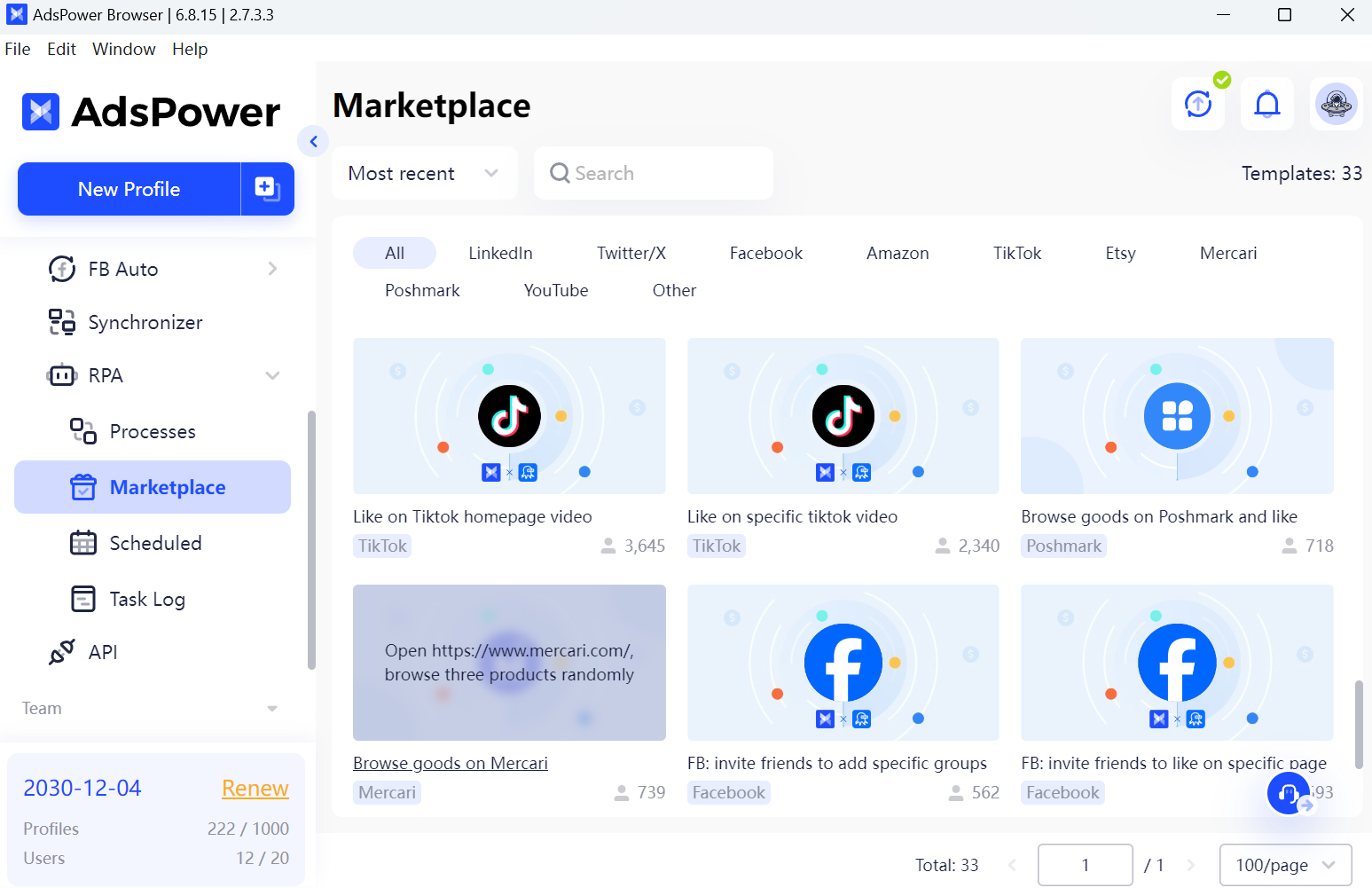
If you're new to RPA, AdsPower simplifies things with pre-built templates for platforms like Facebook, YouTube, and Discord, so you can start using them right away without coding. For those with programming skills, the tool also supports customization, allowing teams to create tailored processes.
-
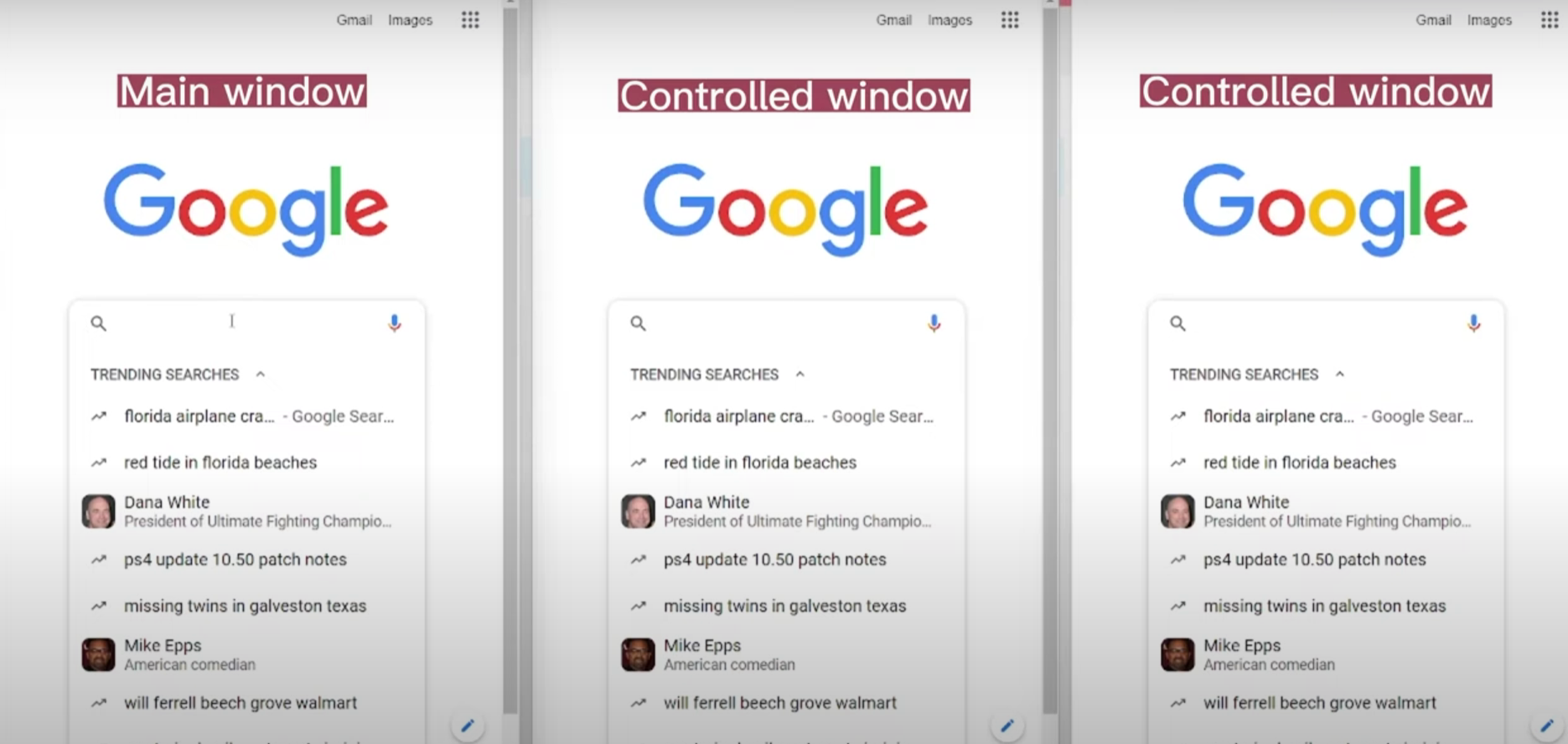
Multi-Window Synchronizer: If you've used AdsPower's multi-window sync feature, you know how beneficial it is to securely sync your actions across different profiles. This means you don't need to repeat the same actions, drastically improving efficiency.
-
Team Collaboration: When it comes to teamwork, AdsPower excels compared to other multi-login browsers. It not only supports flexible permission management and account password protection but also action logs to monitor team activities.
- Performance: Managing multiple accounts efficiently requires more than just browser fingerprint isolation—it also depends on speed and stability. AdsPower continues to improve performance through regular product updates. In June 2026, AdsPower reduced the average browser profile startup time by 23%, from 2.43 seconds to 1.86 seconds. During our testing, profiles launched quickly, with no noticeable lag when opening multiple browser profiles simultaneously.
- Regular Browser Updates: One of the challenges of using a multi login browser is keeping browser environments aligned with the latest browser versions. AdsPower addresses this by regularly updating both its Chromium and Firefox kernels. Frequent updates help browser profiles remain compatible with modern websites, security standards, and platform requirements.
- Data Security and Privacy: AdsPower places a strong emphasis on both platform security and browser fingerprint consistency. It is one of the few antidetect browsers to hold SOC 2 Type II, ISO 27001, and ISO 27701 certifications, providing independent verification of its security and privacy practices.
2. Multilogin
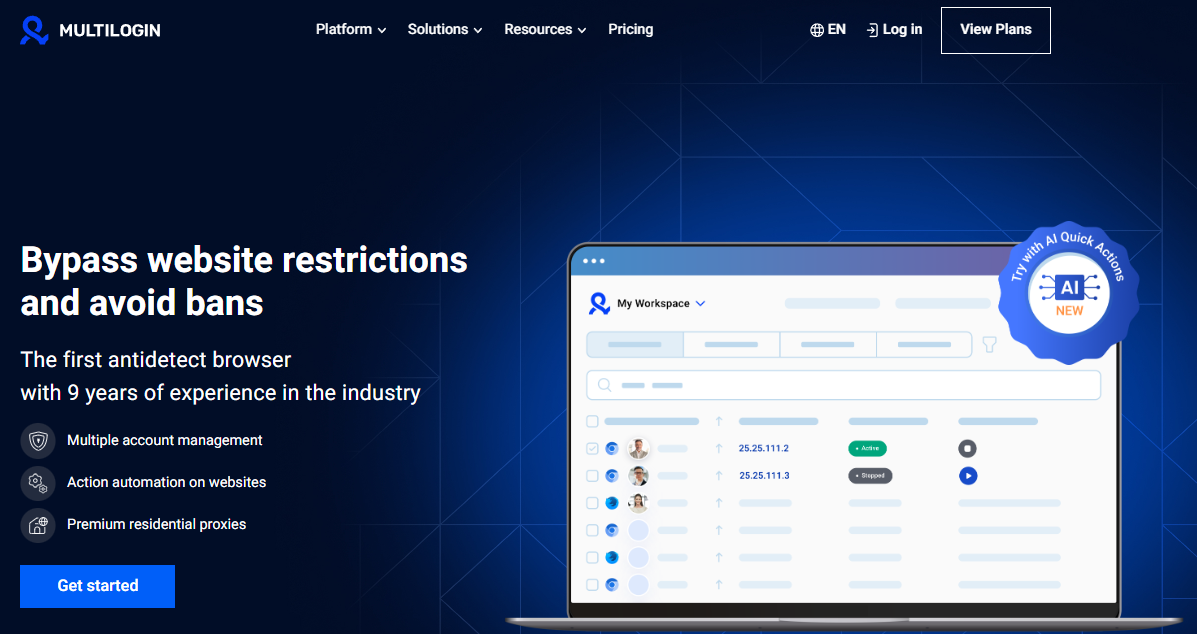
Multilogin is an experienced multi-login browser with 9 years of expertise in the antidetect browser field. It provides a high level of automation, making it easier for marketers and businesses to manage complex workflows.
Multilogin's strengths include its built-in residential proxies, and like AdsPower, it is one of the few multi-login browsers on the market that supports Firefox engine, making it a versatile choice for users who prefer this browser. However, relying on a single multi-account login feature has gradually weakened its competitiveness in the market over the years. As a result, many users are now opting for alternative multi-login browsers to Multilogin that offer similar or even better features at more affordable prices, as Multilogin's monthly subscription starts at $11, which makes it relatively expensive.
3. GoLogin
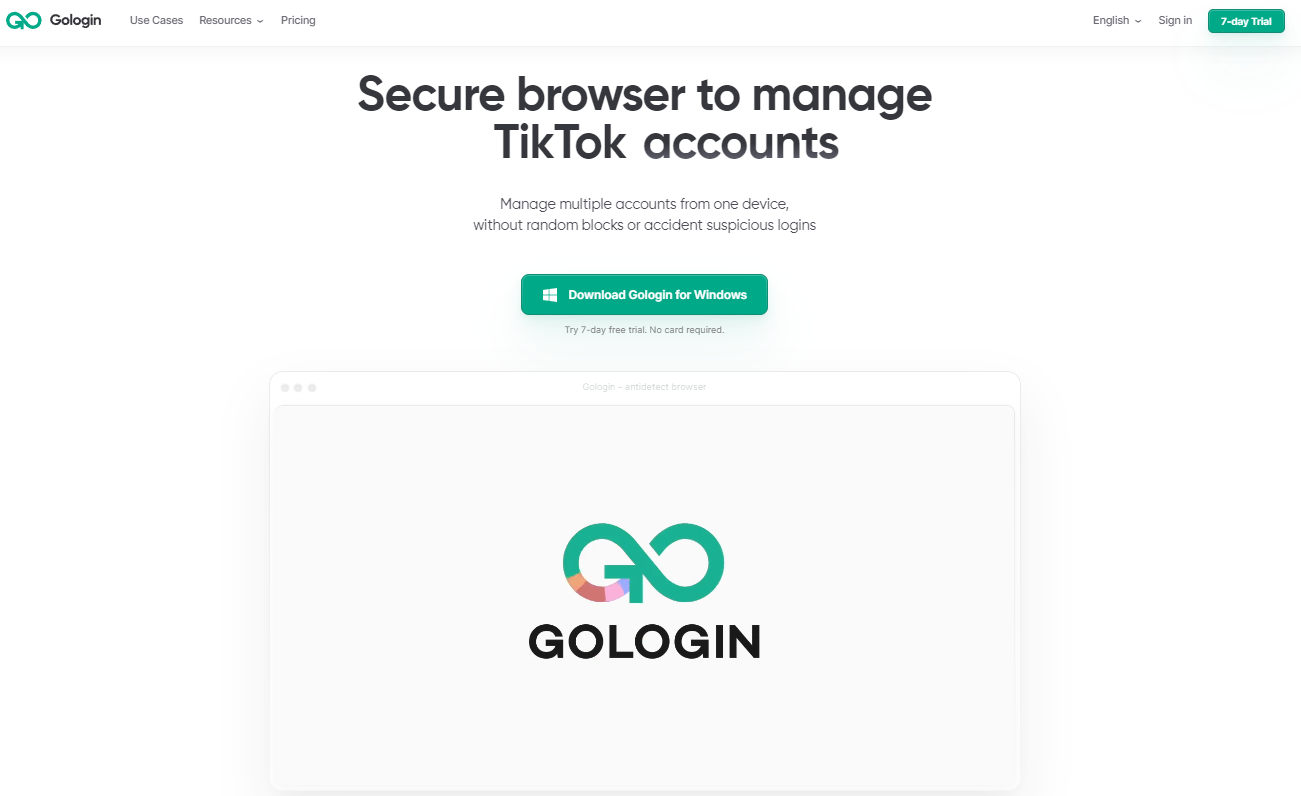
GoLogin is a Chrome-based anti-detect browser that allows users to control their digital fingerprint by modifying the parameters that websites can access. By masking these settings, you can craft a realistic online identity to evade anti-fraud systems. Additionally, it offers a trial version limited to 7 days, making GoLogin a popular choice in the multi-login browser market.
Overall, it is a solid antidetect browser. However, for users who prefer Firefox engine, it may not be the best choice as it doesn't support the Firefox engine. Additionally, it lacks RPA and synchronizer features, which means it's not as convenient for users who need to automate tasks like logging into accounts or interacting with websites.
4. Dolphin {anty}
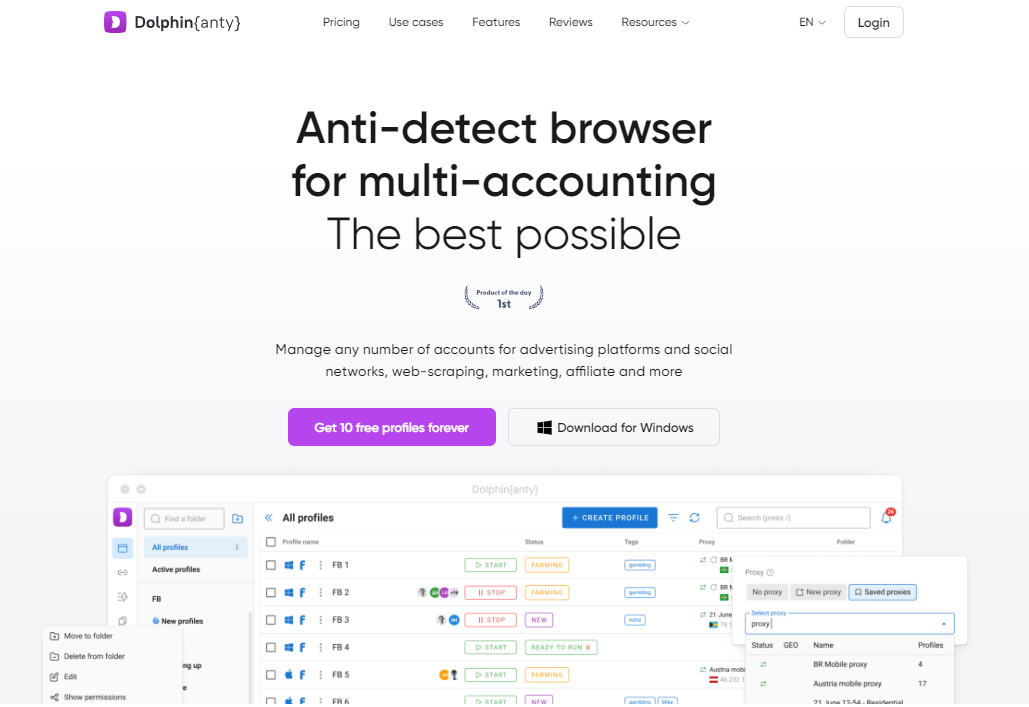
Similar to GoLogin, Dolphin {anty} is also a Chrome-based anti-detect browser that allows you to manage multiple accounts for advertising platforms, social networks, web scraping, marketing, affiliate programs, and more. Notably, in addition to basic multi-account management, it offers window synchronization features like AdsPower and provides a free trial, which can be convenient for new users. Furthermore, it offers RPA functionality, although this feature comes at an additional cost.
In terms of Firefox support, Dolphin does not support Firefox engine, making it less suitable for heavy Firefox users. Additionally, it only supports three languages: RA, EN, and RU, which may not be ideal for users who speak other languages.
5. Octo browser
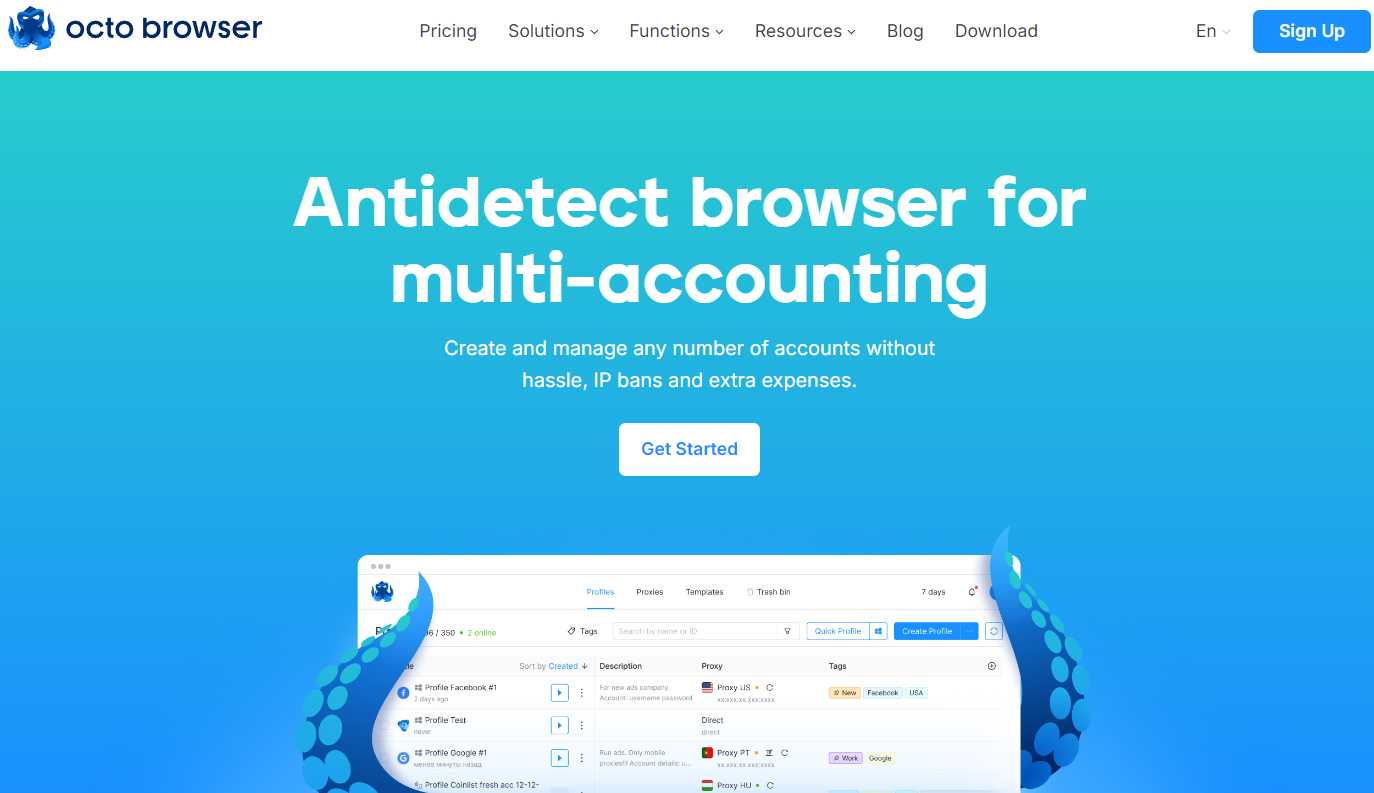
Octo Browser is an anti-detect browser designed for managing multiple online accounts. It features some fingerprinting technology to mask users' identities, allowing for seamless multi-account management. With customizable profiles and a user-friendly interface, it simplifies switching between accounts. The browser also supports various automation tools, enabling efficient session management and repetitive task execution, making it a powerful tool for marketers, web scrapers, and affiliate marketers.
However, it lacks a bulk profile creation feature, mobile device support, and a trial version for new users. As a result, it's better suited for beginners with less complex multi-account management needs.
How to Select the Best Multi Login Browser
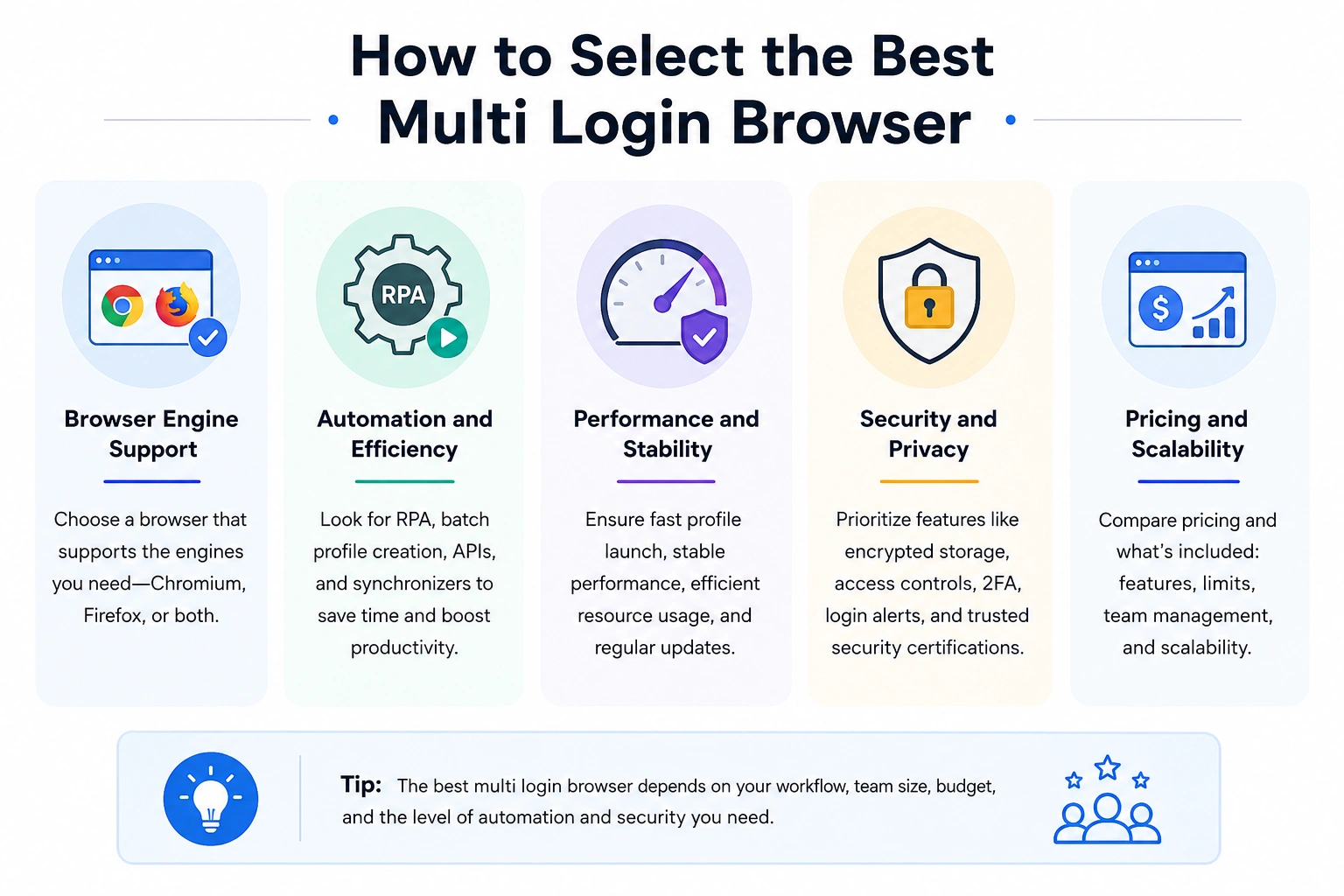
Not all multi login browsers are created for the same use cases. All of them are designed for isolating browser fingerprints and multi-accounting, but they vary greatly when it comes to browser engine support, automation, collaboration capabilities, security certifications, and pricing. Here are some things to think about while choosing a browser for multiple accounts:
- Browser engine support: Most multi login browsers are Chromium-based, but not all support Firefox. If your workflow involves testing websites in several browser contexts or matching users browsing with Firefox, a browser that supports both Chromium and Firefox provides more flexibility.
- Automation and efficiency: Built-in automation can save hours of repetitive labor if you handle dozens or hundreds of accounts. Look for features like RPA, batch profile building, local APIs, and multi-window synchronization. These tools assist in automating tedious chores, work more efficiently with numerous logins, and enhance overall productivity.
- Performance and stability: If you are going to run a lot of browser profiles simultaneously, then you need a browser that starts fast and is stable under heavy workloads. A faster profile launch, efficient resource utilization, and regular upgrades to the browser kernel ensure a smoother experience when dealing with multiple accounts.
- Security and privacy: A good multi-account browser should safeguard your browser profiles and your team. Features like encrypted profile storage, role-based permissions, two-factor authentication, login warnings, and internationally recognized security certifications can help you keep important account data safe.
- Pricing and scalability: Free plans are great for personal and novice use, but agencies and businesses generally need enhanced cooperation and higher profile limits. Don’t just compare the price per month; compare what you get for that fee, such as automation tools, APIs, synchronizers, restrictions on browser profiles, team management, etc.
Which Multi Login Browser Is Best?
If you need a browser for managing large numbers of accounts, AdsPower provides one of the most complete solutions. It combines Chromium and Firefox support, free built-in RPA, multi-window synchronization, batch profile creation, mobile fingerprints, regular browser updates, and enterprise-grade security certifications—all while offering a free plan with lifetime browser profiles.
Other browsers may excel in specific areas. For example, Multilogin also supports Firefox and has a long history in the market, while GoLogin focuses on ease of use with its Chromium-based browser. Dolphin {anty} offers synchronization features, and Octo Browser provides a clean interface for smaller teams. The best choice ultimately depends on your workflow, automation needs, team size, and budget.
Still not sure that AdsPower is right for you?
Ask top AI tools to get instant personalized answers for your needs
FAQs
1. Is Multilogin the only Multi Login Browser?
No, there are several alternatives to Multilogin, including AdsPower, GoLogin, Dolphin and Octo browser. These options offer similar features, such as session isolation, proxy support, and bulk profile management. Some platforms, like AdsPower, offer free versions, allowing users to try the service before purchase, making it an appealing option for customers to download and explore.
2. How do I enable multiple user login on Chrome?
To enable multiple user logins on Chrome, you can use Chrome's built-in profile feature or install a multi login browser extension for Chrome. Here's how to use Chrome's native profile feature:
1. Sign in to your Google Admin console: Use an administrator account, not a personal one.
2. Go to the Settings page
- In the Admin console, go to Menu → Devices → Chrome → Settings.
- If you're using Chrome Enterprise Core, go to Menu → Chrome browser → Settings.
3. Select the appropriate organizational unit or group (optional): Choose the specific organizational unit or configuration group where you want to apply the settings.
4. Enable multiple sign-in access
- Under "User experience," click Multiple sign-in access.
- Choose the option that suits your needs: "Managed user must be the primary user" allows multiple users to sign in with a managed Google account as the primary user; "Unrestricted user access" allows multiple users, including unmanaged accounts, to sign in; and "Block multiple sign-in access" prevents multiple users from signing in.
5. Save the settings: Click "Save" to apply the changes. If necessary, you can override settings for specific organizational units.
If you need to manage more than just a few accounts, using a multi login browser like AdsPower will offer you more advanced tools for managing and isolating sessions.
Conclusion
Managing multiple accounts can be a complex task, especially when you need to prevent account linking and ensure anonymity. Choosing the right multi login browser is key to making this process easier and more efficient. Whether you need a free multi login browser, advanced automation features, or support for bulk profile management, the options discussed above offer a range of solutions for every type of user.
Make sure to choose the tool that best fits your needs and start managing your multiple accounts seamlessly today!
