

What's New in AdsPower Browser in April 2026?
Take a Quick Look
See the latest AdsPower updates, including Chrome 147, proxy workflow improvements, and API enhancements. Update AdsPower now for smoother multi account management.
The AdsPower April update introduces a series of improvements across browser profiles, proxy management, team controls, and automation tools. This release focuses on reducing repetitive setup work and improving workflow stability for users managing multiple accounts.
Here is a closer look at what's new in AdsPower this month.
AdsPower April Update Overview (2026)
The latest AdsPower monthly update includes:
- Support for the new Chrome 147 kernel
- Improved mobile fingerprint, WebRTC, and virtual camera simulation
- Easier proxy purchase and batch renewal management
- Better team administration controls
- Expanded Local API functionality for developers
These updates are designed to simplify profile management and improve browser consistency across different workflows.
[Browser]
AdsPower now supports the Chrome 147 kernel. The platform also optimized the existing Chrome 145 and 146 kernels.
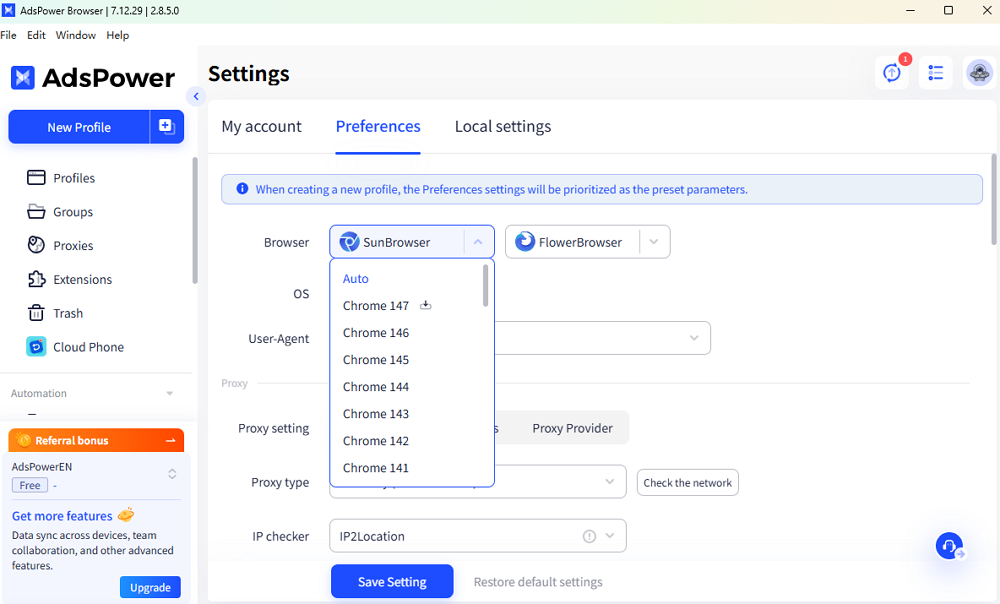
The update improves several browser simulation capabilities, including:
- Mobile fingerprint simulation
- WebRTC fingerprint handling
- Virtual camera behavior
Keeping browser kernels up to date helps profiles remain compatible with websites that regularly update their browser detection rules.
For users running mobile-focused accounts or video-related workflows, the updated simulation capabilities help browser profiles behave more consistently.
[Profile & Team Management]
Several updates in this release focus on account administration and workspace management.
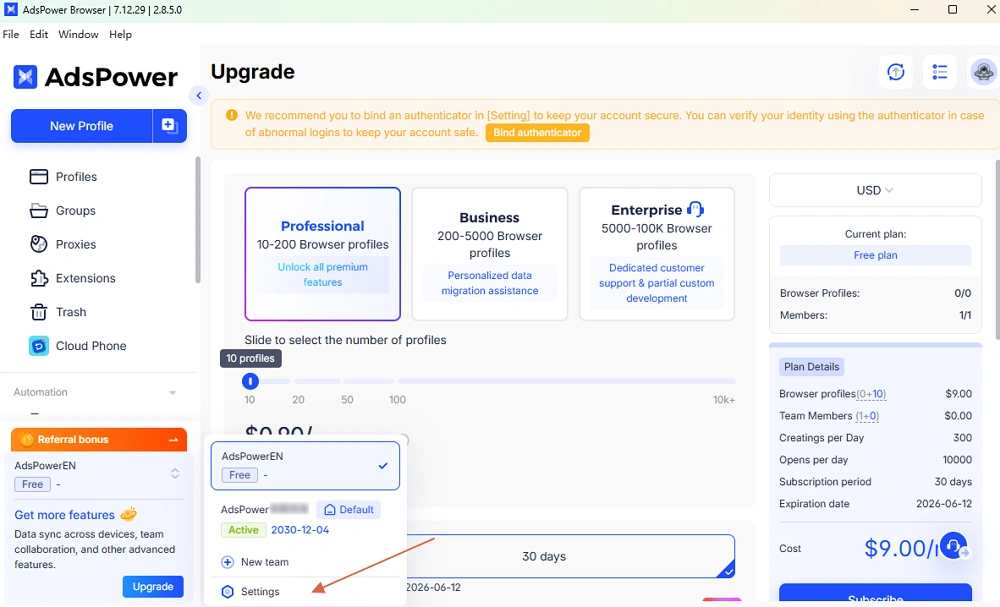
Team deletion support
Administrators can now delete teams directly inside AdsPower. This makes it easier to reorganize workspaces or remove inactive teams.
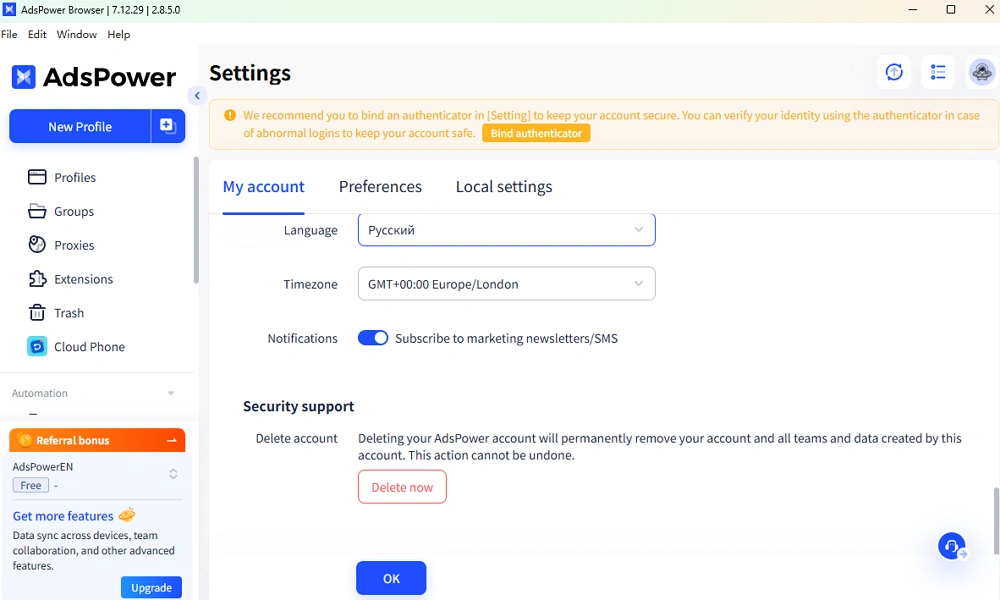
Improved account management options
The processes for account deletion and email modification have been optimized. Users can manage account settings more efficiently when updating workspace information.
[Proxy]
Proxy management received several practical improvements.
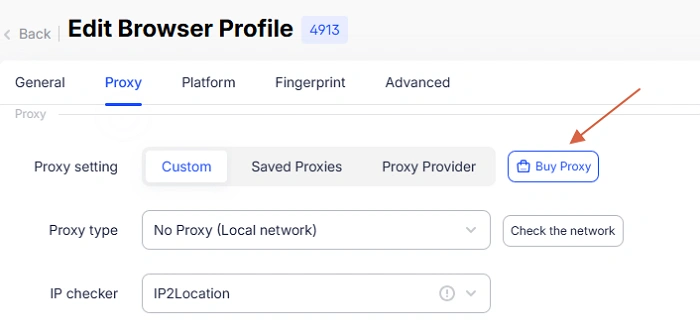
Proxy purchase during profile editing/creation
Users can now purchase proxies directly while creating or editing profiles. This reduces the number of setup steps when preparing new profiles.
For teams creating profiles frequently, this adjustment helps speed up deployment.
Clearer order details
The proxy purchase and renewal pop-up now shows order details more clearly before submission. Users can review renewal quantity, duration, and related information before confirming.
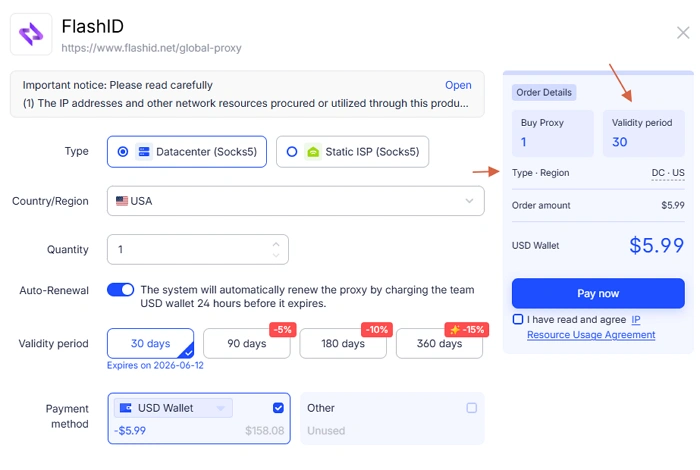
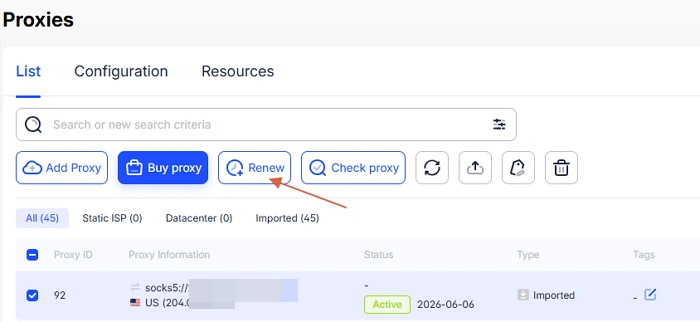
Batch proxy renewal
AdsPower now supports one-click batch renewal for up to 300 proxies at once.
This feature is useful for users managing large proxy pools across multiple projects.
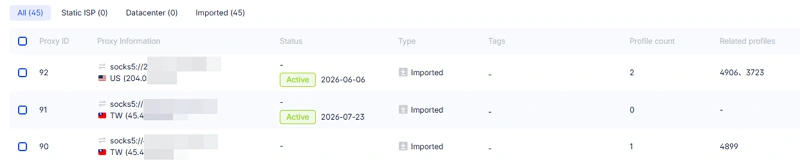
Optimized proxy list display
The Proxy List now prioritizes proxy status visibility. Expiring proxies are easier to identify, helping users complete renewals before interruptions affect workflows.
[Local API]
The Local API also received updates in this release.
Latest JavaScript support
The API now supports updating to the latest JavaScript version. This helps developers maintain compatibility with newer automation scripts.
Browser kernel query support
Developers can now query available browser kernel versions through the Local API.
This allows automation systems to retrieve supported kernels programmatically when creating or managing profiles.
Why These Updates Matter
Many of the improvements in this release focus on routine operational tasks.
Proxy purchasing, renewal management, browser setup, and team administration are all part of daily multi-account workflows. Simplifying these actions helps reduce manual work and improve consistency across profiles.
The Local API improvements also provide more flexibility for developers building automation systems around AdsPower.
Conclusion
The April 2026 update improves browser stability, proxy workflows, and team management. Updates to Chrome kernels, batch proxy renewal, and Local API support help users manage multiple accounts more efficiently.

People Also Read
- AdsPower Unveils AI Agent, a New Way to Automate Browser Tasks Across Multiple Profiles
AdsPower Unveils AI Agent, a New Way to Automate Browser Tasks Across Multiple Profiles
AdsPower launches AI Agent for natural-language browser automation.
- What's New in AdsPower Browser in August 2026?
What's New in AdsPower Browser in August 2026?
Explore the AdsPower August 2026 update, featuring AI Agent, Chrome 151, improved mobile profiles, easier proxy troubleshooting, and faster profile
- AdsPower Annual Sale 2026: Unlock 50% Off Your 360-Day Plan

AdsPower Annual Sale 2026: Unlock 50% Off Your 360-Day Plan
The longer you subscribe, the more you save during the AdsPower Annual Sale 2026, with up to 50% off the 360-day plan.
- Create an AdsPower Video and Earn $30 — No Follower Minimum

Create an AdsPower Video and Earn $30 — No Follower Minimum
Create an original AdsPower video, publish it on any public social platform, and earn $30. No follower minimum. Ends September 6, 2026 (23:59:59 UTC).
- The AdsPower iOS App Is Now Publicly Available
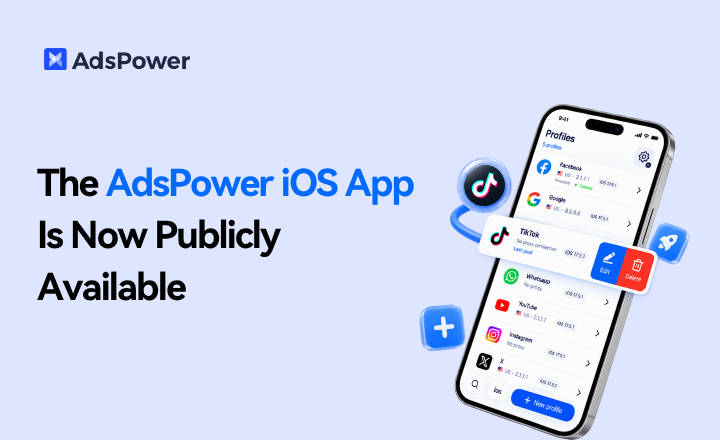
The AdsPower iOS App Is Now Publicly Available
AdsPower Browser is now available on iOS. Manage browser profiles, test proxies, access synced team data, and open iOS profiles from your iPhone.
