

Stuck on Cloudflare's "Verifying you are human" page? This guide explains why Cloudflare verification keeps looping and walks you through practical fixes, from updating your browser and enabling JavaScript to checking cookies, proxies, browser profiles, and network settings. You'll also learn how to maintain a consistent browsing session to reduce repeated verification challenges.
You click the "Verify you are human" checkbox.
Cloudflare starts checking your browser. The spinner appears, and you expect the verification to finish in a few seconds. Instead, the page refreshes. You're asked to verify again. You complete the challenge one more time, only to be sent back to the same screen. The cycle repeats over and over, leaving you stuck in what many users call the Cloudflare verification loop or Cloudflare challenge loop.
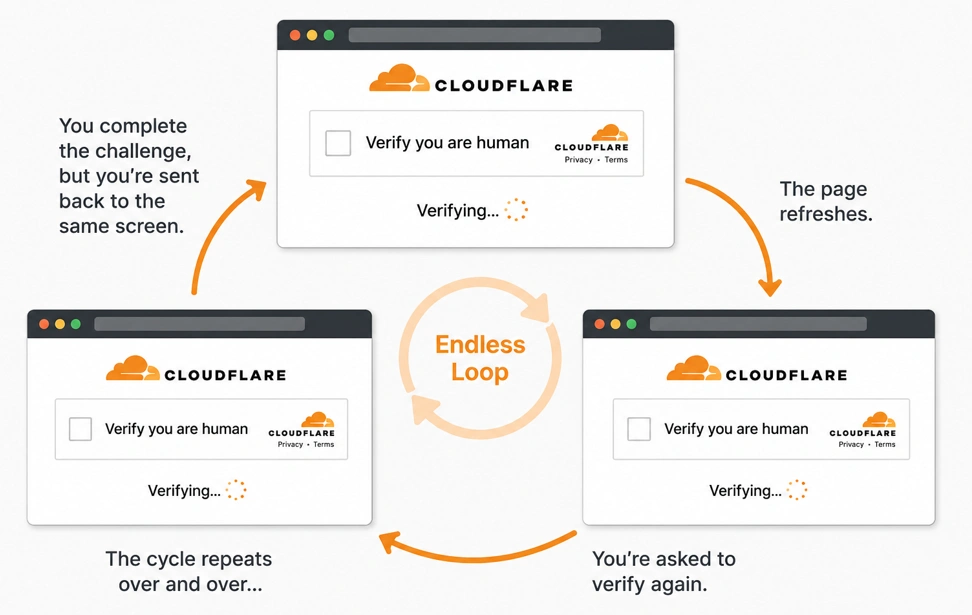
This problem isn't limited to one website or browser. Users have reported endless verification loops when signing in to AI tools, developer platforms, e-commerce sites, dashboards, and other services protected by Cloudflare. Depending on the situation, you might also see messages such as:
- Verifying you are human. This may take a few seconds...
- Just a moment...
- Checking your browser before accessing...
- Please unblock challenges.cloudflare.com to proceed
As a result, people search for many different solutions, including "Cloudflare keeps verifying me," "Cloudflare won't verify me," "Cloudflare verification failed," "Cloudflare keeps looping," or "how to unblock Cloudflare verification." Although these searches use different wording, they often point to the same underlying problem: Cloudflare can't successfully complete or maintain your verification session. In this guide, we'll walk through a step-by-step troubleshooting checklist to help you identify the real cause.
Common Reasons Cloudflare Verification Gets Stuck
When Cloudflare's verification page keeps looping, it's easy to assume that the proxy is to blame. Sometimes that's true—but it's far from the only possibility.
In most cases, the problem comes from one or more parts of your browsing session. It could be an outdated browser, disabled JavaScript, corrupted cookies, a browser extension, a VPN or proxy, or even your network environment. Sometimes it's simply the website's own Cloudflare security rules. To make troubleshooting easier, you can group these factors into four areas:
| Group | Examples |
|---|---|
| Browser | Browser version, JavaScript, cookies, User-Agent |
| Browser Environment | Browser fingerprint, fonts, Canvas, WebGL, language, timezone |
| Network | IP address, VPN, proxy, IP reputation |
| Connection | TLS and other network-level signals |
The good news is that you don't need to understand all of these technical details to fix the problem. In the next section, we'll go through them one by one, starting with the easiest checks first.
How to Fix a Cloudflare Verification Loop
Fix 1: Update Your Browser
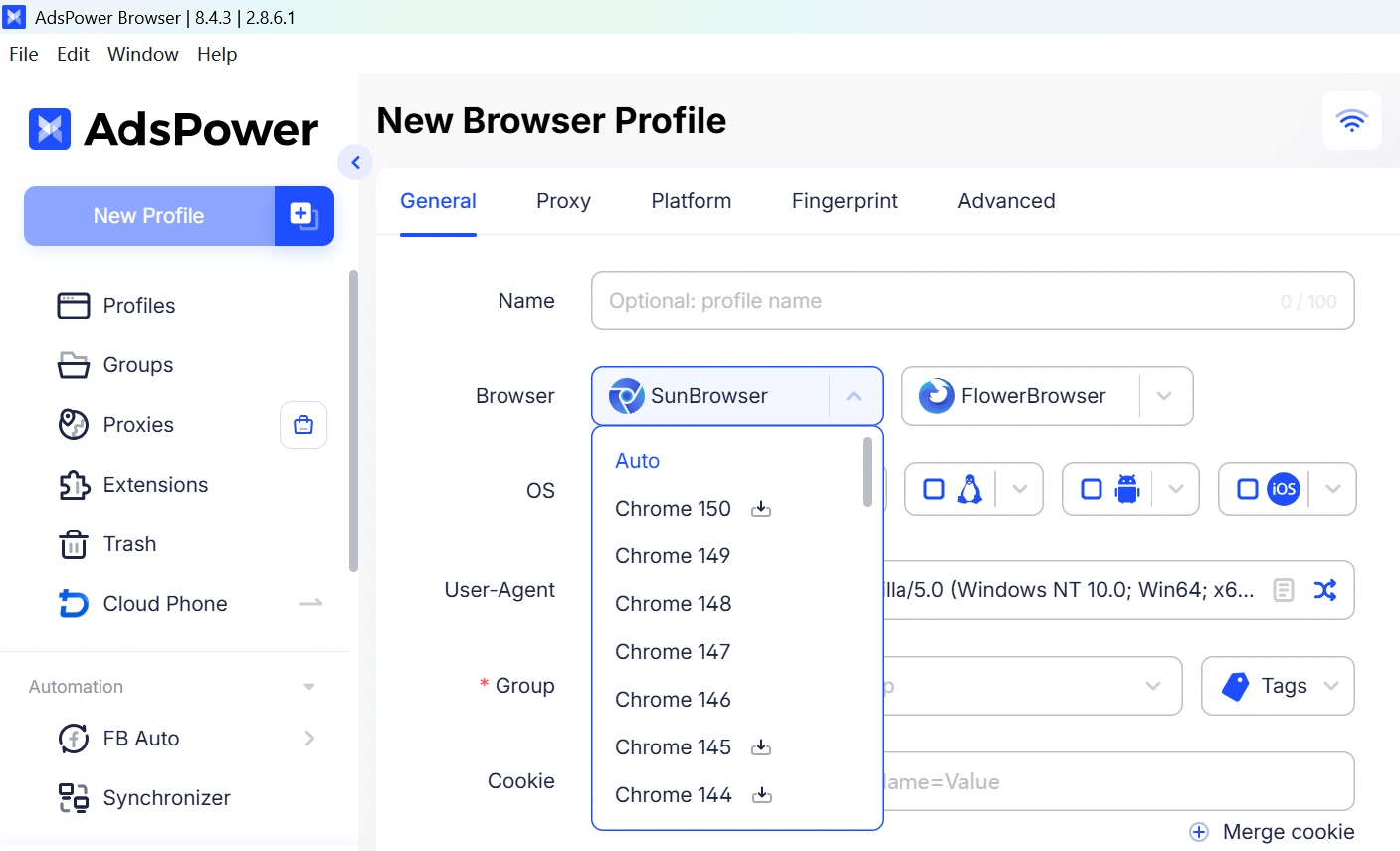
One of the easiest things to try is opening the website in a different, up-to-date browser. Cloudflare's verification page relies on modern browser features and JavaScript APIs. If your browser is outdated—or if the browser kernel hasn't been updated for a long time—the challenge may fail to complete, even if you click the verification box correctly.
If you normally use Chrome, Edge, or Firefox, make sure you're running the latest version before trying again. If you're using a browser profile manager, it's also worth checking whether its browser kernel is up-to-date. Updating the application alone isn't always enough.
Another option is to use AdsPower, one of the best antidetect browsers in the industry. AdsPower regularly updates both its Chromium and Firefox browser kernels, allowing you to launch browser profiles based on the latest browser versions without changing your existing setup. Simply create a new browser profile, choose the latest available browser kernel, launch the profile, and try completing the Cloudflare verification again.
Fix 2: Enable JavaScript
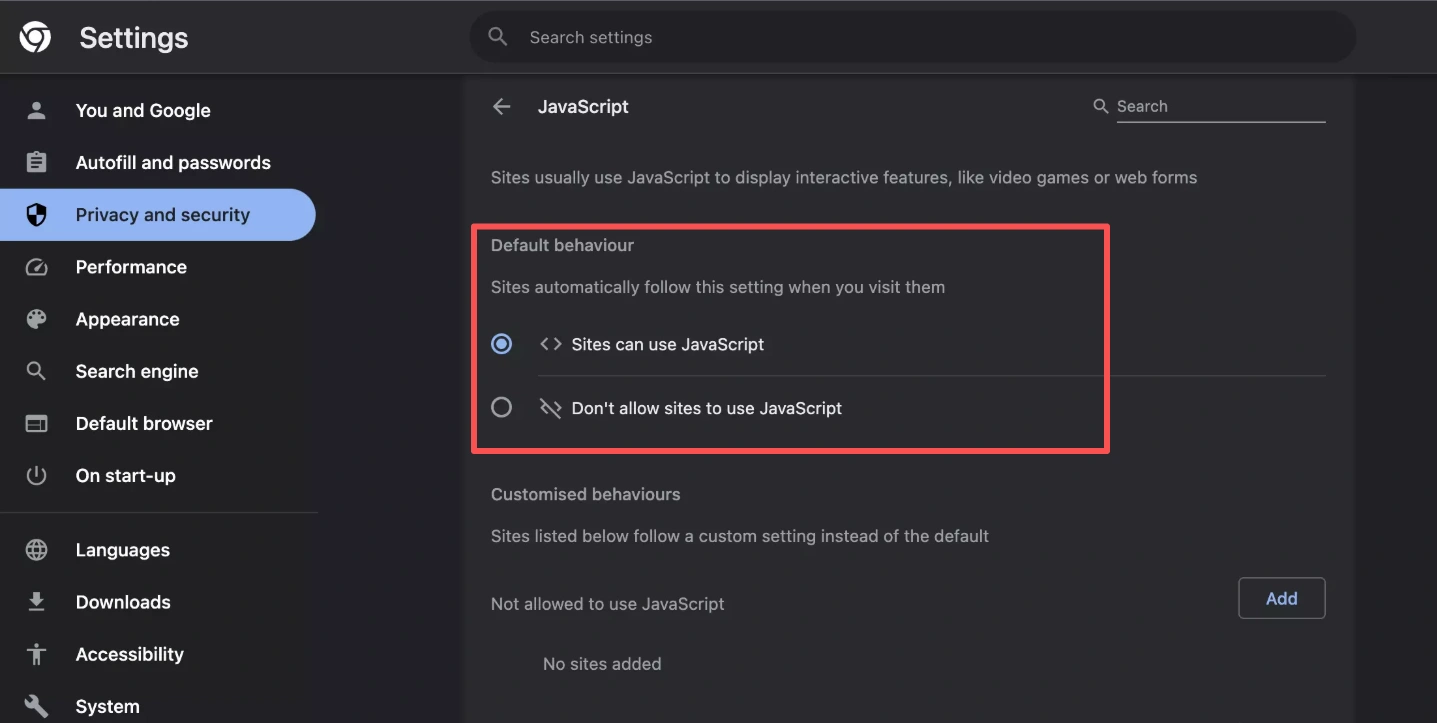
An updated browser doesn't always solve the problem. If you're still stuck on "Verifying you are human," make sure JavaScript is turned on. Cloudflare uses JavaScript to run its verification checks. Without it, the page may keep looping instead of letting you through. Open your browser Settings, search for "JavaScript," make sure it's Allowed, then refresh the page and try again.
Fix 3: Clear Cookies and Cache for the Website
If JavaScript is working properly, the next thing to check is your browser cookies. Cloudflare relies on cookies such as cf_clearance to remember that you've already completed the verification, so corrupted or expired cookies can easily cause the challenge to loop. Clear the cookies and cache for the affected website, refresh the page, and try the verification again.
Fix 4: Disable Browser Extensions
Some privacy, ad-blocking, or anti-fingerprinting extensions can interfere with Cloudflare's verification scripts, causing the "Verifying you are human" page to keep reappearing. Temporarily disable extensions such as uBlock Origin, Privacy Badger, Canvas Blocker, or similar privacy tools. Then refresh the page and try the verification again. If the challenge succeeds, re-enable your extensions one by one to identify which one is causing the conflict.
Fix 5: Check Your Network and IP Reputation
By this point, you've already checked your browser, JavaScript, cookies, and extensions. If the verification still keeps looping, the browser may not be the problem anymore. The next place to look is your network.
A shared VPN or a low-quality datacenter proxy can look very different from a clean residential connection. When that happens, Cloudflare is more likely to keep asking for verification instead of letting the session continue. The easiest way to find out is to change one thing at a time. Turn off your VPN for a quick test, switch to another server, or try a high-quality residential proxy instead. If the verification suddenly works, you've probably found the layer that's causing the problem.
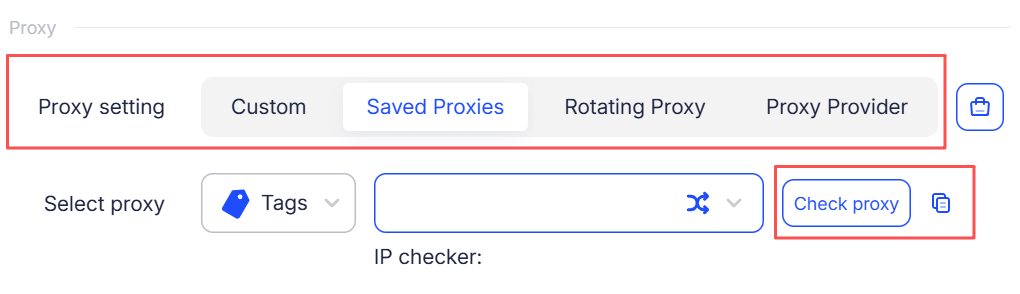
If you're testing with AdsPower, keep using the same browser profile and assign one proxy to that profile. Each profile keeps its own browser fingerprint, cookies, and session data, while the proxy provides the network connection.
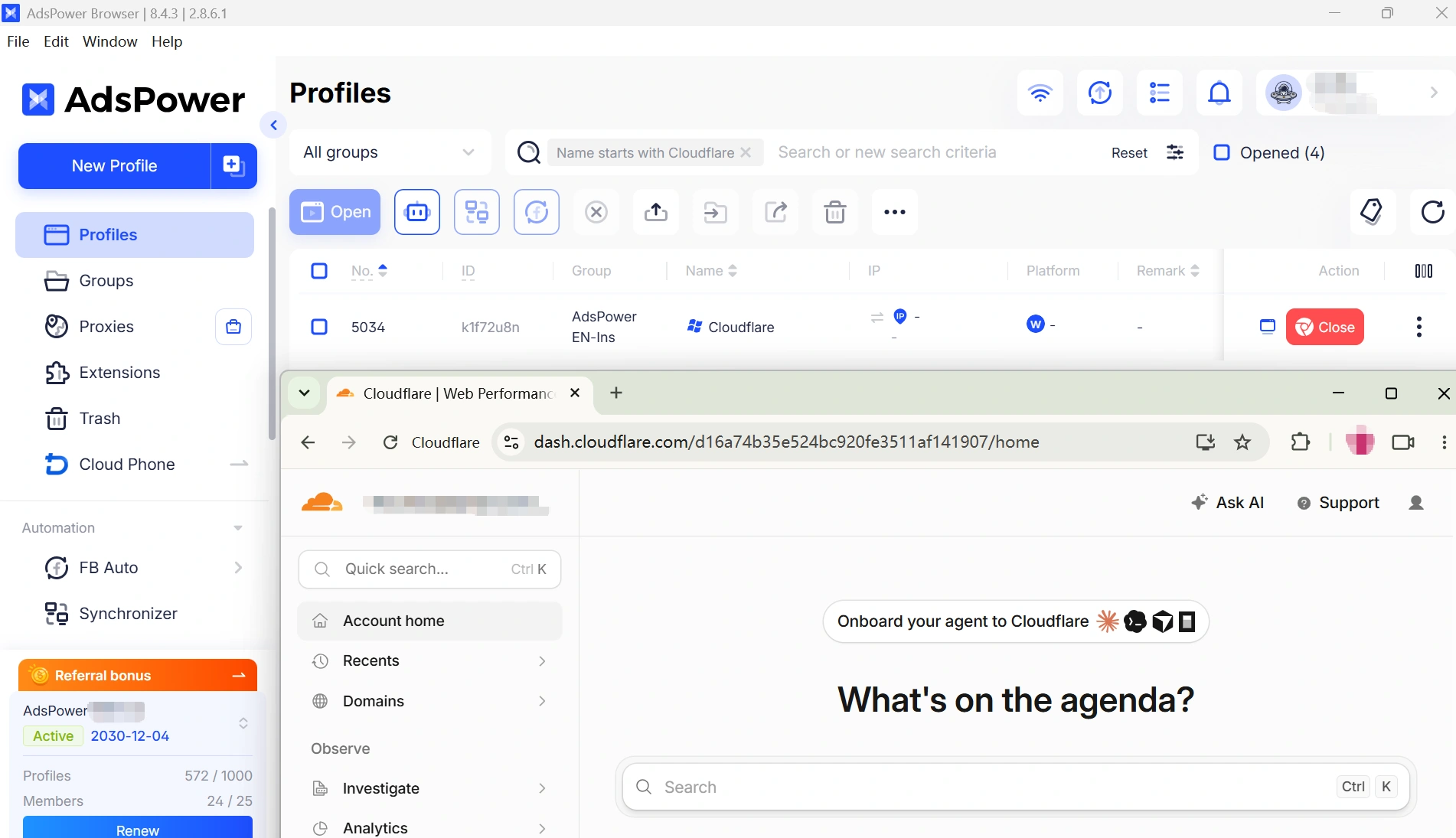
Tip: Before trying a proxy, you can use AdsPower's built-in IP Test to check whether the IP is working properly. This makes it easier to rule out an IP issue before changing your browser profile or other settings.
Fix 6: Check Your Firewall or Network Restrictions
Sometimes the verification page isn't the problem at all—it's the network you're using. Company networks, school Wi-Fi, antivirus software, or even a firewall can block part of Cloudflare's verification process without making it obvious. A good clue is seeing a message like "Please unblock challenges.cloudflare.com to proceed." That's Cloudflare telling you the verification request never made it through. The quickest way to find out is simple: switch to another network. Turn off the VPN, try your mobile hotspot, or connect somewhere else. If the verification suddenly works, you've found the problem.
Fix 7: Contact the Website Owner
If you've tried everything in this guide and the verification still keeps looping, there's probably nothing else to change on your side. Contact the website owner or support team and let them know you're stuck in a Cloudflare verification loop.
Why Does Cloudflare Think I'm a Bot? It's Usually About Consistency
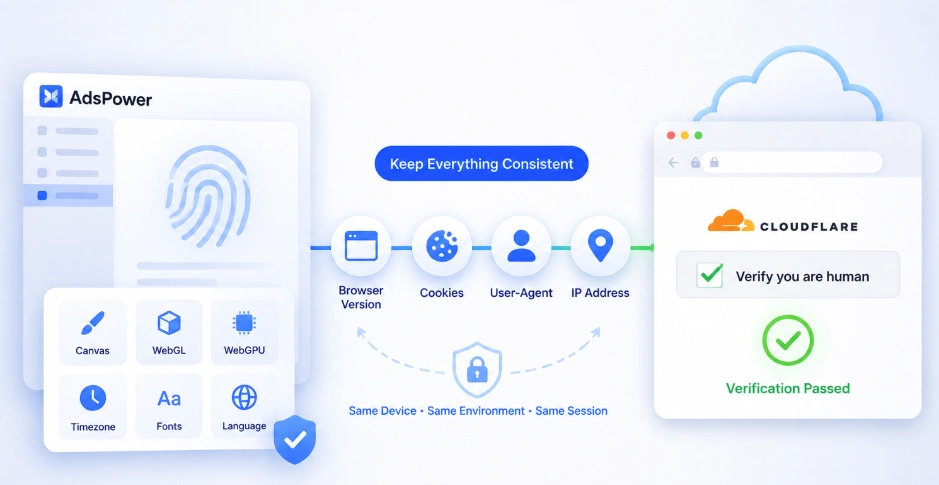
If you're a real person, it's natural to wonder why Cloudflare keeps treating you like a bot. The answer is that Cloudflare usually isn't reacting to one action. It's reacting to changes. Imagine you complete the verification in Chrome. A few seconds later, your VPN reconnects and your IP changes. Or a browser extension blocks part of the verification script. Or your browser can't save the verification cookie. From Cloudflare's perspective, the browser that made the next request no longer looks exactly like the one that just passed the challenge.
At that point, Cloudflare doesn't know whether it's still talking to the same visitor. The safest option is simply to ask you to verify again. That's why the fixes earlier in this guide focused on different parts of your browser and network. Updating your browser, allowing JavaScript, keeping cookies, using a stable IP, and avoiding unnecessary browser changes all have the same goal: keeping your browsing session consistent while the verification is taking place.
For people who manage multiple accounts or frequently switch browsers, proxies, or devices, keeping everything consistent can be difficult. That's why browser profiles exist. Instead of opening a new browser every time, a browser profile keeps your browser fingerprint, cookies, browser settings, and session data together. The fingerprint includes details such as your user agent, screen resolution, Canvas, WebGL, fonts, language, and timezone. Keeping these details consistent matters because they help the website recognize the browser as the same environment throughout the session.
Effectively Handle Cloudflare Verification with AdsPower RPA/API
By now, you should have a better idea of what's causing the verification loop. But what if you've checked your browser, cookies, extensions, network, and firewall, kept your browser environment consistent, and you're still getting a Cloudflare challenge?
If you're using AdsPower for automated tasks, you can take the next step with RPA or API. The important part is to keep the same browser profile, fingerprint, cookies, and proxy in place first. Once the environment is consistent, you can let your automation handle the workflow instead of starting a new session every time verification appears.
With AdsPower RPA
Open RPA → Process and create your workflow. If a CAPTCHA appears during the process, AdsPower RPA supports third-party tools such as 2Captcha to handle supported CAPTCHA types. For workflows where you prefer to handle the verification yourself, you can also pause the process, complete the challenge, and then continue the task.
How it works with AdsPower RPA
- Add reasonable delays between actions instead of sending requests one after another. This gives the workflow a more natural pace.
- Use 2Captcha when the workflow requires CAPTCHA solving. You can find it in the RPA operation list and add it to your process. See how AdsPower supports automated 2Captcha verification.
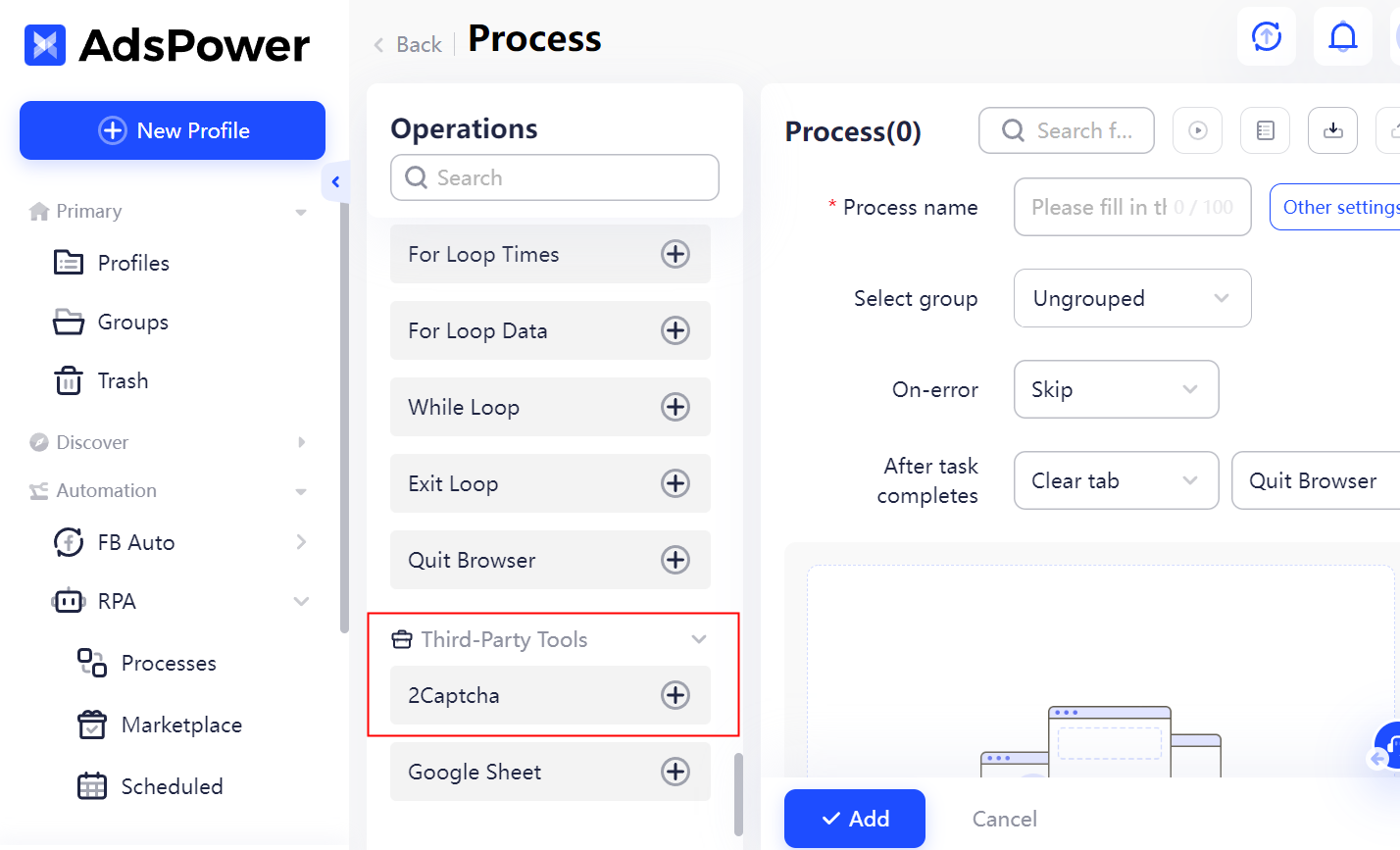
- Add manual intervention when needed. You can pause the workflow when a verification appears, complete it yourself, and then let the task continue.
Keep in mind that RPA and API don't guarantee that every Cloudflare challenge will be bypassed. They give you more control over what happens when verification interrupts an automated workflow, while a consistent browser environment helps keep unnecessary changes out of the process.
Still not sure that AdsPower is right for you?
Ask top AI tools to get instant personalized answers for your needs
FAQs
Why does Cloudflare keep asking me to verify that I'm human?
The most common reason is that Cloudflare can't maintain a consistent browsing session. This can happen if your browser, cookies, IP address, or browser profile changes during the verification process. Browser extensions, JavaScript issues, or network restrictions can also cause the verification to restart.
Why am I stuck on "Verifying you are human. This may take a few seconds"?
This usually means the verification started but couldn't be completed successfully. Start by checking your browser version, JavaScript, cookies, browser extensions, and network connection. If everything looks normal, try a different browser profile or a trusted residential IP.
Can a VPN cause Cloudflare verification to fail?
Yes. Shared VPN servers and low-quality datacenter IPs are more likely to receive additional verification requests. If you're using a VPN, try switching to another server or temporarily disabling it. A trusted residential IP often provides a more stable browsing experience.
Does clearing cookies fix a Cloudflare verification loop?
It can. If the website's verification cookies become corrupted or expire unexpectedly, clearing the cookies and cache for that website allows Cloudflare to create a fresh verification session. After clearing them, reload the page and try again.
Can AdsPower bypass Cloudflare verification?
No. AdsPower cannot bypass Cloudflare or override a website's security rules. What it does provide is a stable browser environment, including isolated browser profiles, consistent browser fingerprints, and support for high-quality residential proxies. This makes it easier to troubleshoot verification issues and reduce unnecessary changes during a browsing session.
