

Discover what Facebook can track and compare six ways to browse public Facebook content more privately, from logged-out viewing to AdsPower profiles and cloud phones.
Want to look at a Facebook profile, Page, or post without the owner knowing? You are not alone. Whether you are checking someone's public profile, researching a potential employer, monitoring competitors, or simply browsing out of curiosity, many people want to know whether Facebook shows who viewed their content.
The answer is more nuanced than "just use incognito mode." Some methods help you browse public content without using your personal account, while others are better for keeping work, research, and account sessions separate. This guide explains what works, what does not, and how to choose the right approach.
Can You Browse Facebook Anonymously?
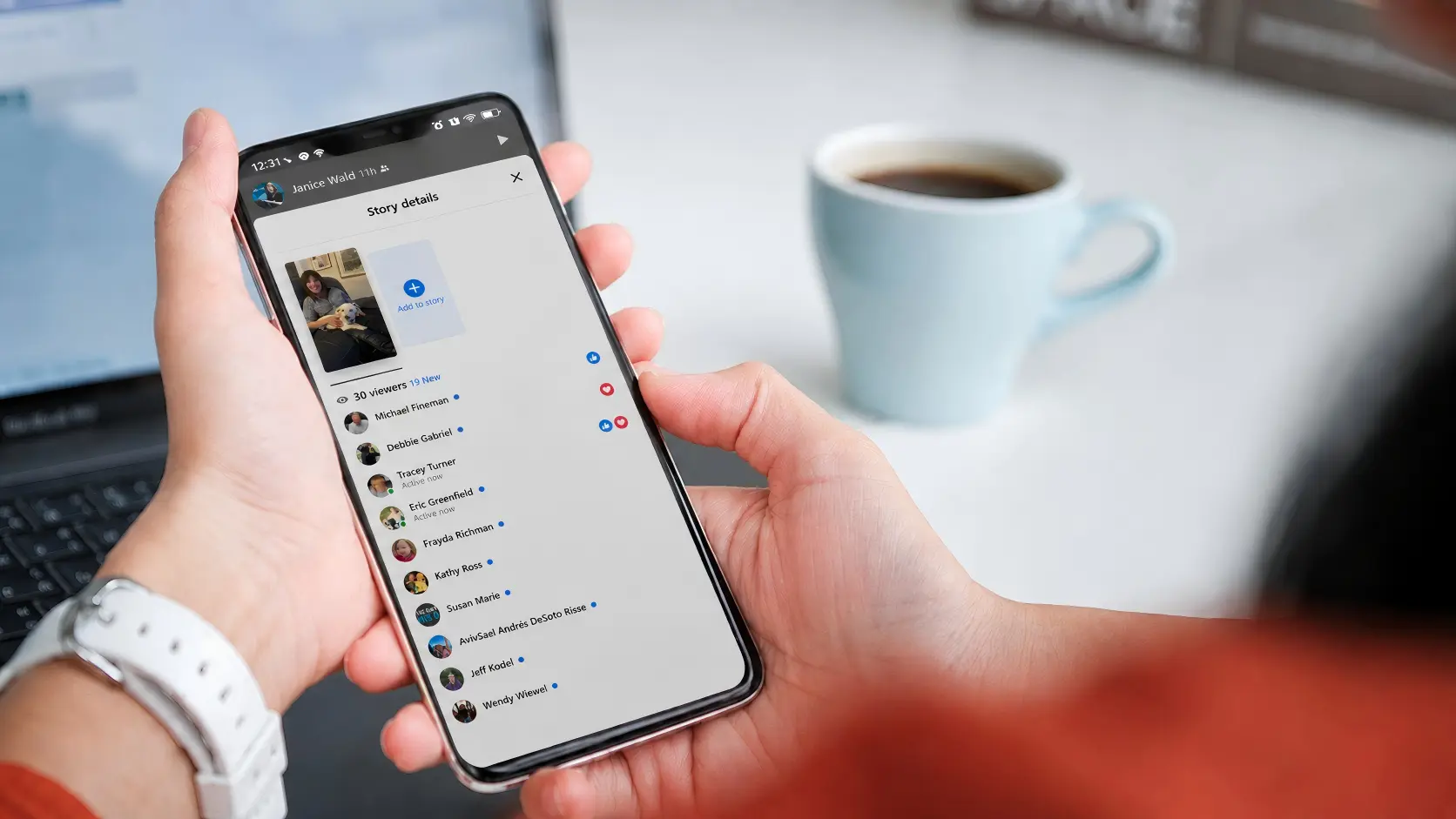
Yes, but only to a certain extent. Facebook does not provide a profile-viewer list like LinkedIn's. Viewing public profiles, Pages, and regular posts does not normally reveal your identity to the owner. However, Story creators can see who viewed their active Story during its 24-hour availability period.
Facebook can still associate a visit with signals from your browser, device, and network. Here, "anonymous" can mean two different things:
- Anonymous to other Facebook users: Your name/account doesn't appear to page owners or profile owners.
- Anonymous to Facebook: Reducing the signals Facebook can associate with your identity or other sessions.
Important: None of the methods in this guide can bypass Facebook privacy settings or provide access to private profiles, locked profiles, or private Groups.
What Does Facebook Know About Your Browsing Activity?
Facebook may use multiple signals to recognize or correlate visits, even when you're not logged in:
- IP address
- Cookies and local storage
- Browser fingerprint (canvas, WebGL, fonts, etc.)
- Device and OS information
- Location and timezone
- Login status and session tokens
- Browsing and interaction patterns (scrolling, clicks, time on page)
Logging out reduces direct identity linkage, and incognito mode reduces local traces, but neither hides your IP or fingerprint from Facebook. A VPN or proxy changes your network location but does not automatically isolate cookies, fingerprints, or account activity. For long-term, repeated, or multi-identity browsing, you need isolated browser environments to reduce cross-session linking.
How to Browse Facebook Anonymously
Method 1: Browse Facebook While Logged Out
For occasional checks of public Facebook content, browsing while logged out is the simplest place to start:
- Log out of Facebook (and Instagram if linked).
- Clear Facebook site data (cookies + storage) or use a fresh browser window.
- Search Google for the name of the Facebook Page, post, or event you want to view, adding "Facebook" to your search query. Open the result, and only view public content without liking, commenting, following, or sending messages.
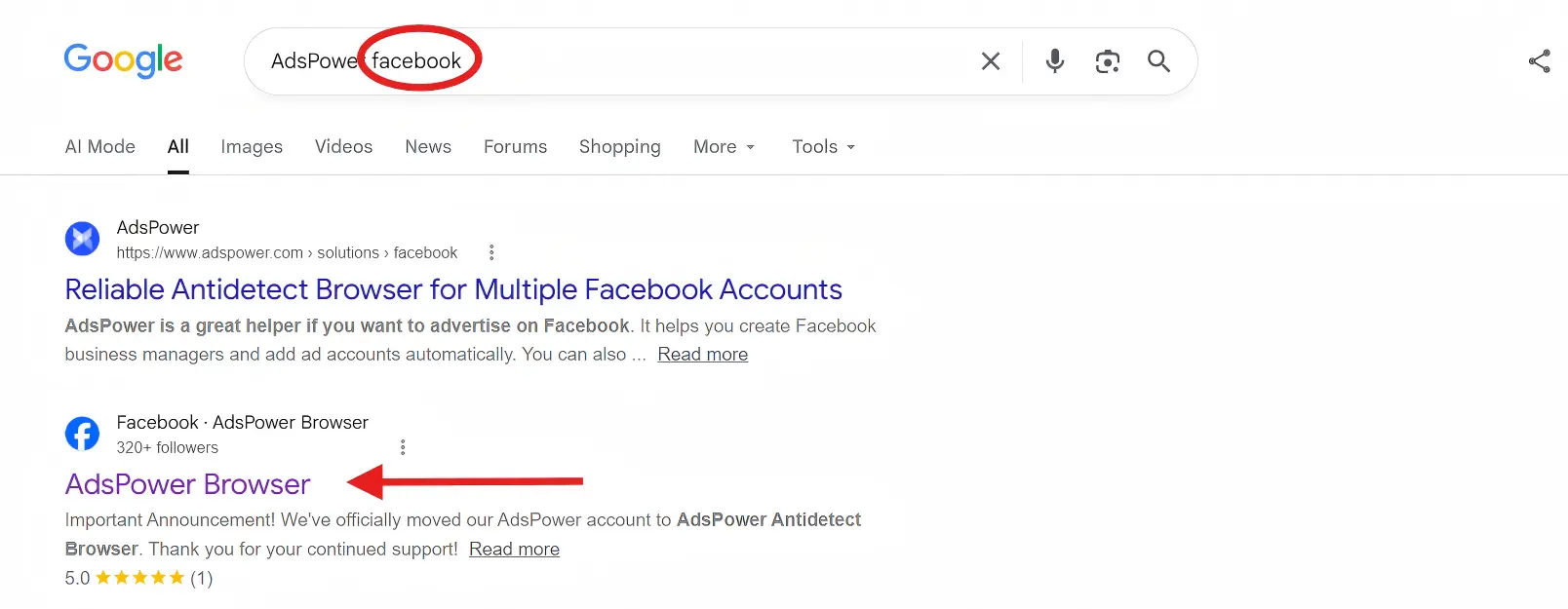
You may only see a limited portion of public content before Facebook asks you to log in or create an account. This method also does not hide your IP address or browser information from Facebook.
Method 2: Use Incognito or Private Browsing Mode
Private browsing is primarily a local privacy tool, not an anonymity tool for Facebook.
Incognito or private browsing windows can help keep your local device clean because they do not retain browsing history, cookies, or form data after you close the window. This makes them especially useful on shared or temporary devices, such as office computers, library PCs, or borrowed laptops, where you don't want your Facebook activity to remain in the browser for the next user.
However, incognito mode does not hide your IP, browser fingerprint, or activity from Facebook. For better privacy, use incognito mode while logged out and close the entire window when you're done.
Method 3: Use an "Anonymous Facebook Viewer"
An anonymous Facebook viewer is a third-party website that lets you view certain public Facebook content without logging into your own account. Typically, you paste a public Facebook profile, page, or post URL into the viewer, and it fetches and displays the publicly available parts of that content on its own page.
These tools may be useful for quickly checking public business Pages, creator profiles, events, posts, photos, or videos without signing in to Facebook.
| Feature | Incognito Mode | Anonymous Facebook Viewer |
|---|---|---|
| What it hides | Local browsing history, cookies, form data | Your login |
| Account needed | Not necessarily | Usually not needed |
| How it works | Built into your browser | Third-party website or service |
| Control over the environment | Uses your own browser environment | The service controls how it retrieves and displays content |
| Private content | Cannot access private profiles or posts | Cannot access private profiles or posts |
| Main limitation | Facebook can still receive network and browser signals | Available content depends on the service and may be incomplete. |
Anonymous Facebook viewers have clear limits. They can only display content that is already public, so any site claiming to unlock private profiles, locked photos, private Groups, or hidden friends should not be trusted.
Some sites may serve aggressive ads, tracking scripts, or even malicious content. You should never enter your Facebook password, verification code, or phone number on any viewer site.
Method 4: Use a VPN or Proxy
A VPN or proxy changes the IP address Facebook sees. This can reduce exposure of your browsing destination to your local network or ISP, and make the connection appear to come from another region.
However, an IP change alone does not make Facebook browsing anonymous. Cookies, browser fingerprint signals, device data, and login activity can still connect visits, especially if you later sign in through the same browser environment.
For stronger session separation, use a stable VPN or proxy together with logged-out browsing, incognito mode, or a dedicated browser profile.
Method 5: Use an Anti-Detect Browser like AdsPower
The methods above are usually enough when you only need to check a public Facebook page occasionally. However, repeated research and account-based workflows require a more organized approach.
For example, you may need to:
- Research competitors or audiences over an extended period.
- Verify ads in different markets.
- Manage Facebook pages or client accounts.
- Keep personal, work, research, and client Facebook sessions separate.
- Organize project-specific or secondary Facebook accounts in their own browser profiles.
In these situations, repeatedly opening incognito windows can become inconvenient, especially when you need to log in. An anti-detect browser such as AdsPower lets you create isolated browser profiles, each with its own cookies, local storage, login session, proxy, and browser fingerprint. This helps keep different Facebook environments separate and reduces the risk of accidentally mixing sessions or opening the wrong account.
AdsPower does not make you completely anonymous to Facebook, and it does not bypass Facebook's policies or privacy settings. Instead, it helps improve session separation and reduce accidental cross-session linking by keeping browser environments organized and independent.
Getting started is simple:
1. Install AdsPower and create a free account. You can start with two permanently free browser profiles.
2. Click New Profile and give it a clear name, such as "Facebook Competitor Research" or "Client A."

3. Add a stable proxy if you need the profile to use a different IP address or location.
4. Configure the profile's browser fingerprint. AdsPower lets you create a separate browser environment for every profile. In the fingerprint settings, review parameters shown below and keep them reasonably consistent with the proxy location and intended device environment.
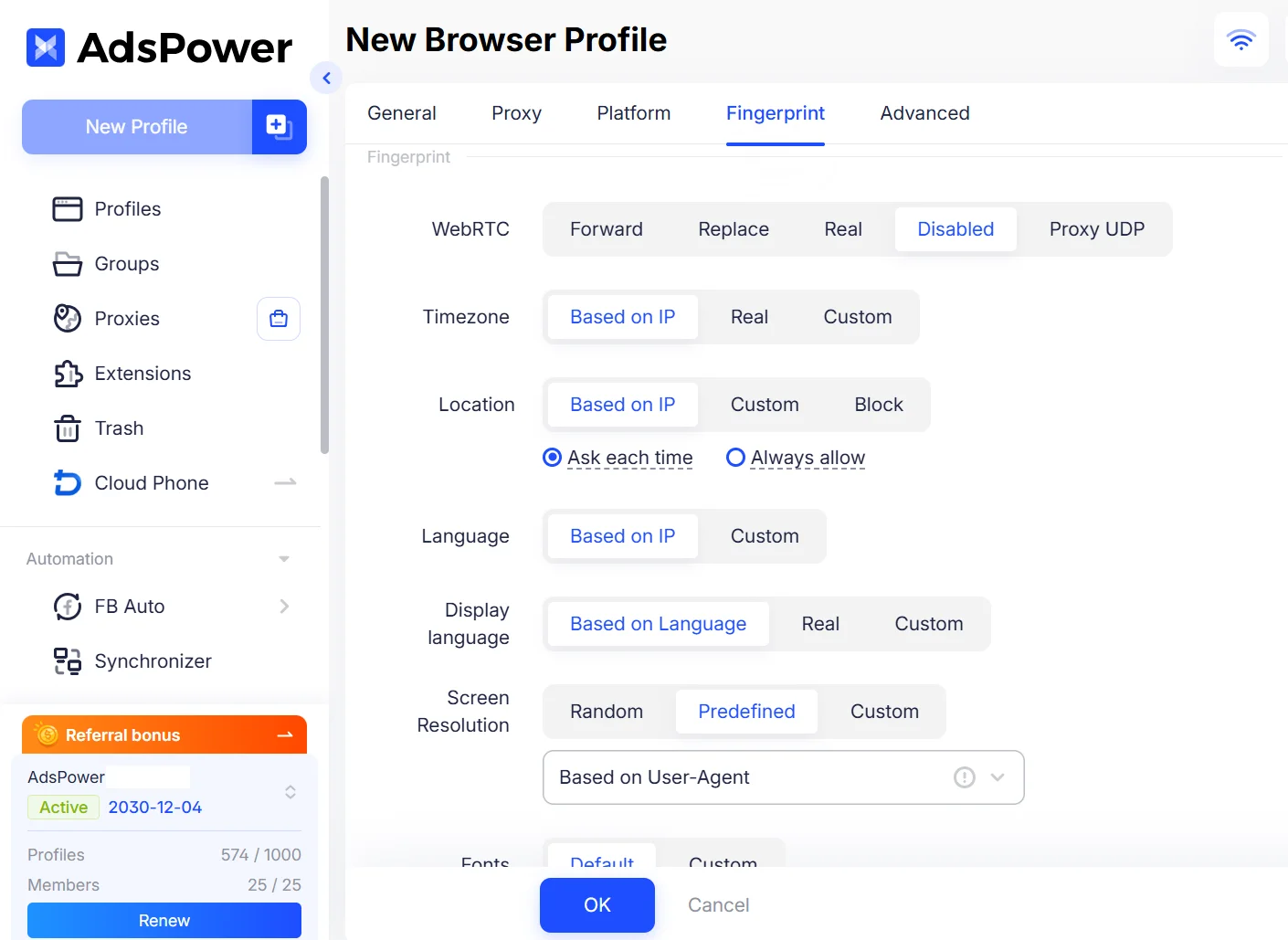
5. Save the profile, click Open, and visit Facebook in that dedicated browser profile. Browse while logged out or sign in only to the account assigned to it.
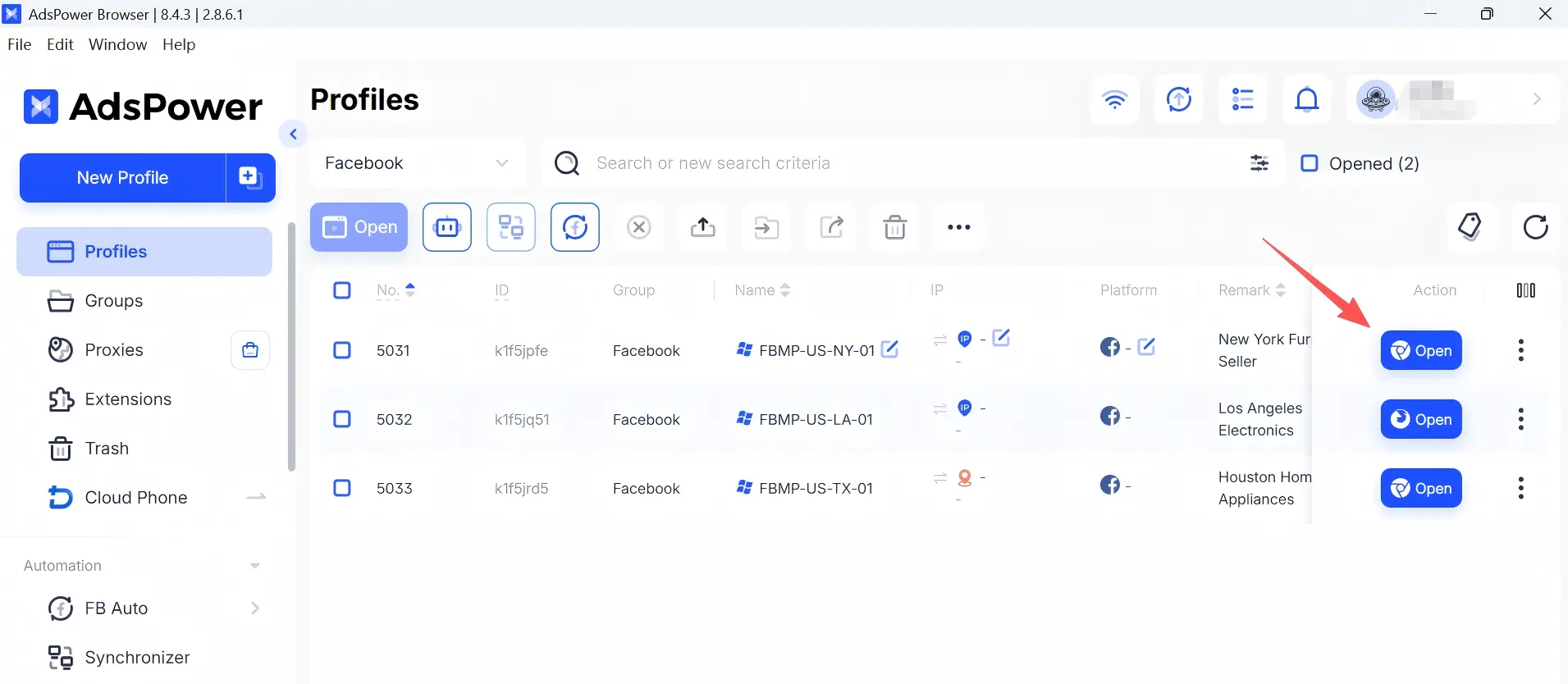
With an individual browser fingerprint for each profile, AdsPower helps keep Facebook workflows more organized and reduces accidental session mixing. If you need to scale beyond the free profiles, the AdsPower Annual Sale offers up to 50% off long-term plans through September 30, 2026 (UTC+0).
Method 6: Use a Cloud Phone for Facebook Mobile Browsing
If you need to use the Facebook mobile app rather than Facebook in a browser, a cloud phone can be a better fit. A cloud phone is a mobile device environment hosted in the cloud that you can access remotely from your desktop or browser. Each device has its own system, app data, storage, network settings, and Facebook app session.
Unlike AdsPower, which isolates browser profiles for Facebook web workflows, a cloud phone provides a separate mobile operating environment for the Facebook App.
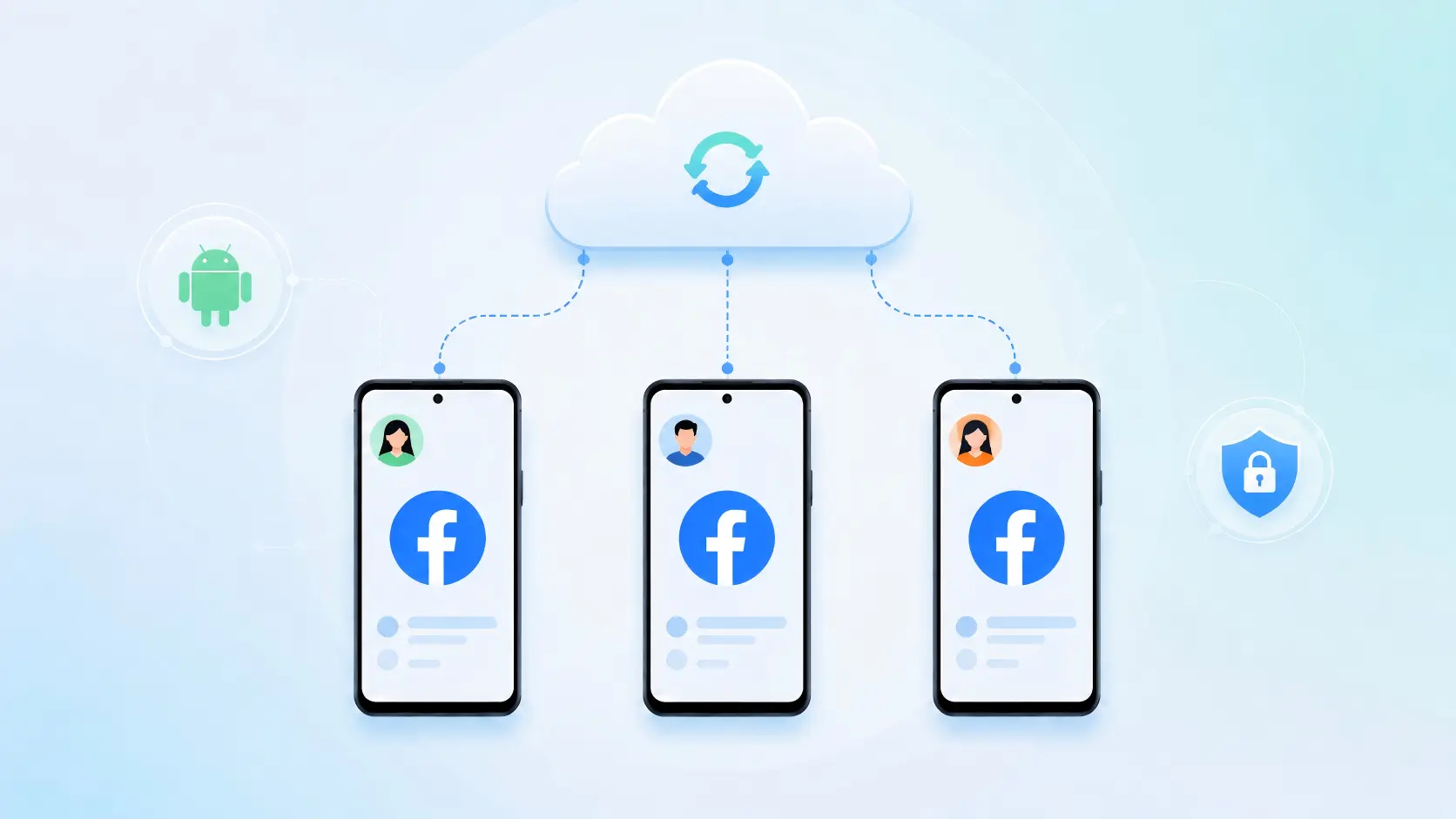
When to use a cloud phone:
- You need the Facebook mobile app (not just the website).
- You do mobile-first content or ad research.
- You need separate Facebook App sessions for different projects or accounts.
- You want to separate Facebook app activity from your personal phone.
DuoPlus provides cloud-based Android devices that support remote access and multi-device management. It is designed for mobile app operations and can complement AdsPower browser profiles when you need realistic mobile environments. A cloud phone can improve mobile environment separation, but it does not make users completely anonymous or grant access to private Facebook content.
Which Method Should You Choose?
The right option depends on how you plan to use Facebook:
| Your Goal | Recommended Method |
|---|---|
| Occasionally check public pages | Logged-out browsing (optionally in incognito) |
| Avoid leaving local history on shared devices | Incognito/private mode + logged out |
| Hide your real IP address | VPN or proxy (with consistent location/timezone) |
| View public content without logging in | Anonymous Facebook viewer (use with caution) |
| Long-term research, account isolation, or client work | AdsPower anti-detect browser profiles |
| Need Facebook mobile app environments | DuoPlus cloud phone |
You do not need every method at once. Start with the option that matches your current task, then add more separation when your workflow calls for it. The goal is to browse public Facebook content with a setup that feels practical, controlled, and appropriate for your needs.
FAQ
Can someone see that I viewed their Facebook profile?
Facebook does not provide a profile-viewer list, so someone generally cannot see that you simply visited their profile, Page, or regular post. Facebook Stories are different: the creator can see who viewed an active Story during its typical 24-hour viewing period. Likes, comments, follows, messages, shares, and friend requests also reveal your account.
Can I browse Facebook without an account?
Yes, you can view some public Facebook Pages, posts, events, photos, and videos while logged out. However, Facebook may restrict what appears after a few page views or prompt you to sign in. Private profiles, private Groups, and content limited by privacy settings remain unavailable.
Does Incognito Mode make Facebook browsing anonymous?
No. Incognito mode mainly prevents browsing history, cookies, and form data from remaining on your local device after you close the window. Facebook can still receive network, device, browser, and activity signals during the session, including your IP address and browser fingerprint.
Can I view a private Facebook profile anonymously?
No. Privacy settings protect private profiles, locked photos, private Groups, and other restricted content. A VPN, proxy, anonymous viewer, anti-detect browser, or cloud phone cannot legitimately bypass those restrictions. Avoid any site that claims to unlock private Facebook profiles or hidden content.
Are anonymous Facebook viewer websites safe?
Their safety varies widely. Some only display public content, while others may use aggressive ads, tracking scripts, misleading downloads, or phishing tactics. Never submit your Facebook password, verification code, phone number, payment details, or other sensitive information to an anonymous viewer website.
Is AdsPower completely anonymous?
No. AdsPower does not make Facebook activity invisible to Facebook or bypass platform privacy settings. It provides isolated browser profiles with separate cookies, local storage, sessions, proxy configurations, and browser environments, helping organize personal, research, client, and account workflows without accidental session mixing.
