

4 Tips to Guarantee Successful Logins with AdsPower
AdsPower allows users to log in to accounts using cookies instead of typing all usernames and passwords. But sometimes users may fail to access accounts even after importing cookies in the app, which is probably due to the imperfect settings of the browsing environment. So, in this post, we are going to share several tips that help you cope with failed logins.

1. Customize your user agent
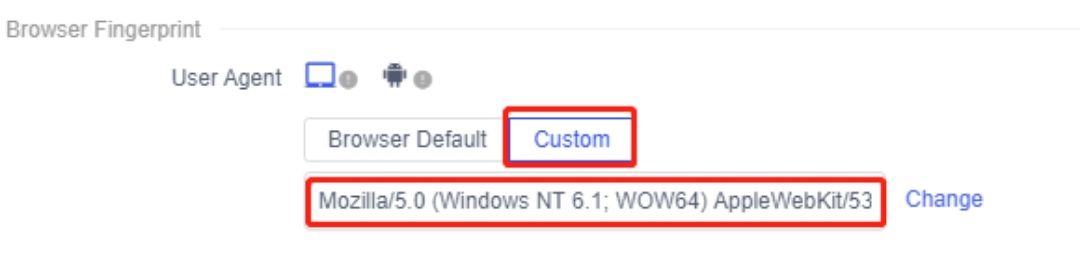
When we buy accounts or get cookies of an account, usually you’ll find that every account has its own user agent.
While setting up the browser profile for a new account in AdsPower, you can fill the blank under “Browser fingerprint” with a customized user agent. In this way, the user agent will always stay the same no matter when you log in to the account.
2. Log in on the same device and use security lock
It’s recommended that users open the same browser profile from one device rather than from multiple devices simultaneously. We also suggest that you’d better not frequently switch between different devices to log in to the same account.
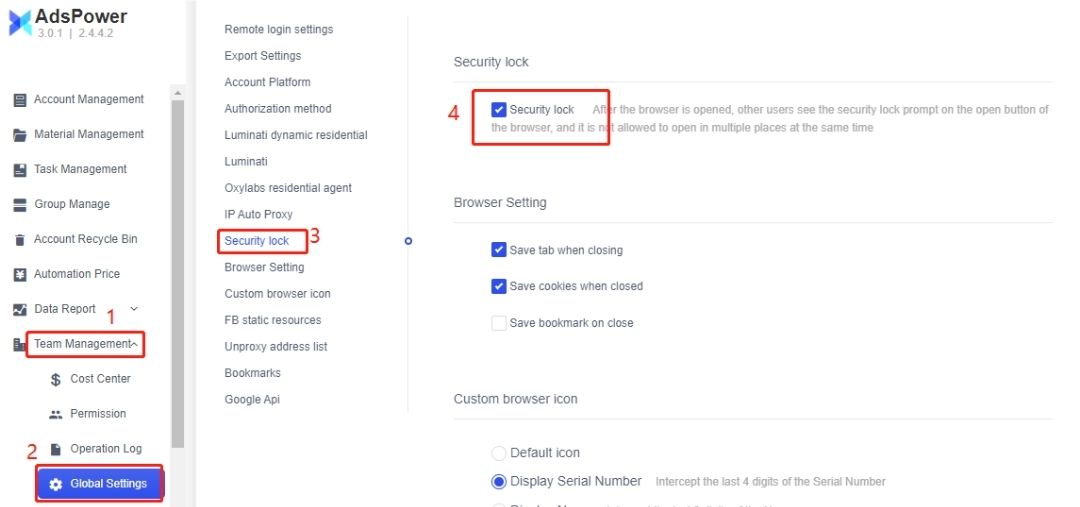
To prevent a browser profile from being opened by several members at the same time, AdsPower provides the security lock for teamwork plan subscriptions. (Team Management->Global Settings->Security Lock)
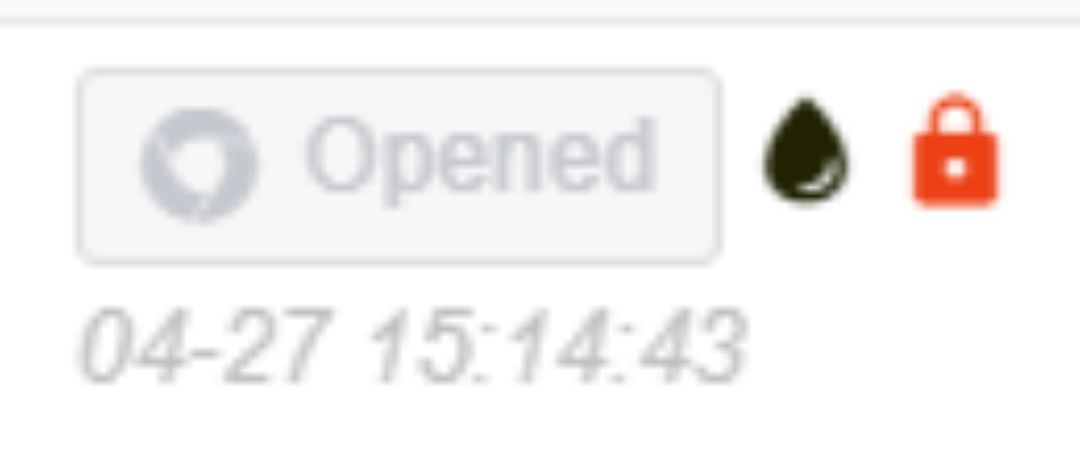
Once the security lock is in use, the opened profile will be locked and cannot be opened by others.
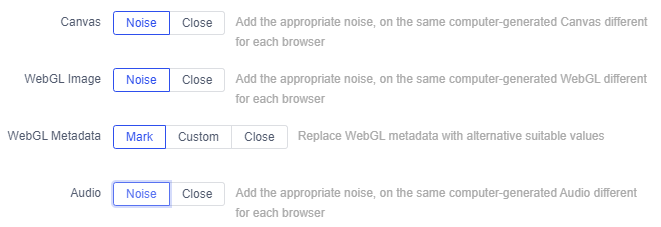
3. Try adding noise to device fingerprints
When log in to multiple accounts from one device, it’s suggested that the noise mode be turned on in AdsPower.
4. Use a proxy for only one account
Reasons for suspicious login attempts:
1) Login from another location
If an account is usually logged in on the same IP address, when it’s logged in on an IP of different countries or cities, the account will be logged out or need to be verified again.
2) Frequently changing IP address
If an account is logged in on different IP addresses within a short period, it can be suspended by the website for abnormal activity.
3) IP abuse
The IPs you have got may also be sold to other buyers, so it’s common that one IP is logged in to multiple accounts. In this case, when one of the accounts gets suspended or blocked, the website will verify all accounts that belong to the same IP and possibly ban them as they’re related.
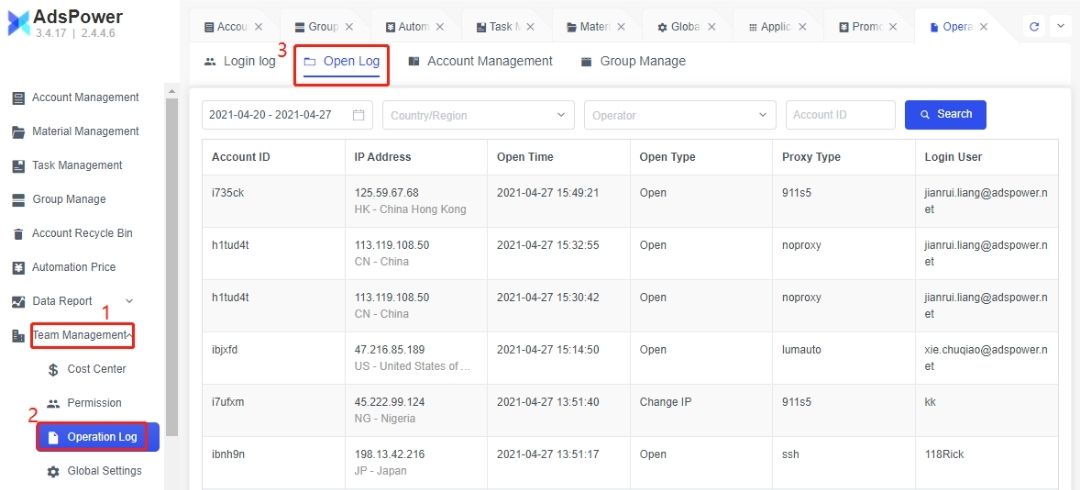
In case of abnormal activity, you can check how the IP address of your account changes. (Team Management->Operation Log->Open Log)

People Also Read
- Best Private Search Engines in 2026: 5 Secure Alternatives to Google

Best Private Search Engines in 2026: 5 Secure Alternatives to Google
Looking for a more private way to search? Explore the 5 best private search engines in 2026 and see how DuckDuckGo, Brave Search, Startpage, and more
- Temp Gmail: How to Create a Temporary Gmail Account in 2026
Temp Gmail: How to Create a Temporary Gmail Account in 2026
Learn how to create a temp Gmail account, compare Gmail aliases and separate accounts, and manage multiple accounts with AdsPower.
- Understanding Persistent Browser Profiles for AI Agents: Why Do They Matter?
Understanding Persistent Browser Profiles for AI Agents: Why Do They Matter?
Learn why persistent browser profiles matter for AI agents, helping maintain sessions, browser consistency, account isolation, and reliable automation
- Kickass Torrents Alternatives: Movies, TV, Games & Safe Access (2026)
Kickass Torrents Alternatives: Movies, TV, Games & Safe Access (2026)
Kickass Torrents is no longer what it once was, but there are still alternatives for finding movies, TV shows, music, books, games, and software. This
- AdsPower Proxy: Buy and Configure Proxies in One Place

AdsPower Proxy: Buy and Configure Proxies in One Place
Buy an AdsPower proxy while creating a profile, configure it automatically, or continue using your preferred third-party proxy provider.
