

How to Bulk Create Profiles in AdsPower
Take a Quick Look
With AdsPower's Bulk Create feature, you can quickly create up to 1,000 browser profiles at once using Excel or TXT templates. Say goodbye to tedious manual setups and streamline your account management today!
Creating multiple browser profiles individually is tedious and time-consuming, especially when handling hundreds of accounts on platforms like Facebook, Google Ads, Meta, or Discord. To solve this pain point and enhance efficiency, AdsPower offers a bulk creation feature. This feature allows you to upload an Excel or TXT file, enabling AdsPower to automatically generate multiple browser profiles in just a few clicks, saving you valuable time and effort.
Mass Import Profiles with Excel or TXT Templates
Step 1: Access the Bulk Create Page
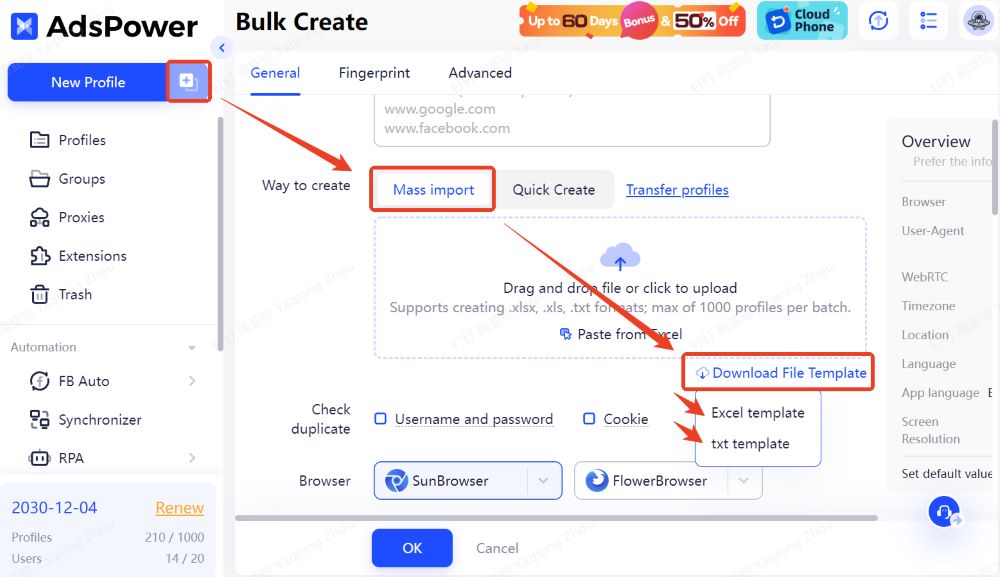
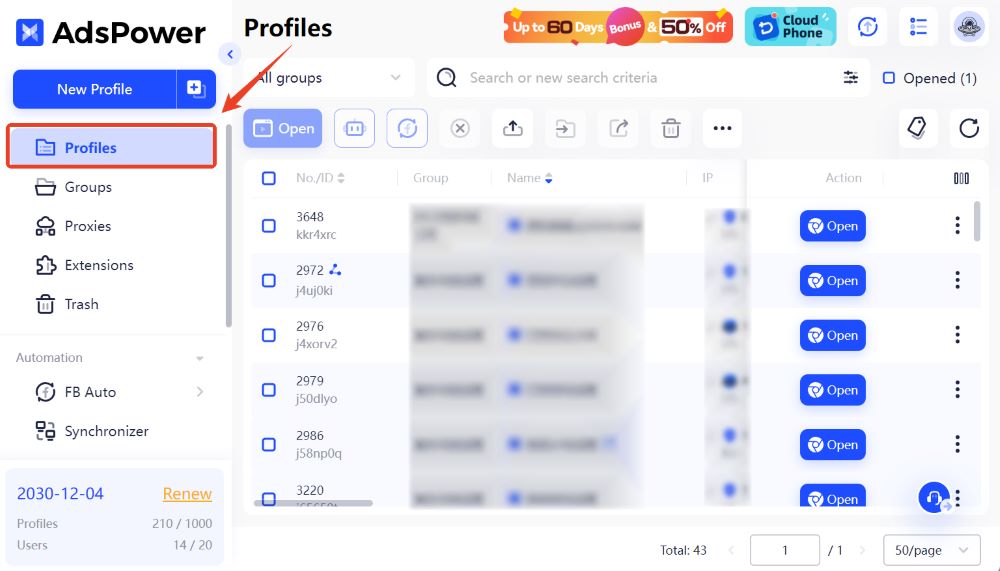
Click the "+" icon to navigate to the Bulk Create page. Here, you'll find two profile creation methods: Mass Import and Quick Create, both supporting the upload of up to 1,000 profiles at a time. Select Mass Import and hover over the Download File Template button to download the desired template.
Step 2: Prepare the Template
-
Excel Template:
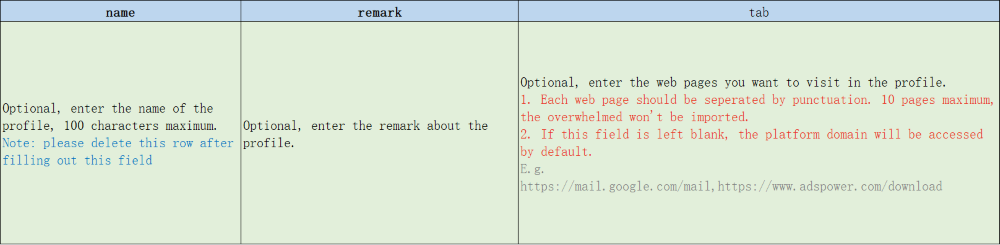
Open the downloaded Excel file, which contains two rows with 19 columns, each representing a field to be filled out (for clarity, the image below only shows 3 columns). Refer to the instructions in the second row to fill in the required fields. Once completed, delete the example row but ensure all columns remain intact.
-
TXT Template:
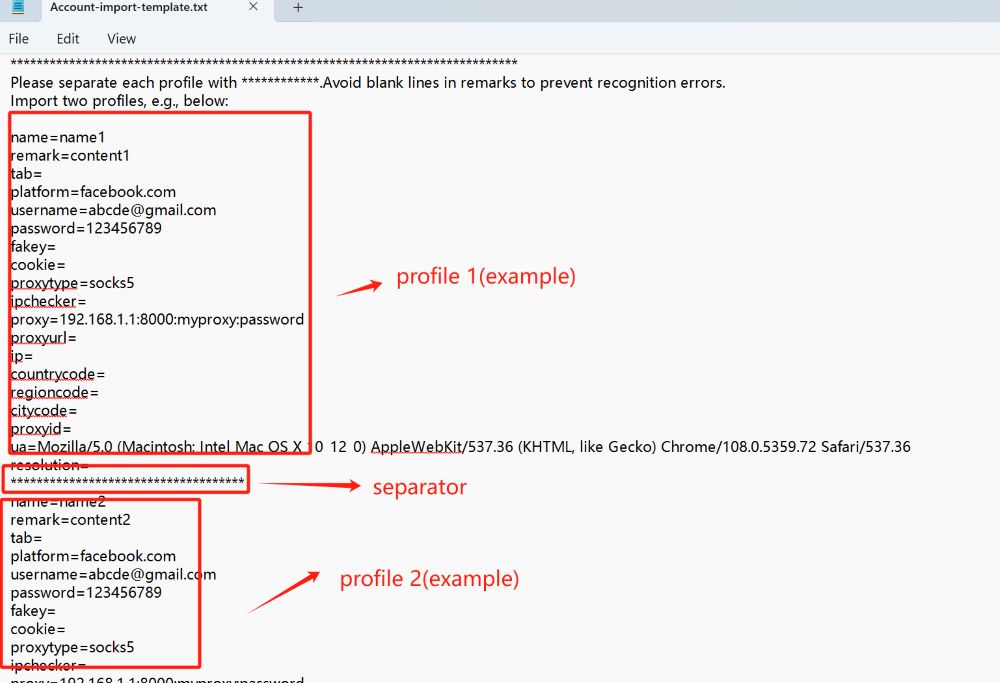
Open the downloaded TXT file to view the example structure and configuration details. It's recommended to create a new TXT file based on the template, adding only the required fields. Separate each configuration with a line of "************." If you edit the original template, remove any descriptive text before saving.
Step 3: Upload Your Completed File
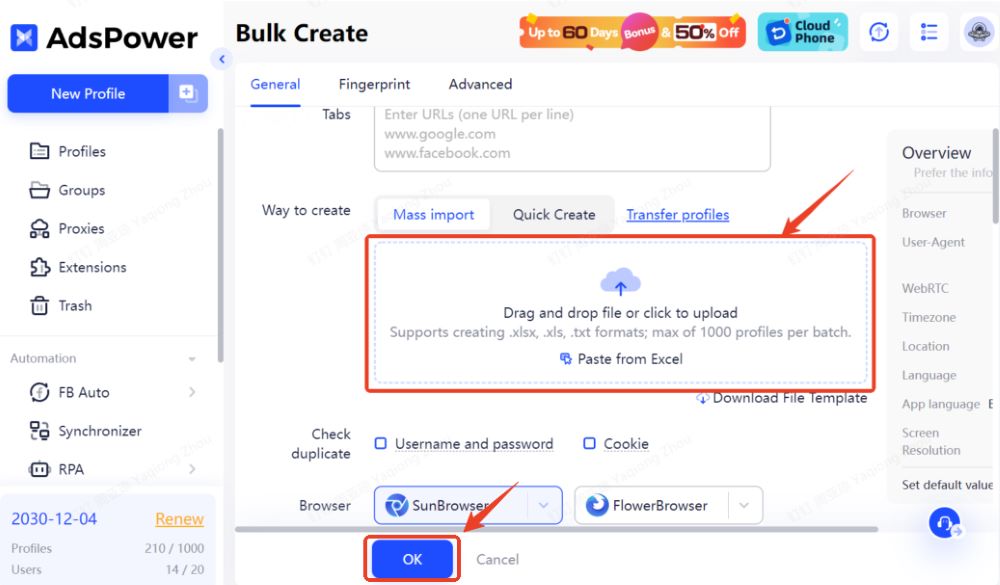
Drag and drop your completed file (Excel or TXT) into the upload area, or click to upload it. Alternatively, if using the Excel template, you can copy and paste the content directly from your sheet. Once everything is set, click OK to finalize the creation.
Step 4: Manage Your Profiles
Once created, the profiles will appear on the Profiles page, where you can manage them as needed.
Quick Create Profiles with No Preset Information
Step 1: Select Quick Create on the Bulk Create Page
Click the "+" icon to navigate to the Bulk Create page and select Quick Create.
Step 2: Specify the Quantity of Imported Profiles
-
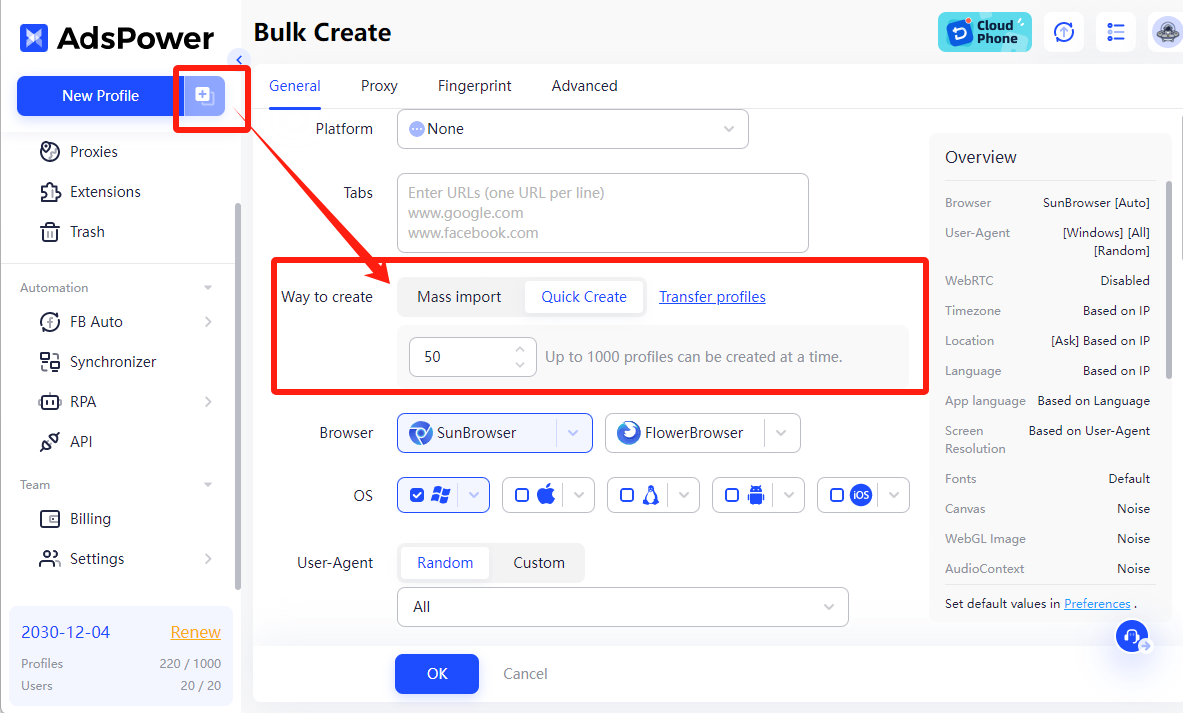
Set the quantity of profiles you want to import (e.g., 50).
-
Click OK, and AdsPower will create multiple browser profiles without platform login information or cookies.
Step 3: Assign Profiles to Team Members
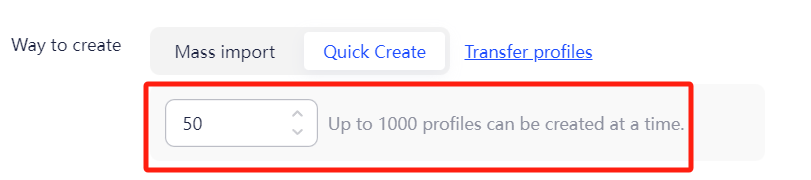
Once the profiles are created, you can assign these blank profiles to your colleagues or team members, allowing them to configure the profiles independently.
Quick Support for Your Bulk Creation Process
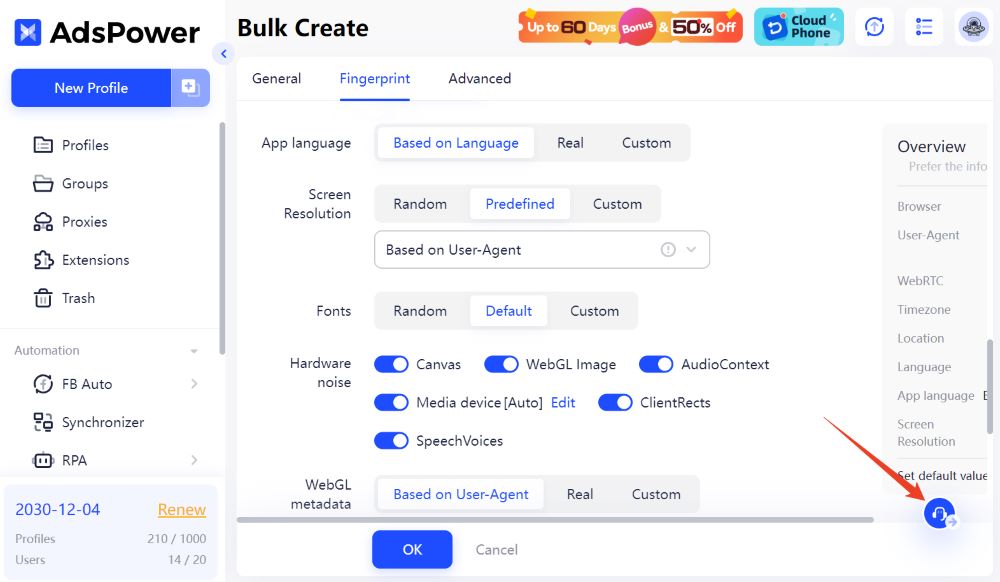
Click the headset icon in AdsPower's lower-right corner to get in touch with our online support staff at any time if you have any questions about the procedure.
FAQs
How many profiles can you import at once in AdsPower?
AdsPower allows you to import up to 1,000 profiles at a time.
Are there any export limits in AdsPower?
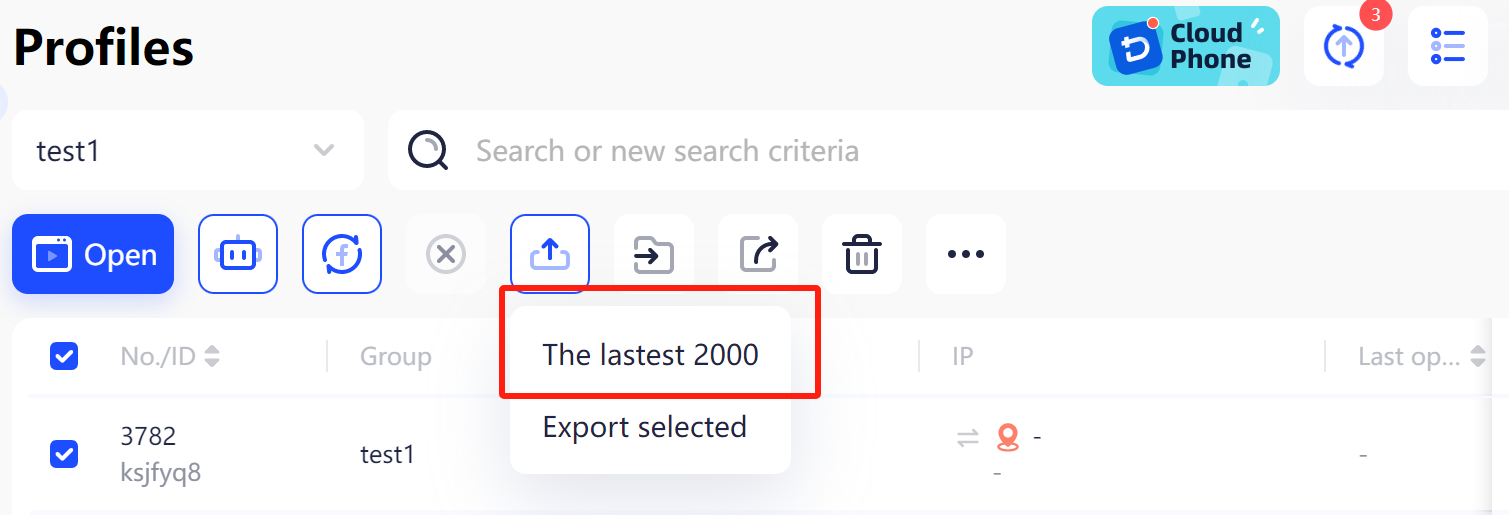
Yes, AdsPower allows you to export up to 2,000 profiles at a time.

People Also Read
- Best Private Search Engines in 2026: 5 Secure Alternatives to Google
Best Private Search Engines in 2026: 5 Secure Alternatives to Google
Looking for a more private way to search? Explore the 5 best private search engines in 2026 and see how DuckDuckGo, Brave Search, Startpage, and more
- Temp Gmail: How to Create a Temporary Gmail Account in 2026
Temp Gmail: How to Create a Temporary Gmail Account in 2026
Learn how to create a temp Gmail account, compare Gmail aliases and separate accounts, and manage multiple accounts with AdsPower.
- Understanding Persistent Browser Profiles for AI Agents: Why Do They Matter?
Understanding Persistent Browser Profiles for AI Agents: Why Do They Matter?
Learn why persistent browser profiles matter for AI agents, helping maintain sessions, browser consistency, account isolation, and reliable automation
- Kickass Torrents Alternatives: Movies, TV, Games & Safe Access (2026)
Kickass Torrents Alternatives: Movies, TV, Games & Safe Access (2026)
Kickass Torrents is no longer what it once was, but there are still alternatives for finding movies, TV shows, music, books, games, and software. This
- AdsPower Proxy: Buy and Configure Proxies in One Place
AdsPower Proxy: Buy and Configure Proxies in One Place
Buy an AdsPower proxy while creating a profile, configure it automatically, or continue using your preferred third-party proxy provider.
