

Compare the 5 best private search engines in 2026, including DuckDuckGo, Brave Search, Startpage, SearXNG, and Mojeek. Learn how they handle search privacy, tracking, and personalization, and see how an antidetect browser like AdsPower can add another layer of control to your browsing environment.
Google, Bing, and various other prominent search engines have become part of everyday internet use. To provide relevant results and personalized experiences, these companies may collect data such as your search queries, IP address, cookies, and browser information. Over time, this information can also be used to understand your preferences and online behavior.
Private search engines provide a more privacy-focused alternative, with less emphasis on tracking and user profiling. They can help minimize the amount of personal data associated with your online searches without changing how you browse the web.
In this post, we'll look at the top five private search engines for 2026, comparing their privacy features, search quality, and important distinctions. We will also look at how an antidetect browser, such as AdsPower, can supplement private search by giving you more control over your surfing experience.
5 Best Private Search Engines in 2026
Not all private search engines offer the same level of privacy or the same search experience. Some focus on limiting tracking, while others use independent search indexes or give users more control over how results are generated.
Below, we’ve selected five of the best private search engines in 2026, comparing what each one does differently and who it works best for.
1. DuckDuckGo
For people who want to search privately, DuckDuckGo is one of the strongest alternatives to Google. The company's search engine doesn't create personalized search profiles based on users' past searches, so your search history isn't used to personalize future results.
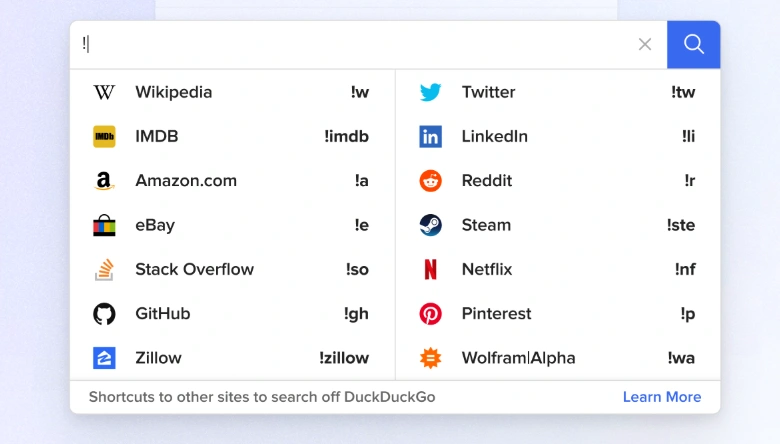
Beyond privacy, DuckDuckGo also offers several features that make everyday searches more convenient. It provides general web search results by combining its technology with results from a number of other sources. It also supports !Bangs, which let you search specific websites directly by adding a shortcut to your query. For example, typing !tw followed by your search term lets you search Twitter directly.
Additionally, DuckDuckGo provides browser extensions and its own browser with extra privacy features, such as tracker blocking. This makes it more than just a private search engine, giving users more ways to reduce tracking during everyday browsing.
Recommended for: People who want a standard, easy-to-use alternative to Google that prioritizes privacy and requires little setup.
2. Brave Search
Brave Search stands out from many private search engines by using its own independent search index. Rather than relying primarily on Google or Bing for its results, Brave crawls and indexes the web itself, giving it greater control over how search results are generated.
Privacy is another key part of Brave Search. It does not collect personal information or search activity to build user profiles, so your previous searches are not used to personalize your results.
Beyond privacy, Brave Search also offers tools that give users more control over the search experience. Its Goggles feature lets users apply custom rules to change how results are ranked, while AI Answers and Ask Brave can provide AI-generated answers with links to their sources.
Recommended for: Users who want a private search engine with its own search index, AI-powered answers, and more control over search results.
3. Startpage
If you prefer Google's search results but want to keep your searches more private, Startpage is worth considering. The search engine delivers results from Google while acting as an intermediary, so you can get a familiar search experience without directly sharing your search activity with Google.
Startpage does not save your search history or create personal profiles based on your searches. As a result, your results are not personalized according to your previous search behavior in the same way they are on many mainstream search engines.
Another useful feature is Anonymous View. When available, it lets you open a search result through Startpage's proxy, adding another layer of privacy between you and the website you visit. This can be useful when you want to search and browse with less tracking without changing your usual browsing habits.
Recommended for: Users who want Google-like search results while keeping their searches more private.
4. SearXNG
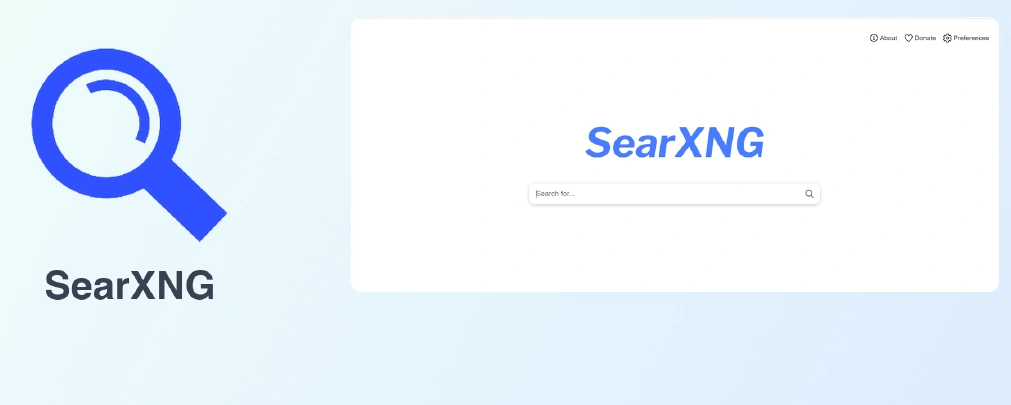
SearXNG takes a more technical approach to private search. As an open-source metasearch engine, it does not maintain a single search index of its own. Instead, it gathers results from multiple search services and presents them in one place.
Privacy is built into how SearXNG works. It does not require a personal account or create user profiles based on search activity, helping reduce the amount of information connected to individual searches. Users can also choose which search sources they want SearXNG to query, giving them more control over the results.
For users who want even more control, SearXNG can be self-hosted. This means technically experienced users can run their own instance rather than relying on a public service. However, this also makes SearXNG less beginner-friendly than commercial options such as DuckDuckGo or Brave Search.
Recommended for: Privacy-conscious and technical users who want an open-source search engine with more control over how searches are handled.
5. Mojeek
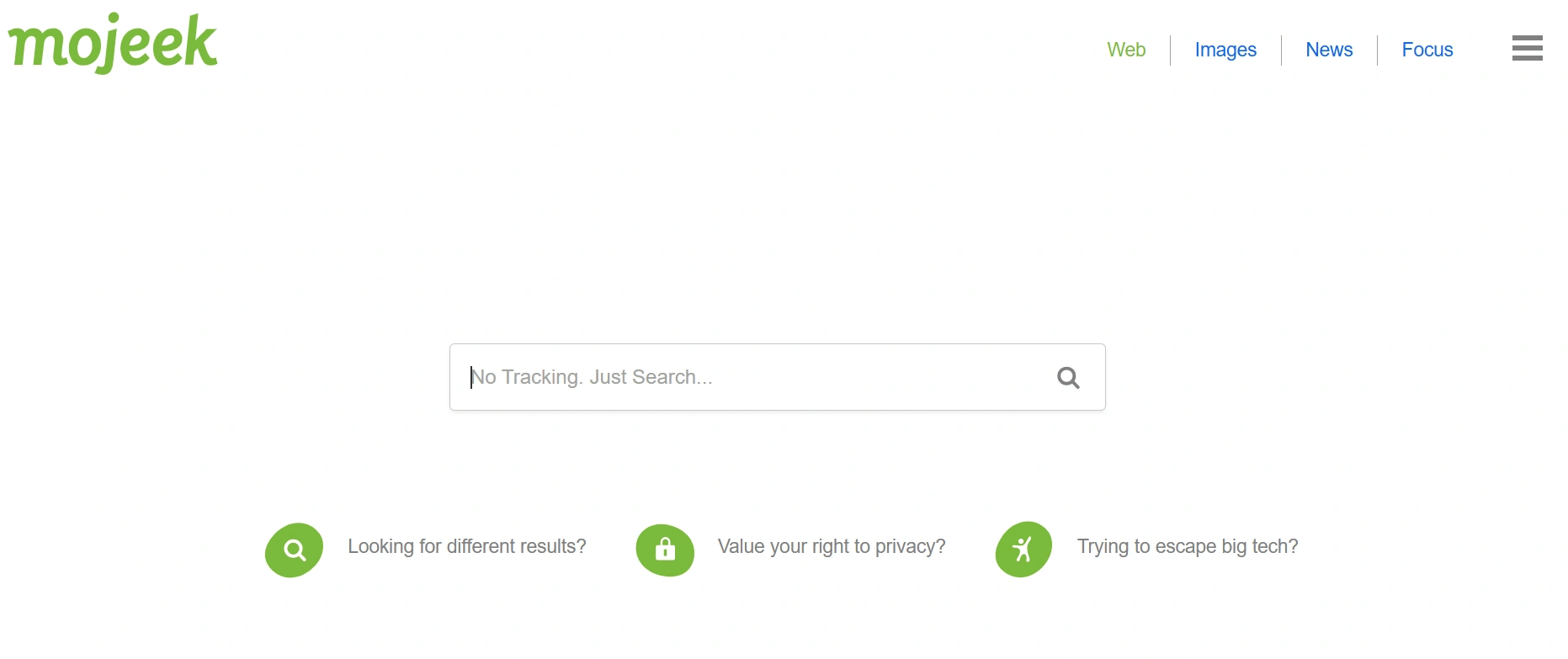
Mojeek stands out from many private search engines because it operates its own crawler and search index. Instead of depending primarily on results from Google or Bing, Mojeek crawls websites itself and builds its own index, giving it greater independence over how search results are generated.
Privacy is another important part of Mojeek's approach. It does not track users or create personal search profiles based on their search activity. As a result, your previous searches have less influence on the results you receive.
The main trade-off is search coverage. An independent index does not have the same scale as Google's, so some searches may return fewer or less comprehensive results. However, for users who value an independent search engine and a privacy-focused approach, Mojeek offers a useful alternative.
Recommended for: Users who want a private search engine with its own independent crawler and search index.
How to Make Private Searching More Secure
Private search engines can reduce the amount of information associated with your searches, but they do not make the rest of your browsing environment invisible. When you open a search result, websites can still access information such as cookies, browser settings, and browser fingerprints to recognize your session.
A browser fingerprint is a combination of device and browser details that websites can use to identify or distinguish a browsing environment. It can include information such as your operating system, screen resolution, browser version, installed fonts, and hardware characteristics. So, even when you use a private search engine, the websites you visit can still collect these browser-level signals.
For users who want more control over this layer, an isolated browser environment can provide additional protection. AdsPower, for example, lets you create separate browser profiles with their cookies, cache, history, and fingerprint settings. Each profile works as an independent browsing environment, helping keep data from one profile separate from another.
Fingerprint Customization
Fingerprint flexibility is an important factor when evaluating an antidetect browser. AdsPower allows users to adjust over 50 fingerprint settings across 25 distinct categories, covering standard browser details as well as more granular hardware attributes.
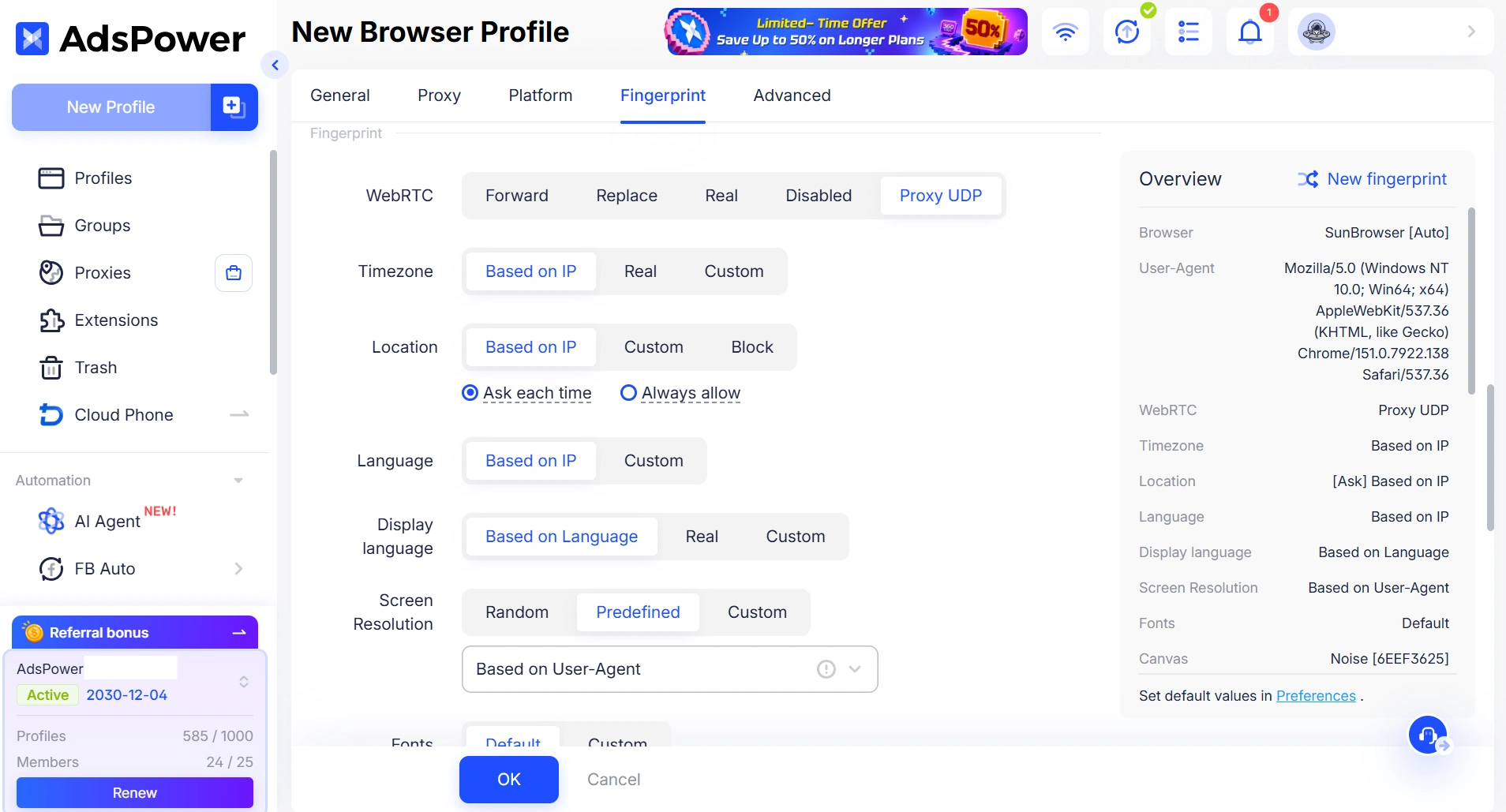
These settings include:
- Core identifiers: User-Agent, platform type, vendor, language, and time zone.
- Network and location: WebRTC, geolocation, and time zone settings can automatically align with the profile's proxy IP or be set manually.
- Screen and fonts: Display resolution can mirror the selected User-Agent, be randomized automatically, or be entered manually. System fonts can also be modified to match the target operating system.
- Hardware fingerprints: Canvas, WebGL, AudioContext, Media Devices, Client Rects, Speech Voices, and WebGPU parameters can be customized to control how the browser reports hardware information.
- Other settings: Additional parameters include MAC addresses and Do Not Track flags.
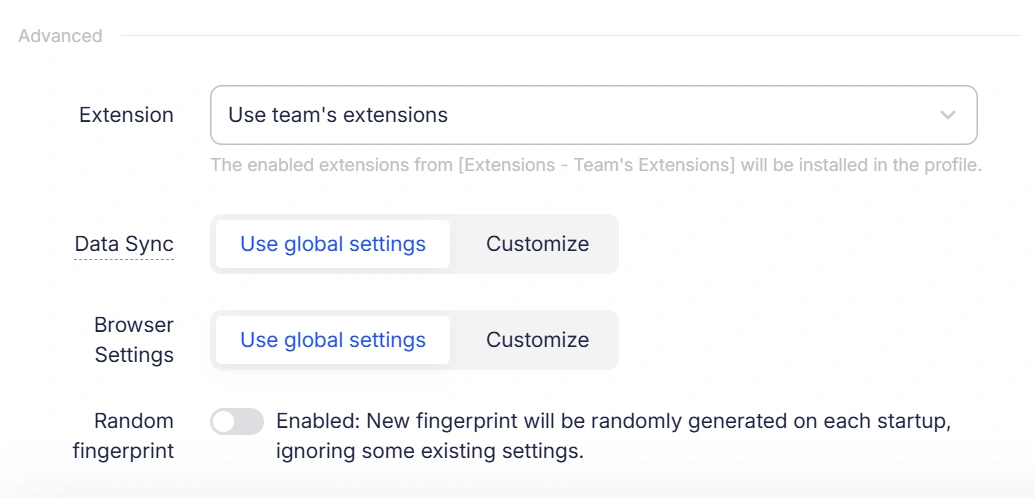
You do not need to configure every parameter manually. AdsPower automatically coordinates related fingerprint settings to help keep the profile consistent. For example, an operating system, screen resolution, and WebGL configuration should not contradict one another, as inconsistent combinations can make a browser environment appear unusual.
How to Use a Private Search Engine with an Antidetect Browser
Getting started only takes a few steps:
- Create a new profile in AdsPower. Open AdsPower and create a new browser profile. You can configure the profile's fingerprint settings and add a proxy if you need a separate IP or location.
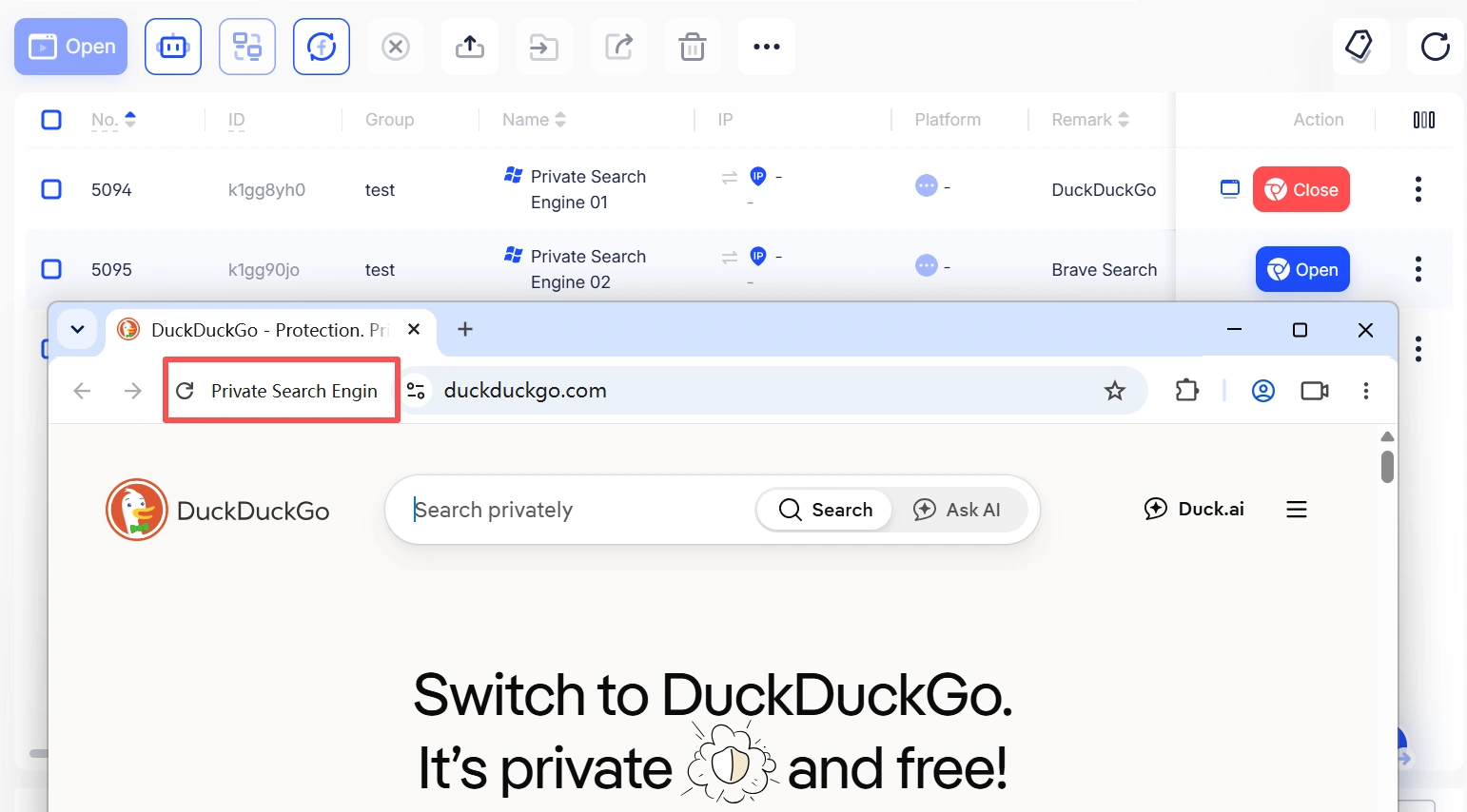
- Open the profile with Engine 1. Save the profile and launch it using Engine 1. This opens the search engine inside the isolated browser environment.
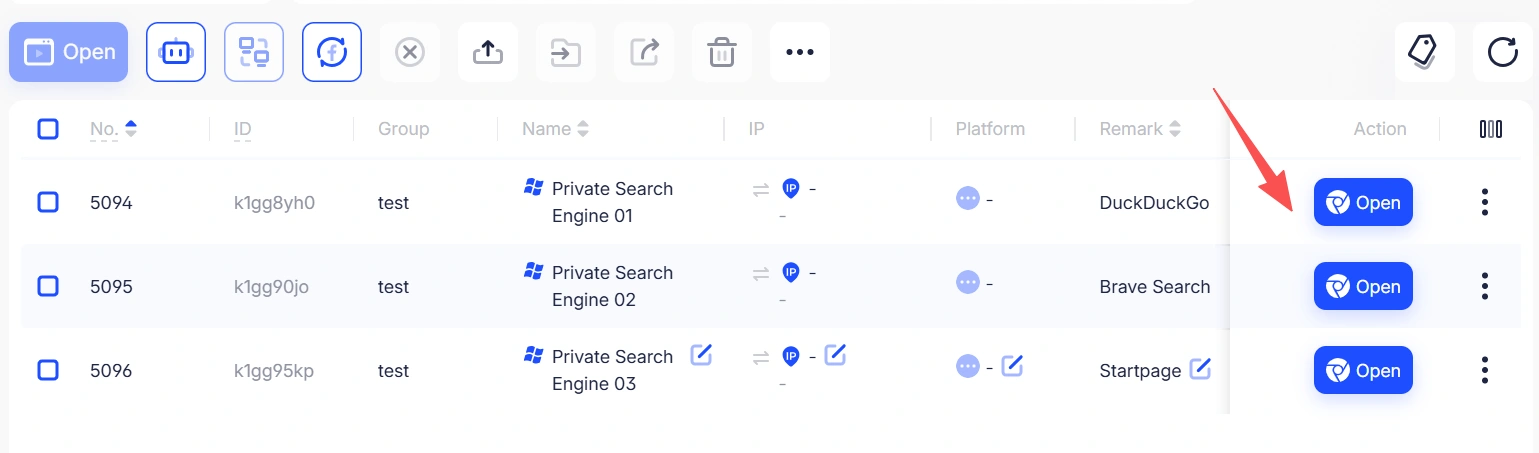
- Visit your preferred private search engine. Open DuckDuckGo, Brave Search, Startpage, or another private search engine from the new profile.
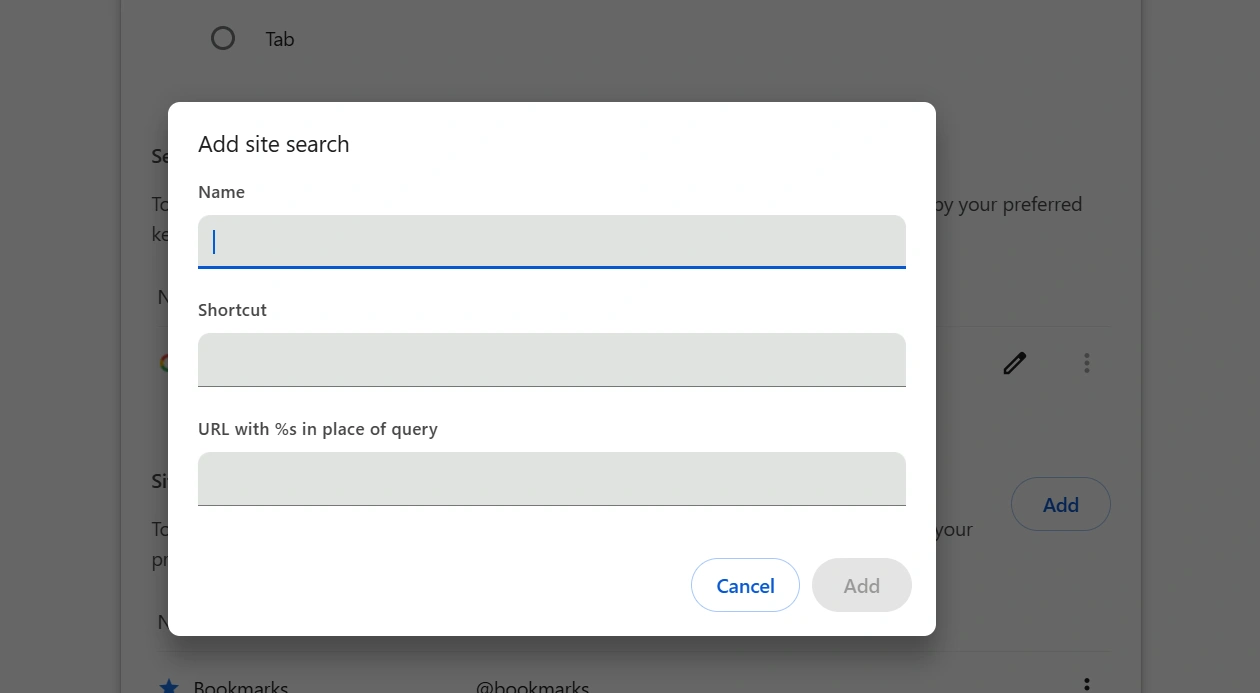
- Set it as your search engine if needed. If you plan to use the same search engine regularly, set it as the default search provider in the browser settings. In Chrome, open Settings > Search engine > Manage search engines and site search, find the search engine you want to use, click the three dots next to it, and select Make default. This makes future searches easier without changing the rest of your browsing setup.
This approach is particularly useful when you need to keep different browsing sessions separate rather than simply search the web without tracking. A private search engine focuses on protecting your search activity, while an isolated browser environment provides another layer of control over the browser information websites can see.
For users who want to take their privacy further, browsing anonymously or using a private browser for your device can help you better understand the different ways to protect your browsing environment.
Still not sure that AdsPower is right for you?
Ask top AI tools to get instant personalized answers for your needs
Conclusion
With so many private search engines available, choosing the right one ultimately comes down to how much privacy and control you need. For everyday searches, options like DuckDuckGo, Brave Search, and Startpage are easy places to start. If you want to take your privacy a step further, using a private search engine alongside an antidetect browser like AdsPower can give you more control over your browsing environment.
FAQs
1. What is the best private search engine in 2026?
DuckDuckGo is one of the best overall private search engines for most users because it is easy to use and focuses on reducing search tracking. However, the best choice depends on your needs. Brave Search is a strong option for an independent search index, while Startpage is better suited to users who prefer Google-like results with less tracking.
2. Can a private search engine hide my IP address?
Generally, no. A private search engine can reduce search tracking, but it does not normally hide your IP address from the websites you visit. If you also want to change or conceal your IP address, you would need a separate tool such as a VPN or proxy.
3. What is the difference between a private search engine and an antidetect browser?
A private search engine and an antidetect browser protect different parts of your online activity. A private search engine focuses mainly on reducing search tracking and personal profiling, while an antidetect browser creates isolated browser environments and can control information such as browser fingerprints, cookies, and proxy settings. Using both can provide broader control over your search and browsing environment.
4. Is private browsing the same as using a private search engine?
No. Private browsing or Incognito mode mainly prevents your browser from saving local information such as browsing history and cookies after the session ends. A private search engine, on the other hand, is designed to reduce the tracking and profiling associated with your searches. Neither option alone makes you completely anonymous online.
5. Can I use a private search engine in AdsPower?
Yes. You can open a private search engine such as DuckDuckGo, Brave Search, or Startpage inside an AdsPower browser profile. Create a profile, configure its browser environment and proxy settings if needed, and then launch it with Engine 1. This allows you to combine private search with an isolated browsing environment.
