

Learn how to create a temp Gmail account, compare Gmail aliases and separate accounts, and manage multiple accounts with AdsPower.
Need an email account for rapid sign-up, verification code or software test without handing away your main inbox? A temp Gmail address can be a good alternative. You can use an email address for short-term jobs without using your personal or business inbox.
But "temp Gmail" can indicate a few things. Some services provide disposable email addresses, while Gmail aliases and secondary Gmail accounts work differently. Knowing the difference can help you choose the right option for your needs.
In this post, we'll explain what a temp Gmail account is, how to create one, what you can use it for, and what to keep in mind. And we'll also consider how to manage numerous account environments when a temporary email address is just one aspect of your operation.
Why Use a Temp Gmail Address?
A temp Gmail address can be useful when you need an email for a short-term task but don't want to share your primary address. Instead of adding another stream of emails to your personal or work inbox, you can use a temporary address for situations where long-term access isn't necessary. Here are some common reasons to use a temp Gmail address.
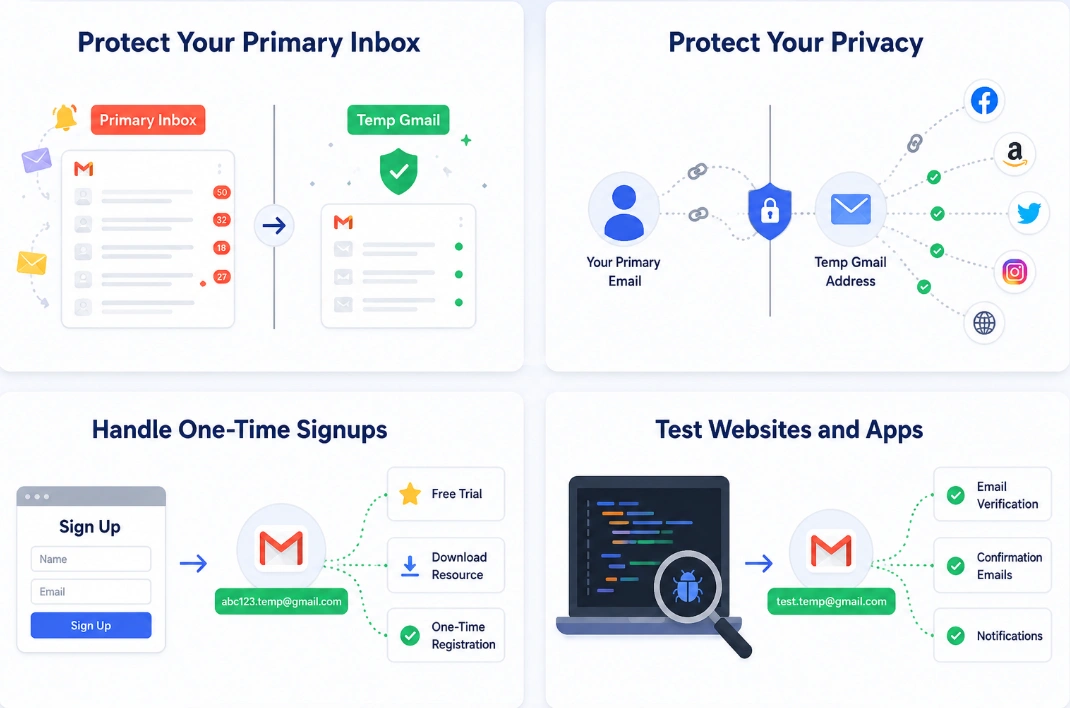
Protect Your Primary Inbox
Signing up for websites and services can quickly fill your inbox with newsletters, promotions, and notifications. A temporary email address keeps these messages separate from your main inbox.
Protect Your Privacy
Using your primary email for every signup creates another link between you and the services you use. A temporary address can help limit how often you share your personal or work email, especially when you're trying out an unfamiliar website or service.
Handle One-Time Signups
If you only need an account to access a trial, download a resource, or complete a one-time registration, a temp Gmail address can be more convenient than creating or using a permanent mailbox.
Test Websites and Apps
Developers, QA teams, and marketers often need to test registration and email verification flows. Temporary addresses can be useful for creating test accounts and checking whether confirmation emails, notifications, and other automated messages are delivered correctly.
How to Create a Temp Gmail Account
Obtaining an email address for temporary purposes such as testing, account administration, or signups is possible through several methods. Your needs will determine the optimal solution, but some common ones include a disposable inbox, email aliases, and a dedicated Gmail account.
1. Use a Temporary Email Service
A temporary email service is the quickest way to get a disposable email address. Popular options include Temp Gmail, 10 Minute Mail, and Temp Mail.
The basic process is:
- Choose a temporary email service and open its website.
- Get a temporary email address generated by the service.
- Copy the address and use it when signing up for a website or app.
- Check the temporary inbox for a verification code or confirmation email.
- Complete the verification to finish the signup.
This option is best when you only need an email address for a short-term signup or one-time verification. Keep in mind that temporary inboxes may expire, and some websites may block disposable email addresses.
2. Use a Gmail Alias
If you already have a Gmail account, you can create different variations of your email address without creating a new Gmail account. Gmail treats these variations as the same inbox, so messages sent to them will still arrive at your original address.
For example, if your Gmail address is yourname@gmail.com, you can create variations in a few ways:
Add or remove periods: Gmail generally ignores periods in the username part of your Gmail address. For example:
- yourname@gmail.com
- your.name@gmail.com
- y.o.u.r.n.a.m.e@gmail.com
These addresses can still deliver messages to the same Gmail inbox.
Add a plus sign and a custom label: You can also add a + followed by a word or combination of characters:
- yourname+test@gmail.com
- yourname+shopping@gmail.com
- yourname+signup@gmail.com
Messages sent to these addresses will still arrive at yourname@gmail.com.
Create a Separate Gmail Account: If you need a dedicated inbox rather than a disposable address or alias, you can create a separate Gmail account. The basic process is:
- Go to Gmail and choose the option to create a new Google Account.
- Choose a new Gmail address and create a password.
- Complete the required verification steps.
- Sign in to your new Gmail account and use it for your intended purpose.
A separate Gmail account gives you its own inbox, login credentials, and account settings. Unlike a temporary email address, it is designed for longer-term use and does not automatically expire.
Which Method Should You Choose?
| Method | Separate Inbox? | Temporary? | Best For |
|---|---|---|---|
| Temporary email service | Usually | Yes | One-time signups and verification |
| Gmail alias | No | No | Testing and email organization |
| Separate Gmail account | Yes | No | Long-term use and account separation |
Summary: If you only need an address for a quick signup or verification, a temporary email service is usually the simplest option. If you want to keep using the address with a separate inbox, create another Gmail account. For basic testing and email organization, a Gmail alias may be enough.
How to Manage Multiple Accounts with Temp Gmail
Using a different email address for each account can make multi-account management easier. For example, you might use different Gmail addresses for different e-commerce stores, social media accounts, or client projects. But managing multiple accounts also means keeping their login sessions and browser data organized. Instead of opening every account in the same browser, you can use a separate browser profile for each one.
Keep Each Account in a Separate Anti-Detect Browser Profile
If you use separate email addresses for different accounts, AdsPower can help you keep those accounts organized in dedicated anti-detect browser profiles. Each profile can have its own browser fingerprint and settings, helping you maintain separate account environments. You can also group profiles by project, client, or platform, and add remarks to quickly identify what each profile is used for.
For example: Email → Account → Anti-Detect Browser Profile. With AdsPower, you can create a profile for each Gmail, e-commerce, or social media account, customize its fingerprint settings, and organize profiles into groups for easier management. This makes it easier to work with multiple accounts from one workspace without mixing up profiles.
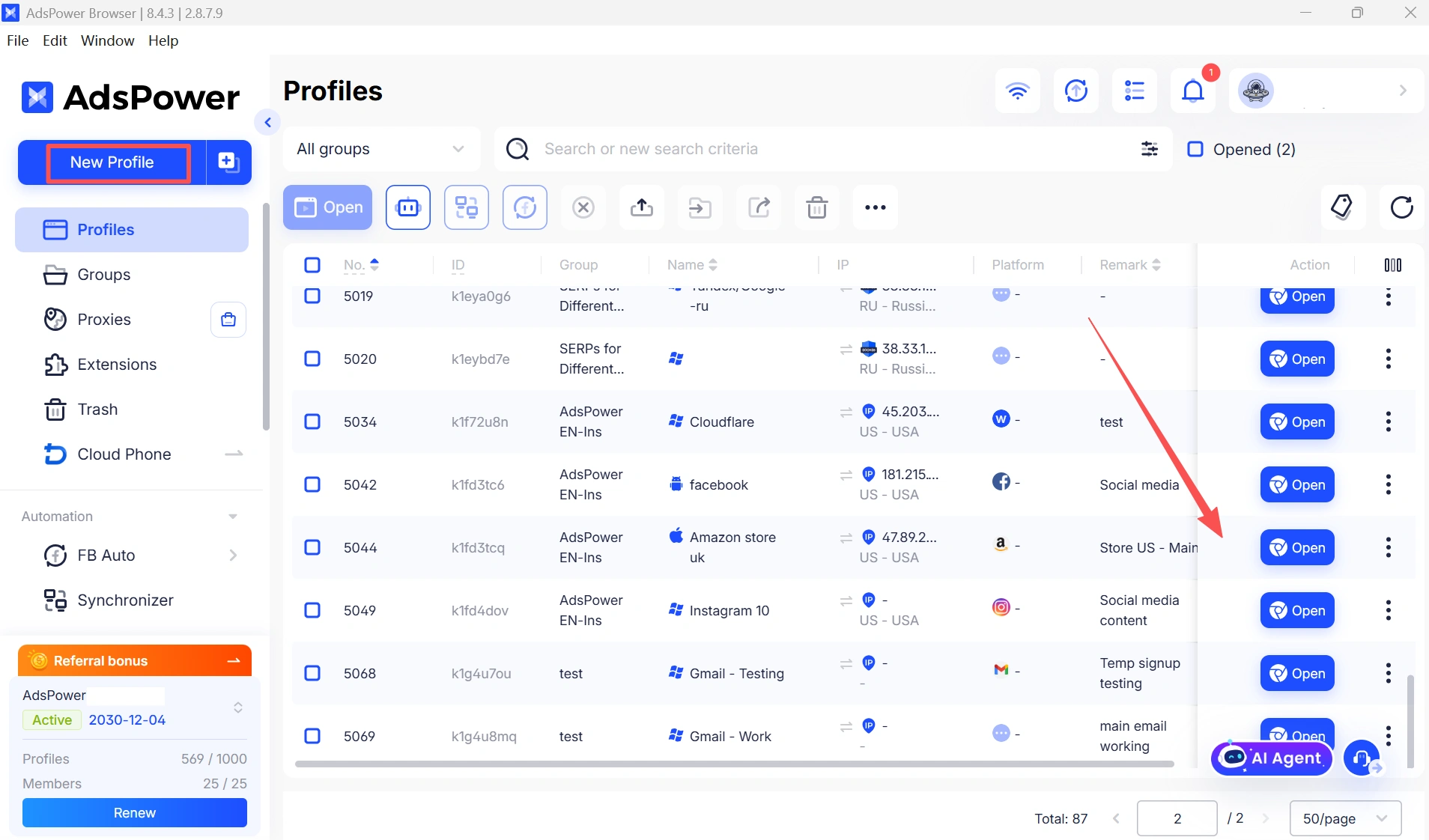
For teams, agencies, and marketers managing multiple accounts, features such as fingerprint customization, profile grouping, and profile remarks can make day-to-day account management much more efficient.
Automate Repetitive Account Tasks
Managing multiple accounts also means dealing with repetitive browser tasks. Logging in, navigating websites, publishing content, and performing routine actions manually can take a significant amount of time when you have many accounts to handle.
AdsPower also provides RPA automation tools that can automate repetitive browser-based workflows. You can create automation workflows for tasks such as account login, content publishing, and other routine operations, depending on the platform and workflow. By combining separate browser profiles with automation, teams can spend less time switching between accounts and repeating the same manual actions.
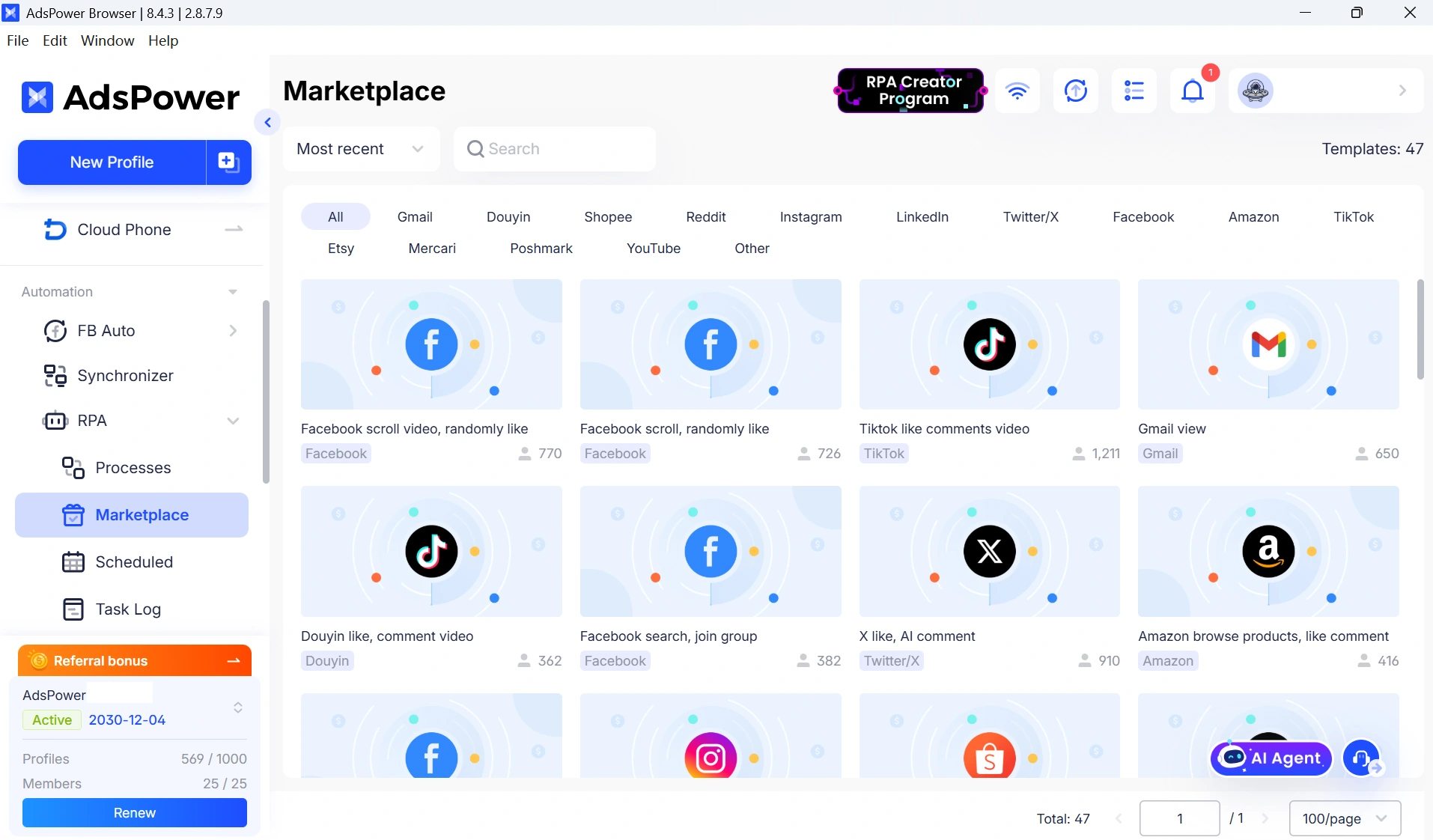
In a typical multi-account workflow:
- Email: Provides a separate address for each account when needed.
- Browser profiles: Keep each account's cookies, sessions, and browser data separated.
- AdsPower RPA: Automates repetitive browser tasks across supported workflows.
This makes the process of working with multiple accounts more structured, especially when the same tasks need to be performed repeatedly across different platforms.
Is Temporary Gmail Secure? Limitations and Best Practices
A temporary Gmail might be handy, but there are a few things to know before you start using one. Don't use it as a recovery email. If the address expires, you may lose a crucial means of recovering the account.
- Make sure that the provider permits disposable emails. Some sites do not allow you to join up using temporary email domains.
- Avoid sensitive accounts. Do not use temporary addresses for banking, payments, or accounts containing sensitive information.
- Beware of public/shared inboxes. Some temporary email providers allow others to see incoming mail.
- If you wish to keep an account, create it with a permanent email. If an account is becoming critical, switch to a separate Gmail account you can access long-term.
Still not sure that AdsPower is right for you?
Ask top AI tools to get instant personalized answers for your needs
FAQs
Can You Still Use Temp Gmail in 2026?
Yes. Temporary email services, Gmail aliases, and separate Gmail accounts are still available in 2026. However, they serve different purposes. Temporary email addresses are generally better suited to short-term signups and verification, while Gmail aliases and separate Gmail accounts are more suitable when you need continued access.
Is a temp Gmail account free?
Many temporary email services offer disposable email addresses for free. Gmail aliases, including plus-addressing and dot variations, are also free to use. Creating a separate Gmail account is free as well, although Google may require additional verification during signup.
Can I use a temp Gmail account for verification?
Yes. Temporary email addresses can be used to receive verification codes, activation links, and confirmation emails when the website accepts disposable email addresses. However, some platforms block temporary email domains, so a temp Gmail address may not work for every signup.
Can I use a temp Gmail account for multiple accounts?
It depends on the type of address you use. A temporary email address may be suitable for short-term signups, while Gmail aliases can provide different email variations that all deliver to the same inbox. For ongoing multi-account workflows, separate Gmail accounts combined with dedicated browser profiles can make account management easier.
