

Learn why your Gemini account may be frozen and discover simple steps to unfreeze it quickly, restore access, and avoid future account restrictions.
Gemini is a well-known cryptocurrency exchange platform (not to be confused with Google’s AI tool of the same name). Founded by the Winklevoss twins, Gemini is recognized for its strong security standards and strict regulatory compliance in the crypto industry.
To protect users and prevent fraud, the platform continuously monitors account activity and may temporarily restrict accounts when unusual behavior, security risks, or verification issues are detected.
If your Gemini crypto exchange account becomes frozen or restricted, it does not necessarily mean it has been permanently banned. In many cases, the issue can be resolved by completing identity verification, confirming recent account activity, or contacting Gemini support. This guide explains why Gemini accounts get frozen and how you can restore access safely.
Why Is My Gemini Account Frozen?
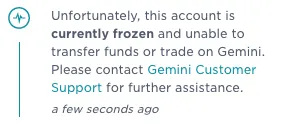
Gemini accounts are usually frozen as part of the platform's security and compliance procedures. The exchange follows strict financial regulations and anti-fraud policies, which means any suspicious behavior can trigger an automatic review.
Some of the most common reasons include:
1. Suspicious login activity
Gemini continuously monitors login patterns to detect possible unauthorized access. If the system notices logins from multiple IP addresses, unfamiliar geographic locations, or new devices that have never accessed the account before, it may temporarily freeze the account as a precaution. Many platforms use browser fingerprinting to detect unusual login environments.
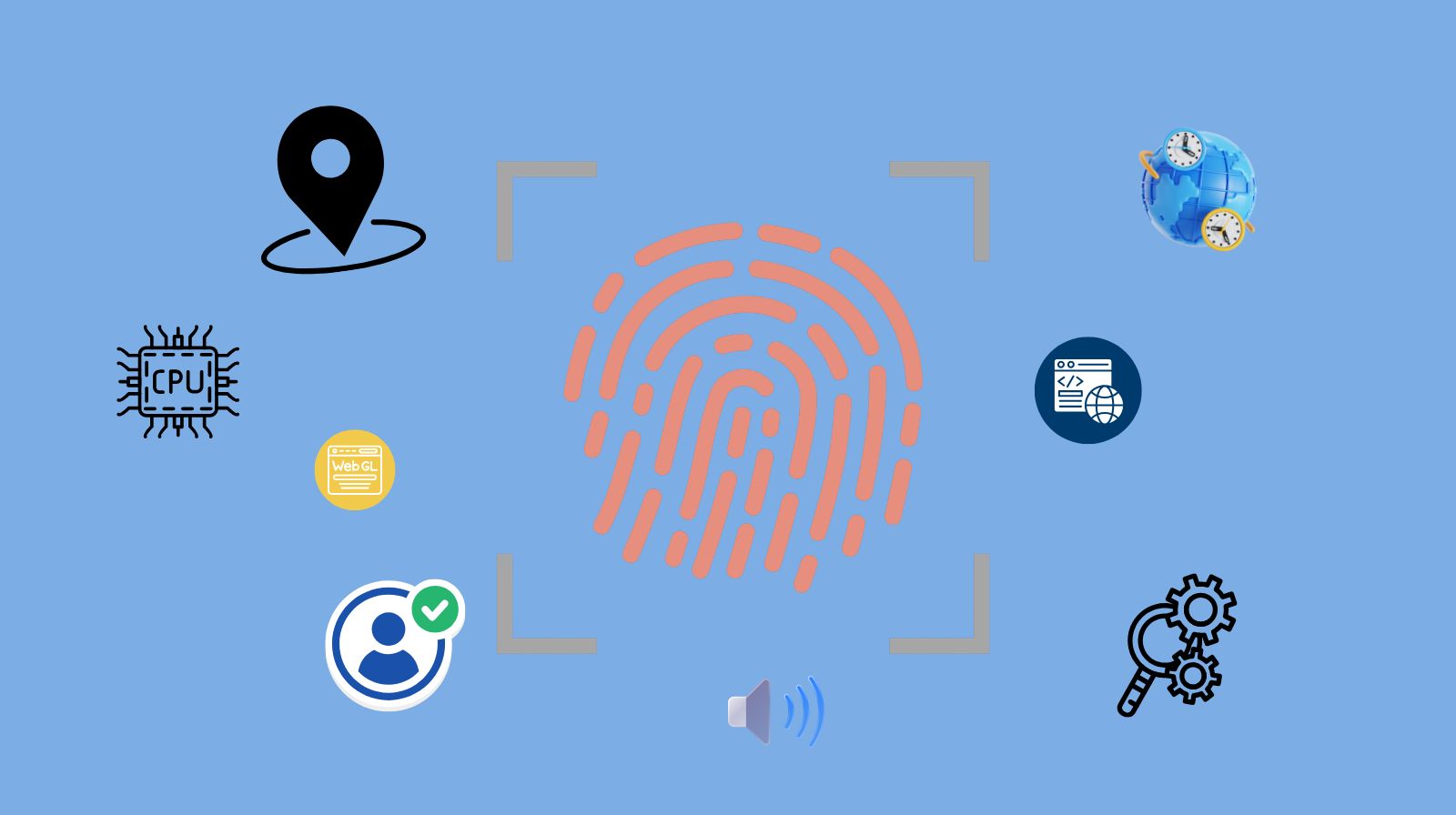
This type of restriction helps prevent hackers from gaining control of accounts. The freeze usually remains in place until the account owner verifies their identity or confirms the login activity.
2. Identity verification issues
Gemini requires users to complete a full Know Your Customer (KYC) verification process. If the submitted documents cannot be verified, appear inconsistent, or require additional information, the platform may restrict the account until the verification process is completed.
Sometimes users are asked to provide updated identification, a selfie verification, or proof of address before full access can be restored.
3. Compliance reviews
As a regulated exchange, Gemini must follow strict financial regulations related to anti-money-laundering (AML) and financial transparency. Large transactions, unusual trading behavior, or interactions with flagged cryptocurrency wallets can trigger an automated compliance review.
During this process, certain features such as withdrawals or trading may be temporarily disabled until the platform confirms that the activity meets regulatory requirements.<
4. Payment or bank issues
Problems related to payments can also lead to account restrictions. For example, bank transfer disputes, chargebacks, or failed deposits may trigger a temporary freeze while Gemini reviews the transaction history.
These measures are designed to prevent financial fraud and ensure that funds entering or leaving the platform are legitimate.
5. Terms of service violations
Accounts may also be restricted if Gemini detects behavior that appears to violate its terms of service. This may include automated trading tools that interact improperly with the platform, attempts to bypass verification requirements, or operating multiple accounts in ways that violate exchange policies.
In most situations, Gemini account freezes are precautionary measures rather than punishments. Once the platform verifies the account and confirms that activity is legitimate, normal access is often restored.
What Does "Gemini Account Restricted" Mean?
When Gemini marks an account as restricted, it means the account remains active but certain functions are temporarily disabled.
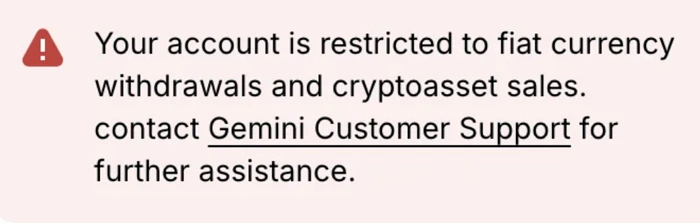
Depending on the situation, restrictions may include:
- Unable to trade cryptocurrency
- Deposits temporarily disabled
- Withdrawals blocked
- Identity verification required
- Login limited until verification is completed
A restricted account is not the same as a permanently banned account. Instead, it indicates that Gemini is conducting a review or waiting for additional verification.
Users typically regain access after completing the requested steps.
How to Unfreeze a Gemini Account
If your Gemini account is frozen or restricted, follow these steps to resolve the issue.
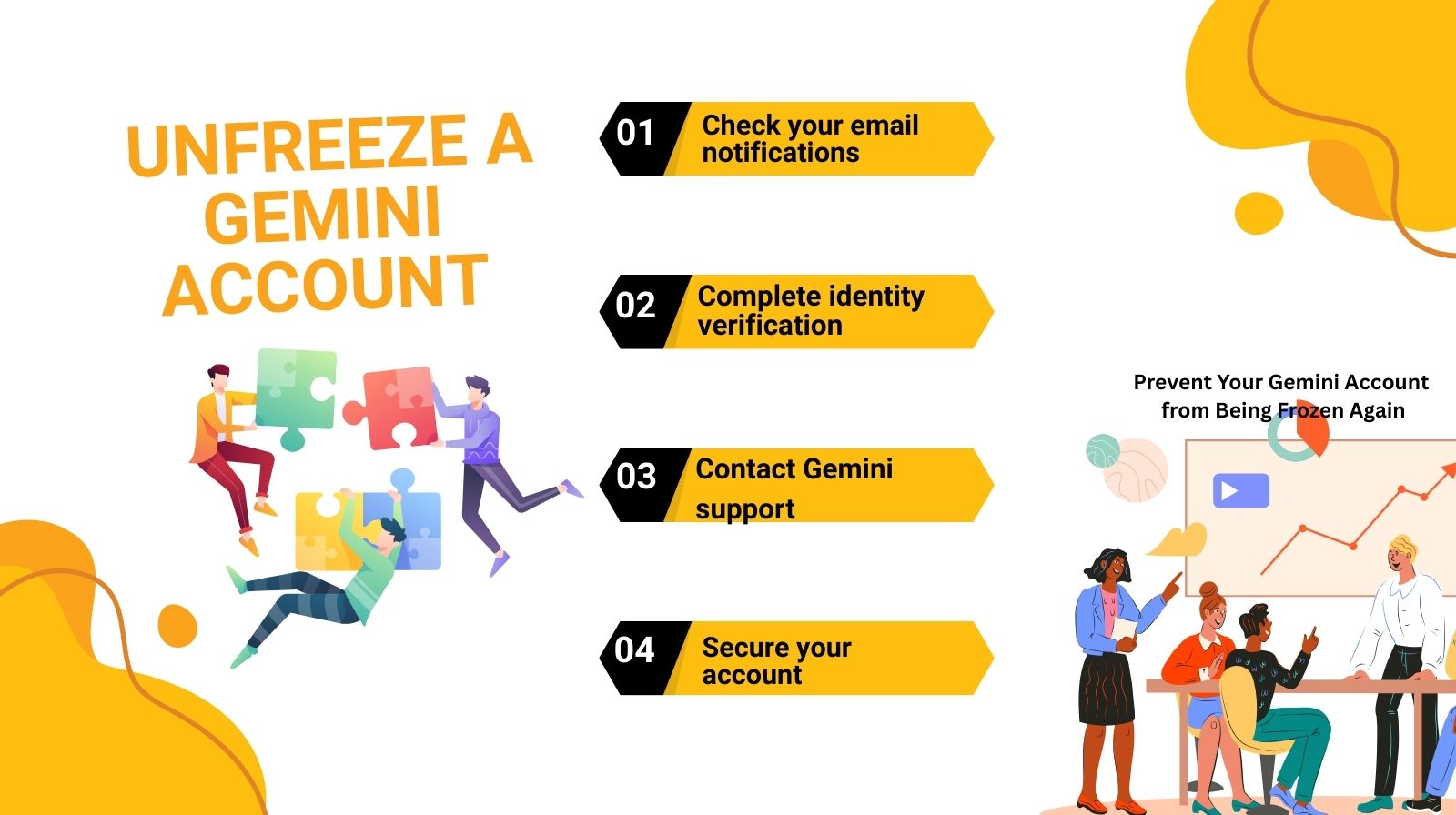
1. Check your email notifications
Gemini usually sends an email explaining the reason for the restriction. The message may include instructions such as submitting documents or confirming account activity.
Always check:
● Inbox
● Spam folder
● Security alerts
Following the instructions in that email is often the fastest way to resolve the issue.
2. Complete identity verification
If your account was frozen due to verification issues, log into your Gemini dashboard and upload the required documents.
Typical requirements include:
- Government ID (passport or driver's license)
- Selfie verification
- Address confirmation
- Updated personal information
Once verification is complete, the restriction is often lifted automatically.
3. Contact Gemini support
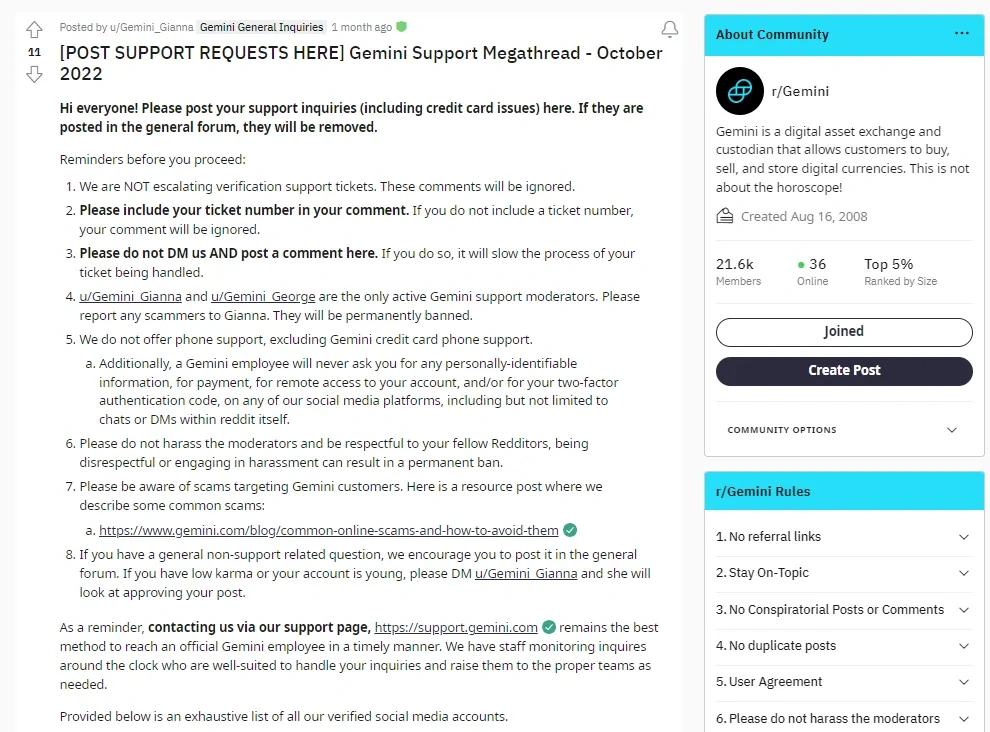
If no clear instructions are provided, the next step is contacting Gemini's support team.
You can submit a request through the official support portal and include:
● Your account email
● Description of the issue
● Screenshots if available
● Transaction details if relevant
Providing complete information helps the support team resolve the issue more quickly.
4. Secure your account
Sometimes accounts are frozen due to suspected compromise. If this happens, Gemini may ask you to:
- Reset your password
- Enable two-factor authentication
- Confirm recent login activity
Taking these steps reassures the platform that your account is secure.
Why Can't My Account Use Gemini?
Some users encounter situations where they cannot access Gemini features even though the account appears active.
This can happen for several reasons.
1. Regional restrictions
Gemini operates in specific countries. If you log in from a restricted region, certain services may be unavailable.
2. Incomplete verification
Accounts without full KYC approval may have limited access to trading or withdrawals.
3. Security lock
Multiple failed login attempts or suspicious activity can temporarily disable access.
4. System maintenance
Occasionally, Gemini temporarily limits features during platform updates.
If your account cannot use Gemini services, checking verification status and security alerts is the first step.
How to Recover a Gemini Account After Long-Term Restriction
In rare cases, an account may remain restricted for an extended period due to compliance investigations.
If this happens, the recovery process usually involves additional verification steps.
You may need to:
√ Submit enhanced identity verification
√ Provide proof of funds or transaction history
√ Confirm wallet ownership
√ Respond to compliance inquiries
While these reviews can take longer, many accounts are eventually restored once the required information is provided.
Remaining responsive and cooperative with support requests significantly improves the chances of recovery.
How to Prevent Your Gemini Account from Being Frozen Again
If your Gemini account has been restricted before, taking preventive steps can help reduce the risk of it happening again. Most account freezes are triggered by security alerts or compliance checks, so maintaining normal, transparent account activity is the best way to avoid future restrictions. By following a few best practices, you can keep your Gemini account secure and fully functional.
Maintain consistent login behavior
One of the most common triggers for account restrictions is unusual login activity. If your account is accessed from multiple IP addresses, different countries, or many devices in a short period of time, Gemini's security system may flag it as suspicious.
To reduce this risk, try to log in from the same device and network whenever possible Avoid frequently switching between multiple locations, VPN servers, or devices, as this can make your activity appear abnormal to automated security systems. Using an antidetect browser can help maintain consistent login environments when managing multiple accounts.
Enable strong security settings
Using strong security settings not only protects your funds but also helps prevent account freezes caused by suspected account compromise.
Key security practices include:
- Enabling two-factor authentication (2FA)
- Using a strong and unique password
- Securing the email address connected to your Gemini account
- Avoiding public or unsecured networks when logging in
These security measures make it easier for Gemini to verify that the account activity is legitimate and controlled by the real owner.
Avoid unusual transaction patterns
Cryptocurrency exchanges must comply with Anti-Money Laundering (AML) regulations, which means large or irregular transactions can trigger compliance reviews. Sudden spikes in deposits, withdrawals, or transfers to unfamiliar wallets may cause the system to temporarily restrict account activity.
Keeping your transactions consistent and maintaining clear records of your trading or transfers can help reduce the likelihood of unnecessary compliance checks.
Manage multiple accounts carefully
Some businesses, trading teams, or agencies may operate multiple Gemini accounts for different clients or operational purposes. However, managing several accounts from the same browser environment, device fingerprint, or IP address can sometimes cause the platform to link those accounts together, which may lead to restrictions.
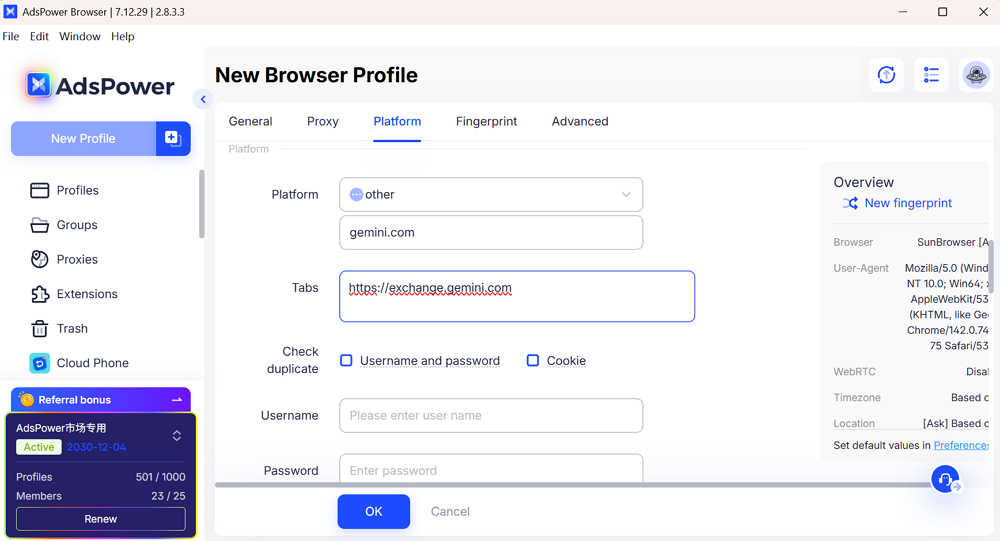
In these situations, specialized tools such as AdsPower can help manage multiple accounts more safely. AdsPower creates isolated browser profiles with separate digital fingerprints, cookies, and login environments, allowing each account to operate independently. This reduces the risk of accounts being flagged due to overlapping device fingerprints or shared sessions.
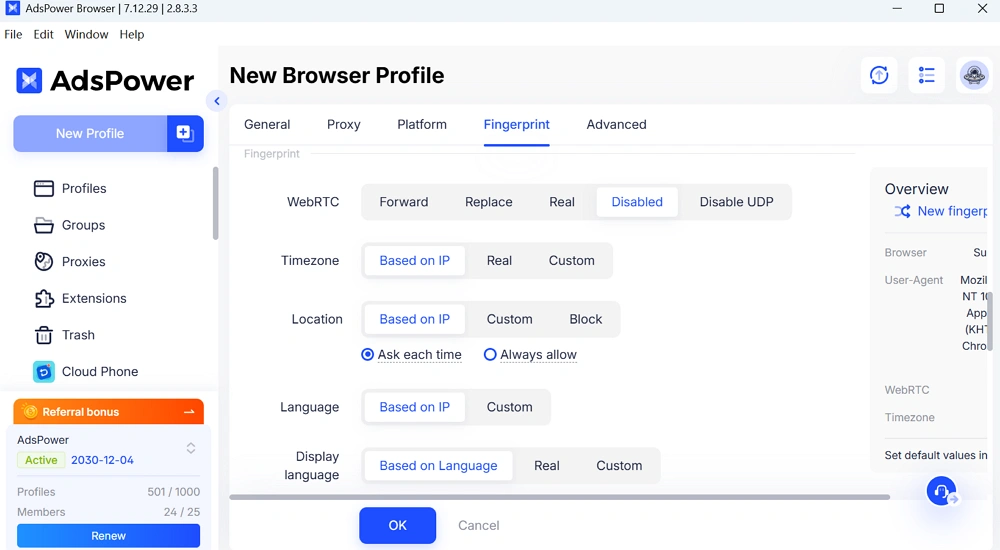
However, it is important to always follow Gemini's official terms of service when managing multiple accounts to ensure full compliance with platform rules.
The Bottom Line
A frozen Gemini account is usually a temporary security measure triggered by unusual login activity, verification issues, or compliance checks. In most cases, access can be restored by following the platform's instructions, completing identity verification, or contacting support. To reduce the risk of future restrictions, maintain consistent login behavior, enable strong security settings, keep transaction activity transparent, and manage multiple accounts carefully to avoid triggering automated security systems.
FAQs
How Do I See My Public Activity on Gemini?
You can view your account activity by logging into your Gemini dashboard and checking the transaction history section. This includes trades, deposits, withdrawals, and other account actions.
How Long Does It Take to Unfreeze a Gemini Account?
The time varies depending on the reason for the restriction. Identity verification issues may be resolved within a few hours, while compliance reviews can take several days.
When Is a Gemini Account Permanently Frozen?
A Gemini account may be permanently frozen if the platform detects serious violations such as fraud, identity falsification, repeated chargebacks, or activities that violate Gemini's terms of service.
