

Match.com login issues often stem from device trust and browser fingerprints. Learn how to fix access problems and keep your account stable—try a consistent fingerprint browser today.
Access to your Match.com account should be simple; you type in your email and password, and you're in. But for many users, that simple process often turns into frustration. Some people suddenly find their accounts locked, others see their emails rejected, and many get stuck in endless verification screens that never let them through. These problems can feel random, but they usually have a clear reason behind them.
When you perform a login match.com, Match.com does more than just check your password. It also evaluates your device and browser environment to decide whether you look like the same person who normally signs in. Your browser fingerprint, IP address, and recent login activity all shape how Match interprets your access attempt. If anything looks different, the system may treat your login as risky.
Understanding this makes it easier to see why login issues happen, and why using a fingerprint browser can make your access more stable and reliable.
Frequently-Seen Match.com Login Problems Users Face
Most Match.com login issues stem from how its security system evaluates risk rather than from simple password mistakes. In practice, users usually encounter three recurring patterns: temporary account blocks, rejected emails, and repeated verification requests.
Match.com Account Blocked or Temporarily Restricted
A match com account blocked message is one of the most frequent outcomes when Match's risk detection layer flags a session as potentially suspicious. This does not necessarily mean your account has been compromised; rather, it indicates that one or more security signals fell outside expected patterns. Common triggers include:
- Signing in from different locations within a short time span.
- Use of VPNs, datacenter proxies, or low-reputation IP ranges
- Rapid device switching across logins
- Multiple failed authentication attempts within a limited window
- Automated or repetitive interaction patterns that resemble bot behavior
In most cases, these restrictions are temporary holds designed to reduce fraud and account takeover. However, they can still block legitimate access for several hours or even days, depending on the severity of the risk score.
Match.com Login Email Not Accepted
Another common failure mode occurs when users receive a rejection despite entering what they believe is the correct email. Many then ask, "Why is Match.com not accepting my email?"
From a security perspective, this often stems from authentication mismatches rather than simple typos. Typical causes include:
- Selecting the wrong authentication pathway (email/password vs Google vs Apple SSO)
- Minor formatting errors in the email field
- An account that has been deactivated, limited, or flagged
- Attempting to authenticate from a new or low-trust device environment
Even a valid email can be rejected if Match's system assigns a high-risk score to your current browser fingerprint or network context.
Login Loop or Verification Requests
Some users successfully submit credentials, attempt to match com login to your account, receive a verification code, and still cannot proceed.
This usually happens when Match assigns your device a low trust score. Instead of letting you in, the platform keeps asking for extra verification. Rather than a single checkpoint, the system keeps re-evaluating risk signals, which creates the "verification loop" experience that many users encounter.
Why Login Match Com Fails: Common Security and Device Trust Issues
If Match.com suddenly won't let you in, the problem is often about how your device looks to their system rather than something you did wrong with your password. The platform constantly checks whether your login feels "normal" based on your technology and behavior.
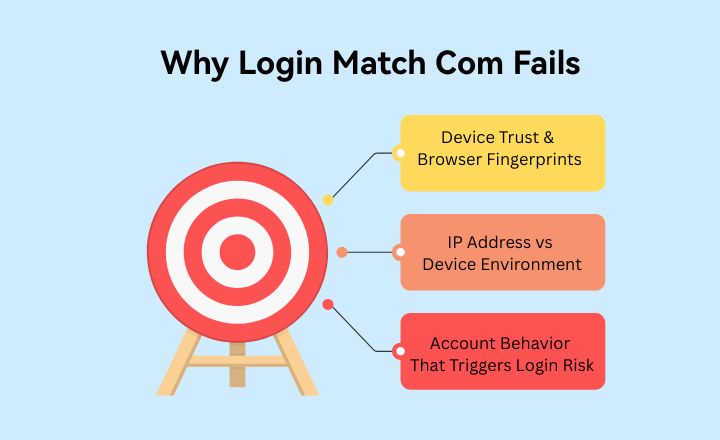
Device Trust & Browser Fingerprints
Every time you use a browser, it leaves behind a digital profile made up of many small technical details. Things like your browser type, screen size, time zone, and system settings create a kind of "digital signature."
When these details change too often, such as when you switch devices or clear browser data, Match may treat you as a new user. Even if you are the same person, the system might not recognize you as such.
IP Address vs Device Environment
A stable internet connection alone is not enough. Many people stay on the same Wi-Fi but still run into problems because their browser environment looks different from before.
So even if your IP address hasn't changed, Match might still question your login if your device or browser appears inconsistent with your past activity.
Account Behavior That Triggers Login Risk
Certain habits make Match's security system more cautious, such as:
- Logging in from very different locations within a short time
- Regularly using public Wi-Fi
- Frequently deleting cookies or browsing data
- Jumping between many devices
- Managing several accounts in the same browser
None of these are "illegal," but they can make your account look risky from an automated security perspective.
How to Troubleshoot Match.com Login Problems
If you're unable to log in, it's best to take a step-by-step approach rather than assuming your account is permanently blocked. Many access issues can be resolved with a few simple adjustments, especially if the problem is related to device recognition rather than your credentials.
1. Double-check your login method
Make sure you are using the same sign-in method you originally chose when creating your account. Some users register with email and password, while others use Google or Apple SSO. Trying a different method can cause the system to reject your login even if your email is correct.
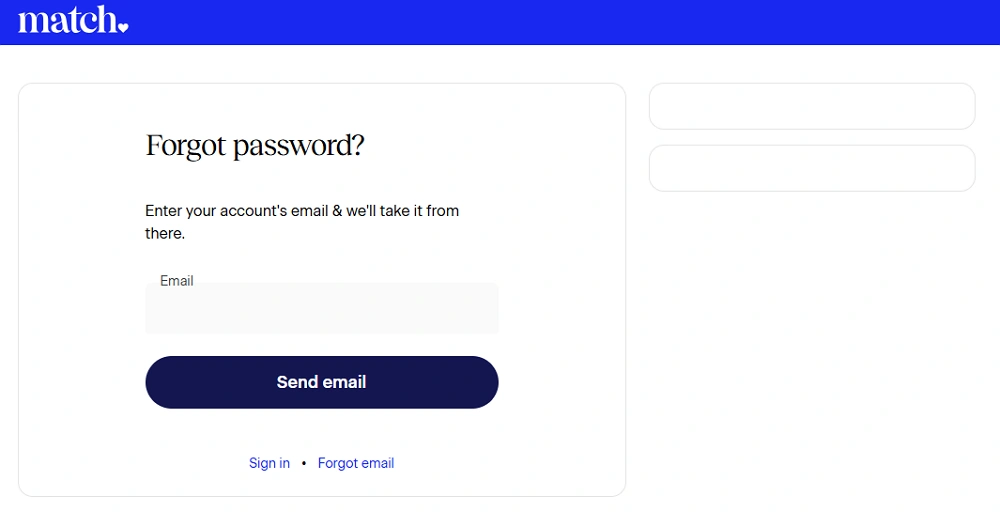
2. Reset your password
Even if you are confident in your current password, performing a reset can sometimes refresh your account status and clear minor security flags. This is a quick and low-risk step that often resolves unexpected login failures.
3. Wait before trying again
Repeated login attempts in a short period can increase your risk score and make restrictions worse. If you receive a temporary block or repeated verification requests, taking a short break, even just a few hours, can allow the system to reset before you try again.
4. Avoid VPNs or free proxies
Many dating platforms, including Match.com, actively flag logins coming from VPNs or low-reputation proxy networks. These tools can make your location appear unstable or suspicious, which often leads to account restrictions.
5. Try your usual device
If possible, attempt to log in from the phone, tablet, or laptop you most frequently use. Match is more likely to recognize this device as "trusted," which can help you bypass extra security checks.
If these steps don't work, the issue is likely your device or browser—not your account, in which case a more stable digital setup (such as a fingerprint browser) may be necessary.
How AdsPower Browser Helps Fix Match.com Login Issues
AdsPower browser is designed to keep your online identity consistent, which is exactly what platforms like Match care about.
Instead of looking like a "new person" every time you log in, AdsPower lets you create one stable browser profile that always appears the same.
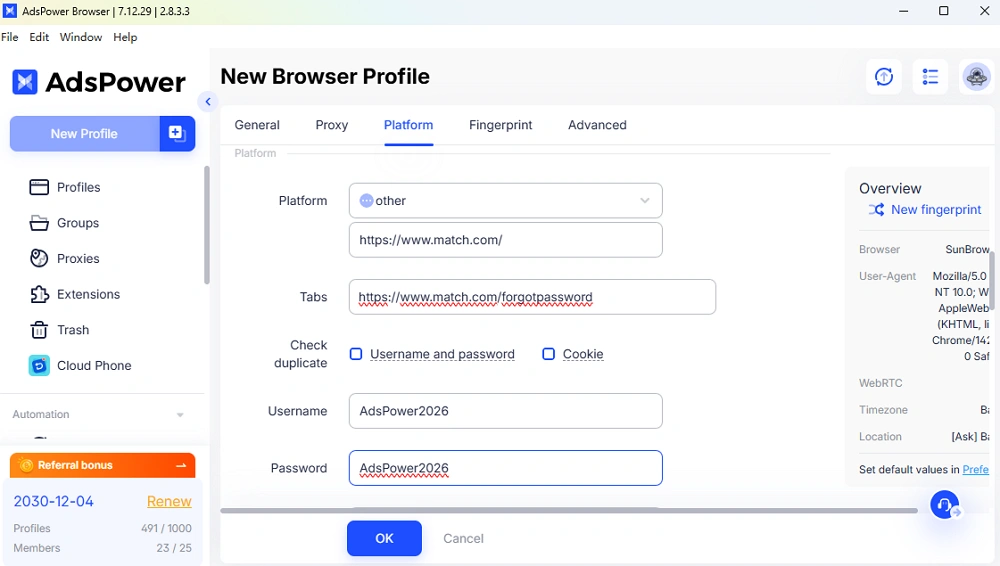
You can:
- Keep the same digital fingerprint each time
- Use one dedicated profile just for Match
- Connect to a steady residential IP
- Preserve cookies so you don't lose your session
This makes your login feel natural and familiar to Match's system, reducing lockouts and endless verification loops.
Conclusion
Most Match.com login problems come from how the platform reads your device and browser, not from your password. When your digital identity looks inconsistent, Match may respond with temporary blocks, rejected emails, or repeated verification requests, even if you are a legitimate user.
By keeping your login environment stable, you can avoid many of these issues. Using a fingerprint browser like AdsPower helps maintain a consistent digital identity, reduces security friction, and makes access to your Match.com account far more reliable.
FAQ
Can I log into Match.com on multiple devices?
Yes, you can log into Match.com on multiple devices, but frequent switching can trigger security checks or temporary restrictions. Each device creates a different browser fingerprint, which may look suspicious to Match. To reduce issues, try to use one main device consistently, or rely on a fingerprint browser that keeps your digital identity stable across sessions.
How long does a Match.com account block last?
Most Match.com blocks are temporary. Mild restrictions usually last a few hours to 24 hours, while higher-risk cases may extend to 48–72 hours or more. If your account remains blocked after 3–5 days, contacting Match support with any requested verification details is the best option.
Why do I keep getting verification requests when logging in?
Repeated verification happens when Match assigns your device a low trust score due to changing fingerprints, unstable IPs, or unusual login behavior. Using the same device, avoiding VPNs, and keeping a consistent browser profile can significantly reduce these verification loops.
