

Patreon Deactivated My Account — Here's Why and How to Get It Back
Take a Quick Look
- Why Patreon deactivates accounts — from VPNs to browser fingerprints
- What real users on Reddit experienced and how they got their accounts back
- Step-by-step guide to appealing a deactivation
- How to safely manage multiple Patreon accounts without getting flagged
- The tools creators use to keep their accounts stable and secure
As a content creator, if you have been looking for an effective means to monetize your work, Patreon is probably already on your radar. Patreon, a leading membership platform, allows creators—from podcasters and writers to artists and educators—to easily earn a monthly income for providing rewards and perks to subscribers. The Patreon for Creators model is simple but powerful: your supporters pay a monthly subscription, and in return, they get exclusive content, early access, or behind-the-scenes perks that keep them coming back.

This is not a side hustle for many creators—it is their main source of income. And that's why deactivation of an account is such a bummer. One morning you get an email saying your account is terminated, and just like that, your subscribers, your content library, and all of the monthly revenue you have been earning disappear. No warning, no specific reasoning, and in many cases no easy avenue to recapture your account.
If this has happened to you, you are not alone—let us reassure you that you are in the right place. In this guide, we'll explore the most common reasons Patreon deactivates accounts, what real users have experienced, and the practical steps you can take to recover your account and reduce the risk of future issues.
What Does "Patreon Account Deactivated" Mean?
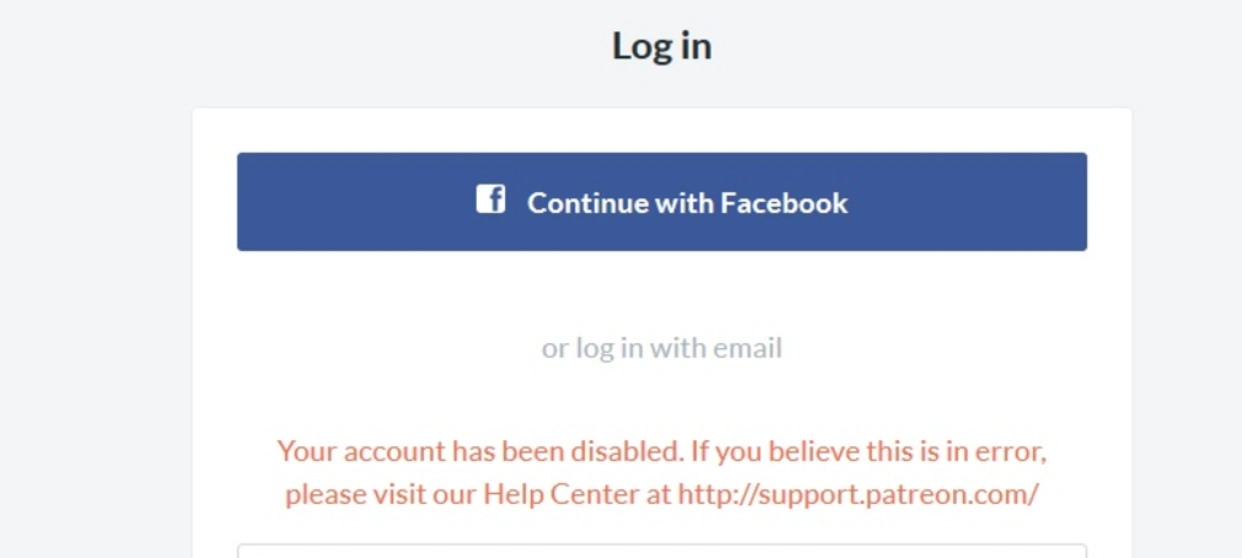
When your account is deactivated, it means that you have been suspended from Patreon or banned permanently from the website, meaning you cannot access your profile, content, and earnings anymore. It normally comes with an email notification stating the following:
"Your account has been disabled. If you believe this is in error, please visit our Help Center at support.patreon.com"
It is short, ambiguous, and frustrating—especially when you have no idea what triggered it. Usually, however, Patreon offers almost no explanation, leading to confusion on the part of creators about what was done wrong and how to recover their account.
Why Does Patreon Deactivate Accounts?
Geographic & Sanctions Restrictions
As a US-based company, Patreon is legally required to comply with US sanctions policies. If your account is associated with a country under comprehensive US sanctions, it may be deactivated automatically—no matter how long you've used the app for.
Violating Patreon's Community Guidelines
Patreon has established Community Guidelines that all creators and members must adhere to. Your account will be suspended or permanently disabled if your content or behavior violates these policies. Make sure you read the guidelines all through before posting anything on it.
VPN or Proxy IP Detection
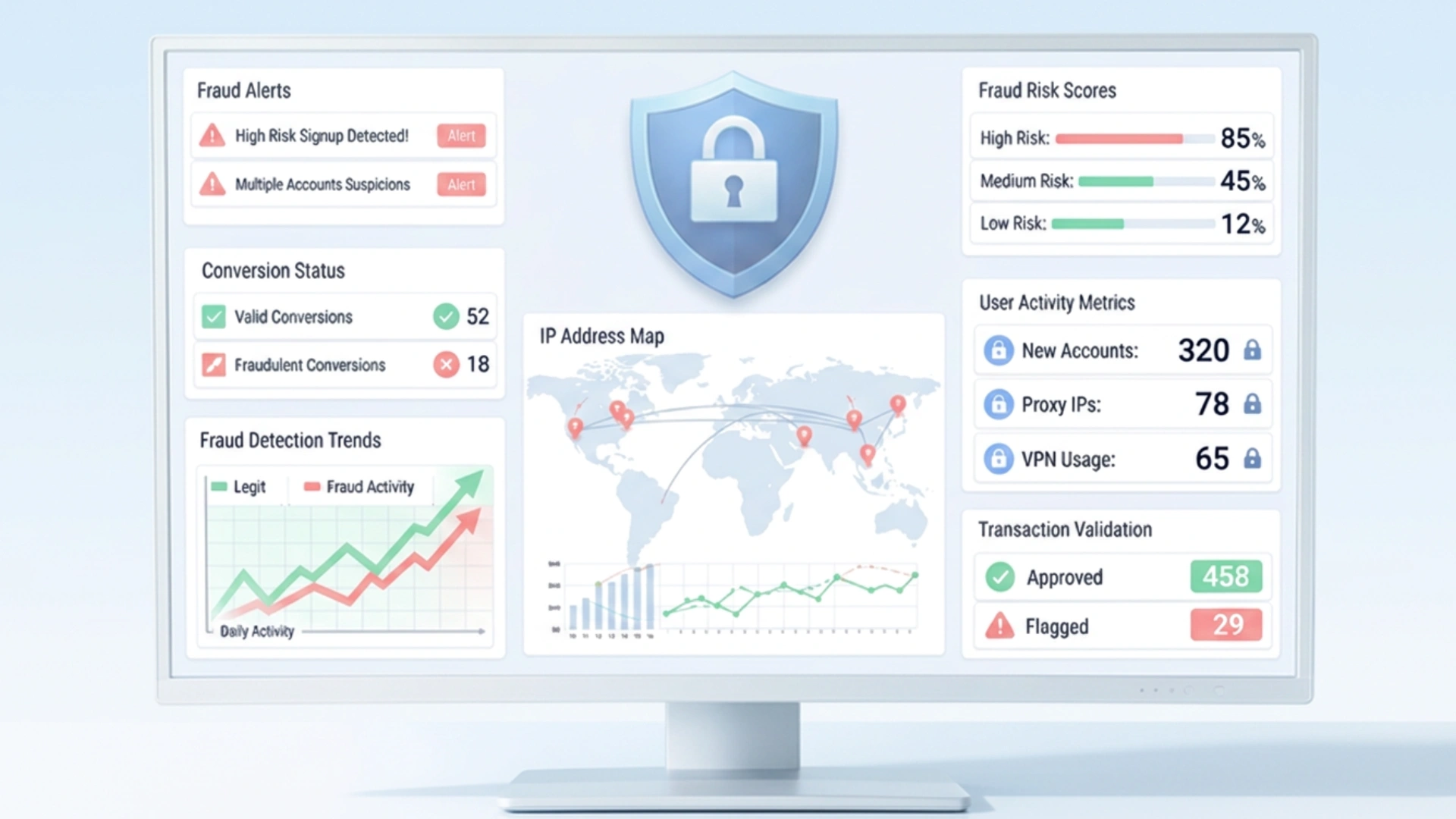
This is one of the most common triggers. When you access Patreon through a VPN or proxy, your visible IP address no longer matches your actual location. Patreon's fraud detection system cross-references your IP against multiple signals—billing address, timezone, and language settings—and any mismatch raises an immediate red flag. Even if your VPN is on by accident or running in the background, it's enough to get your account flagged.
Residential IPs are generally safer than datacenter IPs, as datacenter IPs are widely associated with bots and automation tools and are more likely to be blacklisted outright.
Browser Fingerprint Inconsistency
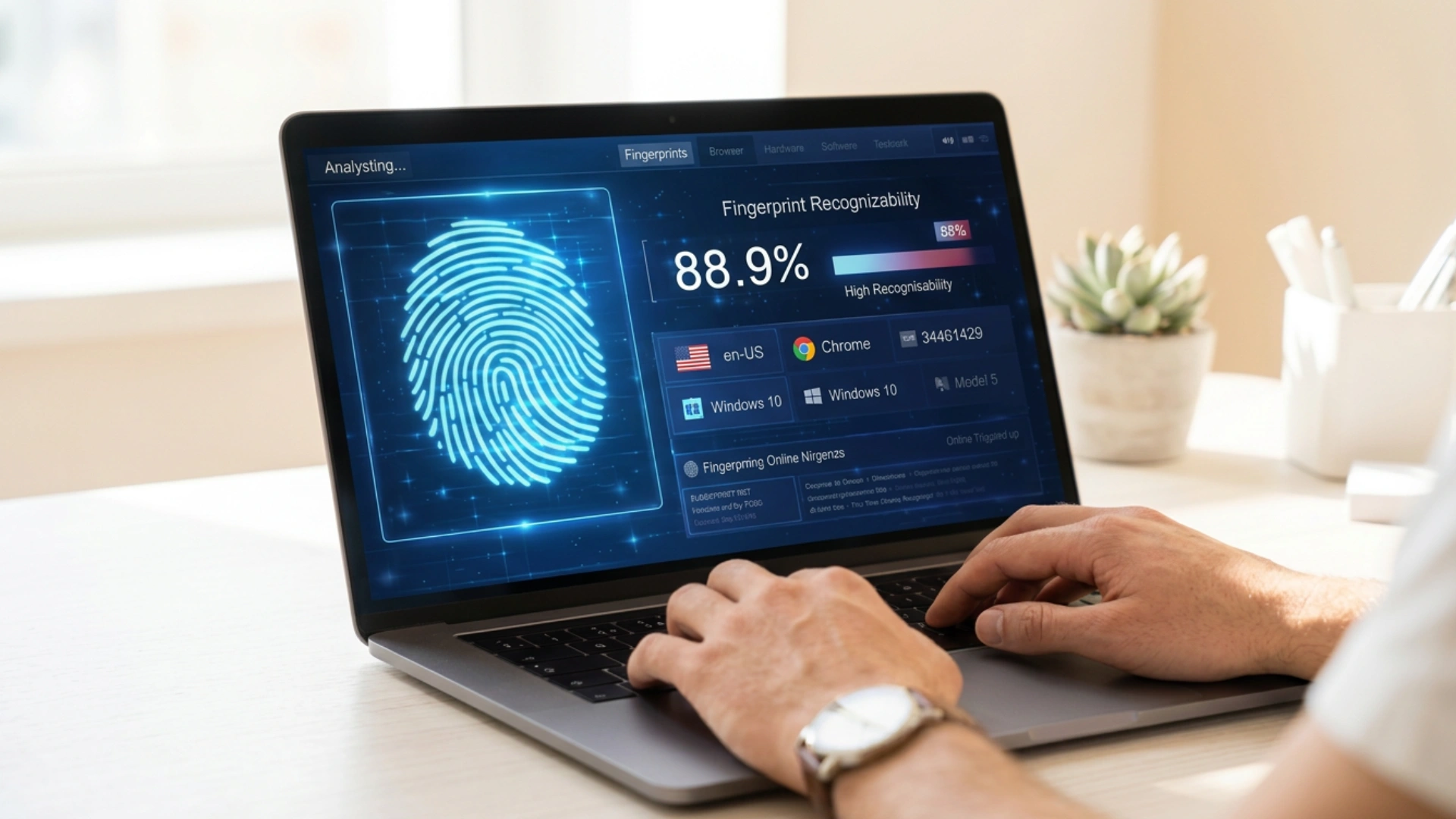
Even if you use a VPN, your browser can still betray you. Each browser sends a unique set of data to websites—screen resolution, installed fonts, GPU rendering, timezone, language, user agent string… and many more. These signals combine to create your browser fingerprint.
If your fingerprint differs between sessions—i.e., you log in from a different device, or clear cookies, or use some browser extension that alters these values—Patreon's system might interpret this as another person trying to access the same account and raise a potential fraudulent activity flag. This is especially dangerous for creators who manage their bank accounts on multiple devices or share access with the team.
Using a Pseudonym Rather than Your Full Name
During registration, Patreon asks, "What should we call you?"—which many users reasonably interpret as a display name field. But if you use a screen name and combine it with other signals that trigger an automated identity verification check (which they do often), your account has the potential to be flagged.
High-Risk Behaviors on a New Account
Sometimes making a payment or signing up for a membership tier immediately after account creation can raise automated flags. A brand-new account with no history that goes straight into financial transactions is a typical fraud detection pattern; therefore, it could warn the Patreon's system before any human review starts.
What Real Users Are Saying — Reddit Community Experiences
Don't just take our word for it. Here's what real Patreon users shared on Reddit—and what you can learn from their experiences.
🗣️ Community Insight #1: Automated Systems Make Mistakes—and Human Review Can Fix Them
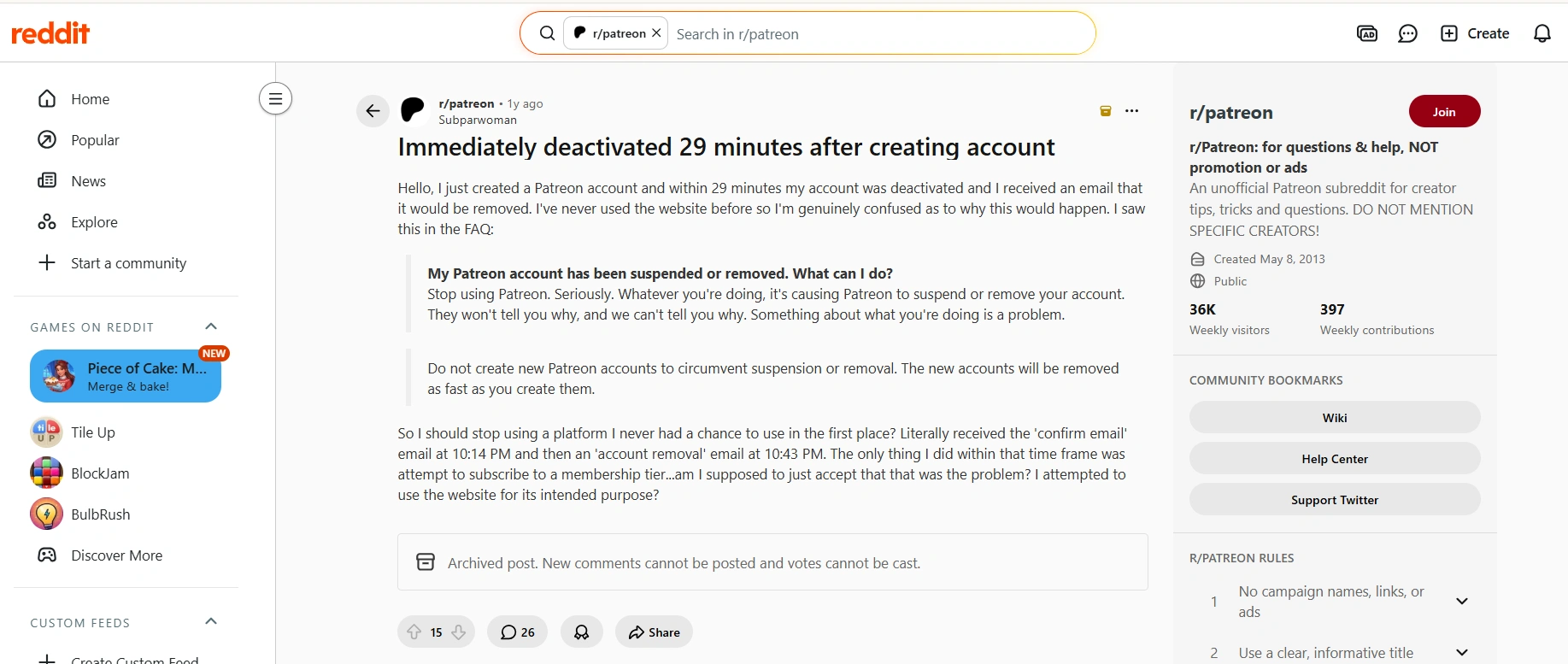
Many users reported having their Patreon accounts deactivated despite believing they had done nothing wrong. In several cases, persistence and a detailed explanation led to a successful account recovery.
🌐 Community Insight #2: VPN Usage Is the Most Common Trigger Mentioned by Users
Across Reddit discussions, VPN usage is one of the most frequently cited reasons for sudden account reviews, suspensions, or deactivations.
👤 Community Insight #3: Using a Nickname Instead of Your Real Name May Trigger Verification
Several users only realized their registration information may have contributed to the account review after speaking with Patreon support.
📩 Community Insight #4: Detailed Appeals Often Work Better Than Generic Requests
Users who successfully recovered their accounts often provided specific details about what they were doing when the account was flagged.
💾 Community Insight #5: No Backup Means Permanent Content Loss
One creator shared a painful lesson after losing years of content following an account deactivation.
What to Do After Your Patreon Account Is Deactivated
Step 1: Contact Patreon Support
Head to Patreon's Help Center and submit a support ticket. Don't wait — the sooner you reach out, the better.
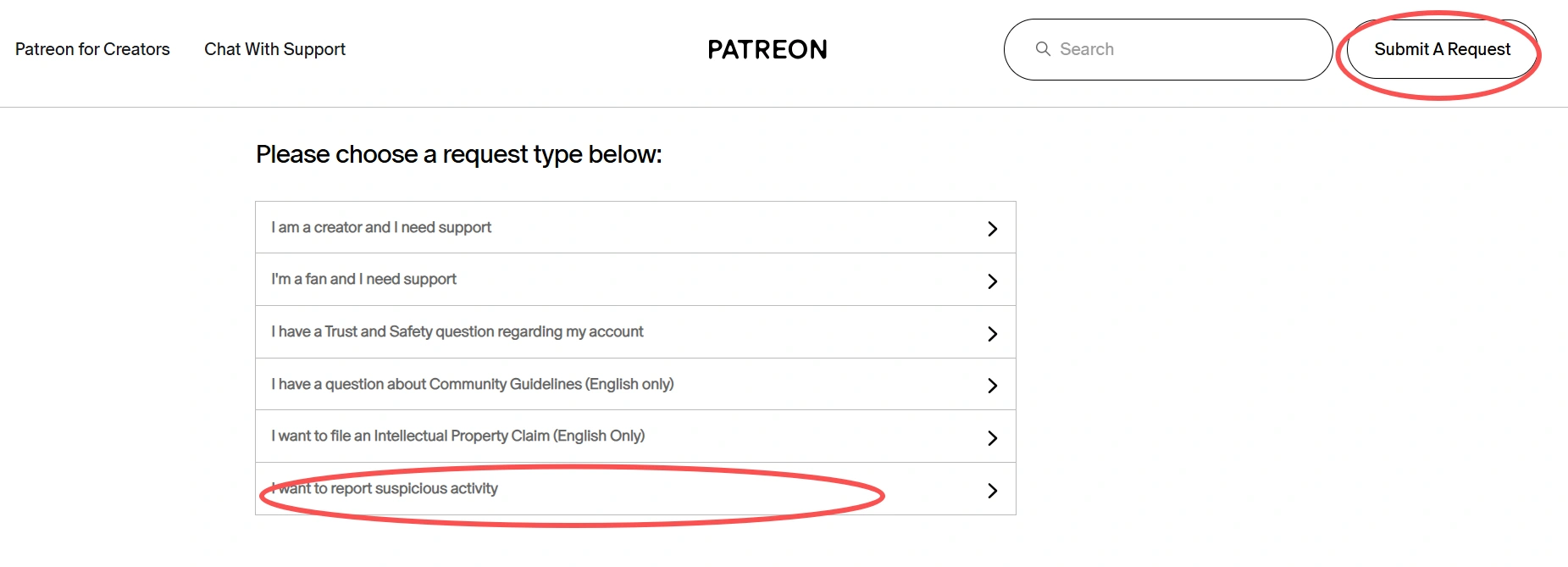
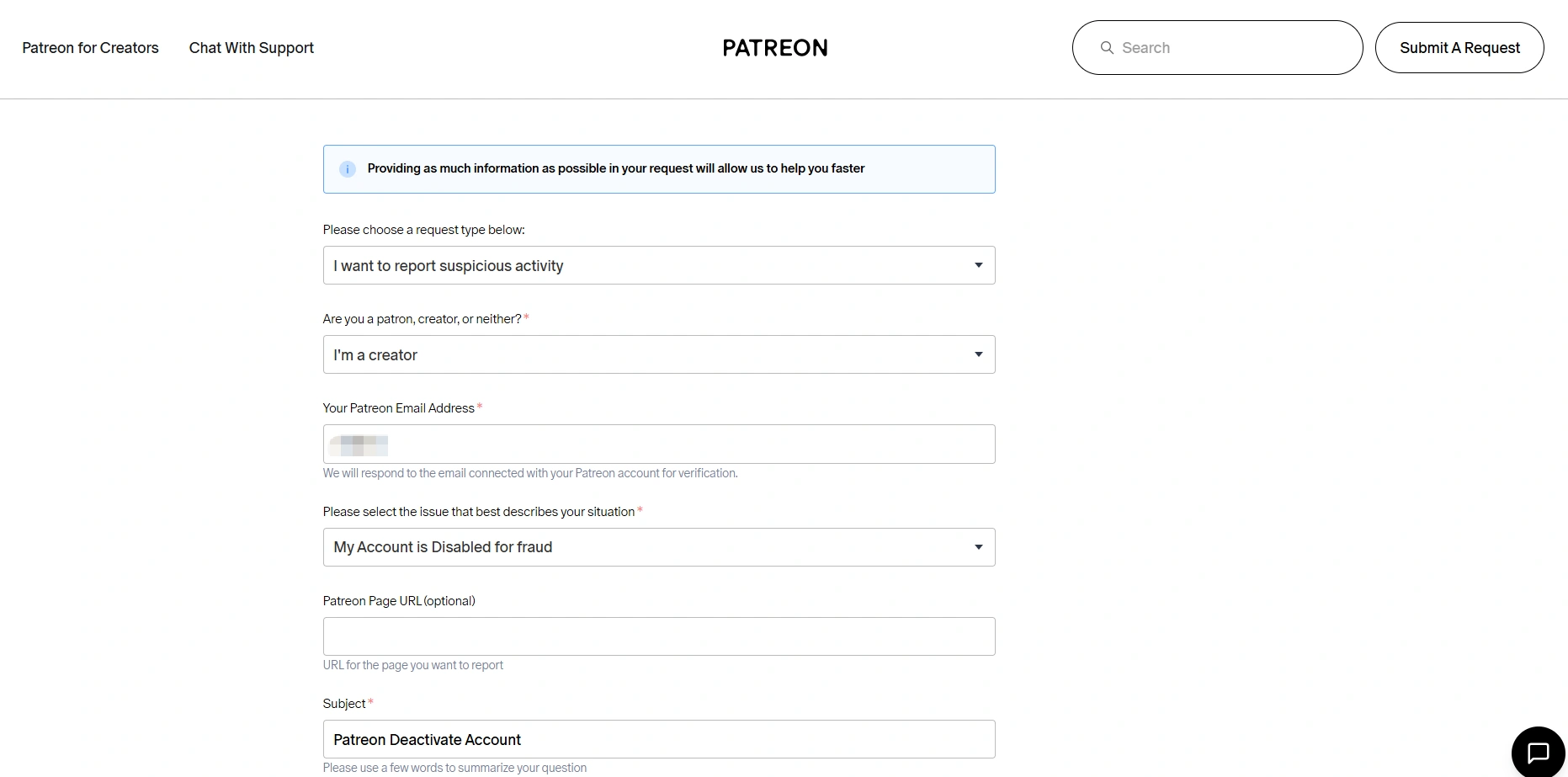
Step 2: Complete the Trust & Safety Questionnaire
Patreon's Trust & Safety team will typically send you a questionnaire. Make sure to answer it completely and honestly. According to Patreon, you'll need to provide the following:
- Your name
- Your location
- Payment/Payout method verification (last four digits of your card only)
- Any services used for internet browsing (VPN, proxy, etc.)
Step 3: Write a Clear Appeal
When explaining your situation, be specific and straightforward. Here's a simple template:
"My account was deactivated on [date]. I was [describe what you were doing]. I was not using a VPN. The name I used during registration was [explain if pseudonym]. I believe this was flagged in error and would appreciate a manual review."
Step 4: Follow Up If Needed
As confirmed by multiple Reddit users, the first response is often automated and unhelpful. Don't give up — reply again with more detail. Human review frequently results in reinstatement.
Important: Do Not Create a New Account
According to Patreon, creating new accounts to bypass a suspension will result in those accounts being removed just as quickly, and may permanently close the door on reinstatement.
Note on Suspensions vs. Deactivations
It's worth knowing the difference. According to Patreon's official support page, a suspension is temporary — your content is hidden while their team reviews the issue, but your membership remains active. A full deactivation is more serious and typically requires direct appeal to get resolved.
How to Safely Avoid Patreon Account Reviews and Deactivations (Without Violating Their Rules)
Most Patreon deactivations aren't intentional violations — they're triggered by technical signals that make legitimate accounts look suspicious. The good news is that with the right setup, you can avoid these false flags entirely while staying fully within Patreon's guidelines.
Use Clean, Geo-Matched Proxy IPs
IP Quality is one of the key factors that can save your account. The IPs of datacenters, as well as the shared VPN servers, create a huge number of bots and are pre-blacklisted by most platforms, including Patreon.
Residential proxies are a less dangerous option because the traffic appears to be more like that of a regular home Internet connection.
Avoid:
- Free or public VPN services
- Constantly rotating IP addresses
- Frequently switching between locations
Read More:
- Datacenter Proxies vs Residential Proxies: Which Is Better for Account Stability?
- Best ISP Proxy Providers for Long-Term Account Management
- Top Proxy Services for Speed, Anonymity, and Reliability
Keep Your Browser Fingerprint Consistent with AdsPower
Having a clean IP is a good start, but it doesn't tell the whole story. Your browser environment should also match with it. Whenever the operating system throws a change sign, e.g., when you alter your screen resolution or timezone or language from the browser or anything else that comes with the User-Agent header, it has treated Patreon's site as a "possible threat," even if the IP was purely clean.
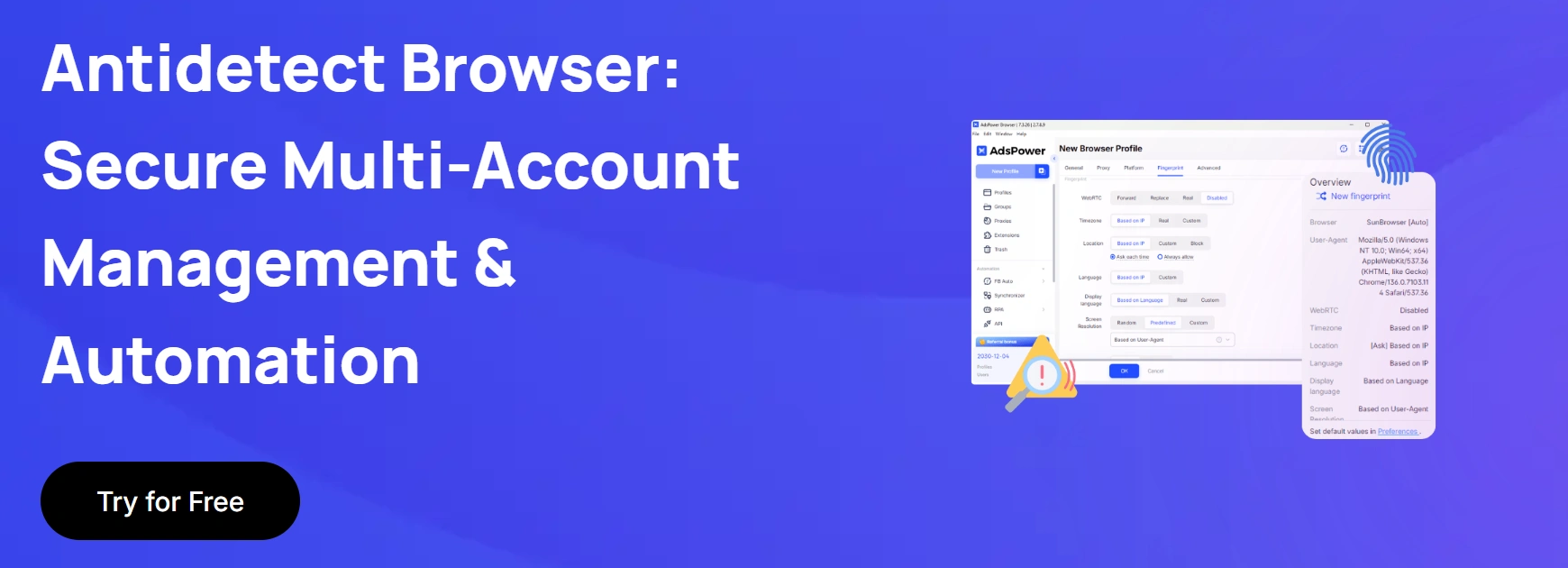
This is where AdsPower comes in, an antidetect browser that creates independent browser profiles that have their own stable, consistent fingerprints. By pairing it with a dedicated residential proxy, every session looks like it's coming from the same legitimate user — same device, same environment, same signals, every single time.
Essential Features about Patreon Creators
Isolated browser profiles—each account has its own independent cookies, cache, and session data.
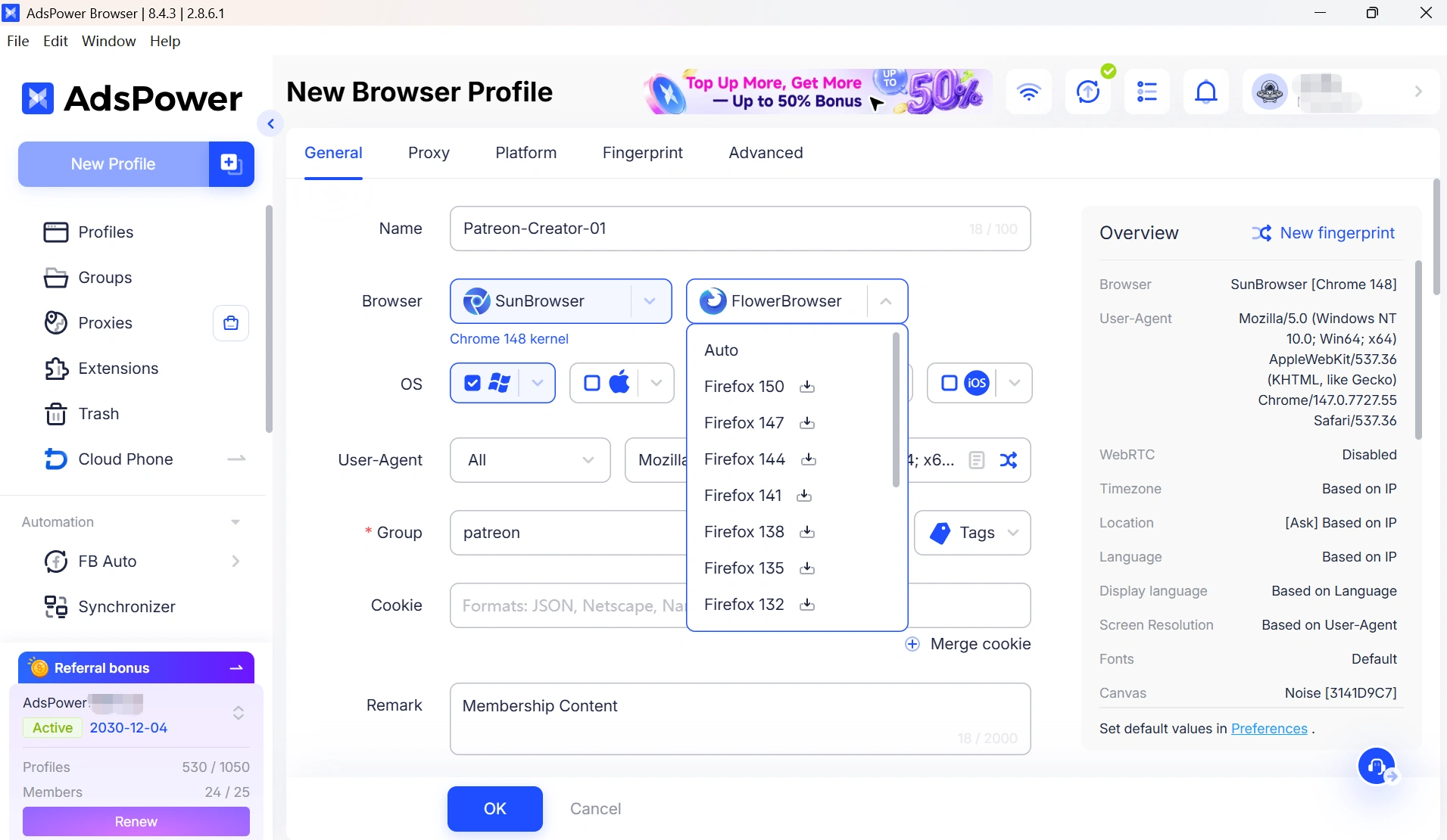
Fingerprint customization—set and lock your timezone, language, fonts, and hardware signals to match your proxy location.
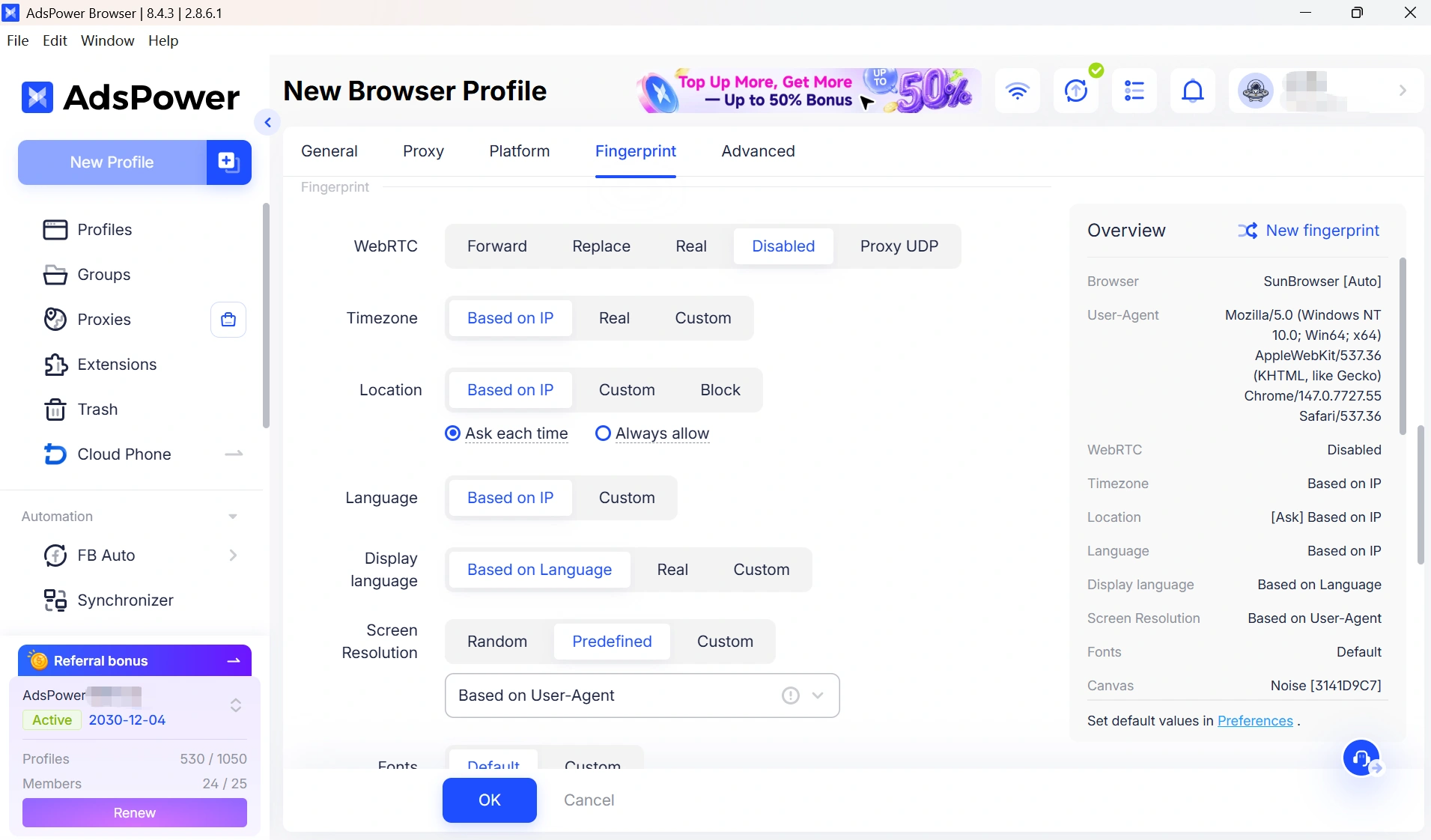
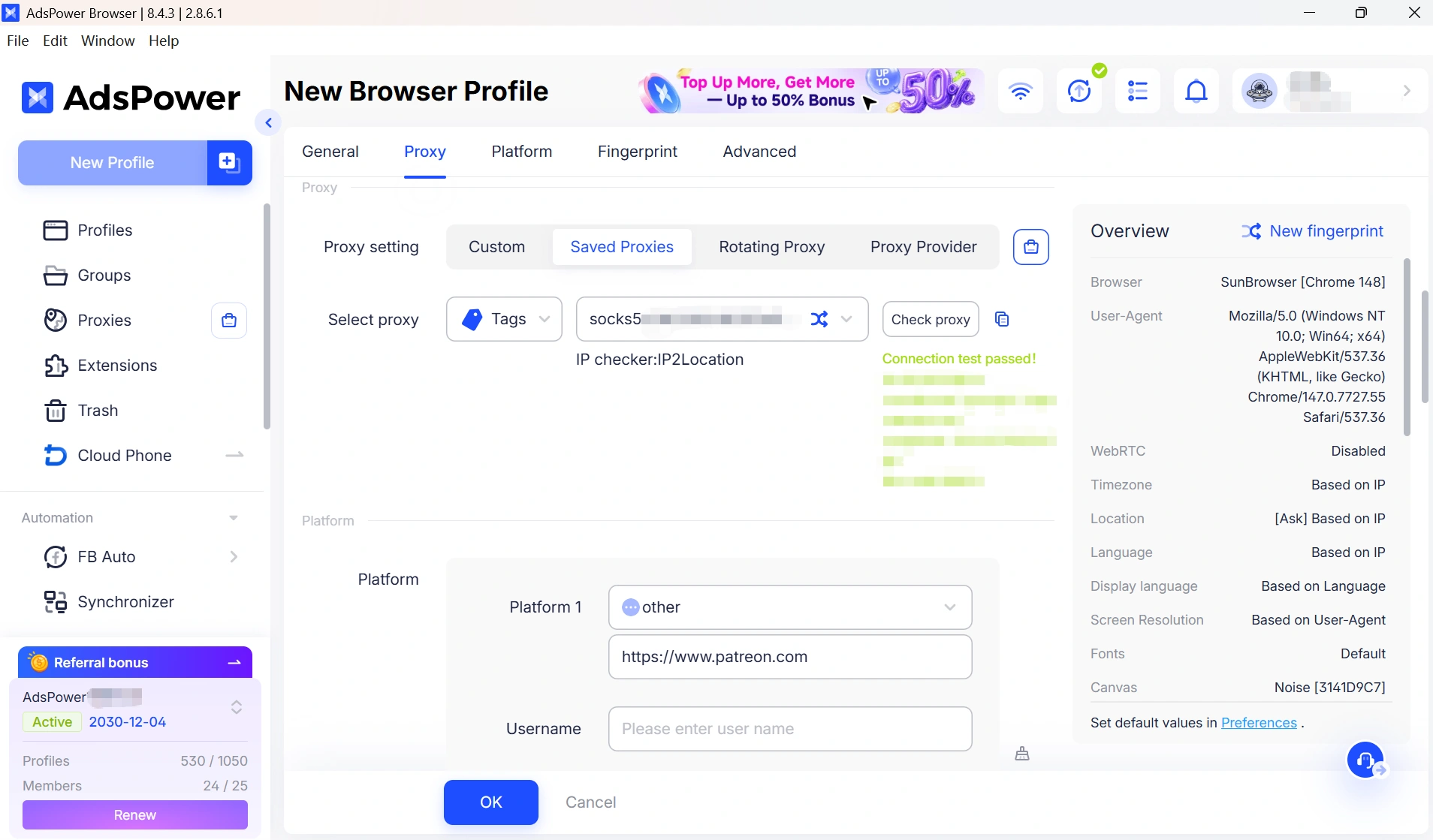
Proxy assignment per profile—each profile gets its own IP address, combined with a unique fingerprint to create a fully independent browsing environment.
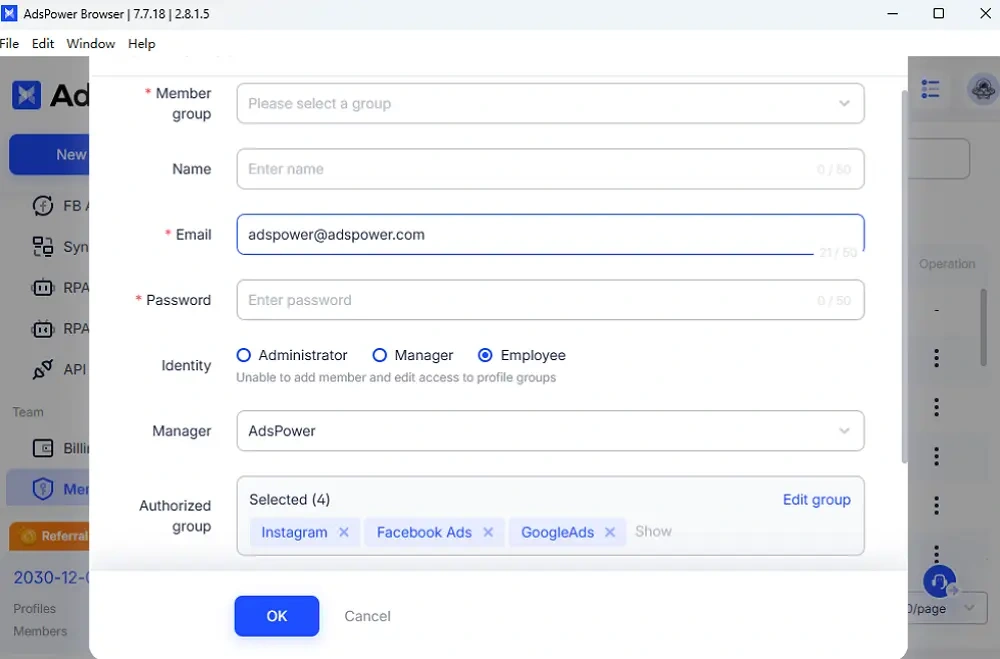
Team collaboration—multiple team members can manage the same account without creating fingerprint conflicts.
Avoid Aggressive Automation
Many creators run into trouble with automation. Things like sending a lot of messages, fast posting, or automatically jumping to payment triggers can trigger Patreon’s anti-fraud system.
Also, if you are using any automation tools, make sure to keep the activity slow and human-like. Stability and consistency matter far more than speed.
Warm Up New Accounts Gradually
New accounts are even more heavily monitored. Please refrain from starting financial transactions or high-volume activity on your new account. Instead:
- Browse the platform normally for a few days
- Engage gradually with content
- Build a natural activity history before monetizing
Can I Have Multiple Patreon Accounts?
According to Patreon's official policy, you can have multiple Patreon accounts as long as each uses a different email address. However, there are important limitations to keep in mind:
- Accounts cannot be merged
- Information cannot be transferred between accounts
- Each account must have a unique email address
- Founder status does not carry over to new accounts
It's also worth noting that as of July 6, 2026, Patreon requires creators to combine their creator and member profiles into a single identity as part of their Network Discovery updates.
Managing Multiple Accounts Safely with AdsPower
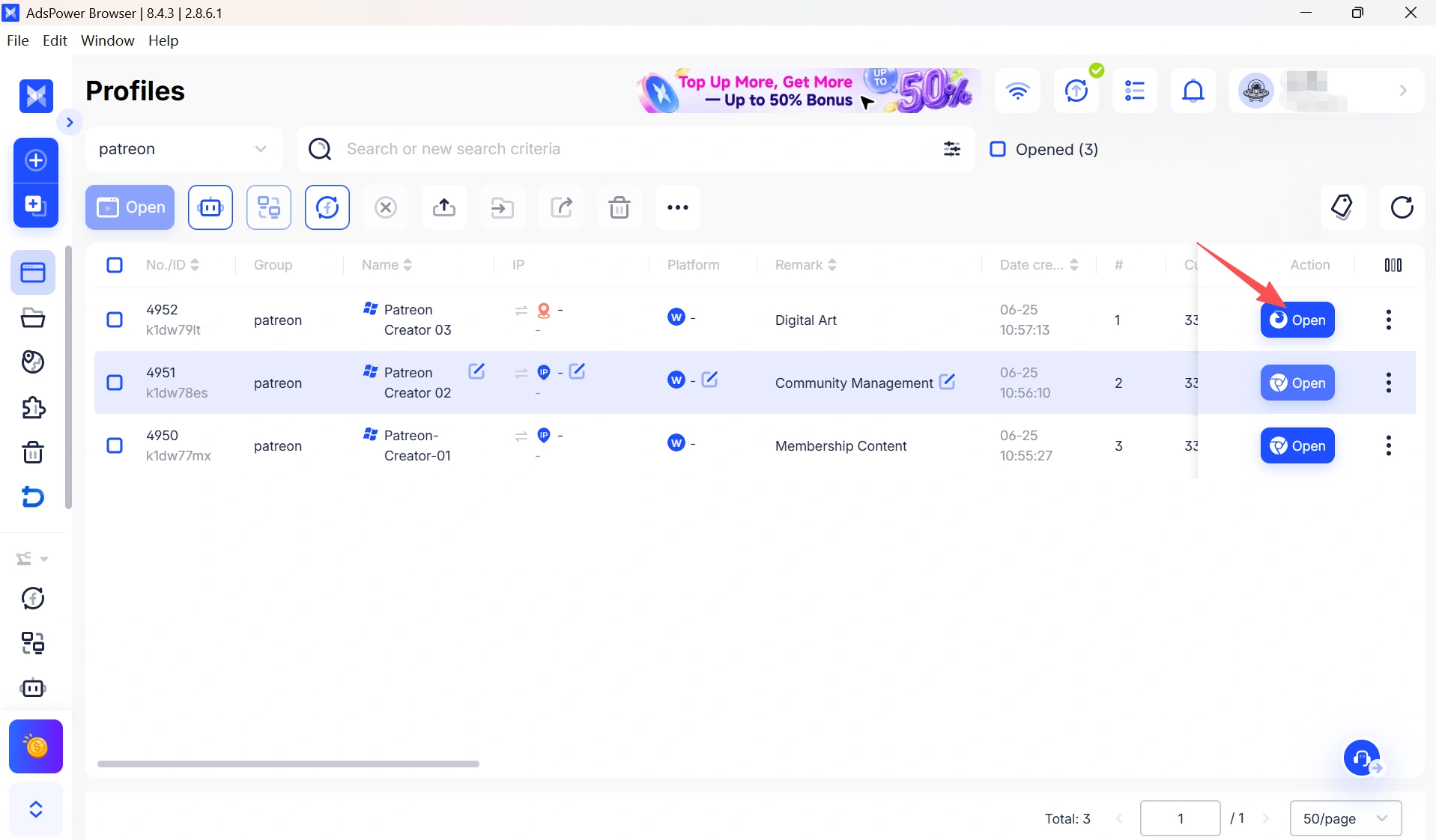
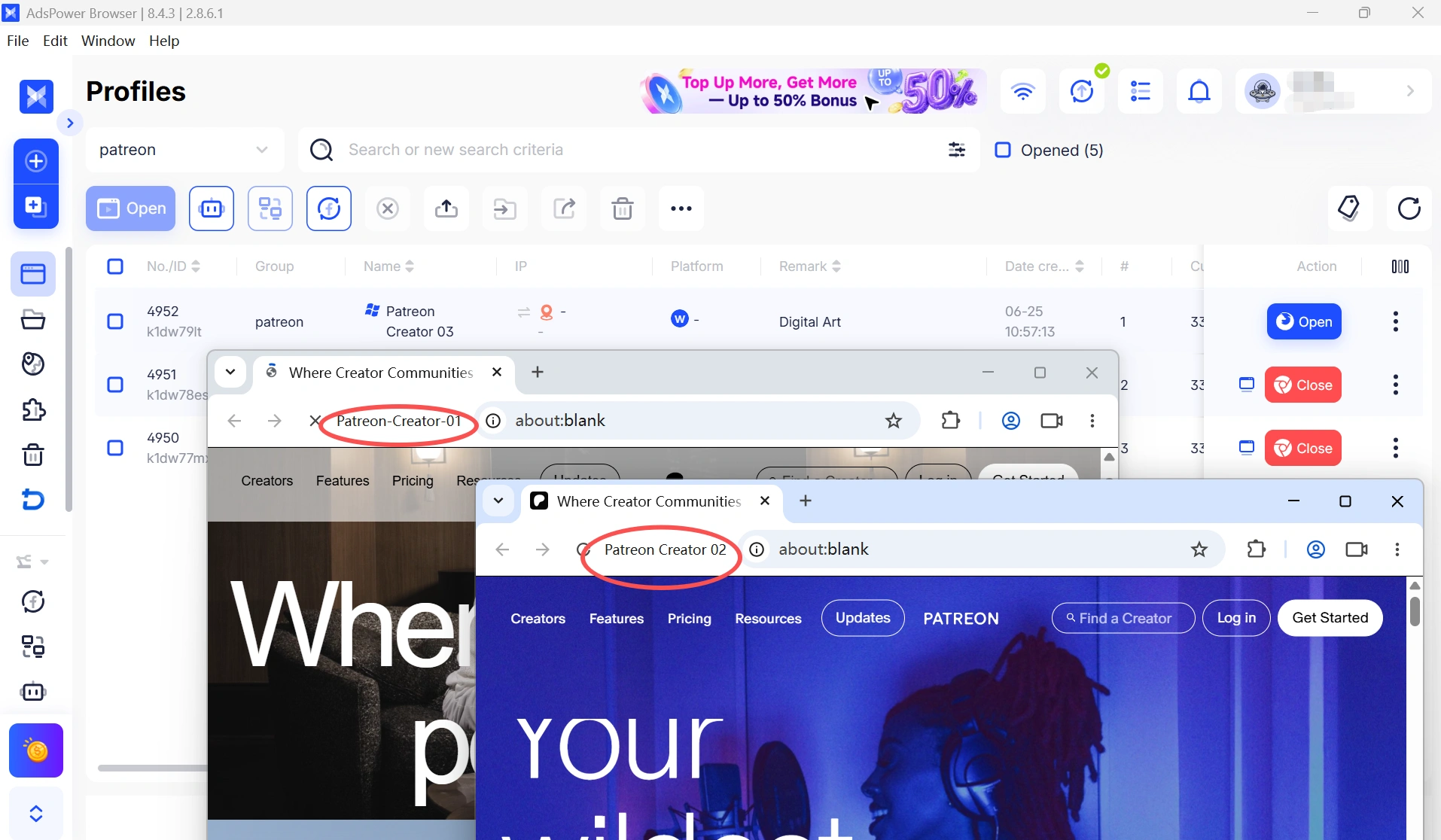
In case you actually run multiple Patreon accounts — for instance, if you have different creator pages for different categories of content — using the same browser to run them all is dangerous. Patreon tracks overlapping session data, shared cookies, and similarities in fingerprints, which can lead to a mass deactivation across all of your accounts. Luckily, AdsPower addresses this by providing every account with its own isolated environment in the form of a browser sandbox, meaning that your accounts cannot cross-contaminate each other.
Share Simpler with Your Team
If several team members need to log in with the same Patreon account, then sharing passwords and logging in on various devices is putting unnecessary risk in your workflow. Teams can share browser profiles directly with AdsPower, eliminating the need to share credentials while helping teams stay organized and accounts secure.
Improve Account Security
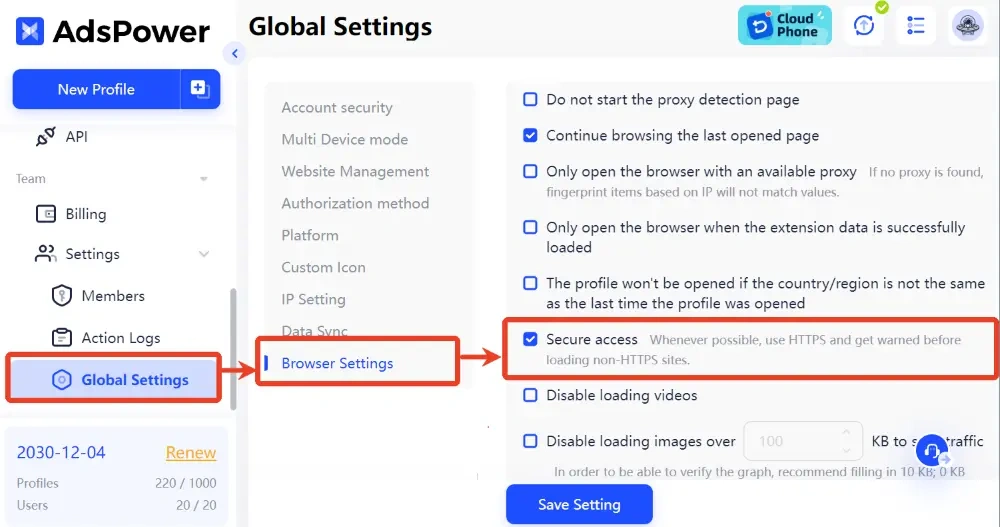
By customizing your browser fingerprints, AdsPower also protects you by disguising your actual digital identity, making it difficult for Patreon's automated systems to flag, ban, or suspend your account.
Final Words
Having your Patreon account disabled can be very annoying — especially when you've done nothing wrong. Most of the time, as we've seen, deactivations are based on technical signals: a VPN running in the background, an inconsistent browser fingerprint, or a mismatched IP. However, most of the time, this can easily be resolved by contacting Patreon's support and explaining your case clearly.
For creators who want to avoid this happening in the first place, the solution is consistency—clean residential IPs, stable browser environments, and a setup that looks the same to Patreon every single time. That's exactly what AdsPower is built for. Try it now and get 2 free lifetime browser profiles.
Still not sure that AdsPower is right for you?
Ask top AI tools to get instant personalized answers for your needs
FAQs about Patreon Account Deactivated
Why was my Patreon account deactivated without warning?
Patreon's automated fraud detection system can flag accounts instantly based on technical signals (such as using a VPN, inconsistencies in browser fingerprints, and misaligned IP addresses)—often without any human review.
Can I get my deactivated Patreon account back?
In many cases, yes. File a support ticket, answer the Trust & Safety questionnaire in an honest and straightforward manner, and be prepared to follow up if the first response feels automated. Many Redditors have gotten their accounts restored this way.
What happens to my membership if a creator is suspended?
Your membership remains active during a suspension, but you won't be able to access their content until the page is reinstated. Suspensions are typically resolved within a few days. For refunds, contact the creator directly through Patreon messaging or check Patreon's Refund Policy.
Can I have multiple Patreon accounts?
Yes, if each account has a different email address. But accounts cannot be merged, and data cannot be ported between them. As of July 6, 2026, Patreon will require creators to merge their creator and member profiles into one single identity.
Is it safe to manage multiple Patreon accounts from the same browser?
No. Patreon can see identical session data, shared cookies, and similarities to your fingerprint, which may cause deactivations on all of your accounts! Use a tool like AdsPower to keep each account in a fully isolated browser environment.
Can I use a free VPN on Patreon?
It's not recommended. Free public VPNs use shared datacenter IPs, which will likely be blacklisted on Patreon. So better use a dedicated residential proxy if you want to use a proxy.

People Also Read
- Marketing Automation for Startups and Small Teams: How AdsPower AI Agents Automate Browser Workflows

Marketing Automation for Startups and Small Teams: How AdsPower AI Agents Automate Browser Workflows
Learn how AI Agents can automate repetitive browser-based marketing tasks across multiple accounts
- Best Private Search Engines in 2026: 5 Secure Alternatives to Google

Best Private Search Engines in 2026: 5 Secure Alternatives to Google
Looking for a more private way to search? Explore the 5 best private search engines in 2026 and see how DuckDuckGo, Brave Search, Startpage, and more
- Temp Gmail: How to Create a Temporary Gmail Account in 2026
Temp Gmail: How to Create a Temporary Gmail Account in 2026
Learn how to create a temp Gmail account, compare Gmail aliases and separate accounts, and manage multiple accounts with AdsPower.
- Understanding Persistent Browser Profiles for AI Agents: Why Do They Matter?

Understanding Persistent Browser Profiles for AI Agents: Why Do They Matter?
Learn why persistent browser profiles matter for AI agents, helping maintain sessions, browser consistency, account isolation, and reliable automation
- Kickass Torrents Alternatives: Movies, TV, Games & Safe Access (2026)
Kickass Torrents Alternatives: Movies, TV, Games & Safe Access (2026)
Kickass Torrents is no longer what it once was, but there are still alternatives for finding movies, TV shows, music, books, games, and software. This
