

Simple Fixes for Common AdsPower Extension Errors and Failures
Take a Quick Look
Here are some simple fixes helps you troubleshoot common AdsPower extension issues—like missing extensions, wallet logouts, or loading failures—through practical steps, sync tips, and expert advice.
When extensions disappear, constantly load, or require frequent logins—especially wallet extensions—it can raise serious concerns. Is it a bug? Is my data at risk?
Take a deep breath. These issues can usually be resolved with a few simple checks. And with AdsPower's recent extension installation logic optimization, security and reliability have improved significantly.
This article will walk you through the key changes, explain how to troubleshoot extension issues by yourself, and provide clear steps to ensure smooth use across devices.
What Changed: A Smarter, Safer Way to Install Extensions
AdsPower has upgraded the way extensions are installed to protect your profiles better:
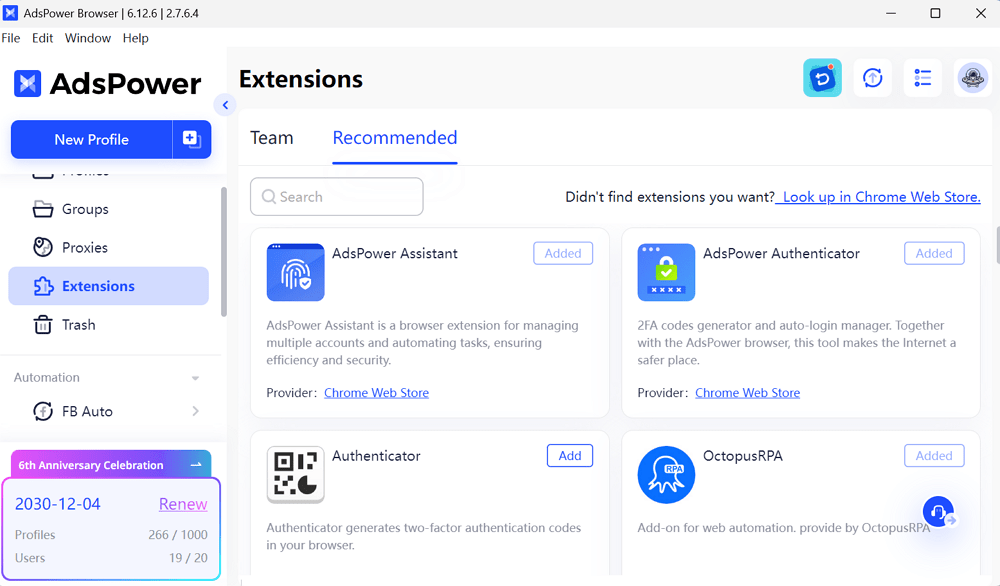
- All extensions from the Recommend are now directly pulled from the Chrome Web Store.
- This ensures the latest version and maintains the original Chrome extension ID.
How to Troubleshoot Common Extension Issues in AdsPower
Let's explore common problems and how to self-check and fix them on your own before reaching out to support.
1. Extension Missing on Another Device?
Issue: You open a profile on a new device, and the extension is gone.
Possible Cause: The extension was installed inside the profile rather than through the Extensions Center.
How to Fix:
The data will only be stored on the local device when installing extensions directly in the profile, which won't be synced.
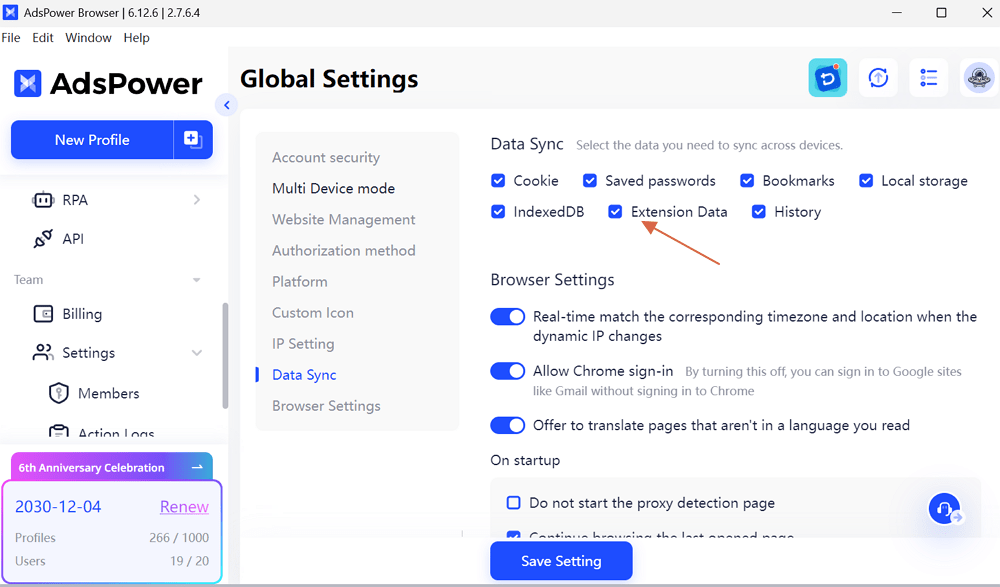
For multi-device or team workflows, please install from the Extensions center and enable "Extension Data" in Team > Global Settings > Data Sync. This ensures your extension setup stays consistent.
2. Wallet Extension Logged Out?
Issue: Your wallet extension is logged out and asking to log in again.
Potential Causes:
- Cache was cleared.
- The browser kernel was significantly upgraded/downgraded. For example, update the Chrome kernel from 120 to 133.
- The extension was only installed in the profile but opened from another device.
- Data sync failed or error.
Tips to Avoid Data Sync Failure Across Devices:
❓Why does extension data not sync across devices?
To prevent this:
- Install extensions via the Extensions center, not inside the profile.
- Go to Global Settings > Data Sync and ensure Extension Data is turned on.
- If sync wasn't on before, open the profile on your main device after enabling it to allow the data to be synced to the cloud.
Note: If extension data exceeds 60MB, the sync may fail.
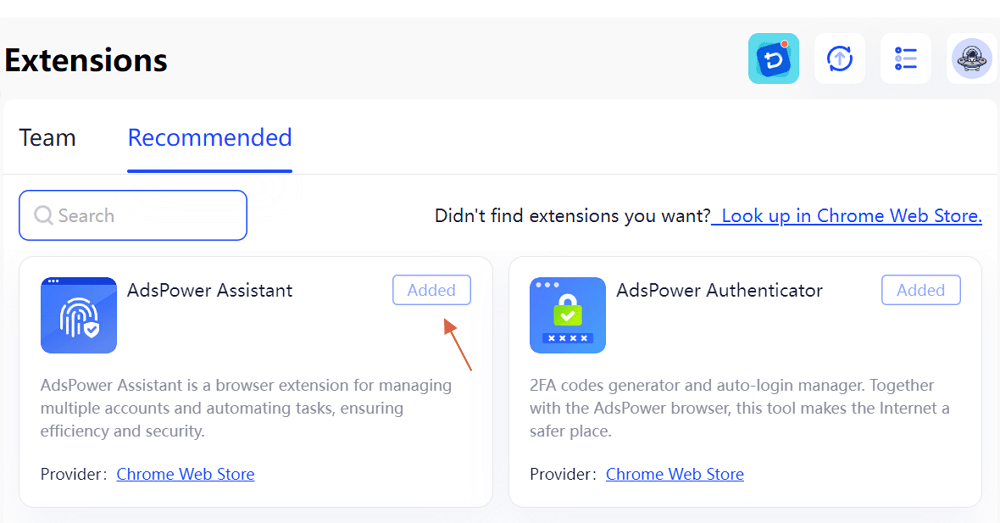
- Ensure the extensions under the Extensions tab are downloaded properly when logging in from a new device.
👉 Still unsure? Refer to our official guide here.
3. Extension Keeps Loading?
Issue: The extension never fully opens, just shows a loading screen.
Most Common Cause: Network connectivity problems.
How to troubleshoot:
✅ Disable firewalls or antivirus temporarily.
Some security software blocks extension processes. Try disabling them for a moment and reopening the extension.
✅ Reinstall the extension.
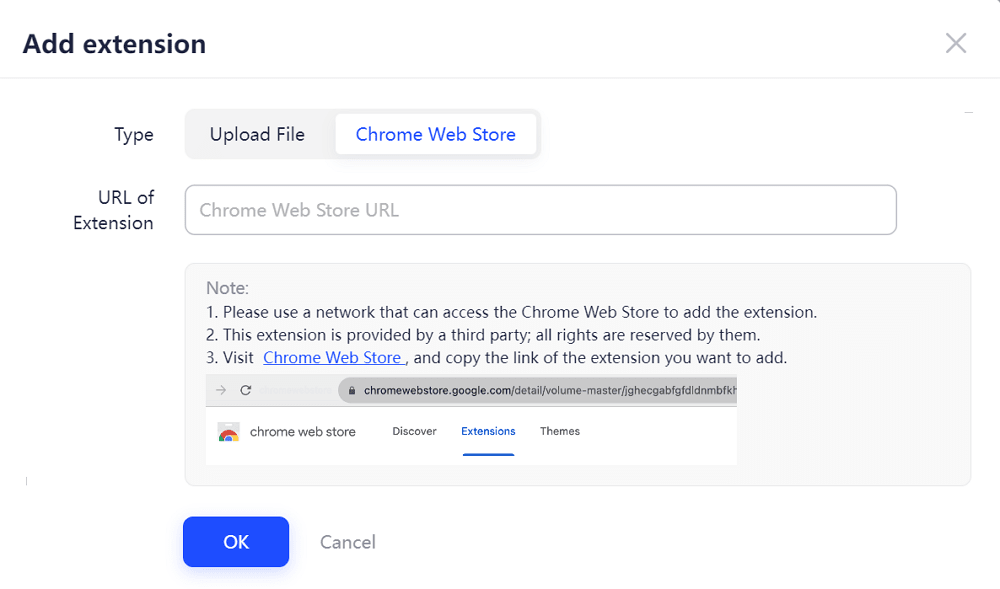
a. Remove the extensions from the Extensions center (if you installed inside the profile before, just uninstall in the profile).
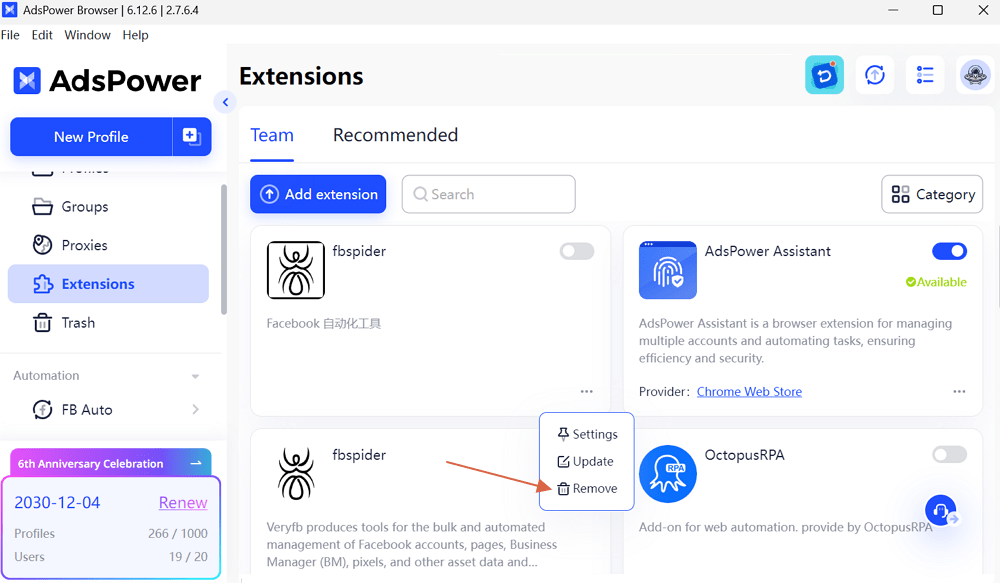
b. Reinstall it via the Extensions center.
✅ Check for network interference or encrypted connection issues.
Ensure the profile's network connection is stable—try opening other websites or extensions to verify functionality. In some cases, encrypted network tools may interfere with extension connectivity. You can try switching networks or temporarily disabling such tools to test the connection.
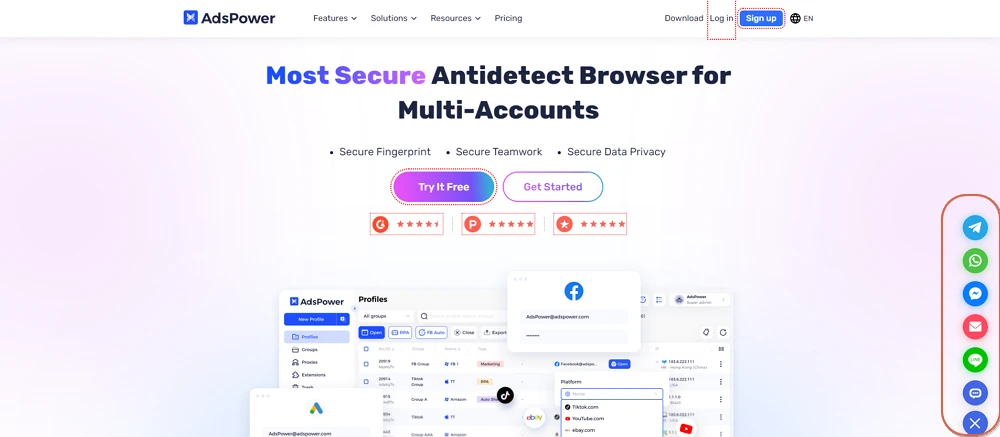
Still facing issues? Contact our support team directly via our IM (Instant Message) support channels. Click the Message icon on the bottom right of our official website and select the platform (including Telegram, WhatsApp, Messenger, Line, etc.) that you used to provide feedback on your case.

People Also Read
- Marketing Automation for Startups and Small Teams: How AdsPower AI Agents Automate Browser Workflows
Marketing Automation for Startups and Small Teams: How AdsPower AI Agents Automate Browser Workflows
Learn how AI Agents can automate repetitive browser-based marketing tasks across multiple accounts
- Best Private Search Engines in 2026: 5 Secure Alternatives to Google
Best Private Search Engines in 2026: 5 Secure Alternatives to Google
Looking for a more private way to search? Explore the 5 best private search engines in 2026 and see how DuckDuckGo, Brave Search, Startpage, and more
- Temp Gmail: How to Create a Temporary Gmail Account in 2026
Temp Gmail: How to Create a Temporary Gmail Account in 2026
Learn how to create a temp Gmail account, compare Gmail aliases and separate accounts, and manage multiple accounts with AdsPower.
- Understanding Persistent Browser Profiles for AI Agents: Why Do They Matter?
Understanding Persistent Browser Profiles for AI Agents: Why Do They Matter?
Learn why persistent browser profiles matter for AI agents, helping maintain sessions, browser consistency, account isolation, and reliable automation
- Kickass Torrents Alternatives: Movies, TV, Games & Safe Access (2026)
Kickass Torrents Alternatives: Movies, TV, Games & Safe Access (2026)
Kickass Torrents is no longer what it once was, but there are still alternatives for finding movies, TV shows, music, books, games, and software. This
