

How to Use Seedance AI Video for Multi-Account Content Scaling
Take a Quick Look
Many creators use Seedance AI and AdsPower to scale short-form video content across multiple social media accounts. See how to use them to scale your business safely and efficiently.
Content production has changed dramatically. Small creator teams can now publish more videos in a week than entire agencies once produced in a month—largely because AI video tools have removed much of the manual editing work.
Platforms like Seedance AI make it easier to generate short-form videos, create visual sequences, and scale content output across multiple channels without spending endless hours in editing software.
But creating one video is no longer the hard part. The real challenge begins when creators start managing multiple social media accounts simultaneously. That's why many teams now pair AI video tools with platforms like AdsPower to keep multi-account operations stable and scalable.
What you'll learn in this guide:
- How Seedance AI speeds up video production
- Why multi-account scaling is growing rapidly
- Common pitfalls when managing dozens of accounts
- How to combine Seedance AI + AdsPower for efficient workflows
- Best practices for sustainable content scaling
What Is Seedance AI Video?
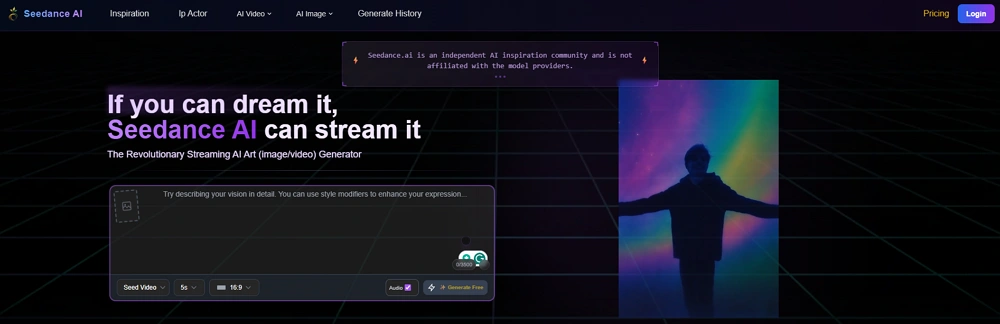
Seedance AI is part of a new wave of tools that make video creation significantly faster than traditional methods. Instead of spending hours editing clips manually, creators can use AI to turn simple ideas, prompts, or scripts into ready-to-publish short videos in minutes.
Key Benefits for Content Creators
| Benefit | Impact |
| Faster production | Create videos 5-10x faster than manual editing |
| Easy experimentation | Test different hooks, captions, and styles quickly |
| Lower barrier to entry | One person can handle tasks that previously required editors |
| Consistent output | Maintain daily posting schedules across multiple accounts |
A big reason creators are trying Seedance AI is simply that it cuts down the time spent making short-form content for TikTok, Instagram Reels, and YouTube Shorts.
For smaller teams, the difference is noticeable. Tasks that once needed editors or designers can now be handled by one person much faster. That's especially valuable for creators managing several accounts simultaneously.
However, AI video tools alone don't solve everything. Creating videos is only one part of large-scale content operations. Once creators begin managing multiple accounts, posting schedules, testing strategies, and account safety become just as important as the content itself.
Why Multi-Account Content Scaling Is Growing Rapidly
Social media growth has shifted dramatically in recent years. Instead of focusing on one account, many creators and businesses now run multiple pages across TikTok, Instagram Reels, YouTube Shorts, Facebook, and X.
Key Drivers Behind This Trend
1. Unstable Organic Reach
Algorithms change constantly, and even large accounts can suddenly lose traffic. Running multiple accounts helps creators spread risk while increasing opportunities for views and followers.
2. High-Volume Content Demand
Short-form video platforms reward creators who post consistently—sometimes several times per day. Tools like Seedance AI make this manageable by speeding up video production.
3. Diversified Revenue Streams
Multiple accounts allow creators to test different niches, affiliate offers, and monetization strategies simultaneously.
Who's Using Multi-Account Strategies?
- Affiliate marketers – Testing different offers across niches
- E-commerce brands – Running separate accounts for different product lines
- Content agencies – Managing client accounts at scale
- Faceless channel operators – Building niche content networks
- Meme and niche content pages – Capitalizing on trending topics
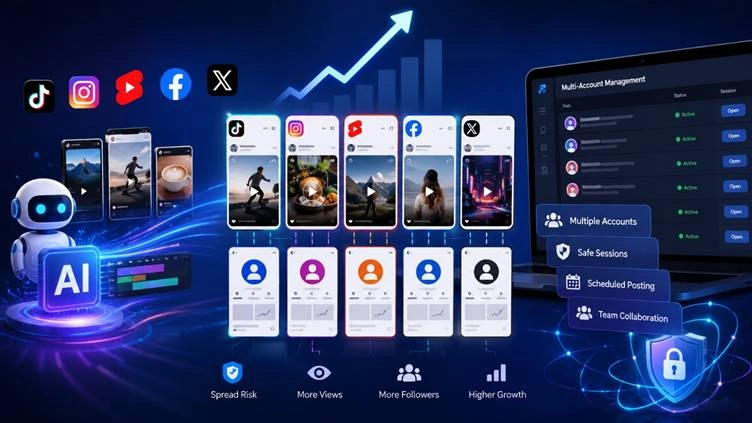
At the same time, managing many accounts manually becomes difficult quickly. Logins, browser sessions, posting schedules, and account safety can easily turn chaotic without a proper system.
The Biggest Problems With Managing Multiple Accounts
Managing a few social media accounts is easy. The problems start when creators scale to dozens of accounts across different platforms.
1. Account Detection Risks
Social platforms pay close attention to login behavior, especially when many accounts are accessed from the same browser or device. Common issues include:
- Sudden verification requests
- Account restrictions for "suspicious activity"
- Shadowbanning due to connected account signals
- IP-based flagging on TikTok, Instagram, and Facebook
Why this happens: Platforms use browser fingerprints, cookies, and device data to detect connected accounts. When too many accounts share the same digital footprint, risk scores increase.
2. Workflow Gets Confusing
Managing dozens of accounts creates operational chaos:
- Constantly switching between logins
- Mixing up browser sessions
- Forgetting passwords
- Accidentally uploading content to the wrong page
- Losing track of posting schedules
Once the workload grows, things become messy surprisingly fast.
3. Team Access Problems
- For agencies or content teams, sharing accounts between multiple people creates another layer of complexity:
- Too many direct logins trigger security alerts
- Password sharing creates security vulnerabilities
- Confusion over who posted what and when
- Accidental changes inside accounts
4. Content Starts Feeling Repetitive
Over-scaling is a common pitfall. Some creators repost very similar AI-generated videos across all their accounts. At first, it may work, but over time, engagement drops if the content looks repetitive or low-effort.
5. Keeping Everything Consistent
Running multiple accounts means tracking:
|
Element |
Challenge |
|
Upload schedules |
Different time zones and optimal posting times |
|
Audience segmentation |
Each account may target different demographics |
|
Content performance |
Tracking which formats work where |
|
Platform trends |
Staying current with algorithm changes |
|
Engagement activity |
Responding to comments and messages |
That's why many creators eventually use dedicated multi-account management tools instead of handling everything manually.
Why Creators Use AdsPower Alongside Seedance AI
Seedance AI helps creators produce videos faster, but content creation is only one part of large-scale social media growth. Once creators start managing multiple accounts, organization and account safety become critical.
That's why many teams use AdsPower together with AI content tools.
Better Account Separation
One issue with running many social accounts is that platforms can connect them through browser data, cookies, or device activity. When too many accounts share the same browser environment, verification checks happen more often.
AdsPower solves this by:
- Creating isolated browser profiles for each account
- Generating unique browser fingerprints (canvas, WebGL, fonts)
- Separating cookies, cache, and local storage
- Supporting different proxy configurations per profile
Each account runs in its own separate browser environment instead of everything being mixed together.
Easier Daily Management
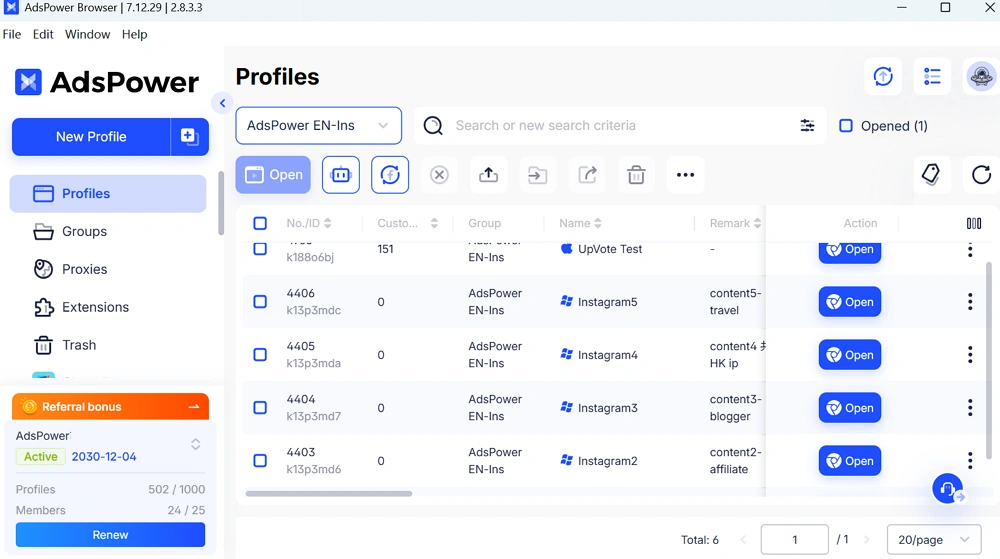
Once the number of accounts grows, manual tracking becomes unsustainable. AdsPower provides:
- Centralized dashboard – See all accounts in one place
- Profile organization – Group accounts by niche, client, or platform
- Automated workflows – Use RPA templates for repetitive tasks
- Quick switching – Jump between accounts without logging in/out
Better for Teams
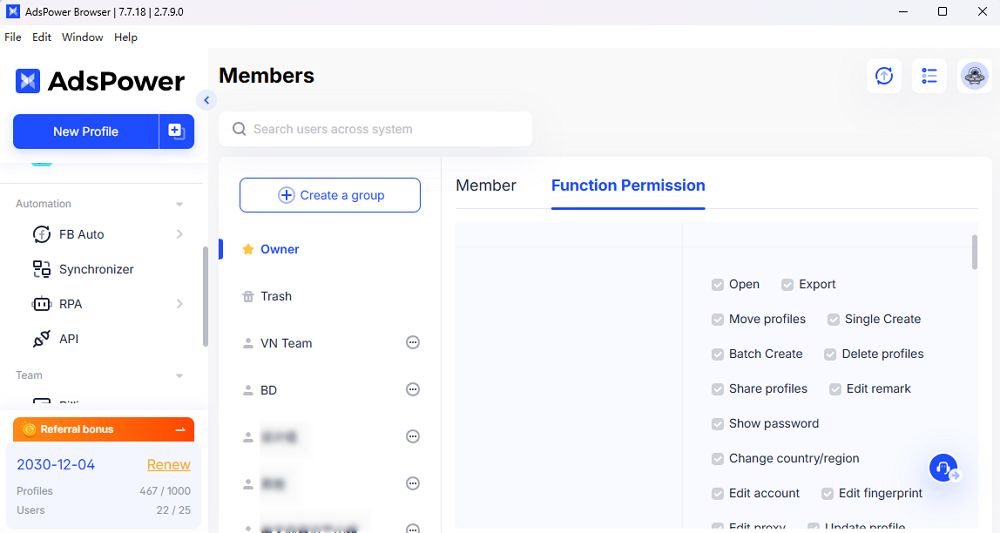
For agencies or shared projects, account access is another challenge. Passing passwords between team members is risky.
- Role-based permissions (admin, operator, viewer)
- Activity audit logs
- No need to share actual account credentials
- Sub-account management for client work
A More Scalable Content System
Many creators now use a simple workflow:
- Seedance AI handles video production
- AdsPower manages browser environments and accounts
- Teams focus on publishing, testing, and scaling content
This setup makes it easier to run larger content operations without losing control of account management.
Best Practices for Scaling AI Video Content
Scaling AI-generated content isn't only about posting more videos. Successful creators focus on consistency, account stability, and content quality simultaneously.
1. Avoid Posting Identical Videos Everywhere
Uploading the exact same video across dozens of accounts can hurt performance over time. It’s better to change:
- Hooks
- Captions
- Thumbnails
- Music
- Video pacing
Small changes help content feel more natural and reduce repetition.
2. Don't Grow Accounts Too Aggressively
A common mistake is pushing too much content too quickly on new accounts. That attracts attention faster than expected.
Recommended approach:
- Week 1-2: 1-2 posts per day
- Week 3-4: 2-3 posts per day (if engagement is stable)
- Month 2+: Scale to 3-5 posts per day gradually
Slower growth often works better long-term. A gradual posting pattern looks more natural than suddenly uploading dozens of videos.
3. Make Content Feel Less Automated
AI can speed up production, but people respond better to content that feels personal.
Simple ways to add authenticity:
- Change the intro for each account
- Add commentary or reactions
- Use different voice-overs
- Adjust editing styles per niche
- Include trending elements specific to each platform
4. Keep Everything Organized
Once several accounts are involved, staying organized becomes important very quickly. Simple things like separating browser sessions, planning upload times, and managing account access properly can save a lot of confusion later on.
5. Track What Actually Works
Not every niche, format, or upload style performs the same way. Strong creators constantly test content and focus on the videos generating the best engagement instead of blindly posting more volume.
There are some key metrics to monitor:
- View-through rate (VTR)
- Engagement rate (likes, comments, shares)
- Follower growth per account
- Click-through rate on CTAs
- Conversion metrics (if applicable)
Conclusion
AI video tools have made content production faster than ever. What once required editors, designers, and large teams can now be handled by much smaller setups. That's why tools like Seedance AI are becoming popular among creators, agencies, and online businesses publishing content at scale.
However, creating videos is only part of the process. Once multiple accounts are involved, workflow management becomes just as important as the content itself.
Handling browser sessions, account access, upload schedules, and platform safety manually quickly becomes unsustainable. That's why many creators combine AI video tools with platforms like AdsPower—one side speeds up production, while the other keeps account management organized and stable.
For teams running large content operations, having both pieces working together makes scaling significantly easier in the long run.
FAQ
Can Seedance AI create videos for TikTok and YouTube Shorts?
Yes. Many creators use Seedance AI primarily for short-form content like TikTok videos, Instagram Reels, and YouTube Shorts because the workflow is significantly faster than traditional editing. The AI generates vertical-format videos optimized for mobile viewing.
Why do creators run multiple social media accounts?
Different accounts allow creators to test audiences, niches, posting styles, and content ideas more efficiently. It also reduces the risk of depending on a single account for traffic and revenue. Multi-account strategies enable diversification across platforms and monetization methods.
Is managing multiple accounts risky?
It can be if everything is handled from the same browser or device setup. Platforms sometimes flag unusual login activity or repeated account switching as suspicious behavior. Using separate browser environments and proper account management tools significantly reduces these risks.
Why do creators use AdsPower with AI content tools?
AI tools help produce content faster, while AdsPower helps organize browser environments and account management. Many creators use both together to handle larger workflows smoothly—Seedance AI for video creation, AdsPower for managing multiple social media accounts safely.
Can small teams scale content operations with AI tools?
Yes. That's one of the biggest reasons AI video tools are growing so quickly. Smaller teams can now produce much more content without hiring large editing teams. Combined with proper account management, small teams can compete with much larger operations.
What's the recommended posting frequency for multiple accounts?
Start with 1-2 posts per day per account, then gradually increase to 3-5 posts daily as accounts establish trust with platforms. Quality and consistency matter more than raw volume—focus on sustainable pacing rather than aggressive scaling.

People Also Read
- Marketing Automation for Startups and Small Teams: How AdsPower AI Agents Automate Browser Workflows
Marketing Automation for Startups and Small Teams: How AdsPower AI Agents Automate Browser Workflows
Learn how AI Agents can automate repetitive browser-based marketing tasks across multiple accounts
- Best Private Search Engines in 2026: 5 Secure Alternatives to Google
Best Private Search Engines in 2026: 5 Secure Alternatives to Google
Looking for a more private way to search? Explore the 5 best private search engines in 2026 and see how DuckDuckGo, Brave Search, Startpage, and more
- Temp Gmail: How to Create a Temporary Gmail Account in 2026
Temp Gmail: How to Create a Temporary Gmail Account in 2026
Learn how to create a temp Gmail account, compare Gmail aliases and separate accounts, and manage multiple accounts with AdsPower.
- Understanding Persistent Browser Profiles for AI Agents: Why Do They Matter?
Understanding Persistent Browser Profiles for AI Agents: Why Do They Matter?
Learn why persistent browser profiles matter for AI agents, helping maintain sessions, browser consistency, account isolation, and reliable automation
- Kickass Torrents Alternatives: Movies, TV, Games & Safe Access (2026)
Kickass Torrents Alternatives: Movies, TV, Games & Safe Access (2026)
Kickass Torrents is no longer what it once was, but there are still alternatives for finding movies, TV shows, music, books, games, and software. This
