

AdsPower's Synchronizer: A Complete Guide
We introduced the Synchronizer in March, a special function that makes it possible to manage multiple profiles simultaneously. Since then, several months have passed, and we have upgraded the Synchronizer significantly. To give you a complete understanding of this unique AdsPower feature, we will walk you through it in this post.
What is Synchronizer
The Synchronizer allows you to perform the same tasks simultaneously in each profile. The actions you perform in the main window—which is highlighted in light blue—such as opening a new tab, clicking a button, or entering text—are simultaneously carried out in other windows.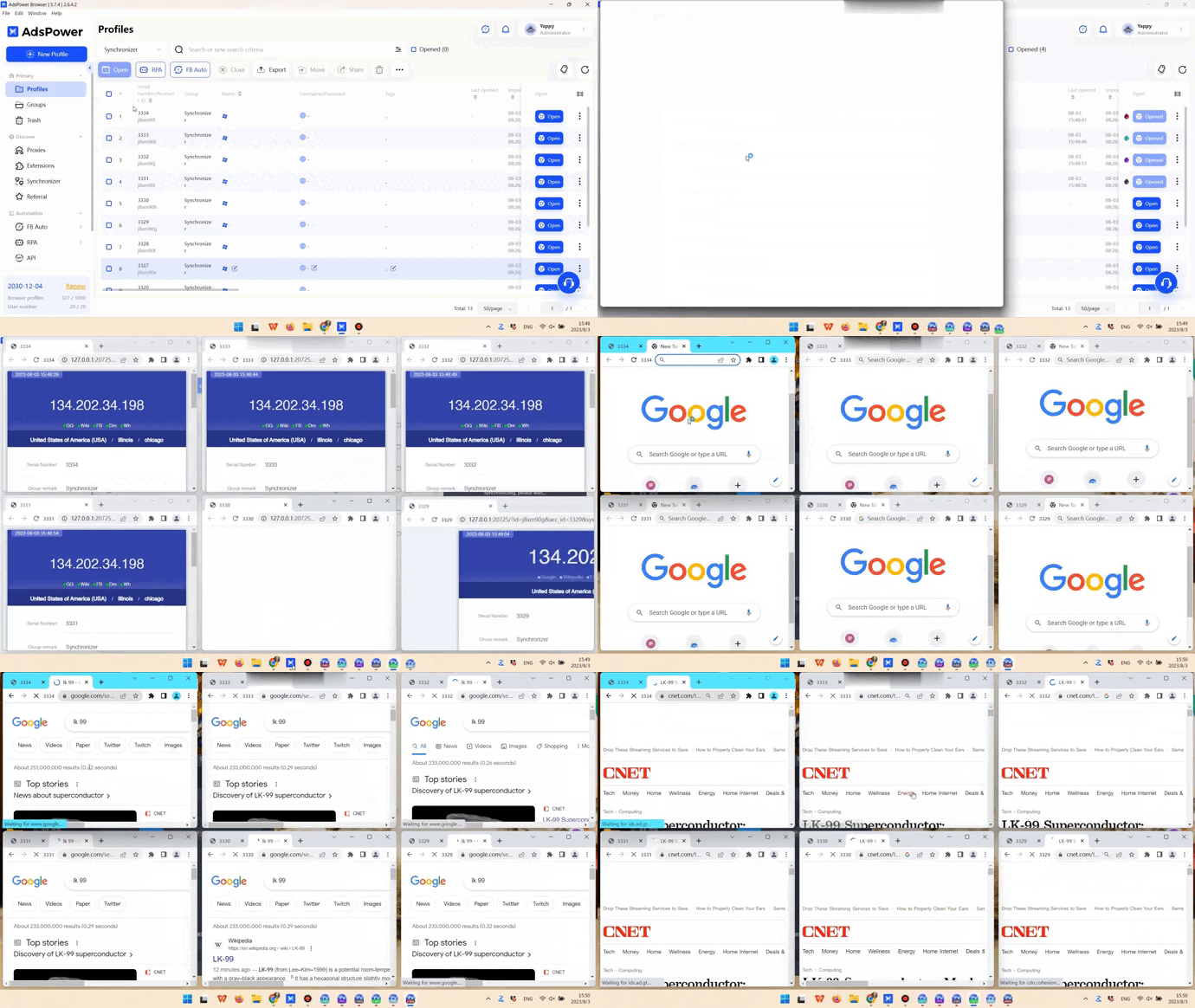
Pop-up windows frequently appear when you open an extension or register for a website using a third party account. Fear not—synchronization between pop-up windows is also possible.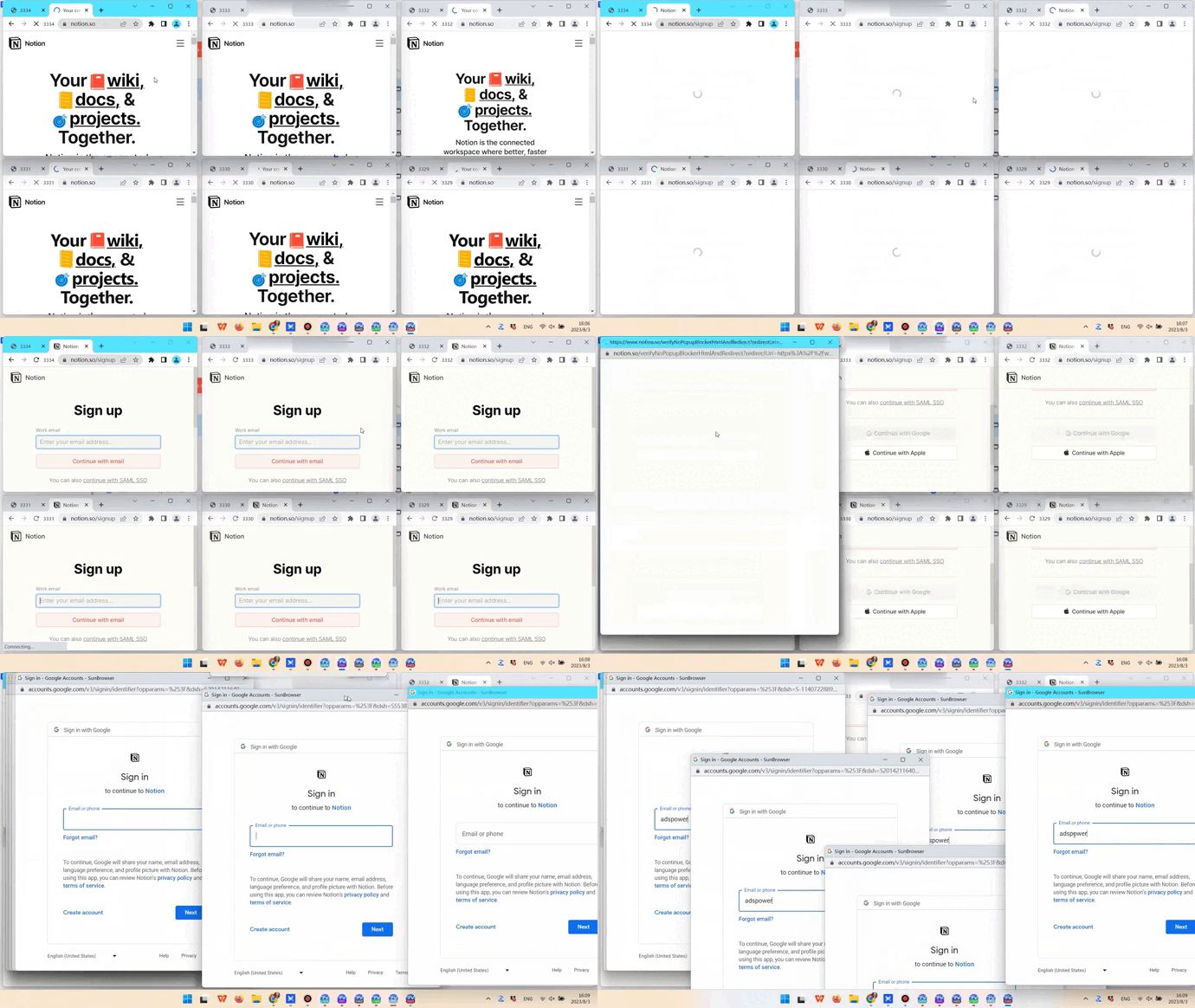
Even more astounding is the Synchronizer's ability to function when using multiple monitors.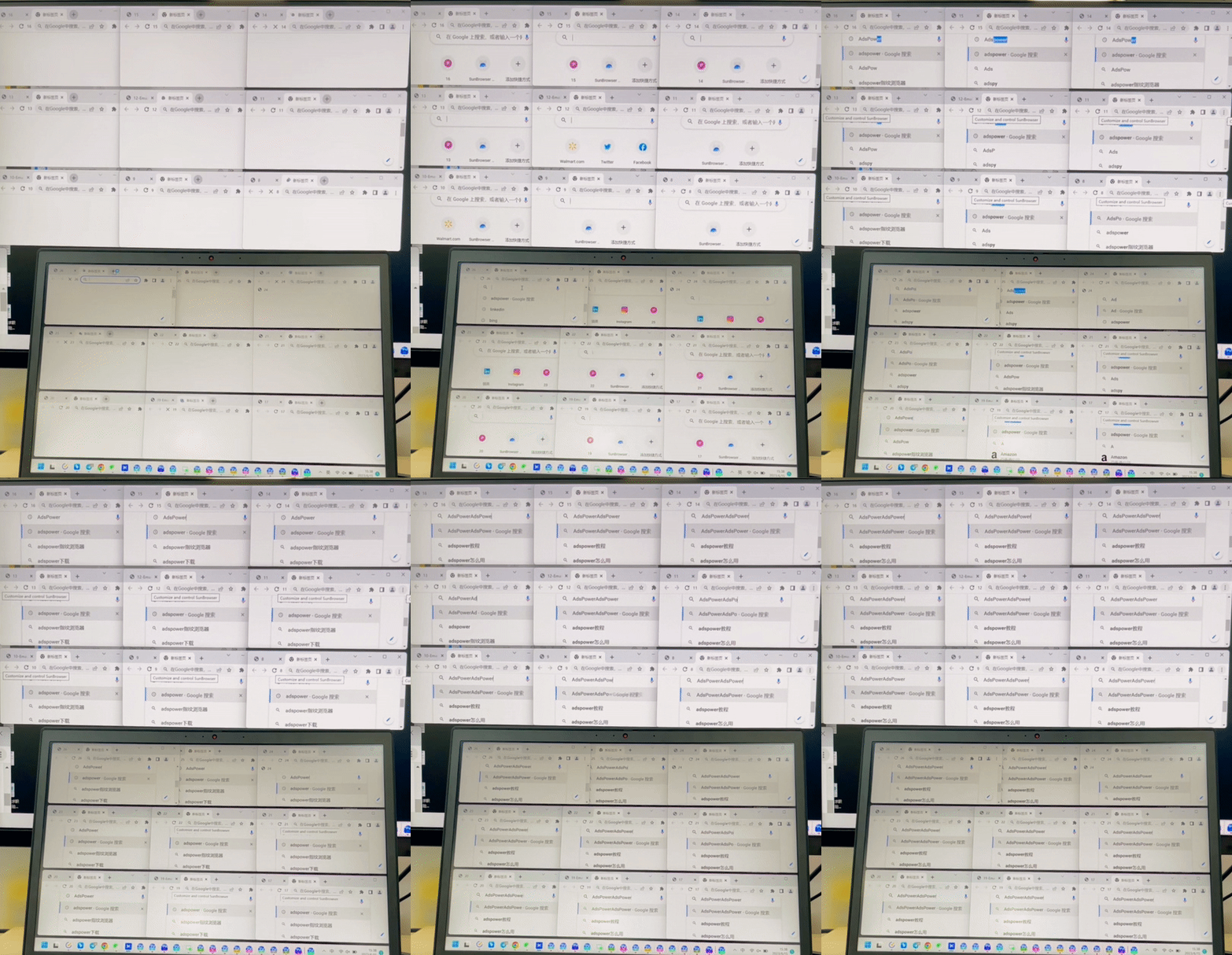
It’s easy to use Synchronizer; you only need to open the profiles you want to work with, then go to the Synchronizer section and press Start sync.
Next, let’s look into how Window management and Text management work in the Synchronizer.
Window management
View windows
When you open multiple profiles (or windows), clicking on View windows will bring the selected ones to the front. 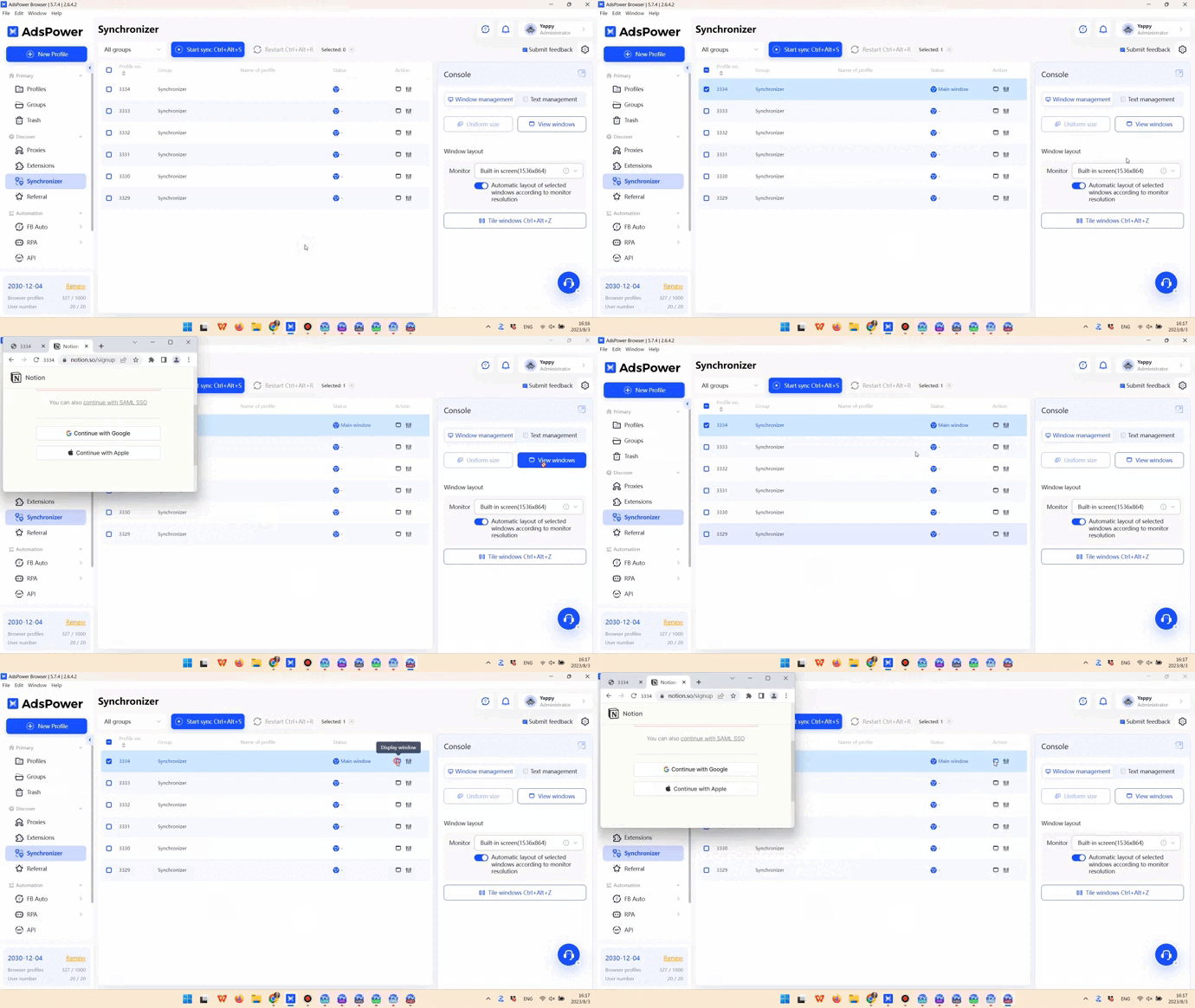
Tile windows
You can use Tile windows to display windows side by side so that you can see what is happening in each window clearly.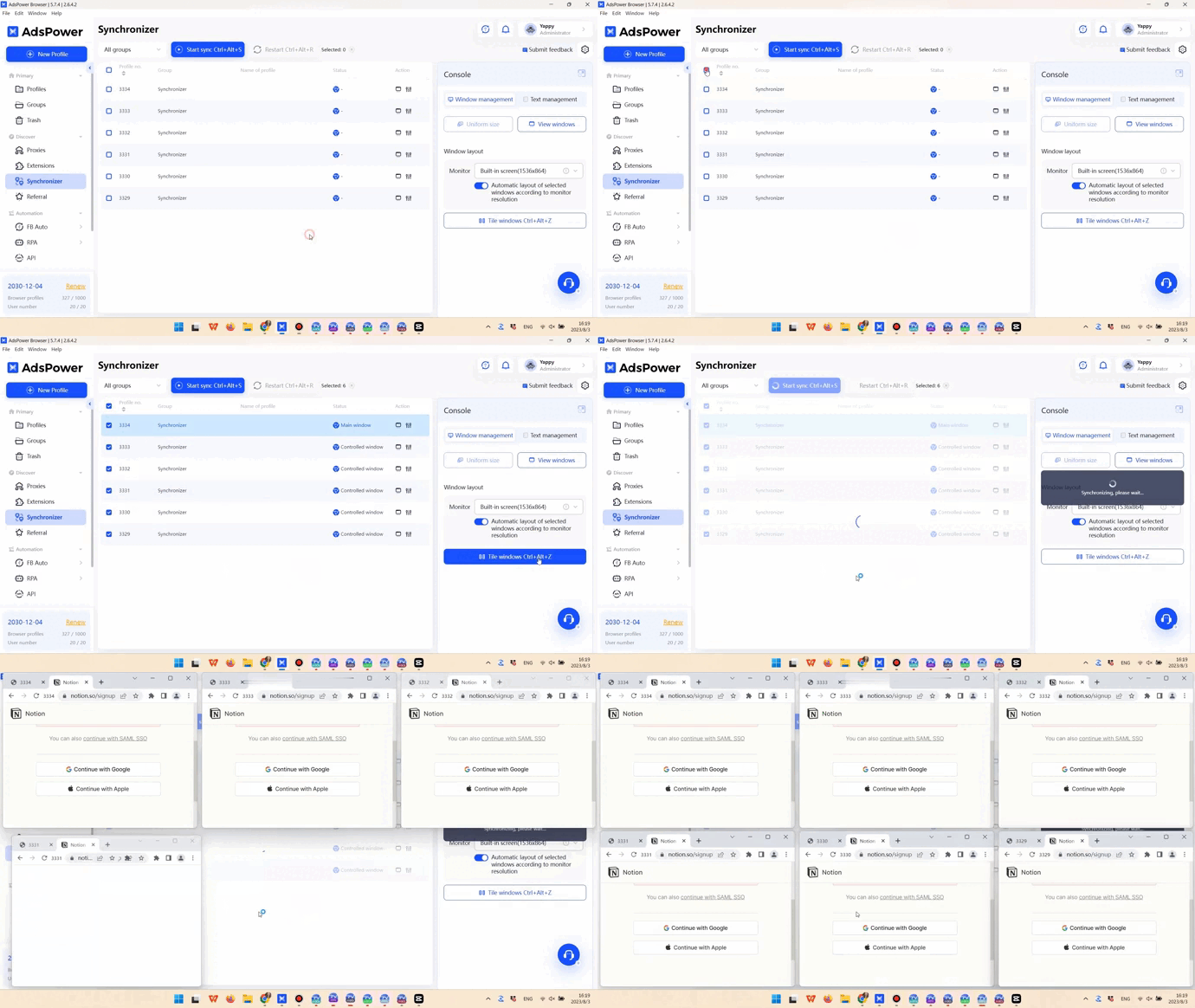
Window size
By default, all windows are the same size when placed side by side. There are two methods you can use to alter the window sizes after starting sync:
● Adjust the main window to the desired size, then press Uniform size to make all the windows the same size.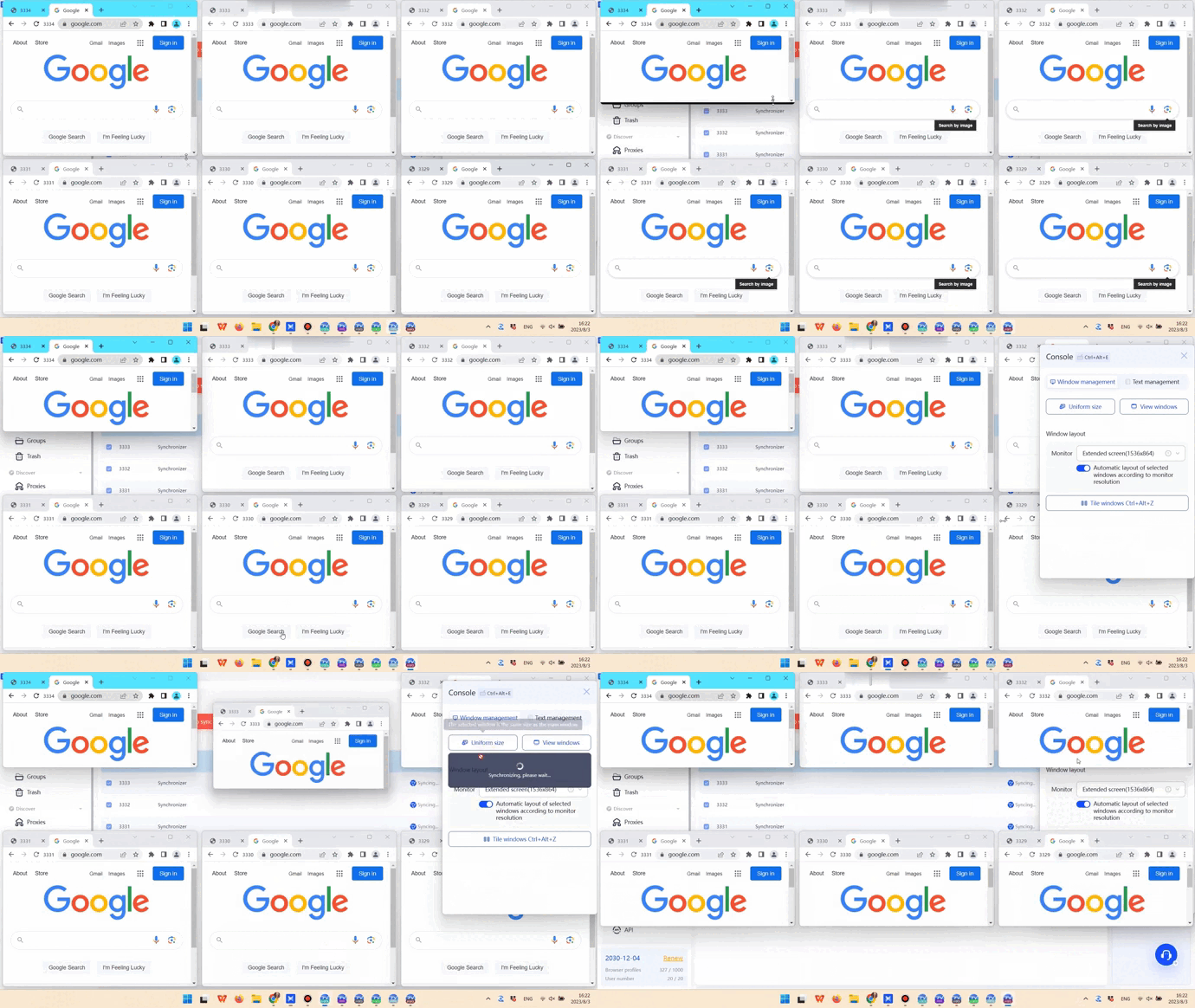
● Adjust Position, Size, Space, and Number to get the window layout you want.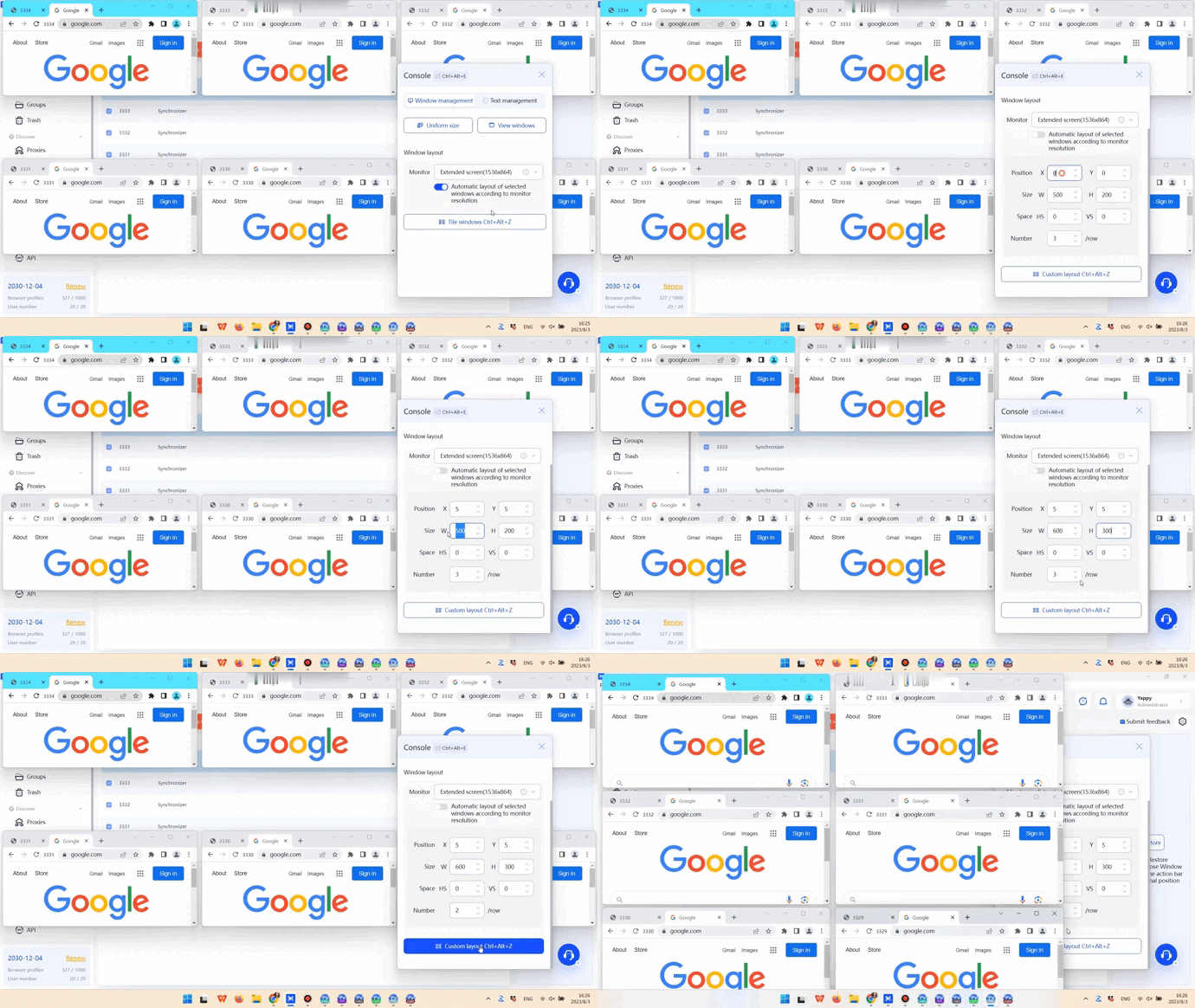
Text management
Text input
Only English can be synchronized when text is entered in the opened profiles. If you need to enter texts in other languages, you should:
● Enter the text in Identical text if you want it to be the same in all windows.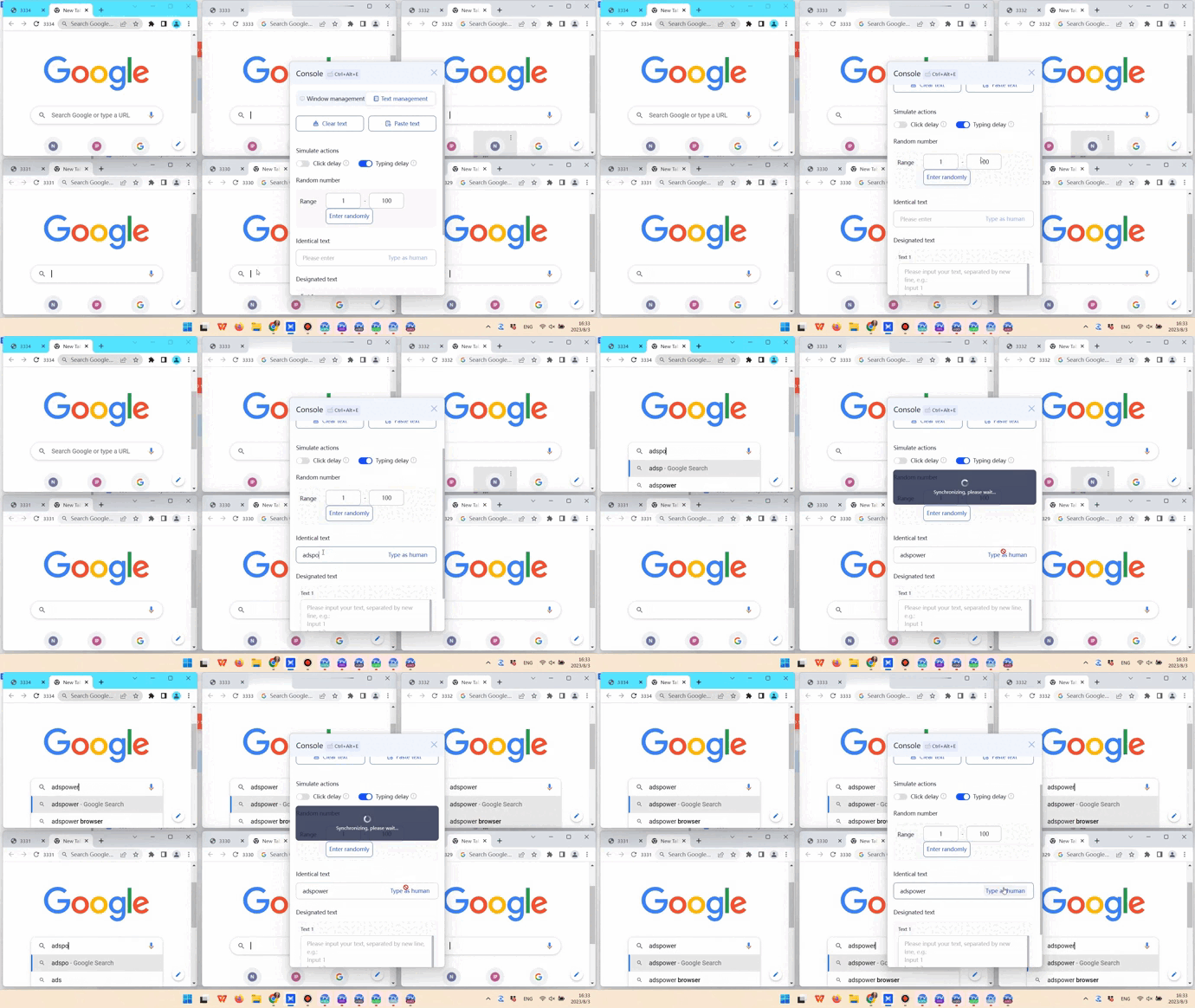
● Enter the text in Designated text if you want it to differ in each window. This holds true for English texts as well.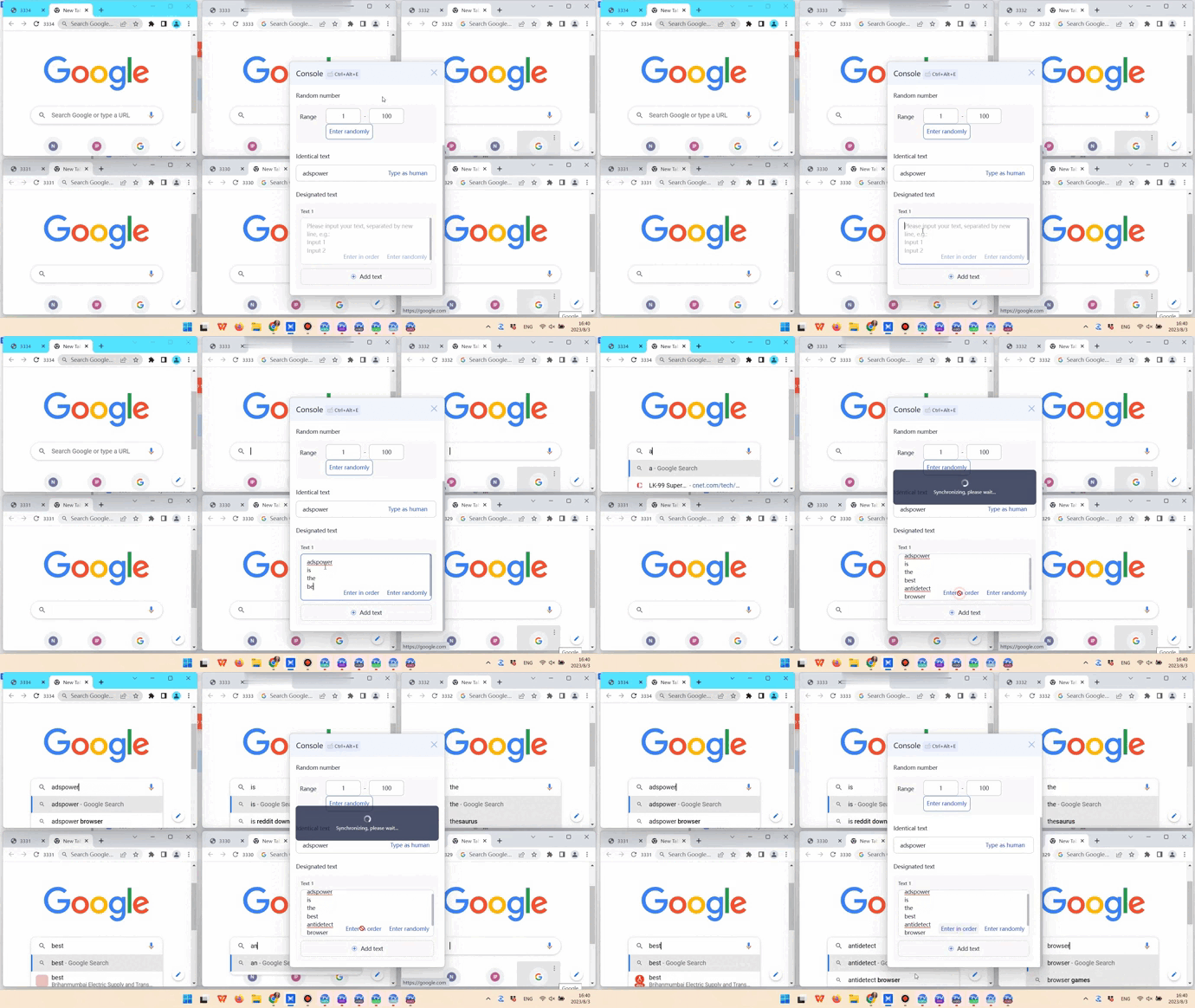
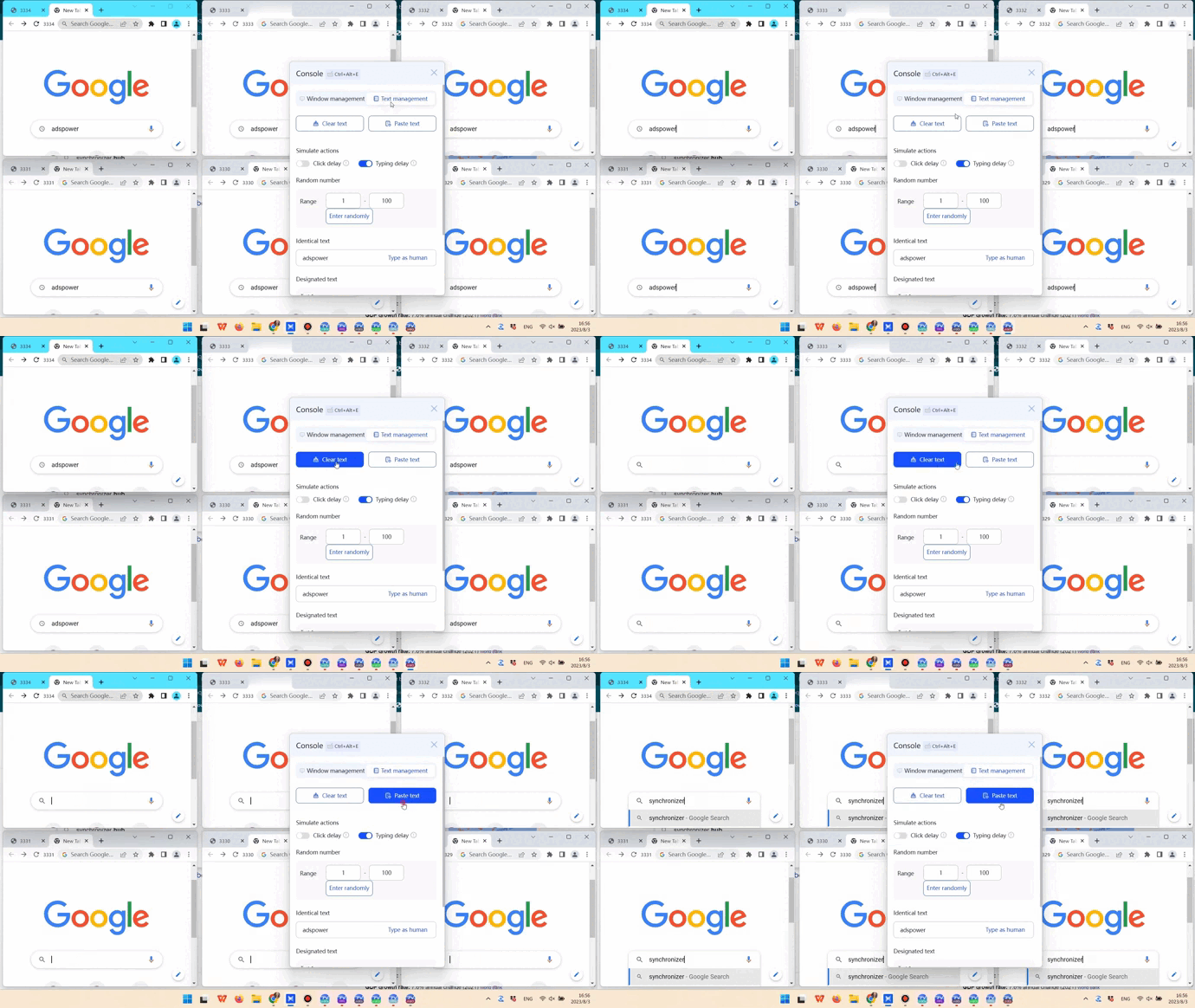
Clear text and Paste text make it possible to clear and paste text in windows at the same time, accordingly.
Users occasionally need to enter a random number in each window, and the Random number option can help with that.
Simulation
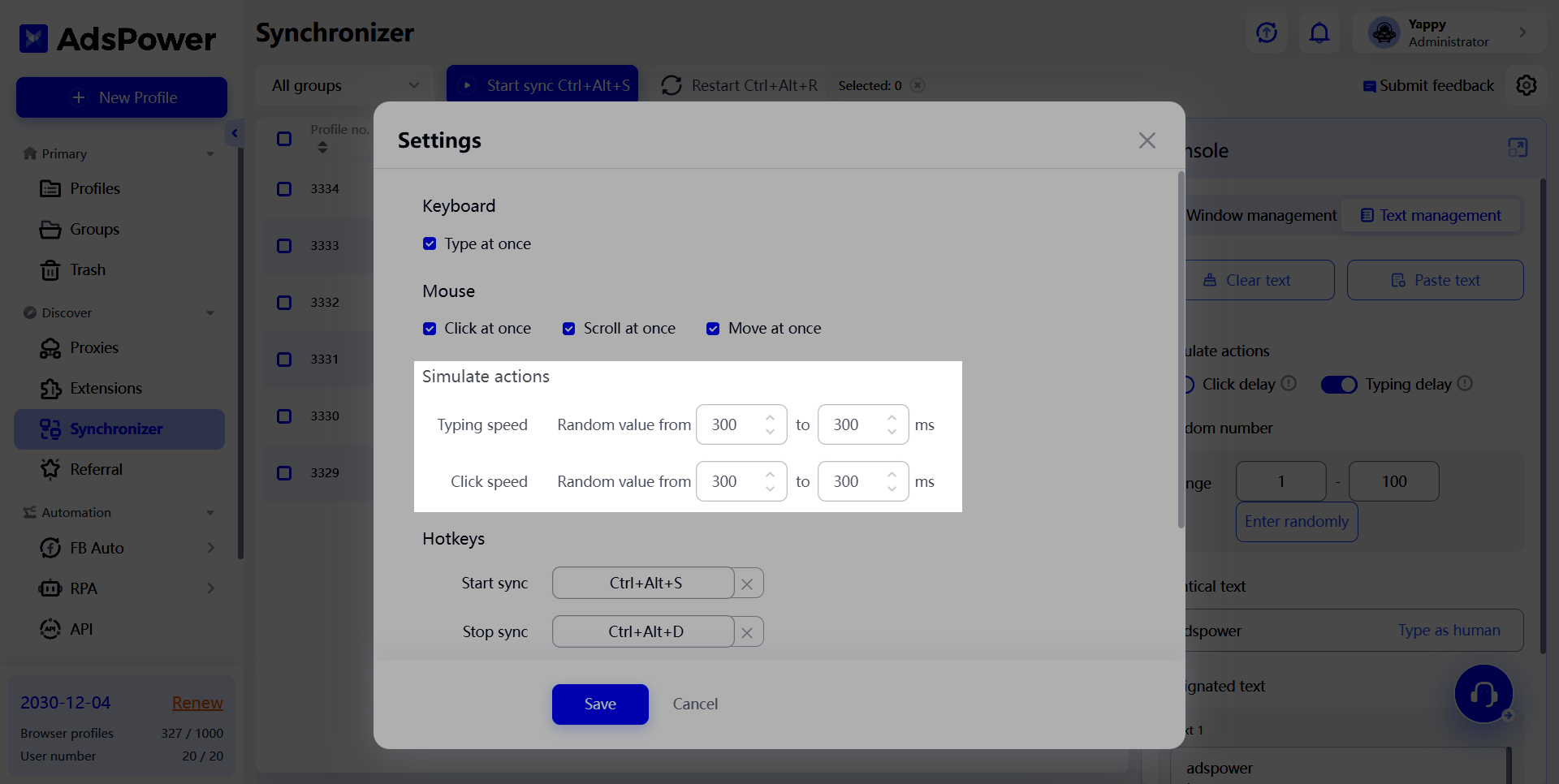
We introduced Click delay and Typing delay to enable delays between clicks and inputs in multiple windows. For example, if you set the Click speed to between 300 and 500 ms, the same click action you initiate in the main window may take 400 ms to complete in the second window and another 400 ms to complete in the third window. This kind of delay makes the synchronization process look more like real user actions.
Other settings
Keyboard and mouse actions
You can select what keyboard and mouse actions to synchronize in Settings.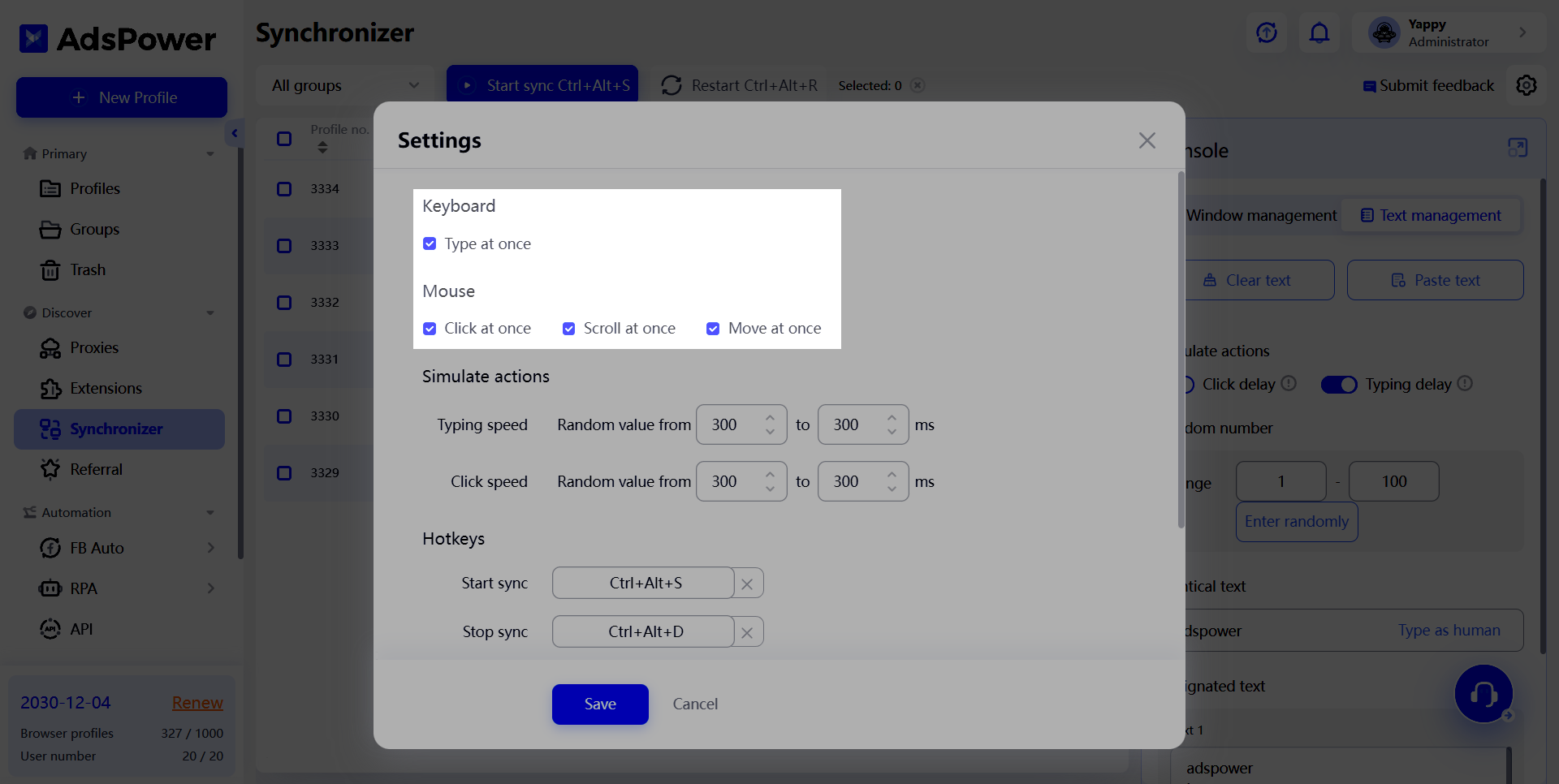
Separate console
The console can be opened in a separate window by clicking  or using the hotkeys Ctrl + Alt + E.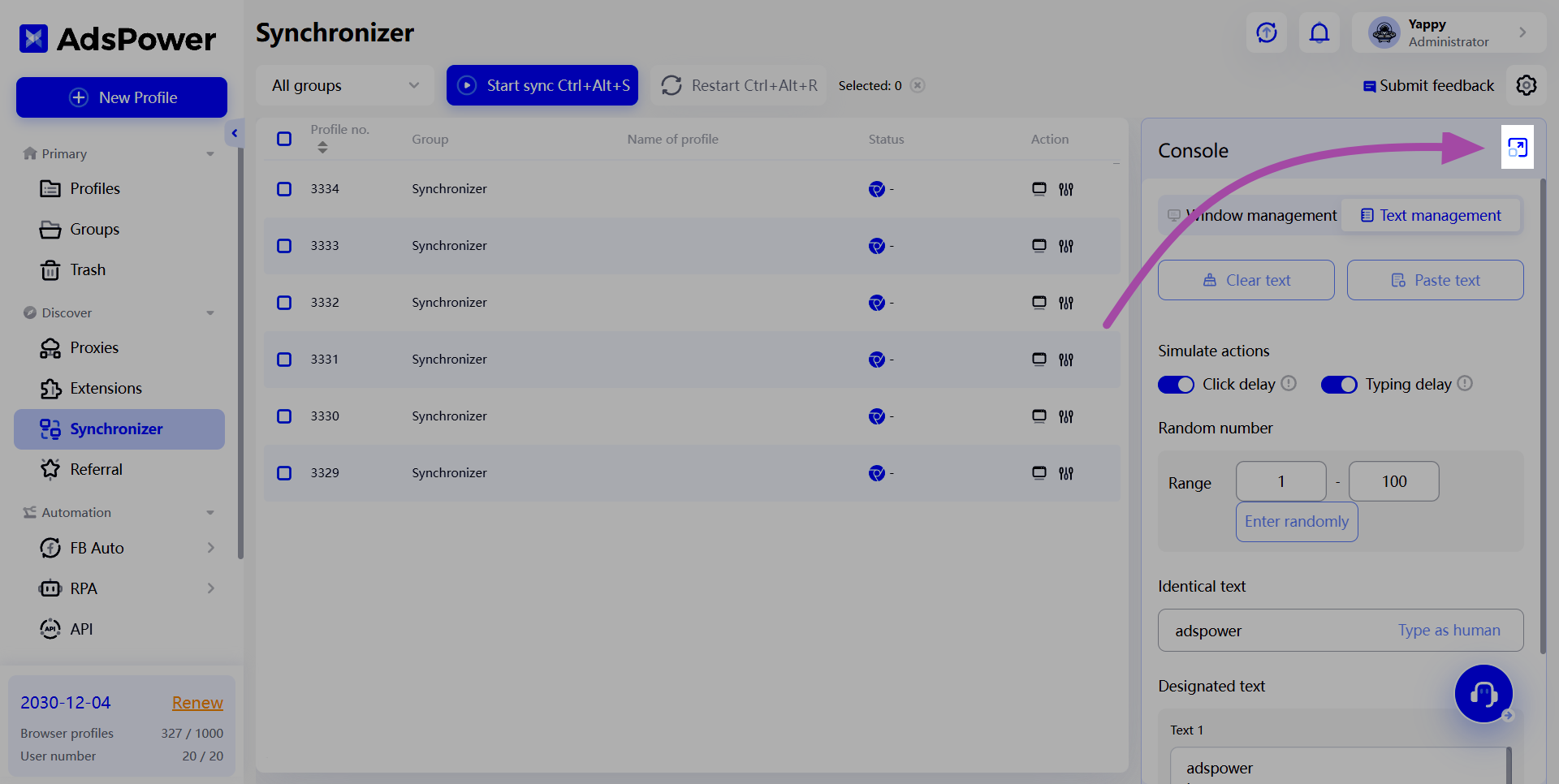
Hotkeys
By default, there are several hotkeys for performing designated tasks:
-
Start sync: Ctrl + Alt + S
-
Stop sync: Ctrl + Alt + D
-
Restart: Ctrl + Alt + R
-
Open the Console in a separate window: Ctrl + Alt + E
-
Tile windows: Ctrl + Alt + Z
If you want to change the hotkeys, you only need to press the “×” button to clear the default ones, then enter your preferred key combination and click Save to complete the change.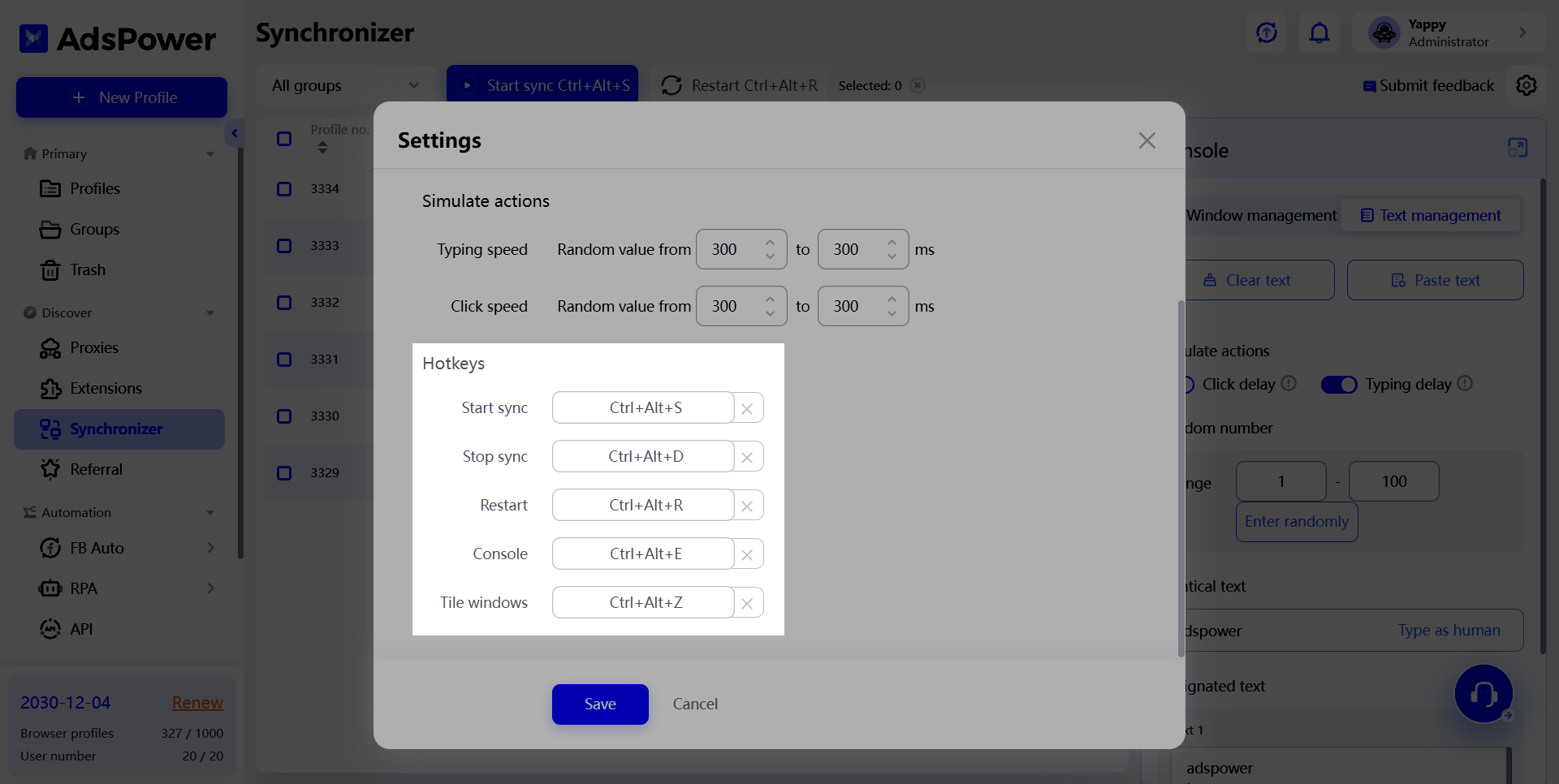
Your feedback means a lot to us
Don’t hesitate to let us know what you think about the Synchronizer, which will be greatly helpful to us in improving this feature!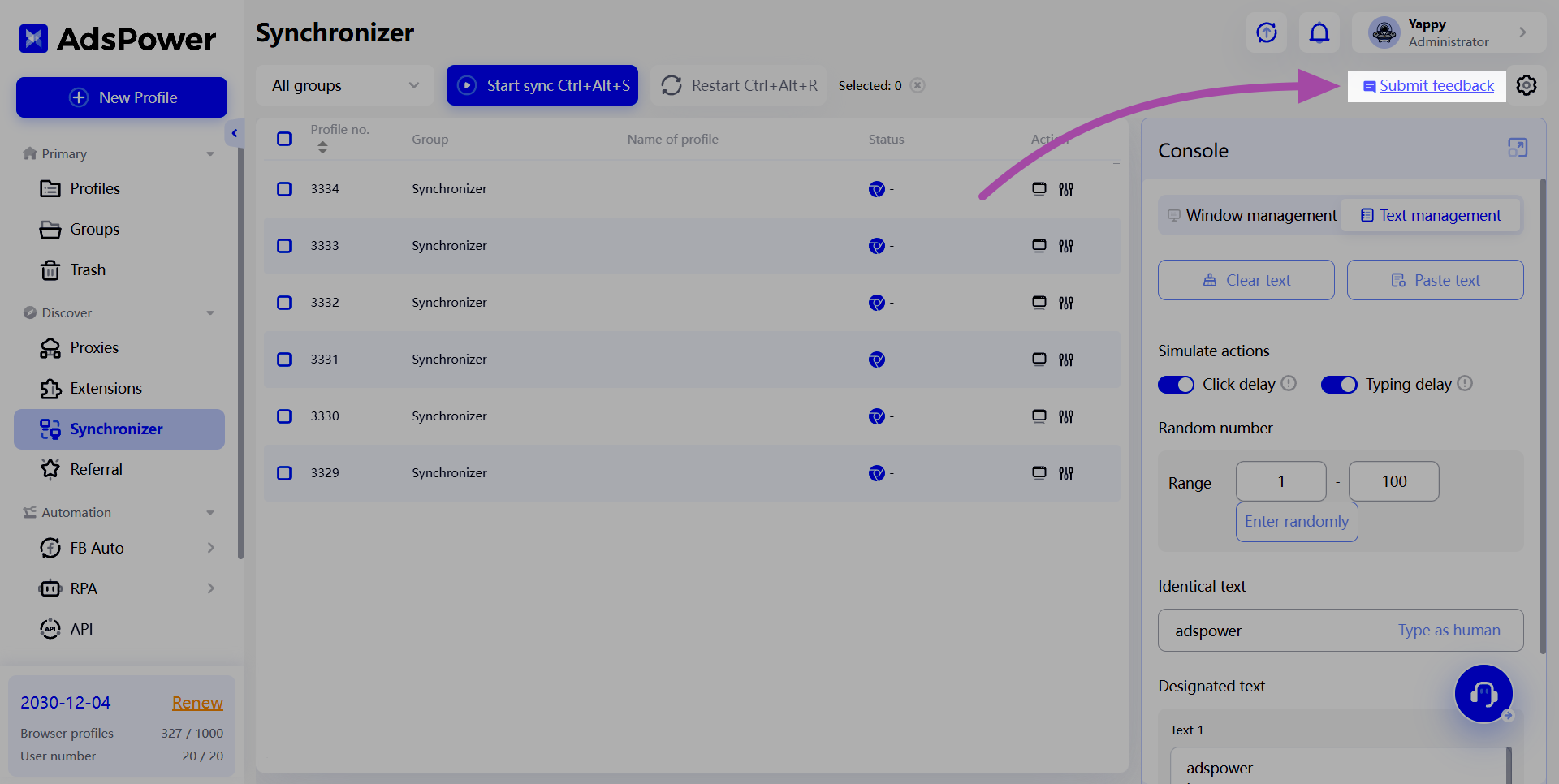

People Also Read
- Create an AdsPower Video and Earn $30 — No Follower Minimum

Create an AdsPower Video and Earn $30 — No Follower Minimum
Create an original AdsPower video, publish it on any public social platform, and earn $30. No follower minimum. Ends September 6, 2026.
- The AdsPower iOS App Is Now Publicly Available

The AdsPower iOS App Is Now Publicly Available
AdsPower Browser is now available on iOS. Manage browser profiles, test proxies, access synced team data, and open iOS profiles from your iPhone.
- What's New in AdsPower Browser in July 2026?
What's New in AdsPower Browser in July 2026?
Explore the AdsPower July 2026 update, including Chrome 150, compatibility mode, easier profile management, smarter proxy setup, and safer account set
- AdsPower Reddit Creator Program: Share Your Reddit Post and Earn Up to $30

AdsPower Reddit Creator Program: Share Your Reddit Post and Earn Up to $30
Join the AdsPower Reddit Creator Program. Share an original Reddit post about AdsPower and earn up to $30 after review.
- What's New in AdsPower Browser in June 2026?

What's New in AdsPower Browser in June 2026?
Discover AdsPower June 2026 updates with Chrome 149, Firefox 150, Linux support, improved proxy management, Network Diagnostics, and enhanced profile
