AdsPower
AdsPower
Release Notes

AdsPower Changelog and Release Notes

View new features, UX improvements, kernel updates, and bug fixes for the AdsPower software by date.

[Chrome 150 Engine Upgrade]

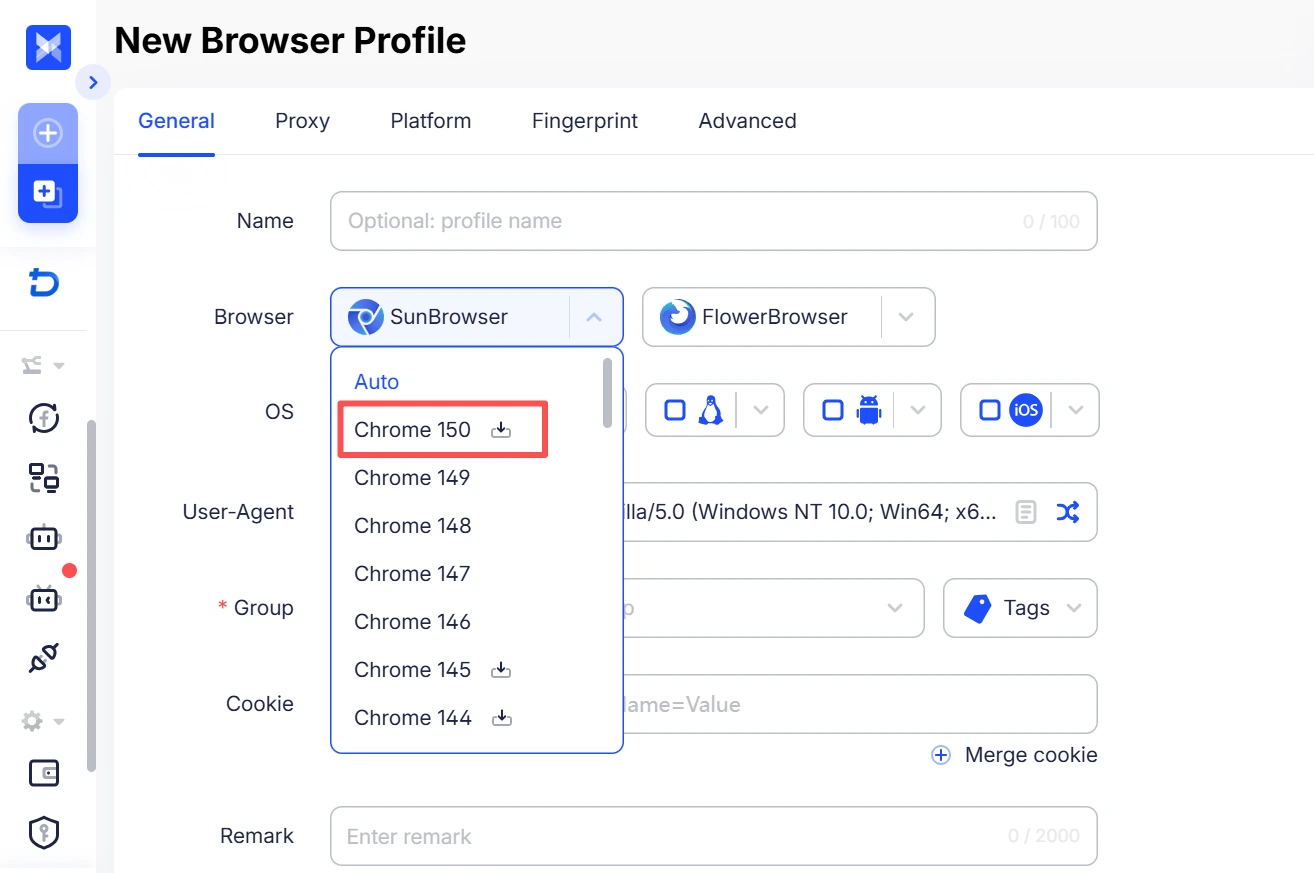
The Chrome 150 browser engine is now live on Windows, Mac, and Linux. Browser fingerprints are fully aligned with the latest Chrome version, with website compatibility updated in sync.


[Payment Popup Now Shows Exact Amount to Pay]

The payment popup now clearly shows the exact amount to pay after the wallet balance is applied, so the final payable amount is visible at a glance with no manual calculation needed. Wallet balance can be set to deduct first, or payment can be made solely via third‑party methods.


[Profile Editing Supports Adding Platforms]

Existing profiles now support adding new platforms directly in the editing view. A single profile can be linked to multiple platforms, and opening the profile will launch all corresponding sites together.


[Updated Field Descriptions in Profile List]

Usage descriptions have been added for the Sequence, Number, and ID fields in the profile list to clarify their meanings. Number and ID are system‑generated, unique, and non‑editable; use Sequence when custom sorting is required. For newly registered users, only core fields are shown by default, while Sequence and ID can be manually enabled in the list settings.


[New “Allocating” Status for Static Proxies]

A new “Allocating” status is now shown after static proxy purchases, making allocation progress visible in real time and current status easier to understand at a glance.
[Change Package with Renewal Option]

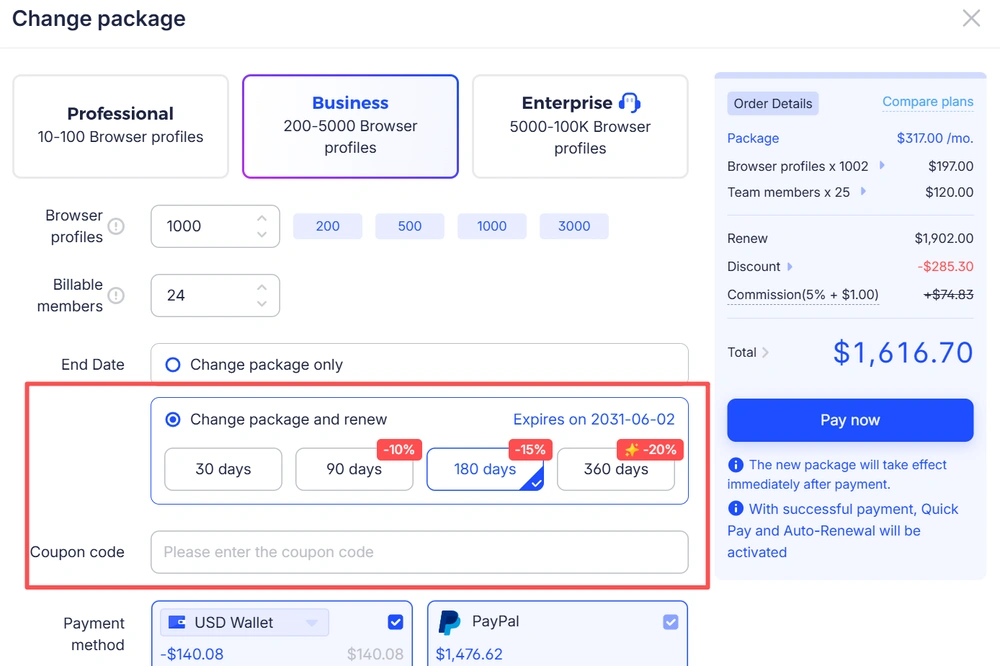
A new option, “Change Package and Renew,” has been added to the change plan dialog. Users can now adjust their plan, select a renewal duration, complete payment, and apply a renewal coupon—all within a single popup. The original workflows for changing plans only or renewing separately remain unchanged.


change-package-update-webp


[Identity Verification Required for Password Changes]

Identity verification is now required before setting or changing a password. Users can verify via an authenticator app, a linked phone number, or email. After a successful password change, notifications will be sent via email and in-app messages to prevent unauthorized changes.


[Profile List: Number and ID Separated]

The “Number/ID” column in the profile management list has been split into two separate columns: “Number” and “ID.” Each column can now be shown or hidden independently, making it easier to distinguish when using APIs or filling in parameters. For users who previously enabled this column, both columns will be displayed by default after the update.


[Group Selection Improved]

In scenarios where a group needs to be selected, such as creating, moving, sharing, restoring, or copying profiles, the dropdown has been unified as “Select or create a group.” Users can now create a group directly by entering a name. For members without permission to create groups, the create option will no longer be shown. The move button tooltip has been updated to “Move to group.”


[Linux Client Update Prompt Improved]

The Linux client does not support in-app automatic updates. When users click Update or the top upgrade banner, a prompt now appears with a downloadable link that can be copied with one click, avoiding the issue where clicking previously seemed unresponsive.

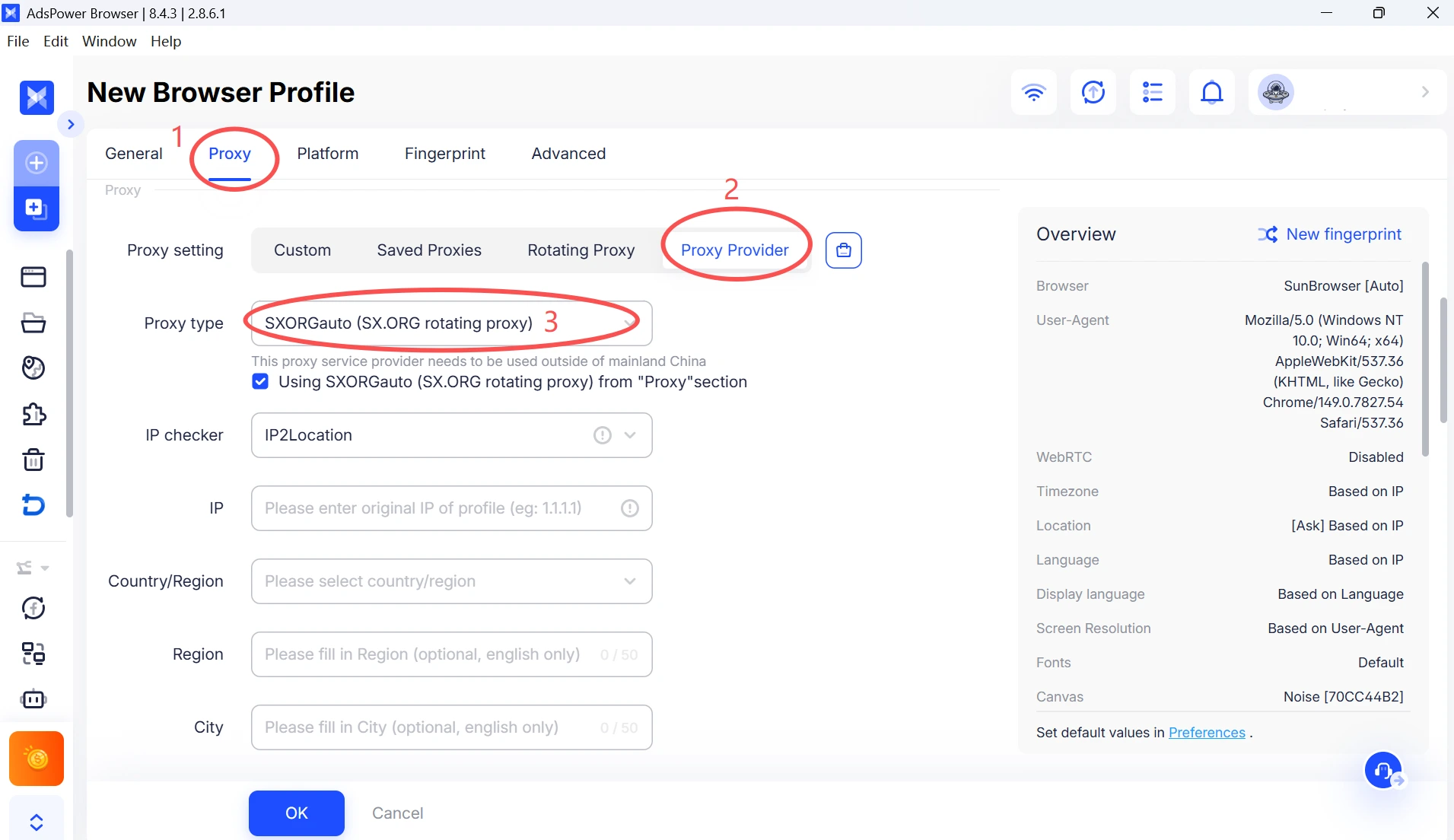
[Added SXORGauto Proxy Type]

Introduced support for SX.ORG dynamic proxies. To use, select SXORGauto as the proxy type and enter your account credentials.


SX.ORG-dynamic-proxy


[Optimized Local Network Detection]

Unified the logic for local network detection across scenarios, including local settings, network diagnostics, and proxy check (direct connection). Results are now more consistent and better reflect actual network conditions.


[Updated Dynamic Proxy Plans]

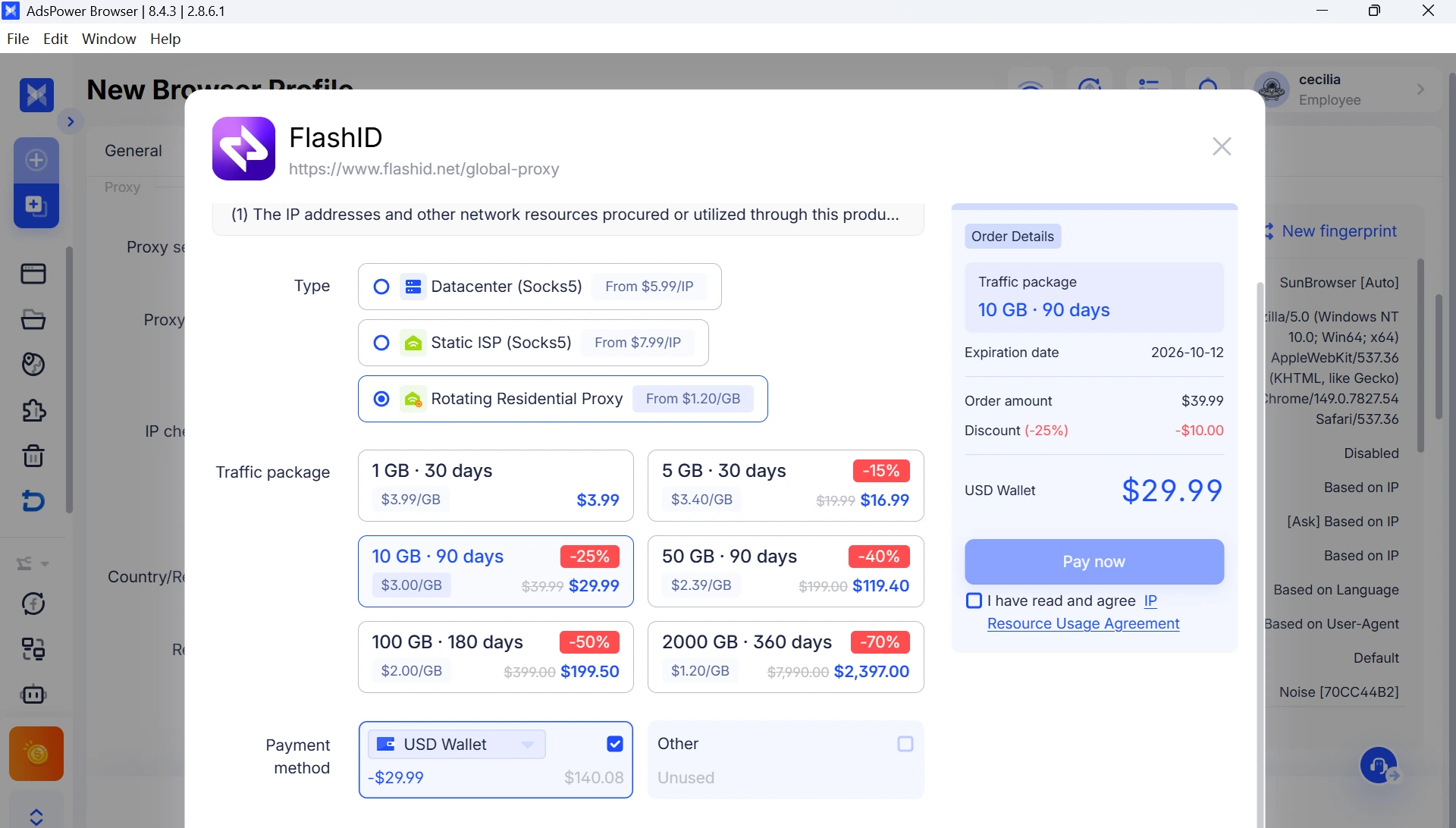
Revised dynamic proxy pricing tiers with six new options ranging from 1GB to 2000GB. Larger plans offer greater discounts, with savings of up to 70%. Supported billing currencies now include USD, BRL, PLN, and VND. Existing orders placed before the update remain unaffected.


dynamic-proxy-plan


[Trash "Delete All" Shows Profile Count]

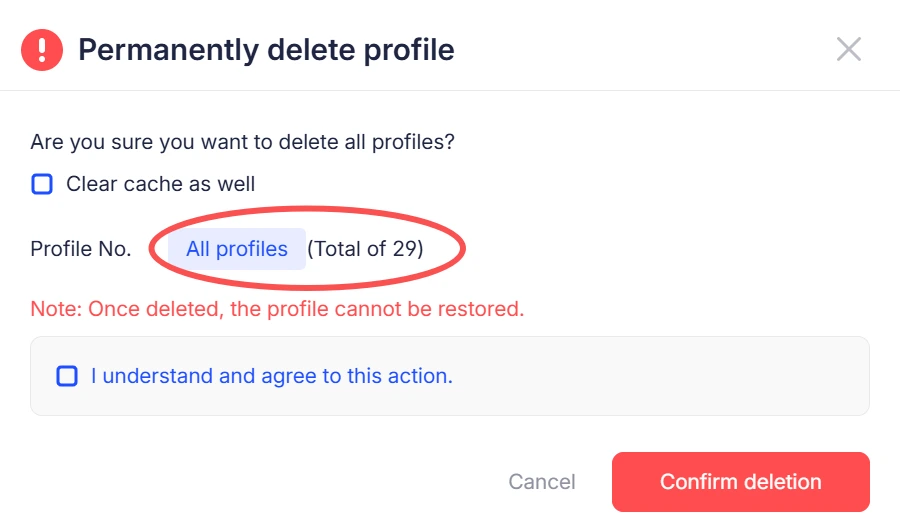
When performing a permanent “Delete All” action in the Trash, a confirmation dialog now displays the number of profiles to be deleted to help prevent accidental removal. This action deletes all items in the Trash, even if no profiles are currently visible under applied filters.


trash-delete-profile

Start efficient multi-account management

Try 2 browser profiles for free · No credit card required