

AdsPower
AdsPower
Release Notes

AdsPower Changelog and Release Notes

View new features, UX improvements, kernel updates, and bug fixes for the AdsPower software by date.

[Chrome 151 Engine Upgrade]

Chrome 151 is now live on Windows, Mac, and Linux. This update improves geolocation accuracy and iOS mobile mode simulation. Staying on the latest Chrome engine means your browser environments look more authentic and perform more reliably in location-based and mobile simulation scenarios.


chrome-151


Note: Chrome 151 drops support for macOS 12. To use this engine, please upgrade to macOS 13 or later.


[OS Filter Added to Environment List]

You can now filter environments by operating system in the Environment List. When you're managing lots of environments, filtering by OS makes it faster to find what you need and keeps things easier to manage.


os-filter-adspower


[Custom Dynamic Proxy Data Plans]

Beyond our standard plans, dynamic proxy data packages now support customization. If the data or duration in our regular tiers doesn't fit your needs, contact your account manager to tailor a plan to your actual usage. High-volume teams and those with special requirements no longer need to settle for fixed tiers—buying is now more flexible.

[Added Browser Compatibility Mode]

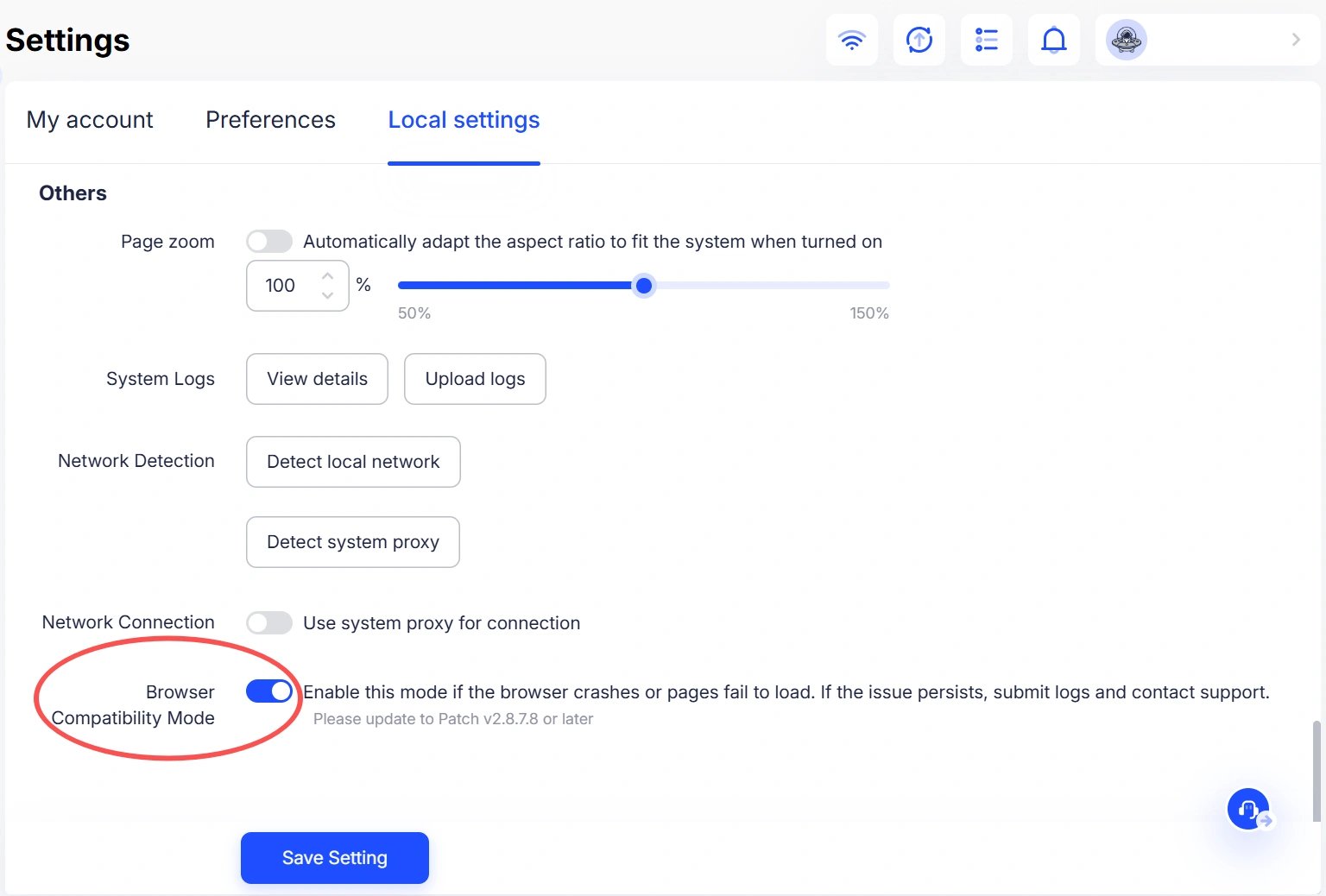
You can now find Browser Compatibility Mode under Settings > Local Settings > Others. If a browser environment crashes or pages fail to load properly, turn on this mode and reopen the profile to apply the changes. This setting applies to all browser profiles on the current device.

browser-compatibility-mode


[Improved Payment Amount Display]

The payment popup now clearly shows the exact amount to pay after deducting the wallet balance, so the final payable amount is visible at a glance with no manual calculation needed. You can choose to use your wallet balance first or pay solely via third-party payment methods.


[Added Floppydata Rotating Proxy]

Floppydata rotating proxy is now available in AdsPower. It can be selected when managing proxies, creating or editing browser profiles, or changing proxy settings, with support for HTTP, SOCKS5, and HTTPS. One-click registration is also available for direct access to Floppydata.


[Added Support for Username-Password-First Proxy Format]

When importing or updating proxies, you can now use the username-password-first format, such as myproxy:password@192.168.0.1:8000. No need to manually rearrange the proxy details before importing, making bulk proxy imports faster and easier.
[Chrome 150 Engine Upgrade]

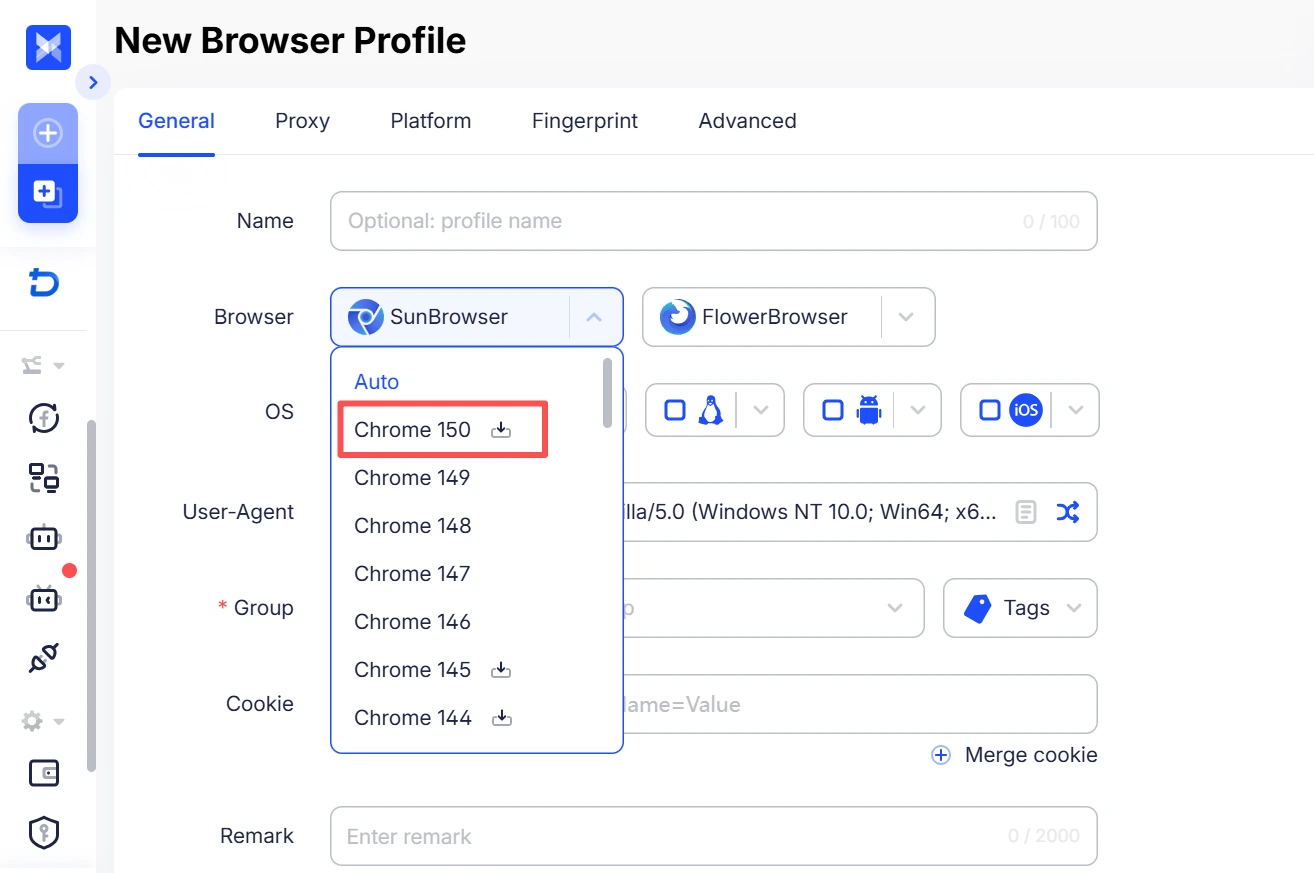
The Chrome 150 browser engine is now live on Windows, Mac, and Linux. Browser fingerprints are fully aligned with the latest Chrome version, with website compatibility updated in sync.


[Payment Popup Now Shows Exact Amount to Pay]

The payment popup now clearly shows the exact amount to pay after the wallet balance is applied, so the final payable amount is visible at a glance with no manual calculation needed. Wallet balance can be set to deduct first, or payment can be made solely via third‑party methods.


[Profile Editing Supports Adding Platforms]

Existing profiles now support adding new platforms directly in the editing view. A single profile can be linked to multiple platforms, and opening the profile will launch all corresponding sites together.


[Updated Field Descriptions in Profile List]

Usage descriptions have been added for the Sequence, Number, and ID fields in the profile list to clarify their meanings. Number and ID are system‑generated, unique, and non‑editable; use Sequence when custom sorting is required. For newly registered users, only core fields are shown by default, while Sequence and ID can be manually enabled in the list settings.


[New “Allocating” Status for Static Proxies]

A new “Allocating” status is now shown after static proxy purchases, making allocation progress visible in real time and current status easier to understand at a glance.

Start efficient multi-account management

Try 2 browser profiles for free · No credit card required
