

AdsPower adds gyroscope fingerprints for more realistic mobile profiles. Test the latest update and create your free account today.
If you manage mobile accounts, run app-related workflows, or test mobile websites, browser fingerprints matter more than ever. Many platforms now look beyond cookies and IP addresses. They also check whether a browser behaves like a real phone.
That is why the latest update from AdsPower deserves attention.
AdsPower now supports gyroscope fingerprint settings for mobile environments. This new feature helps Android and iOS profiles look more natural by simulating gyroscope sensor behavior found in real smartphones.
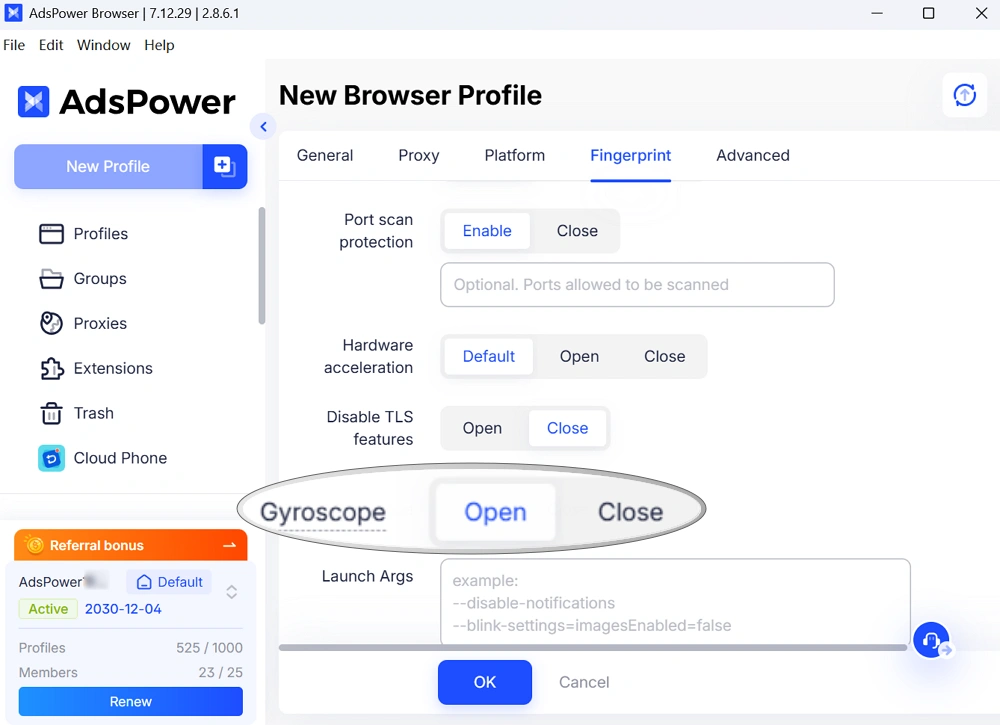
It only takes a few clicks to enable. Yet it can make your mobile browser environment more complete and consistent. If you already use AdsPower for mobile operations, this update is worth testing. If you are new to the platform, you can create a free account and try the feature yourself.
Why Gyroscope Data Matters
A gyroscope is a motion sensor built into smartphones. It detects rotation and movement direction. When your phone screen switches from vertical to horizontal, the gyroscope is involved.
Modern websites and apps can also read this sensor data through browser APIs.
According to MDN Web Docs, browsers can access gyroscope information through supported web interfaces. This allows websites to collect motion-related data from devices.
Here is where fingerprinting becomes important.
Real phones do not return perfectly identical sensor values. Tiny hardware differences during manufacturing create slight variations in gyroscope calibration. These differences are small, but they are stable enough to become part of device identification systems.
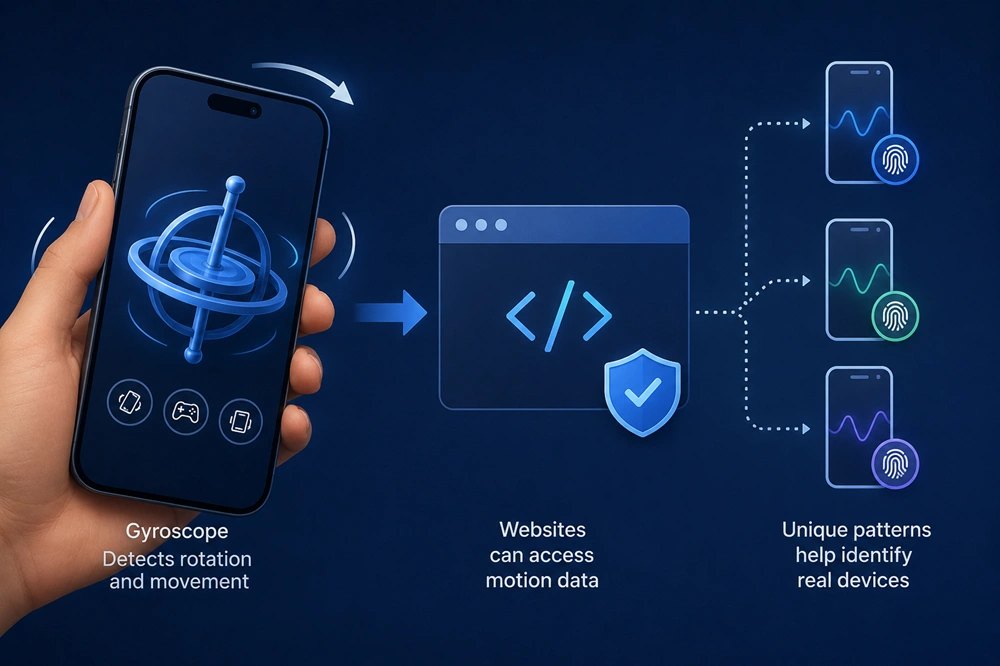
For mobile browser profiles, missing sensor data can look suspicious. If several profiles return identical gyroscope behavior, risk-control systems may notice the pattern.
Adding gyroscope fingerprints helps reduce that gap between a simulated environment and a real device.
What Changed in the Latest AdsPower Update
AdsPower has now made gyroscope settings visible and configurable inside the browser fingerprint panel.
You can manage the feature while creating a new profile, editing an existing profile, adjusting fingerprint settings, or configuring default browser preferences.
The setup is simple. Most users can leave the feature enabled by default.
Real smartphones normally include gyroscope sensors, so enabling the setting helps mobile profiles behave more naturally. If you need to test a specific scenario or troubleshoot a profile, you can temporarily disable it. The control is now fully in your hands.
How to Enable Gyroscope Fingerprints in AdsPower
Follow the steps to enable the new feature for your mobile profile:
- Update AdsPower to Patch 2.8.5.9 or later.
- Create or edit a mobile profile. And select the Chrome version over 145 in Browser setting.
- Move to the fingerprint settings section.
- Turn on the gyroscope option.
- Click OK to save the profile and launch the browser to check.
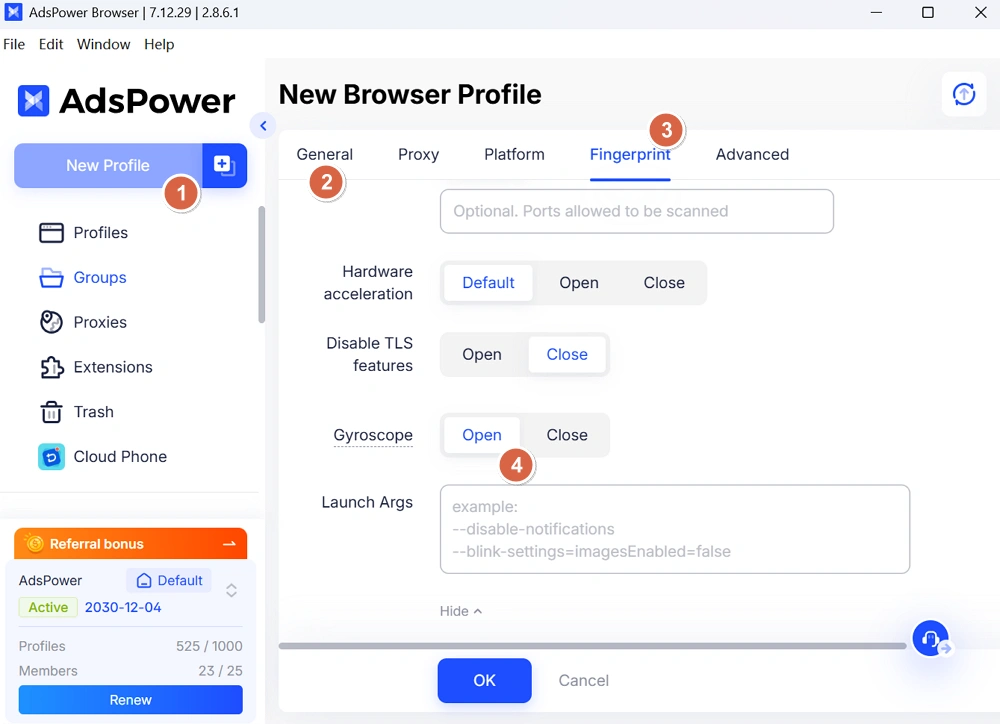
That is all you need to do. If you manage multiple environments, you can also configure the feature through the Local API.
Requirements for the Feature to Work
The gyroscope fingerprint will only function when these conditions are met:
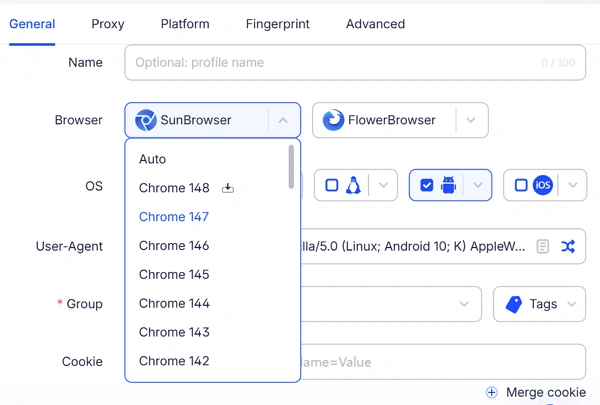
1. Chrome Core Version 145 or Higher
Gyroscope support starts from Chrome 145. Older browser cores do not support this capability.
2. Mobile Profiles Only
The feature works in Android and iOS environments. Desktop profiles do not use mobile motion sensors.

3. AdsPower Patch Version 2.8.5.9 or Later
Users should update to the latest AdsPower client version before testing the feature.
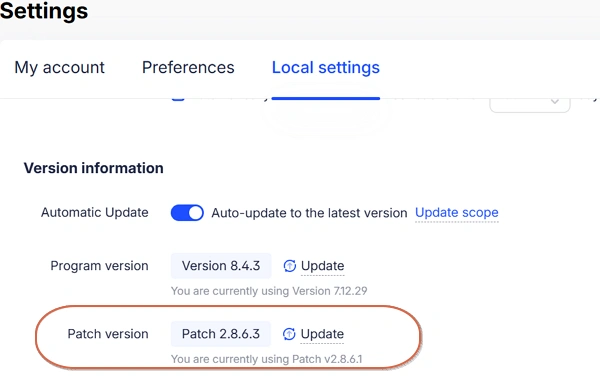
Once these requirements are met, the gyroscope fingerprint becomes active automatically.
API Support for Bulk Profile Management
Many AdsPower users manage profiles through automation scripts or batch operations. To make things easier, gyroscope fingerprints are also supported through the Local API.
You can control the feature with simple parameters:
- 1 enables gyroscope fingerprints
- 0 disables gyroscope fingerprints
The default value is enabled. And this setup is useful for teams managing large numbers of mobile profiles. Instead of changing settings manually one by one, you can configure everything directly inside your workflow scripts.
Why This Matters for Mobile Account Operations
Risk-control systems continue to evolve. Many platforms now analyze browser consistency across multiple layers. A mobile environment that lacks common phone sensors may stand out during detection checks. Gyroscope support helps mobile profiles behave closer to real devices.
This update can help users working in areas such as:
- Mobile social media management
- Affiliate marketing
- Mobile advertising
- Mobile webpage testing
- eCommerce
- ...
No single fingerprint parameter decides whether an environment looks authentic. Small details work together. Sensor behavior is one of those details.
Gyroscope data used to be easy to overlook. Now AdsPower users can manage it directly.
Try the New Fingerprint Feature Now
Mobile browser detection is becoming more detailed every year. Small improvements in profile consistency can make a noticeable difference during daily operations.
The new gyroscope fingerprint feature gives AdsPower users another layer of realism for Android and iOS profiles.
You can explore the feature directly in the software and test how it works in your own workflow. If you have not used AdsPower before, this is a good time to create a free account and experience the updated mobile fingerprint system firsthand.
