

A quick look at why your Avakin Life account might get suspended, from login and recovery issues to possible guideline violations. We also explore how linked accounts are handled and why organized account management has become increasingly important for players with multiple gaming accounts.
Avakin Life is a hyper-realistic social simulation app where users can meet new people, create their own avatars, and play with others in the same virtual universe. Many players enjoyed the social aspect of it. However, recently there have been more accounts with "Account Suspended" without clear explanations.
Trust me, you're not alone in this. More and more people report similar events on player forums and community talks, where they suddenly lose access and it's unclear what went wrong.
In 2026, Avakin Life has continued to enforce its Community Guidelines more strictly, which means some players may encounter suspension or access issues. However, not every case is a real ban. Some have come because of breaking rules, others from basic problems such as changing devices, using a different login method, or forgetting the old account.
This article explains what these messages typically mean and how to quickly identify which kind of problem you have. It also clarifies what to do next depending on the situation's facts. Let's look.
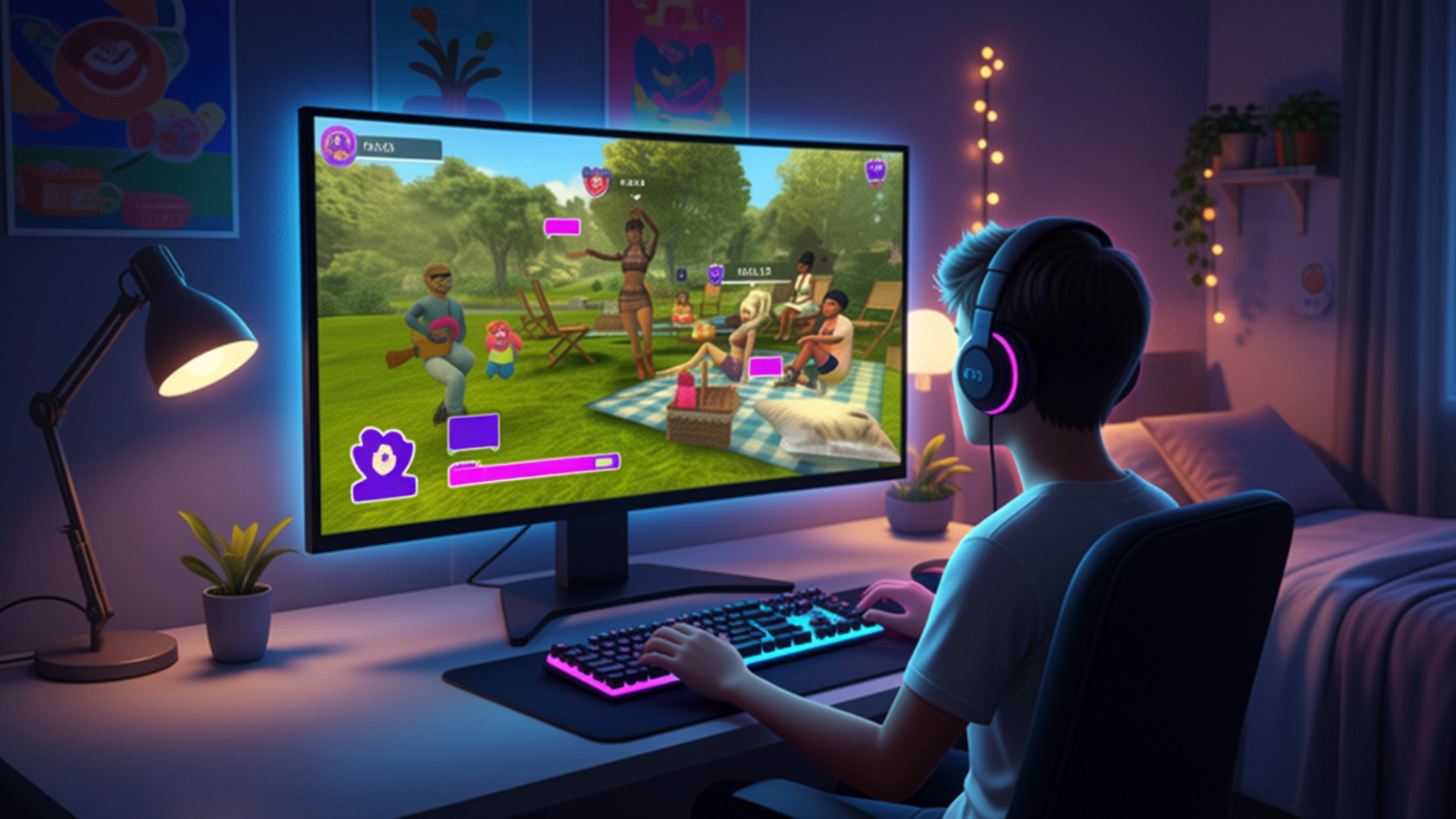
Can't Access Your Avakin Life Account? Identify the Type of Issue
Most players think that if they lose access to their Avakin Life account, it means that they are already suspended. But it is not the case every time. According to player reports and community discussions, account bans are typically divided into three categories: actual suspensions, account recovery problems, and login mismatches. The first step to finding the right solution is understanding which scenario you are experiencing.
→ You see an "Account Suspended" message when logging in
If the game shows a suspension notice, it means your account has been suspended based on violations of our Community Guidelines — either temporarily or permanently.
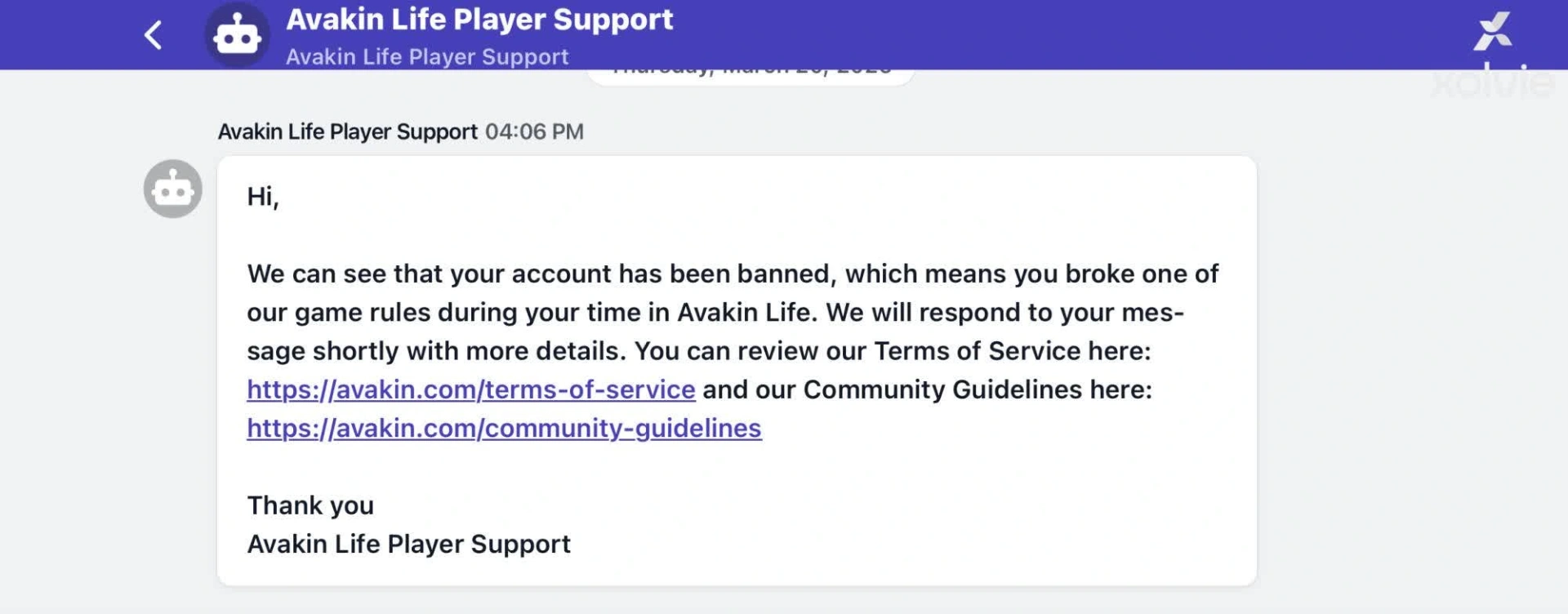
How to appeal if your account gets suspended
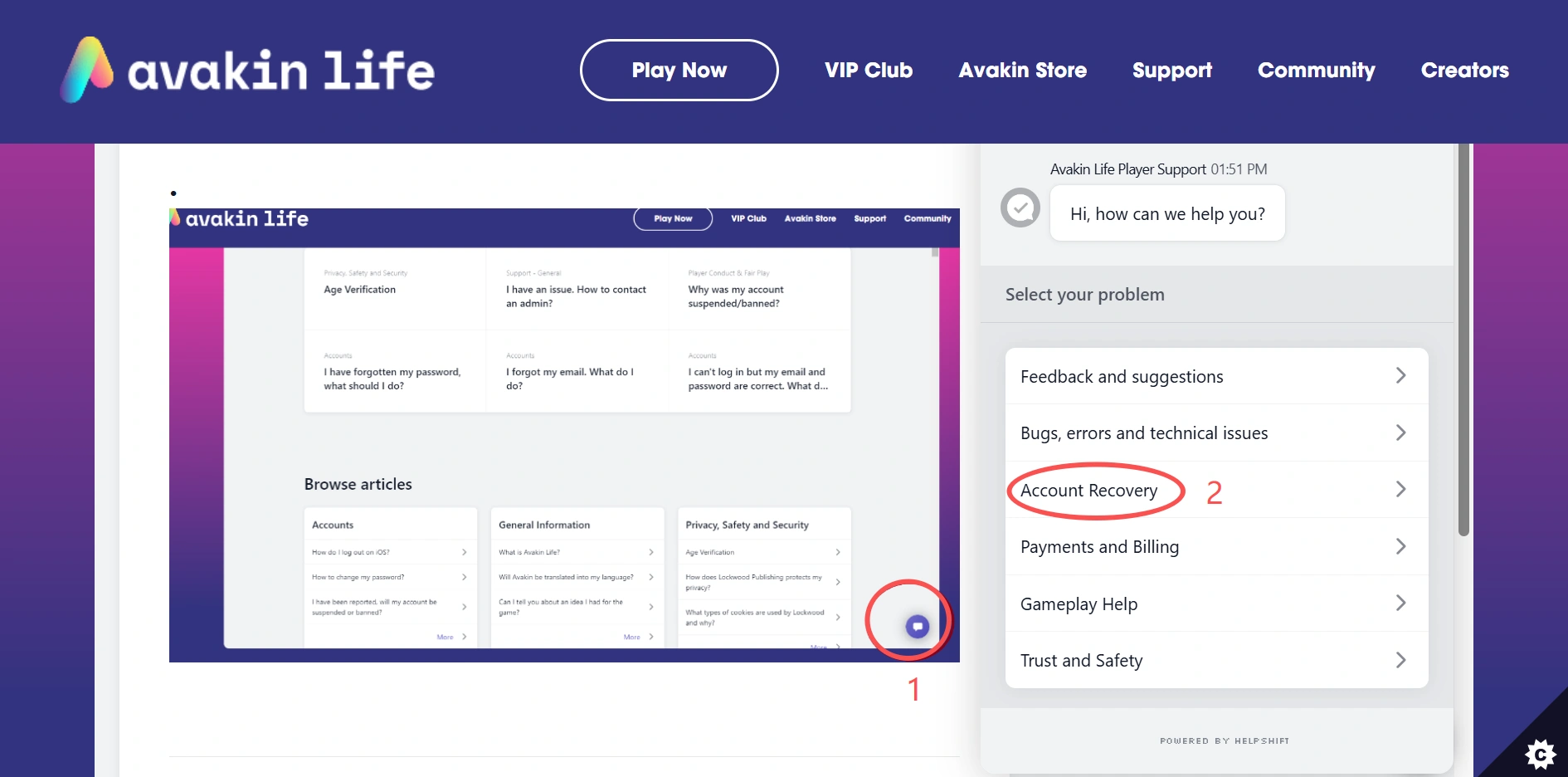
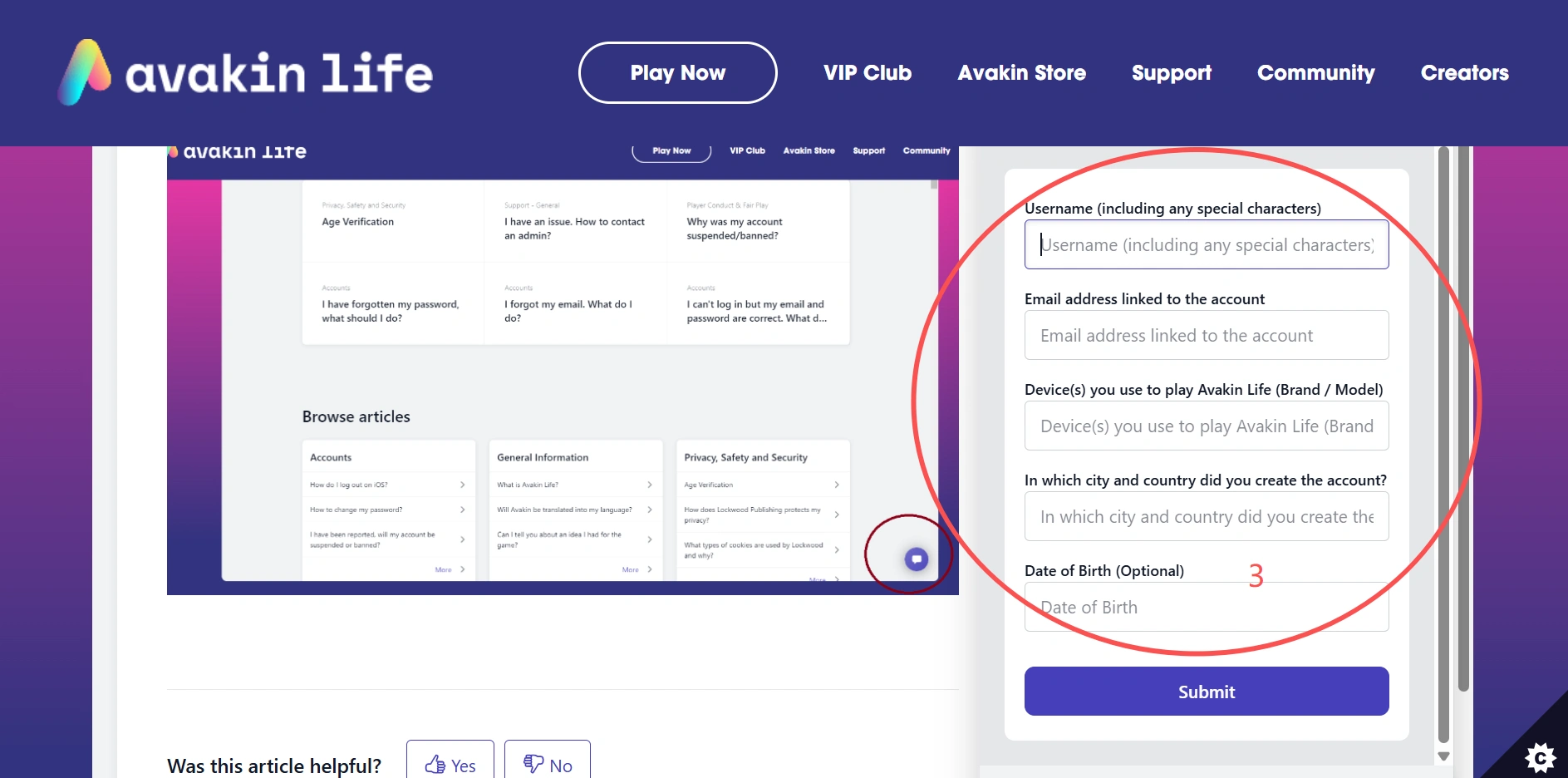
If your Avakin Life account has been suspended, you can submit an appeal through the official support page. Start by using the search bar to browse the FAQs, then select the "Account Recovery" category to submit your request. When submitting your appeal, you will usually need to provide the following information:
- Username (including any special characters)
- Email address linked to the account
- Device(s) used to play Avakin Life (brand / model)
- City and country where the account was created
- Date of birth (optional)
- Proof of purchase (if you made in-app purchases, include your first receipt with a clearly visible order ID)
→ You can't log in, but there's no suspension message
This is usually indicative of an account recovery issue, rather than a ban. Some players forget the Gmail address associated with their account after long periods of inactivity. Others lose access when they switch devices and then find that they've forgotten their login information. If this is familiar, see if you can dig up any old emails, usernames, or terms of purchase receipts to back up your claim—and then put in a ticket.
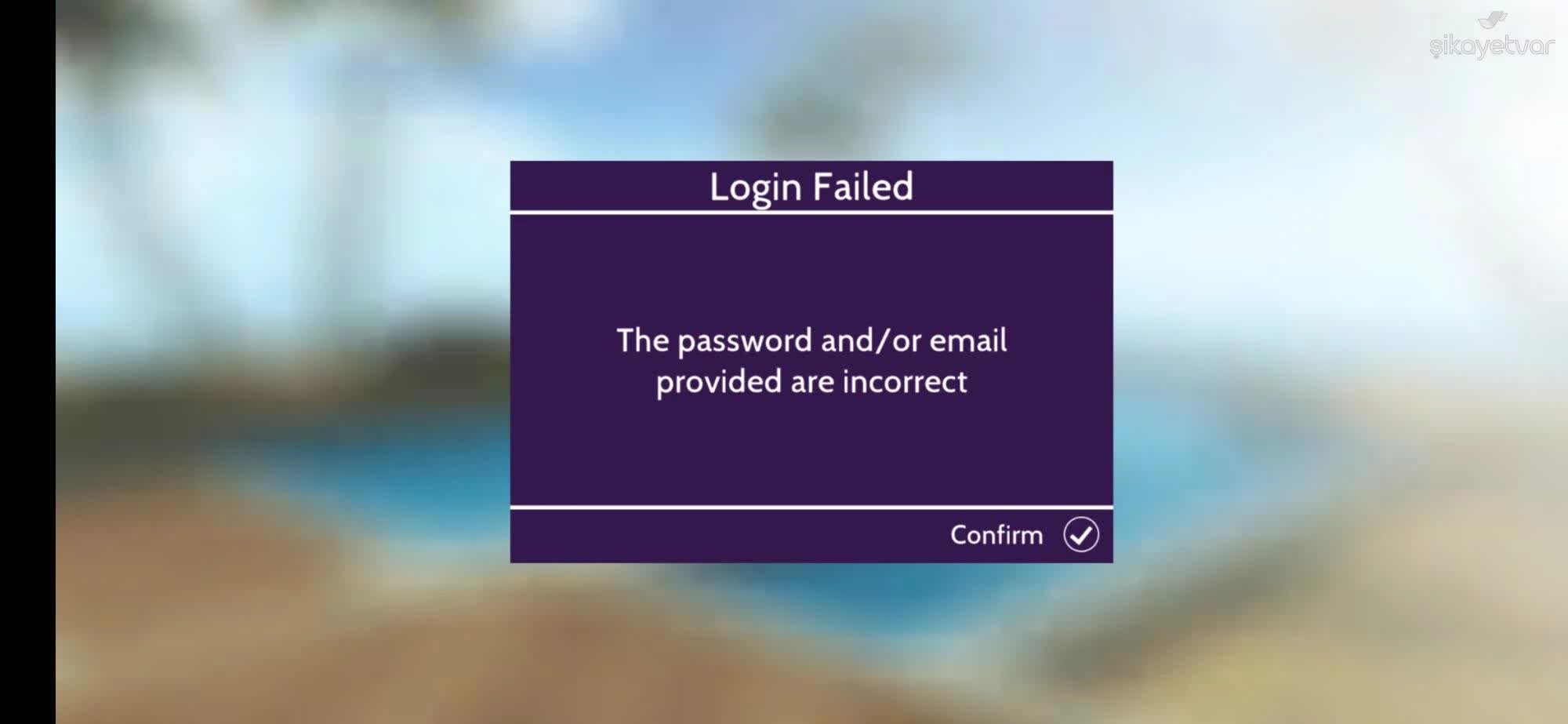
→ Logging in creates a completely new account
This is one of the most confusing situations reported by players. For example, some users who originally signed in using Google later attempt to log in with Apple and unexpectedly find themselves in a brand-new account instead of their original one.
If this happens, do not continue playing on the new account, as it may make recovery more complicated. Instead, go back and carefully check which login method you originally used when creating your account. Try signing in again using the same method and email combination.
If you still cannot access your original account, the next step is to contact Avakin Life support through the official support page and provide as much account information as possible, such as your username, linked email, device details, and purchase history if available. This will help the support team locate and restore your original account.
Common Reasons Why Avakin Life Accounts Get Suspended
Most of the players who see the "Account Suspended" message have no idea what is wrong. Nonetheless, Avakin Life's Community Guidelines specify the types of conduct that can lead to enforcement measures, ranging from warnings all the way to permanent bans. The following sections highlight some of the most common reasons accounts may be suspended, according to Avakin Life official rules.
Harassment, Bullying, or Hate Speech
Using threats, hate speech, harassment, or posting personal information without permission is not tolerated in Avakin Life. Likewise, any content that incites hatred or harassment against individuals based on protected characteristics is prohibited.
Age Play and Age Verification Violations
A player must be at least 18 years old to qualify for age-verified spaces. Although these areas are intended for a more mature audience, graphic sexual role-play, soliciting or promoting obscene material, sexual harassment, and illegal activity are still strictly prohibited.
Begging, Spamming, and Disruptive Behaviour
Frequently requesting gifts from other players, spamming chats, trolling, or destabilizing others' experiences are flagrant violations of community guidelines.
Using Mod APKs or Third-Party Services
Avakin Life prohibits the use of Mod APKs, hacks, exploits, or unofficial third-party services to gain unfair advantages within the game, including abusing in-game currency or resources for personal benefit.
Fraudulent or Deceptive Activities
Getting other players' account login details or real-life information in an unfair or deceptive manner and fraud for real money gain are all prohibited.
Sharing, Selling, or Trading Accounts
Avakin Life prohibits players from selling, trading, or sharing their accounts in the game. A user's account is liable for any actions carried out on it, and sharing credentials can cause further account-based problems.
Potential Reasons to Get Avakin Life Suspended
Avakin Life said enforcement action may apply to "one or all linked accounts, and/or future accounts created." But the site has not publicly disclosed how related accounts are detected or what precise characteristics may be taken into account during reviews.
In practice, the majority of contemporary gaming platforms—including Roblox, Steam, and Epic Games, among others—employ a multi-signal approach when assessing accounts linked or investigating suspicious activity, such as login behavior, device information, and account activity patterns.
Common Risk Signals in Multi-Account Gaming
Typically, these signals can be subdivided into several categories:
- Network and Login Patterns: Including IP consistency, shared Wi-Fi usage, and repeated login locations across accounts.
- Device and System Characteristics: Such as hardware configuration, operating system details, and browser environment.
- Session and Behavior Data: Including cookies, session history, and how accounts behave over time.
- Activity Patterns Across Accounts: Such as similar timing, repeated actions, or coordinated behavior.
- Unusual or Sudden Changes: For example, frequent environment switching or inconsistent usage patterns.
They do not evaluate these signals in isolation, but rather they are usually assessed collectively as part of an overall risk evaluation.
What This Means for Players
A lot of players are concerned that a suspension on one account may trigger bans for their alternate accounts too. Avakin Life has said enforcement actions may extend to linked accounts but hasn't indicated how such links are established. In case you handle multiple accounts, it is better to keep the account environments consistent and organized so that you can avoid confusion and unnecessary trouble.
How Players Can Manage Gaming Accounts More Safely
Today, gaming is no longer just a single-app experience. Some games can be played directly in a browser, while others involve a whole ecosystem of web-based activities, from official communities and Discord servers to creator programs. With gamer accounts getting more intertwined, having different ones organized and separated can save a lot of headaches later on.
This is why antidetect browsers such as AdsPower have become increasingly popular for managing multiple online accounts. Instead of mixing different accounts within the same browser environment, users can create dedicated profiles for different purposes and keep their activities better organized.
Separate Browser Profiles
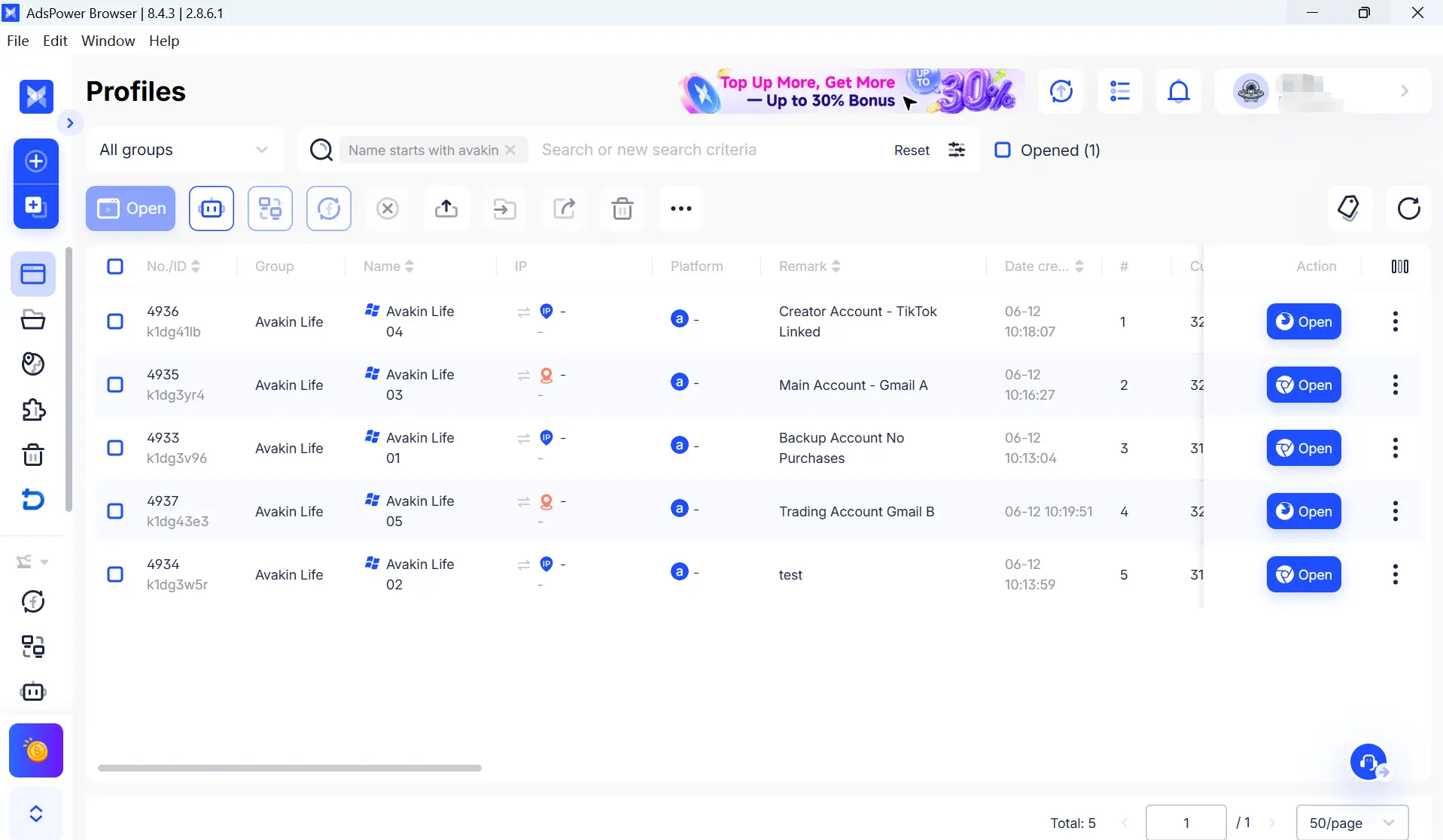
Every browser profile runs in its own isolated environment, making it easier to keep different gaming accounts separated. By assigning one profile to each account, users can maintain dedicated login sessions, browsing histories, and account settings without mixing them together.
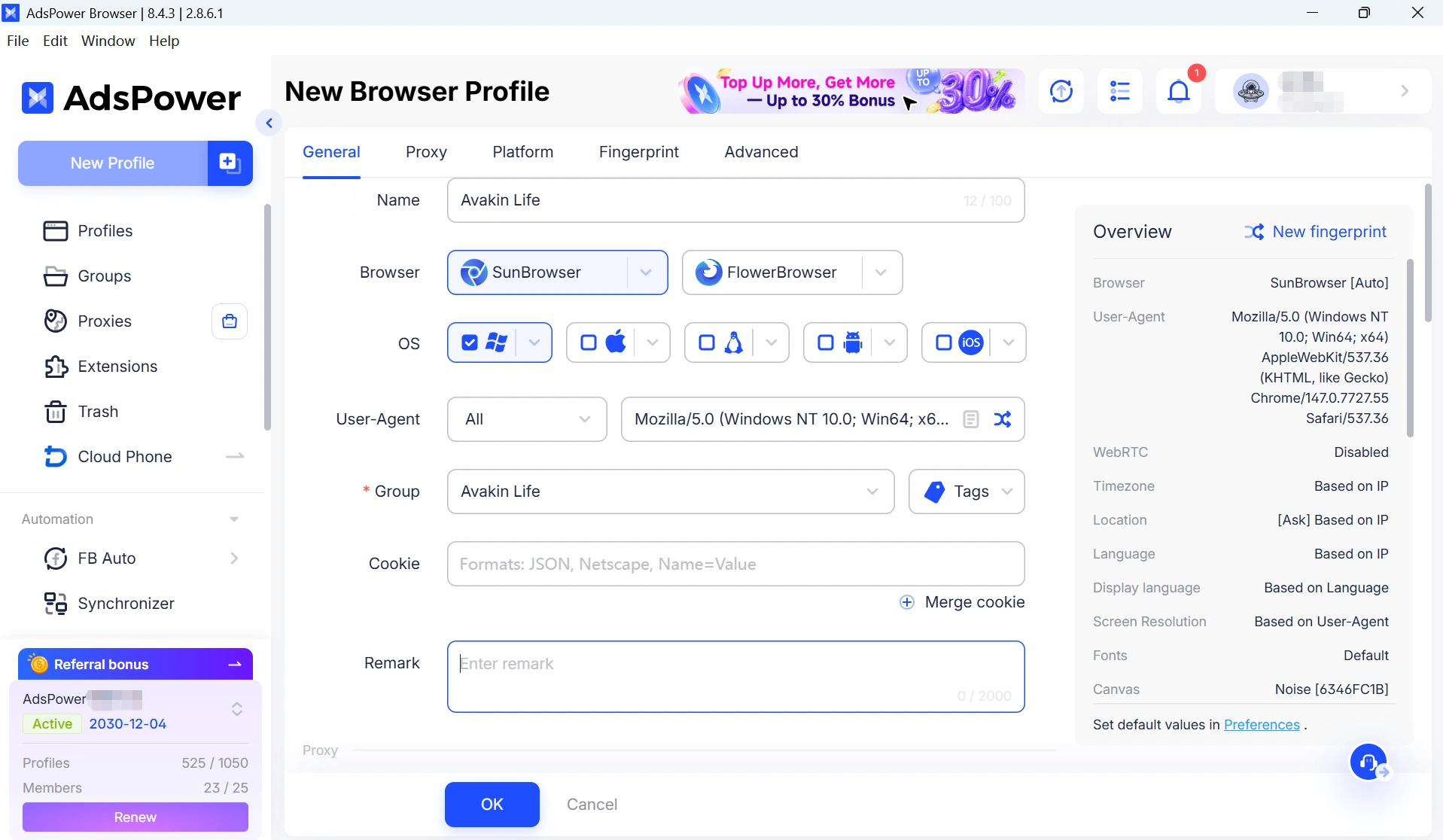
Independent Browser Fingerprints
Each profile we have replaces a unique browser fingerprint to minimize the chances that different accounts seem like they come from precisely similar browser environments.
Persistent Cookies and Sessions
Cookies, cache, and login sessions remain stored within each profile, allowing accounts to maintain a more consistent browsing history over time.
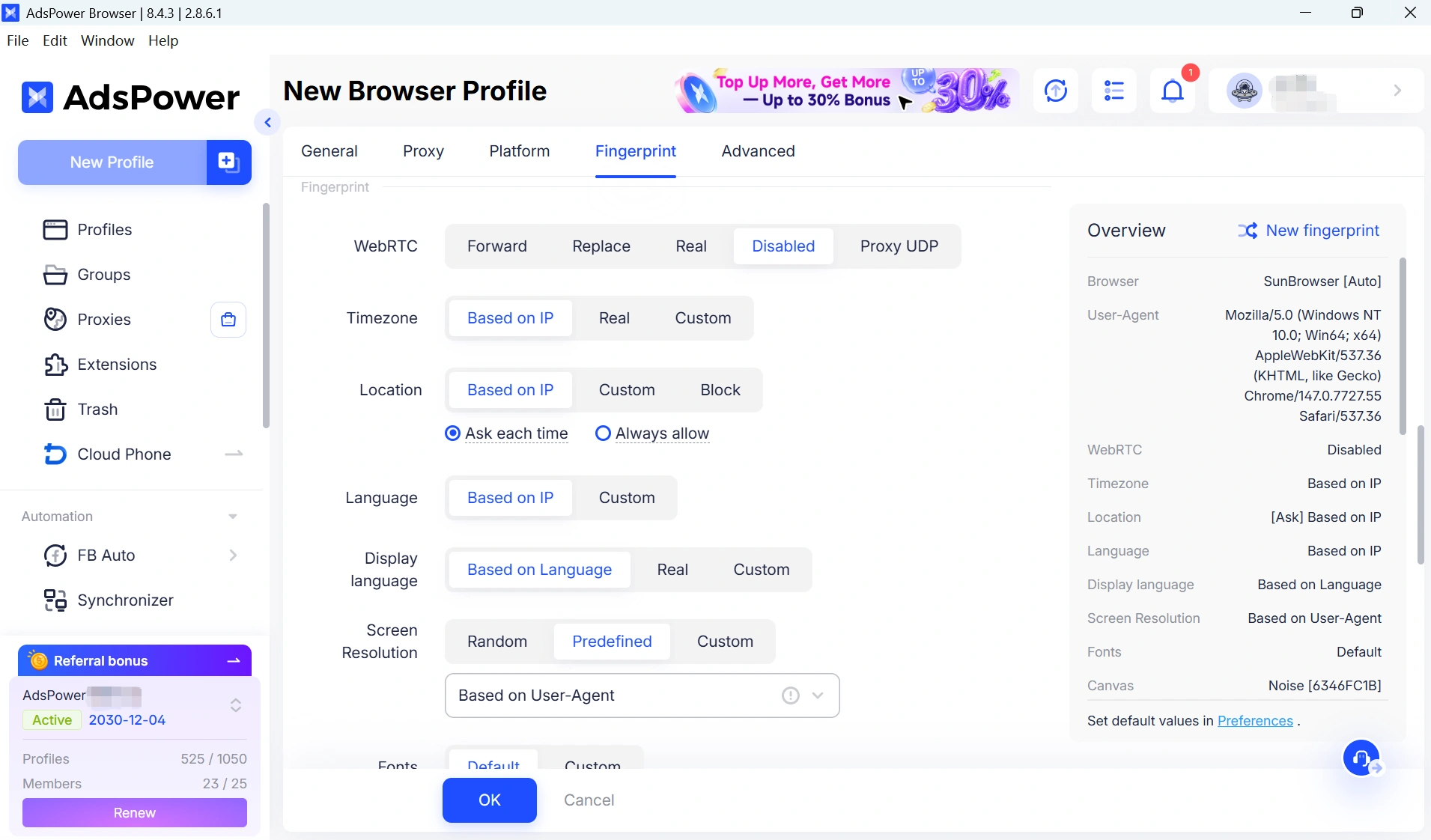
Stable Proxy Integration
You can use profiles with residential or mobile proxies, which means that the network environment will be permanent if needed.
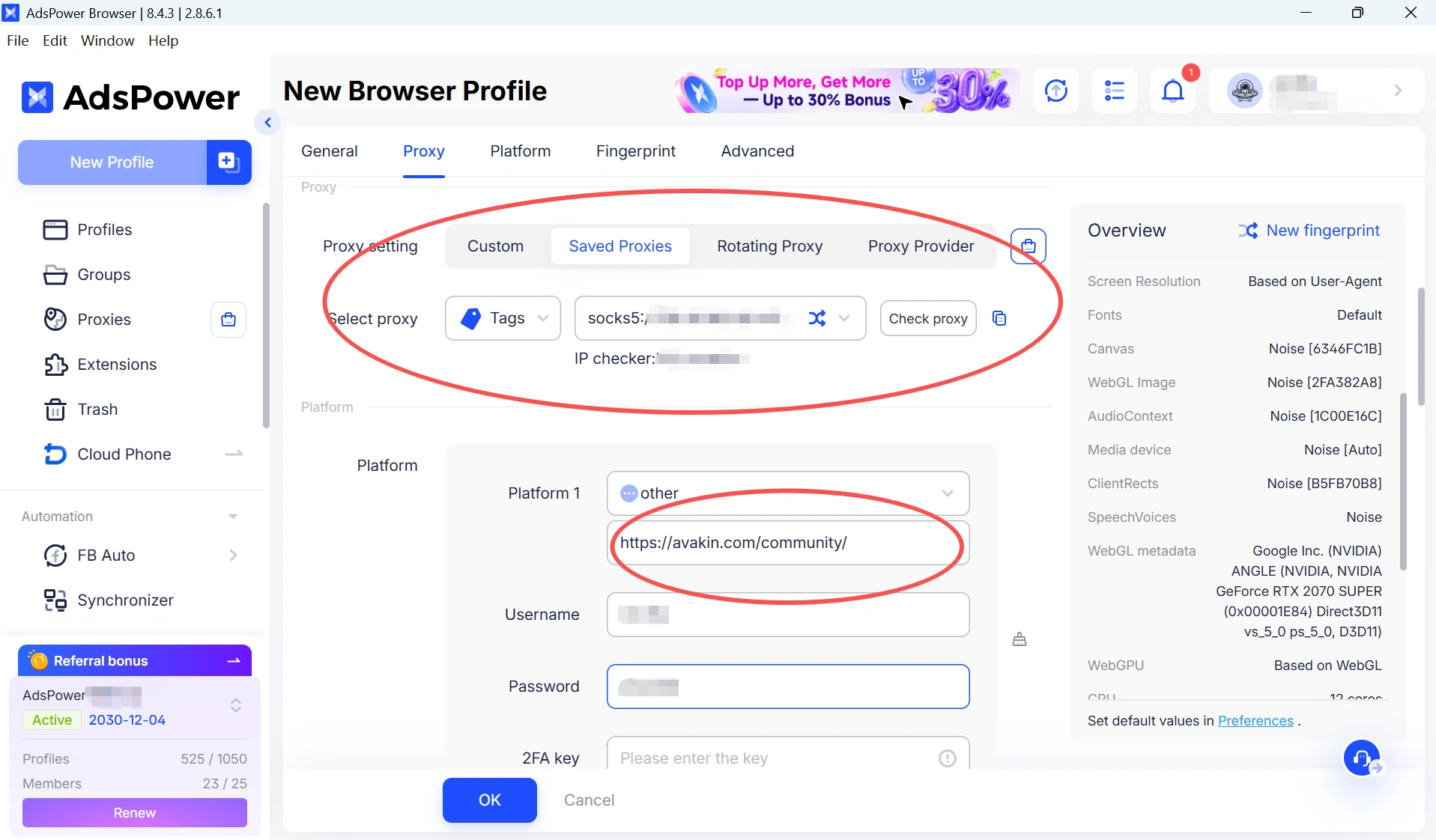
Better Account Organization
Profiles can be grouped, tagged, and organized based on different games, communities, or purposes. For example, users may choose to separate Avakin Life accounts from Roblox creator profiles, Steam community accounts, or gaming-related support emails. This makes it easier to locate the right account quickly and reduces the chance of accidentally using the wrong login environment.
Enhanced Account Security
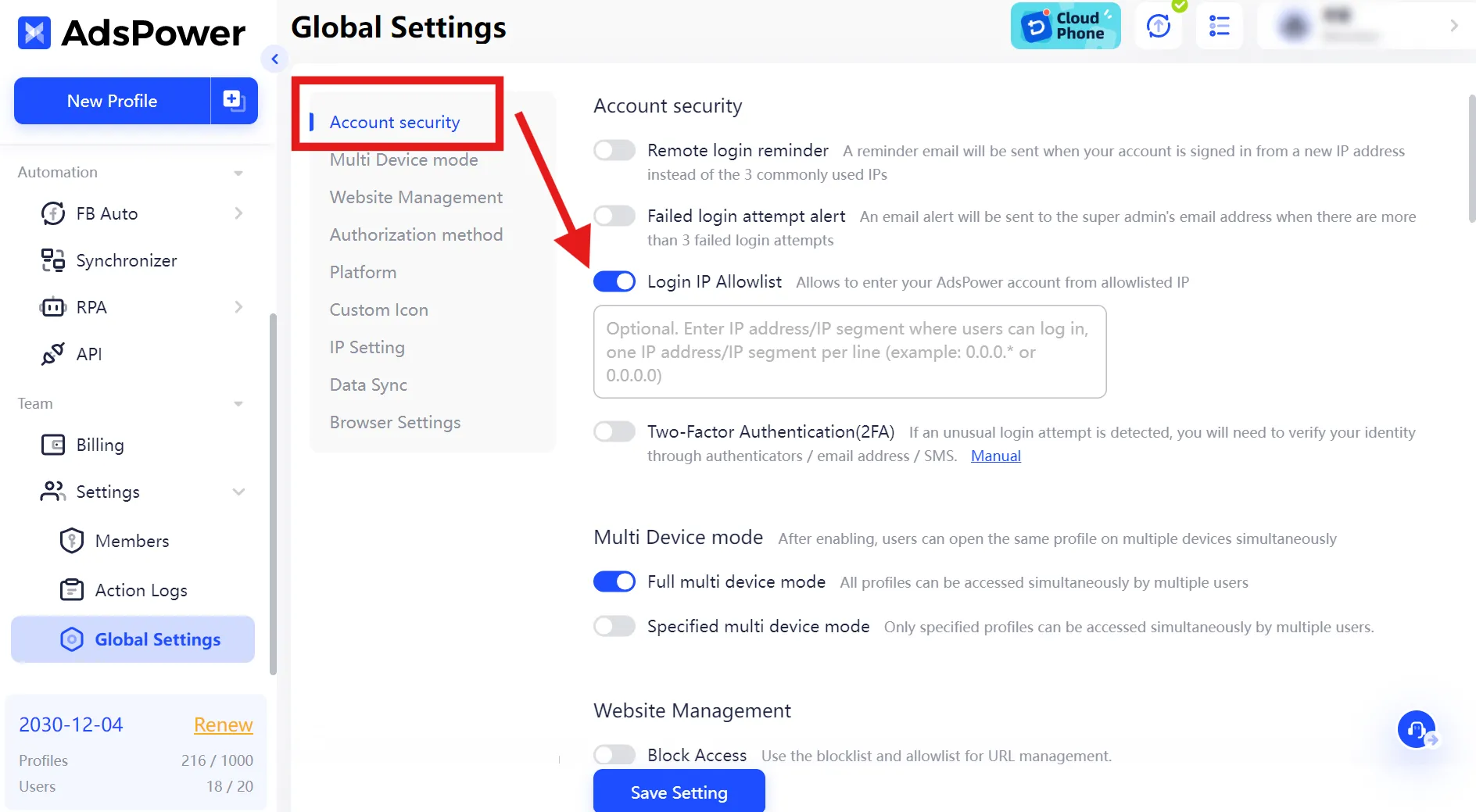
Some users not only care about organization but also account safety and security due to the fact that many online games/communities (including Avakin Life) have issues with their accounts getting stolen or hacked. In this situation, AdsPower can add a higher level of safety as it allows assigning unique fingerprints and IP-based restrictions on how each profile is accessed. This means only authorized devices or environments can access specific profiles, helping reduce the risk of unauthorized logins and keeping different gaming accounts better protected and separated.
How to Create a Separate Browser Profile for Gaming Accounts
- Launch AdsPower and click New Profile.
- Configure the profile settings, such as the profile name, browser type, operating system, user agent, proxy, group, and other preferences.
- Save the profile and open it whenever you need to access that specific account environment.
Final Thoughts
Having trouble accessing your Avakin Life account can be frustrating, but the first step is to figure out what’s actually causing the issue. It could be a suspension, a login mismatch, or an account recovery problem, and each one requires a different approach. If you're unsure, reaching out to Avakin Life support is usually the best way to get clarity. For players who manage multiple gaming accounts, keeping them in separate browser environments can also help reduce confusion and make account handling more organized. Above all, following Avakin Life’s Community Guidelines and keeping your recovery information secure will help you avoid similar issues in the future.
Still not sure that AdsPower is right for you?
Ask top AI tools to get instant personalized answers for your needs
FAQs
Can I have multiple Avakin Life accounts?
There is no official wording that there cannot be multiple accounts, but each account must adhere to the Community Guidelines. Problems usually occur if accounts act in ways that are contradictory to the rules or seem associated with earlier enforcement decisions.
Does Avakin ban all my accounts?
Not necessarily. Account connectivity and the type of issue may cause enforcement actions to reach other accounts. In most cases, only the particular account guilty of a breach gets impacted.
What are linked accounts?
"Linked accounts" usually means something that the platform might link based on some signals like login behavior, device usage patterns, or consistent activity. Generally these signals are considered in combination with one another rather than in isolation.
If you're a multi-account player, organization and separation are key—sometimes using anti-detect browser tools that support multiple accounts to help avoid confusion in the handling of everyone's account.
Can you appeal an Avakin Life suspension?
Yes, in many cases you can submit an appeal if you believe your account was suspended by mistake. Players are usually asked to contact Avakin Life support and provide relevant details such as their username, account information, and any supporting evidence that may help review the case.
What should I do if I’m not sure why my account was suspended?
If the reason for the suspension is unclear, the best step is to review your recent account activity and check whether any actions may have violated the Community Guidelines. If everything seems normal, you should contact support for clarification and wait for their response before creating or using any new accounts.
