

This guide covers iOS emulation on Windows, compares tools like Corellium and iPadian, and shows how AdsPower creates secure iOS environments. Start using AdsPower now and simulate iOS instantly!
Today, cross-platform compatibility is more important than ever. Many people question whether an iPhone emulator for PC exists or if it’s possible to handle Apple apps without a Mac. While Android emulation is commonplace, finding a reliable iOS emulator for PC remains a complex challenge due to Apple's strict ecosystem. Whether you are a developer testing apps, a marketer needing a mobile fingerprint, or a gamer, the question remains: Can you run iOS on a PC?
The short answer is yes, but with caveats. Finding a true emulator for iOS on PC that functions exactly like an iPhone is difficult. However, various tools simulate the iOS experience or virtualize the environment for specific tasks. Many users also wonder, is there any iOS emulator that is safe and effective? In this article, we will analyze the iOS emulator for Windows 10 market, review top tools, and introduce how the AdsPower emulator for iOS offers a unique solution for simulating mobile environments.
What Is an iOS Emulator and How Does It Work?
An iOS emulator is a piece of software that replicates the hardware of an iPhone or iPad on a different operating system, such as Windows. The goal is to allow the PC to run iOS applications as if it were an Apple device.
Technically, this is very difficult because PCs use x86 architecture, while iOS devices run on ARM architecture. An emulator must translate these instructions in real-time. Because of this complexity, you will often find "simulators" rather than full emulators. A simulator mimics the interface and behavior of iOS but does not replicate the underlying hardware, making it lighter but less capable of running high-performance native apps.
Is There Really an iOS Emulator for PC?
When people search for an emulator for iOS on PC, they often expect a program like BlueStacks (for Android) where they can download any game from the App Store. The reality is different. Due to Apple's closed-source code, is there any iOS emulator that offers a 1:1 iPhone experience on Windows? Not entirely.
Most tools available are either developer-focused simulators (for testing code), cloud-based virtualization services, or UI skins that look like iOS but cannot run actual apps. However, for specific use cases like web scraping, multi-account management, or app testing, powerful alternatives exist that mimic the iOS browser environment effectively.
Can You Run iOS on a PC? What's Possible and What's Not
Can you run iOS on a PC? Yes, but you need to understand the limitations.
What is Possible:
- Web Development & Testing: Mobile Safari behavior can be replicated to see how a website displays on an iPhone.
- UI Experience: You can use simulators to experience the look and feel of the iOS dashboard.
- App Development: Tools like Xamarin or Smartface allow coding for iOS on Windows.
- Browser Fingerprinting: Using an anti-detect browser, especially AdsPower emulator for iOS, you can mask your PC as an iPhone for marketing and privacy purposes.
What is Not Possible:
- Native Gaming: Playing graphics-heavy games like PUBG Mobile (iOS version) on a generic Windows emulator is generally not possible or performs very poorly.
- Full App Store Access: Most Windows-based emulators cannot access the official Apple App Store legally or technically.
Best iOS Emulator for Windows 10 (Working Options)
If you are looking for a working iOS emulator for Windows 10, here is a breakdown of the best options available in 2026.
Comparison of Top iOS Tools
| Emulator / Tool | Best For | Type | Cost |
| AdsPower | Marketing, Privacy, Web Simulation | Browser/Environment Emulator | Free / Paid |
| Smartface | App Development | Dev Simulator | Paid |
| iPadian | UI Experience | Simulator (Skin) | Paid |
| Corellium | Security Research | Cloud Virtualization | Enterprise |
AdsPower Emulator for iOS – A Smarter Alternative for PC Users
For marketers, e-commerce managers, and privacy advocates, AdsPower emulator for iOS is the premier choice. Unlike traditional emulators that try to run the entire OS, AdsPower focuses on emulating the browser environment. It allows you to create profiles that websites recognize as real iOS devices (iPhone 13, 14, 15, etc.). This is perfect for managing social media accounts or testing web apps without needing physical phones.

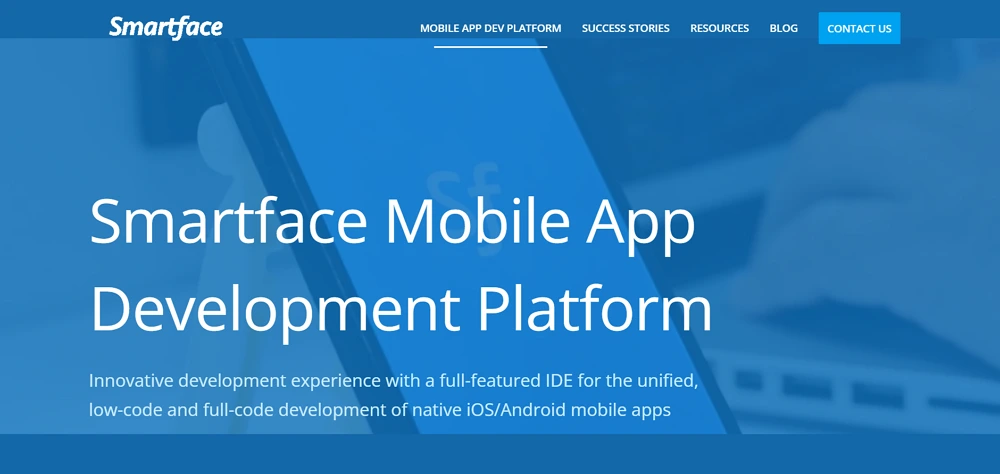
Smartface iOS Simulator
Smartface is a professional mobile development platform that offers an iOS simulator capability. It is primarily aimed at developers who want to develop and test iOS applications on Windows. It functions less like a simple iOS emulator and more like a comprehensive development tool. It requires integrating with a Mac-in-the-cloud service for full development capabilities.
iPadian (UI Simulator)
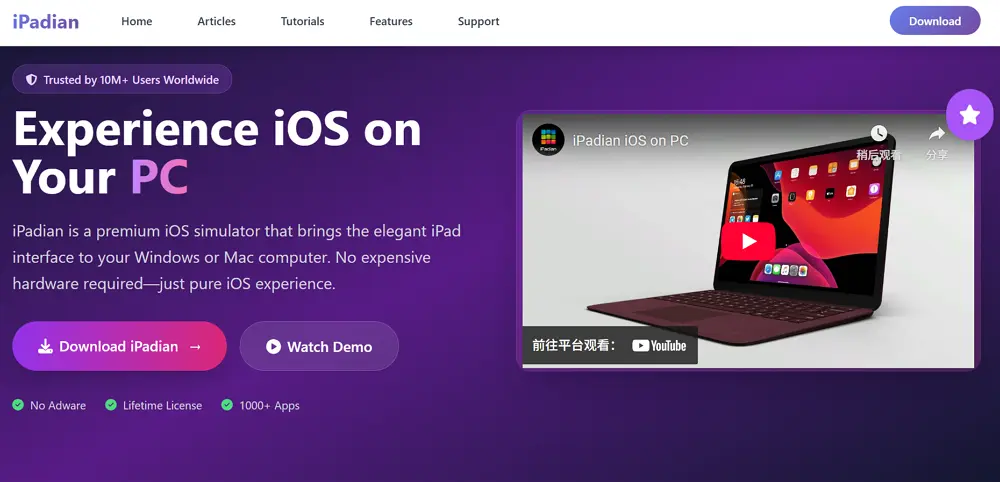
iPadian is one of the most widely known tools marketed as an iPhone emulator for PC. However, it is strictly a UI simulator. It provides an interface that closely mimics the iPad/iPhone look and feel, but it does not run the actual iOS operating system. Users can only run apps from iPadian's dedicated store, which are often web-based or specially packaged for the simulator. It's a great tool for a surface-level experience of the iOS interface.
Corellium (Cloud-Based iOS Virtualization)
Corellium is a premium, cloud-based platform that allows you to run virtualized iOS devices on demand. This solution offers the closest experience to running a real iOS device on your PC. It's primarily used by security researchers and enterprise testing teams who need to access the underlying OS for debugging and security analysis. While highly effective, it is expensive and requires significant technical knowledge.
How to Use AdsPower to Simulate iOS Environment on PC
If your goal is to surf the web as if you were on an iPhone, manage multiple mobile accounts, or bypass PC-detection filters, the AdsPower emulator for iOS is your best bet.
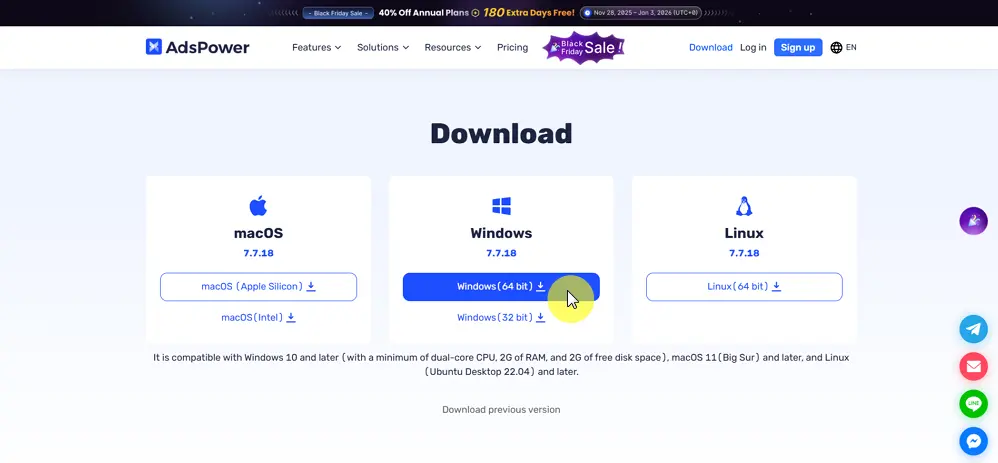
1. Download and Install: Go to the AdsPower website and download the software for Windows.
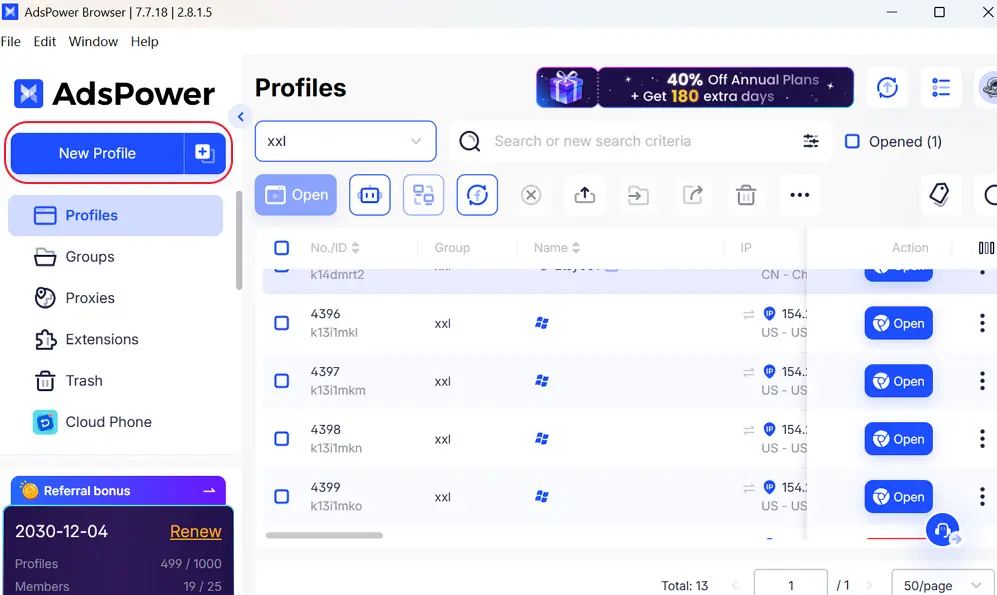
2. Create a New Profile: Click on "New Profile" in the dashboard.
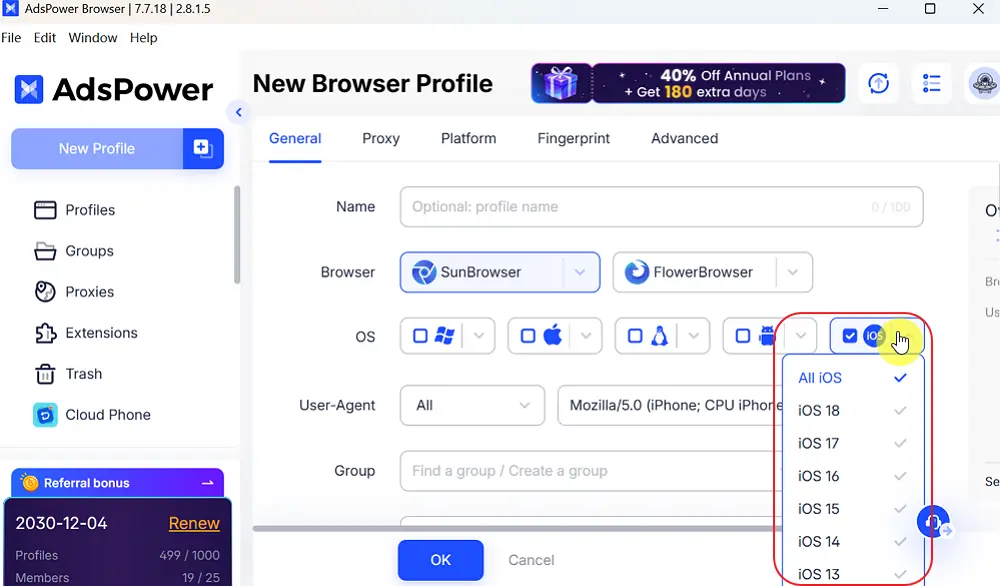
3. Finish The General Setting: You can write down your profile name, choose the browser and select iOS as the operating system. Then choose a specific version (e.g., iOS 18, iOS 17,etc.).
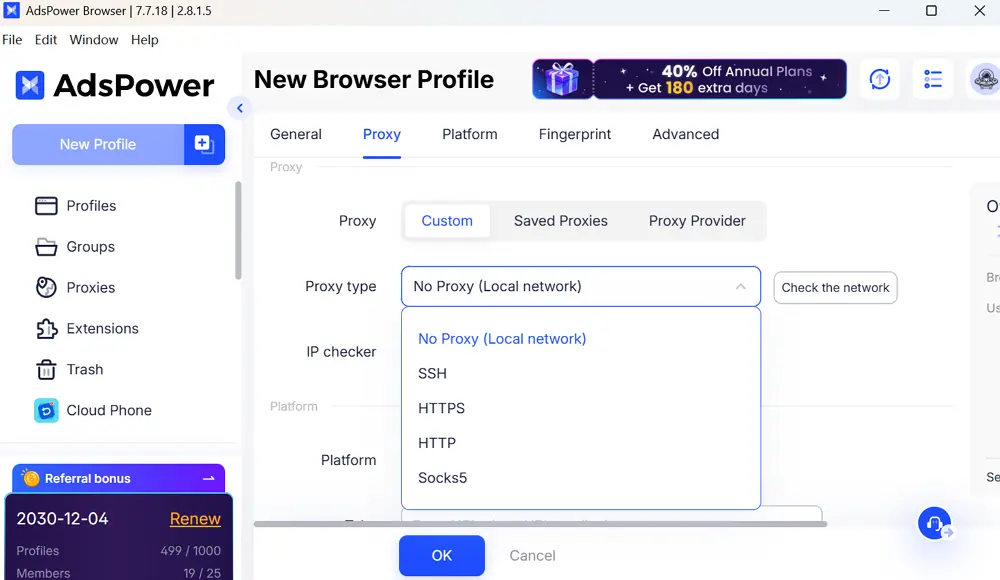
4. Set up Proxy: Choose the proxy type you need.
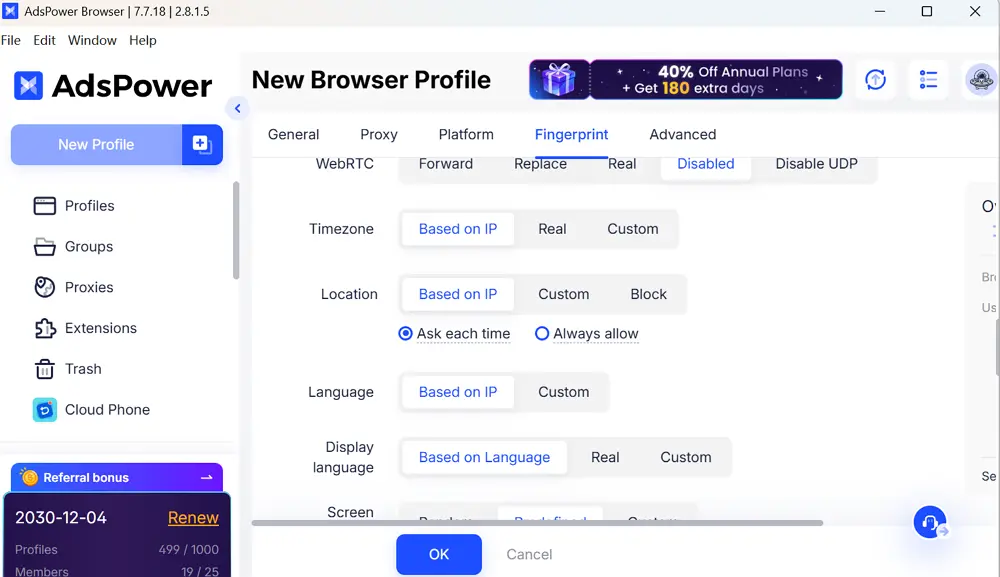
5. Build A Distinctive Fingerprint: Customize WebRTC, timezone, location, and more based on your needs or real conditions to create a one-of-a-kind browser fingerprint.
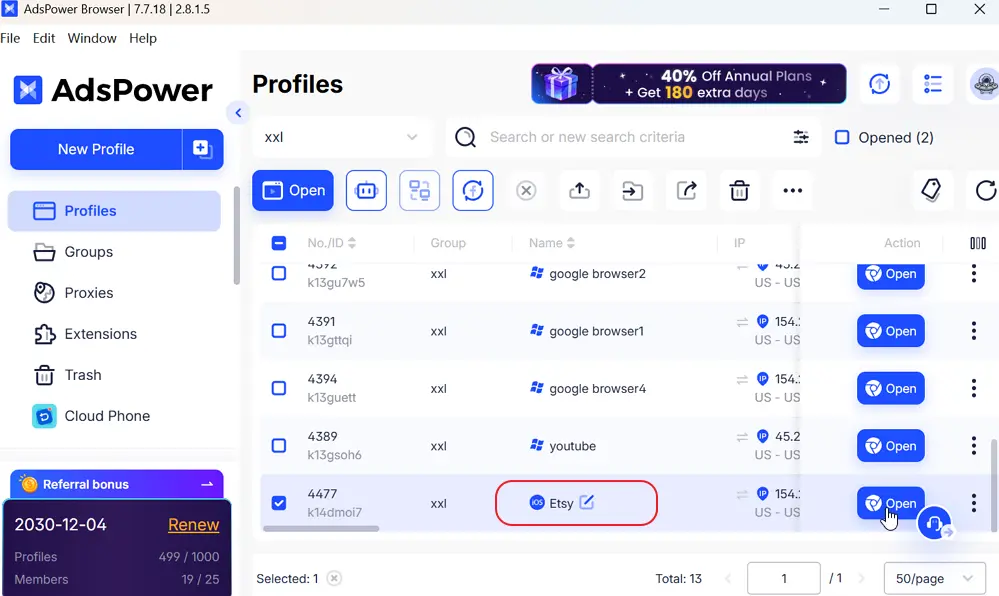
6. Launch: Click "OK". A browser window will open. To any website you visit, it will appear exactly as if you are browsing in an iOS environment, effectively serving as a functional iOS emulator for web-based tasks.
Who Should Use an iOS Emulator or Alternative Tools?
While the search for a perfect iOS emulator for PC is common, specific groups of people can benefit most from the available tools:
- App Developers: Tools like Smartface or a macOS VM (running Xcode's simulator) help developers verify how their apps display and perform across different iPhone/iPad screen sizes and iOS versions.
- Security Researchers: Advanced virtual environments such as Corellium provide a safe space for analyzing system behavior and testing vulnerabilities within native iOS.
- Digital Marketers & E-commerce Operators: This group gains significant advantages from using the AdsPower iOS emulator. They need to manage multiple social media, ad platform, or e-commerce accounts that sometimes require an iOS environment for verification or specialized access.
- Web Designers/Testers: Ensuring a website renders properly on Mobile Safari and other iOS browsers is crucial, making AdsPower's emulator-for-iOS-on-PC approach a practical choice.
- General Users: Those primarily interested in the iOS UI experience might use a simple UI simulator like iPadian, understanding that they cannot run native App Store apps.
Risks of Fake iOS Emulators You Should Avoid
The demand for a free, working iOS emulator for PC has led to the proliferation of fake or dangerous software online. When searching for an iOS emulator for Windows 10 or an emulator for iOS on PC, be extremely cautious.
⚠️ Common Risks:
- Malware and Spyware: Many "free iOS emulators" are simply Trojans or viruses designed to steal your data or hijack your PC. They often promise features that are technically impossible to deliver.
- Unwanted Toolbars/Adware: Fake tools often bundle unwanted browser toolbars or adware, slowing down your system and constantly bombarding you with advertisements.
- Wasting Time: Even if harmless, most of these programs fail to run any actual iOS app, making your search for a functional iOS emulator fruitless.
Stick to reputable, professional, and well-documented alternatives like Corellium, Smartface, or the specialized AdsPower emulator for iOS to ensure security and functionality.
FAQs
1.Is there any iPhone emulator for PC that runs App Store games?
Generally, no. Most tools are simulators for developers. Cloud gaming or screen mirroring is usually required for gaming, as native iOS emulator for Windows 10 gaming support is virtually non-existent.
2.Can you run iOS on a PC for free?
Some simulators like iPadian have free versions, and the AdsPower emulator for iOS offers a free trial for browser emulation. However, full OS virtualization usually costs money.
3.Is using an emulator for iOS on PC legal?
Yes, using an emulator for iOS on PC is legal for testing and simulation. However, downloading pirated iOS apps or hacking the OS kernel (Jailbreaking) via emulation can breach Apple's terms of service.
