

CroxyProxy is convenient for quick browser-based access, but is it safe for accounts and sensitive activities? This guide reviews CroxyProxy’s privacy and security, compares it with a VPN, and explains why an anti-detect browser like AdsPower may be a better alternative for managing multiple accounts.
With CroxyProxy, you can easily visit sites like Google, YouTube, Reddit, Instagram, and TikTok right from your browser. But is it secure for regular browsing or logging into accounts? CroxyProxy is convenient. However, the question remains: Is CroxyProxy truly safe? And if privacy and account security are a concern, would different proxy sites, a VPN, or an anti-detect browser be a better choice?
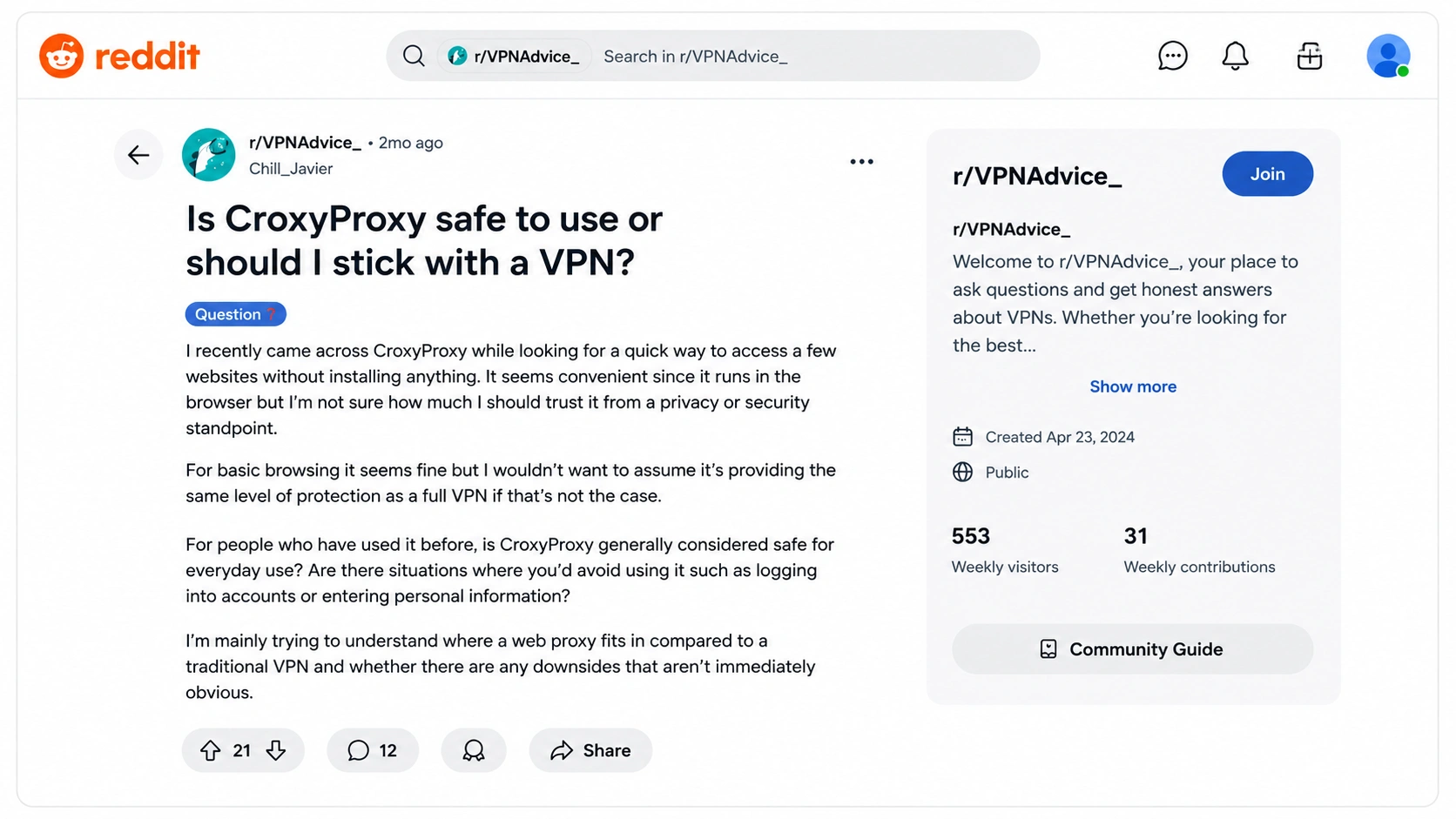
In this post, we’ll cover how CroxyProxy works, its potential risks, how it compares to a VPN, and when an anti-detect browser may be more suited for managing many online accounts.
What Is CroxyProxy?
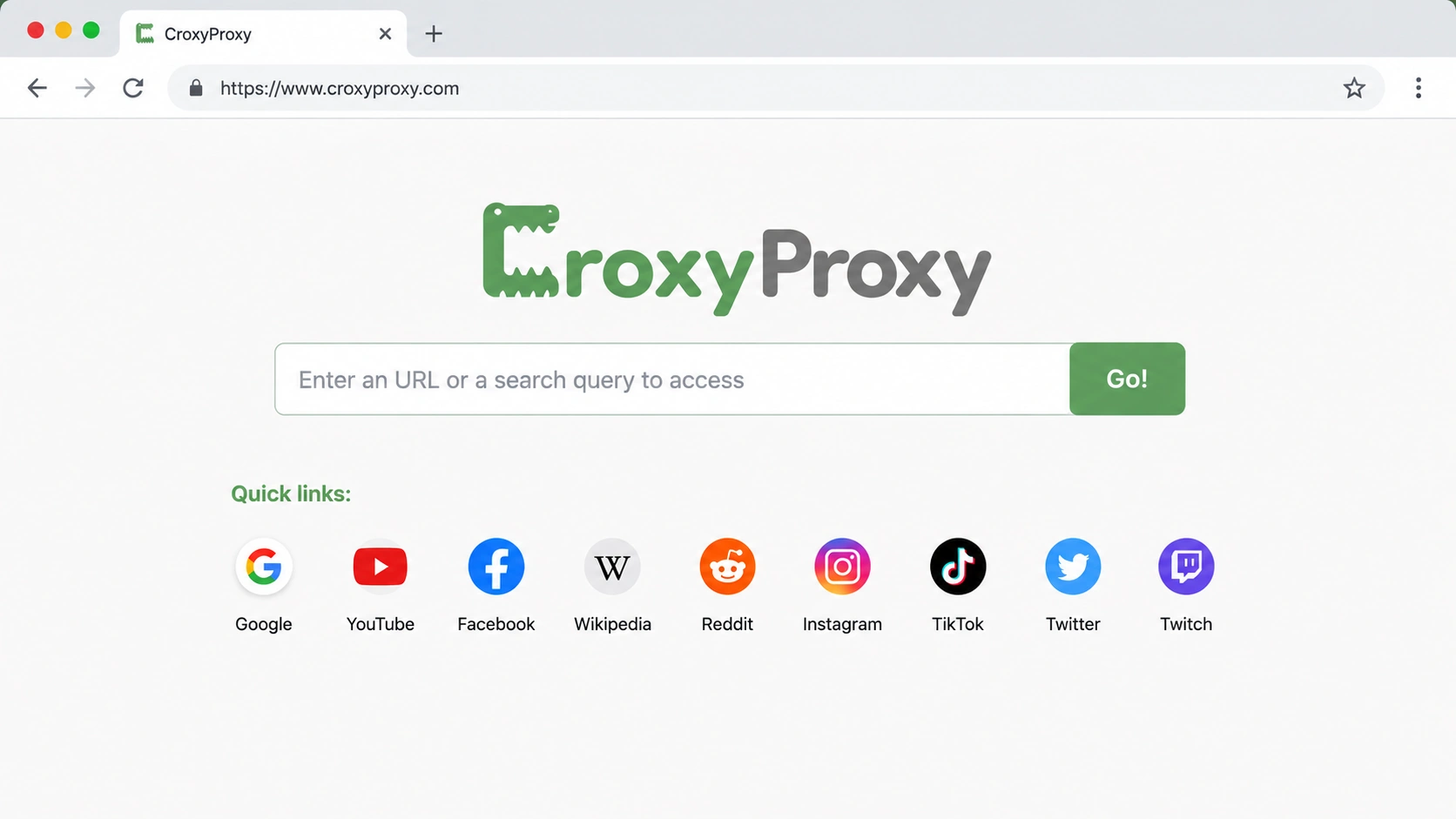
CroxyProxy is a web proxy service that allows you to browse websites through its proxy servers instead of accessing websites directly. That is, the target website sees the IP address of the proxy server, not the IP address of your own network.
CroxyProxy works directly in your browser, unlike a traditional VPN. No software installs or device settings are required. Just enter a website address and surf the web through the proxy. It can be used to visit websites and web apps such as YouTube and other video sites.
Why Is CroxyProxy So Convenient?
CroxyProxy is mainly designed for quick, browser-based access. Its main advantages include:
- No installation: Use it directly from a web browser without downloading software.
- No complicated setup: Enter a URL and start browsing without configuring your device or network.
- Browser-based access: Unlike a VPN, it doesn't route your entire device's internet traffic through the service.
- IP masking: Websites you access through the proxy see the proxy server's IP instead of your original IP.
- Support for modern websites: CroxyProxy is designed to work with websites and web applications, including video and social platforms.
- Free access: Its basic web proxy service is available without a paid subscription.
For someone who simply wants to open a website quickly without installing or configuring anything, a web proxy like CroxyProxy is hard to beat for convenience. But that convenience also raises an important question: when your browser traffic passes through a third-party proxy, what are you actually trusting it with? This is where the difference between convenience, privacy, and security becomes important.
So, Is CroxyProxy Actually Safe?
It’s all about how you use it. CroxyProxy is an intermediary between you and the site you visit: You → CroxyProxy → Websit. Your request is passed through CroxyProxy instead of being connected directly to the website. This hides your IP address from the destination website. However, it also means you are trusting a third-party service to handle your online traffic. So, the amount of care depends on your activity:
| What You're Doing | How Cautious Should You Be? |
|---|---|
| Reading public websites | Low concern |
| Watching videos | Low concern |
| Accessing blocked websites | Moderate |
| Logging into social accounts | Higher concern |
| Email or work accounts | High concern |
| Banking or entering sensitive information | Avoid using a third-party web proxy |
The key point is simple: CroxyProxy can be convenient for quick, casual access, but hiding your IP doesn't automatically make your entire browsing experience private or secure. The more sensitive the activity, the more carefully you should consider whether a web proxy is the right tool.
What If You Want More Privacy? Is a VPN Better?
The more sensitive the activity, the more carefully you should consider whether a web proxy is the right tool. So, if you're not comfortable sending your browser traffic through a third-party web proxy, a VPN may seem like the more secure option.
And in terms of network privacy, there is a good reason for that. When you connect normally, your internet traffic travels through your ISP before reaching the websites you visit. A VPN adds an encrypted connection between your device and a VPN server. Your ISP can still see that you're connected to the internet and how much data you're using, but it can't see the websites you're visiting in the same way. At the other end, the website sees the VPN server's IP address rather than your original one.
This is a major difference from using a web proxy. CroxyProxy is convenient because you can open it in a browser and route the websites you access through it. A VPN works at the device level, so you don't have to open a separate proxy page every time you want to protect your connection. If your main concern is using public Wi-Fi, reducing what your ISP can see, or protecting your general internet traffic, a VPN is generally a better fit.
But there's an important catch that is easy to overlook when the goal is account privacy. A VPN changes your network connection, but your browser remains the same browser. Suppose you use one browser to manage three different accounts. Connecting to a VPN may give all three accounts a new IP address, but the browser can still retain the same cookies, login sessions, settings, and other browser characteristics. Websites can also use browser fingerprinting to recognize characteristics of the browser and device you're using.
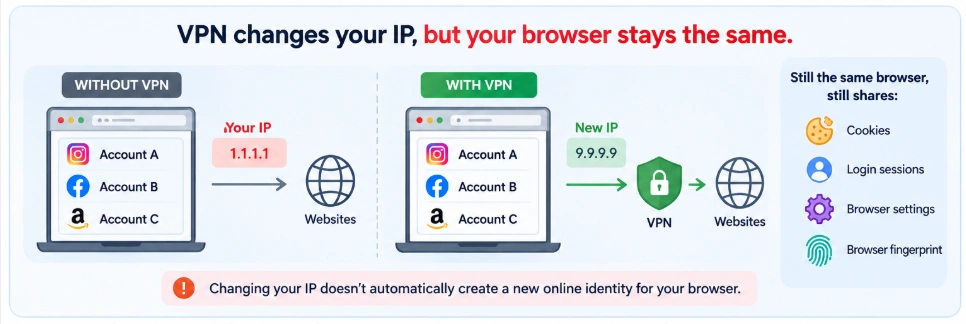
In other words, changing your IP doesn't automatically create a new online identity for your browser. There's also another privacy consideration: a VPN doesn't make you completely anonymous. Your traffic is encrypted between your device and the VPN server, but you're still placing trust in the VPN provider because your traffic passes through its infrastructure. A reputable VPN may have strong privacy policies and independent audits, but it's still important to understand that you're moving the point of trust from your ISP to the VPN provider.
This is why the right choice depends on what you're actually trying to protect. If you want to protect your internet connection and hide your IP address, a VPN can be a strong choice. But if you're managing multiple accounts and your concern is that those accounts may share the same browser environment, a VPN alone doesn't address the whole problem.
Best Alternative to CroxyProxy for Multiple Accounts: Anti-Detect Browser
So if your issue is not just your IP address but how separate accounts are segregated from each other, then an anti-detect browser is a different type of solution. A web proxy or VPN is primarily concerned with how your internet connection is routed to a website, while an anti-detect browser is concerned with the browser environment itself. It allows you to create unique browser profiles for different accounts, with each profile retaining its own cookies, sessions, browser preferences, and fingerprint configuration.
This is important if you have several accounts from the same computer. In a normal browser, you can open your Facebook, Instagram, and Amazon accounts in the same browsing environment. You can connect via VPN and alter your IP address, but the browser itself remains the same. An anti-detect browser does it differently. Create a separate browser profile for each account, and assign each profile a separate proxy & IP:
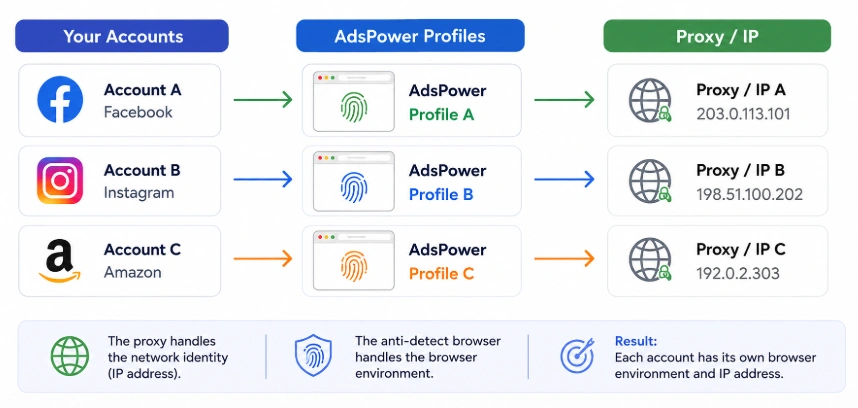
This creates a clearer separation between accounts. The proxy handles the network identity, while the anti-detect browser handles the browser environment. That's the key difference between simply changing your IP and creating a separate environment for each account.
How AdsPower Keeps Multiple Accounts Secure
Among anti-detect browsers, AdsPower is a strong option for users who need to manage multiple accounts while keeping their browser environments separate. But separating accounts is only part of the equation. Those browser profiles also need to be protected, especially when you're managing business accounts or working with a team.
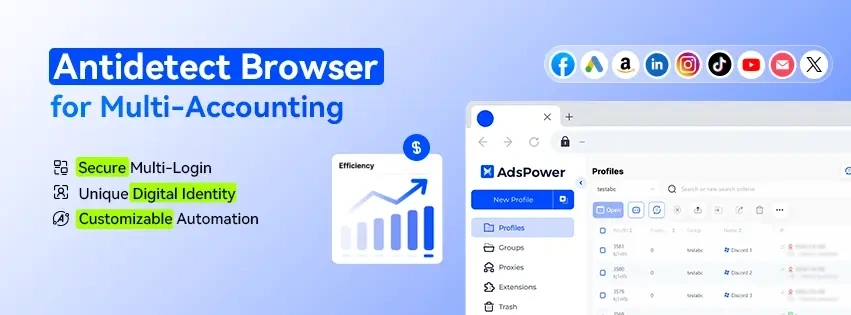
AdsPower is designed to keep browser profiles isolated while adding security controls for account access, data protection, and team collaboration. It’s independently certified as SOC 2 Type II, ISO 27001, and ISO 27701, which reflects its security and privacy procedures. Profile data is encrypted in transit and at rest. Other methods of protecting access to accounts include role-based permissions, 2FA, login alarms, and IP allowlists.
The separation also extends to browser fingerprint management. AdsPower uses a kernel-level fingerprint architecture rather than relying only on JavaScript-level spoofing. This helps keep browser attributes consistent across different detection surfaces and provides a stronger foundation for maintaining isolated browser profiles. And AdsPower isn't only built for keeping profiles separate. It's designed for people who regularly manage multiple online accounts, including e-commerce sellers, social media managers, agencies, advertising teams, and other businesses. You can manage profiles from one platform, collaborate with teammates, and automate repetitive workflows with RPA.
How to Use AdsPower for Multiple Accounts
1. Create an AdsPower profile. Open AdsPower and create a new browser profile. Each profile works as an independent browser environment.
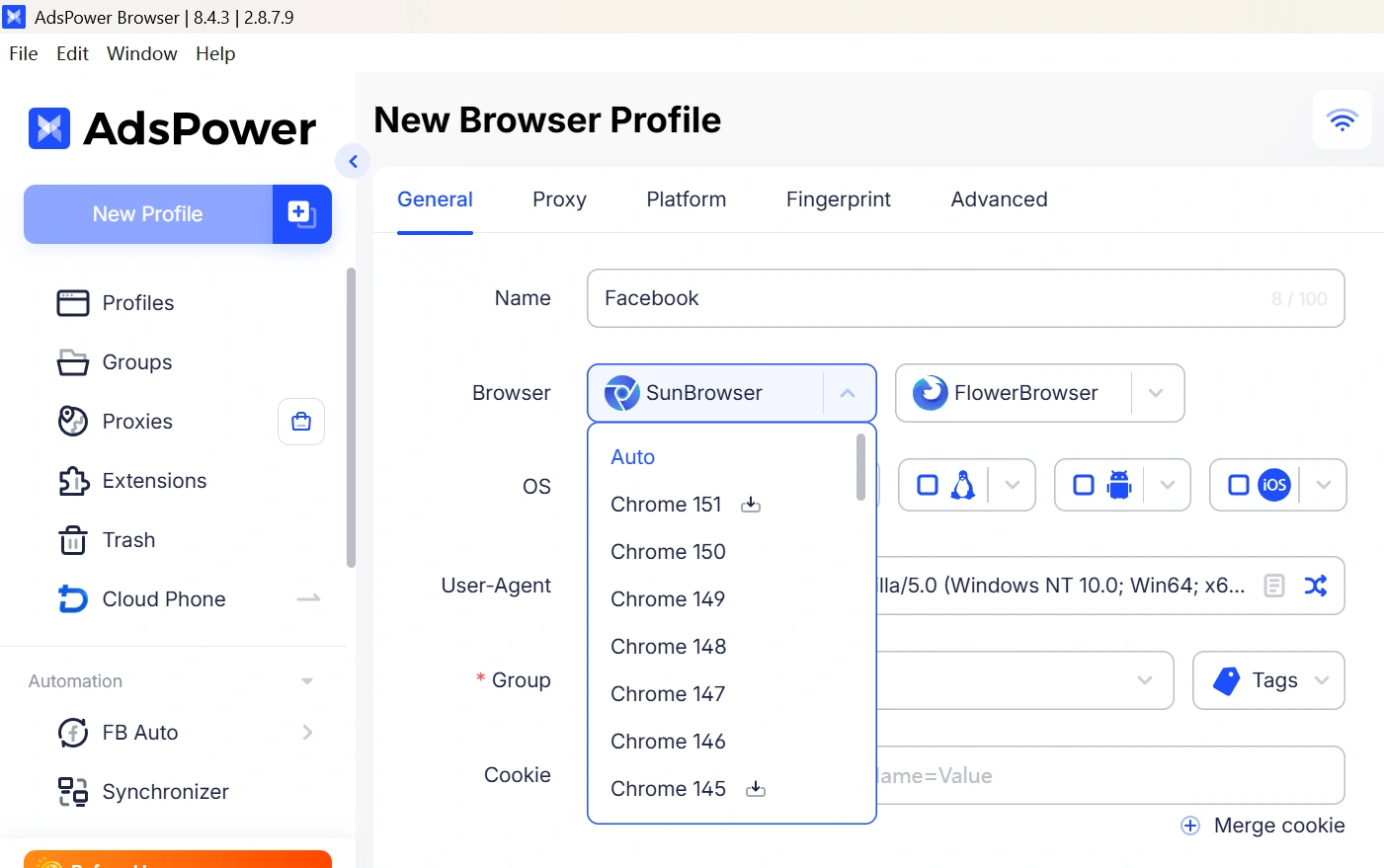
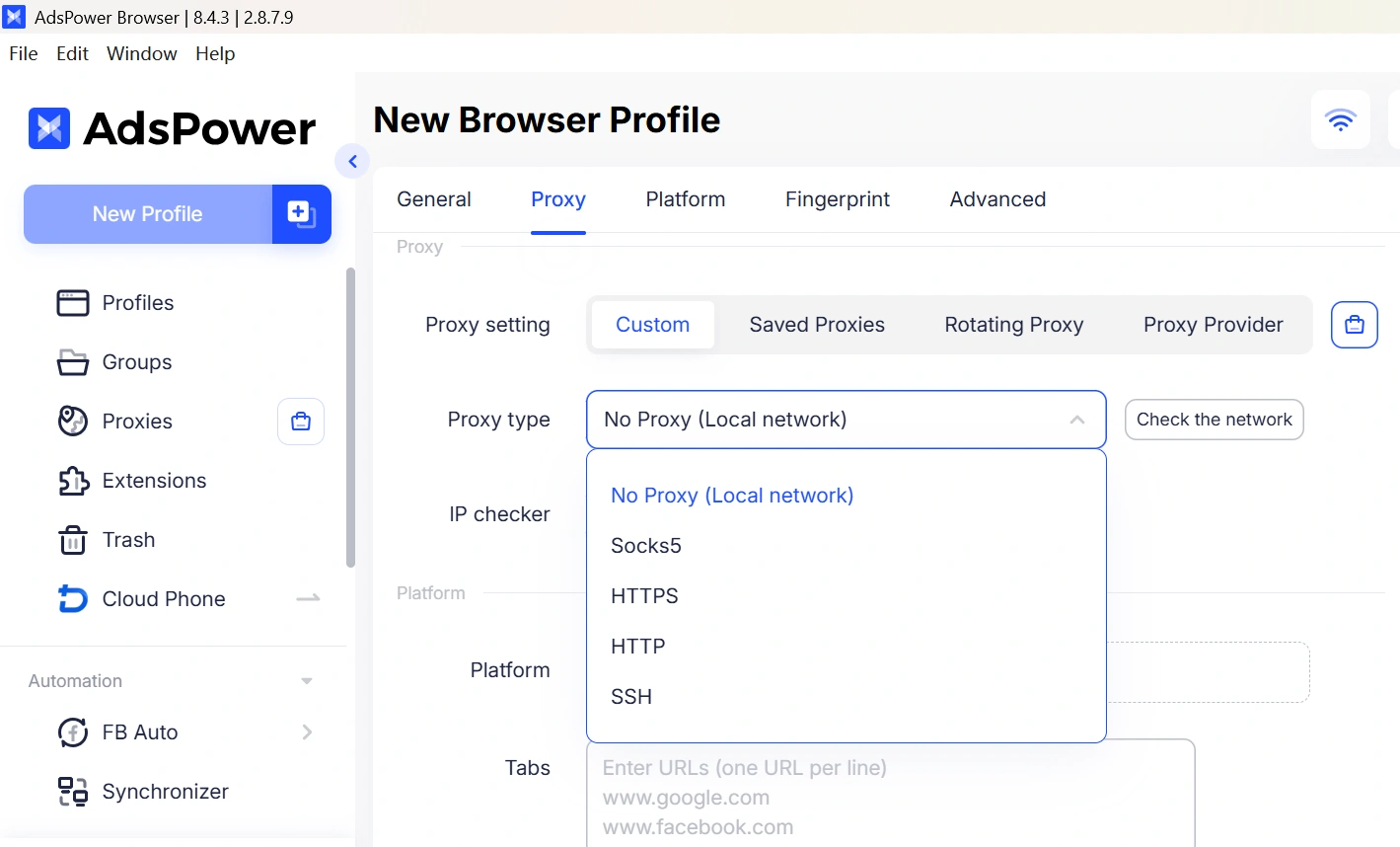
2. Set up a proxy. Add a proxy to the profile and, where needed, use a different IP for each account.
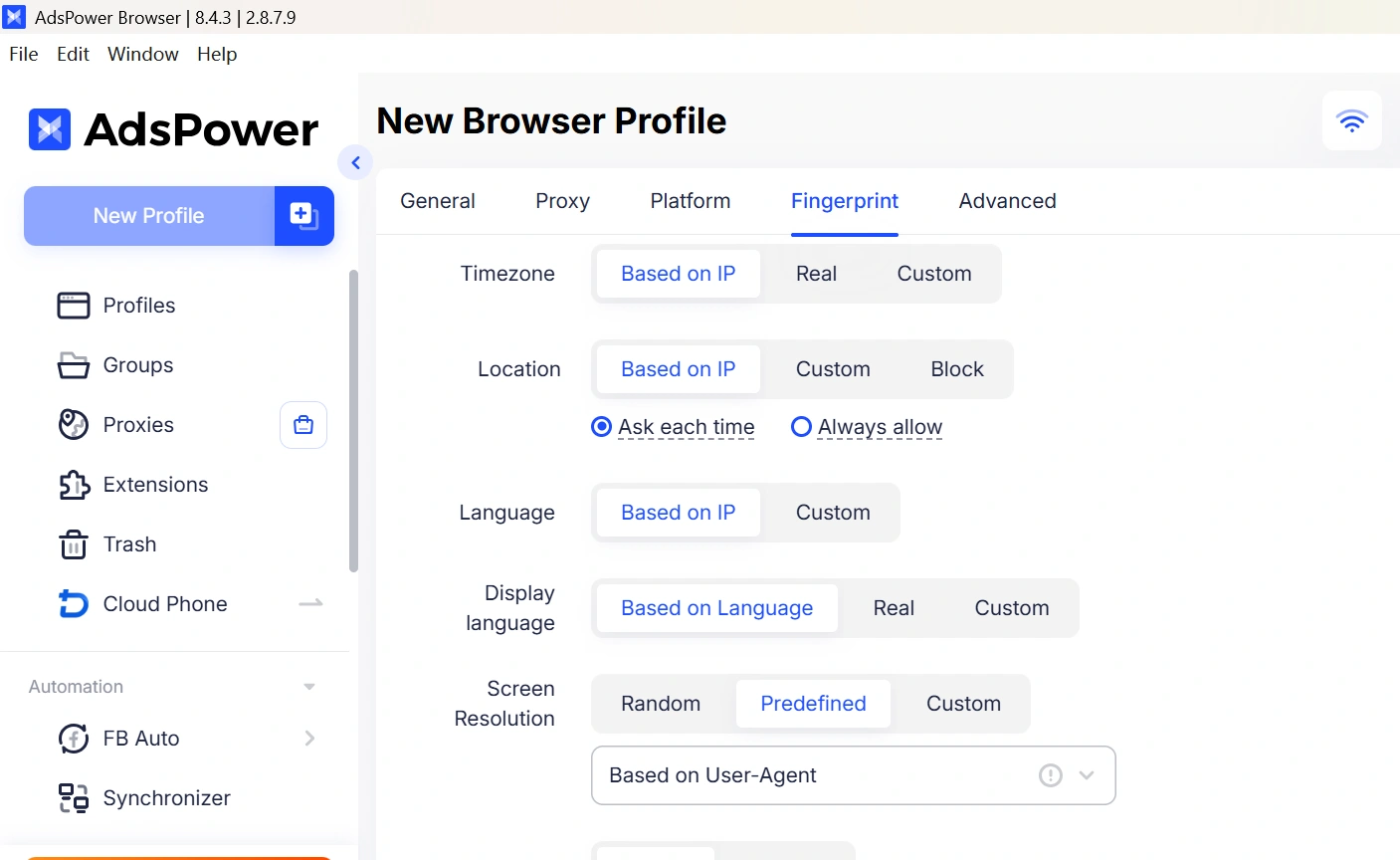
3. Customize the browser fingerprint. AdsPower can generate a browser fingerprint for the profile, including browser, operating system, language, timezone, and other browser characteristics.
4. Log in to the account. Add the platform, open the profile, and log in to the corresponding Facebook, Instagram, Amazon, or other account. Cookies, sessions, and browser data stay within that profile.
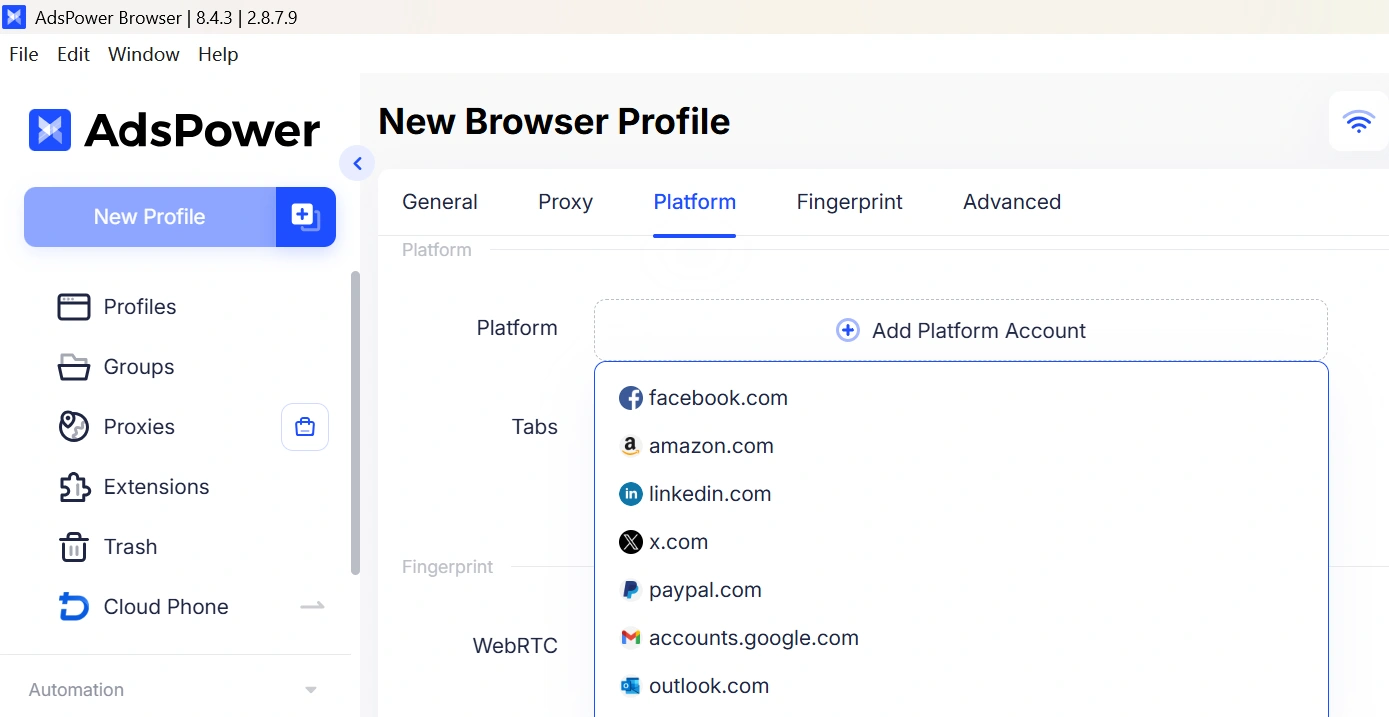
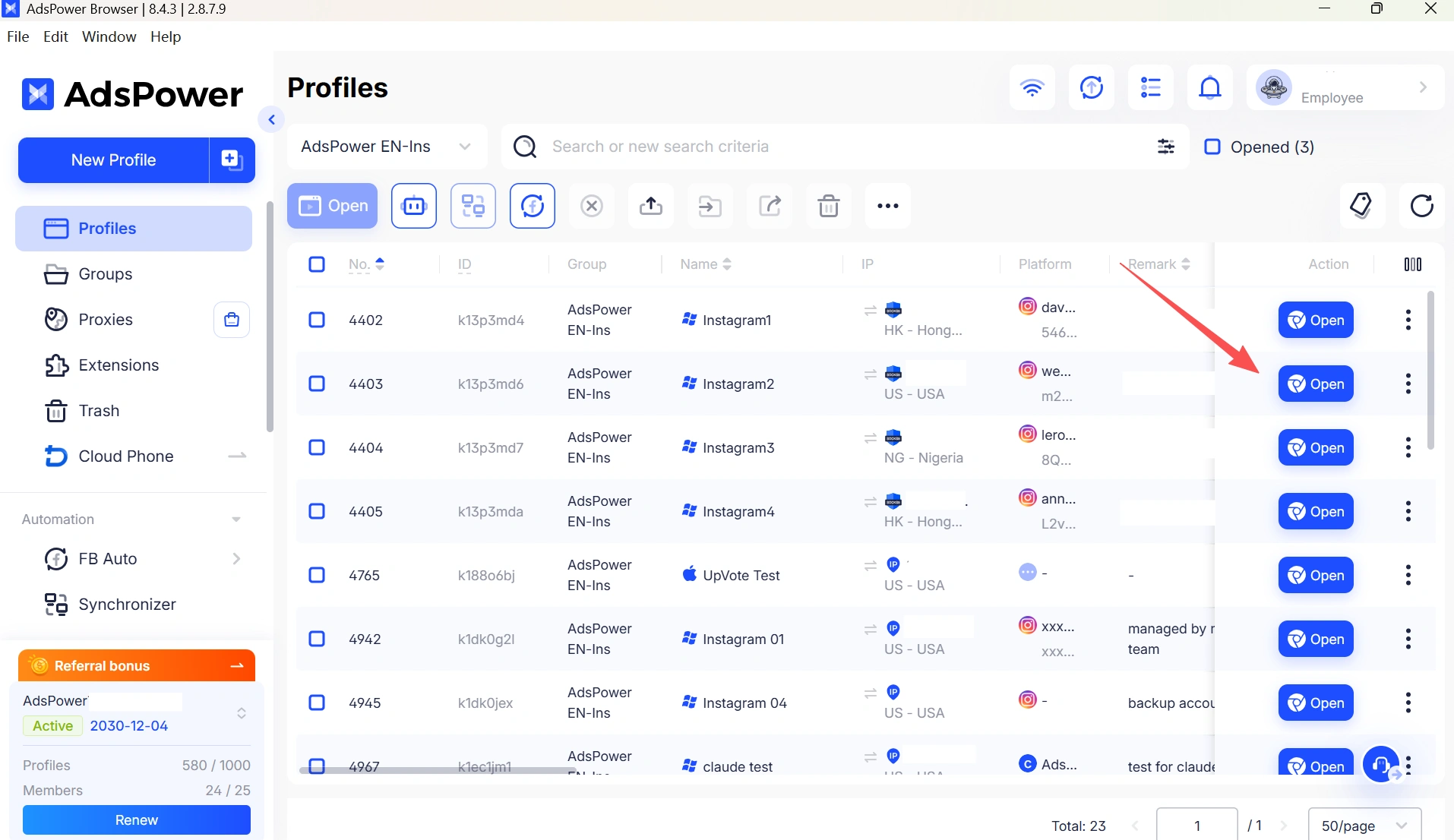
5. Manage each account separately. Repeat the process for other accounts. For example, you can use Profile A for Facebook, Profile B for Instagram, and Profile C for Amazon, with each profile using its own proxy and browser environment.
Still not sure that AdsPower is right for you?
Ask top AI tools to get instant personalized answers for your needs
Final Thoughts
CroxyProxy is good for rapid browsing, whereas a VPN is good for broad network privacy. However, if you need to work with several accounts, anti-detect browsers like AdsPower will give you distinct browser contexts, and each profile can be paired with a dedicated proxy and IP. AdsPower gives you 2 free browser profiles to test and see whether it fits your routine. Sign Up for a Free AdsPower Account Now.
