

Fix Steam sign-up failures in 2026. This guide covers 5 proven fixes for Captcha loops and missing emails, compares VPN, proxy & browser profiles, and explains how AdsPower helps.
Can't create a Steam account? You are not alone. Sign-up usually takes only a few minutes, but hCaptcha loops, missing verification emails, and browser errors block many users every day.
This guide walks through the official Steam registration steps, then covers five practical fixes for common Steam sign-up problems. It also explains how VPNs, proxies, and browser profiles affect the Steam registration environment, so you can pick the right fix the first time.
How to Create a Steam Account
Before troubleshooting errors, make sure you are following the standard registration process on Steam’s official website.
Step 1 – Visit the Official Steam Website
Go to Steam’s main website, select Login, and then click Create an Account. Before entering any information, make sure the domain is an official steampowered.com page and not a fake registration page from a pop-up, message, or third-party download site.
You can also download the Steam app from the official Steam About page, but many users report slower CAPTCHA loading on the desktop client. Register on the website first, then log in through the app afterward.
Step 2 – Enter Your Email and Region
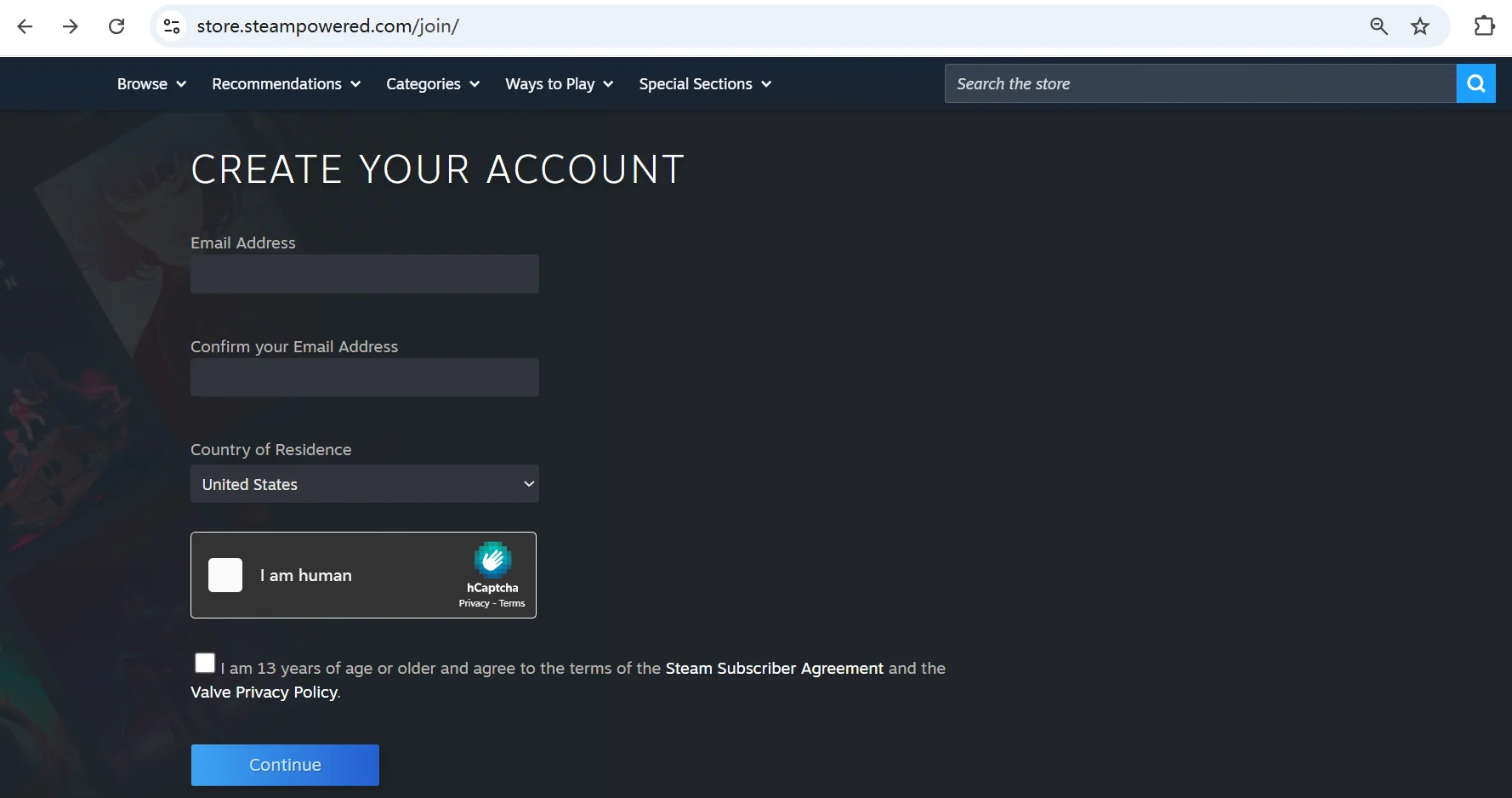
Enter an email address that you can access. Steam will use it to send a confirmation link, so avoid temporary inboxes or addresses that may block automated messages.
Then choose a region for your Steam store. Your selection affects pricing, currency, and payment methods available to you. If you're using a VPN or proxy, Steam may auto-detect your region from your IP. Check that the shown region is correct before continuing.
Next, complete the hCaptcha verification. If hCaptcha keeps looping, try these first:
- Disable browser extensions that modify page scripts
- Turn off aggressive ad blockers temporarily
- Try a stable network
- Open the page in a clean browser session
If hCaptcha still fails after these steps, AdsPower's RPA can can help here.
It automates the repetitive registration steps, including verification, to save you from doing it manually each time. The RPA also integrates third-party verification services like 2Captcha.
You add your 2Captcha API key once, and the automation handles hCaptcha and other CAPTCHA types inside the registration flow. Instead of solving the same challenge over and over by hand, you get a repeatable process you can run on each attempt.
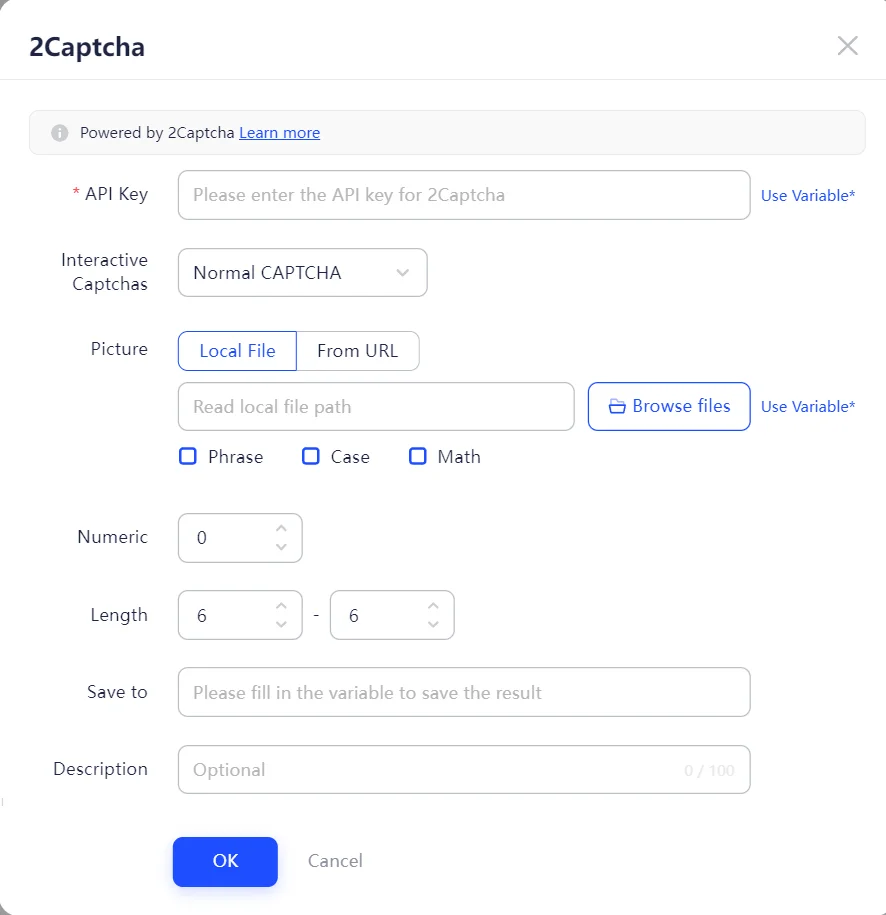
Step 3 – Verify Your Email
After submitting the form, check your inbox for a verification message from Steam. Click the confirmation link and keep the registration page open until the process completes.
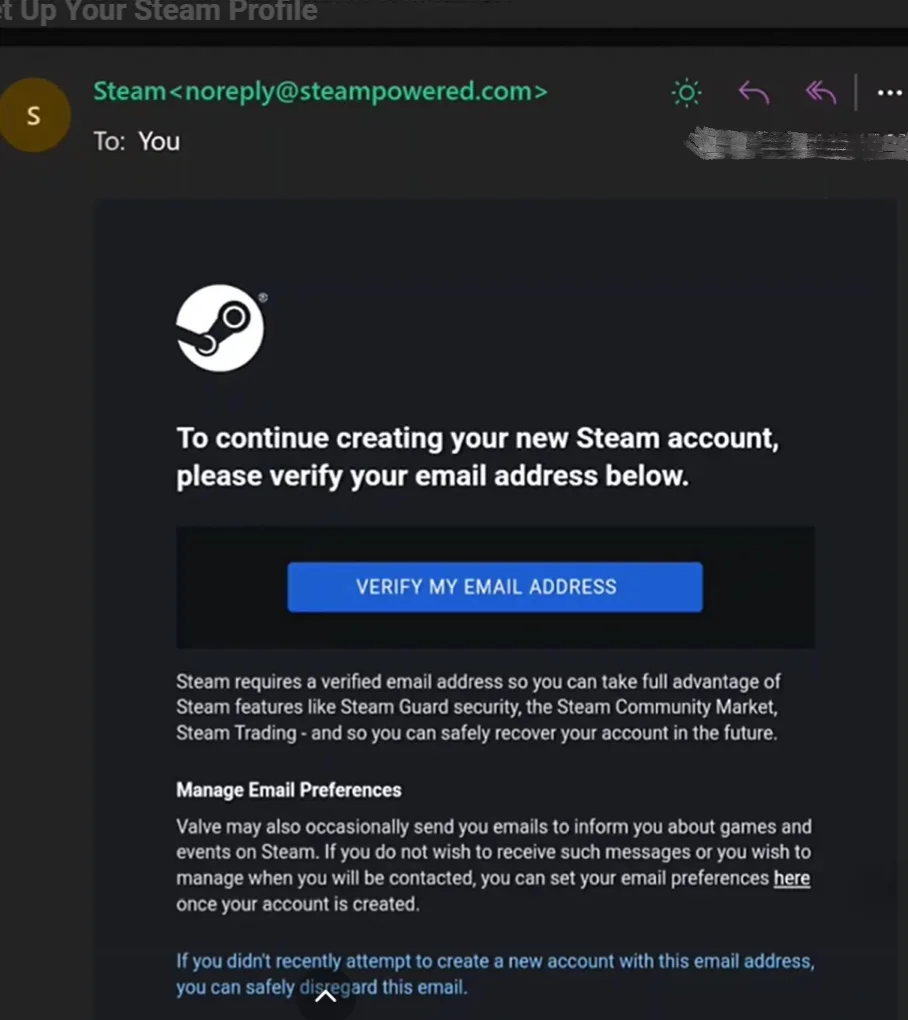
If the message does not arrive, check your Spam or Junk folder first. You can also search your mailbox for "Steam" and wait a few minutes before requesting another email.
Step 4 – Create Your Steam Account
After email verification, Steam will ask you to choose an account name and password. Your account name is different from your public profile name, so choose one you will keep. Complete the form and submit it. Once Steam accepts the details, you can log in through the Steam client or website.
Can't Create a Steam Account? Try These 5 Methods
If the normal process fails, work through these methods in order. Testing one change at a time makes it easier to identify the real cause.
Method 1: Use AdsPower for a Clean Registration Environment
Most sign-up failures come from the environment, not your details. Old cookies, cached scripts, and a browser fingerprint with a history of failed attempts can keep Steam from accepting your registration. AdsPower fixes this by giving each attempt its own isolated browser profile.
How it works:
- Install AdsPower and create a free account. (2 permanent free profiles)
- Click New Profile and give it a name you will remember.
- Add a proxy if you want a different IP.
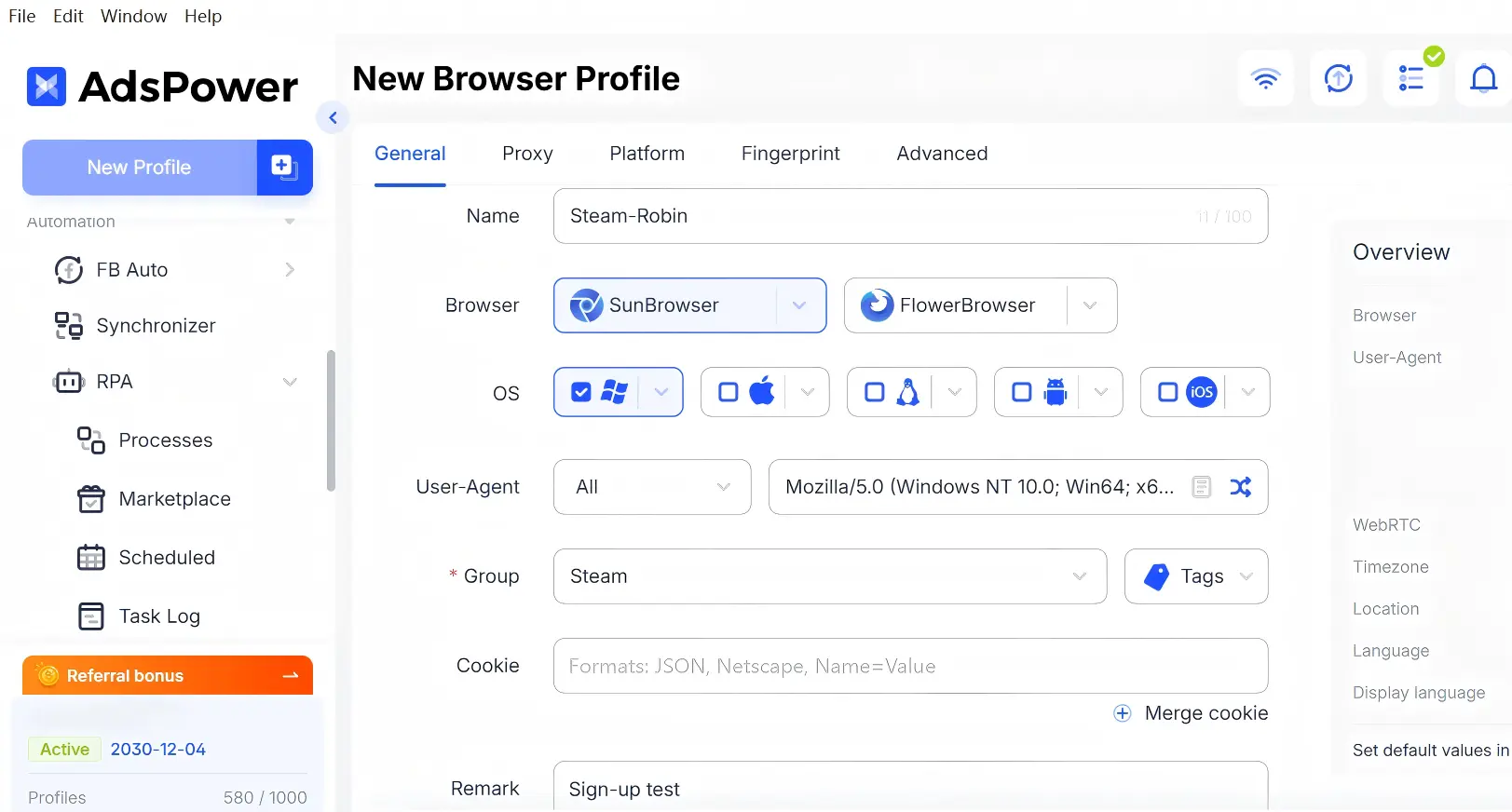
- Save the profile and open it. The browser runs in a clean environment with its own cookies, local storage, and fingerprint.
- Go to steampowered.com and register inside that profile.
Why it works better:
- Each profile is fully isolated, so nothing from a failed attempt carries over.
- One click resets a profile; no more clearing cookies by hand.
- Multiple profiles handle multiple attempts or accounts without extra cleanup.
- AI tools like Codex or Claude can generate the profile configuration for you; you review it and start registering.
After you create the account, you can keep managing it inside AdsPower: separate environments, instant profile reset, and team sharing if you register accounts for a business.
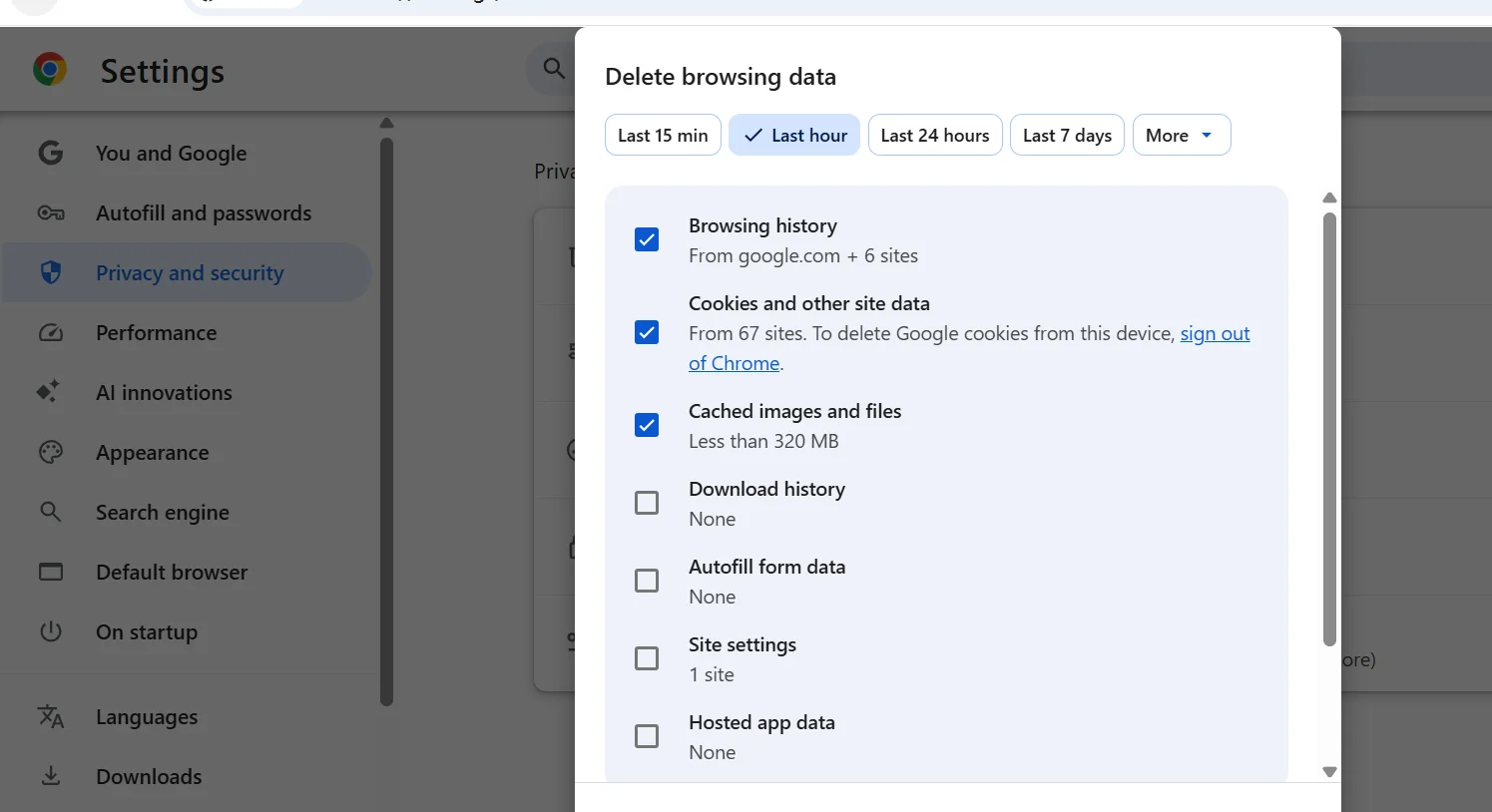
Method 2: Clear Your Browser Cache and Cookies
Old cookies or corrupted cache files can interfere with Steam’s registration page, especially after several failed attempts or a browser update. Clear Steam-related cookies and cache, then reopen the browser and try again.
Method 3: Change Your DNS Servers
If pages load slowly or time out, your ISP's default DNS may be part of the problem. Switching to a public DNS server is a quick test.
Steps:
a. Open your network settings:
- On Windows, go to Settings → Network & Internet → Wi-Fi or Ethernet → DNS server assignment → Edit.
- On macOS, go to System Settings → Network → Details → DNS.
b. Switch to manual and enter:
- Preferred DNS: 1.1.1.1 (Cloudflare) or 8.8.8.8 (Google)
- Alternate DNS: 1.0.0.1 or 8.8.4.4
c. Save the settings, reopen your browser, and try the registration again.
Changing DNS fixes slow loading and timeout errors. It does not change your IP or hide your identity. If your connection itself is unstable, restart your router as well.
Method 4: Check Your VPN or Proxy
A VPN or proxy can change your network route, add latency, or use an IP address shared by many other users. Cheap or overloaded services tend to trigger more CAPTCHA checks and connection errors.
For most users, test registration first on a trusted network without a VPN or proxy. If you use one for privacy or to secure public Wi-Fi, pick a stable server close to your actual location. When choosing a proxy, residential IPs tend to work better than datacenter IPs, but free or shared ones may still get flagged by Steam's security system.
Method 5: Check Whether Steam Is Experiencing an Outage
Sometimes the problem is on Steam’s side, especially during maintenance or short service disruptions. Check Steam Support, and Steam’s official announcements. You can also search social media to see if other users report the same issue. If many people are affected, wait and try again later.
VPN vs Proxy vs Browser Profile
Each method solves a different technical problem. Choosing the wrong one can make troubleshooting more difficult. If the page loads but registration keeps getting rejected, the problem is usually your environment: cookies, cache, and fingerprint data that carried over from previous attempts. An isolated browser profile like Adspower fixes that. If pages time out or CAPTCHAs never load, the network itself is slow or blocked, so check your DNS first, then a VPN or proxy.
Keep in mind that a VPN or proxy only changes how your IP looks to Steam. They do not clean cookies, cache, or fingerprint data, so they will not fix environment-related rejections.
The table below shows what each option changes and when to reach for it.
| Method | Best for | What it changes |
| VPN | Changing your IP and network location | Your network route and apparent IP |
| Proxy | Routing traffic through another IP | How your browser traffic reaches sites |
| Regular Browser | Quick cache and cookie cleanup | Local cookies and cache only |
| Isolated Browser Profile | Full environment isolation per session | Cookies, local storage, fingerprint, and session data |
These options are not mutually exclusive. You can combine a proxy with an isolated browser profile when they need both a new IP and a clean environment.
FAQs
Why can't I create a Steam account?
You may be dealing with a CAPTCHA loop, missing verification email, unstable network, browser data problem, VPN or proxy issue, or temporary Steam outage. Start with the official Steam registration page, clear Steam site data, and test a trusted connection.
Why does Steam CAPTCHA keep failing?
Steam CAPTCHA may keep failing because of blocked scripts, browser extensions, unstable internet, repeated attempts, or an IP address with heavy shared traffic. Try a current browser, disable conflicting extensions, and use a stable network.
Why isn't my Steam verification email arriving?
Check Spam, Junk, Promotions, and Updates folders first. Confirm that you entered the correct address, search for “Steam,” and wait before requesting another email.
Can I create a Steam account with a VPN?
Yes, but quality matters. Cheap VPNs with overloaded servers tend to trigger repeated CAPTCHA checks. A premium VPN with a stable connection usually works better. Use it for privacy reasons and follow Steam's regional terms.
Can a proxy help with Steam registration?
Yes. A proxy may change the route used by your browser, but it does not guarantee successful registration. Shared or low-quality proxies can cause more CAPTCHA challenges, connection errors, and email delays.
Can AdsPower help with Steam account registration?
Yes. AdsPower provides isolated browser profiles with separate cookies, cache, and session data, giving you a clean environment for each registration attempt. Its RPA feature can also automate repetitive steps in the registration flow, including verification. You can use AI to generate profile configurations in plain language, review the setup, and start your registration.
