

Master managing multiple X accounts safely. Avoid bans with our guide on digital fingerprinting and professional isolation tools. Secure your accounts and try AdsPower for free today!
Having multiple X accounts used to be a simple way to toggle between a professional brand and a personal feed. But as the platform's spam detection algorithms grow more aggressive, a single overlapping cookie or a shared IP address can now trigger a "suspicious activity" flag that puts your entire digital presence at risk. If you have ever faced a sudden shadowban or a locked profile, you know that X (Twitter) is no longer a "set it and forget it" environment for power users.
This guide breaks down the technical barriers of modern social media management. We will explore how to register and verify several profiles without triggering bans, the limitations of using the same email address, and the specific browser fingerprinting risks that most people overlook. Whether you are scaling a marketing agency or protecting a private "alt" account, you will find the blueprint for keeping your identities separate and secure.
Download AdsPower antidetect browser and follow us to set up multiple X accounts in separate profiles:
Can You Have Multiple X Accounts?
Yes. X allows users to create and manage multiple accounts. Many companies operate brand accounts, support accounts, and regional accounts at the same time.
X does not publish a strict maximum number of accounts per user. However, all accounts must follow platform rules and these accounts must remain independent and organic. According to the official X Help Center, users must avoid spam, artificial engagement, and ban evasion. You can review the latest policies directly on the X Safety page: https://help.twitter.com/en/rules-and-policies
Can You Have Multiple X Accounts With the Same Email?
In most cases, each X account requires a unique email address. This answers the frequent question: No, you cannot register multiple X accounts using the exact same email address.
If you try to sign up for a second account with an email already in use, X will prompt you to log in to your existing account instead. To get around this, you have three options:
- Use different email providers: Create a new Gmail or Outlook account specifically for the new handle.
- The Gmail "+" trick: If your email is name@gmail.com, you can often register with name+x2@gmail.com. Most systems see this as a new address, but the mail still goes to your main inbox. While that may technically work in some situations, it is safer to use completely separate verified email addresses for long-term stability.
- Use a phone number: You can link a phone number to multiple accounts, but there is a limit (usually up to 10), and doing so links your identity across those profiles in X's database.
Best Practice for Email Setup
- Use one unique email per account
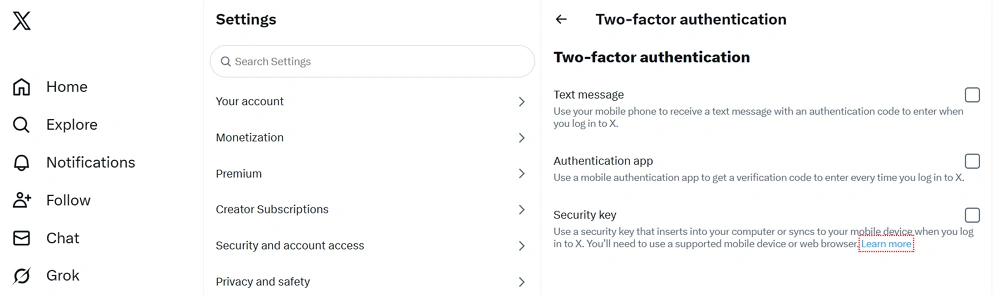
- Enable two-factor authentication
- Keep recovery information updated
- Avoid reusing the same recovery phone number across many accounts
If you manage accounts professionally, consider using domain-based email addresses for each brand.
Common Legitimate Reasons for Multiple X Accounts
- Separate personal and professional identity
- Manage different brands or products
- Operate regional or language-specific accounts
- Run client accounts as an agency
- Test content strategies in different niches
Having multiple Twitter accounts is not a violation by itself. Risk comes from behavior patterns that appear automated or manipulative.
How Many X Accounts Can You Have?
There is no clearly published numeric limit. That does not mean unlimited accounts are risk free.
Platform detection systems analyze:
- IP address patterns
- Device fingerprints
- Browser cookies
- Posting behavior
- Engagement similarity
You may operate multiple X accounts from one device, but repeated identical behavior across accounts can raise flags.
Many users ask, how many Twitter accounts can you have on one phone? Technically, you can add several through the official app. However, device level signals still matter. If all accounts perform similar actions rapidly, the detection risk increases.
Risks of Managing Multiple X Accounts Improperly
Operating multiple X accounts without structure can lead to serious problems.
1. Account Suspension
Here are some common triggers include:
- Mass following and unfollowing
- Duplicate content posted simultaneously
- Artificial engagement between your own accounts
- Ban evasion attempts
Suspensions can be temporary or permanent. Repeated violations increase long term risk.
2. Cross Account Contamination
When multiple accounts share the same browser environment, they share:
- Cookies
- Session data
- Browser fingerprint information
If one account violates a rule, linked accounts may also face review.
3. Security and Access Issues
Agencies often share login credentials informally. This creates:
- Password leaks
- Internal misuse
- No activity tracking
- No permission control
- Professional account management requires structure.
Frequently-Seen X Errors That You May Meet:
Managing multiple X accounts often triggers security "roadblocks." Here is how to handle them:
- Something Went Wrong: Usually a cookie conflict. Clear your cache or use an isolated browser profile to reset the session.
- Suspicious Login: Triggered by shifting IP addresses. Use static residential proxies to maintain a consistent location.
- Shadowbanning: Your tweets won't show up in search results or "For You" feeds. You might be posting, but nobody sees it.
- Verification Loops: X may trigger a "honeypot" where they ask for phone verification on all accounts at once. If you don't have unique numbers for each, you lose the accounts.
Safe Ways to Manage Multiple X Accounts
There are several approaches. The right method depends on how many accounts you operate and your business goals.
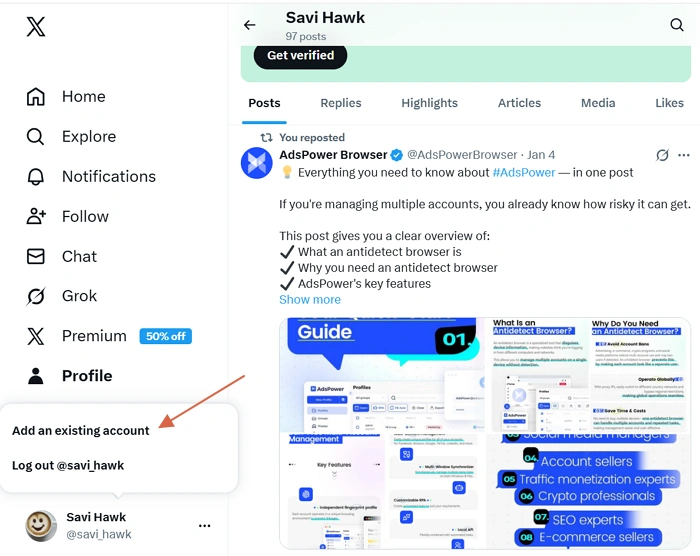
1. Use X's Built In Account Switching
The official X app and web version allow you to switch between accounts without logging out. You can add up to five accounts.
This method works well for:
- Personal use
- Two or three accounts
- Low activity levels
It links all accounts to your specific device. If one gets flagged, they are all at risk. It is not ideal for large scale affiliate or agency operations.
2. Use Separate Browsers
You can log into:
- Chrome for one account
- Firefox for another
- Edge for a third
This provides basic separation. It is manageable for a small number of accounts. However, this is heavy on your computer's RAM and doesn't hide your IP address. Moreover, it becomes difficult when handling ten or more.
3. Use Social Media Management Tools
Some social management platforms like Hootsuite or Buffer allow content scheduling and analytics across multiple accounts.
These tools help with:
- Content calendars
- Performance tracking
- Team collaboration
However, they do not isolate login environments. They are content management solutions, not identity separation solutions. Additionally, you can't "surf" X or engage with DMs as easily, and some plans are often expensive.
4. Use an Anti Detect or Profile Isolation Browser
For advanced users such as affiliate marketers, agencies, or eCommerce operators, profile isolation browsers provide stronger separation.
Modern platforms analyze browser fingerprints. A fingerprint may include:
- Canvas rendering
- WebGL data
- Timezone
- Installed fonts
- Hardware parameters
If multiple accounts share identical fingerprint signals, linkage risk increases.
Why Is AdsPower the Best Anti Detect Browser for X?
AdsPower browser is designed specifically for multi-account management. It allows you to automate repetitive tasks and ensures that your "digital footprint" is completely natural.
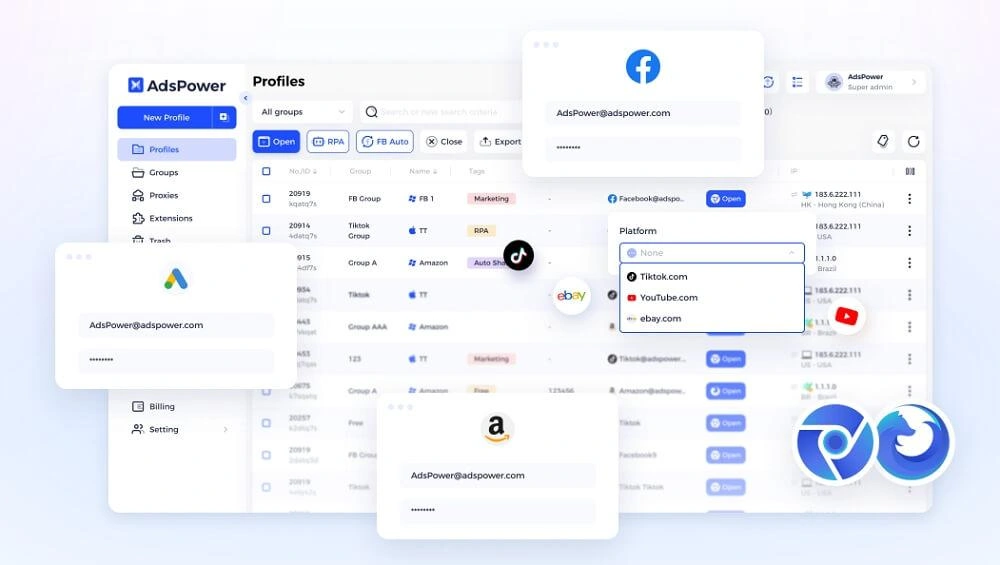
- Independent cookies and cache
- Unique browser fingerprint configuration
- Custom proxy integration
- Team permission management
- Activity logs for accountability
This structure helps agencies and marketers organize multiple X accounts safely. Each account operates within its own environment.
AdsPower mainly provides separation and workflow management. Responsible usage aligned with X policies is essential.
If you manage affiliate campaigns, client accounts, or brand portfolios, structured profile isolation reduces operational confusion. You can start a free trial on the official AdsPower website to test whether it fits your workflow.
Step by Step to Manage Multiple X Accounts
Here is a practical structure used by many professional teams.
Step 1: Define Purpose Clearly
For each X account, document:
- Target audience
- Content theme
- Posting frequency
- Key performance indicators
Avoid overlapping brand identity across accounts.
Step 2: Assign Unique Credentials
Each account should have:
- Separate email
- Secure password
- Two factor authentication
- Recovery backup
Store credentials securely in a password manager.
Step 3: Create Isolated Environments
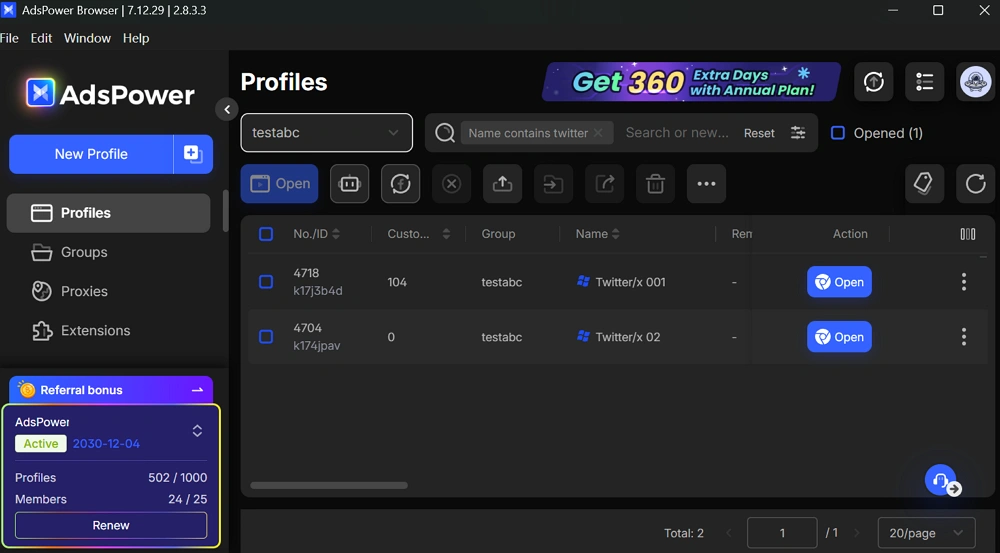
If you operate at scale, try to create profiles for each Twitter account in AdsPower:
1. Create one browser profile per account, and label profiles clearly
2. Assign a dedicated proxy if needed
3. Set up the platform and then save the username and password to ease your subsequent login steps.
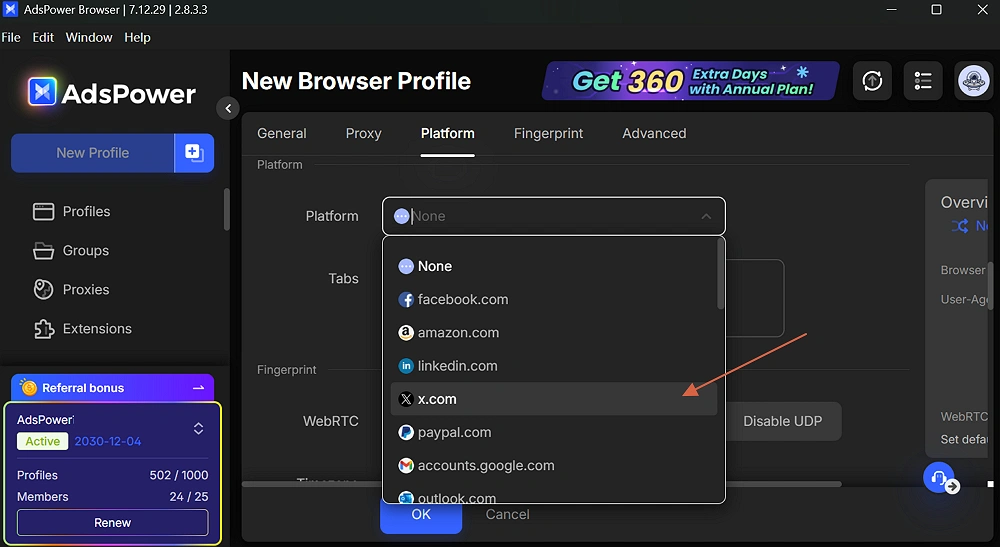
4. Configure the fingerprint parameters for each account.
5. Save the settings and repeat those steps for more accounts. It is suggested that one profile is for one account + one proxy.
Step 4: Spread Out Your Activity
Avoid doing the same actions across accounts at the same time. For example:
- Posting the same thread on several accounts within minutes
- Constantly retweeting content between your own accounts
- Following a large number of profiles in a short period
A more natural posting rhythm helps your accounts look like they are run by real users rather than automated patterns.
Step 5: Review Performance for Each Account
Check analytics for each account separately. Look at follower growth, engagement, and posting performance. If one account suddenly behaves differently from the others, you can investigate early and adjust your strategy.
Final Thoughts
Multiple Twitter accounts are common in business and affiliate marketing. The platform allows them. The real challenge is managing them safely.
Focus on:
- Clear separation of purpose
- Unique credentials
- Responsible behavior
- Structured browser environments
If you are scaling operations or managing client portfolios, consider using AdsPower browser to organize profiles professionally. Visit the official site to explore features and start a trial for smart structure to reduce risk and improve workflow efficiency.
FAQs
Can I have a second Twitter account?
Absolutely. Many people have a public professional account and a separate "alt" account for interests like gaming, crypto, or politics. Just ensure you use a different email for the second one.
How many Twitter accounts can you have on one phone?
The official X app allows you to stay logged into 5 accounts simultaneously. If you need more, you will have to log out of one to add another, which can sometimes trigger security checks.
Is it against X rules to have multiple accounts?
No, it is not against the rules. However, using those accounts to interact with each other (liking your own tweets), posting the same content across all accounts, or using them to manipulate trending topics is a violation of the Platform Manipulation Policy.
