

This guide makes it easy to register AdsPower, recharge your account, renew your plan, and manage upgrades or downgrades.
Sign up now to get started with 2 free browser profiles and unlock powerful multi-account tools.
Looking to manage multiple online identities or ad accounts securely? AdsPower offers a powerful anti-detect browser tailored for marketers, agencies, and e-commerce sellers. This guide walks you through how to register AdsPower, choose the right plan, manage upgrades or downgrades, and even redeem bonus credits — whether you're just starting or scaling up.
Step-by-Step Guide to Register AdsPower
1. Visit the AdsPower Website
Go to the official AdsPower site: https://www.adspower.com and click the Sign Up button on the top right.
2. Create Your AdsPower Account
To sign up AdsPower, follow these steps:
- Enter a valid email address.
- Click "Get verification code"and check your inbox.
- Enter the code and set a secure password (8–20 characters, with upper/lowercase letters and numbers).
- (Optional) Enter a referral code.
- Agree to the terms and click Sign Up.
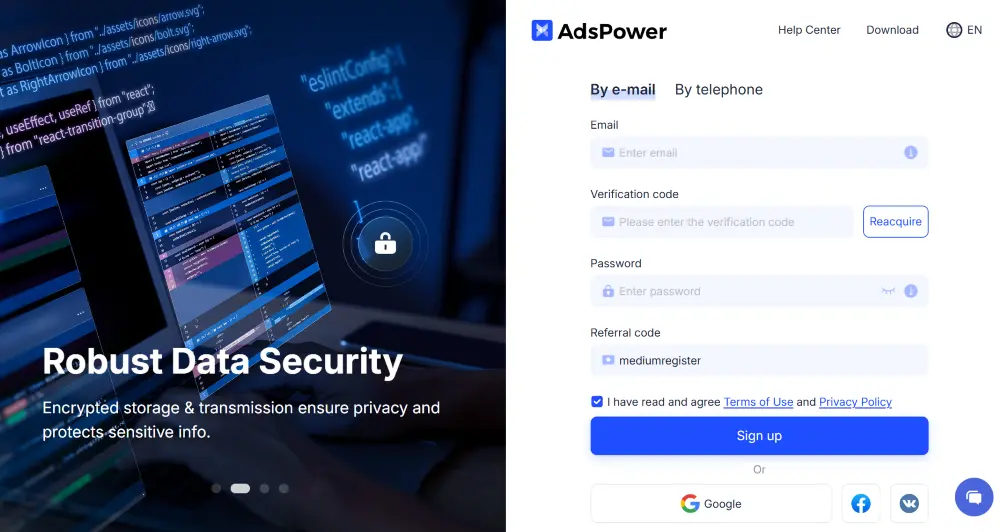
✅ You can also register with your Google, Facebook, or VK account.
AdsPower Free Plan
When you create an AdsPower account, you'll automatically receive access to:
- 2 forever-free browser profiles
- Access to team management features
- Option to start a 7-day free trial for advanced features (contact our support team for a detailed guide)
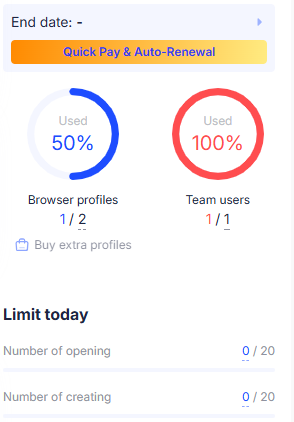
This is perfect for beginners who want to test AdsPower before committing to a subscription.
Sign up here and start the trial now >>
Paid Plans: How to Upgrade AdsPower
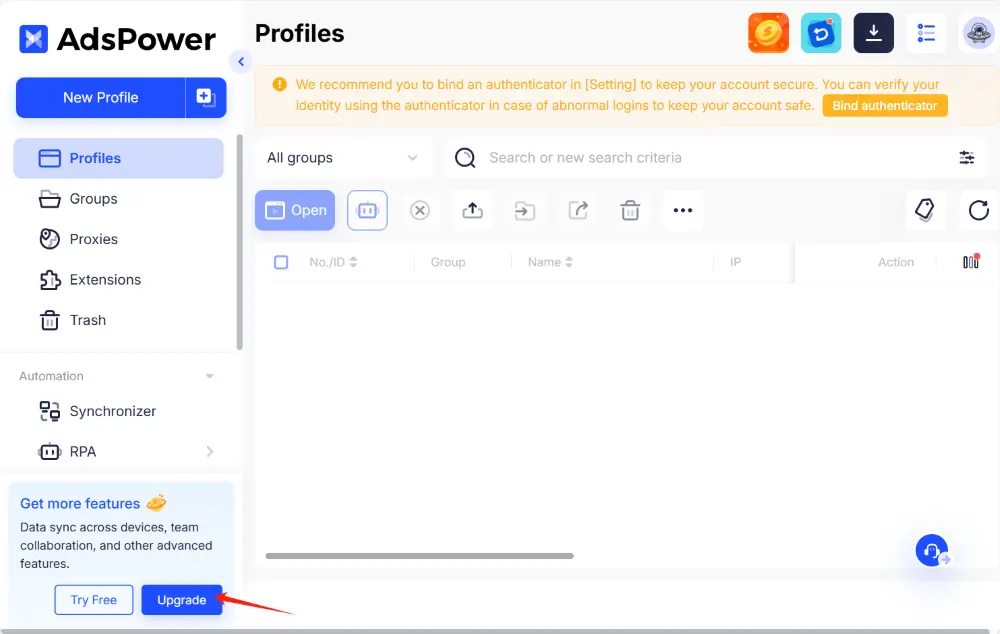
To unlock more browser profiles or team seats:
1. Click Upgrade on your dashboard.
2. Choose the number of profiles and team members.
3. Select your billing cycle and duration.
4. Complete payment.
💡 Tip: AdsPower supports various popular payment options such as PayPal, Bitcoin, USD Coin, and others for your convenience.
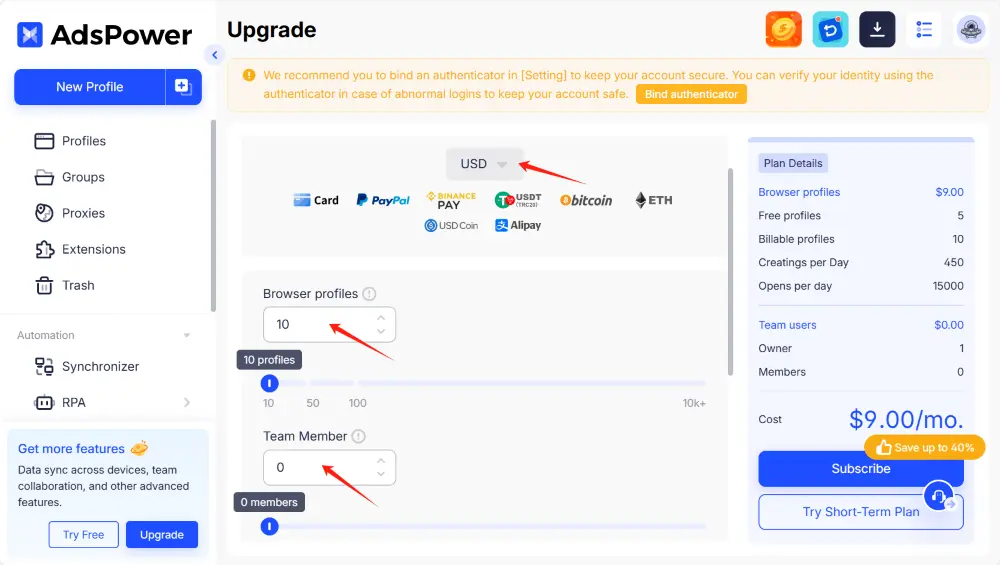
💡 Tip: If you're upgrading before your current plan ends, only the price difference will be charged.
Recharge and Renew Your AdsPower Subscription
Recharge Your Balance
Before you can renew or upgrade, make sure your account has a sufficient balance:
- Go to Billing > Recharge
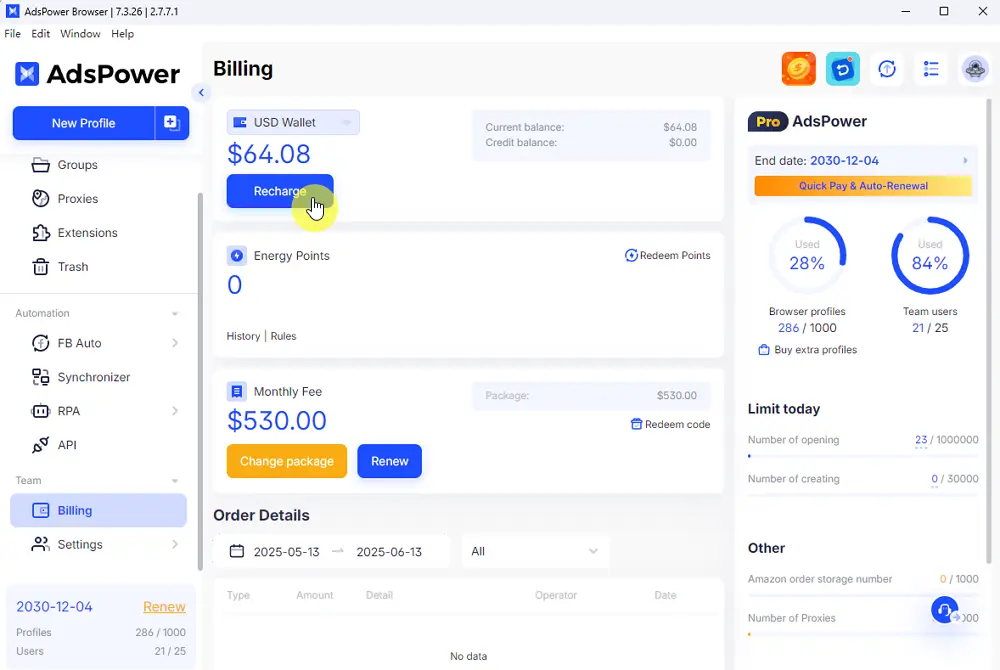
- Select an amount and complete the payment
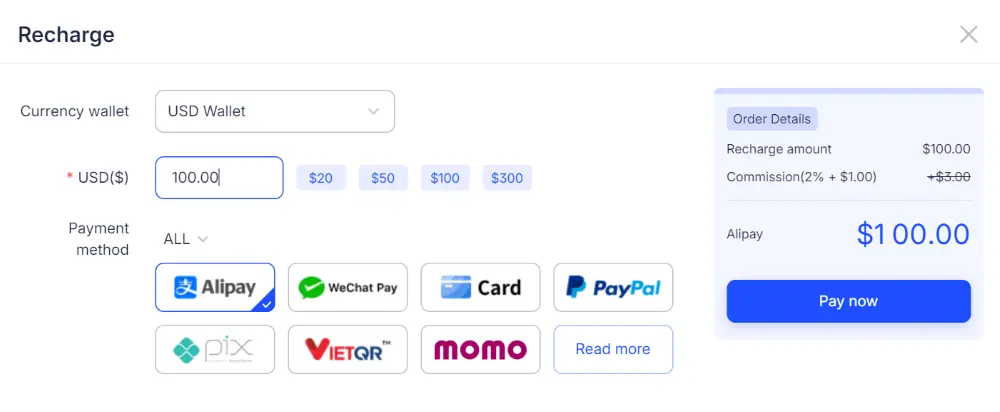
Renew Your AdsPower Subscription
To continue enjoying premium features after your plan expires:
- Navigate to Billing > Renew
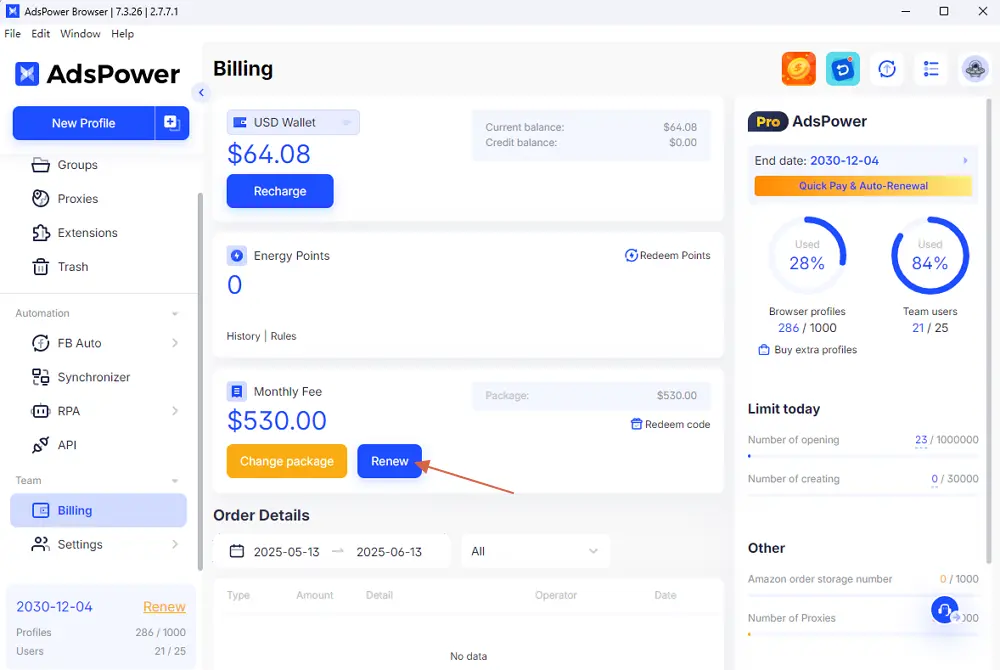
- Select your current plan
- Choose your renewal period and confirm
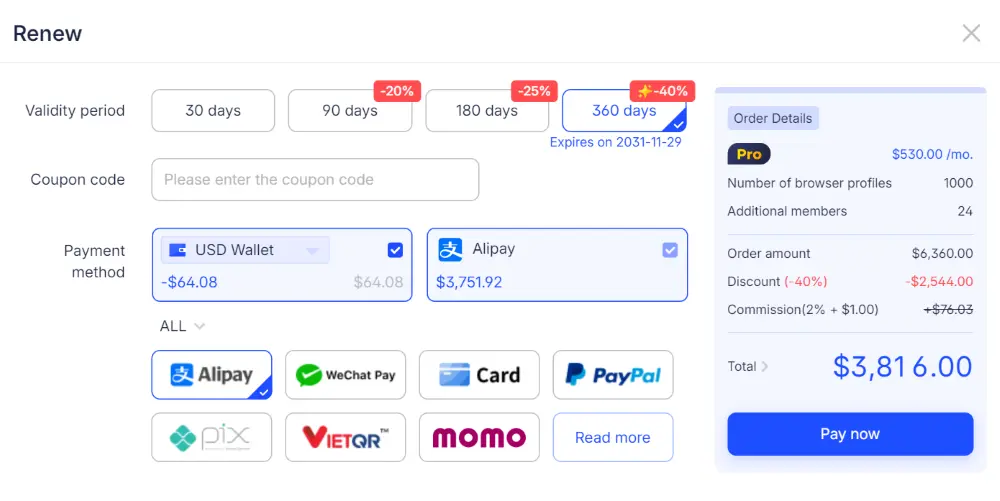
✅ Make sure your balance is topped up before renewing to avoid service interruptions.
Change Your AdsPower Package (Upgrade or Downgrade)
If your needs change, you can easily switch to a different plan:
- Go to Billing > Change Package
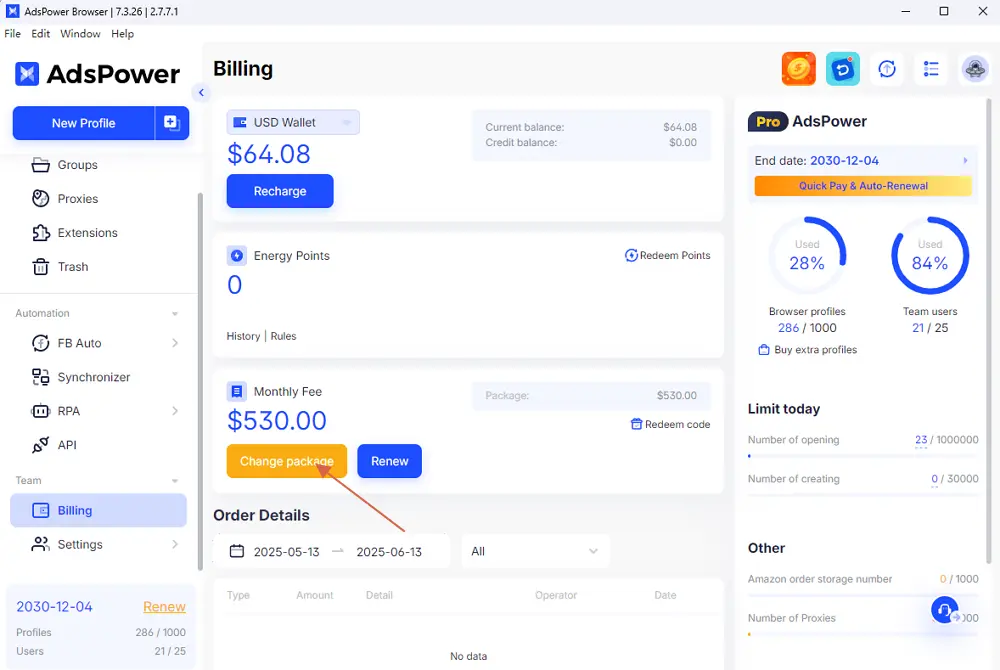
- Select a higher-tier (upgrade) or lower-tier (downgrade) plan
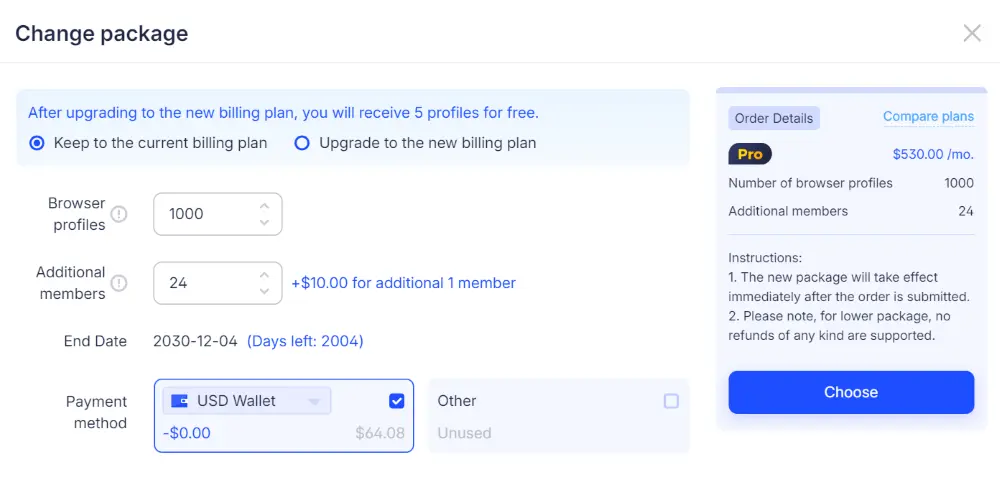
⚠️ Important:
- Upgrades require paying the price difference and take effect immediately.
- Downgrades also take effect immediately, but no refunds are issued. For concerns, contact customer support.
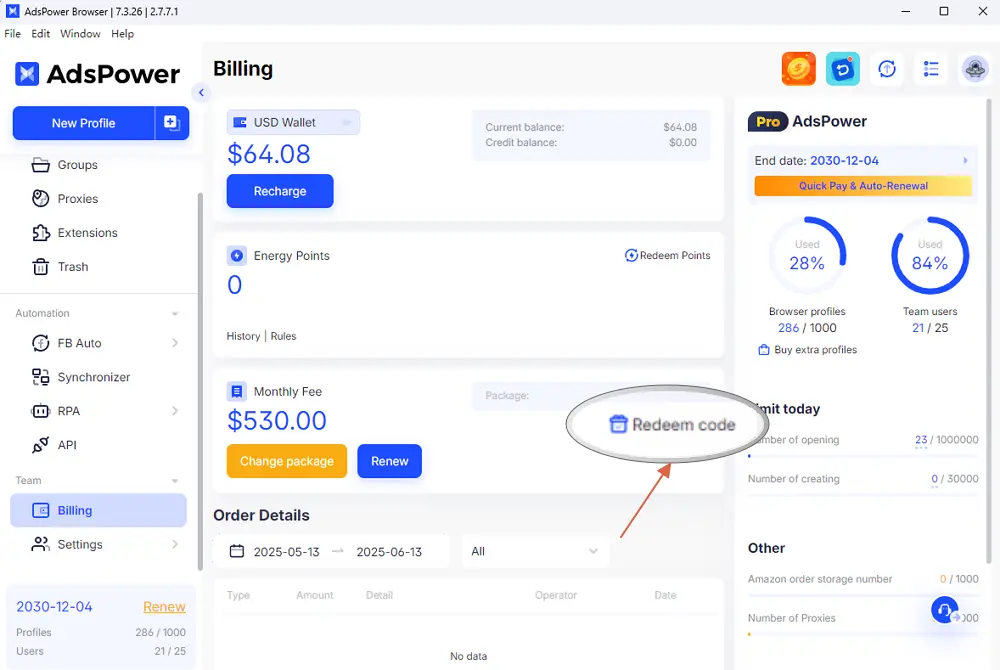
Tip: If you got AdsPower credits from our giveaway, just follow us to redeem bonus credits.
1. Go to Billing > Redeem code
2. Enter the promo code and confirm
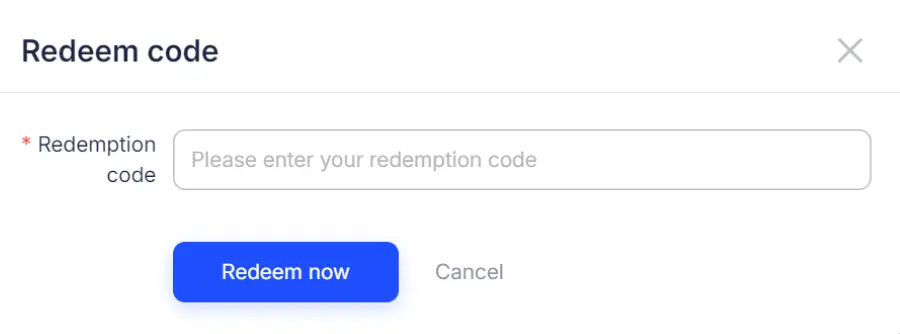
These credits can be applied toward future payments or plan upgrades.
Final Thought
Getting started with AdsPower is simple, whether you're using the free version or scaling up with a paid subscription. With flexible billing, easy upgrades, and helpful tools like gift credit redemption, AdsPower adapts to your growth.
💡 Pro tip: Consider starting with the free trial to explore advanced features before upgrading.
💻 Need to install AdsPower ?
👉 Learn how to download and install AdsPower here to get started in minutes.
🚀 Ready to streamline your account management ?
👉 Sign up for AdsPower now and take your multi-account browsing to the next level.
