

Understanding Persistent Browser Profiles for AI Agents: Why Do They Matter?
Take a Quick Look
AI agents can work in a stable environment with persistent browser profiles that keep cookies, login sessions, settings, and browser data accessible between tasks. This article explains how persistent profiles improve session continuity, account isolation, and automation reliability, as well as how AdsPower supports scalable AI agent workflows.
AI agents can complete many browser-based tasks. They can research products, update information, publish content, monitor prices, and manage multi-step workflows. However, a capable AI model is only part of the solution. The agent also needs a browser that can remember each account’s state.
Without a persistent profile, every browser session starts from scratch. The agent loses its cookies, login sessions, personal settings, and saved data. It must then sign in again and repeat any required verification steps. A persistent browser profile stores this information. As a result, the agent can continue working from where it stopped.
This feature becomes essential when AI agents move from simple demos to daily business operations. Reliable automation needs both a capable AI model and a stable agentic browser environment. AdsPower gives each account a separate browser profile. The profile retains cookies, settings, and browsing data between sessions. It also keeps account data isolated, which prevents information from being mixed or shared across profiles.
What Is a Persistent Browser Profile?
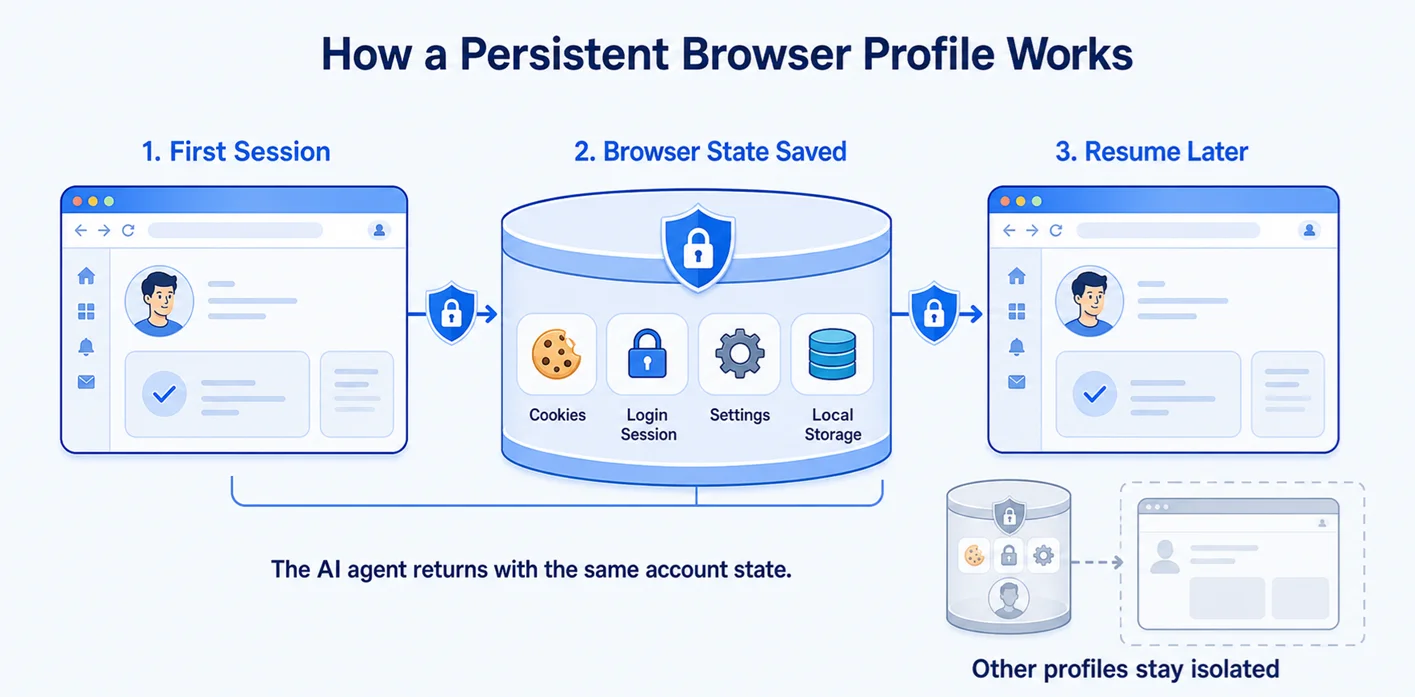
A persistent browser profile is a reusable browser environment whose state survives after a window closes or an automation job ends. It can retain cookies, local storage, IndexedDB data, cached preferences, extensions, saved settings, and other session information. When an AI agent reopens the profile, it returns to the same environment instead of launching as a new visitor.
Persistence is not simply keeping a tab open. The profile acts as a durable container for one browser identity. In a well-designed setup, it also preserves a consistent user agent, operating system representation, screen characteristics, language, timezone, WebRTC behavior, proxy assignment, and fingerprint-related parameters. That combination allows an account to encounter the same logical device from one task to the next.
For AI agents, a persistent browser profile provides the environment in which they carry out browser-based tasks. An AI agent can reopen an existing profile and continue working with its saved browser state, including existing sessions and account-specific settings. This is especially useful for tasks that involve existing accounts, multiple steps, or repeated browser automation, allowing the agent to work within the same environment from one task to the next.
Why Do AI Agents Need Persistent Browser Profiles?
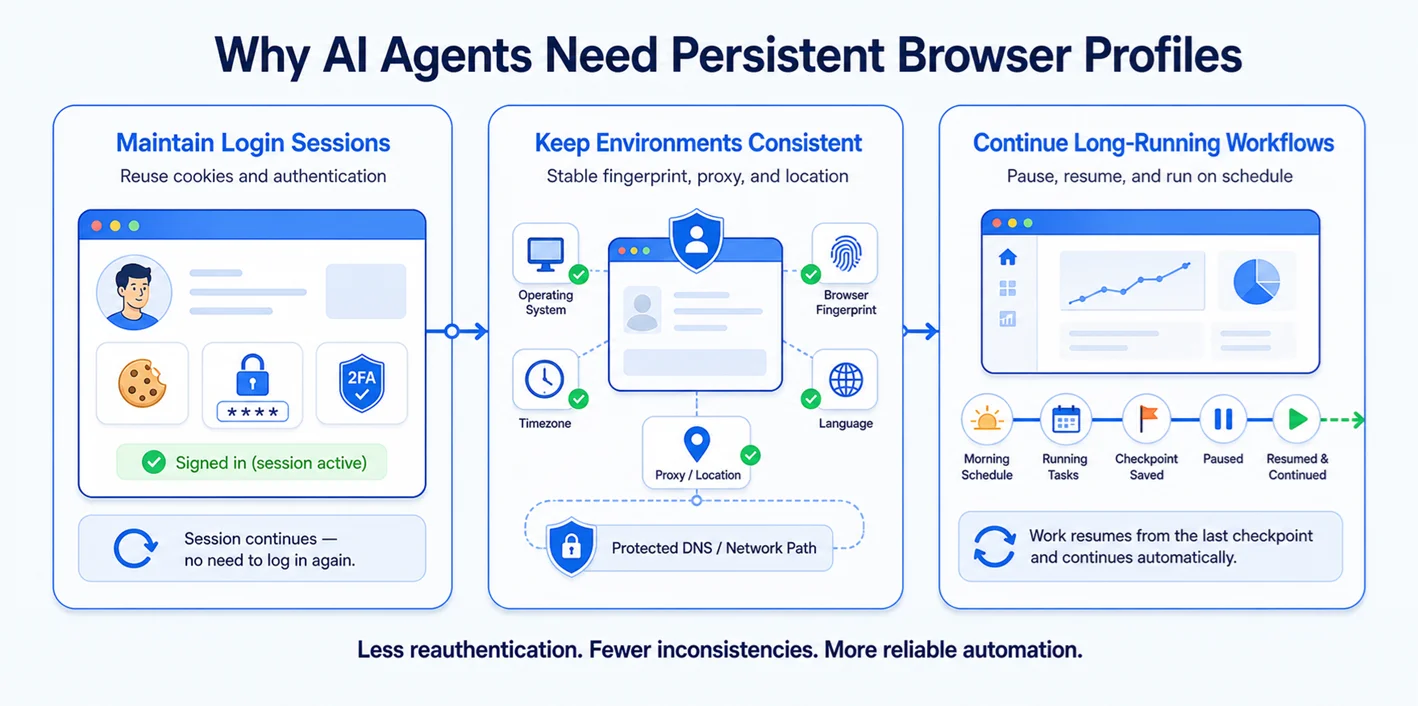
Maintain login sessions and cookies
Many useful workflows begin behind a login. A temporary session forces the agent to authenticate repeatedly, increasing friction from passwords, two-factor prompts, CAPTCHAs, and risk checks. A persistent browser profile can reuse valid cookies and stored authentication state, allowing an AI agent to reopen the profile and continue working within the same account. This does not remove the need for secure credential handling, but it reduces unnecessary login events and makes recurring browser automation tasks more dependable.
Keep browser environments consistent
Websites evaluate more than credentials. They compare network and device signals over time. If an account appears to change operating system, timezone, graphics stack, language, or IP geography between visits, the inconsistency may trigger verification. Persistent profiles reduce this drift by preserving a coherent environment for repeated browser automation tasks. When an AI agent works with the same account across multiple tasks, keeping these settings consistent gives it a stable browser environment to work in. Operators should also align the proxy and DNS path with the intended region; AdsPower's guide to preventing DNS leaks in isolated profiles explains why network consistency is part of profile integrity.
Continue long-running workflows
AI agent workflows often involve multiple steps and may need to run across recurring tasks. A price-monitoring agent may revisit the same dashboards each morning, while an operations agent may check multiple accounts, perform browser-based tasks, and summarize the results. Persistent browser profiles give these workflows a stable environment to return to, preserving the browser state needed to continue the work. If a task pauses or interrupts, the agent can resume from the same profile while external checkpoints track its logical progress.
Persistent Profiles vs. Temporary Browser Sessions
Temporary sessions work well for one-time tests, public-page data collection, and privacy-sensitive tasks. They are easy to create and remove. However, each session starts with a blank browser. Cookies, trusted-device history, and saved settings are not retained. As a result, temporary sessions are less suitable for workflows that require login access or an established account history.
Persistent profiles are better for recurring tasks linked to a specific account, store, wallet, or research identity. They save time by retaining cookies, settings, and session data between visits. However, this data must be protected with encryption, backups, and access controls. Profiles should also be deleted when they are no longer needed. In general, use temporary sessions for one-time anonymous tasks and persistent profiles for ongoing account-based workflows.
Why Persistent Profiles Matter for Multi-Account AI Automation
Multi-account automation magnifies small configuration mistakes. If several accounts share cookies, storage, device identifiers, or a proxy, a platform may associate them. The safer architecture is one account, one persistent profile, and one deliberately assigned network identity. AdsPower's introduction to a fingerprint browser for managing multiple accounts describes separate profiles, proxy integration, and batch management as complementary layers.
For AI agents, this model also improves operational clarity. A profile ID can become a stable routing key: the orchestrator knows which environment belongs to which client, marketplace store, or social account. Agents can run in parallel without sharing state, and teams can apply permissions or audit trails around high-value profiles. Isolation limits cross-account contamination, while persistence prevents each account from looking newly created on every run.
Persistent Browser Profiles and Browser Fingerprinting
A browser fingerprint is assembled from observable attributes such as user agent, screen size, fonts, Canvas and WebGL output, hardware concurrency, language, timezone, and network behavior. Persistence does not mean making every profile identical or frozen forever. It means maintaining internally plausible relationships among these signals and changing them only through controlled updates.
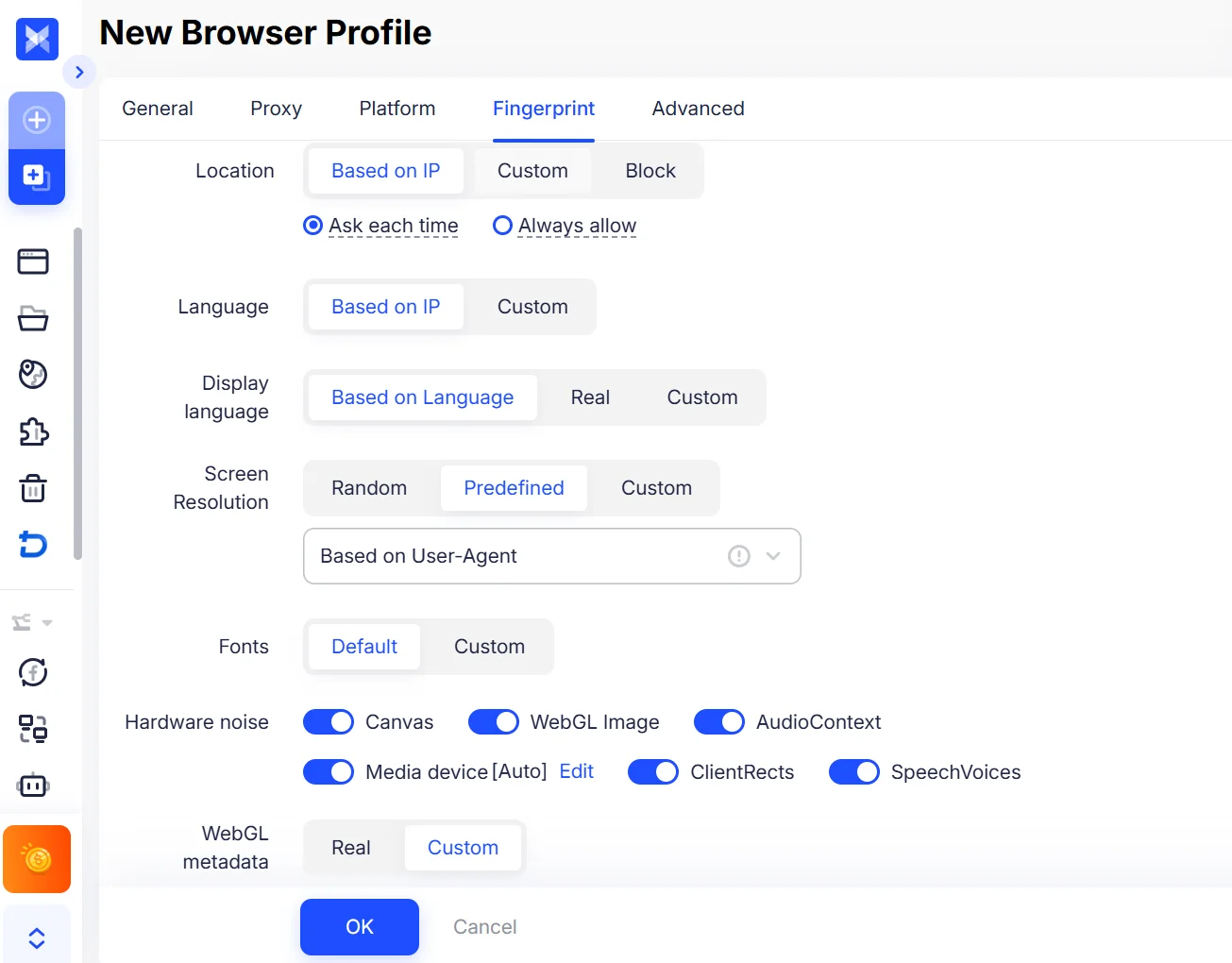
The crucial principle is consistency. A claimed browser version should match its underlying engine, the timezone should make sense for the proxy location, and storage must remain isolated. Randomizing parameters on every launch can be more suspicious than using stable values. Persistent profiles therefore support a durable browser identity, but operators must still respect platform policies and avoid using automation to deceive, spam, or bypass access controls.
Common Use Cases
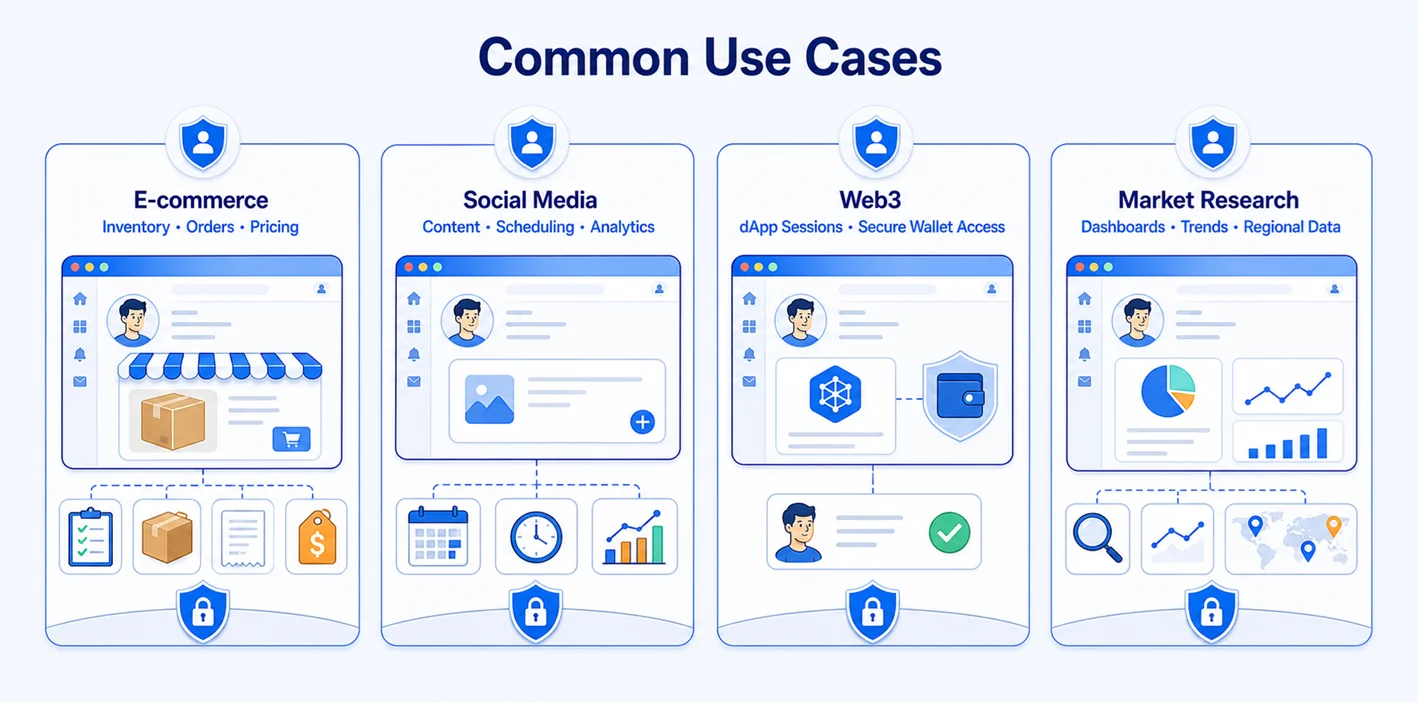
E-commerce
Agents can monitor inventory, update product data, check orders, and collect competitor pricing across authorized seller accounts. Each storefront benefits from its own cookies, proxy, and browser identity. AdsPower's multi-account management overview lists platforms such as Amazon, eBay, Shopify, Shopee, and Temu as typical environments for separated profiles.
Social media
A social media team may assign an agent to draft posts, schedule approved content, or gather performance data for several brands. Separate persistent profiles reduce accidental posting from the wrong account. The practical workflow in AdsPower's guide to managing multiple Instagram accounts illustrates how dedicated profiles and proxies support cleaner account separation.
Web3
For permitted Web3 operations, a profile can retain dApp sessions and extension configuration while keeping projects or roles compartmentalized. Wallet secrets should remain in purpose-built secure storage, never in prompts or logs. Human confirmation is advisable for signatures, transfers, permission changes, and any irreversible transaction.
Market research
Research agents can revisit dashboards, saved searches, regional catalogs, and authenticated data sources without rebuilding the environment each time. Persistence improves longitudinal comparisons, while isolated profiles help separate clients or markets. Collection should follow site terms, robots directives where applicable, privacy law, rate limits, and contractual data-use restrictions.
How AdsPower Supports Persistent Browser Profiles for AI Agents
AdsPower can serve as the browser infrastructure beneath an AI agent. Each profile keeps its own storage, fingerprint configuration, and proxy settings. SunBrowser provides a Chromium-based environment, while FlowerBrowser provides a Firefox-based option. Profiles can be created and managed in batches, then opened through automation interfaces when a workflow needs them.
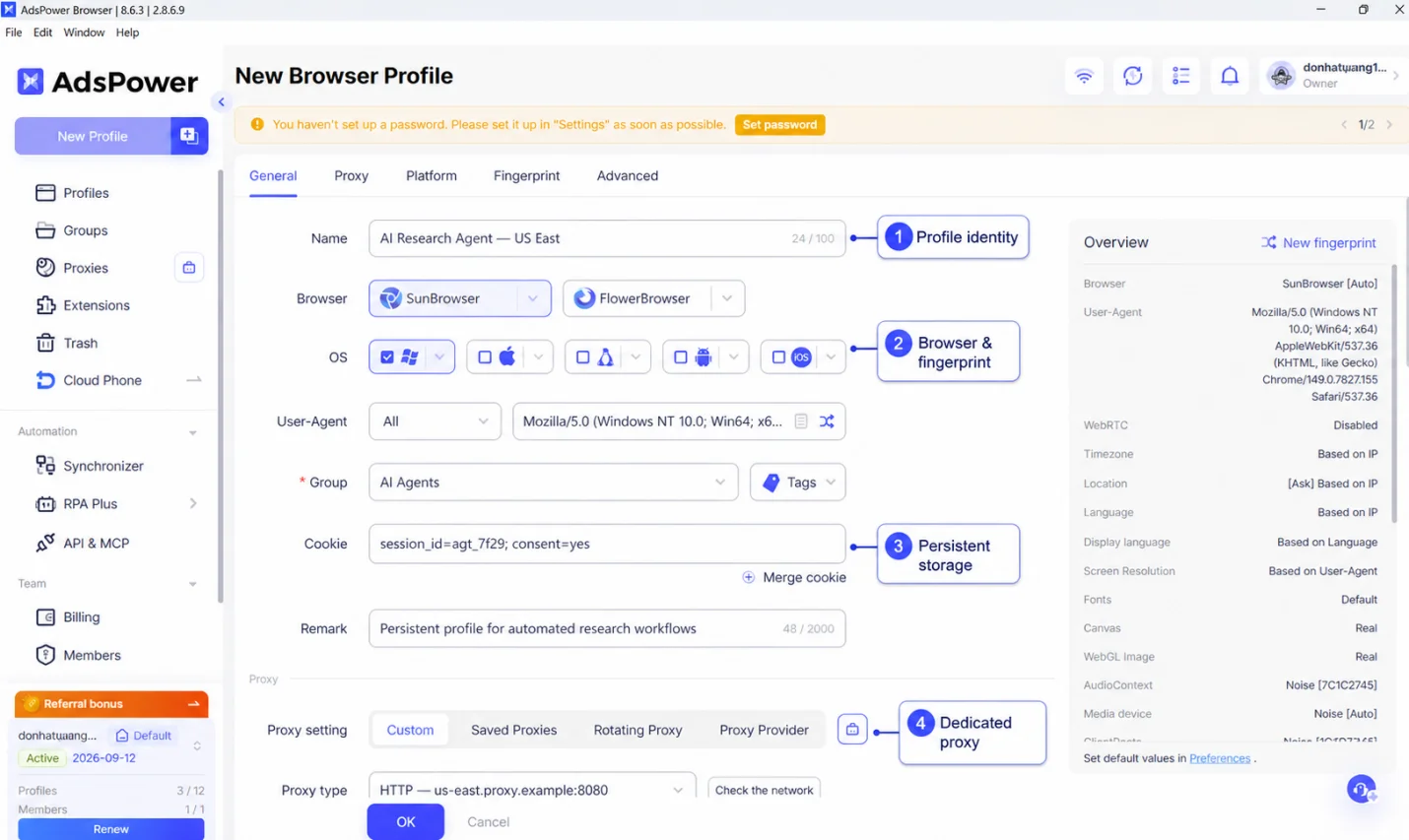
AdsPower AI Agent works directly with these browser profiles. It can follow natural-language instructions to create and manage profiles, work across multiple browser environments, and carry out browser-based tasks such as browsing content and publishing content to accounts. This makes the persistent profile the working environment where an AI agent can perform tasks while keeping each account's browser state and configuration separate.
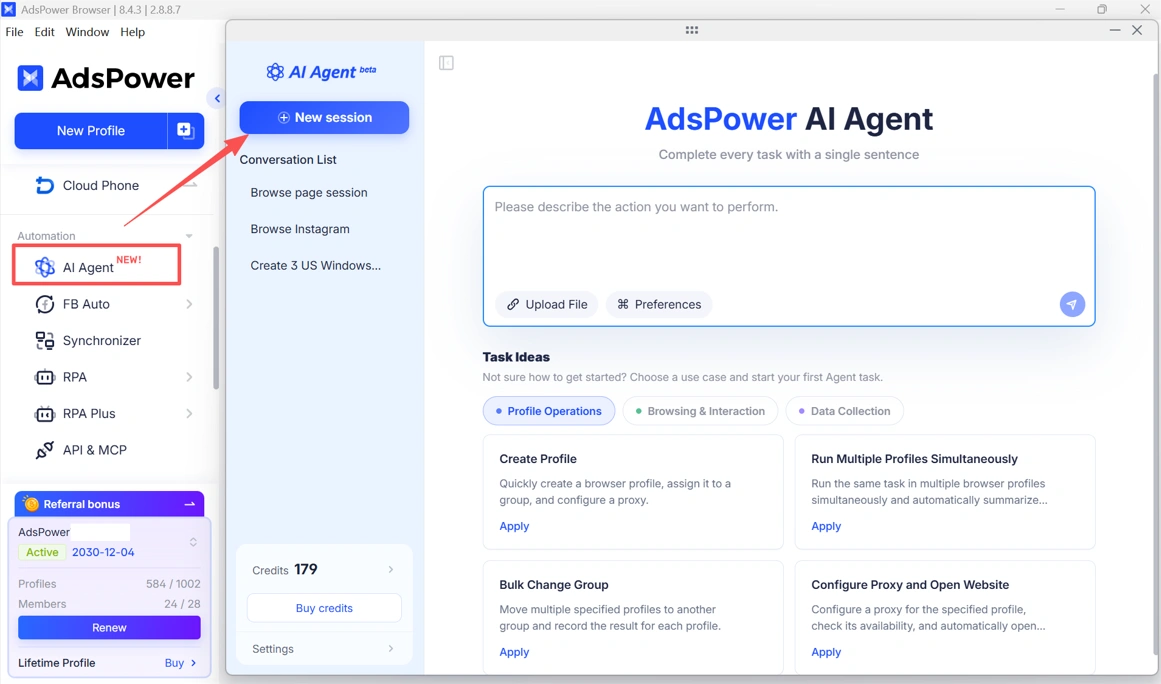
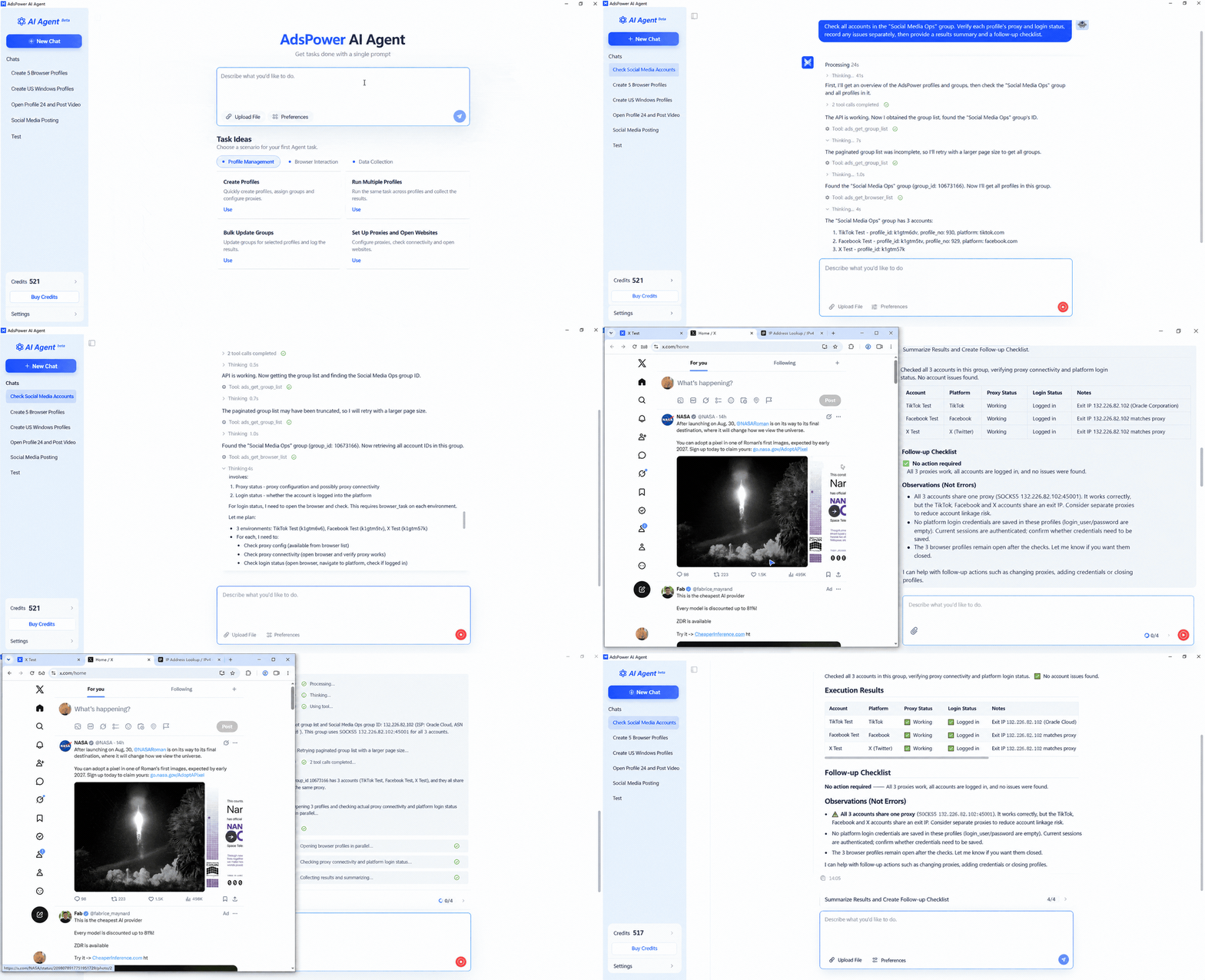
For multi-account workflows, an AI agent can be instructed to find the relevant profiles, check their status, and run tasks across multiple environments. Each profile retains its own cookies, storage, proxy, and browser settings, so the agent can work with different accounts without mixing their browser state. When a task is interrupted or needs to be repeated later, the agent can return to the same persistent profile and continue from that environment.
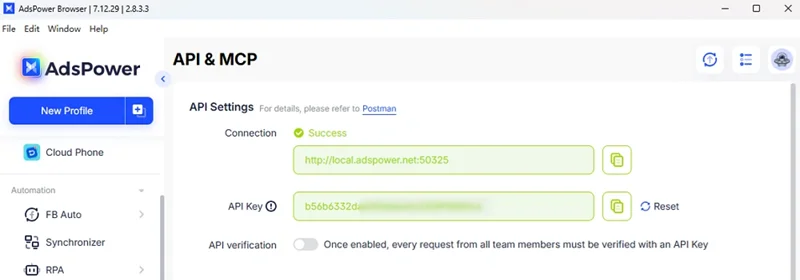
The local API connects AdsPower profiles with automation frameworks such as Playwright and Puppeteer. MCP-compatible setups give AI agents another option. They can help an agent find, select, and launch the right browser profile for each task.
AdsPower also supports agent-based workflows through Skills and CLI. These tools give AI agents more ways to use predefined functions and trigger profile operations. They can also help coordinate multi-step workflows outside the AdsPower interface.
For example, Skills can turn common AdsPower operations into reusable actions. An AI agent can call these actions when needed. The CLI can connect profile management with scripts, developer tools, and external agent pipelines. Together with MCP and the local API, these options let developers choose the best way for an AI agent to interact with AdsPower.
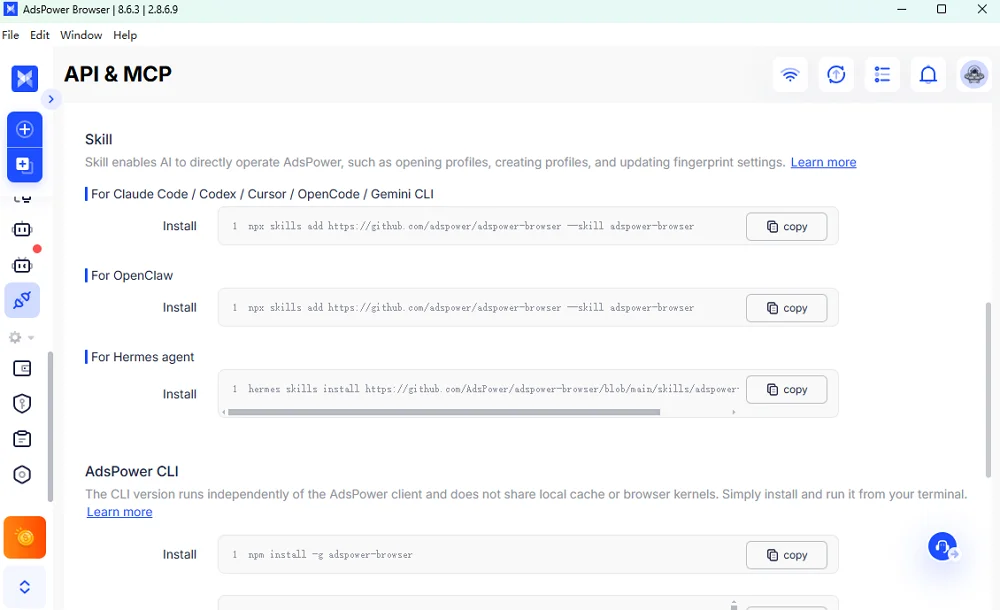
Conceptually, the roles are simple. The AI agent decides what to do. AdsPower provides the isolated browser profiles. The automation layer then carries out the approved actions through API, MCP, Skill, CLI, Playwright, Puppeteer, or RPA.
This architecture is especially valuable at scale. Instead of embedding session data inside an agent or recreating a browser identity for every job, the system passes a profile identifier to a controlled execution service. The same profile can then resume its cookies and environment, while other accounts remain separated.
Best Practices for Using AI Agents with Persistent Profiles
- Map one account to one profile. Do not reuse a persistent profile across unrelated identities or clients.
- Keep network and fingerprint settings coherent. Use a stable, appropriate proxy and avoid unnecessary parameter changes between runs.
- Protect profile data. Apply least-privilege access, encryption, strong authentication, audit logs, and a defined backup and deletion policy.
- Separate reasoning from execution. Let the agent propose actions, but require human approval for payments, publishing, permission changes, or other high-impact steps.
- Design for recovery. Save workflow checkpoints outside the browser so a task can resume safely if a page changes, a session expires, or the agent encounters a challenge.
- Respect platform rules and users. Rate-limit automation, handle personal data lawfully, and never use persistence as a pretext to evade enforcement or access restrictions.
- Monitor profile health. Track failed logins, CAPTCHA frequency, proxy changes, storage growth, and unusual account events before scaling further.
Conclusion
Even a capable AI agent needs a stable browser environment. Persistent browser profiles retain login sessions and maintain a consistent browser identity. They also keep account data separate. This allows automated workflows to pause and resume with fewer interruptions.
For better security, assign a separate profile to each account. Keep its network settings consistent and control all automated actions. High-impact tasks should require human approval.
AdsPower provides the browser infrastructure needed for this setup. It stores browser state, isolates profiles, and connects them to APIs, RPA tools, and AI agents. When used responsibly, persistent profiles make AI browser automation more reliable and easier to scale.
AI Agent is now available in AdsPower. If you're interested in using AI with persistent browser profiles, give it a try and see how it works for your own workflows.

People Also Read
- Marketing Automation for Startups and Small Teams: How AdsPower AI Agents Automate Browser Workflows
Marketing Automation for Startups and Small Teams: How AdsPower AI Agents Automate Browser Workflows
Learn how AI Agents can automate repetitive browser-based marketing tasks across multiple accounts
- Best Private Search Engines in 2026: 5 Secure Alternatives to Google
Best Private Search Engines in 2026: 5 Secure Alternatives to Google
Looking for a more private way to search? Explore the 5 best private search engines in 2026 and see how DuckDuckGo, Brave Search, Startpage, and more
- Temp Gmail: How to Create a Temporary Gmail Account in 2026
Temp Gmail: How to Create a Temporary Gmail Account in 2026
Learn how to create a temp Gmail account, compare Gmail aliases and separate accounts, and manage multiple accounts with AdsPower.
- Kickass Torrents Alternatives: Movies, TV, Games & Safe Access (2026)
Kickass Torrents Alternatives: Movies, TV, Games & Safe Access (2026)
Kickass Torrents is no longer what it once was, but there are still alternatives for finding movies, TV shows, music, books, games, and software. This
- AdsPower Proxy: Buy and Configure Proxies in One Place
AdsPower Proxy: Buy and Configure Proxies in One Place
Buy an AdsPower proxy while creating a profile, configure it automatically, or continue using your preferred third-party proxy provider.
