

Stuck on Facebook Login Error? Here's How to Fix It
Take a Quick Look
Stuck in a login loop, facing a Facebook login unexpected error, or dealing with account restrictions? This guide has the fixes you need to regain access quickly.
Have you ever been stuck in the dreaded Facebook login loop or a never-ending captcha loop where you can't seem to get into your account? It's so frustrating when a random error pops up or constant security checks get in your way and you're screaming, "Facebook won't let me log in!" These disruptions are especially inconvenient when you're in the middle of something, whether it's for personal or business reasons.
In this article, we'll discuss why these errors happen and practical solutions to get you back on track. We will also cover how AdsPower can make it easier to manage multiple accounts and help you avoid these login issues altogether.
What is the Facebook Login Loop?
What happens when Facebook won't let you log in? One common scenario is the frustrating Facebook login loop. This is the situation where you enter your login credentials, and after a few seconds, you're redirected to the login page again. Despite entering your username and password correctly, it seems like you're stuck in an endless cycle.
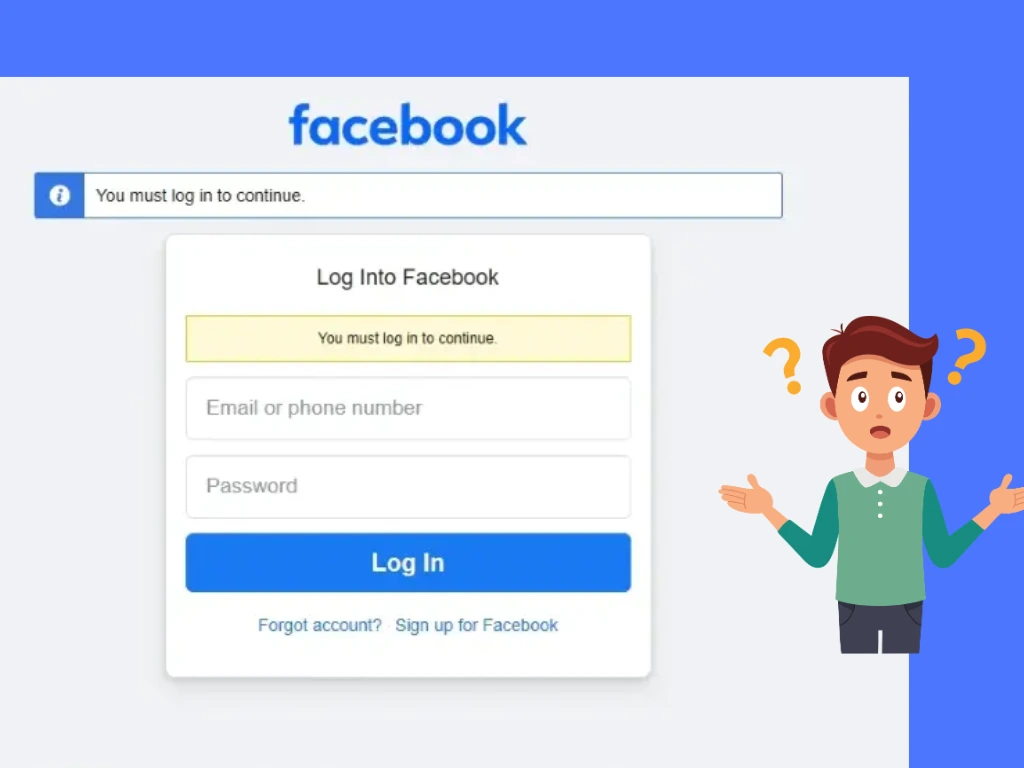
This issue can arise due to several reasons, such as problems with your browser cache, cookies, or network settings. Facebook may not be able to authenticate you properly, leading to the infinite loop.
The Facebook login error isn't limited to login loops, though. It can also manifest as an unexpected error message when you try to log in, or even prevent you from logging in altogether. Let's dive deeper into the various login errors you may encounter and the corresponding solutions to fix them.
Why Can't I Log Into Facebook and How Do I Fix It?
1. Facebook Login Loop (Stuck in Facebook Login Loop)
This is by far the most common issue that users face. As mentioned earlier, it involves trying to log in to Facebook only to be redirected back to the login screen after entering your credentials.
How to Fix It?
- Clear Your Browser Cache and Cookies
Start by clearing your browser cache and cookies. Over time, these can accumulate and cause issues with logging into your account. - Try a Different Browser
If clearing your cache doesn't work, try using a different browser. Sometimes, browser-specific issues can interfere with Facebook login. - Disable Browser Extensions
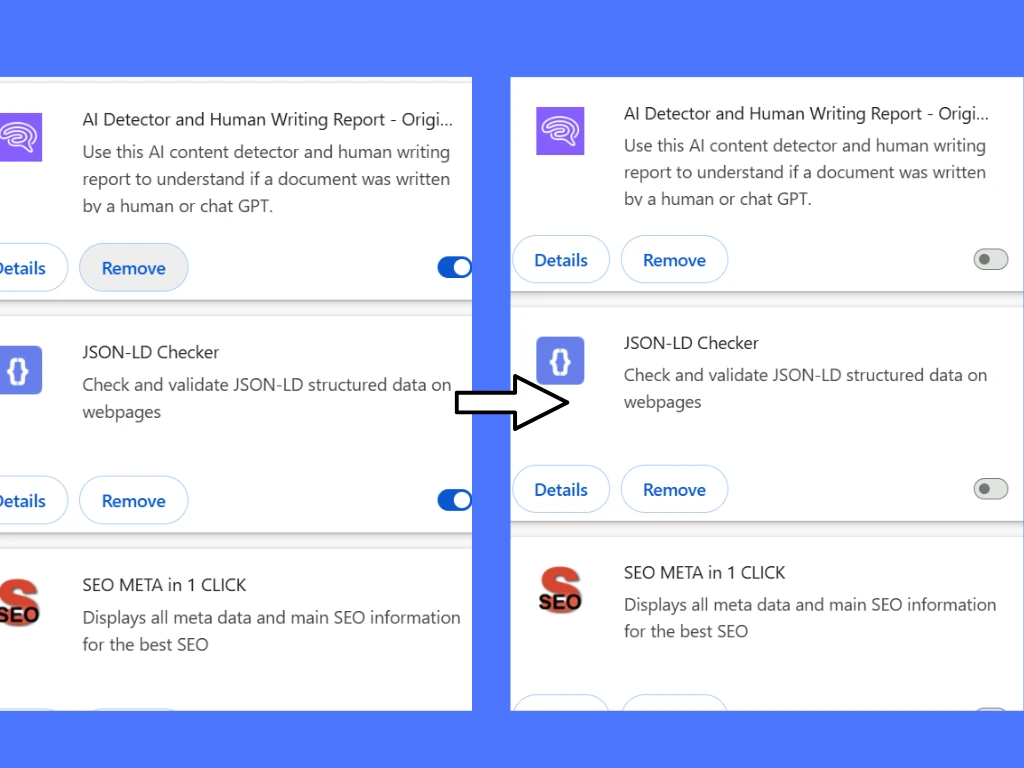
Certain browser extensions may cause conflicts with Facebook's login process. Try disabling all extensions, and then attempt to log in again.
2. Facebook Login Was Not Approved
If you know your password but Facebook says: "We noticed a login from a browser, device, or location you don’t normally use," that means Facebook has detected some suspicious login activity and needs to do some additional verification before allowing you in.
How to Fix Facebook Login "Approval Needed"
- Confirm Your Identity by Email or Phone
Click on "Continue" and request a security code, which will be sent to your email address or phone number linked with it. When you receive the code, enter it to regain access. - Trusted Friends Recovery
If you can't access your recovery email or phone anymore, click "Ask your friends for help." Facebook will give you a list of trusted contacts who can help you get back into your account. - Fix the Facebook Login Approval Loop
In other cases, Facebook will request another verification despite you providing the correct code; this is the Facebook login approval loop, and the solutions are to log in via a desktop browser and clear the Facebook app cache and then reinstall or uninstall it. Try logging in via another browser or, instead of SMS authentication, use Google Authenticator.
Tip: Use AdsPower for Enhanced Security
Managing multiple Facebook accounts can often trigger Facebook's security systems, leading to login issues or even account bans. With AdsPower, you can keep your login credentials secure and avoid detection. The tool's advanced fingerprint browser isolates each Facebook session in a separate profile, minimizing the risk of accounts being flagged for suspicious activity. And with AdsPower, when you use Facebook paired with a proxy, it can prevent your account from linking.
3. Facebook Security Code Request & Validation Failed
If Facebook asks for a security code but the code does not arrive, expires, or keeps showing "validation failed," the issue may be related to SMS delays, authentication app errors, or incorrect device time settings.
How to Fix It?
- Check Your Email or SMS
Look for the verification code in your email inbox or SMS messages. Once you receive the code, enter it in the required field. Verification codes can sometimes be delayed. Wait a few minutes and request a new code if needed. - Try Another Verification Method
If SMS codes are not working, switch to email verification or use an authentication app like Google Authenticator.
4. Forgotten Facebook Password
Forgetting your password is a common issue that can prevent you from logging into Facebook. If you've forgotten your password, you won't be able to access your account without resetting it.
How to Fix It?
- Use Facebook's Recovery Tools
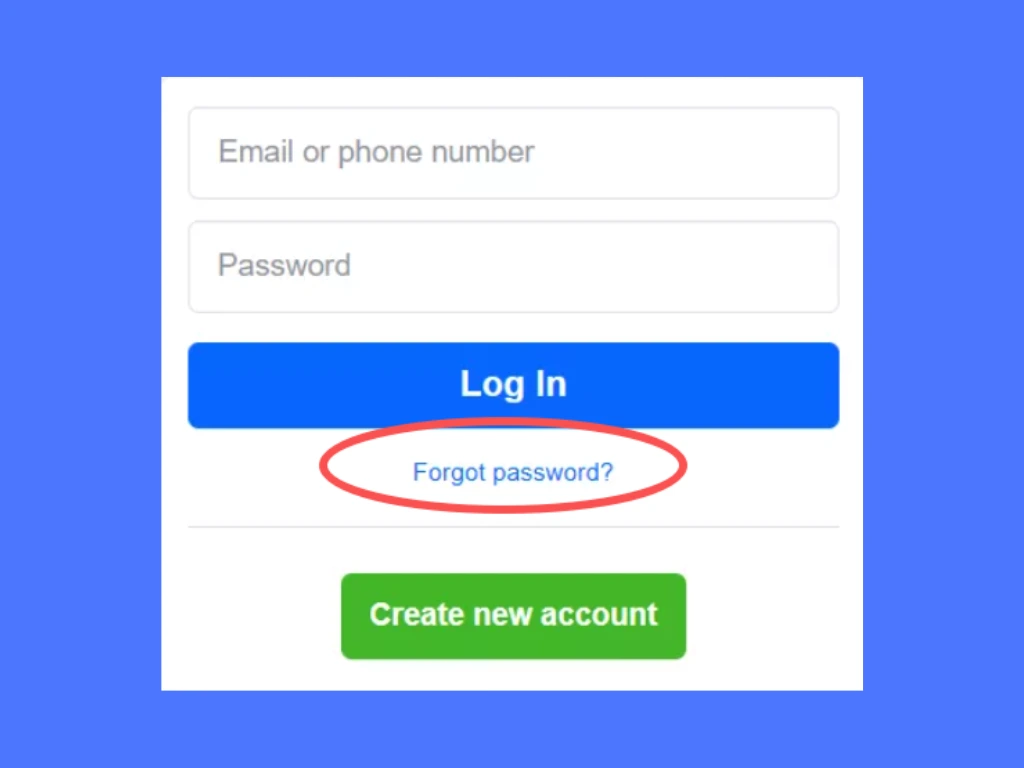
Go to the Facebook login page and click on "Forgotten password?" Follow the prompts to reset your password via your registered email address or phone number.
Tip: Prevent Login Issues with AdsPower
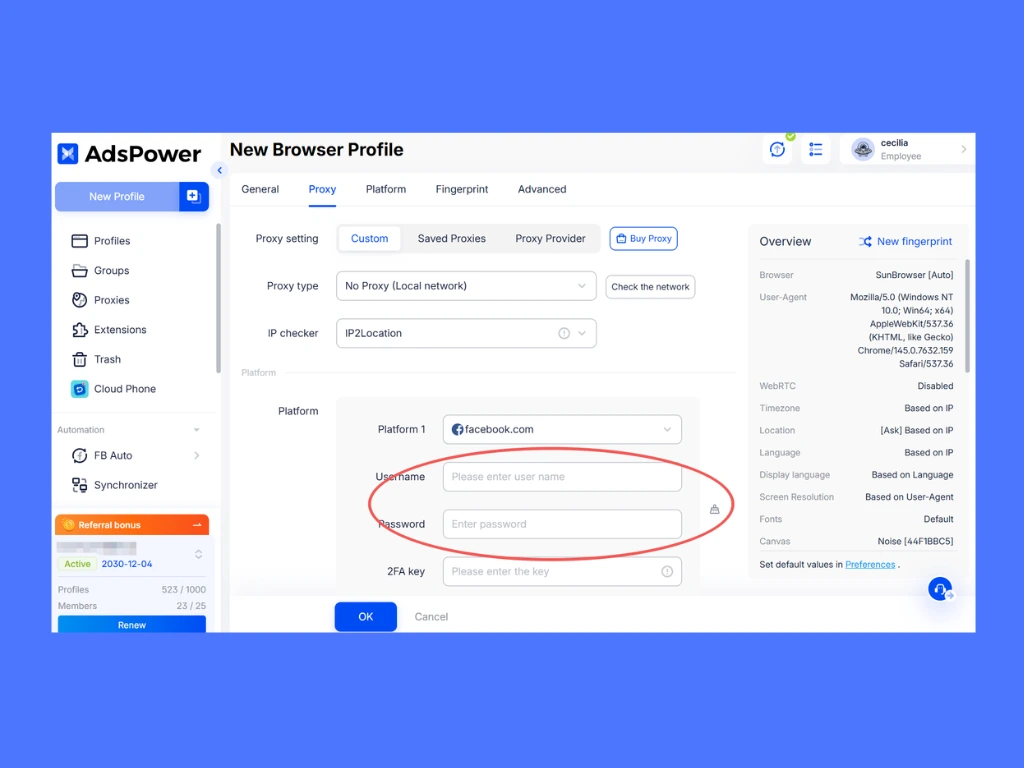
One advantage of using AdsPower to manage your Facebook accounts is that you can store your login credentials directly within each browser profile. When creating a dedicated profile for your Facebook account, simply enter your username and password in the designated fields. This way, you won't have to worry about forgetting your credentials, ensuring a seamless login experience every time.
5. “An Unexpected Error Occurred” on Facebook Login
Seeing the "facebook login unexpected error" message when trying to log into Facebook can be particularly frustrating. This could be due to a variety of issues, such as server problems, corrupted data, or even account security issues.
How Do I Fix an Unexpected Error on Facebook Login?
-
Check Facebook's Server Status
Sometimes, the issue lies on Facebook's end. Before troubleshooting further, it's worth checking if Facebook is experiencing any widespread outages. For example, in December 2024, Facebook experienced a large-scale outage due to a "technical issue," which disrupted access for millions of users worldwide.
-
Reset Your Password
If you're unable to log in due to security concerns, resetting your password is a good place to start. You can go to the Facebook login page, click on "Forgotten password," and follow the steps to recover your account.
6. Facebook Login Problems on Browser, App, or Device
The problem might be intermittent as well. That is, it may work within the Facebook application but fail on a web browser and vice versa, or only fail on a particular web browser or on one specific device. Most of the time it is due to corrupted cache files, blocked cookies, extensions of the browser preventing Facebook from running, and old FB application / web browser data.
How to Fix?
- Refresh the webpage and use a hard refresh (Ctrl + F5 or Ctrl + Shift + R on Windows).
- Clear the browser's cache and cookies.
- Ensure that cookies are enabled in your browser settings.
- Disable interfering browser extensions or ad blockers.
- Attempt to use a different browser or device.
- Update both your browser and the Facebook app to the latest versions.
- Restart the Facebook app or uninstall and reinstall it.
- Open the browser in Safe or Incognito Mode to isolate issues caused by extensions.
7. Facebook Login – VPN or Proxy Detected
If Facebook detects that you are logging in from a VPN, proxy server, or frequently changing IP address, it may block the login attempt or trigger additional security checks. This usually happens because Facebook considers the connection suspicious or high risk.
How to Fix It?
- Turn Off Your VPN or Proxy
Temporarily disable your VPN or proxy and try logging in with your normal internet connection. - Avoid Frequently Changing IP Addresses
Constantly switching locations, devices, or IPs can trigger Facebook’s security system and cause login issues. - Use the Same Device and Browser
Logging in from a familiar device and browser can help Facebook recognize your account activity and reduce verification requests.
What to Do if Facebook Won't Let You Log In?
If you've tried all the above solutions and still can't log into your Facebook account, there are a few additional steps you can take:
1. Check for Facebook Account Restrictions
It's possible that your account has been restricted or temporarily locked due to suspicious activity. Check your email or the Facebook Help Center to find out if any actions have been taken against your account.
Common reasons Facebook may flag an account as suspicious include:
- Frequent logins from different locations or devices
If you switch IP addresses too often, Facebook may suspect unauthorized access. If you want to learn more details about Facebook with IP, you can read a previous guide - How to Use Facebook with a Proxy - Unusual posting or messaging behavior
Sending too many messages or posting links rapidly can trigger spam filters. - Automated actions that mimic bot behavior
Activities like mass liking, adding friends too quickly, or posting repetitive content may lead to restrictions.
How to Fix It?
- Verify Your Identity
If your account is locked, Facebook may ask you to complete a security check, such as verifying your phone number or submitting an ID. - Wait It Out
Some temporary restrictions last for 24-48 hours and will lift automatically. - Use a Stable Browsing Profile
Avoid frequently changing devices or IP addresses to reduce the risk of triggering Facebook's security alerts.
How AdsPower Helps Prevent Account Restrictions:
- Multiple Isolated Profiles
Each account operates in a separate browser profile with unique fingerprints, preventing Facebook from detecting linked accounts.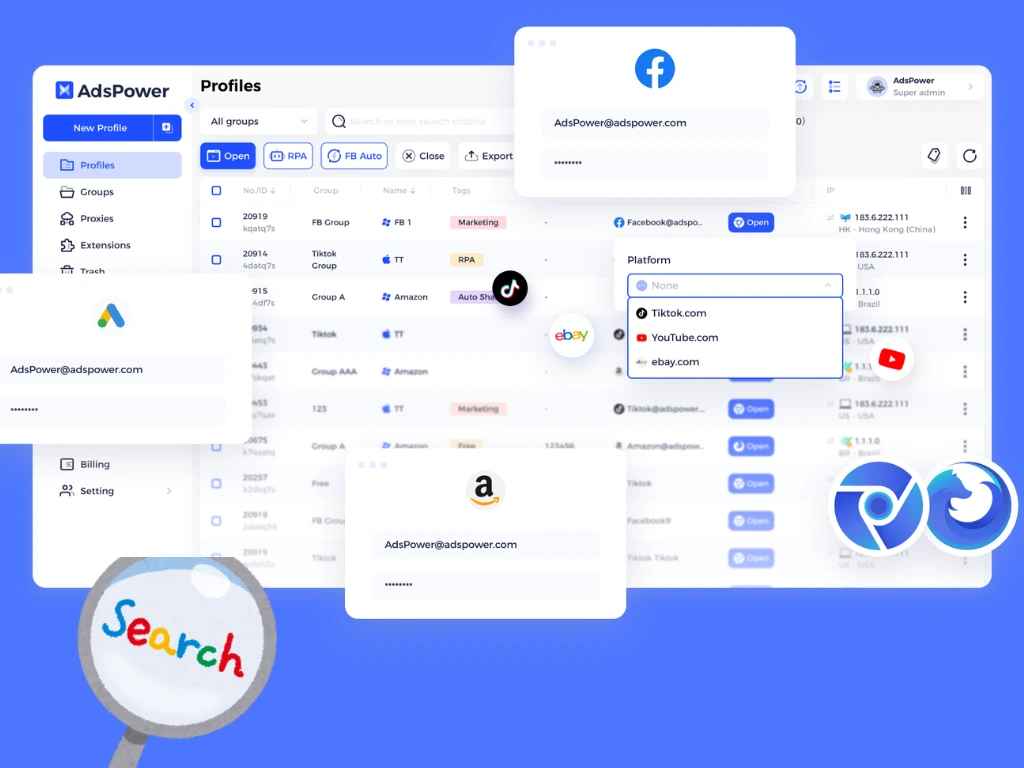
- Stable Proxy Integration
Supports various proxy types (HTTP, Socks5, SSH) to ensure each account has a distinct IP address, reducing the risk of security triggers.
- Profile Sharing for Seamless Account Management
With AdsPower's profile sharing feature, you can securely share account profiles with others. Even if multiple users log into the same Facebook account from different devices, the browser fingerprint remains consistent, ensuring that cookies, session data, and other key information stay intact for a stable and secure login experience.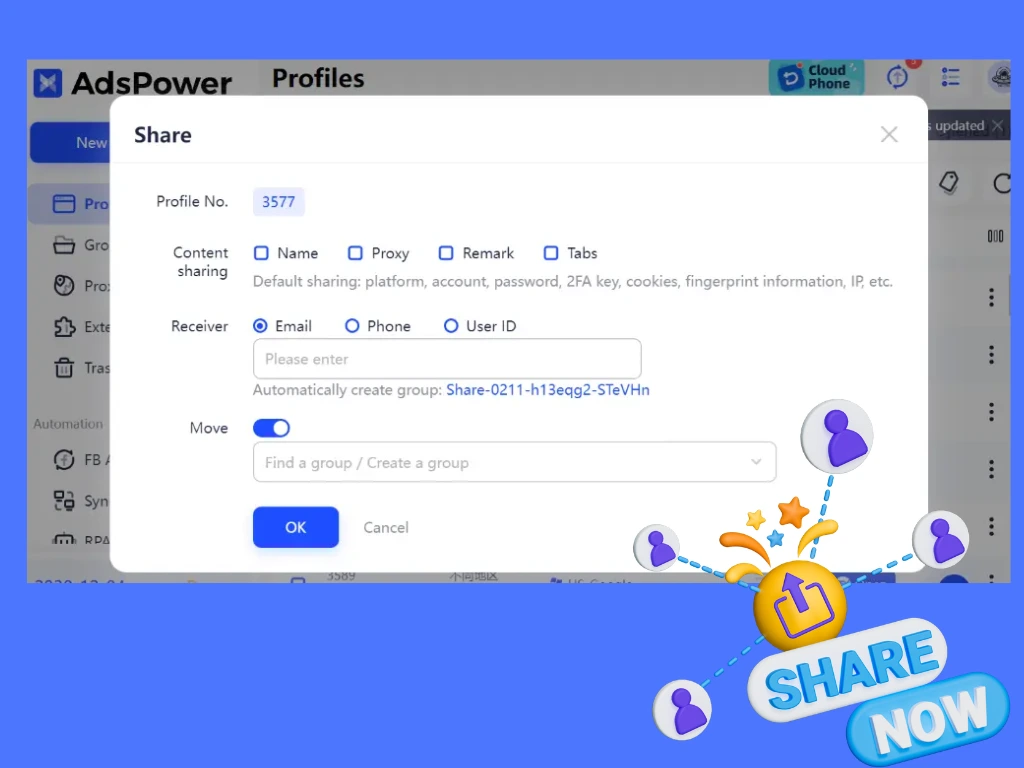
- Bulk Account Management
Easily create, store, and switch between multiple Facebook accounts while keeping them secure. AdsPower also supports importing accounts with cookies and other key data fields, ensuring greater account stability and seamless operation.
2. Contact Facebook Support
If you've exhausted all options and still can't log in, you can contact Facebook's support team for further assistance. You may need to provide proof of identity to verify your account.
FAQS About Facebook Logging In Problems
1. Why does Facebook keep logging me out?
Facebook may keep logging you out because of expired sessions, corrupted cookies, suspicious login activity, or switching between multiple devices, browsers, or IP addresses too often. To fix this issue, try clearing your browser cache and cookies, updating your browser or Facebook app, and checking your recent login activity in Accounts Center. You should also avoid constantly changing devices or networks, as Facebook may treat these logins as suspicious. If you manage multiple Facebook accounts, repeated logouts are often caused by unstable browser environments. Using isolated browser profiles can help maintain longer login sessions and reduce repeated verification requests.
2. How do I fix “Please Wait While We Verify This Login Attempt” on Facebook?
This message usually appears when Facebook detects an unusual login attempt from a new browser, device, location, or IP address. First, wait a few minutes and complete the verification process using the code sent to your email or phone. If the issue continues, try logging in from a familiar device or browser, clear your cache and cookies, and avoid using unstable VPNs or frequently changing IP addresses. If Facebook keeps showing the same verification screen repeatedly, you may be stuck in a login approval loop.
3. Is Facebook having login problems today?
Sometimes the issue is caused by Facebook itself rather than your account or device. Platform outages can prevent users from logging in, receiving security codes, or loading Facebook properly. You can check real-time outage reports on sites like Downdetector or search for “Facebook down” on X/Twitter to see whether other users are experiencing the same problem.
4. Can I use multiple Facebook accounts without login problems?
Yes, but logging into multiple Facebook accounts from the same browser or device can trigger Facebook’s security systems. This often leads to login approvals, verification checks, or temporary restrictions. To reduce login problems, each account should ideally use a separate browser environment and a stable IP address. Keeping login activity consistent helps Facebook recognize the accounts as legitimate.
5. How do I contact Facebook support if I can’t log in?
If you cannot access your Facebook account, you can still use Facebook’s Help Center and account recovery pages without logging in. Try the "Forgotten password?" option on the login page, or use Facebook's identity recovery flow if you no longer have access to your email or phone number. On some login screens, Facebook also provides a "Need another way to authenticate?" or "Get more help" option for additional recovery methods.

People Also Read
- Marketing Automation for Startups and Small Teams: How AdsPower AI Agents Automate Browser Workflows
Marketing Automation for Startups and Small Teams: How AdsPower AI Agents Automate Browser Workflows
Learn how AI Agents can automate repetitive browser-based marketing tasks across multiple accounts
- Best Private Search Engines in 2026: 5 Secure Alternatives to Google
Best Private Search Engines in 2026: 5 Secure Alternatives to Google
Looking for a more private way to search? Explore the 5 best private search engines in 2026 and see how DuckDuckGo, Brave Search, Startpage, and more
- Temp Gmail: How to Create a Temporary Gmail Account in 2026
Temp Gmail: How to Create a Temporary Gmail Account in 2026
Learn how to create a temp Gmail account, compare Gmail aliases and separate accounts, and manage multiple accounts with AdsPower.
- Understanding Persistent Browser Profiles for AI Agents: Why Do They Matter?
Understanding Persistent Browser Profiles for AI Agents: Why Do They Matter?
Learn why persistent browser profiles matter for AI agents, helping maintain sessions, browser consistency, account isolation, and reliable automation
- Kickass Torrents Alternatives: Movies, TV, Games & Safe Access (2026)
Kickass Torrents Alternatives: Movies, TV, Games & Safe Access (2026)
Kickass Torrents is no longer what it once was, but there are still alternatives for finding movies, TV shows, music, books, games, and software. This
