

Top Datacenter Proxies 2026: Best Providers Compared
Take a Quick Look
Learn how to choose datacenter proxies for SEO, automation, and account workflows. Compare IPRoyal, Geonode, ProxySeller, and IPcook. Try AdsPower browser.
Choosing a datacenter proxy is easier once you know where it will be used. A rank tracker does not need the same setup as a login-based account. A price monitoring tool may care more about speed, while an ad verification task may depend more on location accuracy.
That is why "best datacenter proxies" is a relative term. The right choice depends on your target websites, traffic volume, country needs, session length, and tolerance for blocks. A cheap proxy can be enough for simple SEO checks. For account-based work, weak IP quality or mismatched browser settings can create problems fast.
If your workflow happens inside a browser, test the proxy setup before buying in bulk. With AdsPower browser, you can create separate browser profiles, add different proxies, and keep accounts or projects from sharing the same browsing environment. This is useful when you manage regional research, client accounts, e-commerce tasks, or ad checks.
This guide covers what data centre proxies are, where they work best, how to compare providers, and which datacenter proxy services are worth reviewing in 2026.
What Are Data Centre Proxies?
Data centre proxies are IP addresses that come from servers hosted in data centers. They are different from residential proxies, which use IPs linked to home internet providers. They are also different from mobile proxies, which use carrier networks.
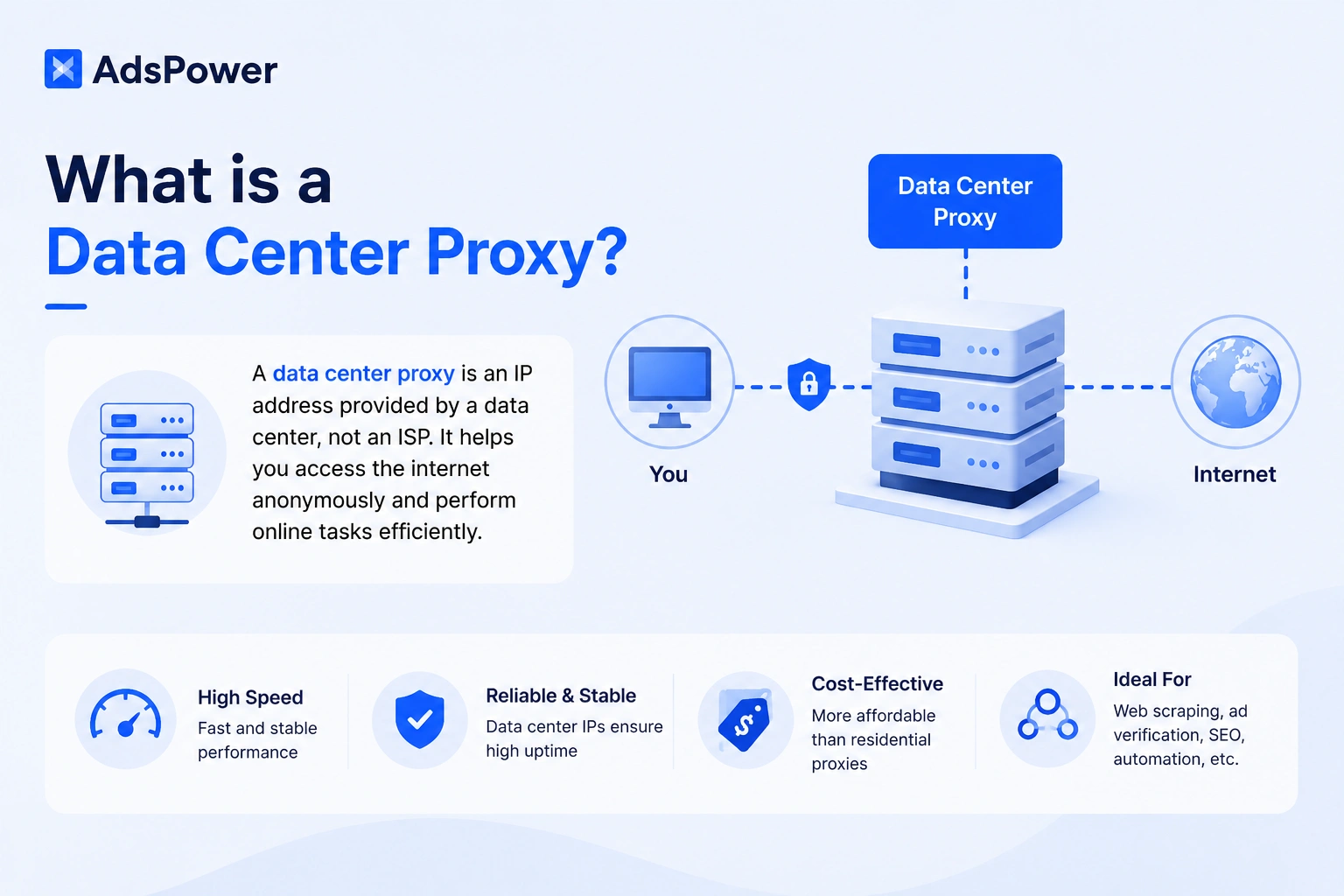
When you use a datacenter proxy, your request goes through that server before it reaches the website. The site sees the proxy IP, not your original IP. For a technical reference, Cloudflare has a clear guide on how proxy servers work.
The main appeal is practical: datacenter proxies are usually fast, stable, and easier to purchase at scale. SEO teams use them for rank checks. Researchers use them for public web data. Marketers use them for ad verification and regional testing.
The tradeoff is detectability. Since these IPs belong to data centers, some websites can recognize them more easily than residential or mobile IPs. For simple research, that may be fine. For long-term accounts or stricter platforms, you need to test more carefully.
Datacenter Proxies vs Residential, ISP, and Mobile Proxies
The best proxy type depends on the job. A datacenter proxy is not always better or worse than a residential proxy. It serves a different purpose.
Datacenter proxies are usually the right choice when speed, price, and scale matter most. They work well for SEO monitoring, public data collection, price checks, and ad verification.
Residential proxies route traffic through IPs linked to real home internet providers. They often look more natural to websites, but they cost more and may be slower.
ISP proxies sit between the two. They offer static IPs with stronger trust signals than standard datacenter proxies. They are often useful for account workflows that need stable sessions.
Mobile proxies use mobile carrier networks. They are usually expensive, but they can be useful for mobile-first platforms and app testing.
A practical way to think about it is this: datacenter proxies are strong for speed and cost control, while residential, ISP, and mobile proxies are stronger when trust signals matter more than price.
When Should You Use Datacenter Proxies?
Datacenter proxies are a good fit when your task needs fast, repeated access from different IPs without the cost of residential traffic.
Common use cases include:
- SEO rank tracking, SERP checks, and competitor monitoring
- Ad verification, price monitoring, and market research
- Public web data collection and automation testing
- Localized content checks across different countries or regions
For example, an SEO agency may need to check how keywords rank in the United States, Germany, and Japan. A datacenter proxy can help the team view search results from those markets without relying on one office IP.
An e-commerce team may use datacenter proxies to compare product prices across regions. A media buying team may use them to check whether ads appear correctly in target countries.
The key is to stay within legal and platform rules. Proxies are infrastructure, not permission. If your work touches search visibility, automated access, or web data collection, it is worth reviewing Google's spam policies and the terms of any website you access.
How to Choose the Best Datacenter Proxies
Searches like "Top Datacenter Proxies" or "best datacenter proxies" often bring up long rankings. Rankings can help, but they should not replace testing.
A proxy provider that works well for SEO tracking may perform poorly for social account management. A proxy that works in one country may be weak in another. Even within the same provider, IP quality can vary by pool, location, and usage history.
Before you choose a provider, review these factors.
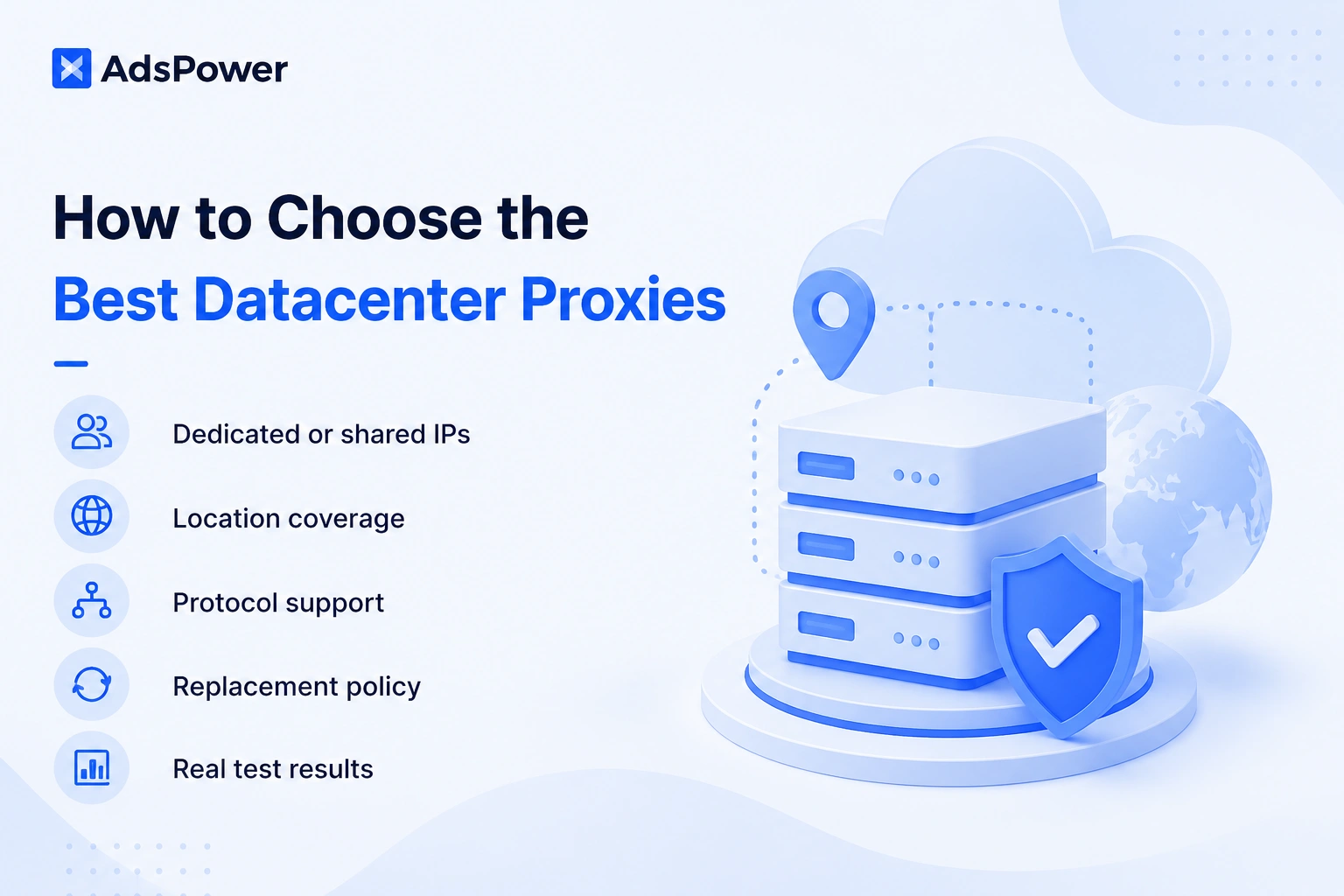
- Dedicated or shared IPs: Dedicated proxies are safer for account-based work because you are not sharing the IP with unknown users. Shared proxies can be cheaper, but they carry more reputation risk.
- Location coverage: If you need local SERPs, local ads, or market-specific content, choose a provider with the countries you actually need. Do not pay for global coverage if your work happens in three markets.
- Protocol support: HTTP, HTTPS, and SOCKS5 are the main options. Check what your tools require before buying.
- Replacement policy: Even good IPs can stop working. A clear replacement rule saves time when an IP is blocked, slow, or unstable.
- Real test results: Run small tests on your own target sites. Track connection success, page load speed, login stability, and block rates.
Do not choose based on price alone. Very cheap proxies may look attractive, but a poor IP pool can cost more in failed tasks, account reviews, and wasted setup time.
Top Datacenter Proxies to Check in 2026
The providers below are worth reviewing if you are comparing datacenter proxy options in 2026. This is not a claim that one provider is perfect for every user. Treat it as a practical shortlist, then test each service against your own workflow.
1. IPRoyal
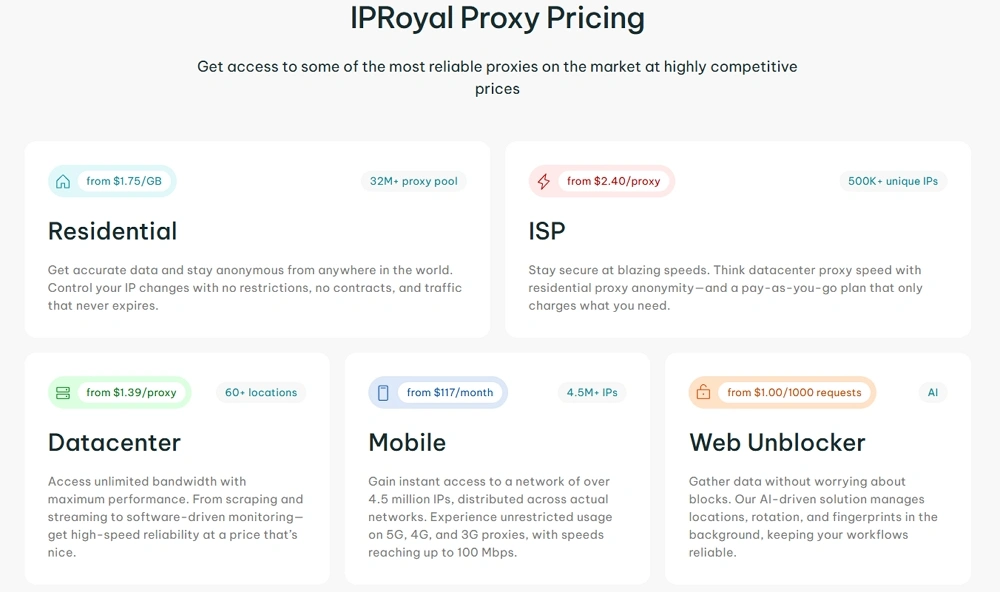
IPRoyal offers multiple proxy types, including datacenter, residential, ISP, and mobile proxies. It is often a good starting point for users who want flexible proxy options without building a complex setup.
IPRoyal may suit small teams, SEO users, and agencies that need proxies for rank tracking, research, or light automation. Its broader proxy catalog is useful if you want to compare datacenter proxies with residential or ISP proxies later.
The main point to check is location fit. Before buying a larger plan, confirm that IPRoyal offers the datacenter locations you need. Then test speed and success rate on your actual tools.
IPRoyal is a sensible option for users who want a balanced mix of price, usability, and proxy variety.
2. Geonode
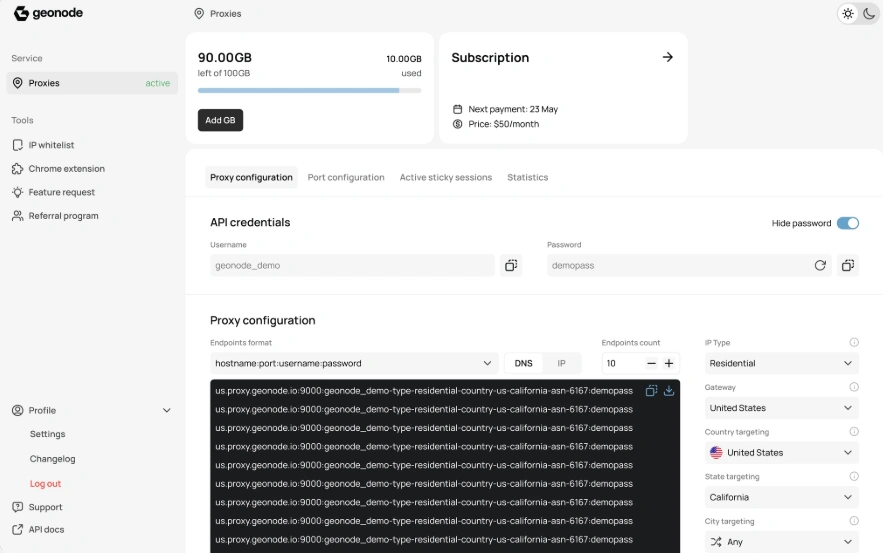
Geonode is often used for data collection, scraping, and automation workflows. It can be a good fit for technical teams that need scalable proxy infrastructure rather than a simple one-off proxy purchase.
If your team runs scripts, collects public web data, or builds internal research tools, Geonode is worth testing. Its value depends on how well the proxy network performs on your target websites.
For developer-led teams, documentation and API access matter as much as IP price. Check how easy it is to manage sessions, rotate IPs, and monitor usage.
Geonode may not be the simplest choice for a beginner, but it can make sense for teams with clear technical needs.
3. Bright Data
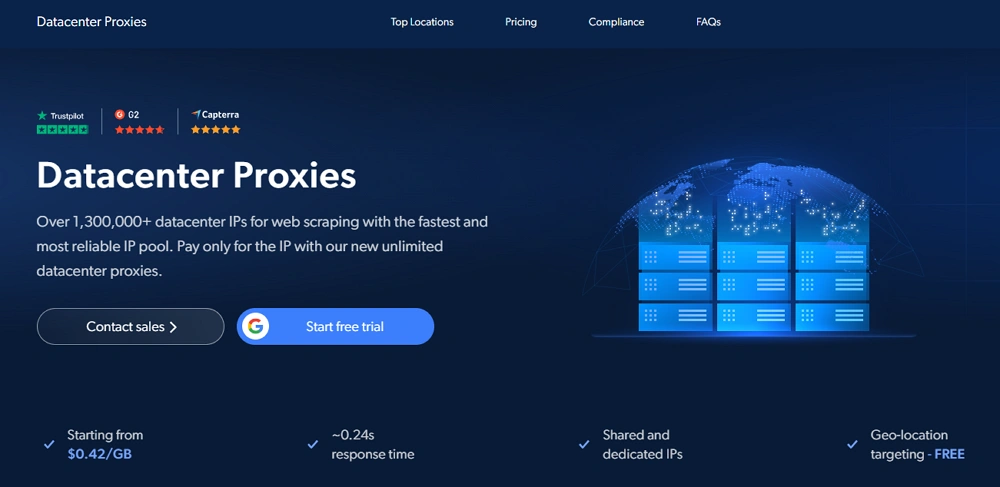
Bright Data is one of the more established names in proxy infrastructure and web data collection. Its datacenter proxy product is positioned for users who need scale, speed, and stronger operational controls.
Bright Data may be a good fit for larger teams, data collection projects, ad verification, market research, and SEO workflows that need broad location options. According to its official datacenter proxy page, Bright Data offers shared and dedicated datacenter IPs, geo-targeting, and a large datacenter IP pool.
The main reason to consider Bright Data is its mature ecosystem. Beyond proxies, it also offers tools for web data access, scraping workflows, datasets, and proxy management. This can be useful if your team wants more than a basic proxy list.
The tradeoff is cost and complexity. Bright Data may feel heavier than needed for small users or simple rank checks. If your workflow is still small, compare its pricing and setup time against lighter providers before committing.
Bright Data is worth testing if you need enterprise-style proxy infrastructure, clear compliance processes, and room to scale.
4. ProxySeller
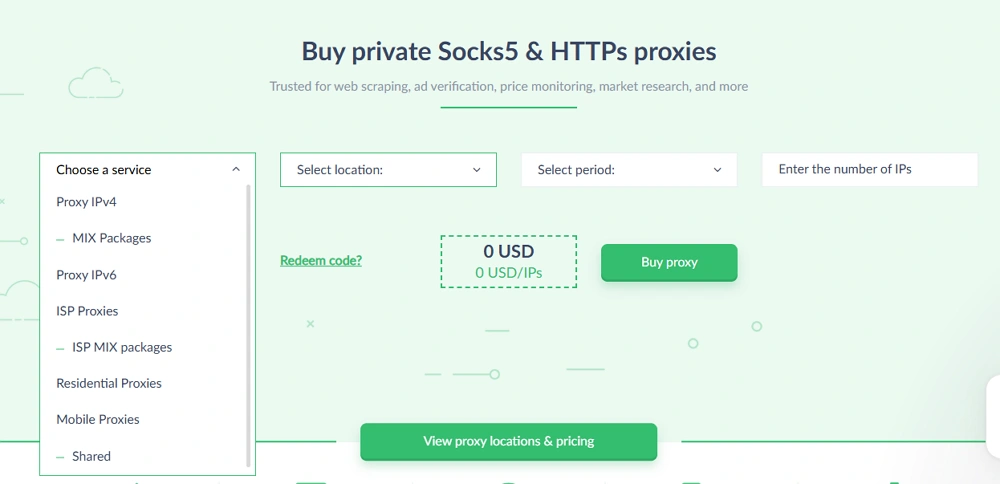
ProxySeller is known for private proxy options, including datacenter proxies. It is a strong candidate for users who want dedicated IPs, country selection, and stable sessions.
ProxySeller can be useful for SEO monitoring, e-commerce checks, market research, and browser profile separation. Users who care about private access may prefer it over shared proxy pools.
Pay close attention to IPv4 and IPv6 options. IPv6 proxies can be cheaper, but not every website or tool handles IPv6 equally well. If your workflow depends on broad compatibility, IPv4 may still be the safer choice.
ProxySeller is worth considering when control and dedicated access matter more than the lowest possible price.
5. IPcook
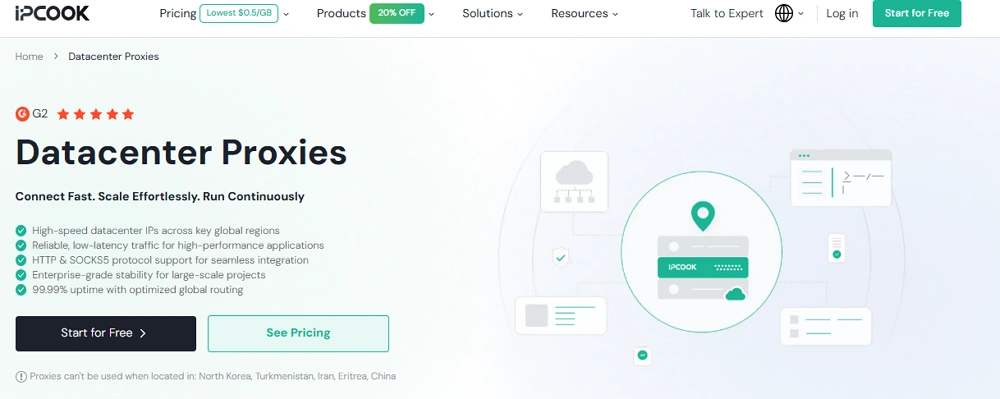
IPcook offers proxy services for use cases such as SEO monitoring, scraping, ad verification, automation, and market research.
IPcook may appeal to teams comparing several providers for value and performance. It is especially worth testing if your workflow involves repeatable research tasks where speed and cost both matter.
As with any proxy provider, do not rely only on sales pages. Test a small batch first. Look at connection quality, dashboard usability, proxy format, and support response.
IPcook can be a practical option for users who want to compare datacenter proxies across SEO and automation tasks before scaling.
Beyond the IP: Why Browser Environment Also Matters
A proxy changes the IP address that a website sees. That is only one part of the picture.
Many websites also look at browser-level signals. These can include timezone, language, cookies, WebRTC, Canvas, WebGL, device details, login patterns, and past browsing behavior.
This matters most when your work involves accounts. If ten accounts use different proxies but share the same browser fingerprint, the setup may still look connected. If an account uses a German proxy but the browser timezone is set to another country, that mismatch can also create friction.
For SEO checks or one-time research, this may not be a major issue. For long-term account management, ad verification, affiliate work, e-commerce operations, or social media workflows, the browser profile needs as much care as the proxy.
That is where a tool like AdsPower browser becomes useful.
How to Use Datacenter Proxies with AdsPower Browser
AdsPower antidetect browser helps users create separate browser profiles for different accounts, clients, regions, or projects. Each profile can have its own proxy and browser environment.
Instead of switching proxies in one normal browser, you can keep each workflow in a separate profile. That makes daily work cleaner and easier to manage.
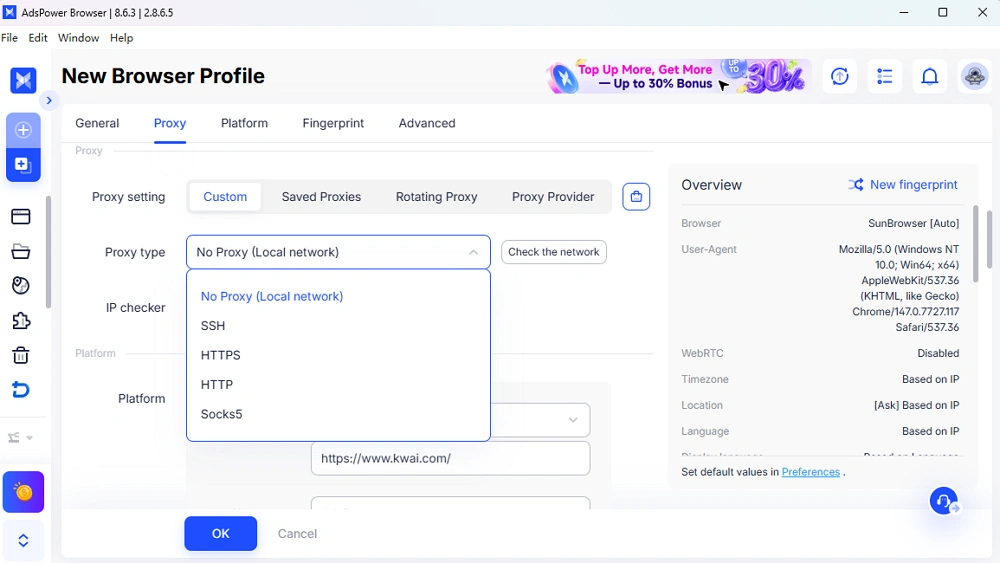
A practical setup may look like this:
- Create one AdsPower profile for each account, client, or region
- Assign one datacenter proxy to each profile
- Match proxy country with timezone and language settings
- Test login, page loading, and session stability before daily use
For bulk import or update proxies in AdsPower, follow this batch proxy mode guide >>
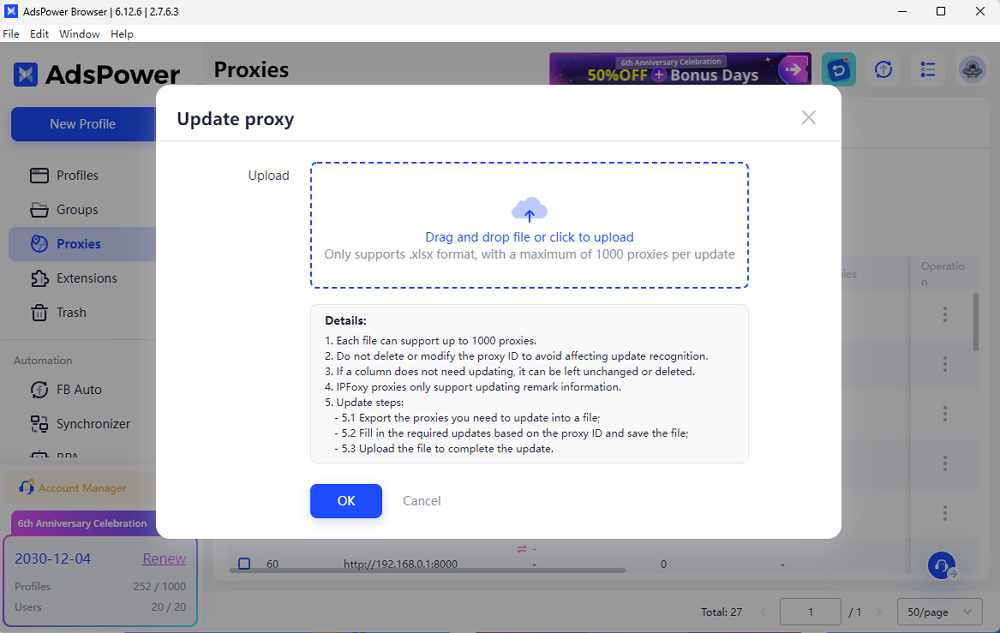
This setup is useful for SEO agencies, ad teams, e-commerce sellers, researchers, and social media teams that need separate environments.
For example, an agency checking local search results for three markets can create three AdsPower profiles. Each profile can use a proxy from the correct country. The browser language and timezone can also match that region. This gives the team a cleaner testing setup than using one browser with constant proxy changes.
If your work depends on stable accounts, do not treat proxies as the whole solution. Use them as part of a complete environment that includes browser profile separation, consistent settings, and careful activity patterns.
Try AdsPower browser to test datacenter proxies in separate profiles before you commit to a larger proxy plan.
How to Test Datacenter Proxies Before Scaling
A careful test saves money. It also gives you better data than any review article can provide. Before actual using, use some IP testing tools to detect the IP address, such as Whoer, BrowserScan, Pixelscan, etc.
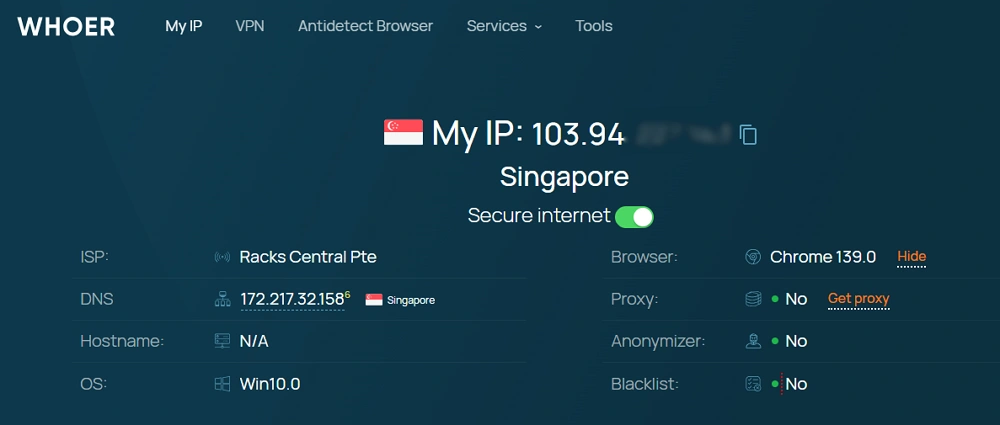
Start with a small proxy order. Use the same websites, tools, and regions that your team will use later. Do not test on random websites if your real work happens somewhere else.
For SEO tasks, check whether your rank tracker receives stable results from the target region. For account tasks, test login stability over several days. For scraping, measure success rate, timeout rate, and block rate.
Keep notes in a simple sheet. Record the provider, IP type, country, task, success rate, and any errors. After a week, patterns usually become clear.
If a provider performs well in your own environment, scale slowly. Add more IPs in stages instead of buying a large batch on day one.
Common Problems and How to Avoid Them
Most proxy issues come from mismatched setup rather than one bad IP.
A user may buy a US proxy, log in with a browser timezone from another country, then wonder why the account triggers checks. Another user may run too many accounts through one shared IP. Someone else may buy cheap proxies, skip testing, and discover later that the IPs are already abused.
A more reliable workflow is steady and consistent. Use one proxy for one important account. Keep the same region. Match browser settings. Avoid sudden location jumps. Replace poor IPs early. Track what works.
For scraping or research, control request speed. A fast datacenter proxy can send requests quickly, but that does not mean every website will accept heavy traffic. Respect robots.txt where relevant, follow terms, and avoid collecting sensitive data.
For account-based work, avoid free proxies. Free public proxies are often slow, crowded, unsafe, or already blocked. They are not suitable for business workflows.
Which Datacenter Proxy Provider Should You Choose?
Choose based on the job, not the brand name.
- IPRoyal is a good place to start if you want a flexible proxy provider with several proxy categories.
- Geonode is worth testing if your team has developer-led scraping or automation workflows.
- Bright Data is a strong option for larger teams that need scale, geo-targeting, mature proxy management, and a broader data collection ecosystem.
- ProxySeller is a strong candidate when dedicated IPs, static sessions, and country choice are important.
- IPcook is useful to compare if you want value-focused proxies for SEO, market research, automation, or public data collection.
If you work on strict platforms, test residential or ISP proxies as well. Datacenter proxies are fast and cost-effective, but they are not the best choice for every site.
Final Thoughts
The best datacenter proxies in 2026 are the ones that match your workflow, budget, target websites, and risk level. A provider can look good on paper and still fail on the websites you use every day.
Start with a small test. Measure real results. Keep browser settings consistent. Use dedicated IPs for important accounts. Build your setup around stability, not guesswork.
Before buying a large proxy plan, check the official websites of IPRoyal, Geonode, Bright Data, ProxySeller, and IPcook. Compare current plans, locations, proxy types, and replacement policies. Then test your chosen proxies inside AdsPower browser to manage profiles, separate workflows, and reduce avoidable account issues.

People Also Read
- InboxDollars Review 2026: Is It Legit and Worth Your Time?

InboxDollars Review 2026: Is It Legit and Worth Your Time?
Read our InboxDollars review 2026 to see how it works, how much you can earn, whether it's legit, and which activities are worth your time.
- 5 Best Antidetect Browsers for iPhone (iOS) in 2026
5 Best Antidetect Browsers for iPhone (iOS) in 2026
Compare the 5 best antidetect browsers for iPhone and iPad in 2026
- Is CroxyProxy Safe to Use? Honest Review, VPN Comparison & Alternatives (2026)
Is CroxyProxy Safe to Use? Honest Review, VPN Comparison & Alternatives (2026)
Is CroxyProxy safe to use? Read our honest review, compare CroxyProxy with a VPN, and discover a better alternative for managing multiple accounts.
- 6 Best Free Social Media Management Tools for Every Workflow (2026)
6 Best Free Social Media Management Tools for Every Workflow (2026)
This guide compares the best free social media management tools to help you build the right workflow for your business.
- 15 Best Open-Source Web Scraping Projects on GitHub (2026)

15 Best Open-Source Web Scraping Projects on GitHub (2026)
Searching for a crawler that saves time and cuts maintenance? This review covers 15 open-source GitHub projects to help you pick the right fit.
