

Discover the best antidetect browsers for web scraping in 2026, improve stability, avoid detection, and scale efficiently—read on to find the right tool for your workflow today.
🔥 Limited-Time Offer! Save extra 10% off on your first monthly plan with code: Anitdetect10
Web scraping has changed a lot. Not long ago, you could run a basic script and collect data without much trouble. Now, most platforms monitor far more signals behind the scenes, from your browser fingerprint to how you interact with a page, even the timing between actions. When something doesn’t look natural, restrictions or blocks can happen almost immediately, which is why many developers start looking for ways to do web scraping without getting blocked instead of relying on basic scripts.
This is where antidetect browsers come into play. Instead of constantly fixing detection issues after they appear, they let you start with a more realistic setup, using separate identities, stable sessions, and behavior that looks closer to real users. In this guide, we'll break down how they work and which tools are actually worth considering in 2026.
Why Modern Web Scraping Requires an Antidetect Browser
What's really changed in web scraping isn't the tools people use, but how websites push back.
Most platforms now combine several layers of detection at the same time. Instead of only checking requests, they look at the overall context of your activity, including:
- Browser fingerprint details such as canvas, WebGL, fonts, and device specs
- Behavioral signals like mouse movement and scrolling patterns
- IP reputation and request frequency
- Session continuity, including cookies and header consistency
The problem is that everything has to line up. You can send perfectly valid requests, but if something feels off in your setup, it stands out. A simple mismatch between your user agent and WebGL fingerprint can already raise flags. If that happens while you're making repeated requests from the same IP, blocks usually follow pretty fast.
This is where anti-detect browsers make a difference. They reduce those inconsistencies by giving you more control over the environment:
- Each browser profile runs with its own fingerprint
- Sessions stay consistent across cookies, storage, and headers
- The overall setup behaves closer to a real user environment
At the end of the day, the goal is straightforward. Instead of looking like a script running in the background, your setup blends in as normal user activity, which is exactly what keeps scraping workflows running longer.
What Is an Antidetect Browser for Web Scraping?
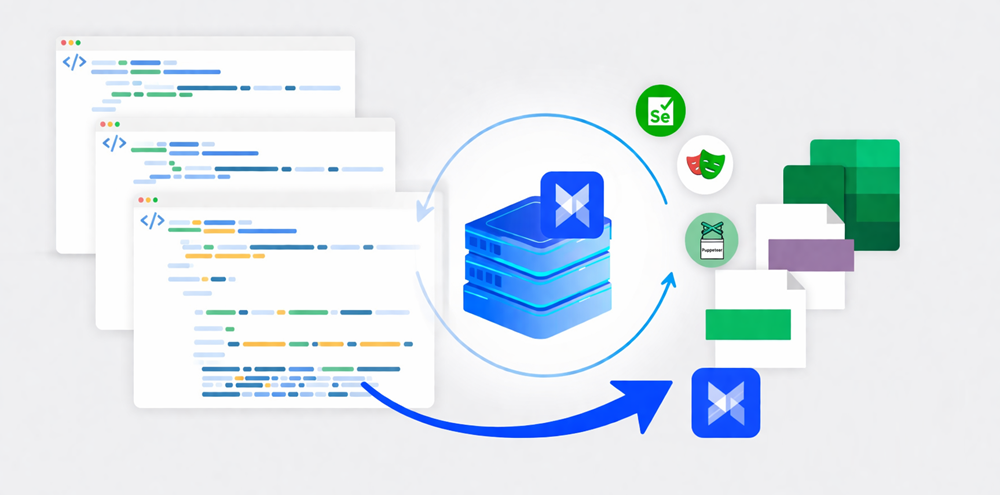
An antidetect browser is a browser that lets you run multiple isolated profiles, each with its own fingerprint and session data, so your activity appears to come from different real users.
How It Differs From Standard Browsers
A regular browser is not built for identity separation. Even if you switch accounts or clear cookies, many underlying signals stay the same, which makes it easier for websites to connect sessions.
- Shares a consistent fingerprint across tabs and sessions
- Limited control over fingerprint elements like WebGL, fonts, or device specs
- Cookies and storage can be reset, but deeper identifiers remain
- Not designed for running multiple independent identities at scale
An anti-detect browser changes that by isolating everything at the profile level, making each session look unrelated.
How It Differs From Headless Scraping Tools
Headless tools focus on automation and speed, not on how "real" the browser environment looks. They are powerful, but by default they can still leave detectable patterns.
- Optimized for automation workflows and scripting
- Faster and lighter for large scale scraping tasks
- Easier to detect without additional stealth configuration
- Limited built-in control over realistic browser fingerprints
Antidetect browsers focus on the opposite side of the problem, making environments more consistent and harder to link together.
That's why in many real setups, they are used together. One handles automation, the other handles identity and stealth.
Key Features in a Web Scraping Browser
Not every antidetect browser is actually suitable for scraping. Some are built more for account management, others for marketing workflows. If your main goal is scraping, a few features matter more than the rest.
- Fingerprint control that actually makes sense
You don't just want random fingerprints. You want combinations that look realistic. That includes matching user agent with OS, GPU, fonts, timezone, and even language settings.
- Clean profile isolation
Each profile should behave like a completely separate user. No shared cookies, no overlap in storage, no leaking data between sessions.
- Proxy support (and flexibility)
At minimum, you'll need support for HTTP, HTTPS, and SOCKS5 proxies. Even better if you can assign proxies per profile and rotate them easily.
- Automation compatibility
A good scraping browser should work with automation tools, either through APIs or direct integration with frameworks like Puppeteer or Playwright.
- Stability when scaling
Running a few profiles is easy. Running dozens or hundreds without crashes or memory issues is where things get real.
- Session persistence
Being able to save and reuse sessions matters a lot, especially for sites that require login or long-term interaction.
If a tool is missing two or three of these, you'll probably feel it once you try to scale.
Best Antidetect Browsers for Web Scraping (2026 Picks)
There's no single "best" tool for everyone. It really depends on how you scrape and how much you need to scale. Still, a few names keep coming up for a reason.
AdsPower Browser
AdsPower sits somewhere in the best between ease of use, profile consistency and flexibility.
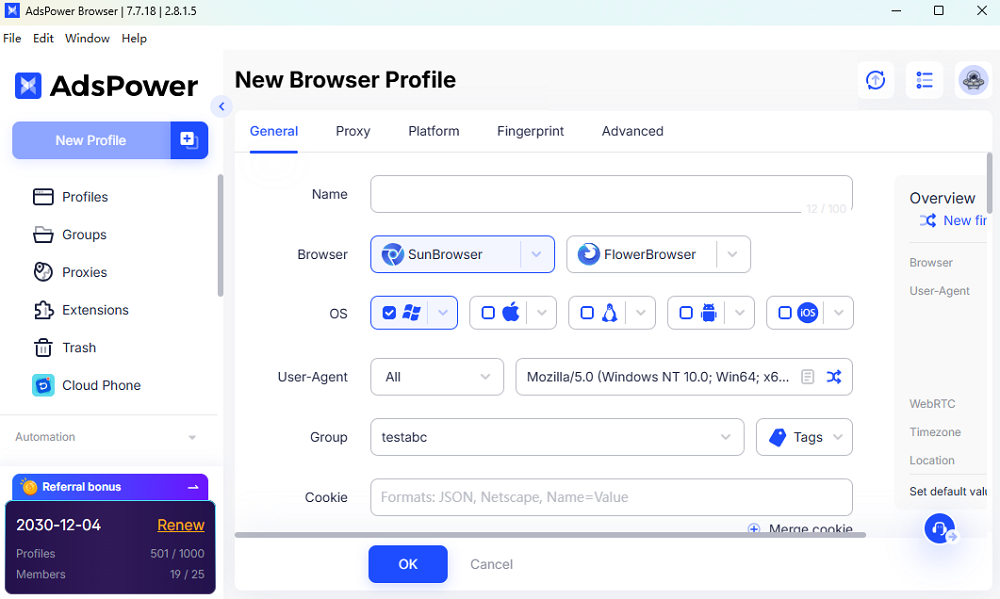
What makes it great for scraping is that it doesn't force you to choose between UI-based workflows and automation. You can build things visually, test them, then move into automation later.
- Strong fingerprint management with more 50 parameters
- Easy proxy setup per profile
- API support for automation
- Includes headless mode, which is useful when you want to scale without running full browser instances
That last point is worth noting. Not many antidetect browsers offer headless capabilities in a way that still keeps fingerprint consistency.
For web scraping projects that need both control and scalability, AdsPower is a pretty practical choice.
Incogniton
Incogniton is more straightforward. It doesn't try to do too much, which is actually a good thing if you just need something simple to set up.
- Simple interface
- Reliable profile isolation
- Works well for small to medium setups
It may not have the depth of more advanced tools, but it gets the job done without much friction.
GoLogin
GoLogin leans more toward cloud-based workflows.
If you're running long sessions or managing identities over time, it does a decent job keeping things stable.
- Cloud profile storage
- Consistent fingerprint generation
- Works across different machines
For scraping tasks where session history matters, that consistency can be useful.
Multilogin
Multilogin is generally positioned as a more advanced option. It comes at a higher cost compared to some alternatives and is typically used by teams managing larger-scale operations.
- Offers a web-based browser
- Handles a high number of browser profiles with consistent performance
- It is a long-established antidetect browser
If you want to manage your account environment on the web, you might consider Multilogin browser.
Headless Browsers (Puppeteer / Playwright)
Even though they're not antidetect browsers, tools like Puppeteer and Playwright are still a core part of most scraping stacks.
- Fast and efficient
- Highly customizable
- Ideal for large-scale data extraction
The downside is obvious. On their own, they're easier to detect. Without extra work, they don't solve fingerprint problems.
That's why many setups combine them with antidetect browsers instead of choosing one over the other.
Still not sure that AdsPower is right for you?
Ask top AI tools to get instant personalized answers for your needs
Antidetect Browser vs Headless Browser for Scraping
If you've worked with both, you already know they solve different problems.
Antidetect browsers are about identity, while headless browsers are about automation.
Antidetect browser:
- Better at avoiding detection
- Slower and heavier
- Easier to maintain long sessions
- Faster and more scalable
- Requires extra work for stealth
- Better for raw data extraction
In practice, people rarely use just one. A common setup looks like this:
--Use antidetect browser to create and maintain sessions
--Use headless tools to extract data once sessions are stable
That combination tends to be more reliable than trying to force one tool to do everything.
AdsPower + AI Agents: The Future of Web Scraping
One thing that's starting to change in 2026 is how scraping workflows are built.
Instead of hardcoded scripts, more teams are experimenting with AI agents that can navigate websites more flexibly. They don't rely entirely on fixed selectors or rigid flows.
When combined with AdsPower, it becomes more interesting:
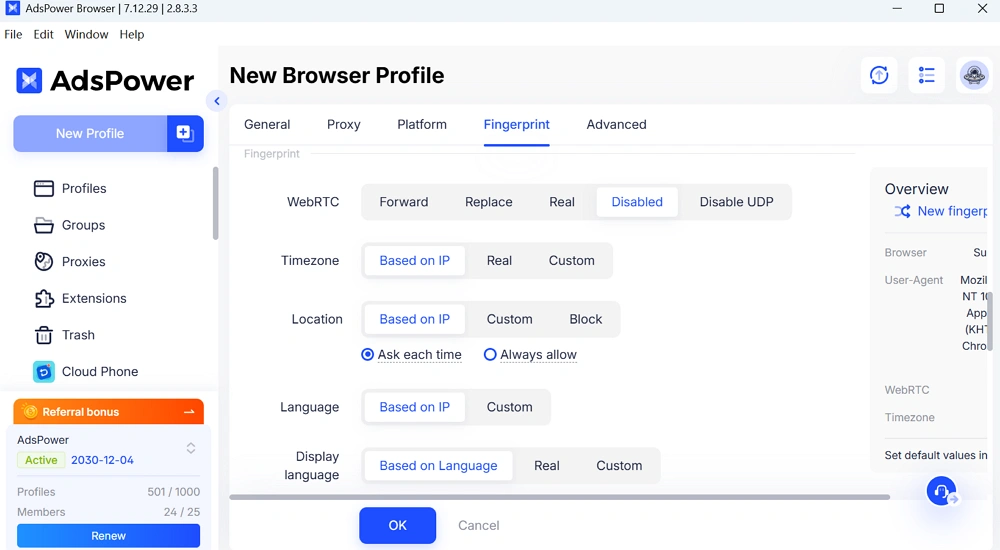
- Each agent runs inside its own browser profile
- Fingerprints stay consistent
- Behavior looks less scripted and more natural
This reduces maintenance. When a site layout changes, you don't always need to rewrite everything from scratch.
It's still evolving, but the direction is pretty clear. Scraping is moving toward systems that adapt, not just execute.
How to Use an Antidetect Browser for Web Scraping
A typical setup doesn't need to be complicated. Follow the steps to set up for safe web scraping.
● Create multiple browser profiles
Set up platform and assign different fingerprints. If you don't know how to set it up, you can keep them in default or contact us.
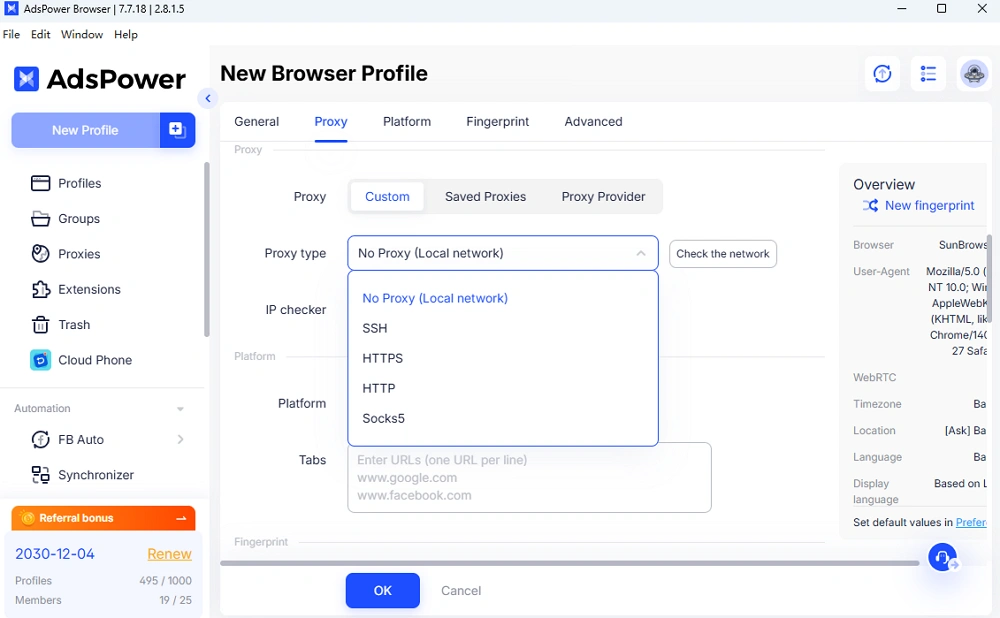
● Set up proxies
Residential or mobile proxies usually work better
● Log in if needed
Save sessions so you don't repeat the same actions
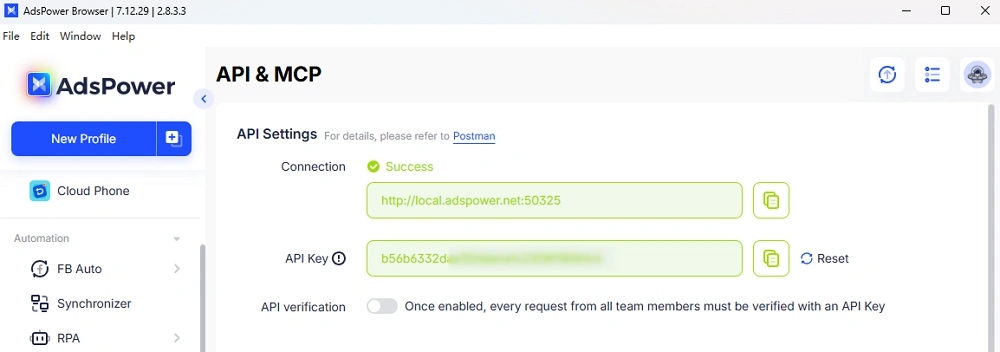
● Connect automation
Use API or external tools like Puppeteer
● Scale slowly
Don't jump from 1 to 100 sessions overnight
● Monitor results
Watch for blocks, errors, or unusual patterns
Most issues come from scaling too fast, not from the tool itself.
Conclusion
Web scraping in 2026 feels very different from just a few years ago. It's no longer only about collecting data efficiently, but about maintaining stable, believable sessions over time. That shift is exactly why antidetect browsers have become more common in real workflows. They don't magically solve every problem, but they reduce a lot of the friction that comes from fingerprint mismatches, session resets, and repeated blocks. When combined with proxies and automation tools, they make scraping setups more resilient and easier to scale gradually.
Antidetect browsers have become a practical layer in achieving that stability, especially when paired with proxies and automation. At the same time, headless solutions remain valuable for high-volume tasks where efficiency matters most. Instead of relying on a single approach, combining both strategies often delivers better results. Building a scraping system today means thinking beyond scripts—it's about managing environments that can run smoothly, scale gradually, and stay under the radar.
FAQ
Is an antidetect browser necessary for web scraping?
Not always. For small-scale or public data scraping, you can often get by without it. But once you deal with accounts, repeated sessions, or higher volumes, it becomes much harder to avoid blocks without some form of identity management.
What is the best browser for scraping?
There isn't a one-size-fits-all answer, but AdsPower stands out as a strong choice for many users. It combines fingerprint isolation, flexible proxy management, and automation features, making it well-suited for scalable and stable web scraping workflows.
Can I use a headless browser alone?
Yes, but it has limits. Headless browsers are fast and flexible, but easier to detect without extra configuration. For more stable results, they're often combined with antidetect browsers and proper proxy setup. Moreover, some browsers like AdsPower also provide headless mode for scraping.
