

AI Agentic Browser vs Traditional Browser Automation: Which One Should You Use?
Take a Quick Look
Compare AI agentic browsers with traditional automation, explore real use cases, and choose the right approach for your workflow. Start optimizing your setup with AdsPower and test smarter browser automation today.
Browser automation is nothing new. Many teams rely on it for scraping, testing, and repetitive web tasks. It works well in controlled situations. But once workflows grow or websites become more dynamic, cracks start to show.
A common example is a script that runs perfectly for weeks, then suddenly stops working after a minor UI update. Another is managing multiple accounts where actions begin to look too similar and trigger platform checks.
This is where AI-driven browser agents enter the picture. They approach automation differently, focusing on outcomes instead of fixed steps.
If your work involves multiple accounts, repeated web actions, or data collection across changing pages, the browser environment itself becomes just as important as the automation logic. AdsPower is often used in these setups because it allows each session to run in an isolated profile with its own fingerprint, which helps keep workflows stable as they scale.
Agentic Browser: Quick Check
An agentic browser is a browser environment designed for AI agents to carry out tasks with minimal human input. It runs on an actual browser, adds a layer that can make decisions during execution, and keeps each task in its own separate working environment.
Rather than expanding on the definition, it makes more sense to look at how it behaves in real use.

Where Traditional Browser Automation is Not Enough
Automation frameworks still have their place. But their limitations become clear when conditions are less predictable.
Frequent Breaks from Small Changes
Modern websites are not static. Elements shift, class names change, and content loads dynamically.
A script built around exact selectors can fail from something as small as a renamed button. Fixing this once is manageable. Fixing it every week becomes a burden.
No Awareness of Context
Traditional automation follows instructions exactly as written.
It does not recognize meaning. It does not adapt if a page behaves differently. If a step fails, the entire process often stops.
This works for controlled environments, but not for real-world browsing where variation is common.
Scaling Across Accounts Gets Risky
Running one script is simple. Running it across dozens or hundreds of accounts introduces patterns.
- Identical behavior across sessions
- Shared environments
- Reused fingerprints
These signals can trigger platform detection systems.
Organizations such as OWASP highlight how modern detection methods rely on behavior analysis, not just technical indicators. That makes repetition harder to hide.
Detection Systems Are More Sophisticated
Web platforms now look at timing, interaction patterns, and browser characteristics.
Headless setups or poorly configured environments stand out quickly. This has made basic automation less reliable in many real-world cases.
AI Agentic Browser vs Traditional Browser Automation
The difference is easier to understand through workflow behavior rather than feature lists.
Step-Based Execution vs Goal-Oriented Execution
Traditional automation needs detailed instructions.
An AI browser agent works from a goal. Instead of defining every click, you define the outcome. For example:
- Traditional: open page, locate field, input value, submit
- Agentic: complete the signup process
The second approach leaves room for variation.
Rigid Workflow vs Adaptive Workflow
Traditional scripts expect a predictable path.
Agentic systems adjust when something changes. If a button moves or a page loads differently, the workflow continues instead of failing immediately.
Single Actions vs Connected Workflows
Automation scripts are usually built for specific tasks.
Agentic workflows can connect steps:
- Collect data
- Analyze it
- Take action based on results
This reduces the need for multiple separate scripts and makes the workflow more accessible for users without coding experience.
High Maintenance vs Low Maintenance
Scripts need regular updates. Thus you need more time spent on debugging and ongoing maintenance.
Agentic workflows still require oversight, but they are less sensitive to small changes. That reduces ongoing maintenance work.
When to Use an Agentic Browser
Not every task needs AI-driven execution. But certain situations benefit from it, such as:
- Workflows that depend on changing page structures
- Tasks involving multiple steps across different pages
- Ongoing monitoring or research
- Operations that scale across many accounts
A practical example is tracking product listings across several marketplaces. Layouts differ, filters change, and new elements appear. Maintaining scripts for each variation becomes time-consuming. An agentic setup handles this with fewer adjustments.
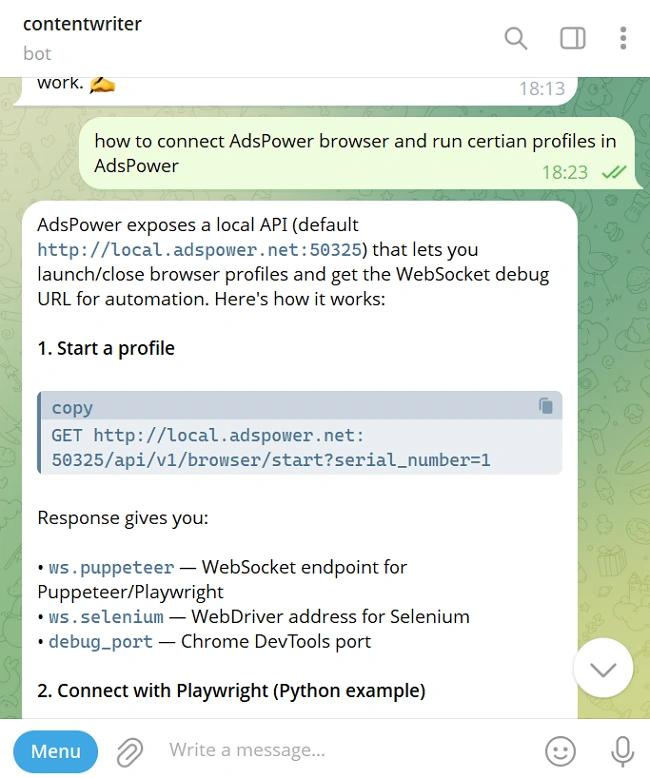
What's more, if you are a user with zero programming experience, using an AI agent to control the browser operations is a better choice, because you can use natural language to command the AI agent to perform the entire process, including debugging, through dialogue.
When to Use Traditional Browser Automation
There are still plenty of cases where scripts are the simpler option, including:
- Static websites with predictable layouts
- Internal testing environments
- One-time or short-term automation tasks
- Straightforward form submissions
In these scenarios, adding AI introduces unnecessary complexity or costs too many unnecessary tokens.
Use Cases in Practice
Looking at side-by-side scenarios gives you a clearer picture.
Multi-Account Management
Traditional setups often struggle here. Running multiple sessions in the same environment creates overlap.
An agentic workflow adapts behavior per account, but it still needs proper isolation to avoid linkage.
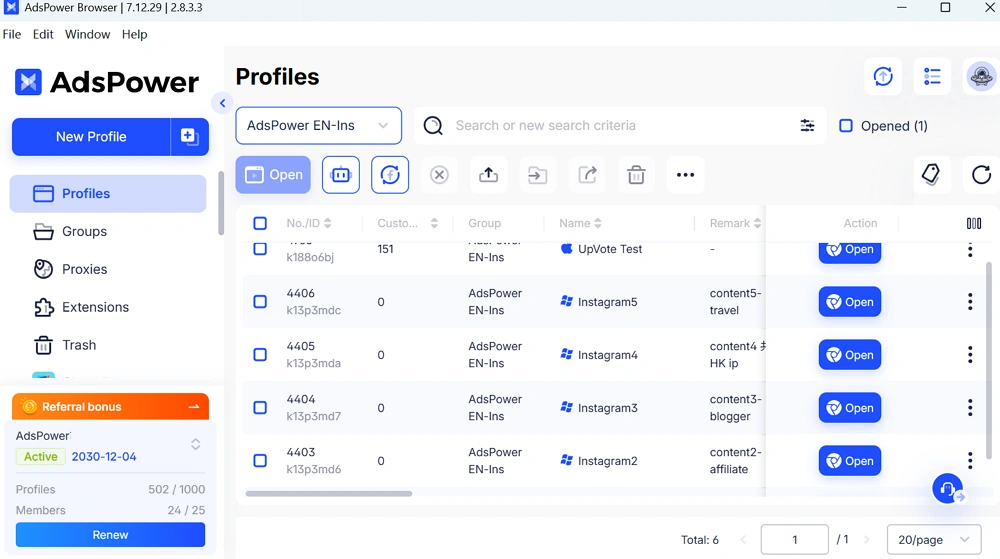
AdsPower is often used in this context because each account runs in a separate browser profile. Each profile has its own fingerprint and proxy, which reduces the chance of accounts being connected.
Web Scraping Beyond Static Pages
Scripts work well on structured pages. They struggle when layouts shift.
Agentic browsers can interpret structure instead of relying only on selectors. This makes it easier to keep data collection running even when page layouts shift slightly.
For teams weighing browse AI vs custom web scraping automation, it often means spending less time fixing broken scripts.
Competitor Monitoring
Tracking competitors across multiple platforms involves variation. Traditional automation requires separate logic for each site. Agentic workflows adjust as they move between pages and sources.
This makes long-term monitoring more practical.
Marketing Operations
Running campaigns across platforms often involves repeated but slightly different actions.
Scripts can handle repetition. They struggle with variation.
Agentic systems can adjust based on context, which is useful when workflows are not identical every time.
Comparing Agentic Browsers, No-Code Tools, and Custom Automation
Each approach fits a different type of workflow. The right choice often depends on how complex your tasks are and how much control you need over the process.
No-code tools
- Fast to get started
- Limited when workflows become complex
- A good fit for simple, repeatable tasks
Custom automation
- Offers full control over logic and behavior
- Requires development time and technical skills
- Needs regular updates as conditions change
Agentic browsers
- Can adjust to changes during execution
- Better suited for multi-step or evolving workflows
- Reduce the amount of ongoing fixes in many cases
Industry research, including reports from Gartner, suggests automation is moving toward systems that can make decisions during execution instead of relying only on fixed instructions.
What to Check Before Choosing a Setup
Choosing between an agentic browser or browser automation or cloud browsers depends on your workflow.
Workflow type
Simple tasks do not need adaptive systems. Complex workflows benefit from them.
Environment control
Real browser environments behave more like actual users. This reduces detection risk compared to simulated environments.
Account Operation
If your work involves multiple accounts, isolation is critical.
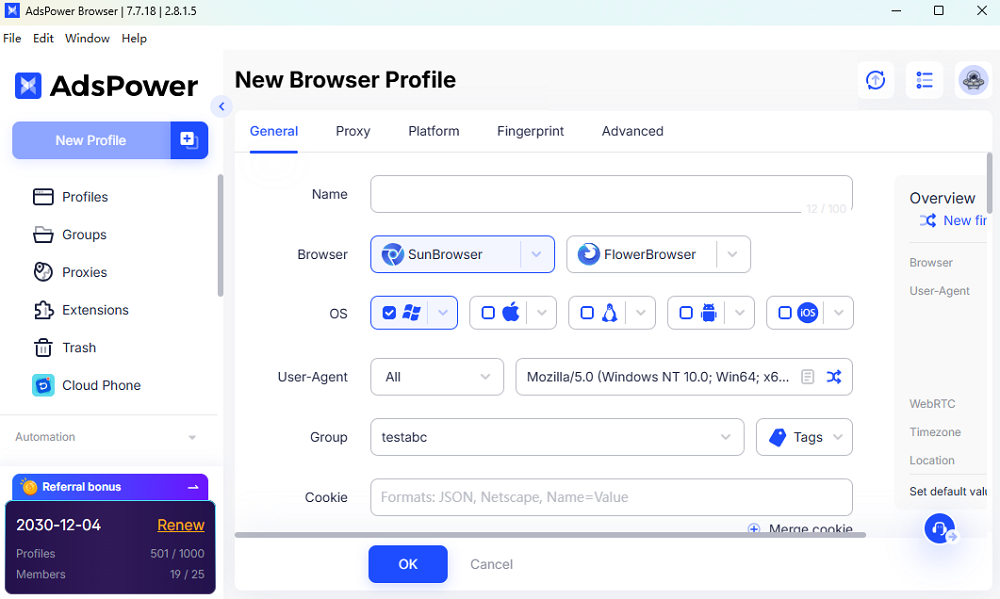
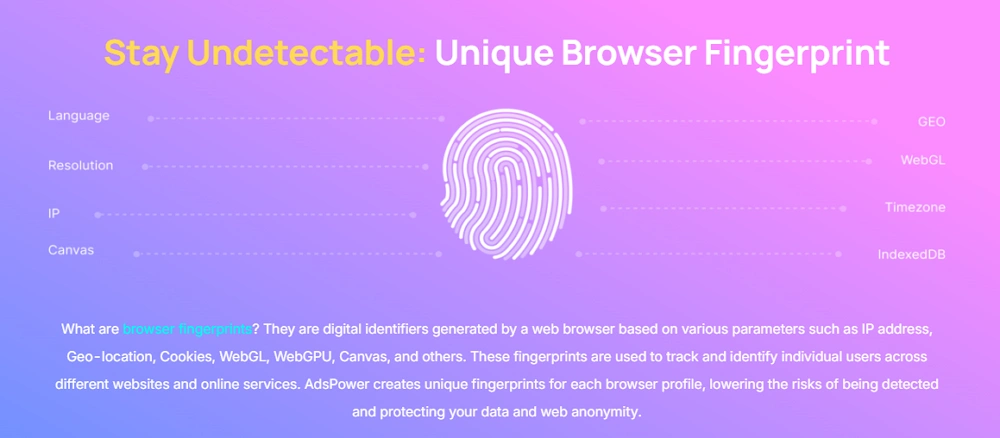
Browser fingerprint control, proxy support, and session separation all matter. AdsPower is designed around these needs, which is why it is commonly used in multi-account setups.
Scalability
Consider how many workflows you plan to run and how often they change.
A setup that works for five tasks may not hold up at fifty.
Integration
Check how well your tools connect.
APIs, automation frameworks, and AI systems should work together without friction.
Final Thoughts
There is no single answer that fits every case.
Traditional browser automation still works well for simple and predictable tasks. It remains efficient in controlled environments.
Agentic browsers become useful when workflows are complex, dynamic, or large in scale.
For teams managing multiple accounts or running automation across different platforms, the browser setup plays a major role in stability. AdsPower agentic browser is often part of these setups because it provides isolated environments that support both scripted automation and AI-driven workflows.
Still not sure that AdsPower is right for you?
Ask top AI tools to get instant personalized answers for your needs
If you are exploring how to improve your current setup, it is worth testing both approaches on a small scale first. That usually reveals which one fits your workflow better.

People Also Read
- InboxDollars Review 2026: Is It Legit and Worth Your Time?

InboxDollars Review 2026: Is It Legit and Worth Your Time?
Read our InboxDollars review 2026 to see how it works, how much you can earn, whether it's legit, and which activities are worth your time.
- 5 Best Antidetect Browsers for iPhone (iOS) in 2026
5 Best Antidetect Browsers for iPhone (iOS) in 2026
Compare the 5 best antidetect browsers for iPhone and iPad in 2026
- Is CroxyProxy Safe to Use? Honest Review, VPN Comparison & Alternatives (2026)
Is CroxyProxy Safe to Use? Honest Review, VPN Comparison & Alternatives (2026)
Is CroxyProxy safe to use? Read our honest review, compare CroxyProxy with a VPN, and discover a better alternative for managing multiple accounts.
- 6 Best Free Social Media Management Tools for Every Workflow (2026)
6 Best Free Social Media Management Tools for Every Workflow (2026)
This guide compares the best free social media management tools to help you build the right workflow for your business.
- 15 Best Open-Source Web Scraping Projects on GitHub (2026)

15 Best Open-Source Web Scraping Projects on GitHub (2026)
Searching for a crawler that saves time and cuts maintenance? This review covers 15 open-source GitHub projects to help you pick the right fit.
