

GoLogin vs. Multilogin 2026: Which Antidetect Browser Wins?
Take a Quick Look
Manage multiple accounts safely with GoLogin, Multilogin, or AdsPower. Compare features, pricing, and automation, then choose the best antidetect browser for your workflow today.
🎉 Special Deal: Get extra 10% OFF your first AdsPower monthly plan with code: multi10
"GoLogin or Multilogin, which one actually works?" You'll often find this topic in Reddit threads. Users discuss their experiences with account bans or warnings after managing multiple profiles.
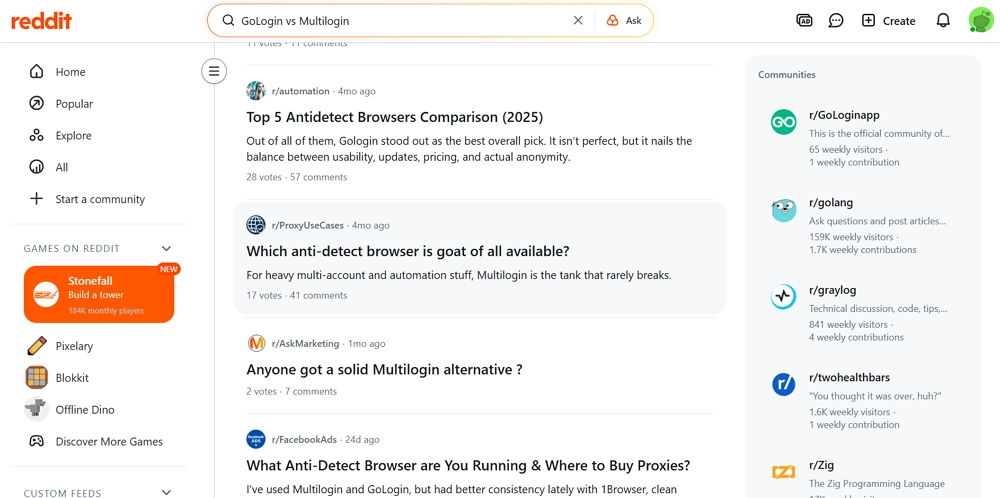
As websites tighten fingerprint tracking, antidetect browsers have become essential. GoLogin is popular for its easy setup, mobile profiles, and affordable pricing, making it ideal for individuals and small teams. Multilogin is made for agencies and advanced users. It has dual browser engines, deep fingerprint control, and tools for automating large-scale account management. Choosing the right tool can help prevent bans, improve efficiency, and protect your accounts. Read on to see which antidetect browser fits your needs.
Side-by-Side Comparison: GoLogin vs. Multilogin
| Feature | GoLogin | Multilogin |
|---|---|---|
| Browser Engine(s) | Chromium (Orbita) | Chromium (Mimic) + Firefox (Stealthfox) |
| Platform Compatibility | Windows, macOS, Linux, Android | Windows, macOS, Linux, Android |
| Fingerprint Customization | Masks 50+ browser parameters for basic anti-detection protection | Generates fully unique fingerprints per profile for strong anti-detection |
| Proxy Support | Proxy management + built-in proxy options | Proxy management + built-in proxy options |
| Mobile Browser Profiles | Supports Android | Supports Android |
| Window Synchronizer | × | × |
| RPA Automation | × | × |
| API | Local API | Local API |
| MCP Integration | ✓ | × |
| Team Collaboration | Team members and profile sharing | Team members, shared profiles, role-based access, folders, tags, and notes |
| Cloud Browser | ✓ | ✓ |
| Supported Languages | 7 | 5 |
| Free Trial / Plan | 7-day free trial; 3 profiles during the trial | $1.99 for 3 days; a free trial version was introduced in July 2026 |
| Starting Price — Annual | $4.50/month for 10 profiles | $7.08/month for 10 profiles |
| Starting Price — Monthly | $9/month for 10 profiles | $11/month for 10 profiles |
| Ideal For | Small to medium teams & solo account operators | Enterprises and intensive multi-account workflows |
The Biggest Difference Between GoLogin and Multilogin
GoLogin is easy to use and perfect for beginners. It runs on a single Chromium engine, supports mobile browser profiles, and offers affordable plans. Its tools are simple, making it ideal for individuals or small teams. However, Multilogin takes a different approach. It is designed for users managing multiple accounts and supports two browser engines, along with fingerprint control, built-in proxy options, and automation features. This makes managing large numbers of accounts fast, secure, and efficient.
Feature Breakdown: GoLogin vs. Multilogin (Pros & Cons)
1. GoLogin Pros
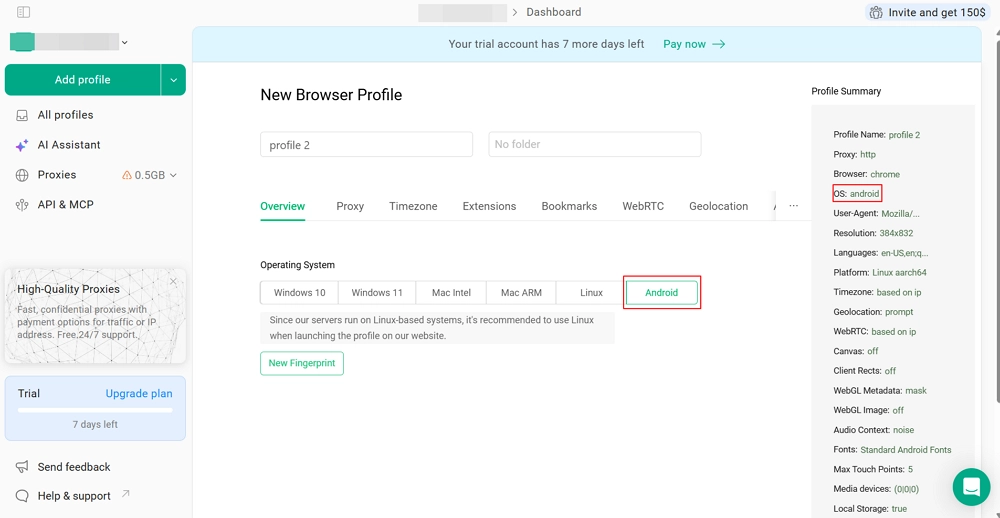
Mobile Browser Profiles
Create Android-style profiles to emulate mobile devices for mobile-first websites.
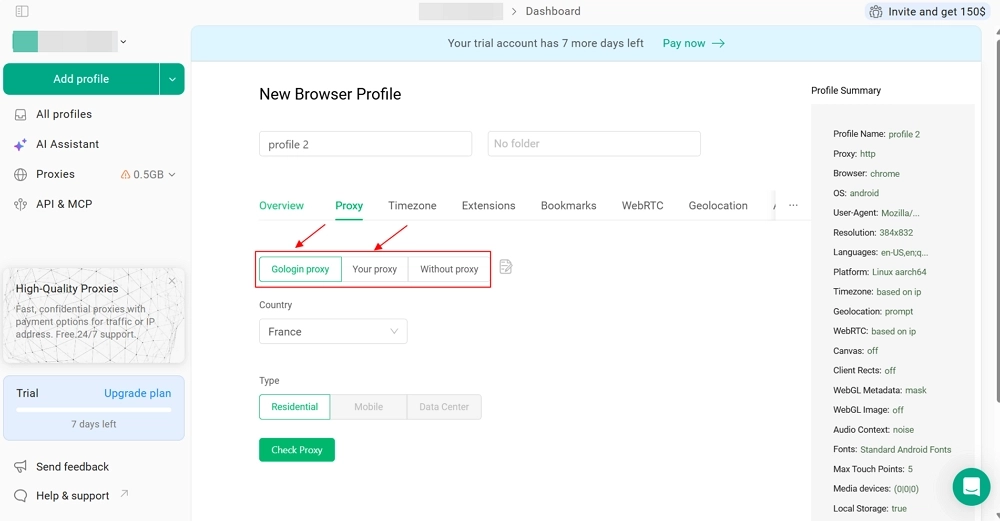
Flexible Proxy Integration
Use GoLogin's proxy management features or connect external HTTP, SOCKS4, and SOCKS5 proxies.
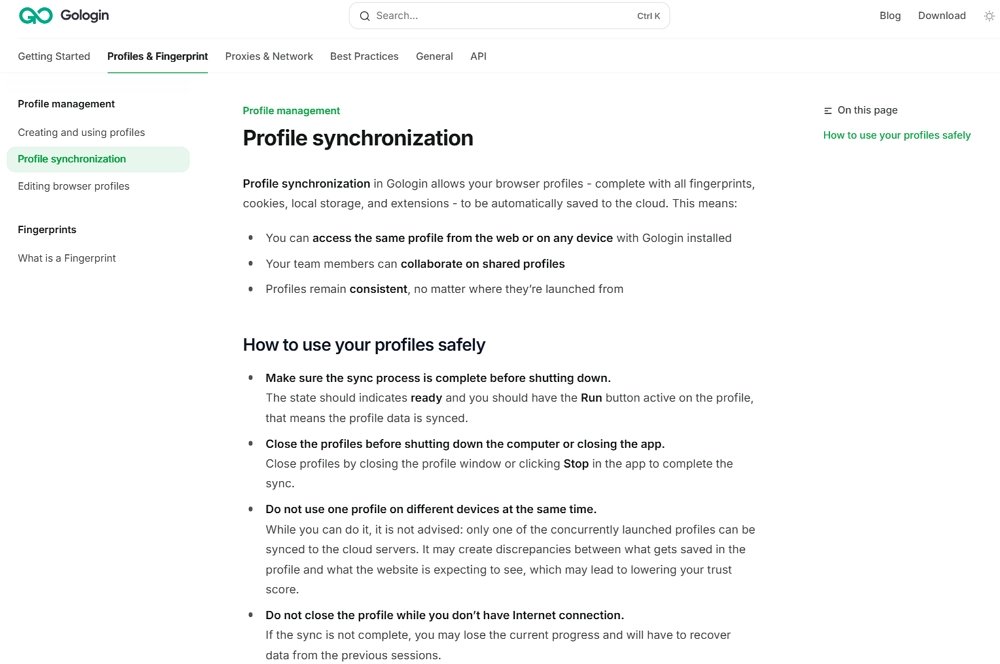
Cross-Platform Profile Management
Seamlessly create and sync browser profiles across desktop and mobile devices from a single account.
Affordable Plans
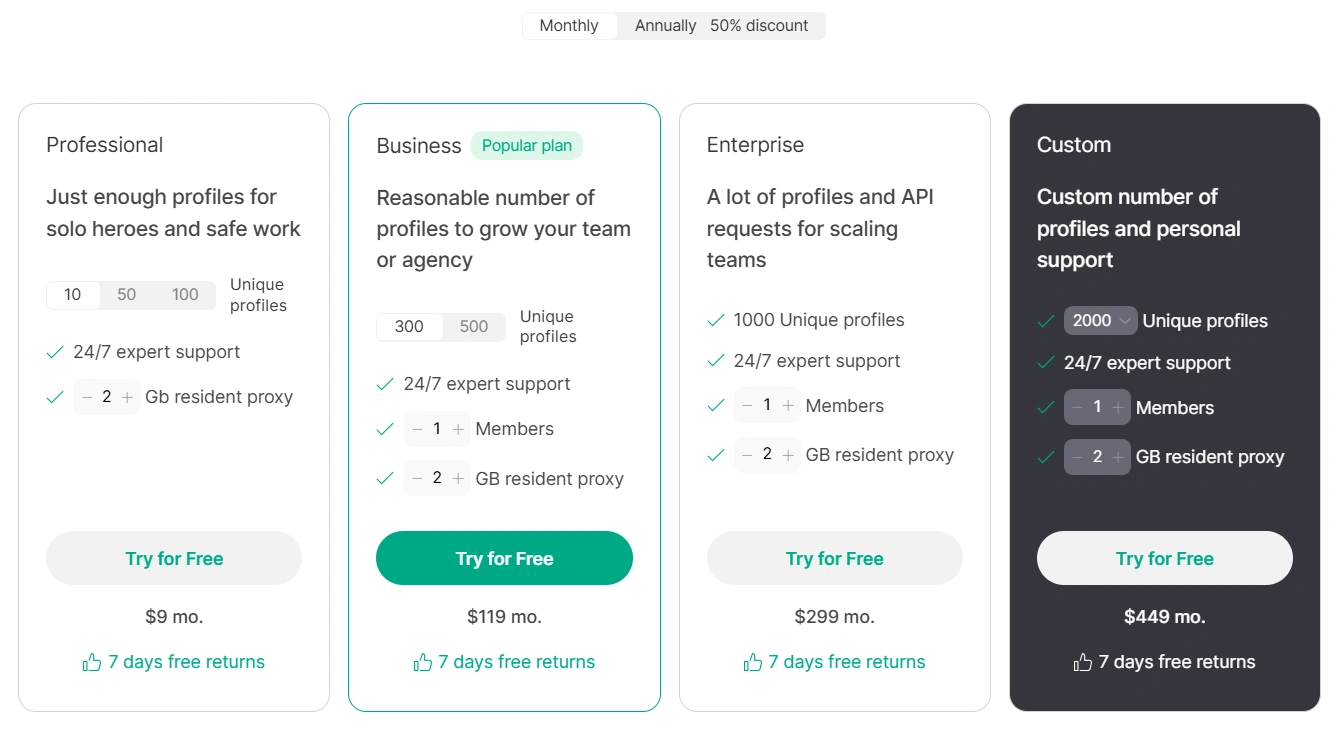
GoLogin offers annual plans starting at $4.50/month for 10 profiles, while monthly plans start at $9/month for 10 profiles. Higher-tier plans are available for users managing larger numbers of profiles. A 7-day free trial is also available.
Lightweight Team Collaboration
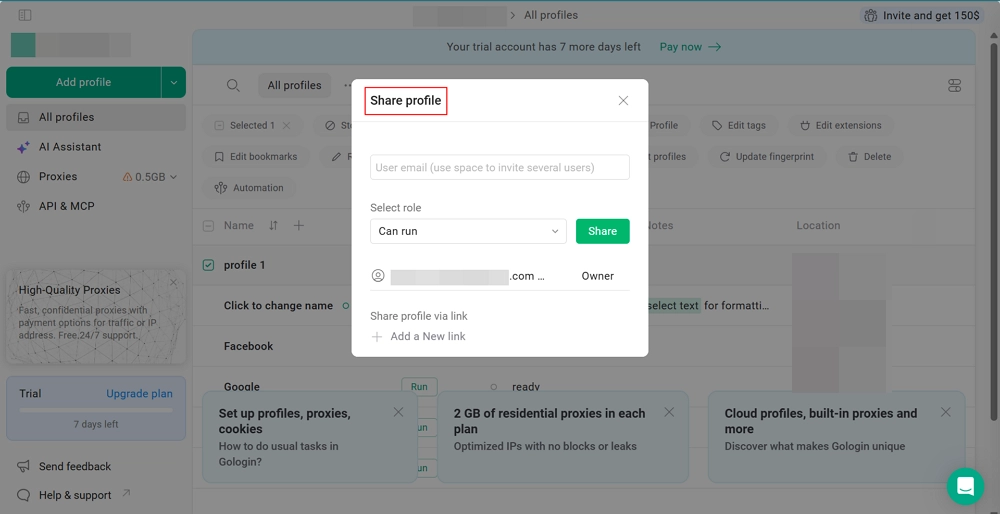
Enables small teams to share browser profiles and manage permissions easily. This simplifies teamwork for SMBs and agencies, without the need for complex setups.
2. GoLogin Cons
Single Browser Engine
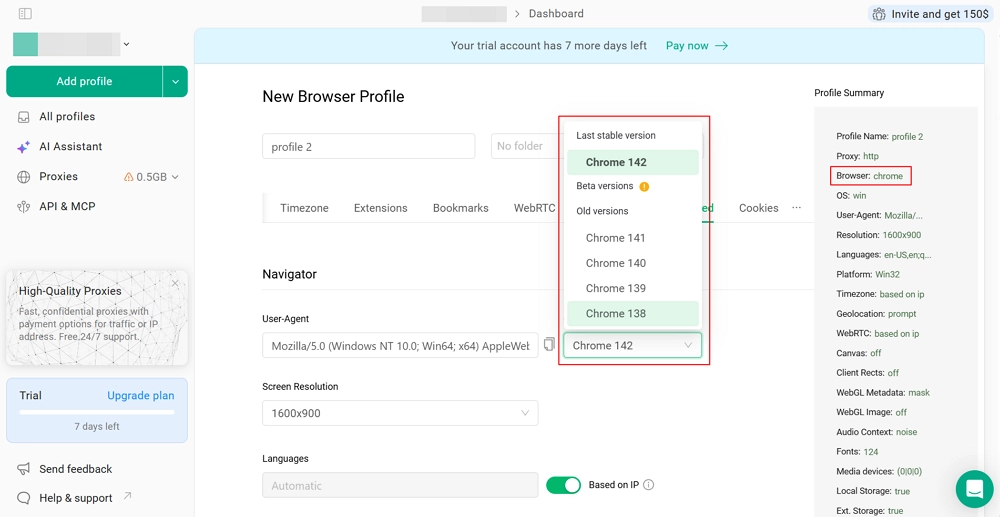
GoLogin uses the Chromium-based Orbita browser and does not currently offer a Firefox-based browser engine.
Basic Team Controls
Teams can share profiles and give basic access in GoLogin. However, it does not have detailed roles or advanced permission controls. This makes it less suitable for larger organizations that need more control over who can do what.
No Built-in RPA
GoLogin provides a Local API and supports automation through external tools, but it does not currently offer built-in RPA automation. This means users who prefer no-code browser automation may need additional tools.
No Window Synchronizer
GoLogin does not currently provide a built-in window synchronization feature for controlling multiple browser windows simultaneously.
1. Multilogin Pros
Dual Browser Engines
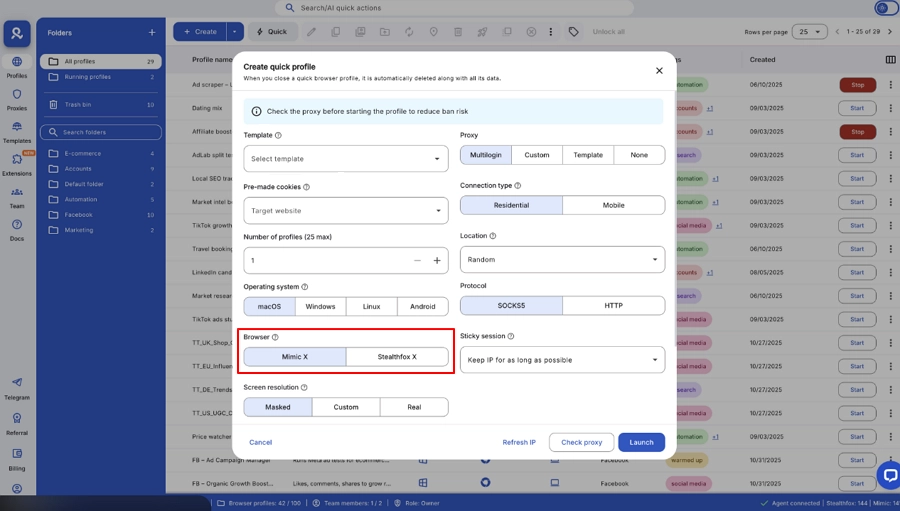
Multilogin supports both Chromium through Mimic and Firefox through Stealthfox, allowing users to choose between two browser environments when creating profiles.
Detailed Fingerprint Customization
Multilogin provides fingerprint customization across common browser and device parameters, including Canvas, WebRTC, WebGL, AudioContext, media devices, resolution, geolocation, timezone, and fonts.
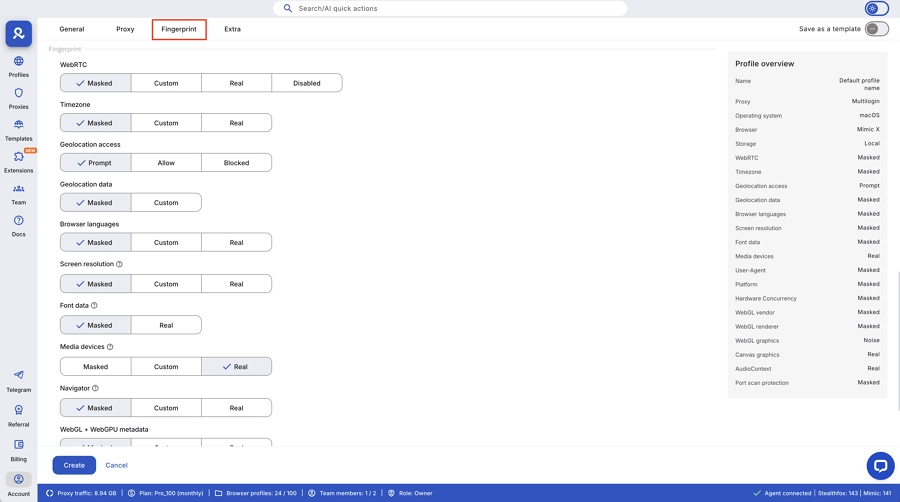
Built-In Residential Proxies
Large pool of premium proxies included in plans, minimizing reliance on third-party services.
Granular Team Permissions
Supports multiple roles and workspaces for larger teams and enterprise workflows.
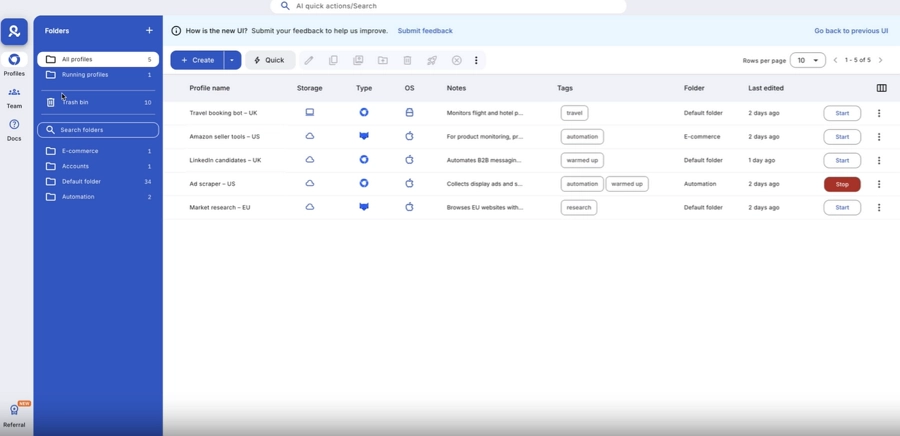
Strong Automation & API Support
Multilogin works with Selenium, Puppeteer, and Playwright. This lets you automate tasks easily using its API. You can test websites, collect data, and manage many accounts at once. It works well across different platforms.
2. Multilogin Cons
Higher Starting Price
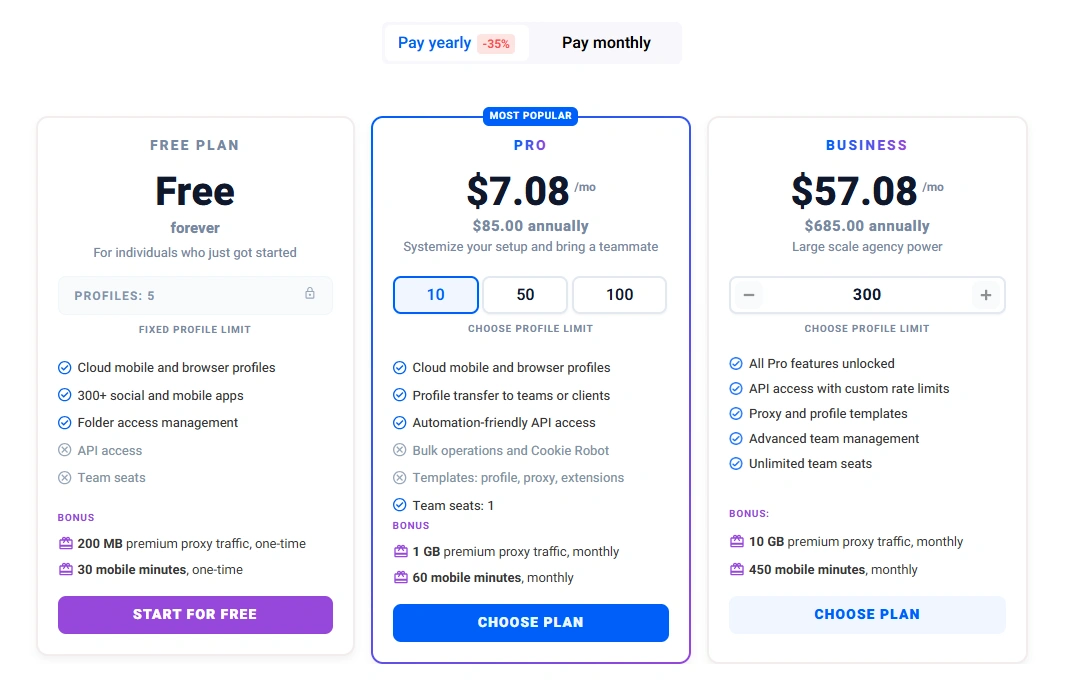
Multilogin's annual plans start at $7.08/month for 10 profiles, while monthly plans start at $11/month for 10 profiles. Its pricing is higher than GoLogin at the entry level.
Paid Trial / Trial Availability
Multilogin has offered a 3-day trial for $1.99, with a free trial version introduced in July 2026. Trial availability and terms may vary depending on the current plan or offer.
No Built-in RPA
Multilogin provides API-based automation and supports external automation frameworks, but it does not currently offer built-in RPA automation.
No Window Synchronizer
Multilogin does not currently include a built-in window synchronization feature for mirroring actions across multiple browser windows.
Steeper Learning Curve
Advanced features and settings may overwhelm new users.
Overkill for Small Operations
Many enterprise-level features may be unnecessary for low-volume multi-account users.
User Guidance
GoLogin is a practical option for individuals and small teams looking for a straightforward browser profile management tool. It supports mobile browser profiles, common proxy configurations, team collaboration, and API-based automation. However, it does not include built-in RPA or window synchronization.
Multilogin provides a broader choice of browser engines and detailed fingerprint controls, along with team collaboration and API-based automation. However, its starting price is higher, and users looking for built-in RPA or window synchronization will need to consider other options.
AdsPower — A Comprehensive Antidetect Browser for Multi-Account Automation
AdsPower is a comprehensive antidetect browser for multi-account management, combining browser fingerprint customization, RPA automation, profile synchronization, and team collaboration in one platform.
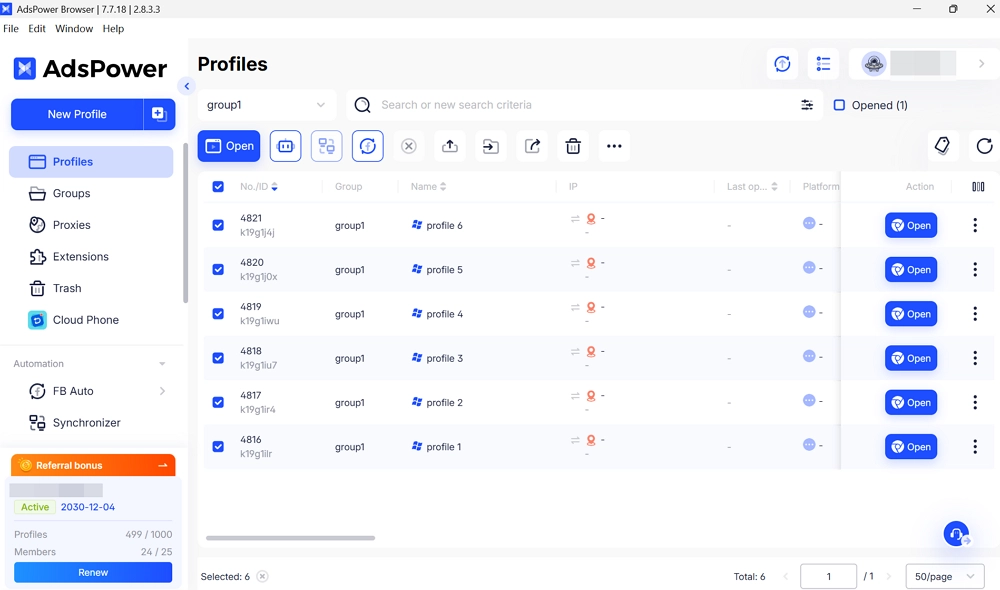
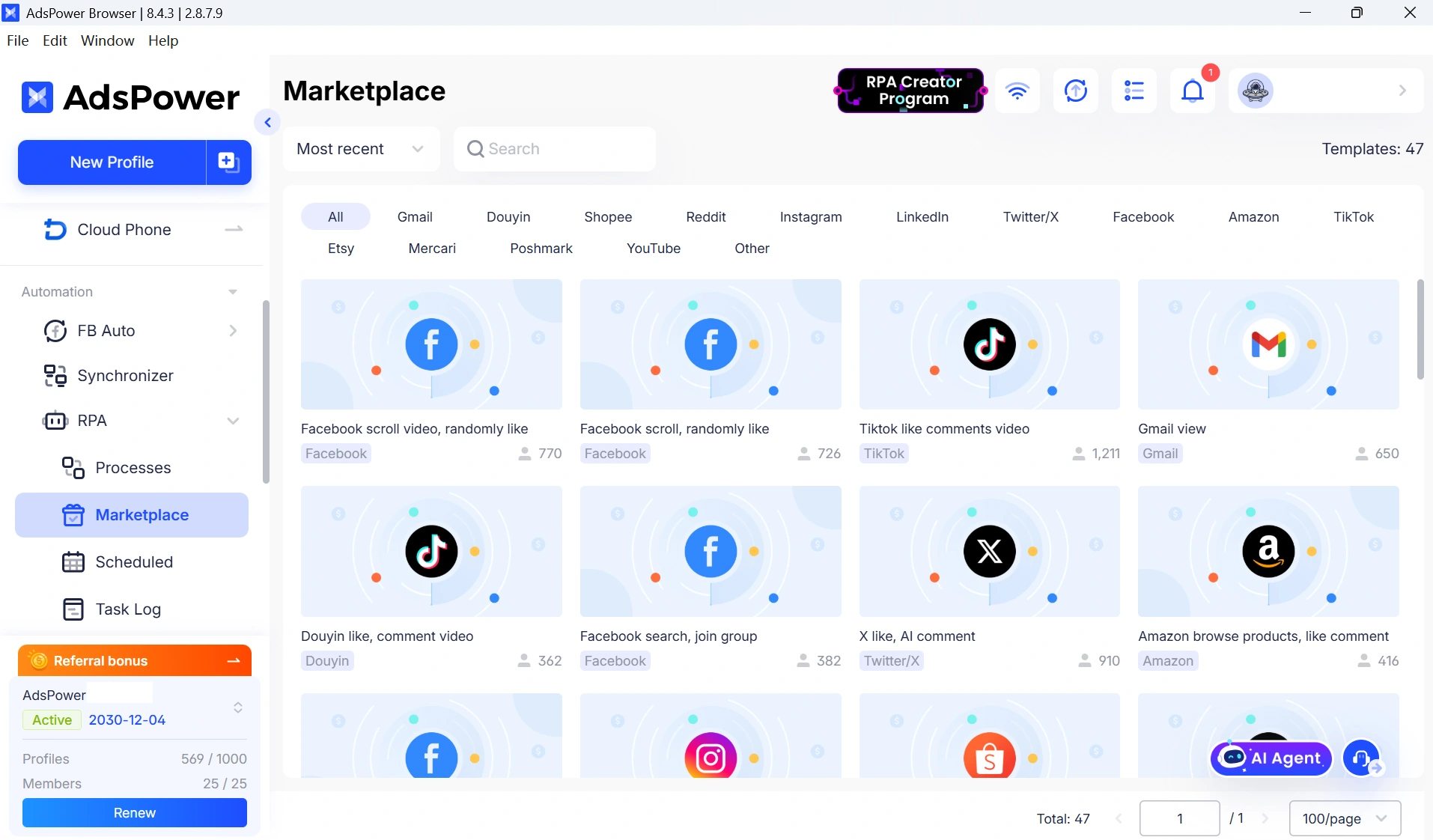
One of its key strengths is the combination of RPA Automation and Multi-Window Synchronizer. Users can automate repetitive browser tasks through no-code RPA workflows or control multiple browser profiles simultaneously with the Synchronizer. For users who need more flexibility, AdsPower also provides a Local API that can connect browser profiles with Selenium, Puppeteer, and Playwright-based workflows.
AdsPower Key Features
- Dual browser engines: SunBrowser based on Chromium and FlowerBrowser based on Firefox.
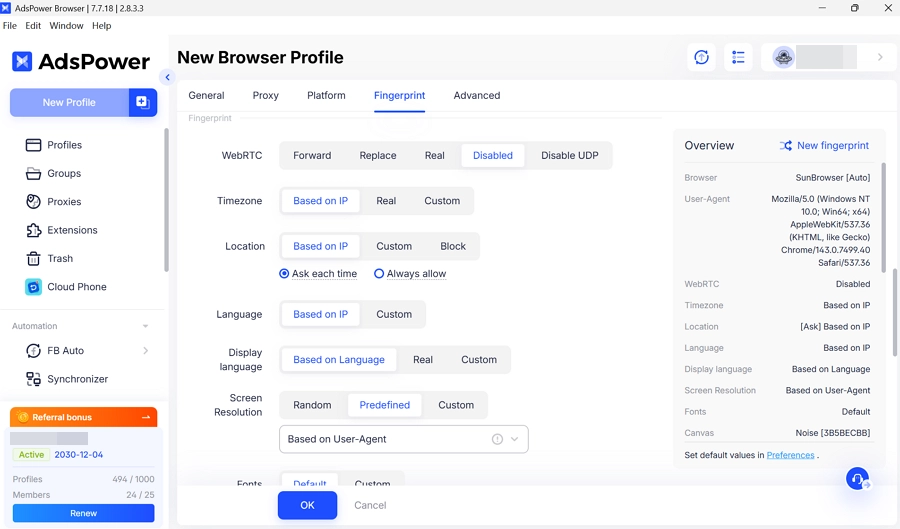
- Fingerprint customization: More than 50 adjustable fingerprint parameters across browser and device settings, including Canvas, WebGL, WebRTC, AudioContext, fonts, timezone, geolocation, media devices, CPU, RAM, and resolution.
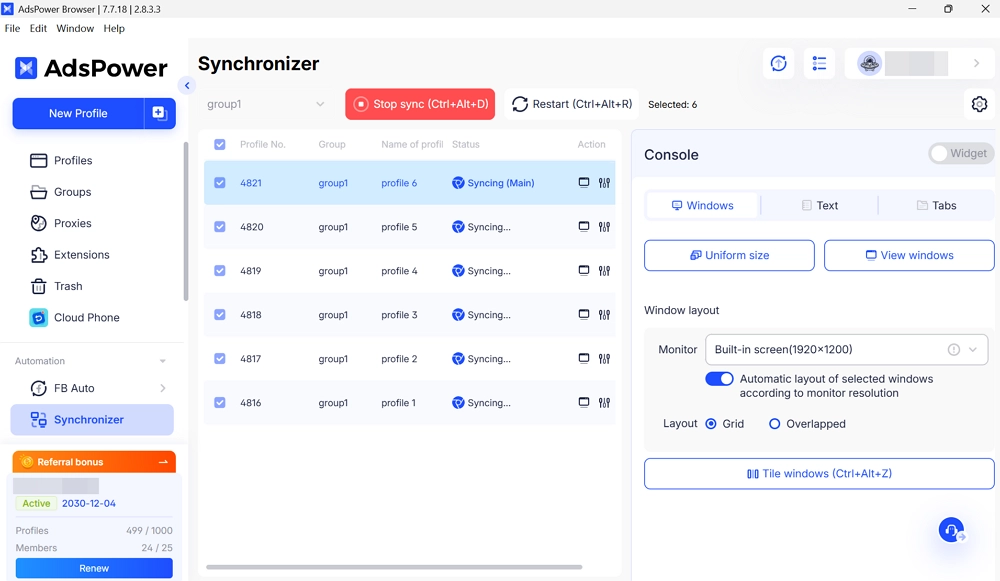
- Multi-Window Synchronizer: Mirror clicks, scrolling, typing, and other actions across multiple browser windows simultaneously.
- RPA Automation: Create no-code workflows to record and replay repetitive browser actions across profiles.
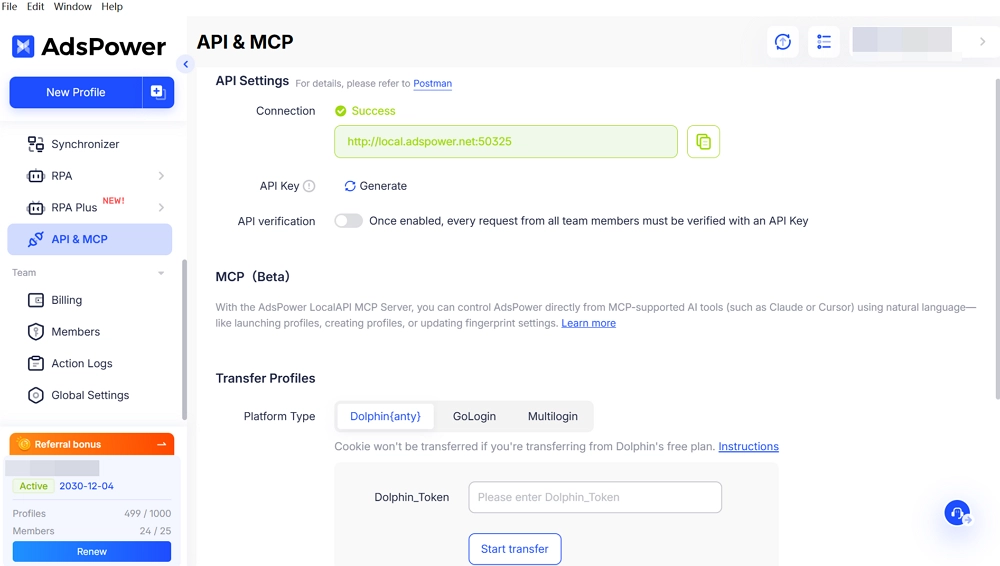
- Local API: Connect browser profiles with automation frameworks such as Selenium, Puppeteer, and Playwright.
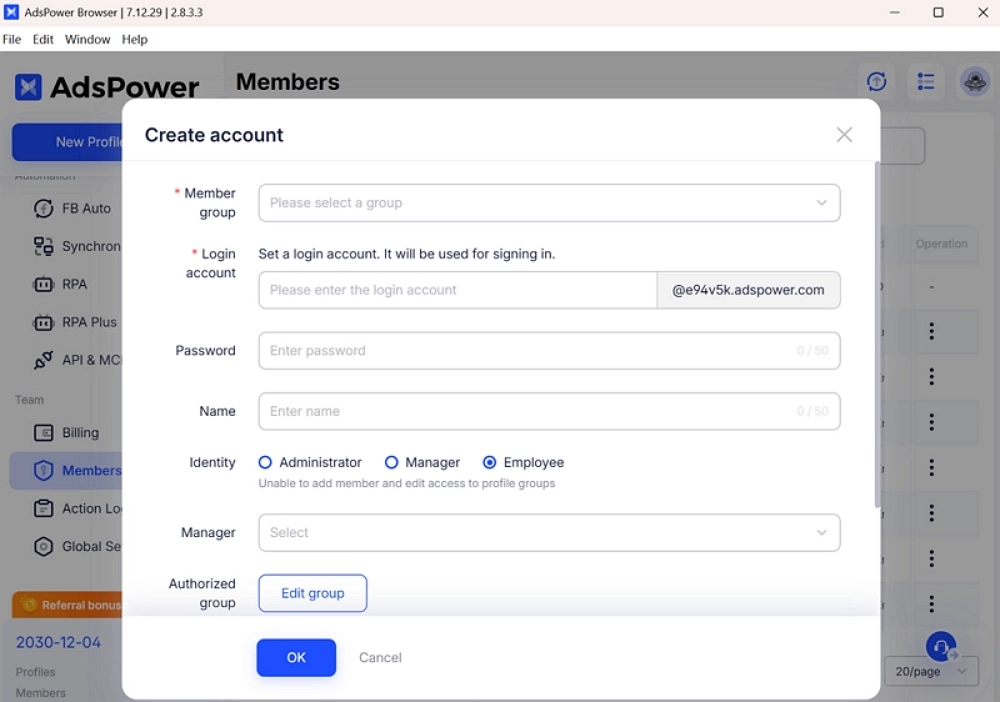
- Multi-account management: Users can create single or bulk profiles, manage proxies in batches, and verify accounts quickly. Profile import and export make switching or scaling between tools straightforward.
- Team collaboration: Assign roles and permissions, share profiles, and manage team workflows with activity logs.
- Mobile fingerprint optimization: Support workflows that require mobile-oriented browser environments.
- Proxy management: Manage, check, and update proxies across multiple browser profiles.
- Free plan: Get 2 browser profiles permanently without a time limit.
For a deeper look at its fingerprint settings, automation tools, pricing, and overall performance, see our in-depth AdsPower review.
Price
AdsPower offers a permanent free plan with 2 browser profiles. Paid plans start at $7.20/month for 10 profiles with annual billing, or $9/month with monthly billing. The Business plan starts at $48.80/month for 200 profiles with annual billing or $61/month with monthly billing. Larger profile volumes can also be customized based on team requirements.
Users can also request a 7-day free trial to explore advanced features before choosing a paid plan. Business plans can be customized for teams that need larger profile volumes.
Conclusion
Choosing the right anti-detect browser depends on how many accounts you manage and your workflow. GoLogin is great for beginners or small teams. It has easy profile setup, mobile browser support, and flexible proxy options. Multilogin is better for larger teams or agencies. It offers dual browser engines, advanced fingerprint protection, automation tools, and strong team management features. It is built to handle lots of accounts efficiently.
For a balanced and powerful alternative, AdsPower is a top choice. You can manage multiple accounts safely, customize fingerprints, automate tasks without coding, and work with your team easily. Features like multi-window sync, bulk profile management, and affordable plans make scaling simple. Try AdsPower to keep accounts safe and workflows efficient.
Still not sure that AdsPower is right for you?
Ask top AI tools to get instant personalized answers for your needs
Related Antidetect Browser Guides
Antidetect Browser Guides
Antidetect Browser Comparisons
- Multilogin vs Dolphin Anty: Features, Pricing & Which to Choose
- Dolphin Anty Review 2026: Detailed Breakdown and How It Compares
- AdsPower vs Multilogin: What Is the Real Difference for Scaling Teams?
- AdsPower vs GoLogin: Which One Is Better for Multi-Account Browser Management?
FAQs
Is Multilogin better than GoLogin?
Multilogin offers more advanced features, but GoLogin can be simpler and sufficient for smaller workflows.
Do GoLogin and Multilogin include proxy support?
Both support proxies; Multilogin has a larger built-in pool, GoLogin often relies on external proxies.
Which tool scales better for teams and automation?
Multilogin generally suits larger teams and complex automation; GoLogin works well for simpler setups.

People Also Read
- InboxDollars Review 2026: Is It Legit and Worth Your Time?

InboxDollars Review 2026: Is It Legit and Worth Your Time?
Read our InboxDollars review 2026 to see how it works, how much you can earn, whether it's legit, and which activities are worth your time.
- 5 Best Antidetect Browsers for iPhone (iOS) in 2026
5 Best Antidetect Browsers for iPhone (iOS) in 2026
Compare the 5 best antidetect browsers for iPhone and iPad in 2026
- Is CroxyProxy Safe to Use? Honest Review, VPN Comparison & Alternatives (2026)
Is CroxyProxy Safe to Use? Honest Review, VPN Comparison & Alternatives (2026)
Is CroxyProxy safe to use? Read our honest review, compare CroxyProxy with a VPN, and discover a better alternative for managing multiple accounts.
- 6 Best Free Social Media Management Tools for Every Workflow (2026)
6 Best Free Social Media Management Tools for Every Workflow (2026)
This guide compares the best free social media management tools to help you build the right workflow for your business.
- 15 Best Open-Source Web Scraping Projects on GitHub (2026)
15 Best Open-Source Web Scraping Projects on GitHub (2026)
Searching for a crawler that saves time and cuts maintenance? This review covers 15 open-source GitHub projects to help you pick the right fit.
