
Bulk Check Proxies + Customize Shortcuts: Ease Your Way in AdsPower Browser
Take a Quick Look
In order to allow users to personalize the shortcut areas they need and improve operational efficiency, AdsPower has added the functions of batch checking agents and custom shortcuts. Try it now to customize for yourself.
After introducing the profile copying and bulk fingerprint editing, AdsPower continued to update more features to ease your way in managing profiles. With bulk checking proxies and customizing shortcuts, users can quickly operate what they want.
Bulk Check Proxies
Do you have a habit of regularly checking if proxies are available? Regularly checking proxies is conducive to the normal operation of your profiles, and your accounts can be continuously opened under the corresponding fixed IP. It would reduce the risk of being blocked. When you own plenty of profiles, it must be a trouble to test the proxies individually.
With this new feature of batch checking, you can get rid of the hassle of checking proxies one by one.
-
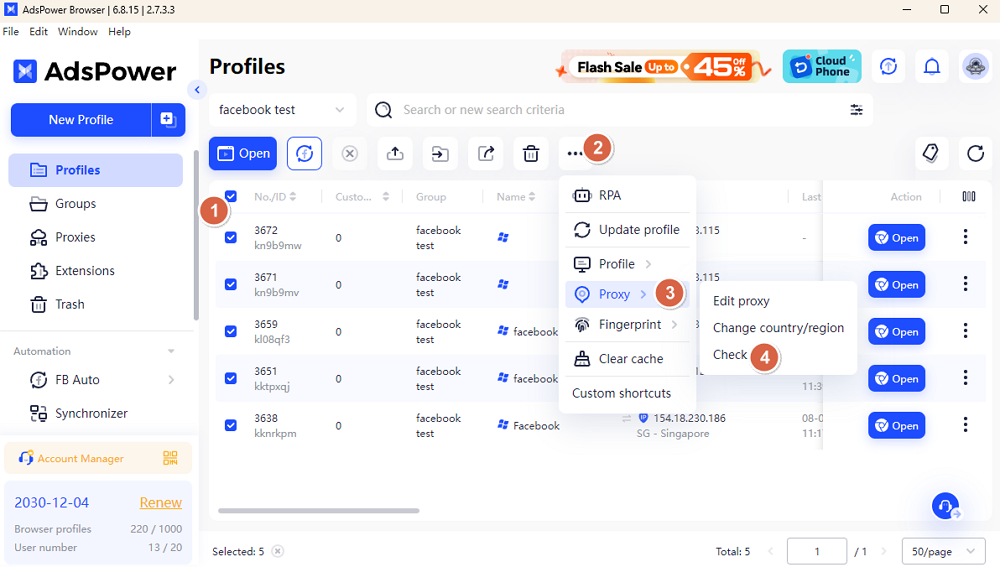
Tick the boxes in front of the profile ID that you tend to check.
-
Hit the three-dot button and choose "Proxy" in the dropdown.
-
Click "Check" to detect whether those proxies are still available or not.
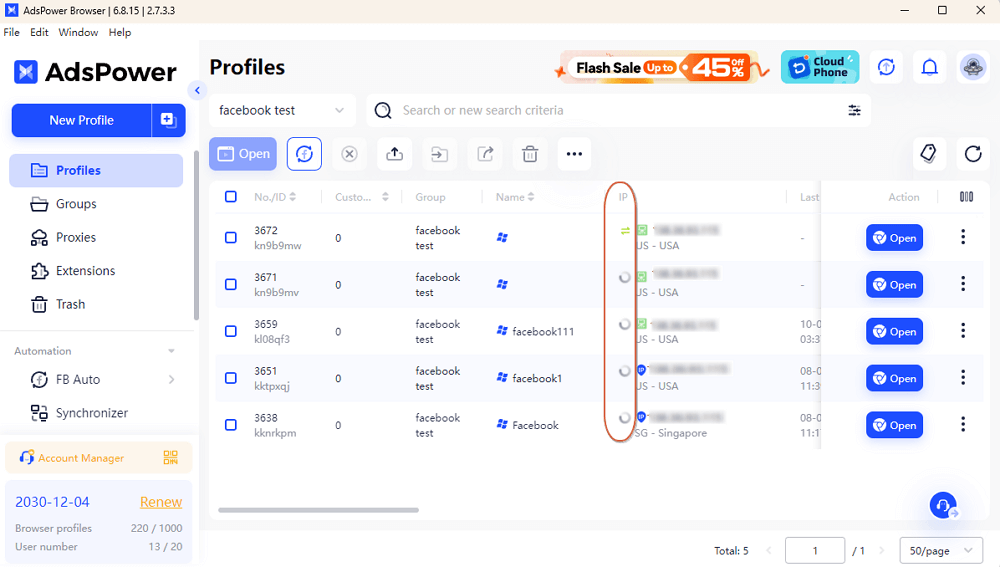
If the proxy is valid, you will get the green icon in front of the IP. Otherwise, there will come a red icon to note you that it failed.
Tip: At present, it only supports to check HTTP/SSH/Socks5/No Proxy/Saved Proxies (not HTTPS) /IPFoxy (not HTTPS).
Customize Shortcuts Based on Your Need
Some of the functions on the navigation bar may be not used often, so this upgrade supports custom shortcuts for your own needs.
-
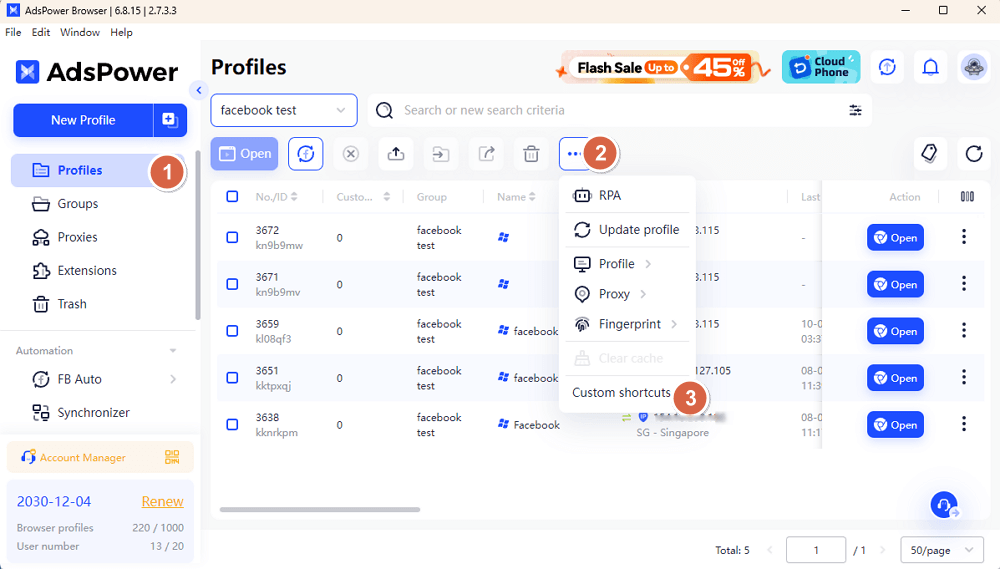
Go into Profiles, and hit the three-dot icon to choose "Custom shortcuts".
-
Adjust the shortcuts area as you like. For example. if you drag "RPA" to the list of Options, the "RPA" icon will disappear from navigation bar and hide in the dropdown of three-dot icon.
-
If you tend to get back to the original settings, click "Reset".
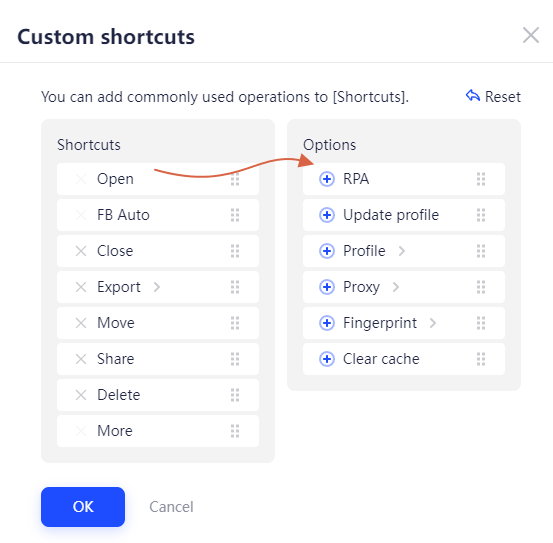
Note: "Open", "FB Auto" and "More" cannot be removed from the shortcut, only sorting is supported.
How do you think of those updates? If you have any problem or suggestion, feel free to contact us.

People Also Read
- AdsPower Reddit Creator Program: Share Your Reddit Post and Earn Up to $30

AdsPower Reddit Creator Program: Share Your Reddit Post and Earn Up to $30
Join the AdsPower Reddit Creator Program. Share an original Reddit post about AdsPower and earn up to $30 after review.
- What's New in AdsPower Browser in June 2026?
What's New in AdsPower Browser in June 2026?
Discover AdsPower June 2026 updates with Chrome 149, Firefox 150, Linux support, improved proxy management, Network Diagnostics, and enhanced profile
- AdsPower Creator Program: Share Your Experience, Earn Up to $210
AdsPower Creator Program: Share Your Experience, Earn Up to $210
Join AdsPower Creator Program! Earn up to $200 + $10 participation bonus by sharing your AdsPower experience. Campaign runs June 23 - July 6.
- What's New in AdsPower Browser in May 2026?
What's New in AdsPower Browser in May 2026?
Learn about AdsPower's May 2026 updates, including Chrome 148, Network Diagnostics, gyroscope settings, proxy auto-renewal, and improved profile
- AdsPower at Island Conference 2026: Highlights from Booth EA10
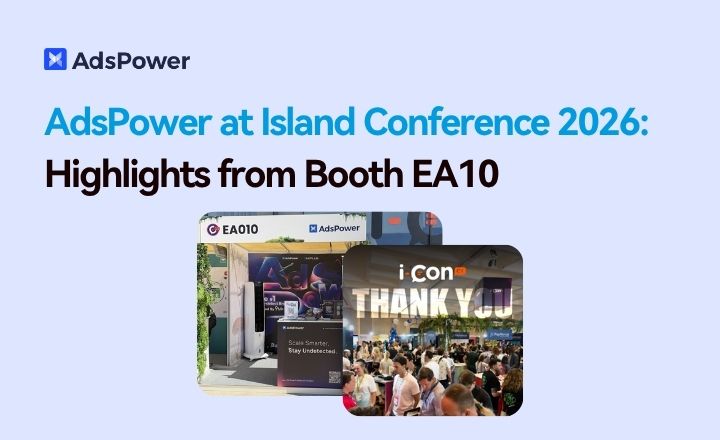
AdsPower at Island Conference 2026: Highlights from Booth EA10
AdsPower joined Island Conference 2026 in Cyprus, meeting affiliates, advertisers, and partners from the iGaming, crypto, dating, and nutra industries
