

AdsPower's July updates bring Chrome 138 support, stronger automation, and improved proxies for seamless workflows. Experience faster, smarter multi-account management—update now to unlock all the new features.
July brought a series of powerful updates to AdsPower, enhancing browser performance, automation capabilities, account management, and user experience. Here's a detailed look at what's new.
1. Browser Kernel Upgrade
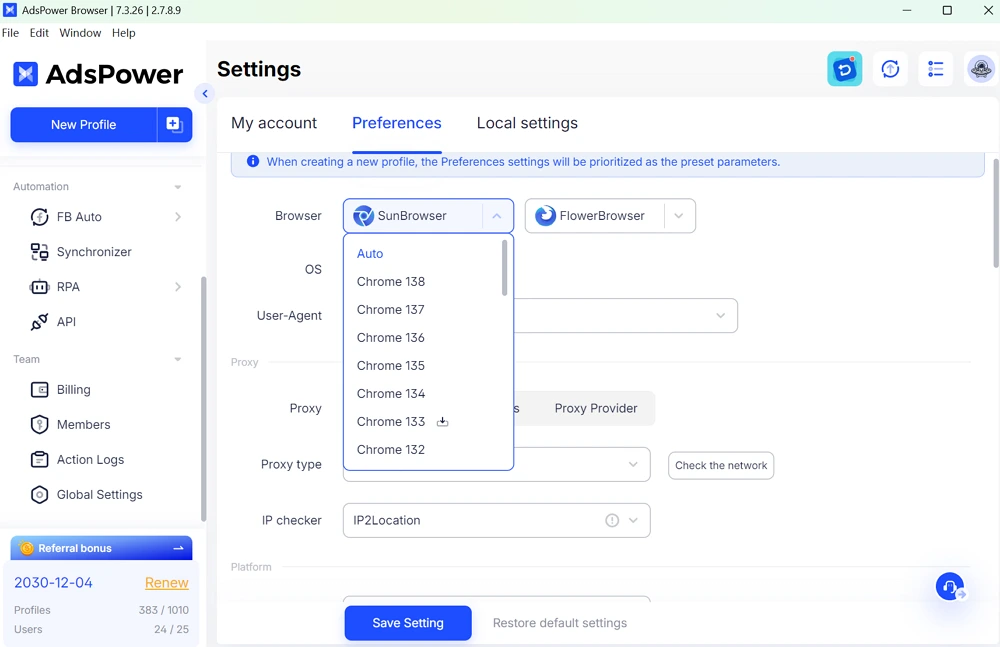
- Now supports Chrome 138: Fingerprint simulation for more realistic behaviour was improved, boosting both stability and compatibility —ideal for avoiding detection and improving workflow efficiency.
2. Enhanced [API]
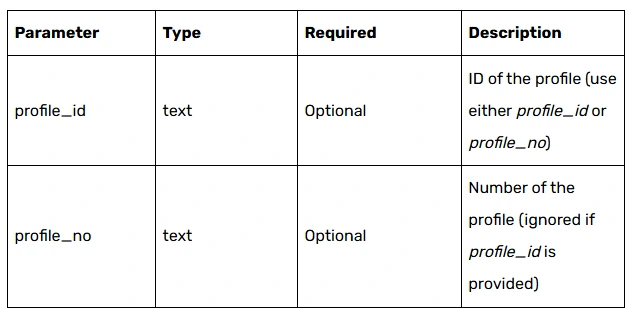
You can now quickly retrieve Cookie data for a specified profile during automated processes, making it easier to execute and debug tasks.
🔗 Learn more: "AdsPower API Updated: Get Browser Cookies After Login Automatically"
3. [RPA] Stability Optimization
- Fixed issues where xpath couldn't capture elements and captchas couldn't be verified.
- These improvements ensure RPA scripts run more smoothly across different scenarios, reducing the risk of task interruptions.
4. [Synchronizer] Upgrade
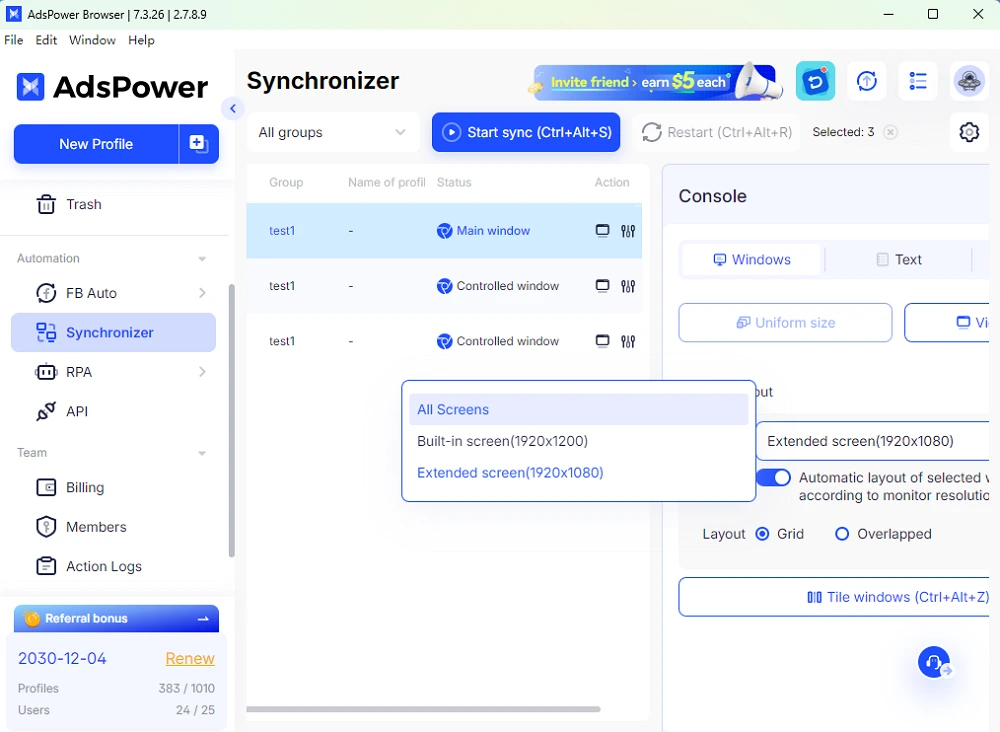
- New: "All Screens" window layouts for multi-window setups, expanding visibility and boosting efficiency in multi-account operations.
- Fixed an issue where extension windows failed to sync with delay.
5. Expanded Proxy & Network Options
- New LumiProxyauto proxy type – broadening your proxy selection.
6. Flexible Plans for Members & Profiles
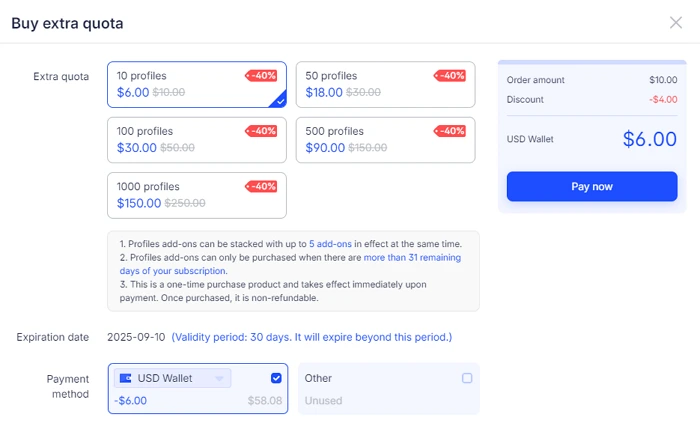
- Temporary Member/Profile Purchase – perfect for short-term team collaborations.
7. [Profile] Management
- New UA column for at-a-glance profile UA details.
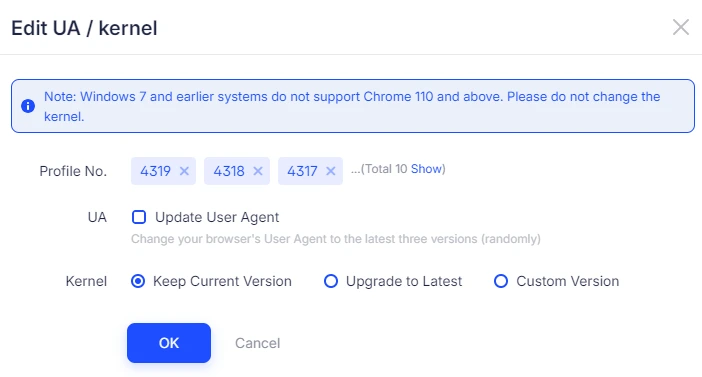
- Batch update profile kernel version for improved management efficiency.
8. Personal Settings & Notification Improvements
- Payment & Notification
When enabling Quick Payment or Auto-Renewal, you'll now receive instant notifications via in-app messages and email, ensuring uninterrupted service and renewals.
- Owner Email Editing
The owner can now directly change email addresses in the software.
Other Fixes
- Fixed an issue where Chrome 138 in Admin Mode couldn't be opened.
- Fixed an issue where remarks couldn't be cleared during editing.
In short, July's updates make AdsPower faster, more stable, and easier to manage—whether you're running multiple profiles, collaborating with teams, or automating large-scale workflows.
