

Explore 5 practical ways to earn money with OpenClaw and AI agents, plus how AdsPower supports automation. Read the guide and try AdsPower to start scaling workflows today.
Openclaw, Manus, Glean, AI agent... there are more and more new AI-related words coming to us. With the development of artificial intelligence, it is moving beyond tools that simply generate text or answer questions. Platforms like OpenClaw introduce a different idea: autonomous AI agents that can perform tasks across apps, APIs, and websites with minimal human input. Naturally, this shift raises an important question for online entrepreneurs and marketers: how to make money from OpenClaw in a realistic and sustainable way.
At the same time, many KOLs are still trying to figure out how to use OpenClaw effectively rather than treating it as another experimental AI tool. Without the right strategy, automation alone rarely produces results.
This article takes an expert yet approachable look at five practical ways people are using AI agents to generate income. You will see real use cases, understand where the opportunities exist, and learn how combining OpenClaw with AdsPower can help scale automation safely. Read on to turn AI automation into a measurable advantage for your online business.
What Is OpenClaw? How It Works?
OpenClaw is an open-source AI agent framework that allows developers and marketers to automate digital tasks using large language models and external tools.
Instead of only responding to prompts, OpenClaw agents can perform actions such as:
- calling APIs
- running scripts
- interacting with websites
- managing files and databases
- executing scheduled workflows
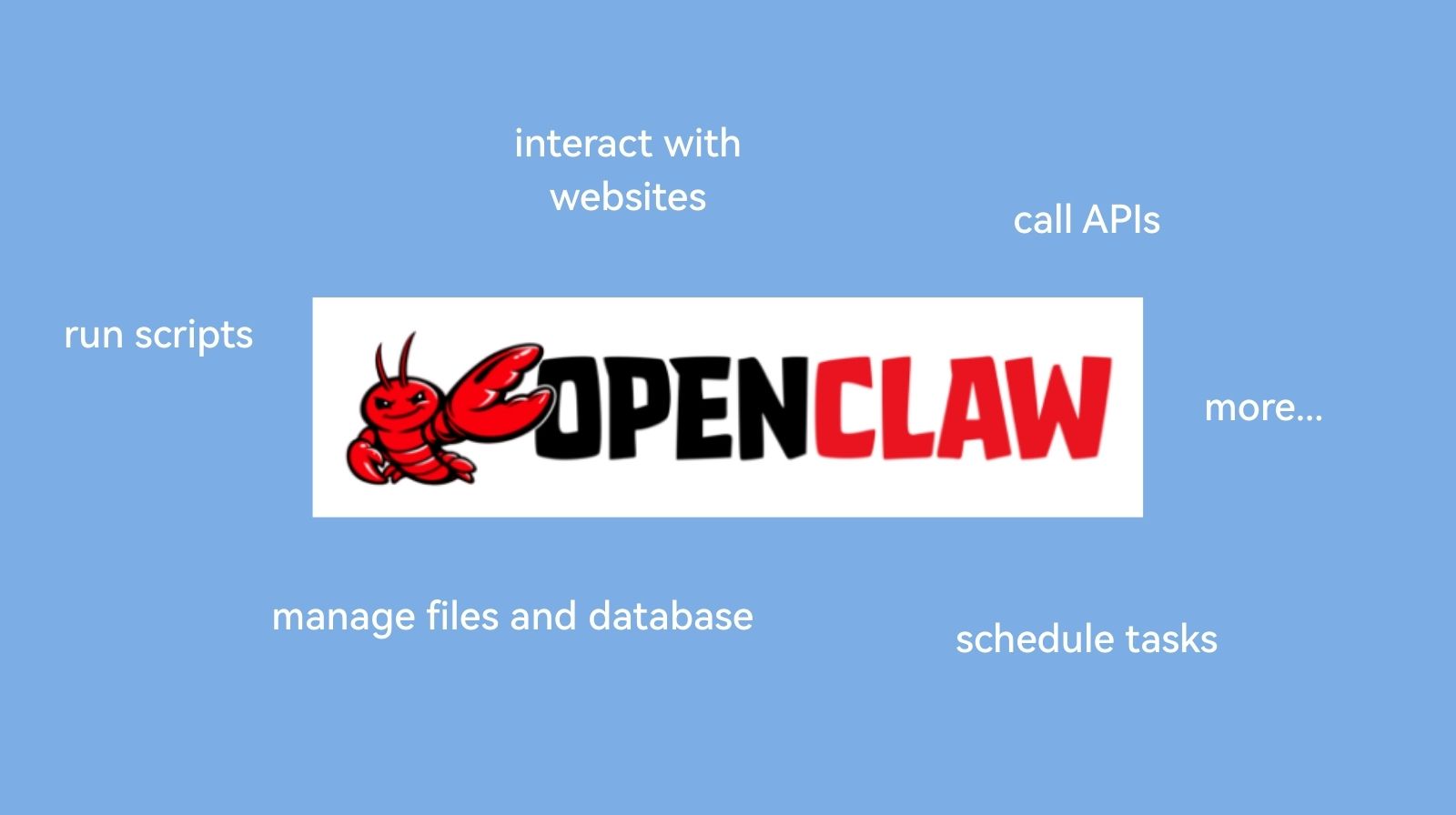
These agents can operate continuously on a local machine or server. Once configured, they can perform complex sequences of tasks with minimal human input.
For example, an OpenClaw agent can:
- scrape competitor prices from eCommerce websites
- collect leads from public directories
- generate SEO articles
- send automated reports to Slack or email
According to the Stanford AI Index, AI automation tools are increasingly used to streamline digital work processes across marketing, analytics, and software development.
This trend directly explains why frameworks like OpenClaw are attracting attention among entrepreneurs and automation enthusiasts.
Understanding how to use OpenClaw starts with one key idea. The tool itself does not create money. It helps automate workflows that already have economic value.
Can OpenClaw Really Make You Money?
Yes, but the outcome depends on the business model behind it.
OpenClaw acts like a digital operator that can perform tasks at scale. When applied to activities that businesses already pay for, automation can reduce costs and increase output. Such as:
- marketing automation
- data collection
- content production
- analytics reporting
- lead generation
Many people exploring how to earn money with OpenClaw treat it as infrastructure for building small online services.
For instance, an automation setup might:
- collect leads from several platforms
- enrich contact information
- Send reports to a client every morning
A freelancer could sell this as a lead generation service.
In other words, the income comes from the service itself. OpenClaw makes the workflow faster and easier to scale.
Next, we will examine five practical ways people are experimenting with OpenClaw to generate income.
Ways to Earn Money from Openclaw

1. AI Automation Services for Businesses
OpenClaw agents can manage tasks such as:
- scraping contact information from business directories
- monitoring competitor websites
- collecting product prices from marketplaces
- generating daily performance reports
A consultant can package this system as a subscription service.
Typical workflow:
- OpenClaw gathers data from selected websites
- The agent organizes the information in a spreadsheet
- A report is generated automatically
- The client receives updates by email or Slack
Businesses value this because it saves time and provides consistent insights.
Many automation consultants charge:
- $500 to $1500 per month for small projects
- $2000 or more for larger automation systems
The key advantage of OpenClaw is scalability. Once an automation workflow works for one client, it can often be adapted for others.
2. Automated Content and SEO Businesses
Content marketing remains a major driver of online traffic. Companies rely on blog posts, guides, and landing pages to attract customers.
OpenClaw can automate parts of the SEO content pipeline. An agent may perform tasks such as:
- collecting keyword data
- analyzing competitor articles
- generating outlines
- producing draft content
- uploading posts to a CMS
The system can also schedule updates or monitor rankings.
Most web pages receive little traffic because they are not optimized for search intent, which is explained in Ahrefs.
Automation helps marketers produce content consistently and analyze performance more efficiently.
People exploring how to make money from OpenClaw often apply it to:
- niche websites
- affiliate blogs
- SEO content agencies
For example, a freelancer might offer packages that include:
- keyword research
- AI-assisted article creation
- scheduled publishing
- analytics reporting
OpenClaw handles repetitive tasks, while the marketer focuses on strategy and editing.
3. Data Scraping and Market Intelligence
Data is valuable across many industries. Businesses want insights about competitors, pricing, and market trends.
OpenClaw agents can collect and organize data from public sources.
Common scraping projects include:
- tracking prices across online stores
- gathering product listings from marketplaces
- collecting job postings or salary data
- monitoring mentions on social media
- tracing the competitors' trend and mentions
After collecting the data, the agent can generate dashboards or reports.
For instance, a retail company may want a daily summary of competitor pricing changes. OpenClaw can scrape the websites, store the results, and highlight any differences.
This type of automation is often sold as market intelligence services.
Freelancers and developers frequently charge:
- $300 to $2000 for one-time scraping projects
- monthly fees for continuous monitoring
Because OpenClaw can schedule tasks automatically, the system can operate around the clock.
4. Building AI-Driven Micro SaaS
Another path involves building small software tools or apps powered by AI agents.
These tools often focus on solving a specific problem for a niche audience.
Examples of micro SaaS ideas include:
- automated social media analytics tools
- keyword monitoring dashboards
- AI research assistants for niche industries
- lead enrichment services
OpenClaw acts as the automation layer behind the scenes.
For instance, a SaaS tool might allow marketers to track trending topics across forums and social networks. The OpenClaw agent gathers the data and processes it for users.
Revenue typically comes from:
- monthly subscriptions
- usage-based pricing
- premium analytics features
Although building software requires technical knowledge, automation frameworks reduce the development workload.
5. AI-Powered Freelancing and Digital Agencies
Freelancers are also experimenting with AI agents to increase productivity.
A single professional can manage several client projects when routine tasks are automated.
OpenClaw can support activities such as:
- prospect research
- email outreach preparation
- competitor analysis
- data collection for marketing reports
For example, a freelancer working in digital marketing might use OpenClaw to gather insights from multiple platforms each morning.
This information can be turned into reports for clients. The freelancer spends time interpreting the data rather than collecting it manually.
When used carefully, AI agents allow freelancers to operate more like small agencies.
Using OpenClaw with AdsPower for Multi-Account Automation
Many online business models require managing multiple accounts across platforms such as:
- affiliate marketing
- social media promotion
- eCommerce store management
- advertising account operations
Managing these accounts in a normal browser can create risks because platforms track browser fingerprints and device signals.
AdsPower antidetect browser solves this challenge by creating isolated browser environments. Each profile has a unique fingerprint, allowing users to manage accounts separately.
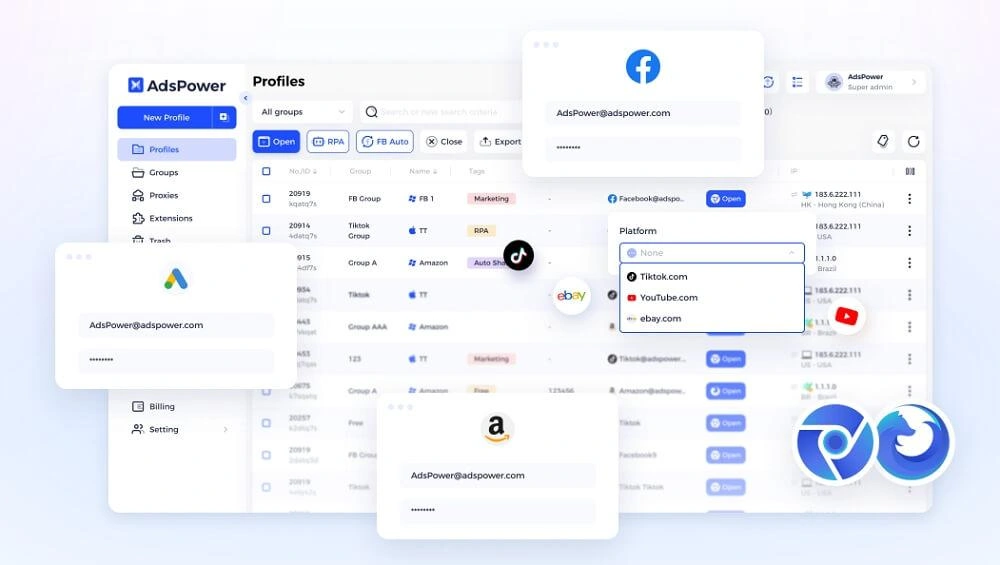
Combining OpenClaw + AdsPower enables powerful automation workflows.
Possible use cases include:
- running automated marketing tasks across multiple profiles
- collecting data from several accounts at once
- scheduling actions for different campaigns
- managing large sets of social media or affiliate accounts
- monitor SERP results or AI visibility in different regions
- ...
AdsPower provides a secure and stable browser environment, while OpenClaw controls the workflow automation.
This combination helps marketers scale operations without mixing account identities.
If you are exploring automation seriously, you can start with a free trial of AdsPower and test how it works with your workflows.
Real Case: How to Use OpenClaw to Run AdsPower Profiles
Step 1: Create AdsPower profiles
Set up several browser profiles inside AdsPower. Each profile has a different proxy, fingerprint and environment.
Step 2: Configure the OpenClaw agent
Create an agent that can run browser automation scripts or API calls.
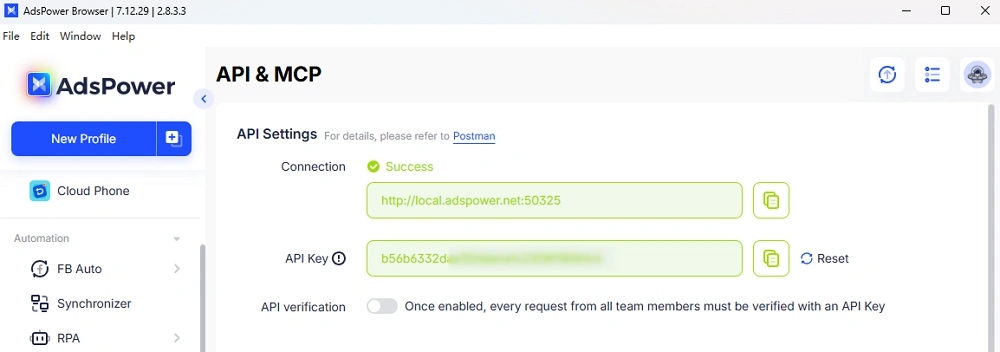
Step 3: Define automation tasks
The agent may perform actions such as:
- opening 1, 10, 50, 100, 1000+ AdsPower profiles
- visiting a target platform
- collecting analytics data
- exporting results to a spreadsheet
For example, call Openclaw to open an AdsPower profile:
async function startBrowser(profileId) {
  const response = await fetch(
    `${API_BASE}/api/v1/browser/start?user_id=${profileId}&open_tabs=1`,
    {
      headers: {
        'Authorization': `Bearer ${API_KEY}`
      }
    }
  );

  const data = await response.json();
  return data.data.ws.puppeteer;
}
Step 4: Schedule execution
OpenClaw can run the process at scheduled times, such as once every day, onece a week, etc.
Step 5: Analyze results
Reports generated by the agent help track performance across multiple accounts.
For a complete guide, read the detailed tutorial:
How to Use an OpenClaw AI Agent to Log in to Google Accounts with AdsPower
Final Thoughts
OpenClaw is attracting attention because it represents a shift toward AI agents that perform real work online.
Still, the question remains: Can OpenClaw really make you money?
The answer depends on how it is used.
People who see the most value treat OpenClaw as a tool for automation. They apply it to tasks that already generate revenue, such as marketing services, analytics, or data collection.
When combined with fingerprint tools like AdsPower, AI agents can manage complex workflows across multiple accounts and platforms.
If you want to experiment with automation, start small:
- test a single workflow
- measure the results
- refine the process
Over time, these systems can become powerful assets in digital businesses.
To explore multi-account automation safely, visit the AdsPower and try the platform yourself.
