

How Facebook Ad Account Rental Works: A Practical Guide for Growing Advertisers
Take a Quick Look
Learn how Facebook ad account rental works to unlock unlimited spending, faster approvals, and lower ban risks. This guide explains how to rent a trusted Meta-whitelisted account, manage campaigns safely, and scale your ads with GDT Agency & AdsPower.
Struggling to grow your Facebook ads without hitting limits or risking account bans? You're not alone. Many businesses struggle with slow ad approvals, account restrictions, and managing multiple campaigns. This is where Facebook Ad Account Rental becomes a practical solution, giving advertisers access to high-trust accounts that allow bigger budgets, faster approvals, and more reliable campaigns.
Learn how account rental works, how it differs from creating your own account, and the mistakes to avoid. If you want to scale your Facebook campaigns efficiently while keeping your accounts secure, this guide will walk you through.
What Is Facebook Account Rental?
Facebook Account Rental refers to a service where businesses or individuals rent access to a premium or Meta-whitelisted Facebook account. These accounts typically come with enhanced features, higher trust scores, and benefits that help improve ad performance, stability, and scaling potential.
Why Some Advertisers Use Facebook Ad Account Rental
Advertisers can spend more freely, run bigger campaigns, and scale budgets without limits.
Facebook account rental offers greater stability and lower ban risk.
With faster approvals and priority support, advertisers get quick ad reviews and issue resolution.
Scalability and flexibility make it easy to manage multiple campaigns and adjust budgets as needed.
Facebook account rental provides direct access to Meta support for faster solutions to any problems.
Advertisers get premium tools to track and improve their ad performance easily.
How Facebook Ad Account Rental Typically Works
- Registration: Submit your website, Facebook page link, and Business Manager ID (BM350) to the agency.
- Compliance Check: The agency makes sure your website and Facebook page follow Meta's advertising rules.
- Payment: Pay the deposit and service fee based on your ad budget.
- Account Access: Once payment is completed, you'll get access to your Facebook Ad Account within 24 hours.
This process helps you get started quickly with a Meta-whitelisted ad account.
Access, Ownership, and Control in Rented Facebook Ad Accounts
- Access: When you rent a Facebook Ad Account, you get full access to its features, like unlimited spending and faster ad approvals. You can run campaigns and manage ads during your rental period.
- Ownership: The account belongs to the provider, not you. You're only renting the account for a specific time and cannot transfer ownership.
- Control: You can control your campaigns, set budgets, and create ads. However, the account provider handles account-level decisions like compliance and security. You don't have control over the account itself.
How to Manage Rented Facebook Ad Accounts Safely
-Avoid Common Operational Risks
- Non-compliance with Facebook's Advertising Policies
- Scaling Budget Too Quickly
- Payment Issues (Expired or Insufficient Payment Methods)
- Ad Account or Facebook Ad Manager Suspension
-Use AdsPower for Account Stability
AdsPower is an antidetect browser for multiple Facebook accounts. It helps you securely manage Facebook shared accounts by creating unique browser fingerprints for each user. This way, Facebook sees every login as coming from a separate, trusted device, even if multiple people are using the same account.
1. How to set a new profile for your Facebook account using AdsPower?
Start a "New Profile" for the Facebook ad accounts. You can "Name" the new profile and choose a "Group".
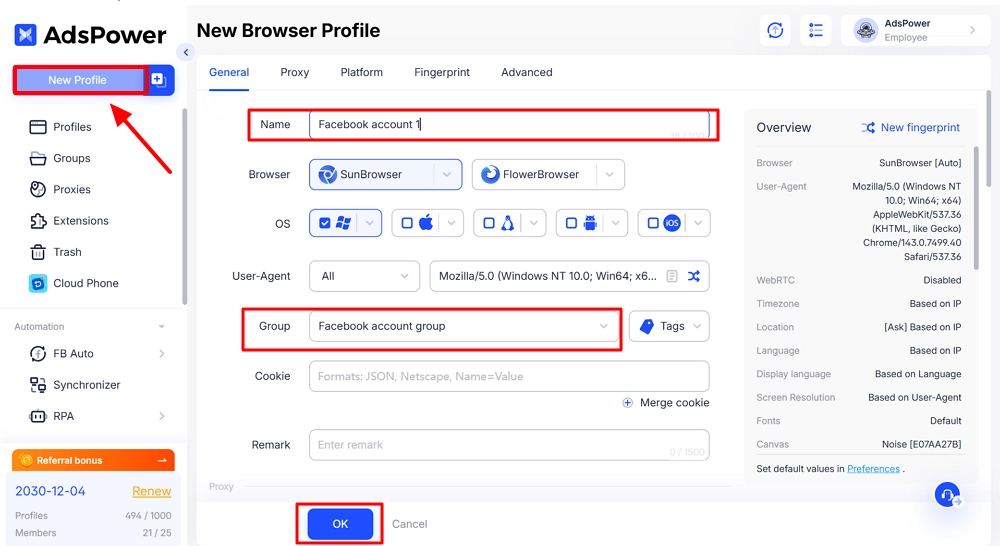
Later on, you can set the "Proxy", "Platform" and "Fingerprint" for the Facebook ad accounts, and you can also configure the settings in "Advanced". Lastly click "OK".
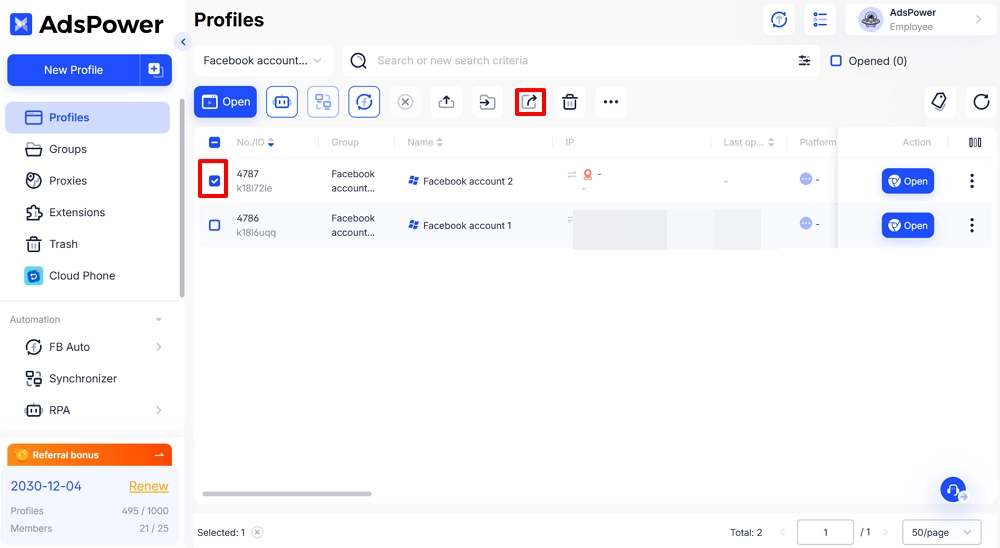
2. How to share your Facebook accounts through AdsPower's profile?
To let other teams (even not in the same group) access the Facebook account, choose the profile and use the "Share" button at the top. "Non-revocable" is for permanent sharing, while "Recovable" is for short-term sharing.
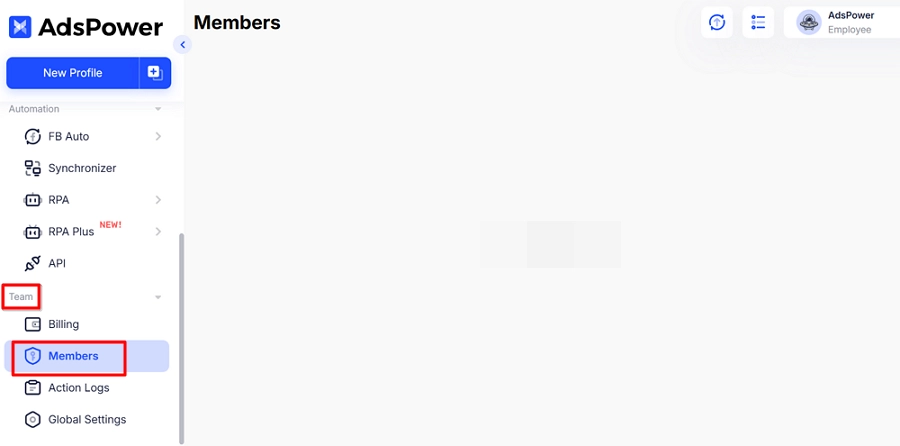
You can also share Facebook accounts with members in the same team directly.
-Common Mistakes to Avoid When Using Facebook Ad Account Rental
- Ignore Facebook's advertising rules
- Scale your budget too quickly
- Use expired or invalid payment methods
- Post misleading or low-quality ads
Learn more about protecting acquired accounts, refer to How to Secure Your Purchased Facebook Accounts on AdsPower.
-How GDT Facebook agency account mitigates risks in real campaigns
- Higher Trust Score: GDT Facebook agency accounts have a strong history with Meta, so your campaigns are less likely to be flagged or banned.
- No Spending Caps: Scale your budget freely without hitting limits or triggering fraud alerts that pause your ads.
- Direct Meta Support: If issues arise, GDT Agency can escalate to a real Meta specialist for fast manual review and resolution.
- Proactive Monitoring: GDT Agency helps keep your campaigns compliant and running smoothly.
Facebook Ad Account Rental for Agencies & Teams
- Agency-Level Use Cases
Rent Facebook Agency Ad Accounts to scale GIP's performance with GDT Agency
Before working with GDT Agency, GIP struggled to scale its Facebook ads and achieved a low ROAS of about 1.5x.
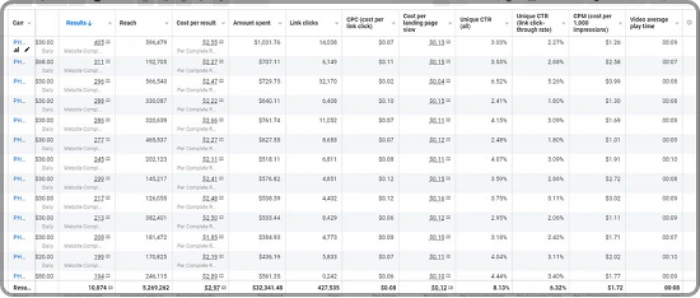
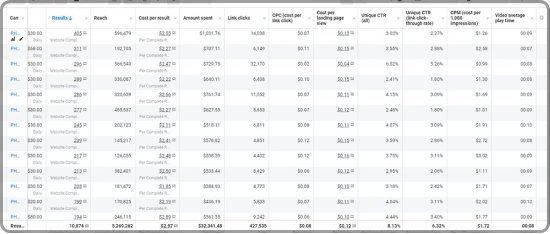
After using GDT Agency's services, Facebook advertising performance improved, with revenue increasing from $12k to over $16k while ROAS remained steady at around 3.04x as campaigns scaled.
- How GDT Agency Fits into This Model
GDT Agency makes managing Facebook ad campaigns easier, faster, and more secure. To rent Facebook Agency Ad Accounts, you gain access to Meta-whitelisted accounts with faster activation, full session control, and reliable 24/7 support.
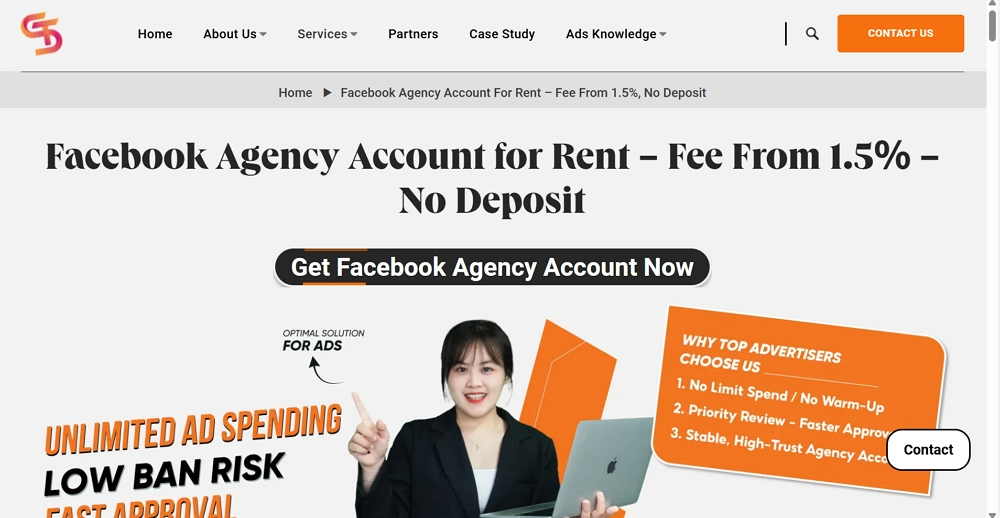
GDT Agency's service includes:
- Low rental fees starting at 1.5% for cost-effective access
- Free content consultation to improve ad performance
- Instant top-up and flexible payment options to keep campaigns running smoothly
- Unlimited cashback rewards and clear refund policies
- No VAT, so pricing is transparent
Best-Practice Workflow
-Rented ad account + Business Manager
When you use GDT Agency, you rent a Facebook agency account that is already set up in their trusted Business Manager. This means:
- No need to create your own Business Manager (BM) – GDT Agency has already set up and maintains the BM structure for you.
- Full campaign control – You can create, manage, and optimize ads directly in your rented ad account.
- Manage backend compliance – They oversee the BM-level policies, billing, and permissions to keep your account secure and stable.
-AdsPower for environmental isolation
AdsPower helps you keep your campaigns secure and undetectable. Here's how:
- Isolate Your Account: Run your rented account in a dedicated browser profile separate from your personal or other ad accounts.
- Stay Undetectable: Facebook won't connect your rented account to any other account or device, making bans far less likely.
- Keep Data Clean: Your tracking and login data stays unique to your rented account, making ad performance more stable.
Facebook Ad Account Rental vs Building Your Own Ad Accounts
Building your own ad account is a good start for small businesses or beginners. You create it yourself through Facebook Business Manager. It's free and easy to set up. However, it has limits: daily spending caps, slower ad reviews, and a higher risk of being banned if policies are broken. You also won't get premium features or priority support.
Renting an Agency Ad Account is better for businesses that want to grow fast and spend more. These accounts come from Facebook's official partners. Benefits include higher (often unlimited) spending limits, faster ad approvals, lower ban risk, and access to advanced ad tools. Payments are also smoother.
When renting through GDT Agency makes sense
Renting through GDT makes sense if:
- You need to spend more but hit limits on your own account.
- You want fewer bans and more stability.
- You run ads in monitored niches like supplements, crypto, or skincare.
- You need faster ad reviews and direct support.
- You don't want to manage a Business Manager yourself.
- You are an agency or team that needs secure shared access.
When is building your own ad account the better choice
Building your own ad account is only the better choice if:
- You are just starting out and have a very small testing budget.
- You are advertising low-risk, common products (like basic e-commerce or local services).
- You are prepared to strictly follow all Facebook policies and accept the higher risk of mistakes.
- You are comfortable with slower growth, manual setup, and potential account issues.
For most businesses focused on growth, the limitations quickly become a barrier. With a regular account, you face spending limits, slow ad reviews, and account instability. These issues slow down your growth and waste time on compliance.
Conclusion
Facebook Account Rental helps advertisers run bigger campaigns, spend more, and get faster ad approvals. By using rental accounts correctly and avoiding common mistakes, businesses can improve ad performance and scale safely.
Using tools like AdsPower ensures your accounts remain secure and login sessions stay consistent. Combined with GDT Agency, advertisers can focus on growing campaigns instead of troubleshooting account issues.
Follow these best practices will help you scale efficiently and run Facebook ads more safely.
Start scaling your campaigns securely today—try AdsPower to protect and manage your Facebook ad accounts.

People Also Read
- AdsPower × Adpos: Get More from Our Annual Sale with 10 Free Cards and Up to $300 Cashback
AdsPower × Adpos: Get More from Our Annual Sale with 10 Free Cards and Up to $300 Cashback
Join the AdsPower Annual Sale for up to 50% off and get 10 free Adpos virtual cards plus up to $300 cashback on qualifying ad spend.
- How to Use Cloaking and Antidetect Browsers for Facebook & Google Ads
How to Use Cloaking and Antidetect Browsers for Facebook & Google Ads
Learn how cloaking and antidetect browsers can support Facebook and Google Ads workflows. Explore account isolation, fingerprint management, proxy set
- How Agencies Can Simplify Multi-Account Ad Management
How Agencies Can Simplify Multi-Account Ad Management
Learn how agencies can use AdsPower and Wevion to organize browser access, manage campaigns, control team permissions, and simplify reporting.
- Using DataImpulse Proxies in AdsPower: Complete Setup Guide (2026)
Using DataImpulse Proxies in AdsPower: Complete Setup Guide (2026)
Explore DataImpulse’s proxy types and features, see what matters for AdsPower users, and learn how to set up and configure proxy for browser profile.
- How to Manage Walmart Seller Accounts and Dropshipping Operations as a Team
How to Manage Walmart Seller Accounts and Dropshipping Operations as a Team
Learn how to manage Walmart seller accounts, team access, inventory, orders, and dropshipping workflows with AdsPower and Doba.
