

AdsPower CLI: Automate Browser Management from the Command Line
Take a Quick Look
AdsPower CLI enables browser automation without the desktop client, supporting bulk operations, Docker deployment, and AI agent integration. Manage profiles, proxies, and fingerprints faster from the command line. Explore the CLI and start building automated workflows today.
AdsPower has officially launched a standalone CLI (Command Line Interface) tool.
Tasks that previously required clicking through the AdsPower desktop interface can now be completed with a single command-line instruction. Browser profile creation and management, browser launch and shutdown, proxy switching, fingerprint refresh, cookie retrieval, cache cleanup, group management, and tags are all supported directly from the terminal.
The CLI runs independently from the AdsPower desktop client. It does not share local cache, browser kernels, or runtime environments with the main application.
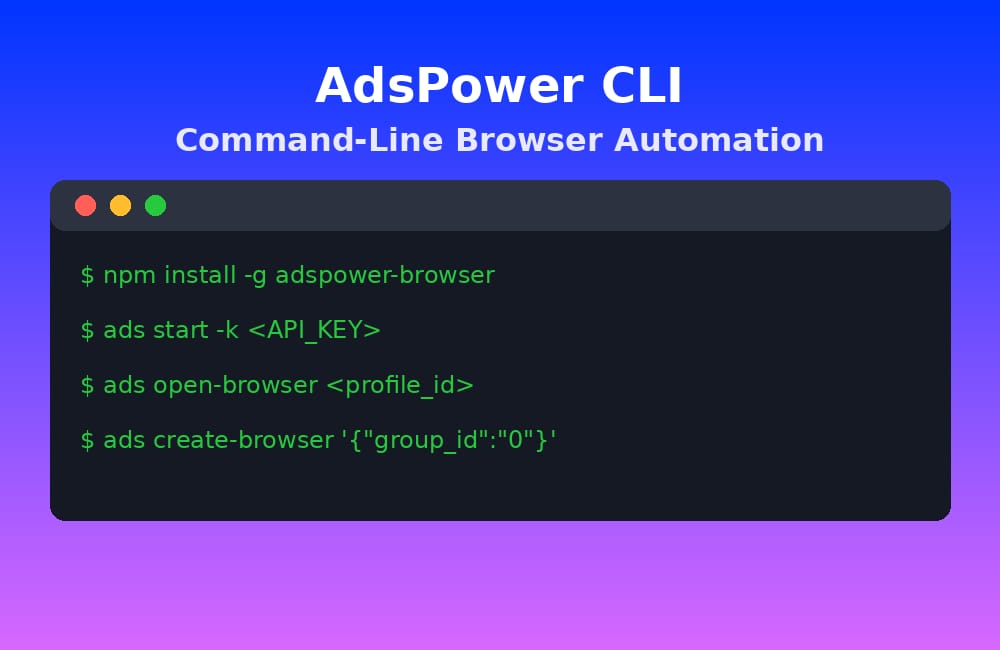
How to Install
There are two installation methods available.
Way 1: Install via npm (Recommended for Users with Node.js)
npm install -g adspower-browserAfter installation, the following commands are all available and function identically: adspower-browser , adspower , ads
Way 2: Install Directly
on Windows:
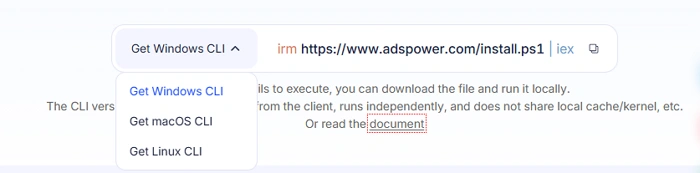
Windows users can also install the CLI directly from the official AdsPower download page.
irm https://www.adspower.com/install.ps1 | iexon macOS:
curl -fsSL https://www.adspower.com/install.sh | bashon Linux:
curl -fsSL https://www.adspower.com/install.sh | bashIf the command does not execute successfully, you can download the installer locally and run it manually.
How to Get Started
Start the CLI:
ads start -k <KEY>If you have already configured the ADS_API_KEY environment variable, you can simply run: ads start
Example: Open a browser profile:
ads open-browser <profile_id>Example: Close a browser profile:
ads close-browser <profile_id>With just three commands, a browser instance can be fully launched and managed.
Quick Reference for Daily Operations
Browser Profile Management
ads create-browser '{"group_id":"0","user_proxy_config":{"proxy_soft":"no_proxy"}}'
ads update-browser '{"profile_id":"..."}'
ads delete-browser '{"profile_id":["..."]}'
ads get-browser-list '{}'
Proxy Management
ads create-proxy '[{"type":"http","host":"127.0.0.1","port":"8080"}]'
ads get-proxy-list '{}'
ads update-proxy '{"proxy_id":"proxy-1","proxy_url":"https://refresh.example.com"}'
ads delete-proxy '{"proxy_id":["..."]}'
Fingerprints, Cookies, and Cache
ads new-fingerprint <profile_id>
ads get-profile-cookies <profile_id>
ads delete-cache-v2 '{"profile_id":["..."],"type":["cookie","history"]}'
ads get-profile-ua <profile_id>
Groups and Tags
ads create-group '{"group_name":"My Group"}'
ads get-group-list '{}'
ads create-tag '{"tags":[{"name":"test","color":"darkBlue"}]}'
Browser Kernel Management
ads get-kernel-list '{"kernel_type":"Chrome"}'
ads download-kernel '{"kernel_type":"Chrome","kernel_version":"..."}'
You can view the complete parameter list for every command using: ads -h or ads <command> -h
How This Helps Real Business Operations
Here are several practical use cases where the AdsPower CLI can significantly improve workflow efficiency.
Bulk Account Creation
- Before: Create profiles one by one in the GUI.
- After: Write a loop script to create 50 or 100 profiles at once, each with automatic proxy assignment and group tagging.
Scheduled Maintenance
Fingerprint refreshes, cache cleanup, and other maintenance tasks can now be added to scheduled jobs and executed automatically every day.
No manual monitoring is required. Everything can run directly on a server environment.
Batch Operations
Need to update proxies for hundreds of accounts? Move multiple profiles into a new group? Refresh fingerprints in bulk?
The CLI makes it possible to complete large-scale account management tasks with a single command instead of repetitive manual clicks.
Server Deployment and Docker Support
The AdsPower CLI also supports Docker deployment.
docker-compose -f ./docker-compose.yml up -d
docker-compose exec adspower-cli /bin/bash
Once inside the container, users can directly manage browser instances using the ads command.
This allows AdsPower to operate fully in headless server environments without a graphical interface.
AI Integration: MCP & Skills
AI Coding Assistants
The CLI's GitHub repository includes Skill support for AI coding assistants. Install into Cursor and similar tools with one command:
npx skills add AdsPower/adspower-browserMCP (Model Context Protocol) Support
The repository also integrates MCP support, enabling AI agents like Claude Code, Cursor, Codex, and OpenCode to control AdsPower browser instances directly.
After setup, AI assistants automatically gain AdsPower context. Describe what you want to do in natural language, and the AI generates the corresponding CLI commands—perfect for users unfamiliar with command-line interfaces.
Why This Matters: As AI agents take on more execution roles in workflows, the browser, as the core tool for agent and web interaction, needs corresponding integration capabilities. CLI, MCP, and Skills are all available now.
Source:

People Also Read
- AdsPower Unveils AI Agent, a New Way to Automate Browser Tasks Across Multiple Profiles
AdsPower Unveils AI Agent, a New Way to Automate Browser Tasks Across Multiple Profiles
AdsPower launches AI Agent for natural-language browser automation.
- What's New in AdsPower Browser in August 2026?
What's New in AdsPower Browser in August 2026?
Explore the AdsPower August 2026 update, featuring AI Agent, Chrome 151, improved mobile profiles, easier proxy troubleshooting, and faster profile
- AdsPower Annual Sale 2026: Unlock 50% Off Your 360-Day Plan

AdsPower Annual Sale 2026: Unlock 50% Off Your 360-Day Plan
The longer you subscribe, the more you save during the AdsPower Annual Sale 2026, with up to 50% off the 360-day plan.
- Create an AdsPower Video and Earn $30 — No Follower Minimum

Create an AdsPower Video and Earn $30 — No Follower Minimum
Create an original AdsPower video, publish it on any public social platform, and earn $30. No follower minimum. Ends September 6, 2026 (23:59:59 UTC).
- The AdsPower iOS App Is Now Publicly Available
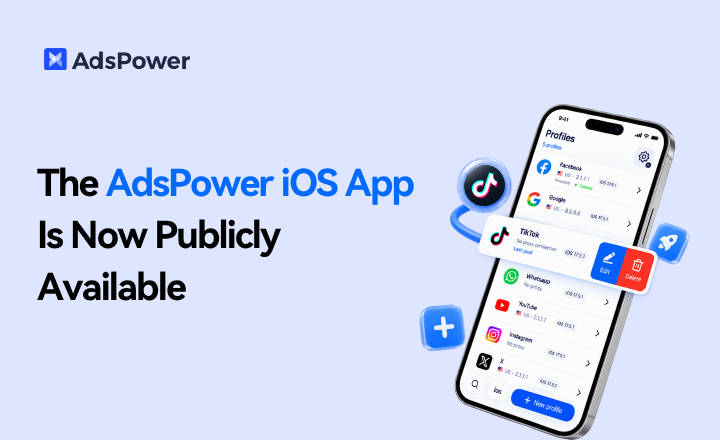
The AdsPower iOS App Is Now Publicly Available
AdsPower Browser is now available on iOS. Manage browser profiles, test proxies, access synced team data, and open iOS profiles from your iPhone.
