

See what's new in the AdsPower February update, including Chrome 144, mobile simulation, and automation improvements. Update AdsPower today to optimize your workflow.
AdsPower continues to refine its browser and automation tools to support users managing multiple accounts across social media, eCommerce platforms, and advertising networks. The AdsPower February update introduces improvements in browser compatibility, profile management, and automation features.
Below is a clear overview of what's new in AdsPower and how these updates support daily operations for teams and individual users.
AdsPower February Update Overview (2026)
The AdsPower monthly update for February 2026 focuses on improving stability, usability, and automation capabilities. Key highlights include:
√ Chrome 144 kernel support to keep browser environments up to date
√ Improved profile organization with better tag display in the profile list
√ Mobile device simulation for testing mobile browsing environments
√ Stronger permission controls to protect saved passwords
√ Automation upgrades across MCP, API, and RPA Plus
These updates help users manage multiple profiles more efficiently while maintaining stable browser environments.
February Update Details
Browser Kernel Update: Chrome 144 Kernel Available
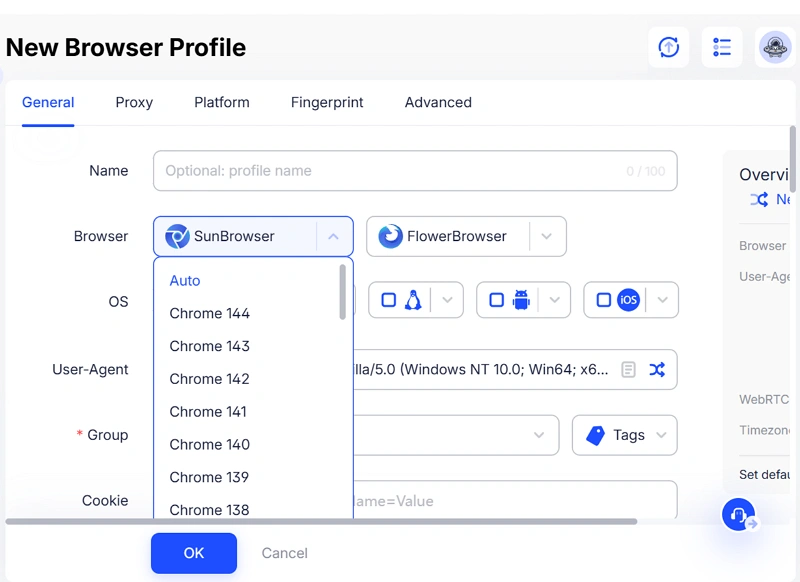
The AdsPower February update introduces support for the Chrome 144 kernel. Regular kernel updates help ensure browser environments stay aligned with the latest versions used by real users.
Updating the kernel helps improve:
- Browser fingerprint simulation accuracy
- Compatibility with modern websites
- Overall browsing stability for profiles
For users managing multiple accounts, keeping browser kernels up to date helps maintain more natural browsing environments and reduces compatibility issues.
Profile Management Improvements
Several improvements were introduced to make profile organization and team collaboration more efficient.
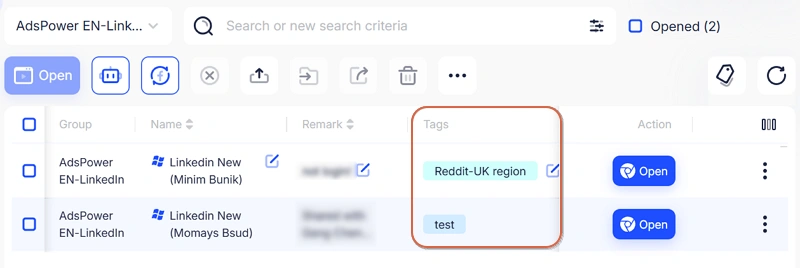
1. Improved Tags display in the profile list
Profile tags now display more completely in the environment list. This helps users identify profiles faster when managing multiple accounts or campaigns.
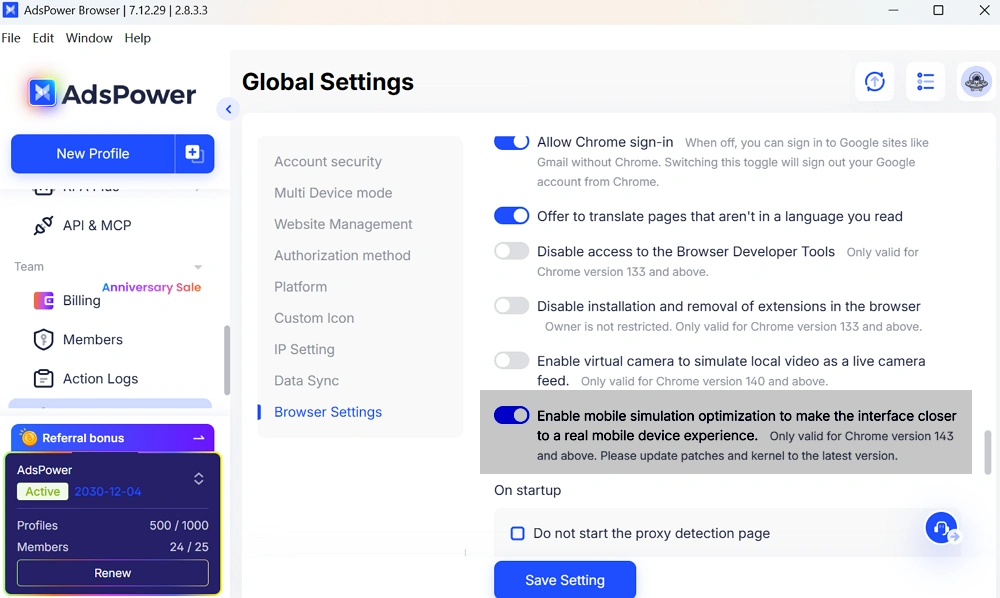
2. Added mobile device simulation mode
AdsPower now supports a mobile device simulation interface that more closely reflects real mobile browsing. This feature helps users test mobile pages, manage mobile-focused accounts, and run mobile-related workflows.
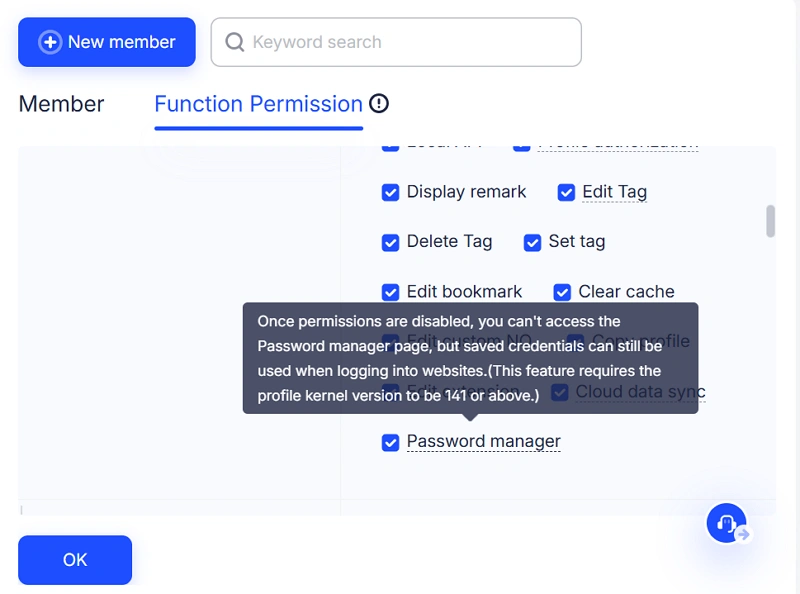
3. Enhanced password manager controls
Security has been strengthened. Users without permission can no longer reveal saved website passwords. This helps protect account credentials when teams share access to a workspace.
4. Improved virtual camera functionality
The virtual camera system has been updated to fix display issues related to vertical video ratios, improving compatibility with video-based platforms.
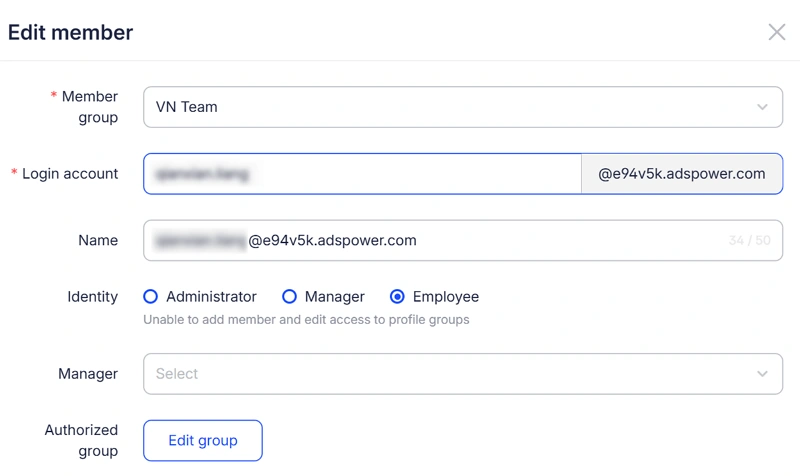
5. Editable member login accounts
Administrators can now edit member login accounts directly. This improves flexibility when managing team members or updating internal access.
Automation Updates Across MCP, API, and RPA Plus
Automation tools also received several improvements in this AdsPower update.
MCP automation capabilities have been further optimized. Users participating in the Beta program can continue testing the feature and provide feedback.
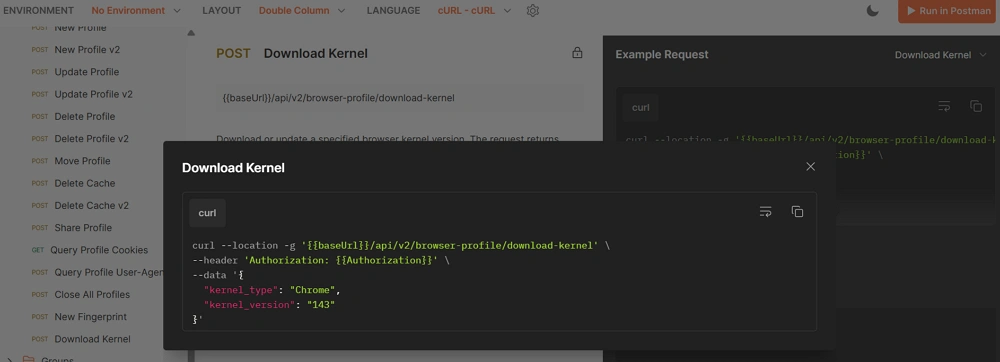
API improvements
Developers can now download browser kernels through the API, making it easier to manage browser profiles and automate deployment processes.
RPA Plus
RPA Plus received several functional upgrades:
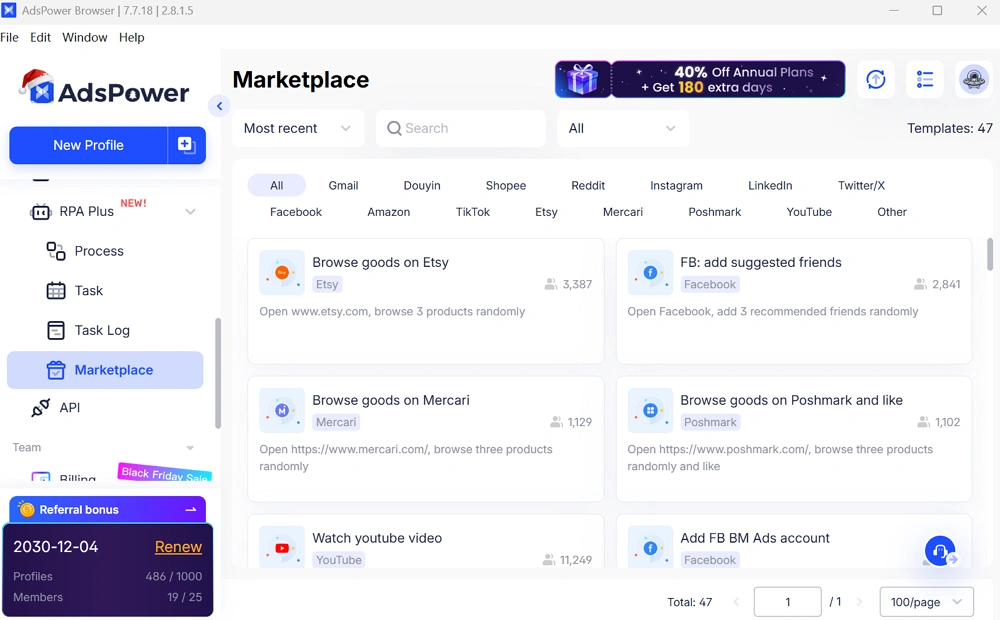
- Facebook templates added to the template marketplace
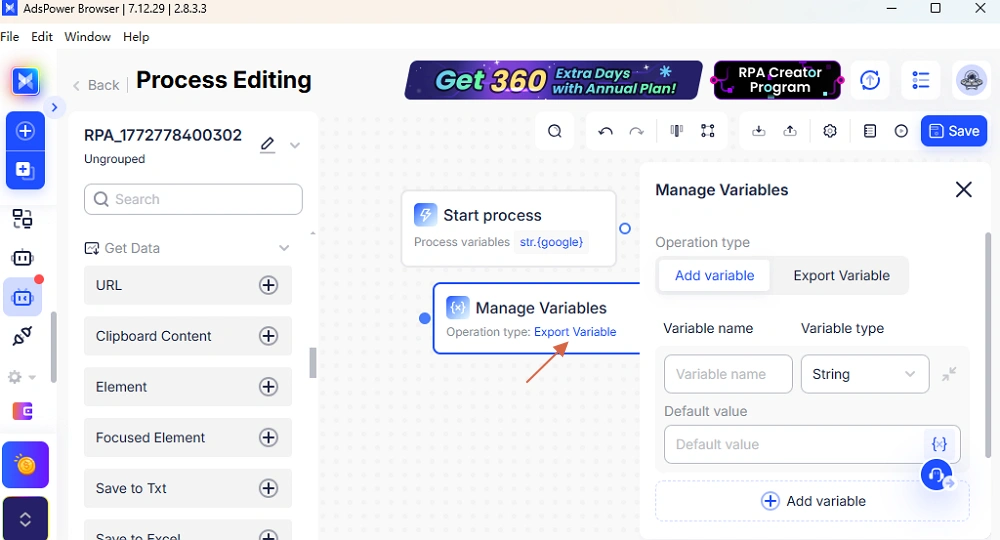
- New variable management feature that supports adding and exporting variables
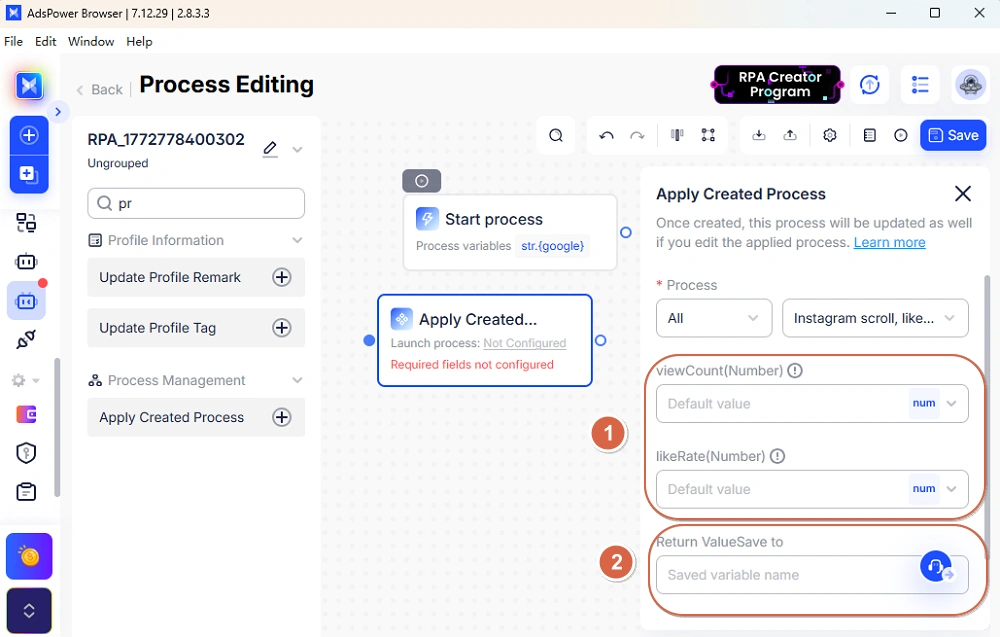
- Improved variable passing between parent and child processes in "Apply Created Process".
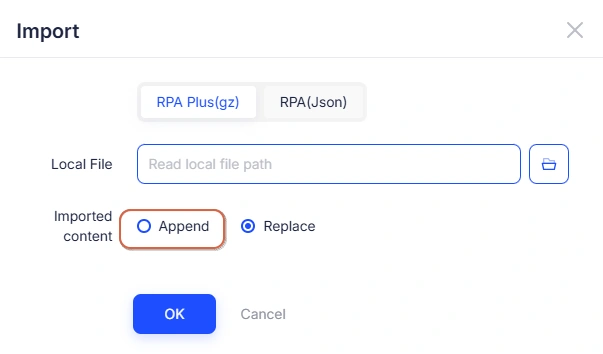
- Import function now supports appending content to existing processes
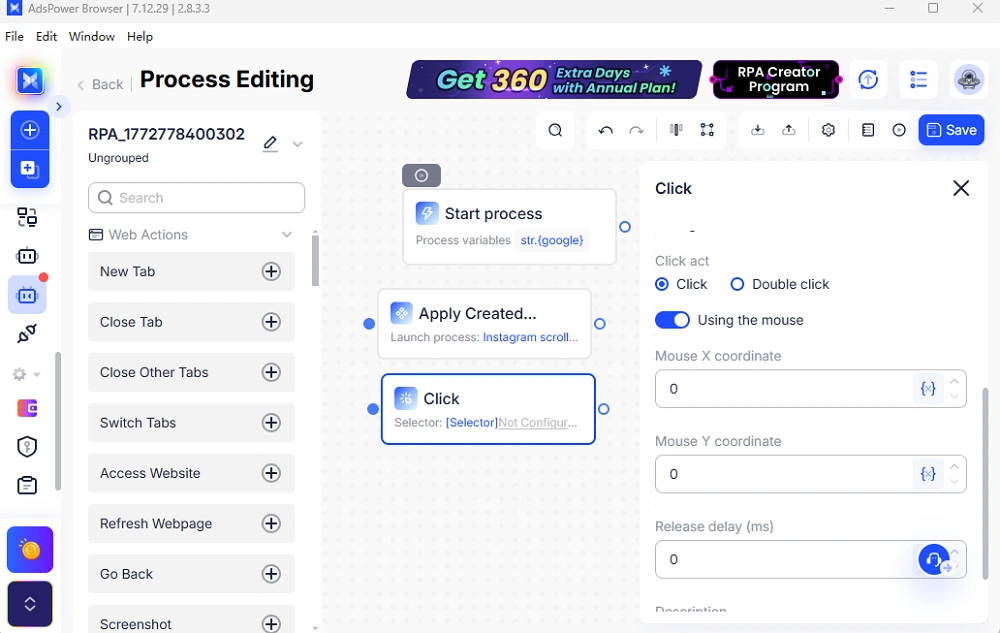
- Click action now supports coordinate-based clicking to simulate real mouse behavior
- Fixed an issue affecting loop exits under IF conditions
These updates improve automation flexibility and help users build more efficient workflows.
Conclusion
The AdsPower February update focuses on practical improvements that support stable multi-account operations. With the addition of the Chrome 144 kernel, improved profile management tools, stronger permission controls, and expanded automation features, users can manage accounts and workflows more efficiently.
Keeping AdsPower updated ensures access to the latest browser profiles and automation capabilities, helping teams maintain organized and reliable account operations.
